API de scraping de perfis do LinkedIn
Obtenha informações de emprego, empresa e formação a partir de URLs de perfis do LinkedIn usando o seu assistente de AI, um workflow no-code ou o seu próprio código.
- A partir de $0.014 por perfil
- Não é necessário iniciar sessão no LinkedIn
- 10.000 perfis por tarefa
| URL do perfil do LinkedIn |
|---|
| linkedin.com/in/maya-lindqvist |
| linkedin.com/in/tom-okafor |
| linkedin.com/in/lea-moreau |
Com a confiança de mais de 38.000 utilizadores em startups e equipas da Fortune 500





Funciona com qualquer ferramenta que consiga enviar pedidos HTTP
 Claude
 Cursor
 Codex
Codex Make
Make n8n
n8n Zapier
- O seu próprio código
Escolha como começar
Deixe um assistente de AI ou a sua ferramenta de automação tratar da configuração, ou chame a API REST a partir do seu próprio código.
Cole o prompt de configuração
Copie o prompt para o Claude Code, Codex ou Cursor, ou para o Make, n8n ou Zapier, e cole-o. A AI cria uma pasta Datablist no seu computador e configura tudo.
Cole a sua chave de API
Quando a AI solicitar, copie a sua chave de API da aplicação Datablist e cole-a no ficheiro .env que foi aberto. Nunca a cole no chat.
Obtenha os resultados
Envie a sua lista de URLs de perfis do LinkedIn e receba uma linha por perfil: nome, título profissional, localização, emprego atual e empresa, pronta para a sua folha de cálculo ou CRM.
Ver um exemplo de resultadoUtiliza o Make, n8n ou Zapier? Aqui estão todos os campos do pedido HTTP
Utilize o módulo ou nó de pedido HTTP disponibilizado pela sua ferramenta. São necessários três passos: enviar a lista, aguardar e consultar os resultados.
1. Envie a sua lista (pedido HTTP)
- Método
POST- URL
https://api.datablist.com/v1/enrichments/tasks- Cabeçalhos
X-API-Key= a sua chave de APIContent-Type=application/json- Corpo (JSON)
- json{"enrichmentId": "linkedin-profile-scraper","uniqueId": "linkedin-profile-scraper-import-1","settings": {"experiencesNb": "3","educationsNb": "1"},"inputs": [{"inputId": "row-1", "data": {"profileUrl": "https://www.linkedin.com/in/maya-lindqvist/"}},{"inputId": "row-2", "data": {"profileUrl": "https://www.linkedin.com/in/tom-okafor/"}},{"inputId": "row-3", "data": {"profileUrl": "https://www.linkedin.com/in/lea-moreau/"}}]}
- Guardar
- O
@idda resposta. Este é o ID da sua tarefa.
2. Aguarde até estar concluída
Adicione uma breve espera ou atraso e, em seguida, um pedido GET para https://api.datablist.com/v1/enrichments/tasks/TASK_ID com o mesmo cabeçalho X-API-Key. Repita até status ser completed.
3. Consulte os resultados
GET https://api.datablist.com/v1/enrichments/tasks/TASK_ID/results?limit=50. Associe outputs às suas colunas. Se nextCursor não estiver vazio, faça uma nova chamada com &cursor= seguido desse valor.
Em resumo
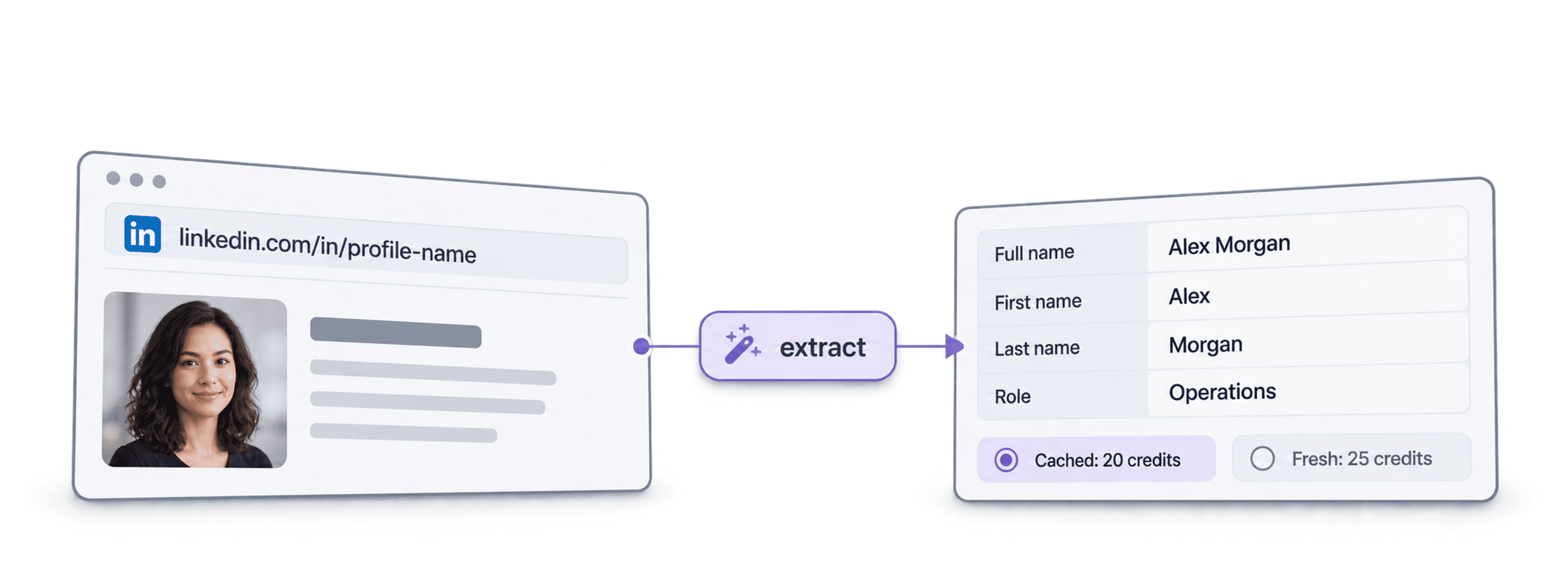
Dados públicos recentes de um perfil a partir de um URL do LinkedIn: quem é a pessoa, onde trabalha e o que estudou. Não é necessário criar um workspace, uma coleção ou uma importação no Datablist.
O que fornece
- URLs de perfis do LinkedIn: links de perfis padrão ou links de leads do Sales Navigator
- Quantidade de histórico (opcional): 3, 5 ou 10 empregos anteriores e 1, 3 ou 5 instituições de ensino
- Perfis em cache (opcional): aceite uma cópia recente guardada para pagar menos
O que recebe
- A pessoa: nome, título profissional, resumo, localização, idiomas e conexões
- O emprego atual: cargo, data de início, empresa, site da empresa, setor e dimensão
- Empregos anteriores e formação: tantos quantos solicitou
Quanto custa
- Perfil recente: 25 créditos por perfil
- Perfil em cache: 20 créditos quando aceita uma cópia guardada
- 1.000 créditos = $1: partilhados com a aplicação Datablist
O que as equipas criam com esta API
Integre o LinkedIn Profile Scraper onde os seus dados já circulam.
Pesquise leads antes do outreach
- URL do LinkedIn de uma lista de leads
- Cargo, empresa, localização
Obtenha a função e a empresa atuais de cada lead, para que a sua sequência comece com a pessoa certa e uma primeira frase relevante.
Crie perfis de candidatos
- URL do LinkedIn do candidato
- Empregos e formação no seu ATS
Obtenha os empregos anteriores e a formação de cada candidato e mantenha o seu ATS ou folha de cálculo atualizados sem copiar e colar.
Detete mudanças de emprego
- Contactos no CRM
- Nova empresa sinalizada
Volte a processar os seus contactos e compare a empresa atual com o CRM para identificar champions que mudaram para uma nova conta.
Quanto vai custar?
Pague por consulta com créditos. O acesso à API começa no plano Growth.
Quanto vai custar?
Indique quantos perfis do LinkedIn necessita e mostraremos a forma mais económica de os obter.
= 25.000 créditos a 25 créditos por perfil recente
Como funcionam os créditos
1.000 créditos = $1, pelo que cada crédito custa um décimo de cêntimo. Um perfil recente custa 25 créditos e um perfil em cache custa 20 créditos. Um perfil que não seja encontrado poderá ainda consumir créditos, pois o trabalho de pesquisa foi realizado. Cada resultado devolve creditsUsed, para que possa acompanhar o custo real por linha. Os créditos do plano são renovados mensalmente e os não utilizados são repostos. Os créditos adicionais nunca expiram.
Integre-a no seu código
Tudo o que necessita para chamar diretamente a API REST: código, respostas, endpoints, campos, autenticação e limites.
datablist/linkedin-profile-scraper-api
Exemplos oficiais: cURL, Python com Requests ou HTTPX assíncrono e TypeScript. Coloque a sua chave em DATABLIST_API_KEY e execute.
Copie, cole e execute
Um script completo que cria uma tarefa, aguarda pela sua conclusão e apresenta todos os resultados. Substitua YOUR_PERSONAL_API_KEY pela sua chave.
# 1. Create the task (returns 202 Accepted and the task "@id")
curl --request POST 'https://api.datablist.com/v1/enrichments/tasks' \
  --header 'X-API-Key: YOUR_PERSONAL_API_KEY' \
  --header 'Content-Type: application/json' \
  --data '{
    "enrichmentId": "linkedin-profile-scraper",
    "uniqueId": "linkedin-profile-scraper-import-1",
    "settings": {
      "experiencesNb": "3",
      "educationsNb": "1"
    },
    "inputs": [
      {"inputId": "row-1", "data": {"profileUrl": "https://www.linkedin.com/in/maya-lindqvist/"}},
      {"inputId": "row-2", "data": {"profileUrl": "https://www.linkedin.com/in/tom-okafor/"}},
      {"inputId": "row-3", "data": {"profileUrl": "https://www.linkedin.com/in/lea-moreau/"}}
    ]
  }'
# 2. Poll every few seconds until status is completed, failed or stopped
curl 'https://api.datablist.com/v1/enrichments/tasks/TASK_ID' \
--header 'X-API-Key: YOUR_PERSONAL_API_KEY'
# 3. Read the results, then follow nextCursor until it is null
curl 'https://api.datablist.com/v1/enrichments/tasks/TASK_ID/results?limit=50' \
--header 'X-API-Key: YOUR_PERSONAL_API_KEY'O que a API devolve
Um resultado por input, com o seu inputId, um status, os outputs e os créditos utilizados. Dados de exemplo.
{
  "taskId": "00000000000040008000000000000001",
  "results": [
    {
      "inputId": "row-1",
      "status": "success",
      "outputs": {
        "profileUrl": "https://www.linkedin.com/in/maya-lindqvist/",
        "firstName": "Maya",
        "lastName": "Lindqvist",
        "fullName": "Maya Lindqvist",
        "linkedInHeadline": "Head of Sales at Brightwave Analytics",
        "linkedInCity": "Stockholm",
        "linkedInCountryCode": "SE",
        "linkedInLocation": "Stockholm, Sweden",
        "linkedInlastExpTitle": "Head of Sales",
        "linkedInlastExpStartsAt": "2023-02-01",
        "linkedInlastExpCompany": "Brightwave Analytics",
        "linkedInlastExpCompanyWebsite": "https://www.brightwaveanalytics.com",
        "linkedInlastExpCompanyIndustry": "Software Development",
        "linkedInlastExpCompanyRange": "51-200",
        "linkedInlastEduSchool": "Example University",
        "linkedInLanguages": "English, Swedish",
        "linkedInConnections": "500"
      },
      "creditsUsed": "25",
      "error": null
    }
  ],
  "nextCursor": null
}
Endpoints e campos
Todos os caminhos são relativos a https://api.datablist.com. As definições dos campos provêm de GET /v1/enrichments/linkedin-profile-scraper (documentação atualizada em 21 de outubro de 2026). Versão do schema: 2026-09-12.
Ver schema da API (JSON) (abre num novo separador)
- /v1/enrichments/linkedin-profile-scraper
- Consultar o schema, sem necessidade de chave
- POST
- /v1/enrichments/tasks
- Criar uma tarefa
- /v1/enrichments/tasks/{taskId}
- Consultar o status e o progresso
- /v1/enrichments/tasks/{taskId}/results
- Consultar resultados, de 1 a 100 por página
- POST
- /v1/enrichments/tasks/{taskId}/stop
- Cancelar uma tarefa em execução
- /v1/enrichments/tasks
- Histórico de tarefas, da mais recente para a mais antiga
Referência do schema
Envie settings uma vez por tarefa e um objeto data por input. Os resultados podem incluir campos adicionais à medida que o enriquecimento evolui; por isso, preserve as chaves desconhecidas ao processar outputs.
Mostrar todos os settings, inputs e outputs
Definições
includeUrnInclude LinkedIn Internal ID (URN) | Boolean | Include the LinkedIn internal identifier (URN), for example: ACoAAAIJflYBlveEKEKWvVsjTP4QeXHK8KfcKHg. This ID can be used to build Sales Navigator URLs, like https://www.linkedin.com/sales/lead/XXXX. Ativado quando: |
|---|---|---|
includePicturesInclude Pictures | Boolean | Include the LinkedIn profile picture and the company logo URL. ⚠️ These URLs expire fast. Download the images to avoid broken links. Ativado quando: |
acceptCachedProfilesAccept cached profiles | Boolean | Default behavior is to fetch fresh LinkedIn profile data. Enable this option to use cached profiles when available. Cached profiles cost 20 credits per profile. Ativado quando: |
experiencesNbExperiences to return | Text | How many work experiences to return. Default to 3.Valores permitidos: |
educationsNbEducations to return | Text | How many educations to return. Default to 1.Valores permitidos: |
Inputs (data)
profileUrlobrigatórioPerson's LinkedIn Profile | Text | LinkedIn Profile Identifier. Works with standard profile URLs (https://linkedin.com/in/xxx) and Sales Navigator URLs (https://www.linkedin.com/sales/lead/xxxx). |
|---|
Outputs
linkedInInternalIdentifierLinkedIn Internal ID (URN) | Text | The unique internal LinkedIn identifier (URN). Example: ACoAAAIJflYBlveEKEKWvVsjTP4QeXHK8KfcKHg. Use it to build Sales Navigator URLs like https://www.linkedin.com/sales/lead/XXXX. Ativado quando: |
|---|---|---|
profileUrlLinkedIn Profile URL Normalized | Text | The clean and standardized LinkedIn Public Profile URL. In the format: https://www.linkedin.com/in/xxxFormato: |
firstNameFirst Name | Text | The first name of the profile |
lastNameLast Name | Text | The last name of the profile |
fullNameFull Name | Text | The full name of the profile |
linkedInHeadlineHeadline | Text | The tagline on the user profile. |
linkedInSummarySummary | Text | A blurb (longer than the tagline) written by the user for his profile. |
linkedInCityCity | Text | The city of the profile |
linkedInStateState | Text | The state of the profile |
linkedInCountryCodeCountry | Text | The country code of the profile. 2-letter country code (ISO 3166-1 alpha-2). |
linkedInCountryNameCountry Name | Text | The profile's country of residence, in English words. |
linkedInLocationLocation | Text | Full Location text |
linkedInProfilePictureLinkedIn Profile Picture | Text | These URLs expire fast. Download the images to avoid broken links. Ativado quando: |
linkedInlastExpTitleTitle (Current or last experience) | Text | The title of the current (or last) experience |
linkedInlastExpEmploymentTypeEmployment Type (Current or last experience) | Text | The employment type of the current (or last) experience. |
linkedInlastExpDescriptionDescription (Current or last experience) | Text | The description of the current (or last) experience |
linkedInlastExpStartsAtStart Date (Current or last experience) | Text | The start date of the current (or last) experience.Formato: |
linkedInlastExpEndsAtEnd date (Current or last experience) | Text | The end date of the last experience. None if still active.Formato: |
linkedInlastExpLocationLocation (Current or last experience) | Text | The location of the current (or last) experience |
linkedInlastExpCompanyCompany Name (Current or last experience) | Text | The company name of the current (or last) experience. |
linkedInlastExpCompanyPageCompany page URL (Current or last experience) | Text | LinkedIn company's profile URL of the current (or last) experience. |
linkedInlastExpCompanyWebsiteCompany website (Current or last experience) | Text | Company Website of the current (or last) experience. |
linkedInlastExpCompanyDescriptionCompany description (Current or last experience) | Text | The company description from the LinkedIn company page of the current or last experience. |
linkedInlastExpCompanyIndustryCompany Industry (Current or last experience) | Text | Company Industry of the current (or last) experience. |
linkedInlastExpCompanyRangeCompany employee range (Current or last experience) | Text | Size of the company. In the form: 1, 2-10, 11-50, etc. |
linkedInlastExpCompanyLogoCompany Logo (Current or last experience) | Text | These URLs expire fast. Download the images to avoid broken links. Ativado quando: |
linkedIn2ExpTitleTitle (Experience #2) | Text | The title from the second most recent work experience. If available. |
linkedIn2ExpEmploymentTypeEmployment Type (Experience #2) | Text | The employment type from the second most recent work experience. If available. |
linkedIn2ExpDescriptionDescription (Experience #2) | Text | The description from the second most recent work experience. If available. |
linkedIn2ExpStartsAtStart Date (Experience #2) | Text | The start date from the second most recent work experience. If available.Formato: |
linkedIn2ExpEndsAtEnd date (Experience #2) | Text | The end date from the second most recent work experience. If available.Formato: |
linkedIn2ExpCompanyNameCompany Name (Experience #2) | Text | The company name from the second most recent work experience. If available. |
linkedIn2ExpLogoCompany Logo (Experience #2) | Text | These URLs expire fast. Download the images to avoid broken links. Ativado quando: |
linkedIn3ExpTitleTitle (Experience #3) | Text | The title from the third most recent work experience. If available. |
linkedIn3ExpEmploymentTypeEmployment Type (Experience #3) | Text | The employment type from the third most recent work experience. If available. |
linkedIn3ExpDescriptionDescription (Experience #3) | Text | The description from the third most recent work experience. If available. |
linkedIn3ExpStartsAtStart Date (Experience #3) | Text | The start date from the third most recent work experience. If available.Formato: |
linkedIn3ExpEndsAtEnd date (Experience #3) | Text | The end date from the third most recent work experience. If available.Formato: |
linkedIn3ExpCompanyNameCompany Name (Experience #3) | Text | The company name from the third most recent work experience. If available. |
linkedIn3ExpLogoCompany Logo (Experience #3) | Text | These URLs expire fast. Download the images to avoid broken links. Ativado quando: |
linkedInlastEduSchoolSchool (Current or last education) | Text | The school name of the current (or last) education |
linkedInlastEduDegreeDegree (Current or last education) | Text | The degree of the current (or last) education |
linkedInlastEduFieldField of Study (Current or last education) | Text | The field of study of the current (or last) education |
linkedInlastEduStartsAtStart Date (Current or last education) | Text | The start date of the current (or last) educationFormato: |
linkedInlastEduEndsAtEnd date (Current or last education) | Text | The end date of the current (or last) educationFormato: |
linkedInlastEduLogoLogo URL (Current or last education) | Text | These URLs expire fast. Download the images to avoid broken links. Ativado quando: |
linkedInSkillsSkills | Text | Comma-separated list of skills listed on the LinkedIn profile. |
linkedInLanguagesLanguages | Text | Comma-separated list of spoken languages of the LinkedIn profile. |
linkedInConnectionsConnections | Text | The number of connections of the profile |
Um cabeçalho, limites claros
Crie uma chave de API pessoal na sua conta Datablist e envie-a em todos os pedidos autenticados.
Autenticação
Envie a sua chave no cabeçalho X-API-Key. A Datablist troca e renova os tokens de acesso por si.
- Cabeçalho:
X-API-Key: YOUR_PERSONAL_API_KEY - Opcional: faça a gestão dos tokens com
Authorization: BearerdePOST /v1/account/token - Um ou outro: o envio de ambos os cabeçalhos devolve
400 AmbiguousCredentials - Apenas no servidor: mantenha as chaves fora de URLs, código executado no browser e logs
Limites
- Inputs por tarefa: de 1 a 10.000
- Tamanho: 16 KiB por input, 10 MiB por pedido
- Tempo de execução: até 24 horas por tarefa
- Criação de tarefas: 10 pedidos por cada 60 segundos, por conta
- Polling e resultados: 120 pedidos por cada 60 segundos, por operação
- Tarefas ativas: cerca de 20 em simultâneo, por conta
- Retenção: as tarefas e os resultados são conservados durante 90 dias
Tutoriais relacionados
Conheça os workflows mais recentes com guias detalhados, passo a passo.
Perguntas frequentes
Tudo o que você ou o seu agente de programação com AI necessitam para integrar a API de scraping de perfis do LinkedIn: autenticação, pedido, polling, resultados, limites e novas tentativas.
APIs, enriquecimentos e ferramentas gratuitas relacionados
Combine o LinkedIn Profile Scraper com outros enriquecimentos, no seu código, na aplicação Datablist ou gratuitamente.
APIs de enriquecimento
- API Waterfall Email FinderEncontre um email profissional verificado a partir de um nome e do domínio da empresa.
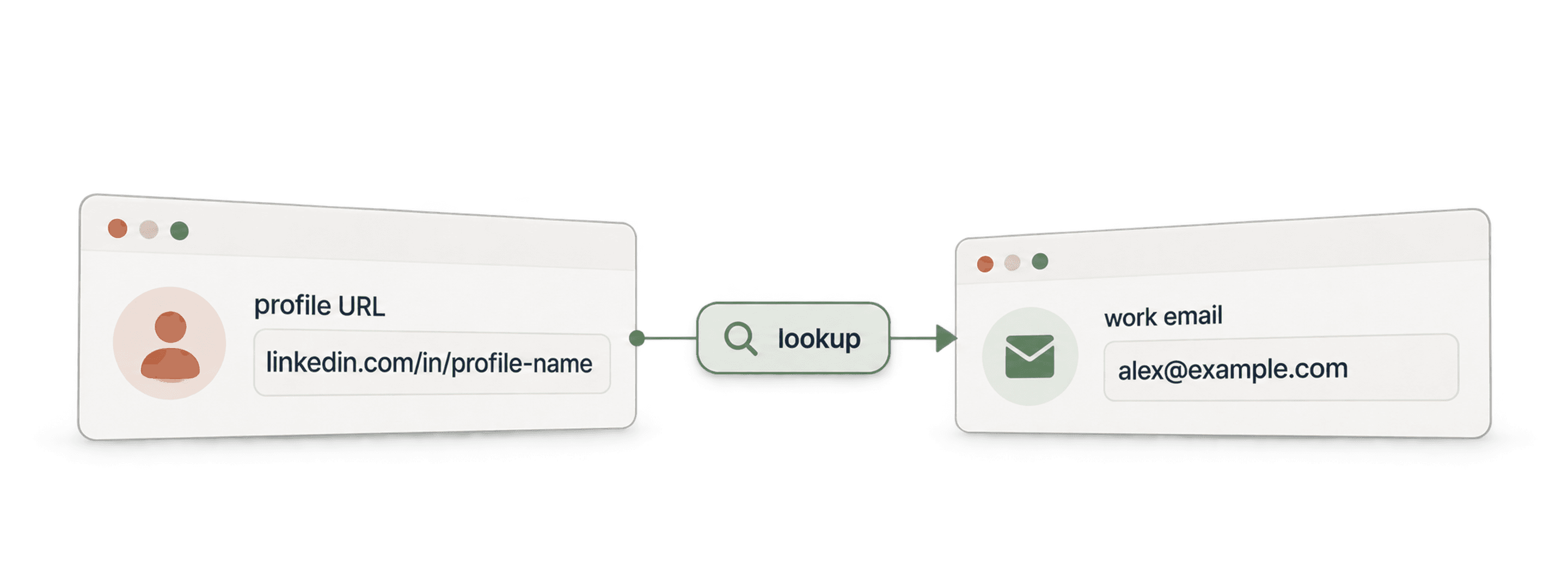
- API Waterfall Phone FinderEncontre um número de telefone a partir de um URL de perfil do LinkedIn. Pague apenas quando for encontrado.
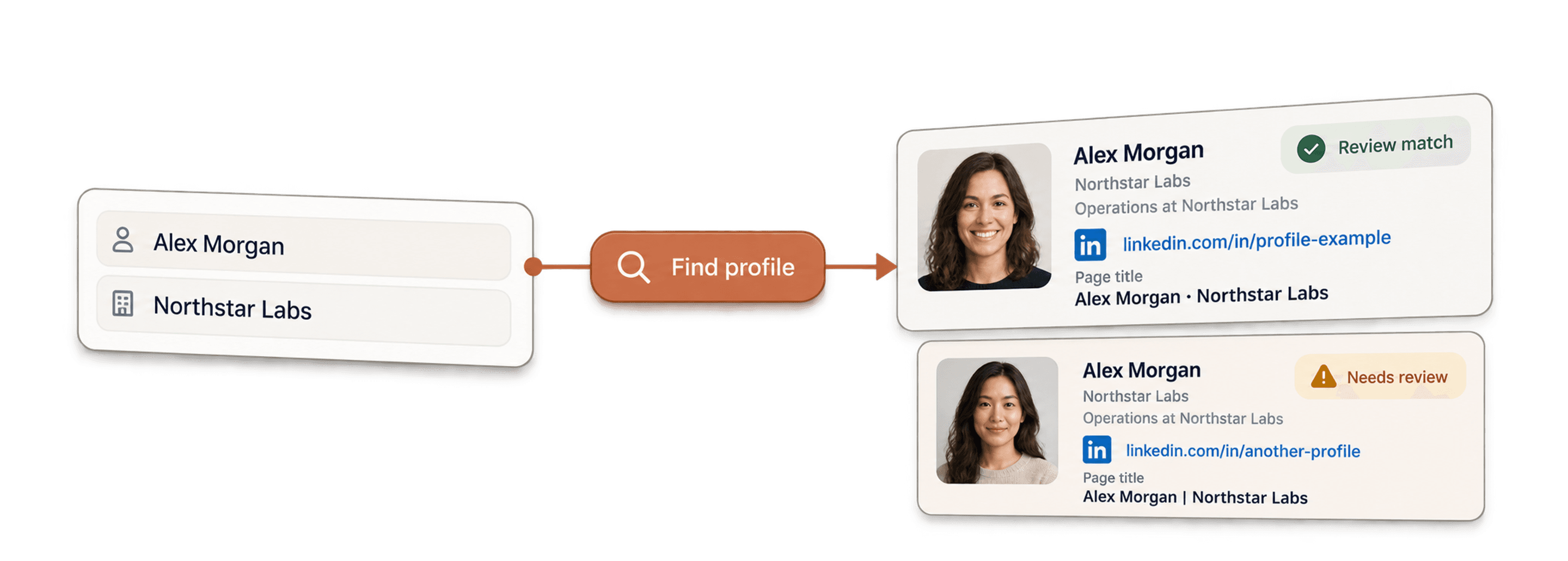
- API LinkedIn Profile FinderEncontre o URL do perfil do LinkedIn de uma pessoa a partir do respetivo nome.



Enriquecimentos no-code
- Waterfall Email FinderEncontre emails verificados a partir de um URL do LinkedIn utilizando mais de 20 fornecedores em simultâneo.
- Waterfall Phone FinderObtenha números de telemóvel diretos a partir dos mesmos URLs de perfis do LinkedIn.
- Scraper de páginas de empresas do LinkedInExtraia dados públicos de empresas a partir de URLs de páginas de empresas do LinkedIn.
Ferramentas gratuitas
- Scraper gratuito de perfis do LinkedInExtraia dados públicos a partir de um URL de perfil. Sem início de sessão, cookies ou ID de sessão.
- Email Finder gratuitoEncontre um email profissional a partir de um nome e de uma empresa. Experimente gratuitamente.
- Localizador de domínios de empresasEncontre domínios de sites a partir de uma lista de nomes de empresas.
