LinkedInプロフィールスクレイパーAPI
LinkedInプロフィールURLから職歴、会社、学歴の詳細を取得できます。AIアシスタント、ノーコードworkflow、または独自コードからご利用いただけます。
- プロフィール1件あたり$0.014から
- LinkedInへのログイン不要
- 1タスクあたり10,000件のプロフィール
| LinkedInプロフィールURL |
|---|
| linkedin.com/in/maya-lindqvist |
| linkedin.com/in/tom-okafor |
| linkedin.com/in/lea-moreau |
スタートアップからFortune 500企業のチームまで、38,000人以上のユーザーにご利用いただいています





HTTPリクエストを送信できるあらゆるツールで動作します
 Claude
 Cursor
 Codex
Codex Make
Make n8n
n8n Zapier
- 独自コード
お好みの方法で始めましょう
AIアシスタントや自動化ツールにセットアップを任せるか、独自コードからREST APIを呼び出せます。
セットアップpromptを貼り付ける
Claude Code、Codex、Cursor、またはMake、n8n、Zapier用のpromptをコピーして貼り付けてください。AIがお客様のコンピューターにDatablistフォルダーを作成し、すべてをセットアップします。
APIキーを貼り付ける
AIから求められたら、DatablistアプリからAPIキーをコピーし、AIが開いた.envファイルに貼り付けてください。チャットには絶対に貼り付けないでください。
結果を取得する
LinkedInプロフィールURLのリストを送信すると、プロフィールごとに氏名、ヘッドライン、所在地、現在の職種、会社が1行で返され、スプレッドシートやCRMですぐにご利用いただけます。
サンプル結果を見るMake、n8n、Zapierをご利用ですか?HTTPリクエストの全フィールドはこちらです
ツールに用意されているHTTPリクエストモジュールまたはノードをご利用ください。リストを送信し、待機してから結果を読み取るという3つの手順が必要です。
1. リストを送信(HTTPリクエスト)
- メソッド
POST- URL
https://api.datablist.com/v1/enrichments/tasks- ヘッダー
X-API-Key= お客様のAPIキーContent-Type=application/json- ボディ(JSON)
- json{"enrichmentId": "linkedin-profile-scraper","uniqueId": "linkedin-profile-scraper-import-1","settings": {"experiencesNb": "3","educationsNb": "1"},"inputs": [{"inputId": "row-1", "data": {"profileUrl": "https://www.linkedin.com/in/maya-lindqvist/"}},{"inputId": "row-2", "data": {"profileUrl": "https://www.linkedin.com/in/tom-okafor/"}},{"inputId": "row-3", "data": {"profileUrl": "https://www.linkedin.com/in/lea-moreau/"}}]}
- 保存する値
- レスポンスの
@id。これがタスクIDです。
2. 完了まで待機
短い待機または遅延を追加し、同じX-API-Keyヘッダーを付けてhttps://api.datablist.com/v1/enrichments/tasks/TASK_IDへGETリクエストを送信します。statusがcompletedになるまで繰り返してください。
3. 結果を読み取る
GET https://api.datablist.com/v1/enrichments/tasks/TASK_ID/results?limit=50。outputsを各列にマッピングします。nextCursorが空でない場合は、&cursor=にその値を続けて再度呼び出してください。
ひと目で分かる概要
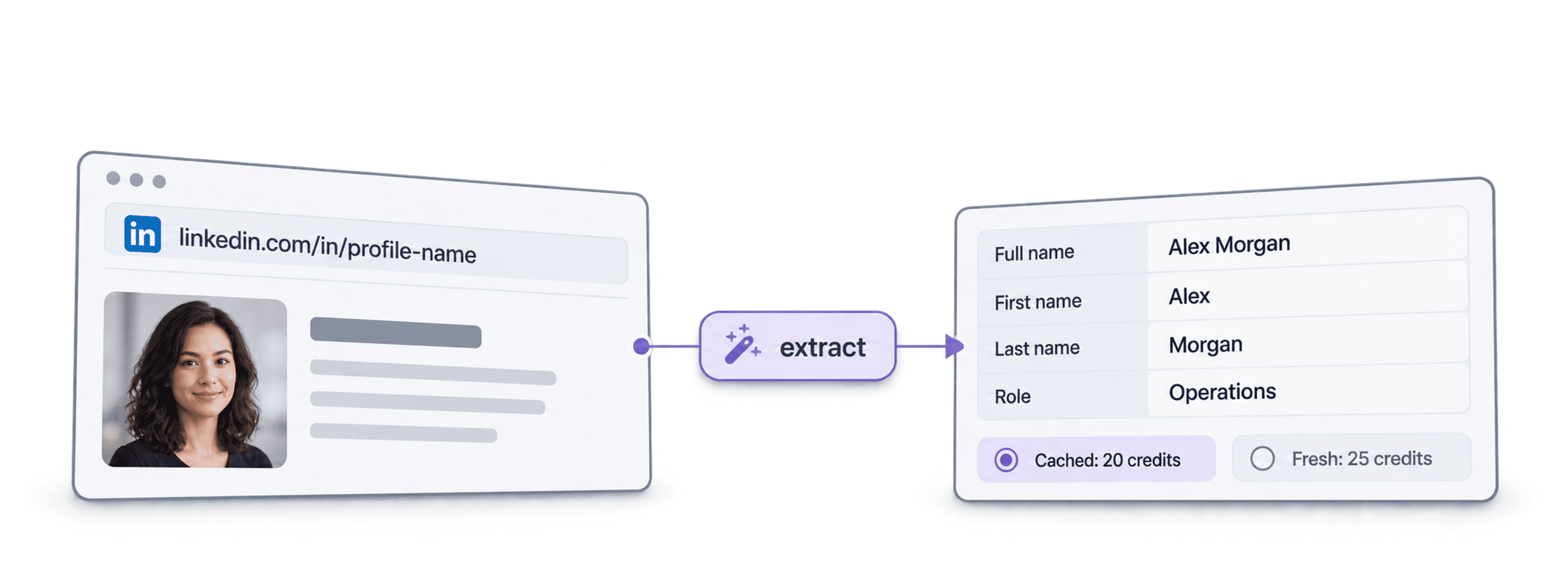
LinkedIn URLから最新の公開プロフィールデータを取得できます。人物情報、勤務先、学歴を把握でき、Datablistのworkspace、collection、importは不要です。
入力する情報
- LinkedInプロフィールURL:標準のプロフィールリンクまたはSales Navigatorのleadリンク
- 取得する履歴数(任意):過去の職歴を3、5、10件、学校を1、3、5件
- キャッシュ済みプロフィール(任意):最近保存されたコピーを利用して料金を抑える
取得できる情報
- 人物情報:氏名、ヘッドライン、概要、所在地、言語、つながり
- 現在の職歴:役職、開始日、会社、会社Webサイト、業種、規模
- 過去の職歴と学歴:指定した件数分
料金
- 最新プロフィール:プロフィール1件あたり25クレジット
- キャッシュ済みプロフィール:保存済みコピーを利用する場合は20クレジット
- 1,000クレジット = $1:Datablistアプリと共通
チームで構築できるもの
既存のデータフローのどこにでもLinkedIn Profile Scraperを組み込めます。
outreach前にleadsをリサーチ
- leadリストからLinkedIn URLを取得
- 役職、会社、所在地
各leadの現在の役職と会社を取得し、適切な相手への関連性の高い一文からシーケンスを始められます。
候補者プロフィールを作成
- 候補者のLinkedIn URL
- ATSに職歴と学歴を登録
候補者ごとの過去の職歴と学歴を取得し、コピー&ペーストせずにATSやスプレッドシートを最新の状態に保てます。
転職を検知
- CRM内の連絡先
- 新しい会社をフラグ付け
連絡先データを再実行し、現在の会社とCRMを比較することで、別のアカウントへ移ったキーパーソンを把握できます。
費用はいくらですか?
検索ごとにクレジットでお支払いいただきます。APIアクセスはGrowthプランからご利用いただけます。
費用はいくらですか?
必要なLinkedInプロフィール数をご入力いただくと、最もお得な取得方法をご案内します。
= 最新プロフィール1件あたり25クレジットで合計25,000クレジット
クレジットの仕組み
1,000クレジット = $1のため、1クレジットは0.1セントです。最新プロフィールは25クレジット、キャッシュ済みプロフィールは20クレジットです。プロフィールが見つからない場合でも、検索処理が実行されているためクレジットが消費されることがあります。各結果にはcreditsUsedが返されるため、1行あたりの実費を追跡できます。プランのクレジットは毎月更新され、未使用分はリセットされます。追加購入したクレジットに有効期限はありません。
コードに組み込む
REST APIを直接呼び出すために必要なコード、レスポンス、endpoint、フィールド、認証、制限をすべてご確認いただけます。
datablist/linkedin-profile-scraper-api
公式サンプル:cURL、Requestsまたは非同期HTTPXを使用するPython、TypeScript。キーをDATABLIST_API_KEYに設定して実行してください。
コピーして貼り付け、実行
タスクを作成して完了を待ち、すべての結果を出力する完全なスクリプトです。YOUR_PERSONAL_API_KEYをお客様のキーに置き換えてください。
# 1. Create the task (returns 202 Accepted and the task "@id")
curl --request POST 'https://api.datablist.com/v1/enrichments/tasks' \
  --header 'X-API-Key: YOUR_PERSONAL_API_KEY' \
  --header 'Content-Type: application/json' \
  --data '{
    "enrichmentId": "linkedin-profile-scraper",
    "uniqueId": "linkedin-profile-scraper-import-1",
    "settings": {
      "experiencesNb": "3",
      "educationsNb": "1"
    },
    "inputs": [
      {"inputId": "row-1", "data": {"profileUrl": "https://www.linkedin.com/in/maya-lindqvist/"}},
      {"inputId": "row-2", "data": {"profileUrl": "https://www.linkedin.com/in/tom-okafor/"}},
      {"inputId": "row-3", "data": {"profileUrl": "https://www.linkedin.com/in/lea-moreau/"}}
    ]
  }'
# 2. Poll every few seconds until status is completed, failed or stopped
curl 'https://api.datablist.com/v1/enrichments/tasks/TASK_ID' \
--header 'X-API-Key: YOUR_PERSONAL_API_KEY'
# 3. Read the results, then follow nextCursor until it is null
curl 'https://api.datablist.com/v1/enrichments/tasks/TASK_ID/results?limit=50' \
--header 'X-API-Key: YOUR_PERSONAL_API_KEY'APIから返される内容
入力ごとに、inputId、status、outputs、使用クレジットを含む結果が1件返されます。サンプルデータです。
{
  "taskId": "00000000000040008000000000000001",
  "results": [
    {
      "inputId": "row-1",
      "status": "success",
      "outputs": {
        "profileUrl": "https://www.linkedin.com/in/maya-lindqvist/",
        "firstName": "Maya",
        "lastName": "Lindqvist",
        "fullName": "Maya Lindqvist",
        "linkedInHeadline": "Head of Sales at Brightwave Analytics",
        "linkedInCity": "Stockholm",
        "linkedInCountryCode": "SE",
        "linkedInLocation": "Stockholm, Sweden",
        "linkedInlastExpTitle": "Head of Sales",
        "linkedInlastExpStartsAt": "2023-02-01",
        "linkedInlastExpCompany": "Brightwave Analytics",
        "linkedInlastExpCompanyWebsite": "https://www.brightwaveanalytics.com",
        "linkedInlastExpCompanyIndustry": "Software Development",
        "linkedInlastExpCompanyRange": "51-200",
        "linkedInlastEduSchool": "Example University",
        "linkedInLanguages": "English, Swedish",
        "linkedInConnections": "500"
      },
      "creditsUsed": "25",
      "error": null
    }
  ],
  "nextCursor": null
}
endpointとフィールド
すべてのパスはhttps://api.datablist.comからの相対パスです。フィールド定義はGET /v1/enrichments/linkedin-profile-scraperに基づいています(ドキュメント更新日:2026年10月21日)。schemaバージョン:2026-09-12。
API schema(JSON)を見る (新しいタブで開きます)
- /v1/enrichments/linkedin-profile-scraper
- schemaを読み取る(キー不要)
- POST
- /v1/enrichments/tasks
- タスクを作成
- /v1/enrichments/tasks/{taskId}
- statusと進捗をポーリング
- /v1/enrichments/tasks/{taskId}/results
- 結果を読み取る(1ページあたり1~100件)
- POST
- /v1/enrichments/tasks/{taskId}/stop
- 実行中のタスクをキャンセル
- /v1/enrichments/tasks
- タスク履歴(新しい順)
schemaリファレンス
タスクごとにsettingsを1回送信し、入力ごとにdataオブジェクトを1件送信します。enrichmentの進化に伴い結果に追加フィールドが含まれる場合があるため、outputsを解析する際は不明なキーも保持してください。
すべての設定、入力、出力を表示
設定
includeUrnInclude LinkedIn Internal ID (URN) | Boolean | Include the LinkedIn internal identifier (URN), for example: ACoAAAIJflYBlveEKEKWvVsjTP4QeXHK8KfcKHg. This ID can be used to build Sales Navigator URLs, like https://www.linkedin.com/sales/lead/XXXX. 有効になる条件: |
|---|---|---|
includePicturesInclude Pictures | Boolean | Include the LinkedIn profile picture and the company logo URL. ⚠️ These URLs expire fast. Download the images to avoid broken links. 有効になる条件: |
acceptCachedProfilesAccept cached profiles | Boolean | Default behavior is to fetch fresh LinkedIn profile data. Enable this option to use cached profiles when available. Cached profiles cost 20 credits per profile. 有効になる条件: |
experiencesNbExperiences to return | Text | How many work experiences to return. Default to 3.指定可能な値: |
educationsNbEducations to return | Text | How many educations to return. Default to 1.指定可能な値: |
入力(data)
profileUrl必須Person's LinkedIn Profile | Text | LinkedIn Profile Identifier. Works with standard profile URLs (https://linkedin.com/in/xxx) and Sales Navigator URLs (https://www.linkedin.com/sales/lead/xxxx). |
|---|
出力
linkedInInternalIdentifierLinkedIn Internal ID (URN) | Text | The unique internal LinkedIn identifier (URN). Example: ACoAAAIJflYBlveEKEKWvVsjTP4QeXHK8KfcKHg. Use it to build Sales Navigator URLs like https://www.linkedin.com/sales/lead/XXXX. 有効になる条件: |
|---|---|---|
profileUrlLinkedIn Profile URL Normalized | Text | The clean and standardized LinkedIn Public Profile URL. In the format: https://www.linkedin.com/in/xxx形式: |
firstNameFirst Name | Text | The first name of the profile |
lastNameLast Name | Text | The last name of the profile |
fullNameFull Name | Text | The full name of the profile |
linkedInHeadlineHeadline | Text | The tagline on the user profile. |
linkedInSummarySummary | Text | A blurb (longer than the tagline) written by the user for his profile. |
linkedInCityCity | Text | The city of the profile |
linkedInStateState | Text | The state of the profile |
linkedInCountryCodeCountry | Text | The country code of the profile. 2-letter country code (ISO 3166-1 alpha-2). |
linkedInCountryNameCountry Name | Text | The profile's country of residence, in English words. |
linkedInLocationLocation | Text | Full Location text |
linkedInProfilePictureLinkedIn Profile Picture | Text | These URLs expire fast. Download the images to avoid broken links. 有効になる条件: |
linkedInlastExpTitleTitle (Current or last experience) | Text | The title of the current (or last) experience |
linkedInlastExpEmploymentTypeEmployment Type (Current or last experience) | Text | The employment type of the current (or last) experience. |
linkedInlastExpDescriptionDescription (Current or last experience) | Text | The description of the current (or last) experience |
linkedInlastExpStartsAtStart Date (Current or last experience) | Text | The start date of the current (or last) experience.形式: |
linkedInlastExpEndsAtEnd date (Current or last experience) | Text | The end date of the last experience. None if still active.形式: |
linkedInlastExpLocationLocation (Current or last experience) | Text | The location of the current (or last) experience |
linkedInlastExpCompanyCompany Name (Current or last experience) | Text | The company name of the current (or last) experience. |
linkedInlastExpCompanyPageCompany page URL (Current or last experience) | Text | LinkedIn company's profile URL of the current (or last) experience. |
linkedInlastExpCompanyWebsiteCompany website (Current or last experience) | Text | Company Website of the current (or last) experience. |
linkedInlastExpCompanyDescriptionCompany description (Current or last experience) | Text | The company description from the LinkedIn company page of the current or last experience. |
linkedInlastExpCompanyIndustryCompany Industry (Current or last experience) | Text | Company Industry of the current (or last) experience. |
linkedInlastExpCompanyRangeCompany employee range (Current or last experience) | Text | Size of the company. In the form: 1, 2-10, 11-50, etc. |
linkedInlastExpCompanyLogoCompany Logo (Current or last experience) | Text | These URLs expire fast. Download the images to avoid broken links. 有効になる条件: |
linkedIn2ExpTitleTitle (Experience #2) | Text | The title from the second most recent work experience. If available. |
linkedIn2ExpEmploymentTypeEmployment Type (Experience #2) | Text | The employment type from the second most recent work experience. If available. |
linkedIn2ExpDescriptionDescription (Experience #2) | Text | The description from the second most recent work experience. If available. |
linkedIn2ExpStartsAtStart Date (Experience #2) | Text | The start date from the second most recent work experience. If available.形式: |
linkedIn2ExpEndsAtEnd date (Experience #2) | Text | The end date from the second most recent work experience. If available.形式: |
linkedIn2ExpCompanyNameCompany Name (Experience #2) | Text | The company name from the second most recent work experience. If available. |
linkedIn2ExpLogoCompany Logo (Experience #2) | Text | These URLs expire fast. Download the images to avoid broken links. 有効になる条件: |
linkedIn3ExpTitleTitle (Experience #3) | Text | The title from the third most recent work experience. If available. |
linkedIn3ExpEmploymentTypeEmployment Type (Experience #3) | Text | The employment type from the third most recent work experience. If available. |
linkedIn3ExpDescriptionDescription (Experience #3) | Text | The description from the third most recent work experience. If available. |
linkedIn3ExpStartsAtStart Date (Experience #3) | Text | The start date from the third most recent work experience. If available.形式: |
linkedIn3ExpEndsAtEnd date (Experience #3) | Text | The end date from the third most recent work experience. If available.形式: |
linkedIn3ExpCompanyNameCompany Name (Experience #3) | Text | The company name from the third most recent work experience. If available. |
linkedIn3ExpLogoCompany Logo (Experience #3) | Text | These URLs expire fast. Download the images to avoid broken links. 有効になる条件: |
linkedInlastEduSchoolSchool (Current or last education) | Text | The school name of the current (or last) education |
linkedInlastEduDegreeDegree (Current or last education) | Text | The degree of the current (or last) education |
linkedInlastEduFieldField of Study (Current or last education) | Text | The field of study of the current (or last) education |
linkedInlastEduStartsAtStart Date (Current or last education) | Text | The start date of the current (or last) education形式: |
linkedInlastEduEndsAtEnd date (Current or last education) | Text | The end date of the current (or last) education形式: |
linkedInlastEduLogoLogo URL (Current or last education) | Text | These URLs expire fast. Download the images to avoid broken links. 有効になる条件: |
linkedInSkillsSkills | Text | Comma-separated list of skills listed on the LinkedIn profile. |
linkedInLanguagesLanguages | Text | Comma-separated list of spoken languages of the LinkedIn profile. |
linkedInConnectionsConnections | Text | The number of connections of the profile |
ヘッダーは1つ、制限も明確
DatablistアカウントでPersonal API Keyを作成し、認証が必要なすべてのリクエストで送信してください。
認証
X-API-Keyヘッダーでキーを送信してください。Datablistがお客様に代わってアクセストークンを交換・更新します。
- ヘッダー:
X-API-Key: YOUR_PERSONAL_API_KEY - 任意:
POST /v1/account/tokenで取得したAuthorization: Bearerを使用し、ご自身でトークンを管理できます - いずれか一方:両方のヘッダーを送信すると
400 AmbiguousCredentialsが返されます - サーバーサイド限定:キーをURL、ブラウザーコード、ログに含めないでください
制限
- タスクあたりの入力数:1~10,000件
- サイズ:入力1件あたり16 KiB、リクエスト1件あたり10 MiB
- 実行時間:タスク1件あたり最大24時間
- タスク作成:アカウントごとに60秒あたり10リクエスト
- ポーリングと結果取得:操作ごとに60秒あたり120リクエスト
- アクティブなタスク:アカウントごとに同時に約20件
- 保持期間:タスクと結果は90日間保持されます
関連チュートリアル
詳細なステップ別ガイドで最新のworkflowをご確認いただけます。
よくあるご質問
LinkedIn Profile Scraper APIの連携に必要な認証、リクエスト、ポーリング、結果、制限、再試行について、お客様またはAIコーディングエージェント向けにまとめています。
関連API、enrichment、無料ツール
コード、Datablistアプリ、または無料ツールで、LinkedIn Profile Scraperをほかのenrichmentと連携できます。
Enrichment API
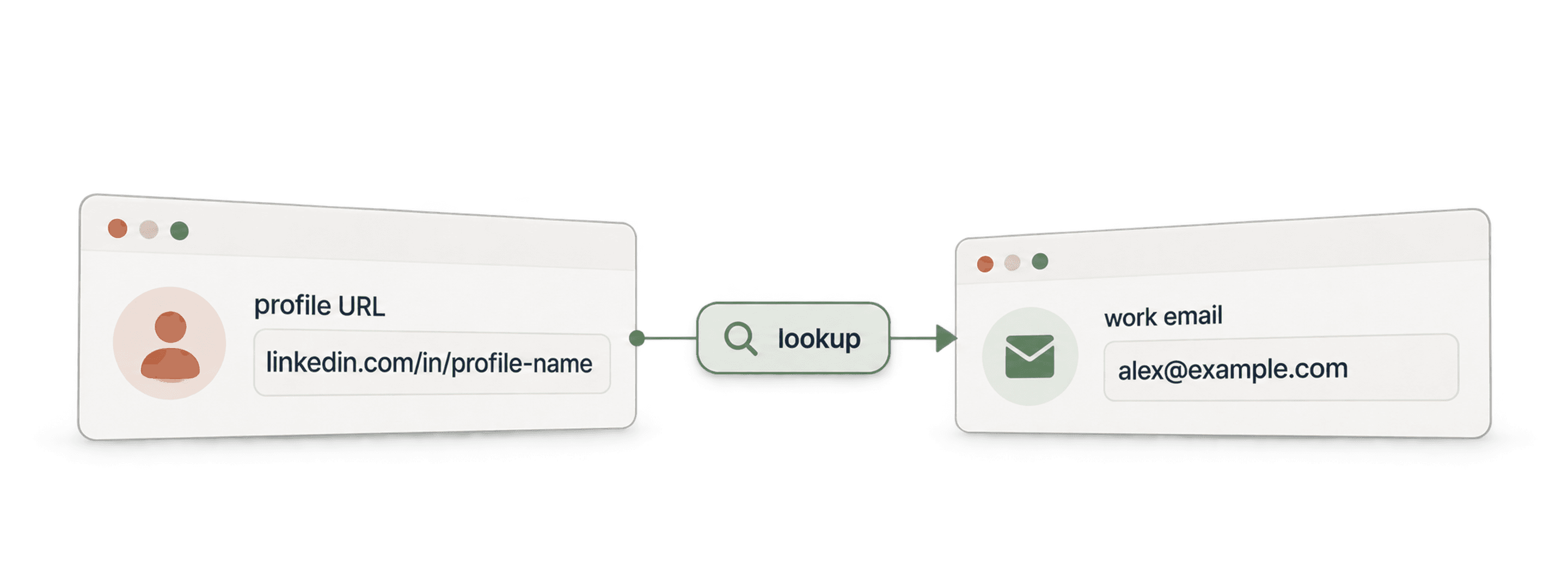
- Waterfall Email Finder API氏名と会社ドメインから、検証済みの勤務先emailを見つけます。
- Waterfall Phone Finder APILinkedInプロフィールURLから電話番号を見つけます。見つかった場合にのみ料金が発生します。
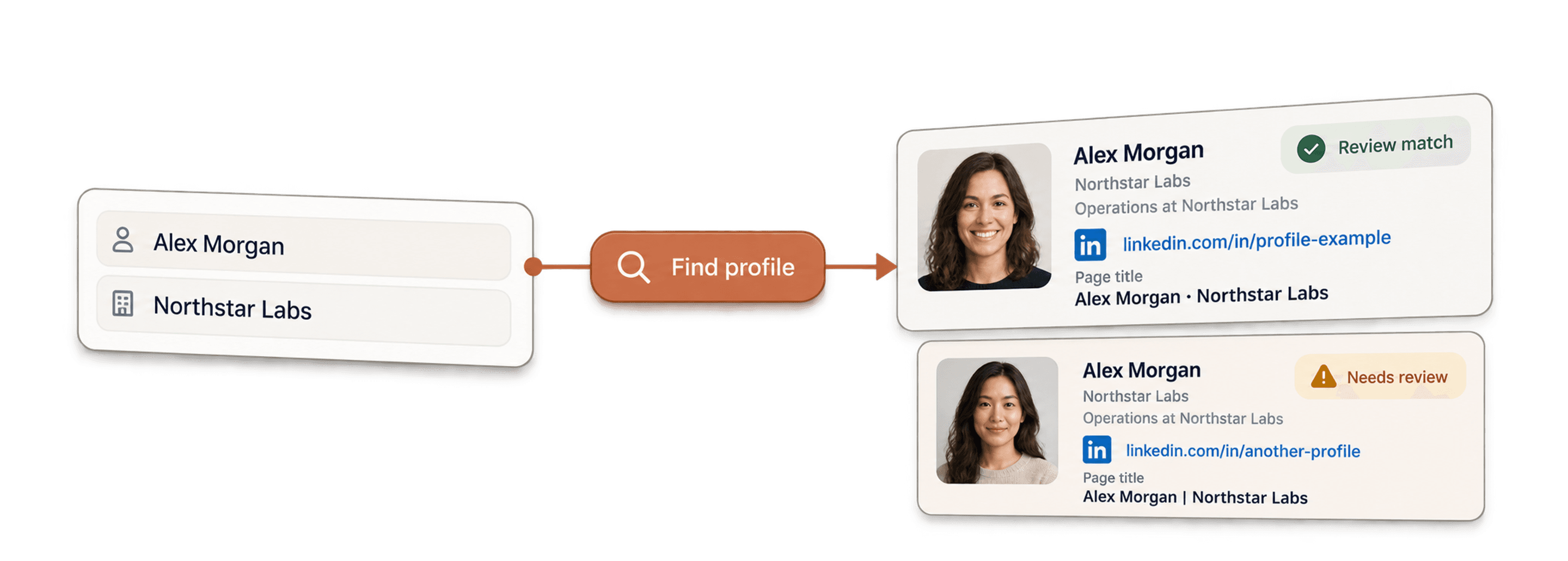
- LinkedIn Profile Finder API氏名からその人物のLinkedInプロフィールURLを見つけます。