LinkedIn Profile Scraper API
Haal functie-, bedrijfs- en opleidingsgegevens op uit LinkedIn-profiel-URL's, via je AI-assistent, no-code workflow of eigen code.
- Vanaf $0.014 per profiel
- Geen LinkedIn-login nodig
- 10.000 profielen per taak
| LinkedIn-profiel-URL |
|---|
| linkedin.com/in/maya-lindqvist |
| linkedin.com/in/tom-okafor |
| linkedin.com/in/lea-moreau |
Vertrouwd door meer dan 38.000 gebruikers bij startups en Fortune 500-teams





Werkt met elke tool die HTTP-requests kan versturen
 Claude
 Cursor
 Codex
Codex Make
Make n8n
n8n Zapier
- Je eigen code
Kies hoe je wilt beginnen
Laat een AI-assistent of je automatiseringstool de setup uitvoeren, of roep de REST API aan vanuit je eigen code.
Plak de setup-prompt
Kopieer de prompt voor Claude Code, Codex of Cursor, of voor Make, n8n of Zapier, en plak deze erin. De AI maakt een Datablist-map op je computer en stelt alles in.
Plak je API-key
Wanneer de AI erom vraagt, kopieer je je API-key uit de Datablist-app en plak je deze in het geopende .env-bestand. Plak de key nooit in de chat.
Ontvang je resultaten
Stuur je lijst met LinkedIn-profiel-URL's en ontvang één rij per profiel: naam, headline, locatie, huidige functie en bedrijf, klaar voor je spreadsheet of CRM.
Bekijk een voorbeeldresultaatGebruik je Make, n8n of Zapier? Hier vind je elk veld voor de HTTP-request
Gebruik de HTTP-requestmodule of node van je tool. Je hebt drie stappen nodig: verstuur de lijst, wacht en lees daarna de resultaten.
1. Verstuur je lijst (HTTP-request)
- Methode
POST- URL
https://api.datablist.com/v1/enrichments/tasks- Headers
X-API-Key= je API-keyContent-Type=application/json- Body (JSON)
- json{"enrichmentId": "linkedin-profile-scraper","uniqueId": "linkedin-profile-scraper-import-1","settings": {"experiencesNb": "3","educationsNb": "1"},"inputs": [{"inputId": "row-1", "data": {"profileUrl": "https://www.linkedin.com/in/maya-lindqvist/"}},{"inputId": "row-2", "data": {"profileUrl": "https://www.linkedin.com/in/tom-okafor/"}},{"inputId": "row-3", "data": {"profileUrl": "https://www.linkedin.com/in/lea-moreau/"}}]}
- Bewaar
- De
@iduit de response. Dat is je taak-ID.
2. Wacht tot de taak klaar is
Voeg een korte wachttijd of vertraging toe en daarna een GET-request naar https://api.datablist.com/v1/enrichments/tasks/TASK_ID met dezelfde X-API-Key-header. Herhaal dit totdat status gelijk is aan completed.
3. Lees de resultaten
GET https://api.datablist.com/v1/enrichments/tasks/TASK_ID/results?limit=50. Koppel outputs aan je kolommen. Als nextCursor niet leeg is, roep je de URL opnieuw aan met &cursor= plus die waarde.
In één oogopslag
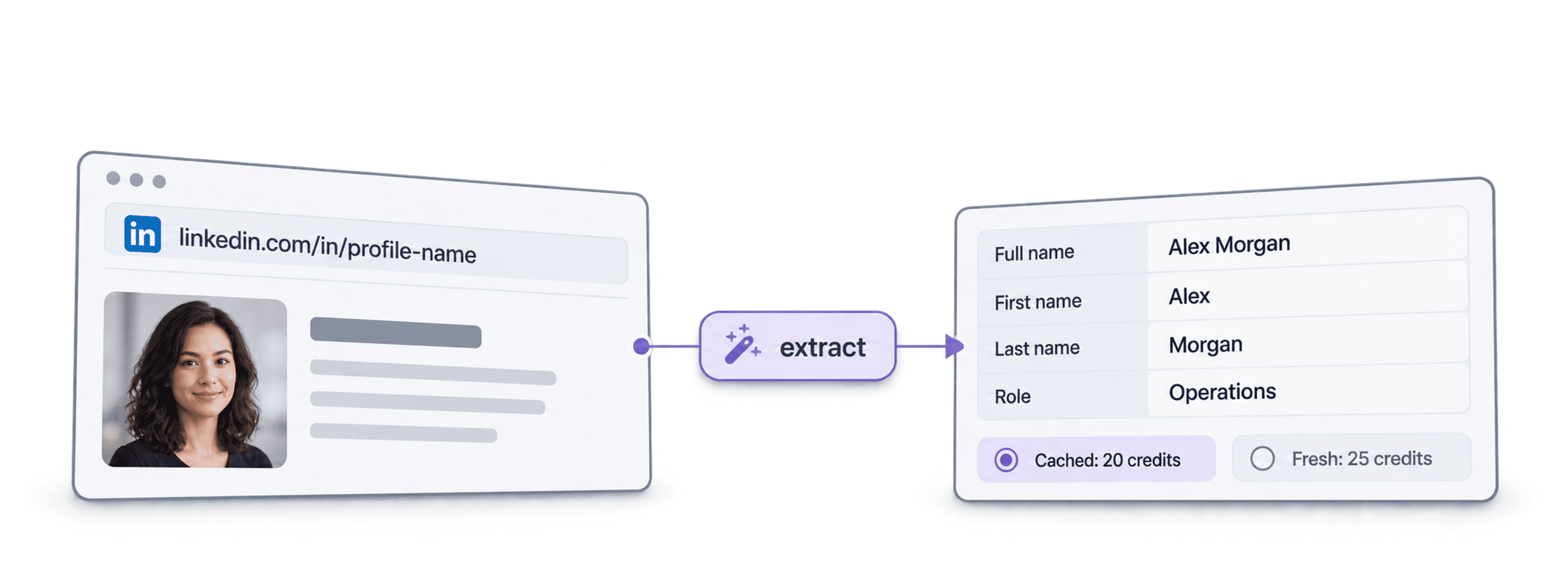
Actuele openbare profielgegevens uit een LinkedIn-URL: wie de persoon is, waar die werkt en welke opleiding die heeft gevolgd. Geen Datablist-workspace, collectie of import nodig.
Wat je invoert
- LinkedIn-profiel-URL's: Standaard profiellinks of Sales Navigator lead-links
- Hoeveel historie (optioneel): 3, 5 of 10 eerdere functies en 1, 3 of 5 opleidingen
- Profielen uit de cache (optioneel): Accepteer een recent opgeslagen exemplaar en betaal minder
Wat je terugkrijgt
- De persoon: Naam, headline, samenvatting, locatie, talen en connecties
- De huidige functie: Titel, startdatum, bedrijf, bedrijfswebsite, branche en omvang
- Eerdere functies en opleidingen: Zoveel als je hebt aangevraagd
Wat het kost
- Actueel profiel: 25 credits per profiel
- Profiel uit de cache: 20 credits als je een opgeslagen exemplaar accepteert
- 1.000 credits = $1: Gedeeld met de Datablist-app
Wat teams ermee bouwen
Voeg LinkedIn Profile Scraper toe waar je data al doorheen stroomt.
Onderzoek leads vóór outreach
- LinkedIn-URL uit een leadlijst
- Functietitel, bedrijf, locatie
Haal voor elke lead de huidige functie en het bedrijf op, zodat je sequence bij de juiste persoon en met een relevante openingszin begint.
Bouw kandidaatprofielen op
- LinkedIn-URL van kandidaat
- Functies en opleidingen in je ATS
Haal eerdere functies en opleidingen op voor elke kandidaat en houd je ATS of spreadsheet actueel zonder te kopiëren en plakken.
Signaleer functiewijzigingen
- Contacten in het CRM
- Nieuw bedrijf gemarkeerd
Verwerk je contacten opnieuw en vergelijk het huidige bedrijf met het CRM om champions te vinden die naar een nieuw account zijn overgestapt.
Wat gaat het kosten?
Betaal per zoekopdracht met credits. API-toegang begint bij het Growth-abonnement.
Hoeveel gaat het kosten?
Geef aan hoeveel LinkedIn-profielen je nodig hebt, dan tonen we je de voordeligste manier om ze te verkrijgen.
= 25.000 credits tegen 25 credits per actueel profiel
Hoe credits werken
1.000 credits = $1, dus elke credit kost een tiende cent. Een actueel profiel kost 25 credits en een profiel uit de cache 20 credits. Een profiel dat niet kan worden gevonden, kan toch credits kosten omdat het zoekwerk is uitgevoerd. Elk resultaat retourneert creditsUsed, zodat je de werkelijke kosten per rij kunt volgen. Abonnementscredits worden maandelijks vernieuwd en vervallen als ze niet worden gebruikt. Extra gekochte credits verlopen nooit.
Integreer het in je code
Alles wat je nodig hebt om de REST API rechtstreeks aan te roepen: code, responses, endpoints, velden, authenticatie en limieten.
datablist/linkedin-profile-scraper-api
Officiële voorbeelden: cURL, Python met Requests of asynchrone HTTPX, en TypeScript. Zet je key in DATABLIST_API_KEY en voer de code uit.
Kopiëren, plakken, uitvoeren
Een volledig script dat een taak aanmaakt, erop wacht en elk resultaat toont. Vervang YOUR_PERSONAL_API_KEY door je key.
# 1. Create the task (returns 202 Accepted and the task "@id")
curl --request POST 'https://api.datablist.com/v1/enrichments/tasks' \
  --header 'X-API-Key: YOUR_PERSONAL_API_KEY' \
  --header 'Content-Type: application/json' \
  --data '{
    "enrichmentId": "linkedin-profile-scraper",
    "uniqueId": "linkedin-profile-scraper-import-1",
    "settings": {
      "experiencesNb": "3",
      "educationsNb": "1"
    },
    "inputs": [
      {"inputId": "row-1", "data": {"profileUrl": "https://www.linkedin.com/in/maya-lindqvist/"}},
      {"inputId": "row-2", "data": {"profileUrl": "https://www.linkedin.com/in/tom-okafor/"}},
      {"inputId": "row-3", "data": {"profileUrl": "https://www.linkedin.com/in/lea-moreau/"}}
    ]
  }'
# 2. Poll every few seconds until status is completed, failed or stopped
curl 'https://api.datablist.com/v1/enrichments/tasks/TASK_ID' \
--header 'X-API-Key: YOUR_PERSONAL_API_KEY'
# 3. Read the results, then follow nextCursor until it is null
curl 'https://api.datablist.com/v1/enrichments/tasks/TASK_ID/results?limit=50' \
--header 'X-API-Key: YOUR_PERSONAL_API_KEY'Wat de API retourneert
Eén resultaat per invoer, met je inputId, een status, de outputs en het aantal gebruikte credits. Voorbeeldgegevens.
{
  "taskId": "00000000000040008000000000000001",
  "results": [
    {
      "inputId": "row-1",
      "status": "success",
      "outputs": {
        "profileUrl": "https://www.linkedin.com/in/maya-lindqvist/",
        "firstName": "Maya",
        "lastName": "Lindqvist",
        "fullName": "Maya Lindqvist",
        "linkedInHeadline": "Head of Sales at Brightwave Analytics",
        "linkedInCity": "Stockholm",
        "linkedInCountryCode": "SE",
        "linkedInLocation": "Stockholm, Sweden",
        "linkedInlastExpTitle": "Head of Sales",
        "linkedInlastExpStartsAt": "2023-02-01",
        "linkedInlastExpCompany": "Brightwave Analytics",
        "linkedInlastExpCompanyWebsite": "https://www.brightwaveanalytics.com",
        "linkedInlastExpCompanyIndustry": "Software Development",
        "linkedInlastExpCompanyRange": "51-200",
        "linkedInlastEduSchool": "Example University",
        "linkedInLanguages": "English, Swedish",
        "linkedInConnections": "500"
      },
      "creditsUsed": "25",
      "error": null
    }
  ],
  "nextCursor": null
}
Endpoints en velden
Alle paden zijn relatief ten opzichte van https://api.datablist.com. Velddefinities komen uit GET /v1/enrichments/linkedin-profile-scraper (documentatie bijgewerkt op 21 okt. 2026). Schemaversie: 2026-09-12.
Bekijk API-schema (JSON) (opent in een nieuw tabblad)
- /v1/enrichments/linkedin-profile-scraper
- Lees het schema, geen key nodig
- POST
- /v1/enrichments/tasks
- Maak een taak aan
- /v1/enrichments/tasks/{taskId}
- Controleer status en voortgang
- /v1/enrichments/tasks/{taskId}/results
- Lees resultaten, 1 tot 100 per pagina
- POST
- /v1/enrichments/tasks/{taskId}/stop
- Annuleer een actieve taak
- /v1/enrichments/tasks
- Taakgeschiedenis, nieuwste eerst
Schemareferentie
Verstuur settings één keer per taak en één data-object per invoer. Resultaten kunnen extra velden bevatten naarmate de enrichment zich ontwikkelt. Bewaar daarom onbekende keys wanneer je outputs verwerkt.
Toon alle instellingen, invoer- en uitvoervelden
Instellingen
includeUrnInclude LinkedIn Internal ID (URN) | Boolean | Include the LinkedIn internal identifier (URN), for example: ACoAAAIJflYBlveEKEKWvVsjTP4QeXHK8KfcKHg. This ID can be used to build Sales Navigator URLs, like https://www.linkedin.com/sales/lead/XXXX. Ingeschakeld wanneer: |
|---|---|---|
includePicturesInclude Pictures | Boolean | Include the LinkedIn profile picture and the company logo URL. ⚠️ These URLs expire fast. Download the images to avoid broken links. Ingeschakeld wanneer: |
acceptCachedProfilesAccept cached profiles | Boolean | Default behavior is to fetch fresh LinkedIn profile data. Enable this option to use cached profiles when available. Cached profiles cost 20 credits per profile. Ingeschakeld wanneer: |
experiencesNbExperiences to return | Text | How many work experiences to return. Default to 3.Toegestane waarden: |
educationsNbEducations to return | Text | How many educations to return. Default to 1.Toegestane waarden: |
Invoer (data)
profileUrlverplichtPerson's LinkedIn Profile | Text | LinkedIn Profile Identifier. Works with standard profile URLs (https://linkedin.com/in/xxx) and Sales Navigator URLs (https://www.linkedin.com/sales/lead/xxxx). |
|---|
Uitvoer
linkedInInternalIdentifierLinkedIn Internal ID (URN) | Text | The unique internal LinkedIn identifier (URN). Example: ACoAAAIJflYBlveEKEKWvVsjTP4QeXHK8KfcKHg. Use it to build Sales Navigator URLs like https://www.linkedin.com/sales/lead/XXXX. Ingeschakeld wanneer: |
|---|---|---|
profileUrlLinkedIn Profile URL Normalized | Text | The clean and standardized LinkedIn Public Profile URL. In the format: https://www.linkedin.com/in/xxxIndeling: |
firstNameFirst Name | Text | The first name of the profile |
lastNameLast Name | Text | The last name of the profile |
fullNameFull Name | Text | The full name of the profile |
linkedInHeadlineHeadline | Text | The tagline on the user profile. |
linkedInSummarySummary | Text | A blurb (longer than the tagline) written by the user for his profile. |
linkedInCityCity | Text | The city of the profile |
linkedInStateState | Text | The state of the profile |
linkedInCountryCodeCountry | Text | The country code of the profile. 2-letter country code (ISO 3166-1 alpha-2). |
linkedInCountryNameCountry Name | Text | The profile's country of residence, in English words. |
linkedInLocationLocation | Text | Full Location text |
linkedInProfilePictureLinkedIn Profile Picture | Text | These URLs expire fast. Download the images to avoid broken links. Ingeschakeld wanneer: |
linkedInlastExpTitleTitle (Current or last experience) | Text | The title of the current (or last) experience |
linkedInlastExpEmploymentTypeEmployment Type (Current or last experience) | Text | The employment type of the current (or last) experience. |
linkedInlastExpDescriptionDescription (Current or last experience) | Text | The description of the current (or last) experience |
linkedInlastExpStartsAtStart Date (Current or last experience) | Text | The start date of the current (or last) experience.Indeling: |
linkedInlastExpEndsAtEnd date (Current or last experience) | Text | The end date of the last experience. None if still active.Indeling: |
linkedInlastExpLocationLocation (Current or last experience) | Text | The location of the current (or last) experience |
linkedInlastExpCompanyCompany Name (Current or last experience) | Text | The company name of the current (or last) experience. |
linkedInlastExpCompanyPageCompany page URL (Current or last experience) | Text | LinkedIn company's profile URL of the current (or last) experience. |
linkedInlastExpCompanyWebsiteCompany website (Current or last experience) | Text | Company Website of the current (or last) experience. |
linkedInlastExpCompanyDescriptionCompany description (Current or last experience) | Text | The company description from the LinkedIn company page of the current or last experience. |
linkedInlastExpCompanyIndustryCompany Industry (Current or last experience) | Text | Company Industry of the current (or last) experience. |
linkedInlastExpCompanyRangeCompany employee range (Current or last experience) | Text | Size of the company. In the form: 1, 2-10, 11-50, etc. |
linkedInlastExpCompanyLogoCompany Logo (Current or last experience) | Text | These URLs expire fast. Download the images to avoid broken links. Ingeschakeld wanneer: |
linkedIn2ExpTitleTitle (Experience #2) | Text | The title from the second most recent work experience. If available. |
linkedIn2ExpEmploymentTypeEmployment Type (Experience #2) | Text | The employment type from the second most recent work experience. If available. |
linkedIn2ExpDescriptionDescription (Experience #2) | Text | The description from the second most recent work experience. If available. |
linkedIn2ExpStartsAtStart Date (Experience #2) | Text | The start date from the second most recent work experience. If available.Indeling: |
linkedIn2ExpEndsAtEnd date (Experience #2) | Text | The end date from the second most recent work experience. If available.Indeling: |
linkedIn2ExpCompanyNameCompany Name (Experience #2) | Text | The company name from the second most recent work experience. If available. |
linkedIn2ExpLogoCompany Logo (Experience #2) | Text | These URLs expire fast. Download the images to avoid broken links. Ingeschakeld wanneer: |
linkedIn3ExpTitleTitle (Experience #3) | Text | The title from the third most recent work experience. If available. |
linkedIn3ExpEmploymentTypeEmployment Type (Experience #3) | Text | The employment type from the third most recent work experience. If available. |
linkedIn3ExpDescriptionDescription (Experience #3) | Text | The description from the third most recent work experience. If available. |
linkedIn3ExpStartsAtStart Date (Experience #3) | Text | The start date from the third most recent work experience. If available.Indeling: |
linkedIn3ExpEndsAtEnd date (Experience #3) | Text | The end date from the third most recent work experience. If available.Indeling: |
linkedIn3ExpCompanyNameCompany Name (Experience #3) | Text | The company name from the third most recent work experience. If available. |
linkedIn3ExpLogoCompany Logo (Experience #3) | Text | These URLs expire fast. Download the images to avoid broken links. Ingeschakeld wanneer: |
linkedInlastEduSchoolSchool (Current or last education) | Text | The school name of the current (or last) education |
linkedInlastEduDegreeDegree (Current or last education) | Text | The degree of the current (or last) education |
linkedInlastEduFieldField of Study (Current or last education) | Text | The field of study of the current (or last) education |
linkedInlastEduStartsAtStart Date (Current or last education) | Text | The start date of the current (or last) educationIndeling: |
linkedInlastEduEndsAtEnd date (Current or last education) | Text | The end date of the current (or last) educationIndeling: |
linkedInlastEduLogoLogo URL (Current or last education) | Text | These URLs expire fast. Download the images to avoid broken links. Ingeschakeld wanneer: |
linkedInSkillsSkills | Text | Comma-separated list of skills listed on the LinkedIn profile. |
linkedInLanguagesLanguages | Text | Comma-separated list of spoken languages of the LinkedIn profile. |
linkedInConnectionsConnections | Text | The number of connections of the profile |
Eén header, duidelijke limieten
Maak een persoonlijke API-key aan in je Datablist-account en stuur deze mee met elke geauthenticeerde request.
Authenticatie
Stuur je key mee in de X-API-Key-header. Datablist wisselt en vernieuwt toegangstokens voor je.
- Header:
X-API-Key: YOUR_PERSONAL_API_KEY - Optioneel: beheer tokens zelf met
Authorization: BeareruitPOST /v1/account/token - Het een of het ander: beide headers versturen retourneert
400 AmbiguousCredentials - Alleen server-side: houd keys uit URL's, browsercode en logs
Limieten
- Invoeritems per taak: 1 tot 10.000
- Grootte: 16 KiB per invoeritem, 10 MiB per request
- Uitvoeringstijd: maximaal 24 uur per taak
- Taken aanmaken: 10 requests per 60 seconden per account
- Polling en resultaten: 120 requests per 60 seconden per bewerking
- Actieve taken: ongeveer 20 tegelijk per account
- Bewaartermijn: taken en resultaten worden 90 dagen bewaard
Gerelateerde tutorials
Leer de nieuwste workflows met gedetailleerde stapsgewijze handleidingen.
Veelgestelde vragen
Alles wat jij of je AI coding agent nodig heeft om de LinkedIn Profile Scraper API te integreren: authenticatie, requests, polling, resultaten, limieten en nieuwe pogingen.
Gerelateerde API's, enrichments en gratis tools
Koppel LinkedIn Profile Scraper aan andere enrichments, in je code, in de Datablist-app of gratis.
Enrichment-API's
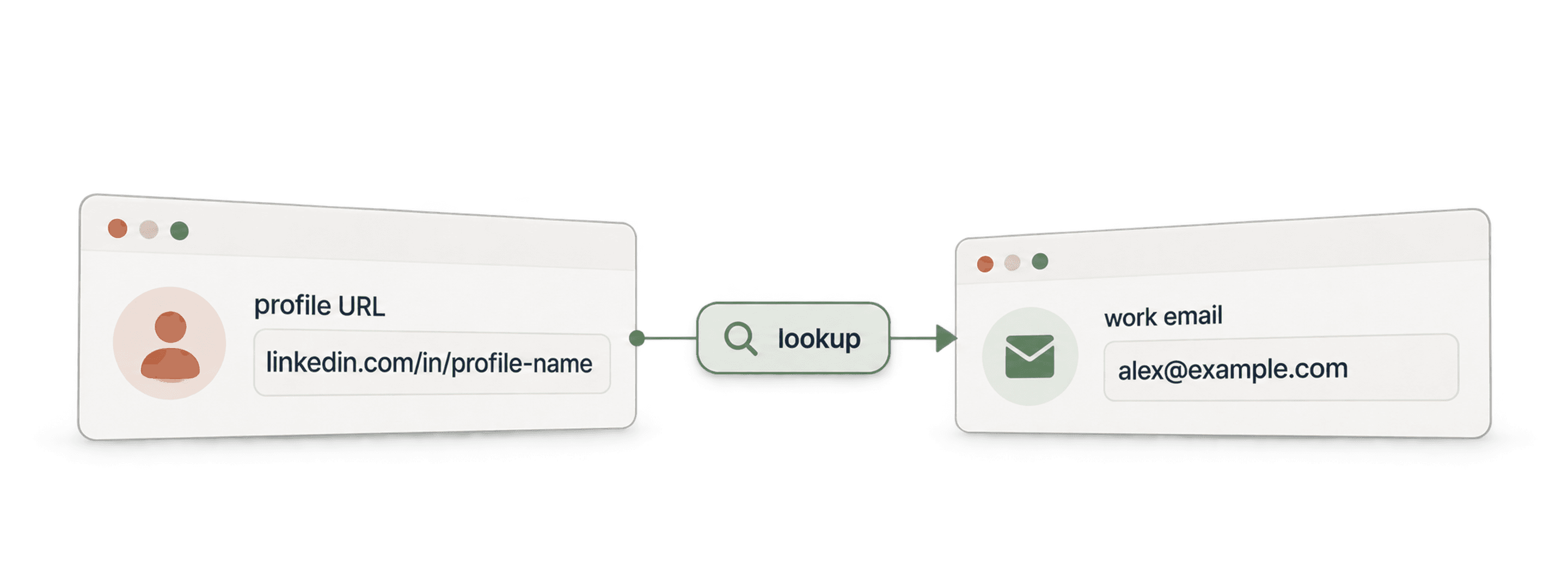
- Waterfall Email Finder APIVind een geverifieerde zakelijke email op basis van een naam en het bedrijfsdomein.
- Waterfall Phone Finder APIVind een telefoonnummer op basis van een LinkedIn-profiel-URL. Betaal alleen bij een resultaat.
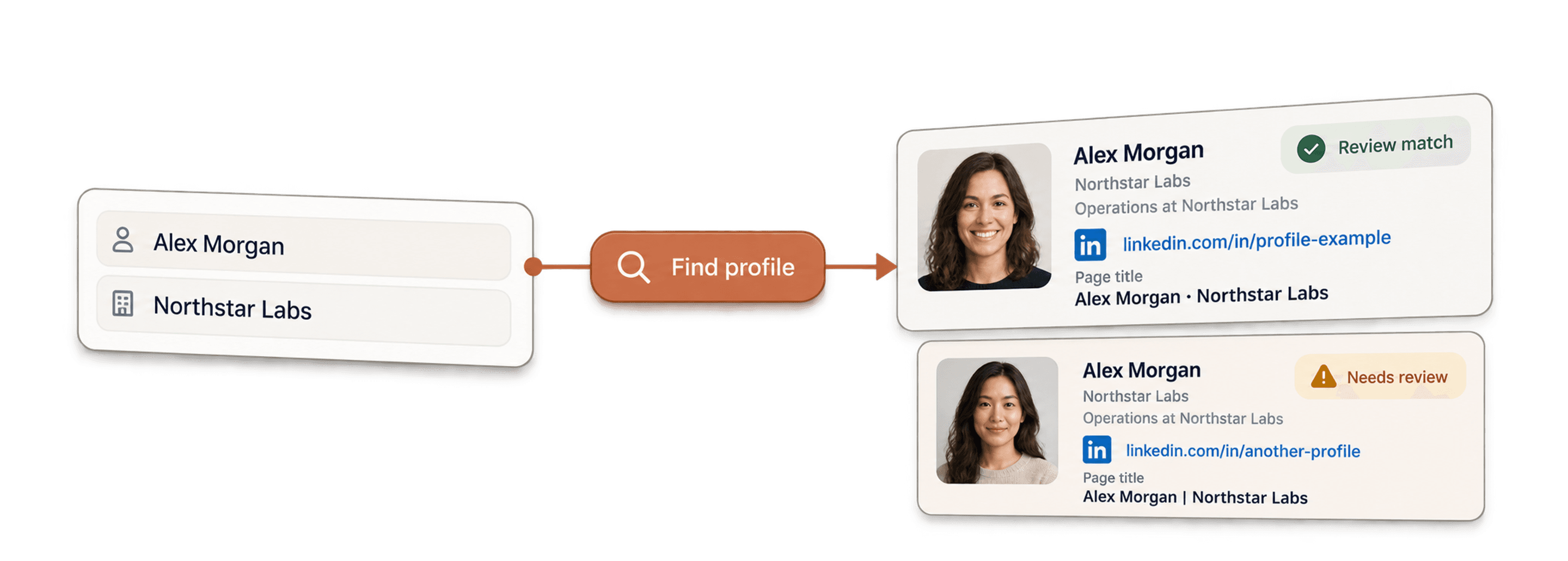
- LinkedIn Profile Finder APIVind de LinkedIn-profiel-URL van een persoon op basis van diens naam.



No-code enrichments
- Waterfall Email FinderVind geverifieerde emails via een LinkedIn-URL met meer dan 20 providers tegelijk.
- Waterfall Phone FinderOntgrendel rechtstreekse mobiele nummers via dezelfde LinkedIn-profiel-URL's.
- LinkedIn Company Page ScraperExtraheer openbare bedrijfsgegevens uit URL's van LinkedIn-bedrijfspagina's.
Gratis tools
- Gratis LinkedIn Profile ScraperExtraheer openbare datapunten uit een profiel-URL. Geen login, cookies of sessie-ID nodig.
- Gratis Email FinderVind een zakelijke email op basis van een naam en bedrijf. Gratis te proberen.
- BedrijfsdomeinzoekerVind websitedomeinen op basis van een lijst met bedrijfsnamen.
