
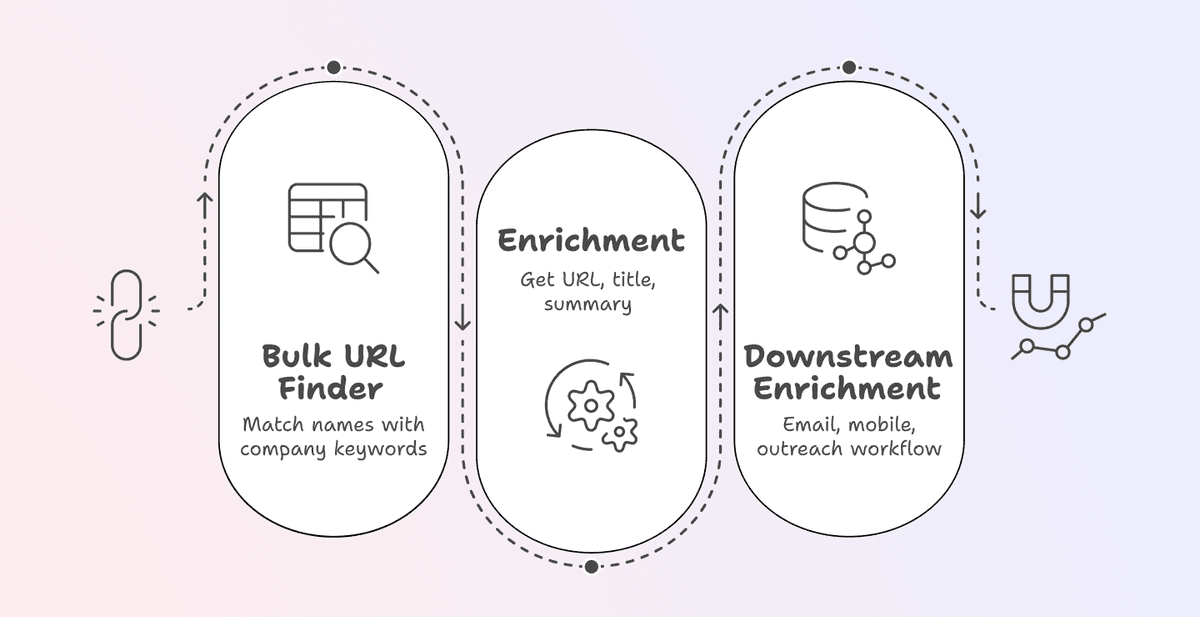
You scraped a list of leads, bought a database, or exported from your CRM. But half the rows are missing LinkedIn URLs.
Without a LinkedIn URL, most data enrichment tools can't do anything for you, because the LinkedIn profile is the bridge between a name and a full contact record.
This guide shows you how to find LinkedIn profiles from names in bulk using Datablist's LinkedIn Profile Finder. You'll also learn what to do with the results, so you can go from a flat name list to a working outreach pipeline.
📌 Summary For Those In a Rush
This article shows how to find LinkedIn profiles from names in bulk using Datablist's LinkedIn Profile Finder. Here is a summary:
- The Problem: You have a list of names but no LinkedIn URLs. Without them, most enrichment tools (email finders, phone finders) can't work.
- Our Solution: Use Datablist's LinkedIn Profile Finder to match names to LinkedIn profiles in bulk. Just provide a first name, last name, and a keyword (company name or domain).
Why Datablist.com: 3 simple reasons
- No-code bulk LinkedIn profile lookup in one platform
- Only 2.5 credits per search (roughly $0.0025 per lookup)
- Once you have LinkedIn URLs, run email and phone enrichments in the same collection
What This Guide Covers
- Why LinkedIn URLs are the missing piece in most lead lists
- How to find LinkedIn profiles from names in bulk (the full step-by-step)
- What to do after: from LinkedIn URLs to emails, phone numbers, and outreach
Don't have a lead list yet? Here's how to scrape leads from LinkedIn without risking your account 👈🏽
What LinkedIn Profiles Mean for Your Lead Lists
What You're Missing Without LinkedIn URLs on Your List
A name by itself tells you almost nothing. You can't verify someone's current role, their seniority, or even which company they work for right now.
And the even bigger problem is: Most data enrichment tools need a LinkedIn profile as input.
Email finders, phone finders, and company data enrichments all depend on that URL to return accurate results. Without it, your lead list enrichment workflow is dead on arrival.
Cold outreach without LinkedIn data means generic messages. No personalization, no relevance, and lower response rates. You're basically sending blind, and your prospects can tell.
What a LinkedIn Profile Unlocks
One data point changes everything. Here's what a LinkedIn URL gives you:
- Input for other enrichments: It's the starting point for finding verified emails, direct phone numbers, and company data
- Context for personalization: Job title, company, summary, mutual connections. Everything you need to write relevant outreach messages
- A complete contact record: A flat name list becomes actionable data you can actually work with
- AI outreach readiness: Modern AI-powered outreach tools rely on LinkedIn data to personalize at scale. Without it, those tools can't help you either
One LinkedIn URL is the difference between a static list and a working outreach pipeline.
How To Find LinkedIn Profiles From Names in Bulk: The Step-by-Step
The Tool We'll Be Using: Datablist.com
Datablist is a platform for building lead generation workflows that allows 26.000 users to find, enrich, and clean data using over 60 different tools from AI Agents to Email Finders, AI processors, Technology enrichments, and more.
Additionally, Datablist allows you to set up automated workflows that run on schedule or demand. Here are a few practical use cases that Datablist users love:
- Building lead lists
- Personalizing emails with AI
- Cleaning and deduplicating CRMs
- Scraping job postings from 19 boards at once
- Scraping Leads From Sales Navigator Without Getting Banned
The point is clear: if you need to get, clean, or automate workflows with data involved and you need it to be easy, fast, and reliable, Datablist is built for that.
💡 Datablist Summarized in 35 Words
Datablist.com is a platform for lead list building and data enrichment workflows. It lets sales, marketing, and recruiting teams find, clean, and enrich data using over 60 different tools, from AI Agents to Email Finders and more.
If you need to find, clean, or enrich lead list data, Datablist.com keeps everything in one platform, so you don't have to juggle multiple subscriptions.
The Enrichment We'll Be Using: LinkedIn Profile Finder
This is Datablist's LinkedIn URL finder. You give it names and a keyword, such as a company name or domain, and it gives you LinkedIn profiles.
How It Works
The logic is simple:
↳ You provide a first name, a last name, and a keyword
↳↳ The enrichment searches for the matching LinkedIn profile
↳↳↳ It returns the LinkedIn profile URL, page title, and profile summary
The keyword is what makes this work. If someone has a common name like "John Smith," the keyword narrows it down to the right person at the right company. Think of it as the filter that separates the right match from thousands of wrong ones.
What You Give & What You Get From The LinkedIn Profile Finder
| Details | |
|---|---|
| Inputs | First Name + Last Name (or Full Name) and a Keyword (company name or domain) |
| Key Outputs | LinkedIn Profile URL, Profile Page Title, Profile Summary |
| Cost | 2.5 credits per request |
| Payment Model | Pay per request (successful or not) |
📘 Full Name Works Too
If you don't have separate first and last name columns, you can use a single "Full Name" column instead. Just select "Use Full Name" in the enrichment settings and map it directly. No need to split names into separate columns first.
The Step-by-Step for Finding LinkedIn Profiles From Names
This section will show you how you find LinkedIn profiles from names. The tool we’ll be using takes your names and a keyword, then returns the matching LinkedIn profile URL. It costs 2.5 credits per search.
Step 1: Sign Up & Upload Your Data
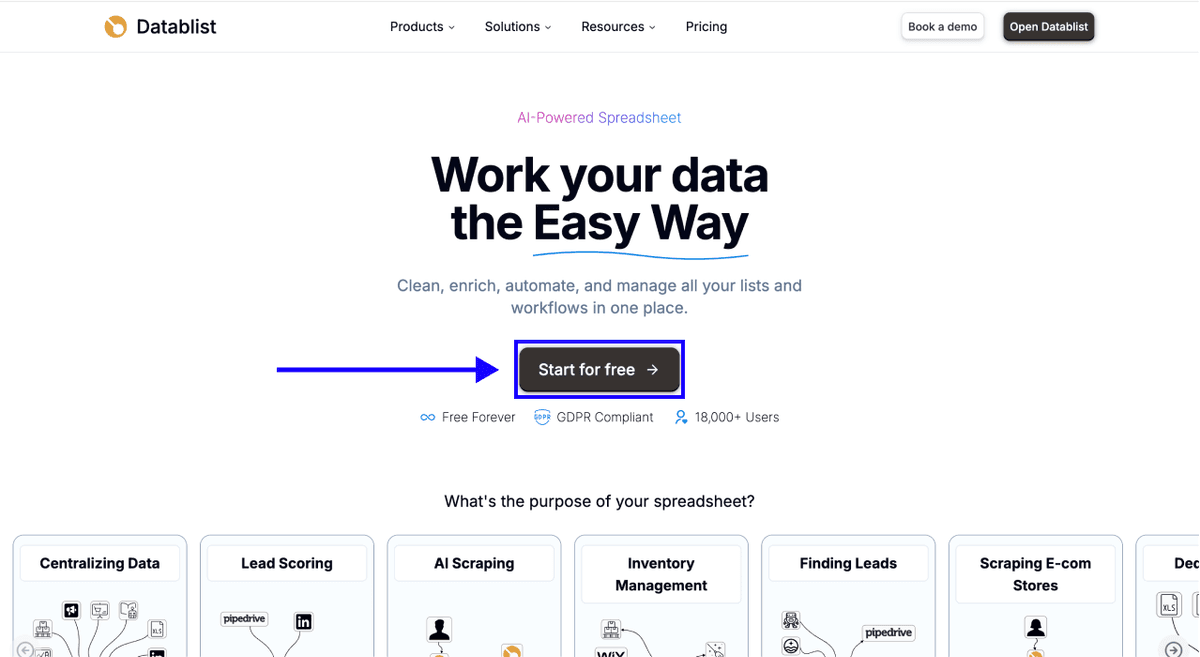
First, Sign up for Datablist.com
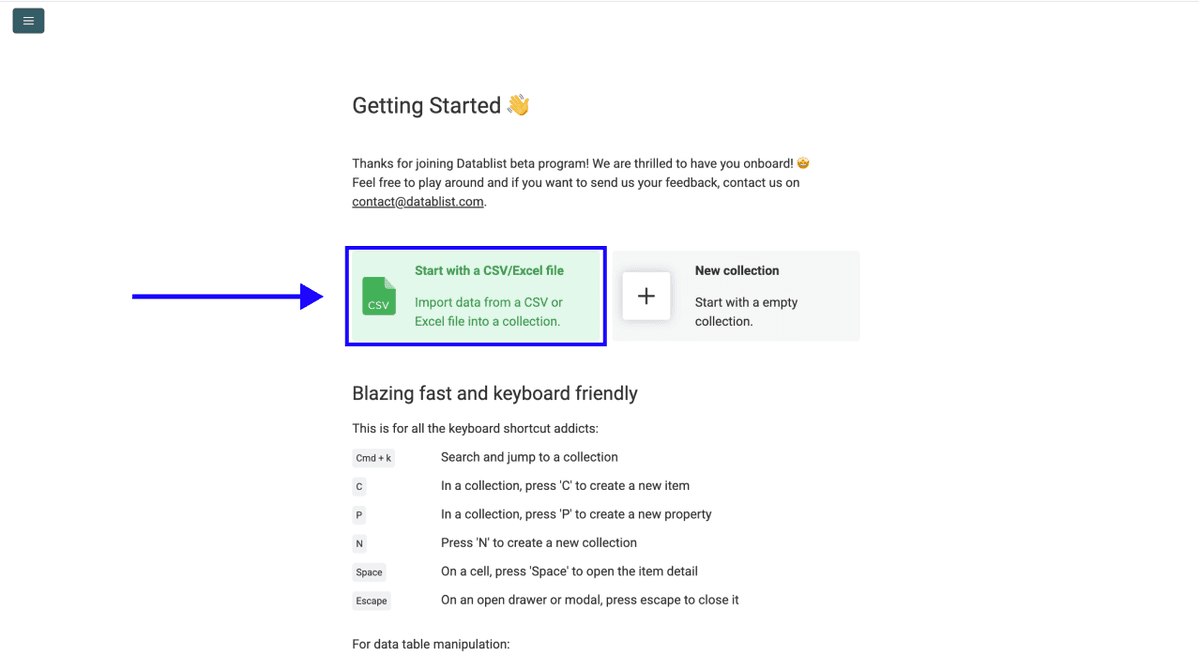
Then, Upload your CSV or Excel file containing your list of names and company keywords
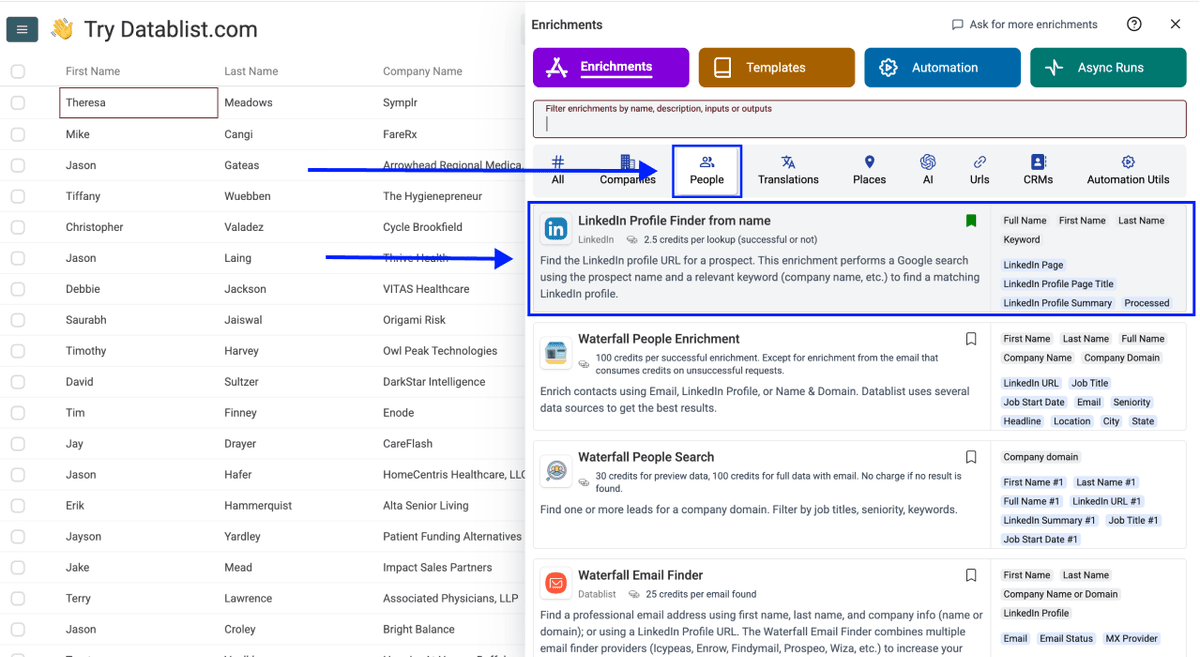
Step 2: Navigate to the Enrichment
- Click on Enrich in the top menu
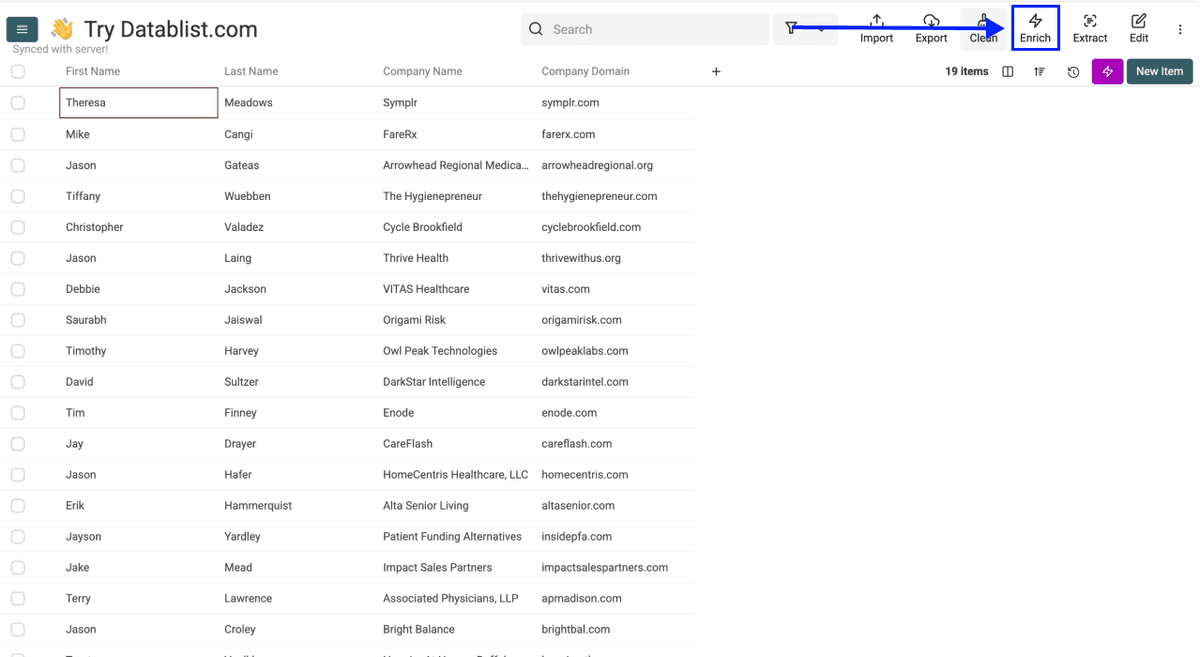
- Go to the People tab
- Select Find LinkedIn Profile
Step 3: Set Up the Enrichment
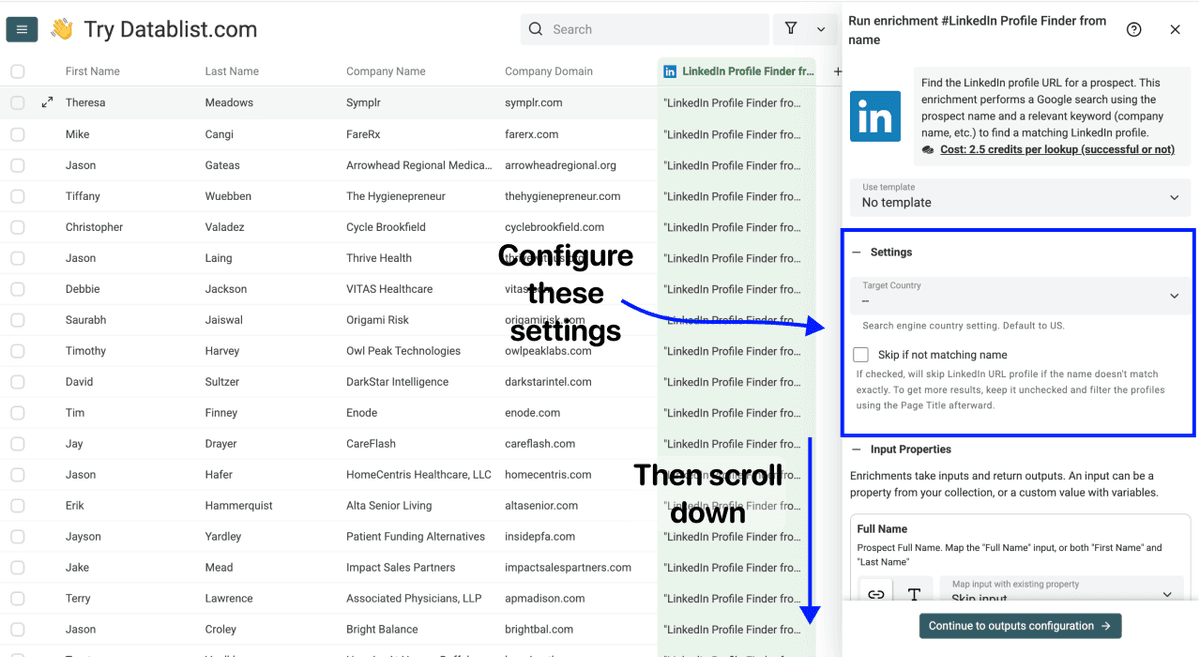
You'll see the following settings:
- Target Country - Select the country where your contacts are based. This helps narrow down the right LinkedIn profiles during the bulk LinkedIn lookup
- Skip If Not Matching Name - If checked, Datablist skips profiles where the name doesn't match exactly. Keep it unchecked for more results, then filter using the Page Title afterwards
Once you're done with the settings, scroll down to configure your inputs.
Step 4: Configure Your Inputs
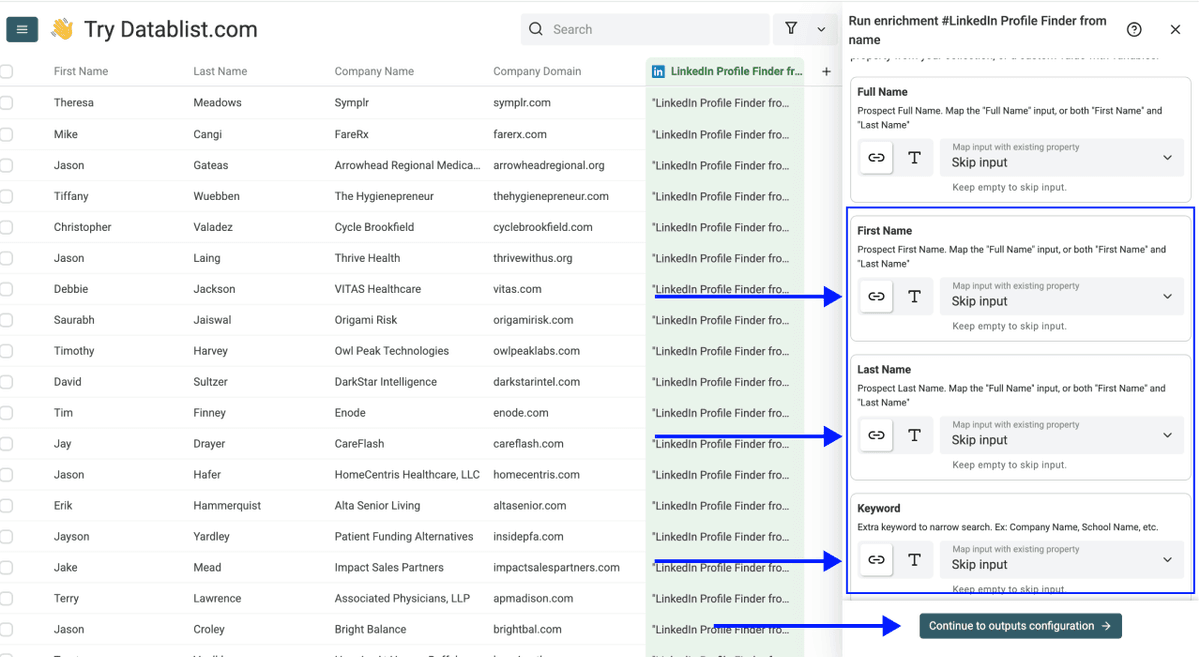
Map the following columns from your collection:
- First Name as the first input property
- Last Name as the second input property
- Keyword as the third input property (company name or domain works best)
Then click Continue to outputs configuration
Step 5: Select Outputs
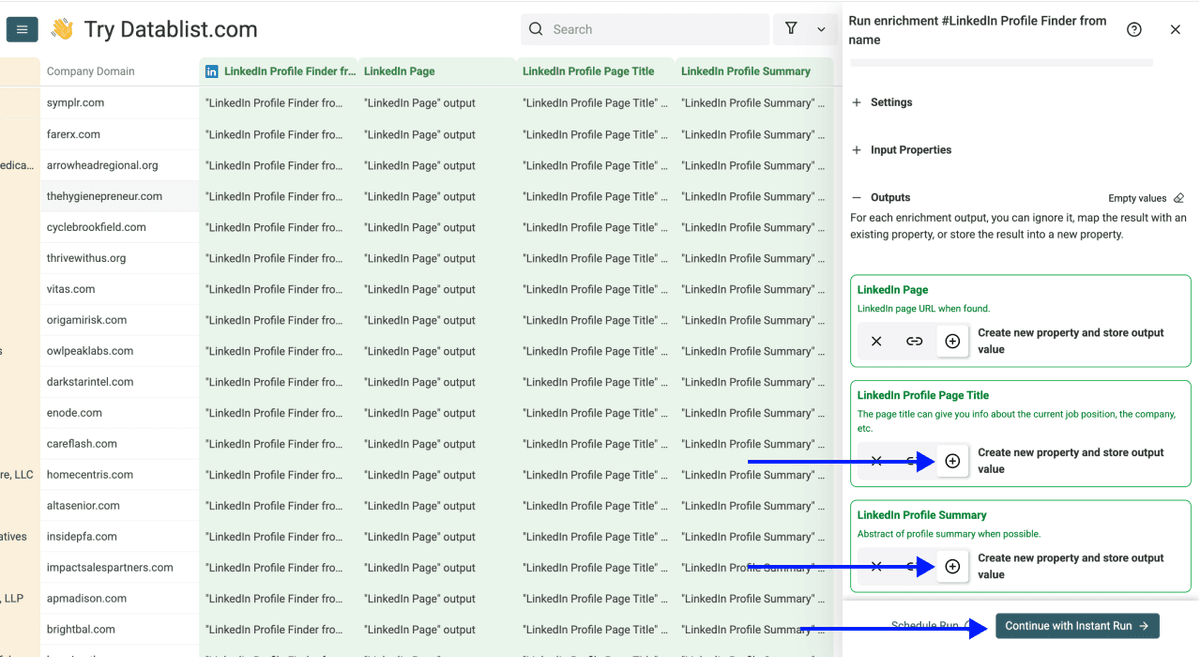
The LinkedIn Profile Finder returns three data points:
- LinkedIn Page - The LinkedIn profile URL
- LinkedIn Profile Page Title - Shows the person's current position and company
- LinkedIn Profile Summary - A short abstract of their profile summary
Click the ⊕ Icons to add them to your collection, then click Instant Run
Step 6: Run the Enrichment
Finally, configure your run settings by clicking on the chevron on the right side of the button:
- Run on first 10 items: Good for checking results before committing
- Run on first 100 items: Useful for validating larger samples
- Run on first {X} items: Choose exactly how many to process
- Run on all view items: Process your entire list (or view if you’ve enabled filters)
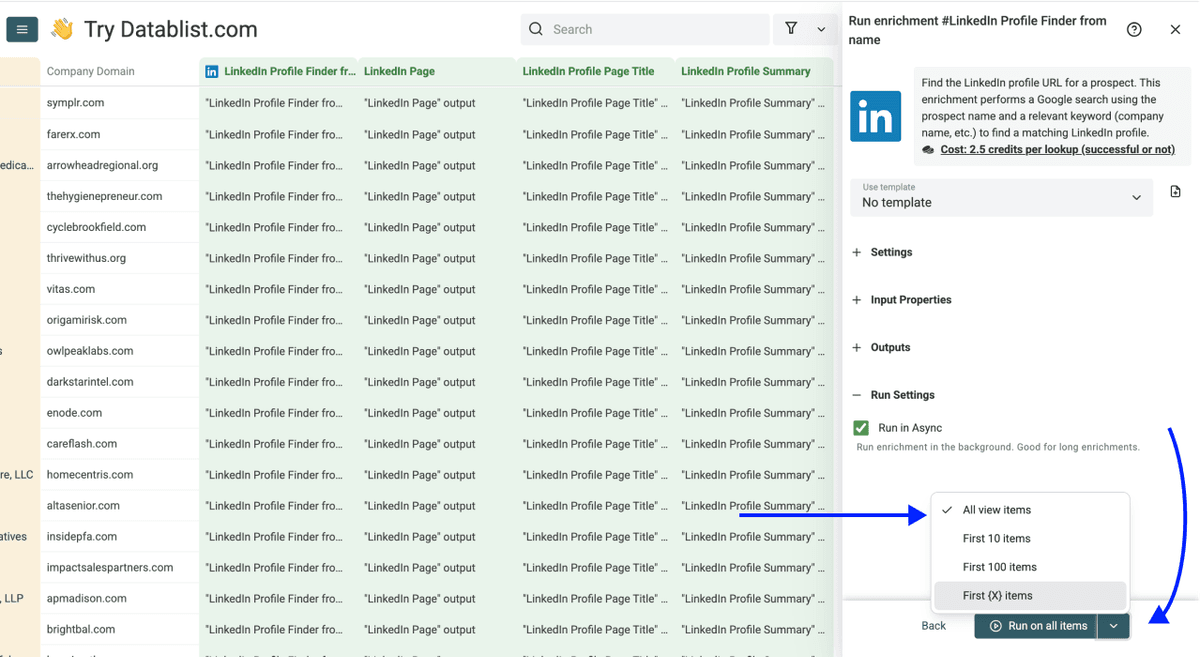
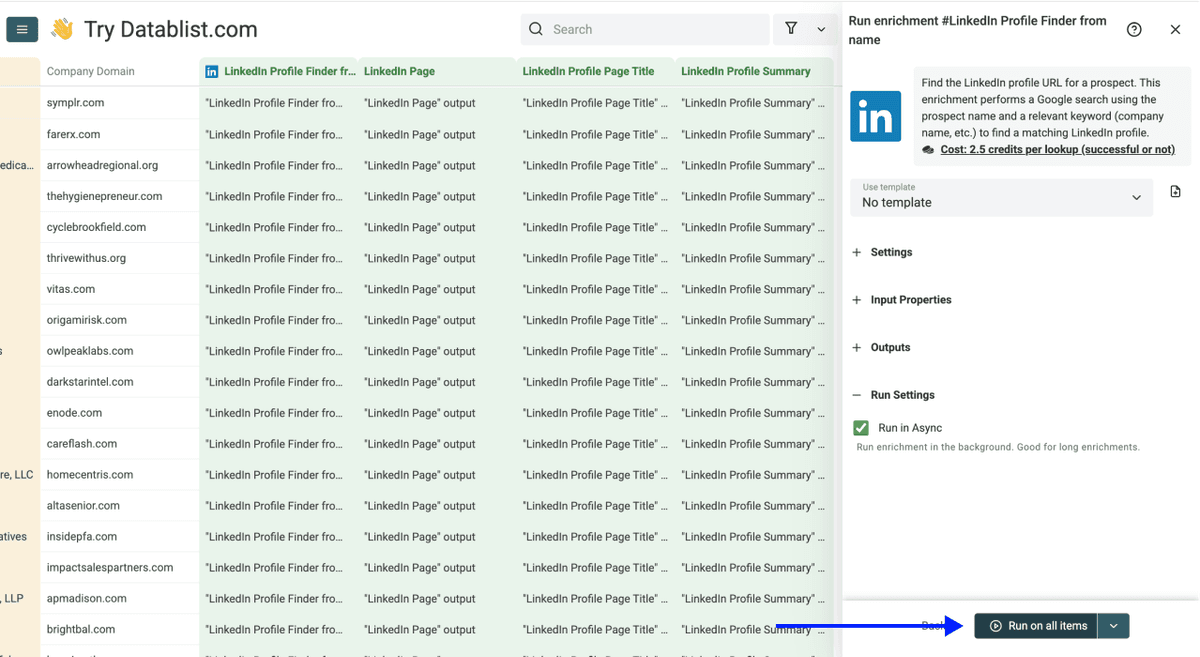
Once you have chosen your preferred option, click Run on X items
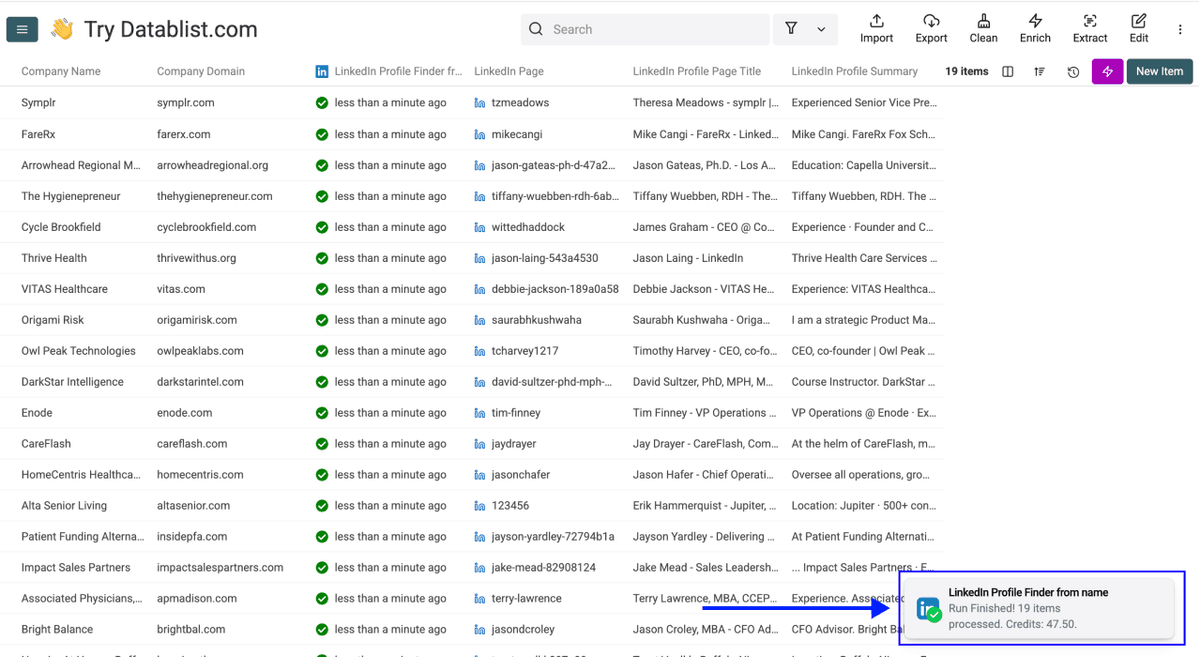
Within minutes, you'll have LinkedIn profile URLs in your collection. Now you can use these URLs to enrich your leads with emails, phone numbers, and more.
💡 Quick Tip
Before running further enrichments, scan the LinkedIn Profile Page Titles. This is a fast way to confirm you've matched the right people before spending credits on email or phone lookups.
What To Do With the Results: From LinkedIn Profiles to Outreach
Now that you know how to find LinkedIn profiles, you're one or two enrichments away from a complete outreach list. And the best part is: Everything happens in the same Datablist collection. No exporting, no importing between tools, no switching platforms.
Find Their Email Address
Run the Waterfall Email Finder on the same LinkedIn URLs you just collected. The "waterfall" approach cascades through multiple email providers for higher match rates.
You only pay when an email is actually found, which makes it a low-risk next step after the LinkedIn profile search in bulk.
Go here to learn how to find emails at scale 👈🏽
Find Their Phone Number
Run the Waterfall Phone Finder on the same LinkedIn URLs. Same logic: it cascades through multiple data vendors to maximize verified mobile matches.
Only verified mobile numbers are returned, never landlines. And again, you only pay when a number is actually found.
Go here to learn how to find phone numbers with Datablist 👈🏽
The Full Workflow
Here's how you go from a name list to outreach-ready data, all inside Datablist.com:
- Upload your name list to Datablist
- Find LinkedIn profiles using the LinkedIn Profile Finder
- Find email addresses using the Waterfall Email Finder
- Find phone numbers using the Waterfall Phone Finder
- Export your enriched list and launch outreach
Every step runs in the same collection. No exporting between tools, no re-uploading, no switching platforms. What used to take a full afternoon of manual LinkedIn searching is now a 5-minute bulk enrichment run.
Want to skip ahead and find leads with emails included? Check out how to find leads using Datablist 👈🏽
Your Key Takeaways
- A name alone is a dead end. Add a LinkedIn URL, and it becomes a full contact record you can act on.
- The keyword is everything. It's what separates "the right John Smith" from 10,000 wrong ones.
- Datablist.com lets you find LinkedIn profiles in bulk, turning a manual search into a 5-minute run. Upload your list, run the enrichment, and get LinkedIn URLs at 2.5 credits per search.
- One platform, full pipeline. Once you have LinkedIn URLs, emails, phones, and outreach data, all happen in the same collection.
Frequently Asked Questions (FAQ) About Finding LinkedIn Profiles From Names
How Much Does It Cost To Find LinkedIn Profiles From Names With Datablist.com?
The LinkedIn Profile Finder costs 2.5 credits per search, charged regardless of whether a match is found. With Datablist's Starter Plan ($25/month), you get 5,000 free credits monthly. That's enough for 2,000 LinkedIn profile lookups per month.
If you need more, consider the Growth Plan, which comes at ($50/month) with 20,000 free credits, and you can always top up with additional credit packages starting at $20 for 20,000 credits.
How Long Does It Take To Find LinkedIn Profiles for 500 Contacts?
For 500 contacts, the LinkedIn Profile Finder typically takes less than 2 minutes. The setup (uploading, configuring inputs, selecting outputs) takes another 2 minutes. Total time from start to results: under 5 minutes.
Can I Use a Full Name Instead of Separate First and Last Name Columns?
Yes. The LinkedIn Profile Finder supports both formats. If your data has a single "Full Name" column, select "Use Full Name" in the enrichment settings and map it directly. No need to split names into separate columns first.
How Many Names Can I Process at Once With Datablist.com?
Datablist.com supports up to 100,000 rows per collection. If your list is larger, split it into multiple collections. For most lead list enrichment use cases, there's no practical limit.
What Do I Need To Run This Enrichment, and What Data Does It Return?
You need a first name, a last name, and a keyword (company name or domain). The enrichment returns a LinkedIn Profile URL, the profile's Page Title (current role and company), and a Profile Summary when available.
You can also use a Full Name column instead of separate first and last name columns.
Do I Need Technical Skills To Find LinkedIn Profiles in Bulk?
Not at all. The entire process is no-code. You upload a file, select the enrichment, map your columns, and click run. If you can use a spreadsheet, you can use Datablist.com.
Can I Find Email Addresses and Phone Numbers After Getting LinkedIn URLs?
Yes. Once you have LinkedIn URLs in your collection, you can immediately run the Waterfall Email Finder or the Waterfall Phone Finder on the same data. No re-upload needed, just pick the next enrichment and run it.
How Can I Find LinkedIn Profiles From Names Without a Bulk Tool?
You can try to find a LinkedIn profile manually, one name at a time. Add the person's company name to your LinkedIn search to narrow results. The problem is scale. Doing this for 50 contacts takes over an hour. For 500, you're looking at a full day of work.
What's the Difference Between Searching LinkedIn Manually vs. Using a Bulk Enrichment Tool?
Manual searching gives you one result at a time and takes minutes per contact. A bulk LinkedIn lookup tool like Datablist.com processes hundreds or thousands in minutes. It also structures the data in columns you can use for further enrichment, instead of scattered browser tabs and copy-pasting.
What Keyword Should I Use To Get the Best LinkedIn Profile Matches?
A company name or company domain works best. The more specific the keyword, the more accurate the match. For example, "Stripe" is good. Avoid generic keywords like job titles or industries since they won't help narrow down the right person.
What Happens If the LinkedIn Profile Finder Returns No Results for a Contact?
If no match is found, the LinkedIn URL field stays empty for that row. You're still charged 2.5 credits per search since the enrichment runs regardless of the outcome. To minimize missed matches, keep "Skip If Not Matching Name" unchecked and use specific keywords like a company domain.