API LinkedIn Profile Scraper
Pobieraj informacje o zatrudnieniu, firmie i wykształceniu z adresów URL profili LinkedIn za pomocą asystenta AI, workflow no-code lub własnego kodu.
- Od 0,014 USD za profil
- Bez logowania do LinkedIn
- 10 000 profili na zadanie
| Adres URL profilu LinkedIn |
|---|
| linkedin.com/in/maya-lindqvist |
| linkedin.com/in/tom-okafor |
| linkedin.com/in/lea-moreau |
Zaufało nam ponad 38 000 użytkowników ze startupów i zespołów z listy Fortune 500





Działa z każdym narzędziem, które może wysyłać żądania HTTP
 Claude
 Cursor
 Codex
Codex Make
Make n8n
n8n Zapier
- Własny kod
Wybierz sposób rozpoczęcia
Pozwól asystentowi AI lub narzędziu do automatyzacji przeprowadzić konfigurację albo wywołaj REST API z własnego kodu.
Wklej prompt konfiguracyjny
Skopiuj prompt dla Claude Code, Codexa lub Cursora albo dla Make, n8n lub Zapiera i wklej go. AI utworzy folder Datablist na Twoim komputerze i wszystko skonfiguruje.
Wklej klucz API
Gdy AI o to poprosi, skopiuj klucz API z aplikacji Datablist i wklej go do otwartego pliku .env. Nigdy nie wklejaj go do czatu.
Pobierz wyniki
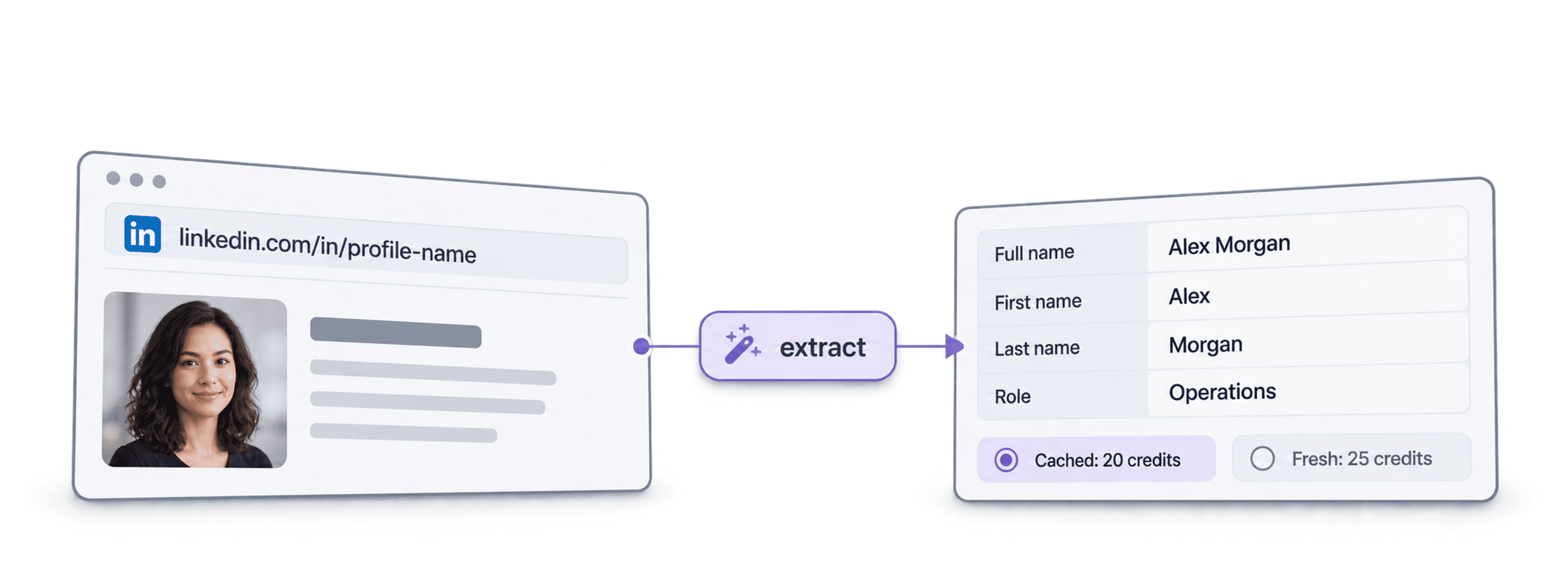
Wyślij listę adresów URL profili LinkedIn i otrzymaj po jednym wierszu na profil: imię i nazwisko, nagłówek, lokalizację, aktualne stanowisko oraz firmę — gotowe do użycia w arkuszu lub CRM.
Zobacz przykładowy wynikKorzystasz z Make, n8n lub Zapiera? Oto wszystkie pola żądania HTTP
Użyj modułu lub węzła żądania HTTP dostępnego w Twoim narzędziu. Potrzebne są trzy kroki: wyślij listę, poczekaj, a następnie odczytaj wyniki.
1. Wyślij listę (żądanie HTTP)
- Metoda
POST- URL
https://api.datablist.com/v1/enrichments/tasks- Nagłówki
X-API-Key= Twój klucz APIContent-Type=application/json- Treść (JSON)
- json{"enrichmentId": "linkedin-profile-scraper","uniqueId": "linkedin-profile-scraper-import-1","settings": {"experiencesNb": "3","educationsNb": "1"},"inputs": [{"inputId": "row-1", "data": {"profileUrl": "https://www.linkedin.com/in/maya-lindqvist/"}},{"inputId": "row-2", "data": {"profileUrl": "https://www.linkedin.com/in/tom-okafor/"}},{"inputId": "row-3", "data": {"profileUrl": "https://www.linkedin.com/in/lea-moreau/"}}]}
- Zachowaj
- Wartość
@idz odpowiedzi. To identyfikator Twojego zadania.
2. Poczekaj na zakończenie
Dodaj krótkie oczekiwanie lub opóźnienie, a następnie żądanie GET do https://api.datablist.com/v1/enrichments/tasks/TASK_ID z tym samym nagłówkiem X-API-Key. Powtarzaj, aż status przyjmie wartość completed.
3. Odczytaj wyniki
GET https://api.datablist.com/v1/enrichments/tasks/TASK_ID/results?limit=50. Przypisz outputs do swoich kolumn. Jeśli nextCursor nie jest pusty, wywołaj żądanie ponownie, dodając &cursor= i tę wartość.
W skrócie
Aktualne publiczne dane profilu na podstawie adresu URL LinkedIn: kim jest dana osoba, gdzie pracuje i co studiowała. Nie jest potrzebna przestrzeń robocza Datablist, kolekcja ani import.
Co przekazujesz
- Adresy URL profili LinkedIn: standardowe linki do profili lub linki do leads w Sales Navigatorze
- Zakres historii (opcjonalnie): 3, 5 lub 10 poprzednich stanowisk oraz 1, 3 lub 5 szkół
- Profile z pamięci podręcznej (opcjonalnie): zaakceptuj niedawno zapisaną kopię, aby zapłacić mniej
Co otrzymujesz
- Osoba: imię i nazwisko, nagłówek, podsumowanie, lokalizacja, języki i kontakty
- Aktualne stanowisko: nazwa stanowiska, data rozpoczęcia, firma, strona internetowa firmy, branża i wielkość
- Poprzednie stanowiska i wykształcenie: w wybranym przez Ciebie zakresie
Ile to kosztuje
- Aktualny profil: 25 kredytów za profil
- Profil z pamięci podręcznej: 20 kredytów, jeśli akceptujesz zapisaną kopię
- 1 000 kredytów = 1 USD: wspólne z aplikacją Datablist
Co tworzą z jego pomocą zespoły
Dodaj LinkedIn Profile Scraper wszędzie tam, gdzie już przepływają Twoje dane.
Analizuj leads przed outreach
- Adres URL LinkedIn z listy leads
- Stanowisko, firma, lokalizacja
Pobierz aktualne stanowisko i firmę każdego leada, aby Twoja sekwencja od początku trafiała do właściwej osoby i zawierała dopasowane pierwsze zdanie.
Twórz profile kandydatów
- Adres URL LinkedIn kandydata
- Stanowiska i wykształcenie w Twoim ATS
Pobieraj poprzednie stanowiska i wykształcenie każdego kandydata oraz aktualizuj ATS lub arkusz bez ręcznego kopiowania i wklejania.
Wykrywaj zmiany pracy
- Kontakty w CRM
- Oznaczenie nowej firmy
Ponownie przetwórz kontakty i porównaj aktualną firmę z danymi w CRM, aby wykryć osoby wspierające Twoją ofertę, które przeszły do nowej firmy.
Ile to będzie kosztować?
Płać kredytami za każde wyszukanie. Dostęp do API zaczyna się od planu Growth.
Ile to będzie kosztować?
Podaj liczbę potrzebnych profili LinkedIn, a pokażemy najtańszy sposób ich pozyskania.
= 25 000 kredytów przy stawce 25 kredytów za aktualny profil
Jak działają kredyty
1 000 kredytów = 1 USD, więc każdy kredyt kosztuje jedną dziesiątą centa. Aktualny profil kosztuje 25 kredytów, a profil z pamięci podręcznej — 20 kredytów. Profil, którego nie uda się znaleźć, może mimo to kosztować kredyty, ponieważ wyszukiwanie zostało wykonane. Każdy wynik zawiera creditsUsed, dzięki czemu możesz śledzić rzeczywisty koszt na wiersz. Kredyty w ramach planu odnawiają się co miesiąc, a niewykorzystane przepadają. Kredyty z doładowań nigdy nie wygasają.
Zintegruj z własnym kodem
Wszystko, czego potrzebujesz do bezpośredniego wywoływania REST API: kod, odpowiedzi, endpointy, pola, uwierzytelnianie i limity.
datablist/linkedin-profile-scraper-api
Oficjalne przykłady: cURL, Python z Requests lub asynchronicznym HTTPX oraz TypeScript. Umieść klucz w DATABLIST_API_KEY i uruchom.
Skopiuj, wklej, uruchom
Kompletny skrypt, który tworzy zadanie, czeka na jego zakończenie i wyświetla każdy wynik. Zastąp YOUR_PERSONAL_API_KEY swoim kluczem.
# 1. Create the task (returns 202 Accepted and the task "@id")
curl --request POST 'https://api.datablist.com/v1/enrichments/tasks' \
  --header 'X-API-Key: YOUR_PERSONAL_API_KEY' \
  --header 'Content-Type: application/json' \
  --data '{
    "enrichmentId": "linkedin-profile-scraper",
    "uniqueId": "linkedin-profile-scraper-import-1",
    "settings": {
      "experiencesNb": "3",
      "educationsNb": "1"
    },
    "inputs": [
      {"inputId": "row-1", "data": {"profileUrl": "https://www.linkedin.com/in/maya-lindqvist/"}},
      {"inputId": "row-2", "data": {"profileUrl": "https://www.linkedin.com/in/tom-okafor/"}},
      {"inputId": "row-3", "data": {"profileUrl": "https://www.linkedin.com/in/lea-moreau/"}}
    ]
  }'
# 2. Poll every few seconds until status is completed, failed or stopped
curl 'https://api.datablist.com/v1/enrichments/tasks/TASK_ID' \
--header 'X-API-Key: YOUR_PERSONAL_API_KEY'
# 3. Read the results, then follow nextCursor until it is null
curl 'https://api.datablist.com/v1/enrichments/tasks/TASK_ID/results?limit=50' \
--header 'X-API-Key: YOUR_PERSONAL_API_KEY'Co zwraca API
Jeden wynik dla każdej wartości wejściowej, zawierający inputId, status, outputs i liczbę wykorzystanych kredytów. Dane przykładowe.
{
  "taskId": "00000000000040008000000000000001",
  "results": [
    {
      "inputId": "row-1",
      "status": "success",
      "outputs": {
        "profileUrl": "https://www.linkedin.com/in/maya-lindqvist/",
        "firstName": "Maya",
        "lastName": "Lindqvist",
        "fullName": "Maya Lindqvist",
        "linkedInHeadline": "Head of Sales at Brightwave Analytics",
        "linkedInCity": "Stockholm",
        "linkedInCountryCode": "SE",
        "linkedInLocation": "Stockholm, Sweden",
        "linkedInlastExpTitle": "Head of Sales",
        "linkedInlastExpStartsAt": "2023-02-01",
        "linkedInlastExpCompany": "Brightwave Analytics",
        "linkedInlastExpCompanyWebsite": "https://www.brightwaveanalytics.com",
        "linkedInlastExpCompanyIndustry": "Software Development",
        "linkedInlastExpCompanyRange": "51-200",
        "linkedInlastEduSchool": "Example University",
        "linkedInLanguages": "English, Swedish",
        "linkedInConnections": "500"
      },
      "creditsUsed": "25",
      "error": null
    }
  ],
  "nextCursor": null
}
Endpointy i pola
Wszystkie ścieżki są względne wobec https://api.datablist.com. Definicje pól pochodzą z GET /v1/enrichments/linkedin-profile-scraper (dokumentacja zaktualizowana 21 października 2026 r.). Wersja schematu: 2026-09-12.
Wyświetl schemat API (JSON) (otwiera się w nowej karcie)
- /v1/enrichments/linkedin-profile-scraper
- Odczytaj schemat — klucz nie jest wymagany
- POST
- /v1/enrichments/tasks
- Utwórz zadanie
- /v1/enrichments/tasks/{taskId}
- Sprawdzaj status i postęp
- /v1/enrichments/tasks/{taskId}/results
- Odczytaj wyniki — od 1 do 100 na stronę
- POST
- /v1/enrichments/tasks/{taskId}/stop
- Anuluj trwające zadanie
- /v1/enrichments/tasks
- Historia zadań — od najnowszych
Dokumentacja schematu
Wyślij settings raz dla każdego zadania oraz jeden obiekt data dla każdej wartości wejściowej. W miarę rozwoju enrichmentu wyniki mogą zawierać dodatkowe pola, dlatego podczas przetwarzania outputs zachowuj nieznane klucze.
Pokaż wszystkie ustawienia oraz dane wejściowe i wyjściowe
Ustawienia
includeUrnInclude LinkedIn Internal ID (URN) | Boolean | Include the LinkedIn internal identifier (URN), for example: ACoAAAIJflYBlveEKEKWvVsjTP4QeXHK8KfcKHg. This ID can be used to build Sales Navigator URLs, like https://www.linkedin.com/sales/lead/XXXX. Włączone, gdy: |
|---|---|---|
includePicturesInclude Pictures | Boolean | Include the LinkedIn profile picture and the company logo URL. ⚠️ These URLs expire fast. Download the images to avoid broken links. Włączone, gdy: |
acceptCachedProfilesAccept cached profiles | Boolean | Default behavior is to fetch fresh LinkedIn profile data. Enable this option to use cached profiles when available. Cached profiles cost 20 credits per profile. Włączone, gdy: |
experiencesNbExperiences to return | Text | How many work experiences to return. Default to 3.Dozwolone wartości: |
educationsNbEducations to return | Text | How many educations to return. Default to 1.Dozwolone wartości: |
Dane wejściowe (data)
profileUrlwymaganePerson's LinkedIn Profile | Text | LinkedIn Profile Identifier. Works with standard profile URLs (https://linkedin.com/in/xxx) and Sales Navigator URLs (https://www.linkedin.com/sales/lead/xxxx). |
|---|
Dane wyjściowe
linkedInInternalIdentifierLinkedIn Internal ID (URN) | Text | The unique internal LinkedIn identifier (URN). Example: ACoAAAIJflYBlveEKEKWvVsjTP4QeXHK8KfcKHg. Use it to build Sales Navigator URLs like https://www.linkedin.com/sales/lead/XXXX. Włączone, gdy: |
|---|---|---|
profileUrlLinkedIn Profile URL Normalized | Text | The clean and standardized LinkedIn Public Profile URL. In the format: https://www.linkedin.com/in/xxxFormat: |
firstNameFirst Name | Text | The first name of the profile |
lastNameLast Name | Text | The last name of the profile |
fullNameFull Name | Text | The full name of the profile |
linkedInHeadlineHeadline | Text | The tagline on the user profile. |
linkedInSummarySummary | Text | A blurb (longer than the tagline) written by the user for his profile. |
linkedInCityCity | Text | The city of the profile |
linkedInStateState | Text | The state of the profile |
linkedInCountryCodeCountry | Text | The country code of the profile. 2-letter country code (ISO 3166-1 alpha-2). |
linkedInCountryNameCountry Name | Text | The profile's country of residence, in English words. |
linkedInLocationLocation | Text | Full Location text |
linkedInProfilePictureLinkedIn Profile Picture | Text | These URLs expire fast. Download the images to avoid broken links. Włączone, gdy: |
linkedInlastExpTitleTitle (Current or last experience) | Text | The title of the current (or last) experience |
linkedInlastExpEmploymentTypeEmployment Type (Current or last experience) | Text | The employment type of the current (or last) experience. |
linkedInlastExpDescriptionDescription (Current or last experience) | Text | The description of the current (or last) experience |
linkedInlastExpStartsAtStart Date (Current or last experience) | Text | The start date of the current (or last) experience.Format: |
linkedInlastExpEndsAtEnd date (Current or last experience) | Text | The end date of the last experience. None if still active.Format: |
linkedInlastExpLocationLocation (Current or last experience) | Text | The location of the current (or last) experience |
linkedInlastExpCompanyCompany Name (Current or last experience) | Text | The company name of the current (or last) experience. |
linkedInlastExpCompanyPageCompany page URL (Current or last experience) | Text | LinkedIn company's profile URL of the current (or last) experience. |
linkedInlastExpCompanyWebsiteCompany website (Current or last experience) | Text | Company Website of the current (or last) experience. |
linkedInlastExpCompanyDescriptionCompany description (Current or last experience) | Text | The company description from the LinkedIn company page of the current or last experience. |
linkedInlastExpCompanyIndustryCompany Industry (Current or last experience) | Text | Company Industry of the current (or last) experience. |
linkedInlastExpCompanyRangeCompany employee range (Current or last experience) | Text | Size of the company. In the form: 1, 2-10, 11-50, etc. |
linkedInlastExpCompanyLogoCompany Logo (Current or last experience) | Text | These URLs expire fast. Download the images to avoid broken links. Włączone, gdy: |
linkedIn2ExpTitleTitle (Experience #2) | Text | The title from the second most recent work experience. If available. |
linkedIn2ExpEmploymentTypeEmployment Type (Experience #2) | Text | The employment type from the second most recent work experience. If available. |
linkedIn2ExpDescriptionDescription (Experience #2) | Text | The description from the second most recent work experience. If available. |
linkedIn2ExpStartsAtStart Date (Experience #2) | Text | The start date from the second most recent work experience. If available.Format: |
linkedIn2ExpEndsAtEnd date (Experience #2) | Text | The end date from the second most recent work experience. If available.Format: |
linkedIn2ExpCompanyNameCompany Name (Experience #2) | Text | The company name from the second most recent work experience. If available. |
linkedIn2ExpLogoCompany Logo (Experience #2) | Text | These URLs expire fast. Download the images to avoid broken links. Włączone, gdy: |
linkedIn3ExpTitleTitle (Experience #3) | Text | The title from the third most recent work experience. If available. |
linkedIn3ExpEmploymentTypeEmployment Type (Experience #3) | Text | The employment type from the third most recent work experience. If available. |
linkedIn3ExpDescriptionDescription (Experience #3) | Text | The description from the third most recent work experience. If available. |
linkedIn3ExpStartsAtStart Date (Experience #3) | Text | The start date from the third most recent work experience. If available.Format: |
linkedIn3ExpEndsAtEnd date (Experience #3) | Text | The end date from the third most recent work experience. If available.Format: |
linkedIn3ExpCompanyNameCompany Name (Experience #3) | Text | The company name from the third most recent work experience. If available. |
linkedIn3ExpLogoCompany Logo (Experience #3) | Text | These URLs expire fast. Download the images to avoid broken links. Włączone, gdy: |
linkedInlastEduSchoolSchool (Current or last education) | Text | The school name of the current (or last) education |
linkedInlastEduDegreeDegree (Current or last education) | Text | The degree of the current (or last) education |
linkedInlastEduFieldField of Study (Current or last education) | Text | The field of study of the current (or last) education |
linkedInlastEduStartsAtStart Date (Current or last education) | Text | The start date of the current (or last) educationFormat: |
linkedInlastEduEndsAtEnd date (Current or last education) | Text | The end date of the current (or last) educationFormat: |
linkedInlastEduLogoLogo URL (Current or last education) | Text | These URLs expire fast. Download the images to avoid broken links. Włączone, gdy: |
linkedInSkillsSkills | Text | Comma-separated list of skills listed on the LinkedIn profile. |
linkedInLanguagesLanguages | Text | Comma-separated list of spoken languages of the LinkedIn profile. |
linkedInConnectionsConnections | Text | The number of connections of the profile |
Jeden nagłówek, jasne limity
Utwórz osobisty klucz API na swoim koncie Datablist i wysyłaj go przy każdym uwierzytelnionym żądaniu.
Uwierzytelnianie
Wyślij klucz w nagłówku X-API-Key. Datablist wymienia i odnawia tokeny dostępu za Ciebie.
- Nagłówek:
X-API-Key: YOUR_PERSONAL_API_KEY - Opcjonalnie: samodzielnie zarządzaj tokenami, używając
Authorization: BearerzPOST /v1/account/token - Jedna z dwóch metod: wysłanie obu nagłówków zwraca
400 AmbiguousCredentials - Tylko po stronie serwera: nie umieszczaj kluczy w adresach URL, kodzie przeglądarki ani logach
Limity
- Dane wejściowe na zadanie: od 1 do 10 000
- Rozmiar: 16 KiB na każdą wartość wejściową, 10 MiB na żądanie
- Czas działania: do 24 godzin na zadanie
- Tworzenie zadań: 10 żądań na 60 sekund na konto
- Odpytywanie i wyniki: 120 żądań na 60 sekund na operację
- Aktywne zadania: około 20 jednocześnie na konto
- Przechowywanie: zadania i wyniki są przechowywane przez 90 dni
Powiązane poradniki
Poznaj najnowsze workflow dzięki szczegółowym instrukcjom krok po kroku.
Najczęściej zadawane pytania
Wszystko, czego Ty lub Twój agent AI do programowania potrzebujecie do integracji API LinkedIn Profile Scraper: uwierzytelnianie, żądania, odpytywanie o status, wyniki, limity i ponowne próby.
Powiązane API, enrichmenty i bezpłatne narzędzia
Połącz LinkedIn Profile Scraper z innymi enrichmentami — we własnym kodzie, w aplikacji Datablist lub bezpłatnie.
API do enrichmentu
- API Waterfall Email FinderZnajdź zweryfikowany służbowy email na podstawie imienia, nazwiska i domeny firmy.
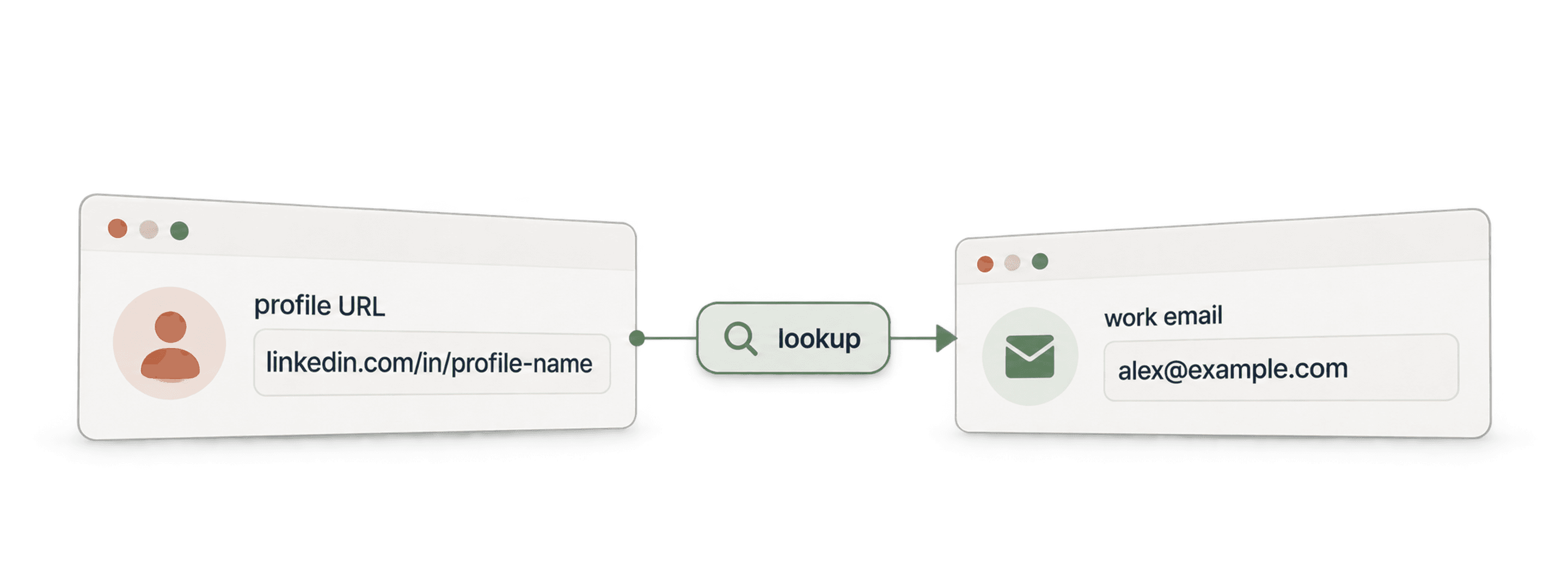
- API Waterfall Phone FinderZnajdź numer telefonu na podstawie adresu URL profilu LinkedIn. Płać tylko za znalezione wyniki.
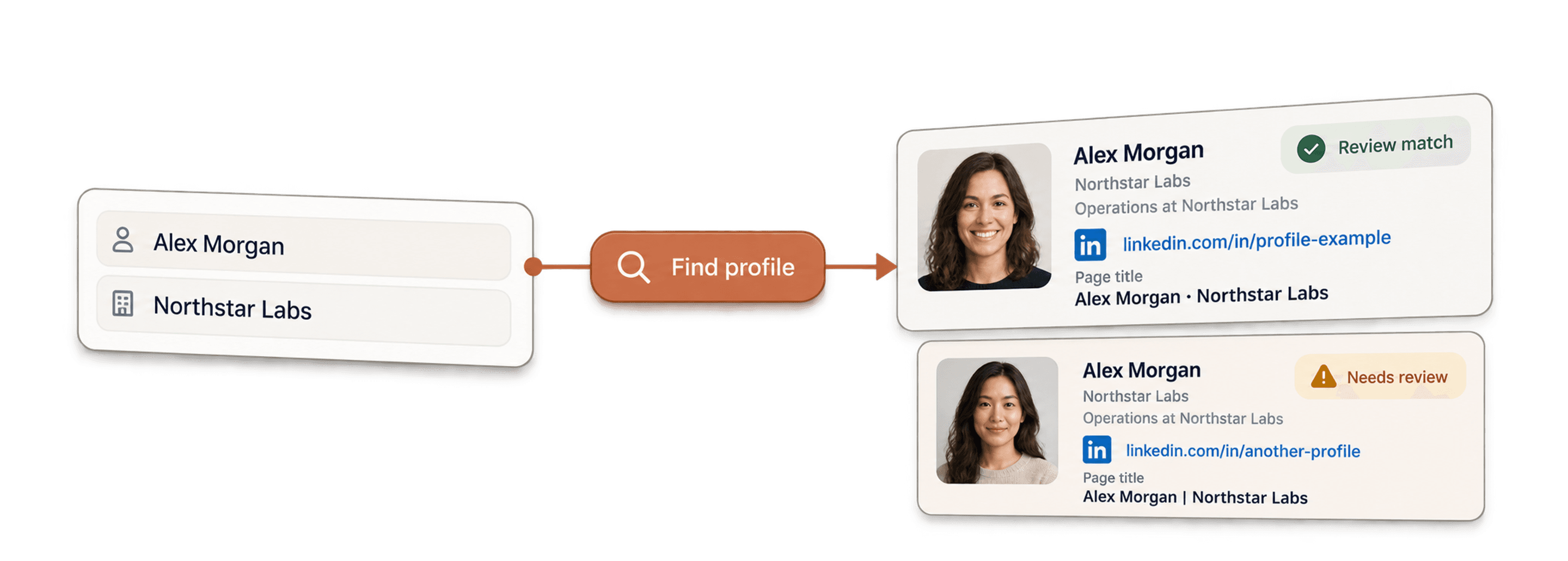
- API LinkedIn Profile FinderZnajdź adres URL profilu LinkedIn danej osoby na podstawie jej imienia i nazwiska.



Enrichmenty no-code
- Waterfall Email FinderZnajdź zweryfikowane emaile na podstawie adresu URL LinkedIn, korzystając jednocześnie z ponad 20 dostawców.
- Waterfall Phone FinderPozyskaj bezpośrednie numery telefonów komórkowych na podstawie tych samych adresów URL profili LinkedIn.
- LinkedIn Company Page ScraperWyodrębniaj publiczne dane firm z adresów URL stron firmowych na LinkedIn.
Bezpłatne narzędzia
- Bezpłatny LinkedIn Profile ScraperWyodrębniaj publiczne dane z adresu URL profilu. Bez logowania, plików cookie ani identyfikatora sesji.
- Bezpłatny Email FinderZnajdź służbowy email na podstawie imienia, nazwiska i firmy. Wypróbuj bezpłatnie.
- Wyszukiwarka domen firmowychZnajdź domeny internetowe na podstawie listy nazw firm.
