API для парсинга профилей LinkedIn
Получайте сведения о работе, компании и образовании по URL профилей LinkedIn с помощью AI-ассистента, no-code workflow или собственного кода.
- От $0.014 за профиль
- Вход в LinkedIn не требуется
- 10 000 профилей на задачу
| URL профиля LinkedIn |
|---|
| linkedin.com/in/maya-lindqvist |
| linkedin.com/in/tom-okafor |
| linkedin.com/in/lea-moreau |
Нам доверяют более 38 000 пользователей из стартапов и команд компаний Fortune 500





Работает с любым инструментом, способным отправлять HTTP-запросы
 Claude
 Cursor
 Codex
Codex Make
Make n8n
n8n Zapier
- Ваш собственный код
Выберите способ подключения
Поручите настройку AI-ассистенту или инструменту автоматизации либо вызывайте REST API из собственного кода.
Вставьте prompt для настройки
Скопируйте prompt для Claude Code, Codex или Cursor либо для Make, n8n или Zapier и вставьте его. AI создаст на вашем компьютере папку Datablist и выполнит всю настройку.
Вставьте API-ключ
Когда AI запросит ключ, скопируйте API-ключ из приложения Datablist и вставьте его в открытый файл .env. Никогда не вставляйте ключ в чат.
Получите результаты
Отправьте список URL профилей LinkedIn и получите по одной строке для каждого профиля: имя, заголовок, местоположение, текущую должность и компанию — все готово для таблицы или CRM.
Посмотреть пример результатаИспользуете Make, n8n или Zapier? Здесь приведены все поля HTTP-запроса
Используйте модуль или узел HTTP-запроса, доступный в вашем инструменте. Необходимо выполнить три шага: отправить список, подождать, затем получить результаты.
1. Отправьте список (HTTP-запрос)
- Метод
POST- URL
https://api.datablist.com/v1/enrichments/tasks- Заголовки
X-API-Key= ваш API-ключContent-Type=application/json- Тело запроса (JSON)
- json{"enrichmentId": "linkedin-profile-scraper","uniqueId": "linkedin-profile-scraper-import-1","settings": {"experiencesNb": "3","educationsNb": "1"},"inputs": [{"inputId": "row-1", "data": {"profileUrl": "https://www.linkedin.com/in/maya-lindqvist/"}},{"inputId": "row-2", "data": {"profileUrl": "https://www.linkedin.com/in/tom-okafor/"}},{"inputId": "row-3", "data": {"profileUrl": "https://www.linkedin.com/in/lea-moreau/"}}]}
- Сохраните
- Значение
@idиз ответа. Это ID вашей задачи.
2. Дождитесь завершения
Добавьте короткое ожидание или задержку, затем запрос GET к https://api.datablist.com/v1/enrichments/tasks/TASK_ID с тем же заголовком X-API-Key. Повторяйте, пока status не примет значение completed.
3. Получите результаты
GET https://api.datablist.com/v1/enrichments/tasks/TASK_ID/results?limit=50. Сопоставьте outputs со своими столбцами. Если nextCursor не пуст, выполните запрос снова, добавив &cursor= и это значение.
Краткий обзор
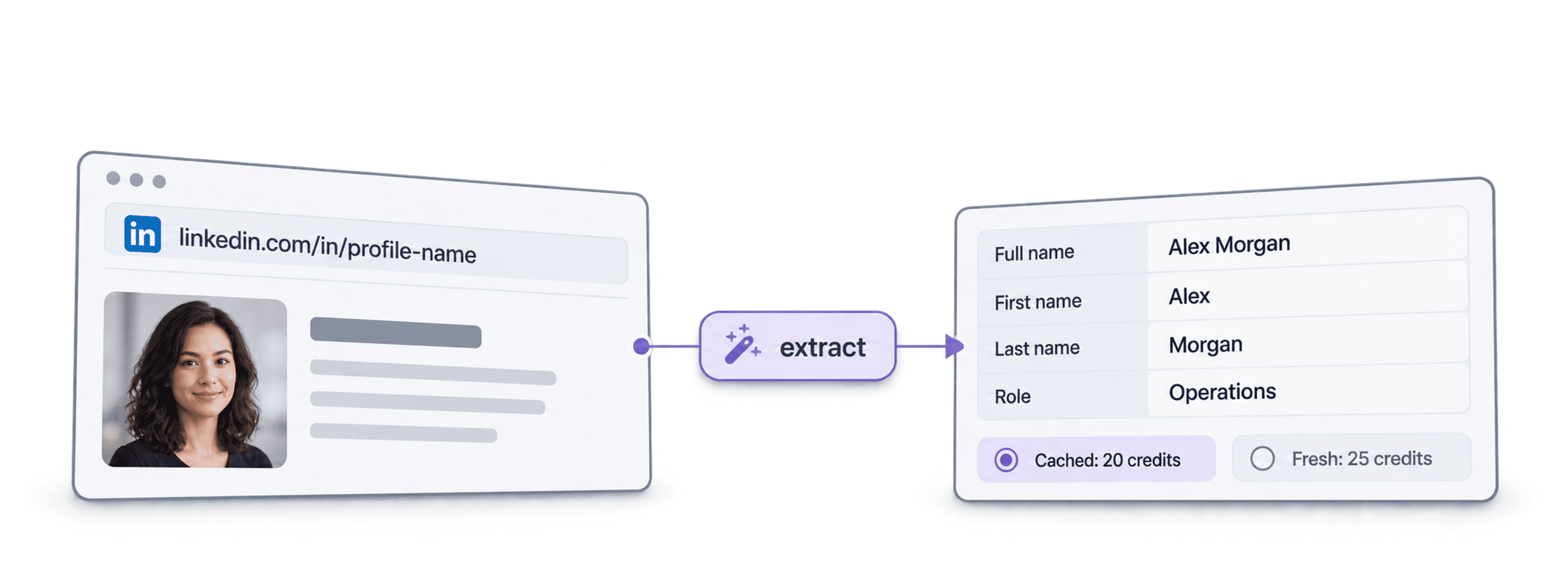
Актуальные общедоступные данные профиля по URL LinkedIn: кто этот человек, где он работает и где учился. Рабочее пространство, коллекция или импорт в Datablist не требуются.
Что необходимо предоставить
- URL профилей LinkedIn: стандартные ссылки на профили или ссылки на leads из Sales Navigator
- Глубина истории (необязательно): 3, 5 или 10 предыдущих мест работы и 1, 3 или 5 учебных заведений
- Кешированные профили (необязательно): примите недавно сохраненную копию, чтобы снизить стоимость
Что вы получите
- Данные о человеке: имя, заголовок, описание, местоположение, языки и связи
- Текущая работа: должность, дата начала, компания, сайт компании, отрасль и размер
- Предыдущие места работы и образование: в запрошенном объеме
Стоимость
- Актуальный профиль: 25 кредитов за профиль
- Кешированный профиль: 20 кредитов при использовании сохраненной копии
- 1 000 кредитов = $1: общий баланс с приложением Datablist
Что команды создают с помощью API
Подключите LinkedIn Profile Scraper на любом этапе существующего потока данных.
Изучайте leads перед outreach
- URL LinkedIn из списка leads
- Должность, компания, местоположение
Получайте текущую должность и компанию каждого lead, чтобы ваша последовательность обращений сразу была адресована нужному человеку и начиналась с релевантной фразы.
Создавайте профили кандидатов
- URL кандидата в LinkedIn
- Места работы и образование в вашей ATS
Получайте данные о предыдущих местах работы и образовании каждого кандидата и поддерживайте актуальность ATS или таблицы без ручного копирования.
Отслеживайте смену работы
- Контакты в CRM
- Обнаружена новая компания
Повторно обрабатывайте контакты и сравнивайте текущую компанию с данными CRM, чтобы выявлять сторонников вашего продукта, перешедших в новую компанию.
Сколько это будет стоить?
Оплачивайте каждый поиск кредитами. Доступ к API предоставляется начиная с тарифа Growth.
Сколько это будет стоить?
Укажите необходимое количество профилей LinkedIn, и мы покажем наиболее выгодный способ их получения.
= 25 000 кредитов по 25 кредитов за актуальный профиль
Как работают кредиты
1 000 кредитов = $1, поэтому каждый кредит стоит одну десятую цента. Актуальный профиль стоит 25 кредитов, кешированный — 20 кредитов. За профиль, который не удалось найти, также могут списываться кредиты, поскольку работа по поиску была выполнена. Каждый результат содержит creditsUsed, поэтому вы можете отслеживать фактическую стоимость каждой строки. Кредиты тарифа обновляются ежемесячно и сгорают, если не были использованы. Дополнительно приобретенные кредиты не сгорают.
Интегрируйте API в свой код
Все необходимое для прямого вызова REST API: код, ответы, endpoints, поля, аутентификация и лимиты.
datablist/linkedin-profile-scraper-api
Официальные примеры: cURL, Python с Requests или асинхронным HTTPX и TypeScript. Поместите ключ в DATABLIST_API_KEY и запустите.
Скопируйте, вставьте, запустите
Полный скрипт, который создает задачу, дожидается ее завершения и выводит все результаты. Замените YOUR_PERSONAL_API_KEY своим ключом.
# 1. Create the task (returns 202 Accepted and the task "@id")
curl --request POST 'https://api.datablist.com/v1/enrichments/tasks' \
  --header 'X-API-Key: YOUR_PERSONAL_API_KEY' \
  --header 'Content-Type: application/json' \
  --data '{
    "enrichmentId": "linkedin-profile-scraper",
    "uniqueId": "linkedin-profile-scraper-import-1",
    "settings": {
      "experiencesNb": "3",
      "educationsNb": "1"
    },
    "inputs": [
      {"inputId": "row-1", "data": {"profileUrl": "https://www.linkedin.com/in/maya-lindqvist/"}},
      {"inputId": "row-2", "data": {"profileUrl": "https://www.linkedin.com/in/tom-okafor/"}},
      {"inputId": "row-3", "data": {"profileUrl": "https://www.linkedin.com/in/lea-moreau/"}}
    ]
  }'
# 2. Poll every few seconds until status is completed, failed or stopped
curl 'https://api.datablist.com/v1/enrichments/tasks/TASK_ID' \
--header 'X-API-Key: YOUR_PERSONAL_API_KEY'
# 3. Read the results, then follow nextCursor until it is null
curl 'https://api.datablist.com/v1/enrichments/tasks/TASK_ID/results?limit=50' \
--header 'X-API-Key: YOUR_PERSONAL_API_KEY'Что возвращает API
По одному результату для каждого входного значения: ваш inputId, статус, outputs и использованные кредиты. Пример данных.
{
  "taskId": "00000000000040008000000000000001",
  "results": [
    {
      "inputId": "row-1",
      "status": "success",
      "outputs": {
        "profileUrl": "https://www.linkedin.com/in/maya-lindqvist/",
        "firstName": "Maya",
        "lastName": "Lindqvist",
        "fullName": "Maya Lindqvist",
        "linkedInHeadline": "Head of Sales at Brightwave Analytics",
        "linkedInCity": "Stockholm",
        "linkedInCountryCode": "SE",
        "linkedInLocation": "Stockholm, Sweden",
        "linkedInlastExpTitle": "Head of Sales",
        "linkedInlastExpStartsAt": "2023-02-01",
        "linkedInlastExpCompany": "Brightwave Analytics",
        "linkedInlastExpCompanyWebsite": "https://www.brightwaveanalytics.com",
        "linkedInlastExpCompanyIndustry": "Software Development",
        "linkedInlastExpCompanyRange": "51-200",
        "linkedInlastEduSchool": "Example University",
        "linkedInLanguages": "English, Swedish",
        "linkedInConnections": "500"
      },
      "creditsUsed": "25",
      "error": null
    }
  ],
  "nextCursor": null
}
Endpoints и поля
Все пути указаны относительно https://api.datablist.com. Определения полей получены из GET /v1/enrichments/linkedin-profile-scraper (документация обновлена 21 октября 2026 г.). Версия схемы: 2026-09-12.
Открыть схему API (JSON) (открывается в новой вкладке)
- /v1/enrichments/linkedin-profile-scraper
- Получить схему, ключ не требуется
- POST
- /v1/enrichments/tasks
- Создать задачу
- /v1/enrichments/tasks/{taskId}
- Проверять статус и ход выполнения
- /v1/enrichments/tasks/{taskId}/results
- Получить результаты, от 1 до 100 на странице
- POST
- /v1/enrichments/tasks/{taskId}/stop
- Отменить выполняемую задачу
- /v1/enrichments/tasks
- История задач, сначала новые
Справочник по схеме
Отправляйте settings один раз для каждой задачи и по одному объекту data для каждого входного значения. По мере развития обогащения результаты могут включать дополнительные поля, поэтому при обработке outputs сохраняйте неизвестные ключи.
Показать все настройки, входные и выходные данные
Настройки
includeUrnInclude LinkedIn Internal ID (URN) | Boolean | Include the LinkedIn internal identifier (URN), for example: ACoAAAIJflYBlveEKEKWvVsjTP4QeXHK8KfcKHg. This ID can be used to build Sales Navigator URLs, like https://www.linkedin.com/sales/lead/XXXX. Активно, когда: |
|---|---|---|
includePicturesInclude Pictures | Boolean | Include the LinkedIn profile picture and the company logo URL. ⚠️ These URLs expire fast. Download the images to avoid broken links. Активно, когда: |
acceptCachedProfilesAccept cached profiles | Boolean | Default behavior is to fetch fresh LinkedIn profile data. Enable this option to use cached profiles when available. Cached profiles cost 20 credits per profile. Активно, когда: |
experiencesNbExperiences to return | Text | How many work experiences to return. Default to 3.Допустимые значения: |
educationsNbEducations to return | Text | How many educations to return. Default to 1.Допустимые значения: |
Входные данные (data)
profileUrlобязательноPerson's LinkedIn Profile | Text | LinkedIn Profile Identifier. Works with standard profile URLs (https://linkedin.com/in/xxx) and Sales Navigator URLs (https://www.linkedin.com/sales/lead/xxxx). |
|---|
Выходные данные
linkedInInternalIdentifierLinkedIn Internal ID (URN) | Text | The unique internal LinkedIn identifier (URN). Example: ACoAAAIJflYBlveEKEKWvVsjTP4QeXHK8KfcKHg. Use it to build Sales Navigator URLs like https://www.linkedin.com/sales/lead/XXXX. Активно, когда: |
|---|---|---|
profileUrlLinkedIn Profile URL Normalized | Text | The clean and standardized LinkedIn Public Profile URL. In the format: https://www.linkedin.com/in/xxxФормат: |
firstNameFirst Name | Text | The first name of the profile |
lastNameLast Name | Text | The last name of the profile |
fullNameFull Name | Text | The full name of the profile |
linkedInHeadlineHeadline | Text | The tagline on the user profile. |
linkedInSummarySummary | Text | A blurb (longer than the tagline) written by the user for his profile. |
linkedInCityCity | Text | The city of the profile |
linkedInStateState | Text | The state of the profile |
linkedInCountryCodeCountry | Text | The country code of the profile. 2-letter country code (ISO 3166-1 alpha-2). |
linkedInCountryNameCountry Name | Text | The profile's country of residence, in English words. |
linkedInLocationLocation | Text | Full Location text |
linkedInProfilePictureLinkedIn Profile Picture | Text | These URLs expire fast. Download the images to avoid broken links. Активно, когда: |
linkedInlastExpTitleTitle (Current or last experience) | Text | The title of the current (or last) experience |
linkedInlastExpEmploymentTypeEmployment Type (Current or last experience) | Text | The employment type of the current (or last) experience. |
linkedInlastExpDescriptionDescription (Current or last experience) | Text | The description of the current (or last) experience |
linkedInlastExpStartsAtStart Date (Current or last experience) | Text | The start date of the current (or last) experience.Формат: |
linkedInlastExpEndsAtEnd date (Current or last experience) | Text | The end date of the last experience. None if still active.Формат: |
linkedInlastExpLocationLocation (Current or last experience) | Text | The location of the current (or last) experience |
linkedInlastExpCompanyCompany Name (Current or last experience) | Text | The company name of the current (or last) experience. |
linkedInlastExpCompanyPageCompany page URL (Current or last experience) | Text | LinkedIn company's profile URL of the current (or last) experience. |
linkedInlastExpCompanyWebsiteCompany website (Current or last experience) | Text | Company Website of the current (or last) experience. |
linkedInlastExpCompanyDescriptionCompany description (Current or last experience) | Text | The company description from the LinkedIn company page of the current or last experience. |
linkedInlastExpCompanyIndustryCompany Industry (Current or last experience) | Text | Company Industry of the current (or last) experience. |
linkedInlastExpCompanyRangeCompany employee range (Current or last experience) | Text | Size of the company. In the form: 1, 2-10, 11-50, etc. |
linkedInlastExpCompanyLogoCompany Logo (Current or last experience) | Text | These URLs expire fast. Download the images to avoid broken links. Активно, когда: |
linkedIn2ExpTitleTitle (Experience #2) | Text | The title from the second most recent work experience. If available. |
linkedIn2ExpEmploymentTypeEmployment Type (Experience #2) | Text | The employment type from the second most recent work experience. If available. |
linkedIn2ExpDescriptionDescription (Experience #2) | Text | The description from the second most recent work experience. If available. |
linkedIn2ExpStartsAtStart Date (Experience #2) | Text | The start date from the second most recent work experience. If available.Формат: |
linkedIn2ExpEndsAtEnd date (Experience #2) | Text | The end date from the second most recent work experience. If available.Формат: |
linkedIn2ExpCompanyNameCompany Name (Experience #2) | Text | The company name from the second most recent work experience. If available. |
linkedIn2ExpLogoCompany Logo (Experience #2) | Text | These URLs expire fast. Download the images to avoid broken links. Активно, когда: |
linkedIn3ExpTitleTitle (Experience #3) | Text | The title from the third most recent work experience. If available. |
linkedIn3ExpEmploymentTypeEmployment Type (Experience #3) | Text | The employment type from the third most recent work experience. If available. |
linkedIn3ExpDescriptionDescription (Experience #3) | Text | The description from the third most recent work experience. If available. |
linkedIn3ExpStartsAtStart Date (Experience #3) | Text | The start date from the third most recent work experience. If available.Формат: |
linkedIn3ExpEndsAtEnd date (Experience #3) | Text | The end date from the third most recent work experience. If available.Формат: |
linkedIn3ExpCompanyNameCompany Name (Experience #3) | Text | The company name from the third most recent work experience. If available. |
linkedIn3ExpLogoCompany Logo (Experience #3) | Text | These URLs expire fast. Download the images to avoid broken links. Активно, когда: |
linkedInlastEduSchoolSchool (Current or last education) | Text | The school name of the current (or last) education |
linkedInlastEduDegreeDegree (Current or last education) | Text | The degree of the current (or last) education |
linkedInlastEduFieldField of Study (Current or last education) | Text | The field of study of the current (or last) education |
linkedInlastEduStartsAtStart Date (Current or last education) | Text | The start date of the current (or last) educationФормат: |
linkedInlastEduEndsAtEnd date (Current or last education) | Text | The end date of the current (or last) educationФормат: |
linkedInlastEduLogoLogo URL (Current or last education) | Text | These URLs expire fast. Download the images to avoid broken links. Активно, когда: |
linkedInSkillsSkills | Text | Comma-separated list of skills listed on the LinkedIn profile. |
linkedInLanguagesLanguages | Text | Comma-separated list of spoken languages of the LinkedIn profile. |
linkedInConnectionsConnections | Text | The number of connections of the profile |
Один заголовок, четкие лимиты
Создайте персональный API-ключ в аккаунте Datablist и отправляйте его с каждым аутентифицированным запросом.
Аутентификация
Передавайте ключ в заголовке X-API-Key. Datablist обменивает и обновляет токены доступа за вас.
- Заголовок:
X-API-Key: YOUR_PERSONAL_API_KEY - Необязательно: управляйте токенами самостоятельно с помощью
Authorization: Bearer, полученного черезPOST /v1/account/token - Только один вариант: отправка обоих заголовков возвращает
400 AmbiguousCredentials - Только на стороне сервера: не добавляйте ключи в URL, браузерный код и журналы
Лимиты
- Входных значений на задачу: от 1 до 10 000
- Размер: 16 КиБ на входное значение, 10 МиБ на запрос
- Время выполнения: до 24 часов на задачу
- Создание задач: 10 запросов за 60 секунд на аккаунт
- Проверка статуса и результаты: 120 запросов за 60 секунд на операцию
- Активные задачи: около 20 одновременно на аккаунт
- Хранение: задачи и результаты хранятся 90 дней
Связанные руководства
Осваивайте новейшие workflows с помощью подробных пошаговых руководств.
Часто задаваемые вопросы
Все, что необходимо вам или вашему AI-агенту для программирования при интеграции LinkedIn Profile Scraper API: аутентификация, запросы, проверка статуса, результаты, лимиты и повторные попытки.
Связанные API, обогащения и бесплатные инструменты
Объедините LinkedIn Profile Scraper с другими обогащениями в своем коде, приложении Datablist или бесплатно.
API обогащения
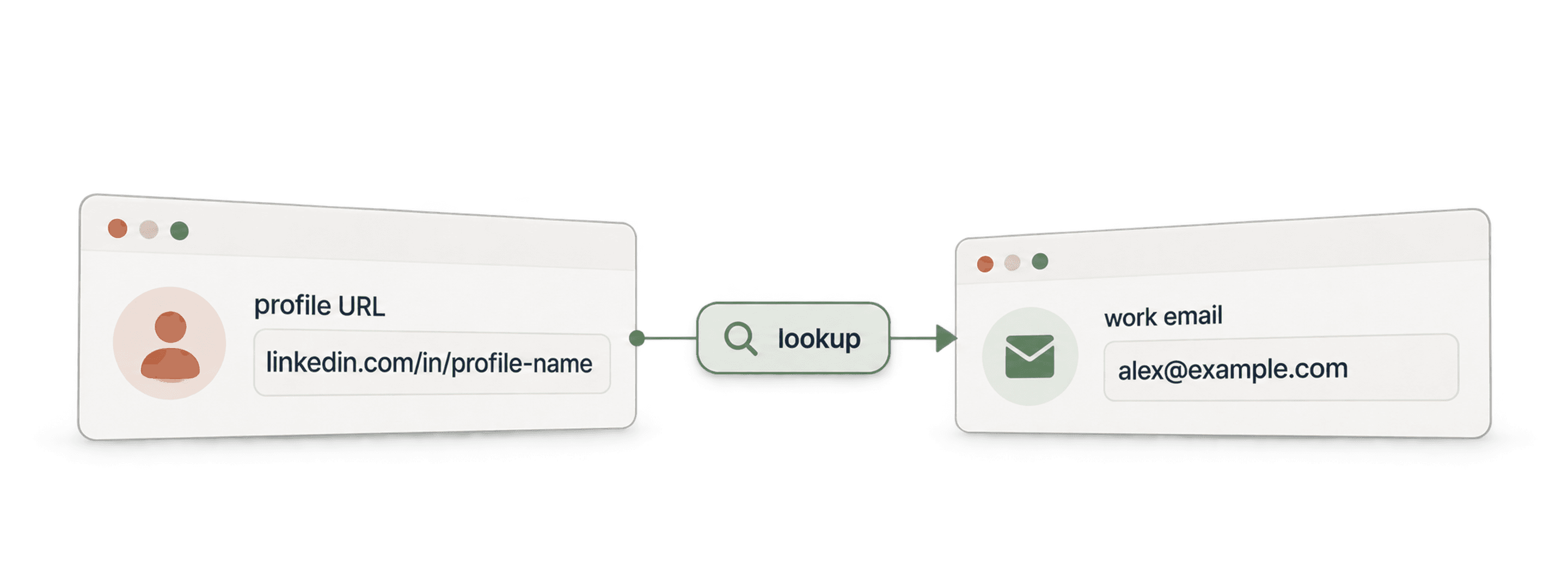
- Waterfall Email Finder APIНайдите подтвержденный рабочий email по имени и домену компании.
- Waterfall Phone Finder APIНайдите номер телефона по URL профиля LinkedIn. Платите только при успешном поиске.
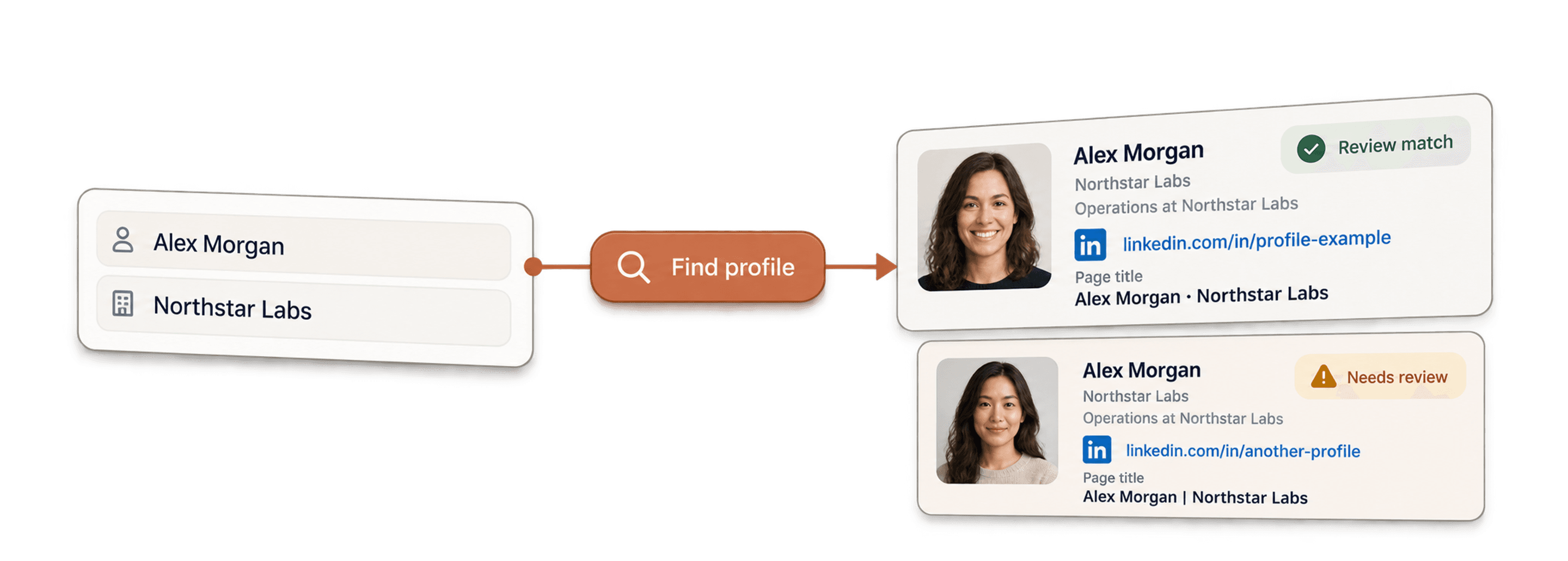
- LinkedIn Profile Finder APIНайдите URL профиля человека в LinkedIn по его имени.



No-code обогащения
- Waterfall Email FinderНаходите подтвержденные emails по URL LinkedIn, одновременно используя более 20 провайдеров.
- Waterfall Phone FinderПолучайте прямые мобильные номера по тем же URL профилей LinkedIn.
- Парсер страниц компаний LinkedInИзвлекайте общедоступные данные компаний по URL их страниц в LinkedIn.
Бесплатные инструменты
- Бесплатный парсер профилей LinkedInИзвлекайте общедоступные данные по URL профиля. Без входа, cookies и ID сессии.
- Бесплатный Email FinderНайдите рабочий email по имени и компании. Можно попробовать бесплатно.
- Поиск доменов компанийНайдите домены сайтов по списку названий компаний.
