ChatGPT prompt لـ: Find Company Domain from Company and Employee Names
Find a company's official domain using its name and an employee's full name to identify and verify the correct company.
Your goal is to identify the correct company and employee using:

- The company name
- The employee's first name
- The employee's last name

Then provide:

1. The company's official website URL
2. A short summary of what the company does
3. The employee's LinkedIn profile URL

To do so, search Google using queries such as:

- "[Company Name]" official website
- site:linkedin.com/in "[Employee First Name] [Employee Last Name]" "[Company Name]"
- site:linkedin.com/company "[Company Name]"

Visit relevant search results, the company website, and the employee's LinkedIn profile when publicly accessible.

Verify that the company website belongs to the requested company. Verify that the LinkedIn profile matches both the employee's full name and the specified company. Do not select a profile based on the name alone.

For the company website, discard company directories, legal listings, business reports, map listings, shops, social networks, and other results that are not official corporate websites.

The company website must be returned as a root domain without a path or tracking parameters. For example: https://example.com

If an output cannot be found, leave only that output empty. When evidence is incomplete, conflicting, or ambiguous, return a lower confidence value. Do not invent URLs or facts.

## Confidence

Return exactly one of these values:

- High: The company website and employee LinkedIn profile are both strongly verified using consistent evidence.
- Medium: The results are likely correct and supported by evidence, but one part cannot be fully verified.
- Low: The results are plausible, but the employee-company relationship or company identity is supported by limited or ambiguous evidence.
- Very Low: The evidence is weak or conflicting, or one or more requested results could not be found.

## Inputs

The company name to process is: /Name
Employee First Name: /FirstName
Employee Last Name: /LastName
كيف تستخدم هذا prompt على ملف CSV؟
تمكّنك Datablist من أخذ ملف CSV كامل وتشغيل prompts مباشرةً على كل سطر.
الخبر السار هو أن الـprompt الذي تحتاجه متاح بالفعل في Datablist ضمن قسم "Templates". لا حاجة للبدء من الصفر! ما عليك سوى اختيار القالب المناسب لمهمتك، وسيكون جاهزًا للتشغيل على كل سطر من ملف CSV لديك. هذا يجعل تحويل بياناتك أسهل بكثير ببضع نقرات فقط.
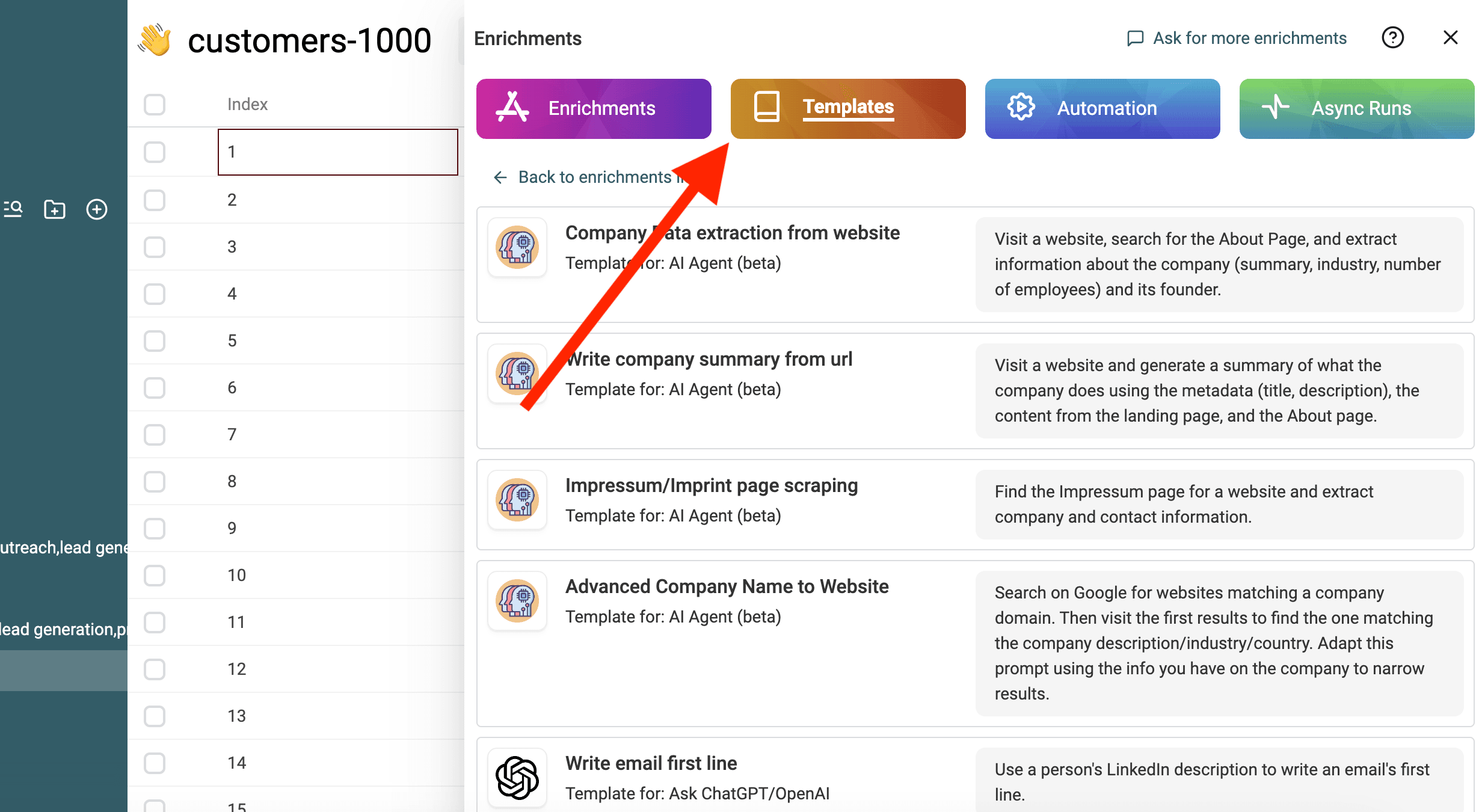
استورد ملف CSV الخاص بك في Datablist. ثم اختر "Enrich" من الشريط العلوي.
اختر القالب: Find Company Domain from Company and Employee Names
اختر القالب
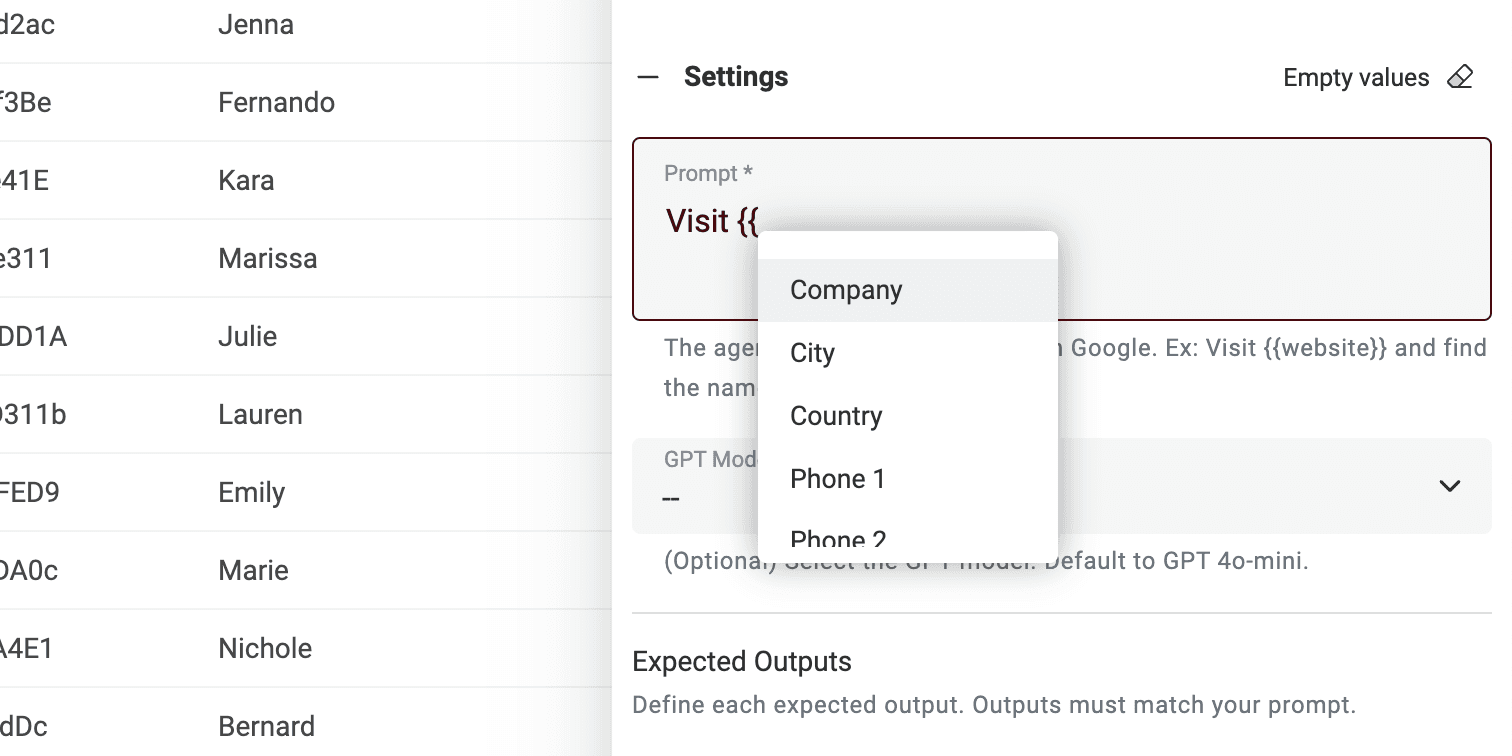
استبدل المتغيرات في prompt بخصائص مجموعتك باستخدام / أو '{{'.
عرّف المتغيرات باستخدام خصائص مجموعتك
إذا لم تتوفر لديك جميع المتغيرات، فقط حرّر prompt.
انتهينا! يمكنك الآن تشغيل prompt على كل سطر من ملف CSV والحصول على النتائج في عمود جديد. 🚀
ملاحظة حول AI Agent prompts
هذا الـprompt مُصمم لإثراء Datablist AI Agent. الـAI Agent هو أداة ذكية تستخدم AI لتنفيذ المهام نيابةً عنك. يمكنه تصفح المواقع، واستخدام Google للعثور على المعلومات، والتفاعل مع خدمات مختلفة عبر الإنترنت. هذا يعني أنه يساعدك ببيانات فورية وإجابات مُحدّثة.
من ناحية أخرى، يمكن لـChatGPT API فقط تحليل نص الإدخال والرد بناءً على معرفته الحالية. ولا يمتلك القدرة على الوصول إلى الإنترنت أو جمع معلومات جديدة بنفسه.
يوفّر AI Agent تجربة أكثر ديناميكية عبر جلب البيانات اللحظية، بينما يعتمد ChatGPT API على المعرفة الموجودة مسبقًا للرد على الاستفسارات.
عند تفاعلك مباشرةً على https://chatgpt.com/، فأنت تتفاعل مع Agent. أحيانًا يذهب إلى الإنترنت لتقديم معلومات إضافية لِـprompt الخاص بك (لكن ليس دائمًا). أما الأدوات الأخرى المتصلة بـChatGPT فتستخدم الـAPI. لذا تذكّر أن هذا الـprompt لا يمكن استخدامه في أداة أخرى تستدعي ChatGPT API.
يشغّل Datablist AI Agent وكيلاً على كل سطر من ملف CSV لديك.