API LinkedIn Profile Scraper
Ottieni dettagli su lavoro, azienda e formazione dagli URL dei profili LinkedIn, dal tuo assistente AI, da un workflow no-code o dal tuo codice.
- Da $0,014 per profilo
- Nessun login a LinkedIn richiesto
- 10.000 profili per attività
| URL del profilo LinkedIn |
|---|
| linkedin.com/in/maya-lindqvist |
| linkedin.com/in/tom-okafor |
| linkedin.com/in/lea-moreau |
Scelto da oltre 38.000 utenti di startup e team Fortune 500





Funziona con qualsiasi strumento in grado di inviare richieste HTTP
 Claude
 Cursor
 Codex
Codex Make
Make n8n
n8n Zapier
- Il tuo codice
Scegli come iniziare
Lascia che un assistente AI o il tuo strumento di automazione si occupi della configurazione, oppure chiama l'API REST dal tuo codice.
Incolla il prompt di configurazione
Copia il prompt per Claude Code, Codex o Cursor, oppure per Make, n8n o Zapier, e incollalo. L'AI crea una cartella Datablist sul tuo computer e configura tutto.
Incolla la tua chiave API
Quando l'AI te lo chiede, copia la chiave API dall'app Datablist e incollala nel file .env che ha aperto. Non incollarla mai nella chat.
Ottieni i risultati
Invia il tuo elenco di URL di profili LinkedIn e ricevi una riga per ogni profilo: nome, headline, località, lavoro attuale e azienda, pronta per il tuo foglio di calcolo o CRM.
Vedi un risultato di esempioUsi Make, n8n o Zapier? Ecco tutti i campi per la richiesta HTTP
Usa il modulo o il nodo per richieste HTTP offerto dal tuo strumento. Sono necessari tre passaggi: inviare l'elenco, attendere e infine leggere i risultati.
1. Invia il tuo elenco (richiesta HTTP)
- Metodo
POST- URL
https://api.datablist.com/v1/enrichments/tasks- Header
X-API-Key= la tua chiave APIContent-Type=application/json- Corpo (JSON)
- json{"enrichmentId": "linkedin-profile-scraper","uniqueId": "linkedin-profile-scraper-import-1","settings": {"experiencesNb": "3","educationsNb": "1"},"inputs": [{"inputId": "row-1", "data": {"profileUrl": "https://www.linkedin.com/in/maya-lindqvist/"}},{"inputId": "row-2", "data": {"profileUrl": "https://www.linkedin.com/in/tom-okafor/"}},{"inputId": "row-3", "data": {"profileUrl": "https://www.linkedin.com/in/lea-moreau/"}}]}
- Conserva
- Il valore
@iddella risposta. È l'ID della tua attività.
2. Attendi il completamento
Aggiungi una breve attesa o un ritardo, quindi una richiesta GET a https://api.datablist.com/v1/enrichments/tasks/TASK_ID con lo stesso header X-API-Key. Ripeti finché status non è completed.
3. Leggi i risultati
GET https://api.datablist.com/v1/enrichments/tasks/TASK_ID/results?limit=50. Associa outputs alle tue colonne. Se nextCursor non è vuoto, effettua una nuova chiamata aggiungendo &cursor= seguito da quel valore.
In breve
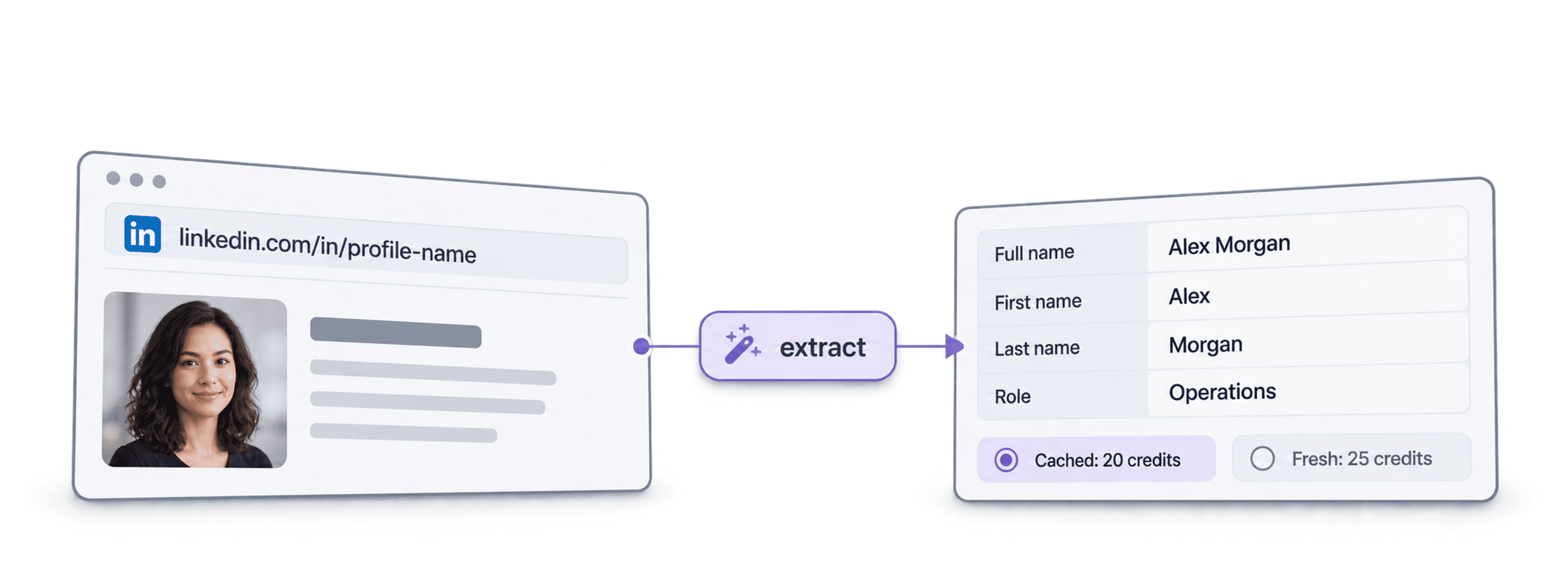
Dati pubblici aggiornati del profilo a partire da un URL LinkedIn: chi è la persona, dove lavora e cosa ha studiato. Non servono workspace, raccolte o importazioni in Datablist.
Cosa fornisci
- URL dei profili LinkedIn: link standard ai profili o link ai leads di Sales Navigator
- Quanta cronologia (facoltativo): 3, 5 o 10 lavori precedenti e 1, 3 o 5 istituti
- Profili in cache (facoltativo): accetta una copia recente salvata per pagare meno
Cosa ottieni
- La persona: nome, headline, riepilogo, località, lingue e collegamenti
- Il lavoro attuale: ruolo, data di inizio, azienda, sito web aziendale, settore e dimensioni
- Lavori precedenti e formazione: nel numero da te richiesto
Quanto costa
- Profilo aggiornato: 25 crediti per profilo
- Profilo in cache: 20 crediti se accetti una copia salvata
- 1.000 crediti = $1: condivisi con l'app Datablist
Cosa realizzano i team
Integra LinkedIn Profile Scraper ovunque confluiscano già i tuoi dati.
Analizza i leads prima dell'outreach
- URL LinkedIn da un elenco di leads
- Ruolo, azienda, località
Recupera il ruolo e l'azienda attuali di ogni lead, così la tua sequenza parte dalla persona giusta e con una prima frase pertinente.
Crea profili dei candidati
- URL LinkedIn del candidato
- Lavori e formazione nel tuo ATS
Ottieni lavori precedenti e formazione per ogni candidato e mantieni aggiornati il tuo ATS o foglio di calcolo senza operazioni di copia e incolla.
Individua i cambi di lavoro
- Contatti nel CRM
- Nuova azienda segnalata
Esegui nuovamente l'analisi dei contatti e confronta l'azienda attuale con quella nel CRM per individuare i champion passati a un nuovo account.
Quanto ti costerà?
Paga ogni ricerca con i crediti. L'accesso API è disponibile a partire dal piano Growth.
Quanto ti costerà?
Indicaci quanti profili LinkedIn ti servono e ti mostreremo il modo più conveniente per ottenerli.
= 25.000 crediti a 25 crediti per profilo aggiornato
Come funzionano i crediti
1.000 crediti = $1, quindi ogni credito costa un decimo di centesimo. Un profilo aggiornato costa 25 crediti e uno in cache 20 crediti. Anche un profilo che non viene trovato può consumare crediti, perché il lavoro di ricerca è stato eseguito. Ogni risultato restituisce creditsUsed, così puoi monitorare il costo reale per riga. I crediti del piano si rinnovano ogni mese e, se non utilizzati, vengono azzerati. I crediti delle ricariche non scadono mai.
Integralo nel tuo codice
Tutto ciò che ti serve per chiamare direttamente l'API REST: codice, risposte, endpoint, campi, autenticazione e limiti.
datablist/linkedin-profile-scraper-api
Esempi ufficiali: cURL, Python con Requests o HTTPX asincrono e TypeScript. Inserisci la tua chiave in DATABLIST_API_KEY ed esegui il codice.
Copia, incolla, esegui
Uno script completo che crea un'attività, ne attende il completamento e stampa ogni risultato. Sostituisci YOUR_PERSONAL_API_KEY con la tua chiave.
# 1. Create the task (returns 202 Accepted and the task "@id")
curl --request POST 'https://api.datablist.com/v1/enrichments/tasks' \
  --header 'X-API-Key: YOUR_PERSONAL_API_KEY' \
  --header 'Content-Type: application/json' \
  --data '{
    "enrichmentId": "linkedin-profile-scraper",
    "uniqueId": "linkedin-profile-scraper-import-1",
    "settings": {
      "experiencesNb": "3",
      "educationsNb": "1"
    },
    "inputs": [
      {"inputId": "row-1", "data": {"profileUrl": "https://www.linkedin.com/in/maya-lindqvist/"}},
      {"inputId": "row-2", "data": {"profileUrl": "https://www.linkedin.com/in/tom-okafor/"}},
      {"inputId": "row-3", "data": {"profileUrl": "https://www.linkedin.com/in/lea-moreau/"}}
    ]
  }'
# 2. Poll every few seconds until status is completed, failed or stopped
curl 'https://api.datablist.com/v1/enrichments/tasks/TASK_ID' \
--header 'X-API-Key: YOUR_PERSONAL_API_KEY'
# 3. Read the results, then follow nextCursor until it is null
curl 'https://api.datablist.com/v1/enrichments/tasks/TASK_ID/results?limit=50' \
--header 'X-API-Key: YOUR_PERSONAL_API_KEY'Cosa restituisce l'API
Un risultato per ogni input, con inputId, stato, outputs e crediti utilizzati. Dati di esempio.
{
  "taskId": "00000000000040008000000000000001",
  "results": [
    {
      "inputId": "row-1",
      "status": "success",
      "outputs": {
        "profileUrl": "https://www.linkedin.com/in/maya-lindqvist/",
        "firstName": "Maya",
        "lastName": "Lindqvist",
        "fullName": "Maya Lindqvist",
        "linkedInHeadline": "Head of Sales at Brightwave Analytics",
        "linkedInCity": "Stockholm",
        "linkedInCountryCode": "SE",
        "linkedInLocation": "Stockholm, Sweden",
        "linkedInlastExpTitle": "Head of Sales",
        "linkedInlastExpStartsAt": "2023-02-01",
        "linkedInlastExpCompany": "Brightwave Analytics",
        "linkedInlastExpCompanyWebsite": "https://www.brightwaveanalytics.com",
        "linkedInlastExpCompanyIndustry": "Software Development",
        "linkedInlastExpCompanyRange": "51-200",
        "linkedInlastEduSchool": "Example University",
        "linkedInLanguages": "English, Swedish",
        "linkedInConnections": "500"
      },
      "creditsUsed": "25",
      "error": null
    }
  ],
  "nextCursor": null
}
Endpoint e campi
Tutti i percorsi sono relativi a https://api.datablist.com. Le definizioni dei campi provengono da GET /v1/enrichments/linkedin-profile-scraper (documentazione aggiornata il 21 ottobre 2026). Versione dello schema: 2026-09-12.
Visualizza lo schema API (JSON) (si apre in una nuova scheda)
- /v1/enrichments/linkedin-profile-scraper
- Leggi lo schema, non serve alcuna chiave
- POST
- /v1/enrichments/tasks
- Crea un'attività
- /v1/enrichments/tasks/{taskId}
- Controlla periodicamente lo stato e l'avanzamento
- /v1/enrichments/tasks/{taskId}/results
- Leggi i risultati, da 1 a 100 per pagina
- POST
- /v1/enrichments/tasks/{taskId}/stop
- Annulla un'attività in esecuzione
- /v1/enrichments/tasks
- Cronologia delle attività, dalla più recente
Riferimento dello schema
Invia settings una volta per attività e un oggetto data per ogni input. Con l'evoluzione dell'enrichment, i risultati possono includere campi aggiuntivi: conserva quindi le chiavi sconosciute durante il parsing di outputs.
Mostra tutti i settings, gli input e gli output
Impostazioni
includeUrnInclude LinkedIn Internal ID (URN) | Boolean | Include the LinkedIn internal identifier (URN), for example: ACoAAAIJflYBlveEKEKWvVsjTP4QeXHK8KfcKHg. This ID can be used to build Sales Navigator URLs, like https://www.linkedin.com/sales/lead/XXXX. Abilitato quando: |
|---|---|---|
includePicturesInclude Pictures | Boolean | Include the LinkedIn profile picture and the company logo URL. ⚠️ These URLs expire fast. Download the images to avoid broken links. Abilitato quando: |
acceptCachedProfilesAccept cached profiles | Boolean | Default behavior is to fetch fresh LinkedIn profile data. Enable this option to use cached profiles when available. Cached profiles cost 20 credits per profile. Abilitato quando: |
experiencesNbExperiences to return | Text | How many work experiences to return. Default to 3.Valori consentiti: |
educationsNbEducations to return | Text | How many educations to return. Default to 1.Valori consentiti: |
Input (data)
profileUrlobbligatorioPerson's LinkedIn Profile | Text | LinkedIn Profile Identifier. Works with standard profile URLs (https://linkedin.com/in/xxx) and Sales Navigator URLs (https://www.linkedin.com/sales/lead/xxxx). |
|---|
Output
linkedInInternalIdentifierLinkedIn Internal ID (URN) | Text | The unique internal LinkedIn identifier (URN). Example: ACoAAAIJflYBlveEKEKWvVsjTP4QeXHK8KfcKHg. Use it to build Sales Navigator URLs like https://www.linkedin.com/sales/lead/XXXX. Abilitato quando: |
|---|---|---|
profileUrlLinkedIn Profile URL Normalized | Text | The clean and standardized LinkedIn Public Profile URL. In the format: https://www.linkedin.com/in/xxxFormato: |
firstNameFirst Name | Text | The first name of the profile |
lastNameLast Name | Text | The last name of the profile |
fullNameFull Name | Text | The full name of the profile |
linkedInHeadlineHeadline | Text | The tagline on the user profile. |
linkedInSummarySummary | Text | A blurb (longer than the tagline) written by the user for his profile. |
linkedInCityCity | Text | The city of the profile |
linkedInStateState | Text | The state of the profile |
linkedInCountryCodeCountry | Text | The country code of the profile. 2-letter country code (ISO 3166-1 alpha-2). |
linkedInCountryNameCountry Name | Text | The profile's country of residence, in English words. |
linkedInLocationLocation | Text | Full Location text |
linkedInProfilePictureLinkedIn Profile Picture | Text | These URLs expire fast. Download the images to avoid broken links. Abilitato quando: |
linkedInlastExpTitleTitle (Current or last experience) | Text | The title of the current (or last) experience |
linkedInlastExpEmploymentTypeEmployment Type (Current or last experience) | Text | The employment type of the current (or last) experience. |
linkedInlastExpDescriptionDescription (Current or last experience) | Text | The description of the current (or last) experience |
linkedInlastExpStartsAtStart Date (Current or last experience) | Text | The start date of the current (or last) experience.Formato: |
linkedInlastExpEndsAtEnd date (Current or last experience) | Text | The end date of the last experience. None if still active.Formato: |
linkedInlastExpLocationLocation (Current or last experience) | Text | The location of the current (or last) experience |
linkedInlastExpCompanyCompany Name (Current or last experience) | Text | The company name of the current (or last) experience. |
linkedInlastExpCompanyPageCompany page URL (Current or last experience) | Text | LinkedIn company's profile URL of the current (or last) experience. |
linkedInlastExpCompanyWebsiteCompany website (Current or last experience) | Text | Company Website of the current (or last) experience. |
linkedInlastExpCompanyDescriptionCompany description (Current or last experience) | Text | The company description from the LinkedIn company page of the current or last experience. |
linkedInlastExpCompanyIndustryCompany Industry (Current or last experience) | Text | Company Industry of the current (or last) experience. |
linkedInlastExpCompanyRangeCompany employee range (Current or last experience) | Text | Size of the company. In the form: 1, 2-10, 11-50, etc. |
linkedInlastExpCompanyLogoCompany Logo (Current or last experience) | Text | These URLs expire fast. Download the images to avoid broken links. Abilitato quando: |
linkedIn2ExpTitleTitle (Experience #2) | Text | The title from the second most recent work experience. If available. |
linkedIn2ExpEmploymentTypeEmployment Type (Experience #2) | Text | The employment type from the second most recent work experience. If available. |
linkedIn2ExpDescriptionDescription (Experience #2) | Text | The description from the second most recent work experience. If available. |
linkedIn2ExpStartsAtStart Date (Experience #2) | Text | The start date from the second most recent work experience. If available.Formato: |
linkedIn2ExpEndsAtEnd date (Experience #2) | Text | The end date from the second most recent work experience. If available.Formato: |
linkedIn2ExpCompanyNameCompany Name (Experience #2) | Text | The company name from the second most recent work experience. If available. |
linkedIn2ExpLogoCompany Logo (Experience #2) | Text | These URLs expire fast. Download the images to avoid broken links. Abilitato quando: |
linkedIn3ExpTitleTitle (Experience #3) | Text | The title from the third most recent work experience. If available. |
linkedIn3ExpEmploymentTypeEmployment Type (Experience #3) | Text | The employment type from the third most recent work experience. If available. |
linkedIn3ExpDescriptionDescription (Experience #3) | Text | The description from the third most recent work experience. If available. |
linkedIn3ExpStartsAtStart Date (Experience #3) | Text | The start date from the third most recent work experience. If available.Formato: |
linkedIn3ExpEndsAtEnd date (Experience #3) | Text | The end date from the third most recent work experience. If available.Formato: |
linkedIn3ExpCompanyNameCompany Name (Experience #3) | Text | The company name from the third most recent work experience. If available. |
linkedIn3ExpLogoCompany Logo (Experience #3) | Text | These URLs expire fast. Download the images to avoid broken links. Abilitato quando: |
linkedInlastEduSchoolSchool (Current or last education) | Text | The school name of the current (or last) education |
linkedInlastEduDegreeDegree (Current or last education) | Text | The degree of the current (or last) education |
linkedInlastEduFieldField of Study (Current or last education) | Text | The field of study of the current (or last) education |
linkedInlastEduStartsAtStart Date (Current or last education) | Text | The start date of the current (or last) educationFormato: |
linkedInlastEduEndsAtEnd date (Current or last education) | Text | The end date of the current (or last) educationFormato: |
linkedInlastEduLogoLogo URL (Current or last education) | Text | These URLs expire fast. Download the images to avoid broken links. Abilitato quando: |
linkedInSkillsSkills | Text | Comma-separated list of skills listed on the LinkedIn profile. |
linkedInLanguagesLanguages | Text | Comma-separated list of spoken languages of the LinkedIn profile. |
linkedInConnectionsConnections | Text | The number of connections of the profile |
Un solo header, limiti chiari
Crea una chiave API personale nel tuo account Datablist e inviala con ogni richiesta autenticata.
Autenticazione
Invia la tua chiave nell'header X-API-Key. Datablist scambia e rinnova gli access token per te.
- Header:
X-API-Key: YOUR_PERSONAL_API_KEY - Facoltativo: gestisci autonomamente i token con
Authorization: Bearerottenuto daPOST /v1/account/token - Uno o l'altro: l'invio di entrambi gli header restituisce
400 AmbiguousCredentials - Solo lato server: non inserire le chiavi negli URL, nel codice del browser o nei log
Limiti
- Input per attività: da 1 a 10.000
- Dimensioni: 16 KiB per input, 10 MiB per richiesta
- Tempo di esecuzione: fino a 24 ore per attività
- Creazione delle attività: 10 richieste ogni 60 secondi per account
- Polling e risultati: 120 richieste ogni 60 secondi per operazione
- Attività in corso: circa 20 contemporaneamente per account
- Conservazione: attività e risultati vengono conservati per 90 giorni
Tutorial correlati
Scopri i workflow più recenti con guide dettagliate passo dopo passo.
Domande frequenti
Tutto ciò che serve a te o al tuo agente AI di programmazione per integrare l'API LinkedIn Profile Scraper: autenticazione, richiesta, polling, risultati, limiti e nuovi tentativi.
API, enrichment e strumenti gratuiti correlati
Collega LinkedIn Profile Scraper ad altri enrichment, nel tuo codice, nell'app Datablist o gratuitamente.
API di enrichment
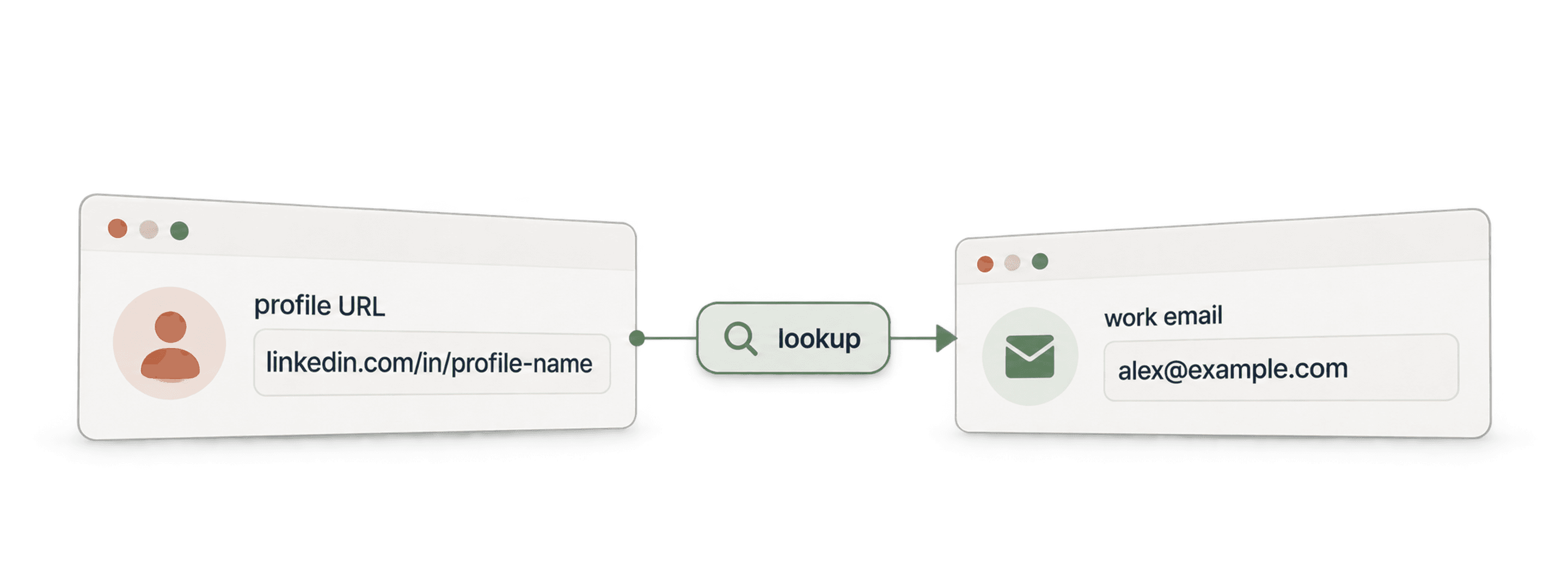
- API Waterfall Email FinderTrova un'email di lavoro verificata a partire da un nome e dal dominio aziendale.
- API Waterfall Phone FinderTrova un numero di telefono a partire dall'URL di un profilo LinkedIn. Paghi solo quando viene trovato.
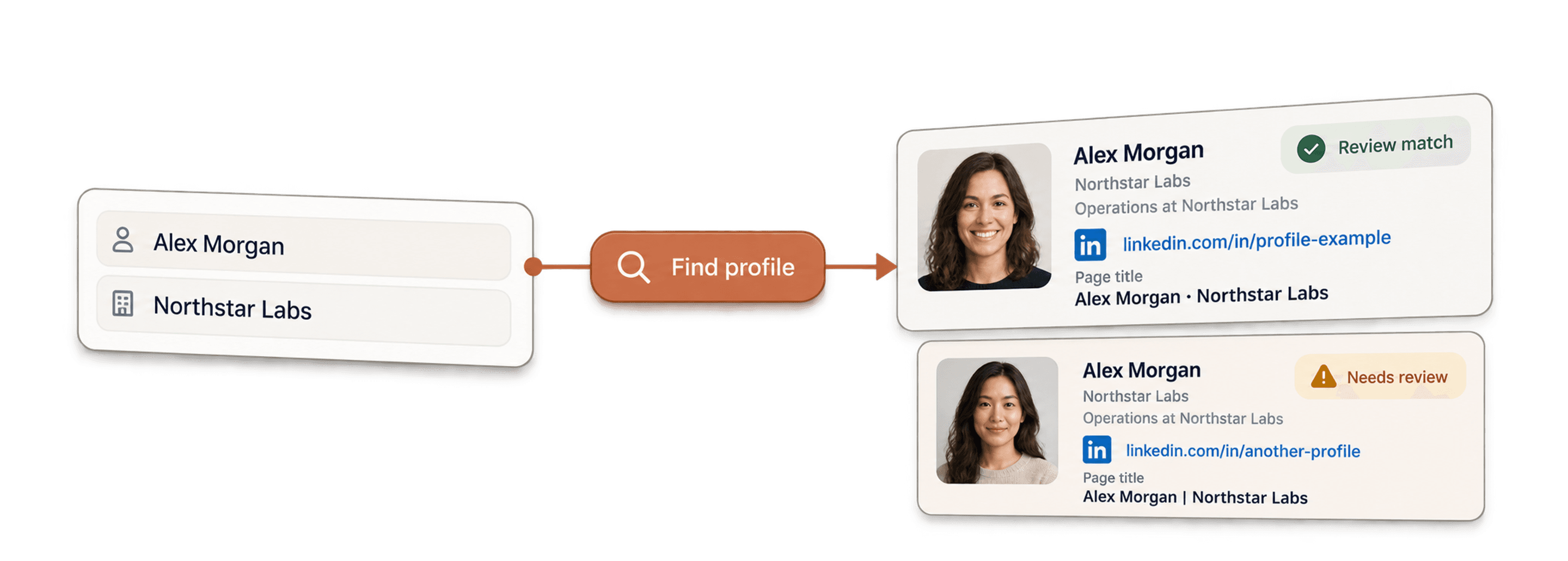
- API LinkedIn Profile FinderTrova l'URL del profilo LinkedIn di una persona a partire dal suo nome.



Enrichment no-code
- Waterfall Email FinderTrova email verificate da un URL LinkedIn utilizzando oltre 20 provider contemporaneamente.
- Waterfall Phone FinderOttieni numeri di cellulare diretti dagli stessi URL dei profili LinkedIn.
- LinkedIn Company Page ScraperEstrai dati aziendali pubblici dagli URL delle pagine aziendali LinkedIn.
Strumenti gratuiti
- LinkedIn Profile Scraper gratuitoEstrai dati pubblici dall'URL di un profilo. Nessun login, cookie o ID di sessione.
- Email Finder gratuitoTrova un'email di lavoro a partire da un nome e un'azienda. Provalo gratuitamente.
- Ricerca domini aziendaliTrova i domini dei siti web partendo da un elenco di nomi di aziende.
