Find a company's official domain using its name and an employee's full name to identify and verify the correct company.
Hoe gebruik je deze prompt op een CSV-bestand?
Datablist laat je een volledig CSV-bestand gebruiken en prompts direct op elke rij uitvoeren.
Het goede nieuws is dat de prompt die je nodig hebt al beschikbaar is in Datablist onder de sectie 'Templates'. Je hoeft niet vanaf nul te beginnen! Selecteer gewoon de template die bij je taak past en hij is klaar om op elke rij van je CSV te draaien. Zo transformeer je je data met slechts een paar klikken.
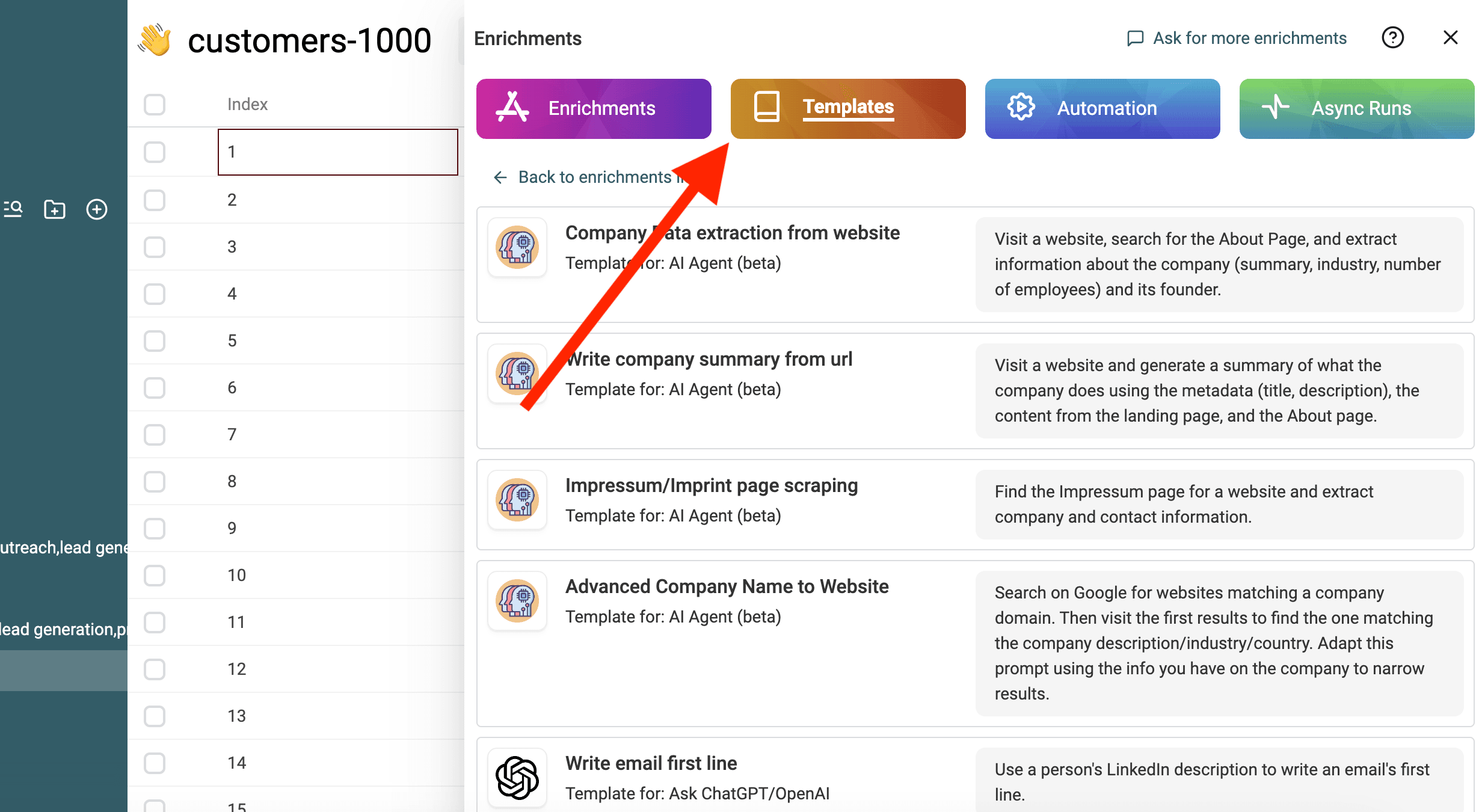
Importeer je CSV-bestand in Datablist. Selecteer vervolgens 'Enrich' in de header.
Selecteer de template: Find Company Domain from Company and Employee Names
Vervang de variabelen in de prompt door de eigenschappen van je collectie met behulp van / of '{{'.
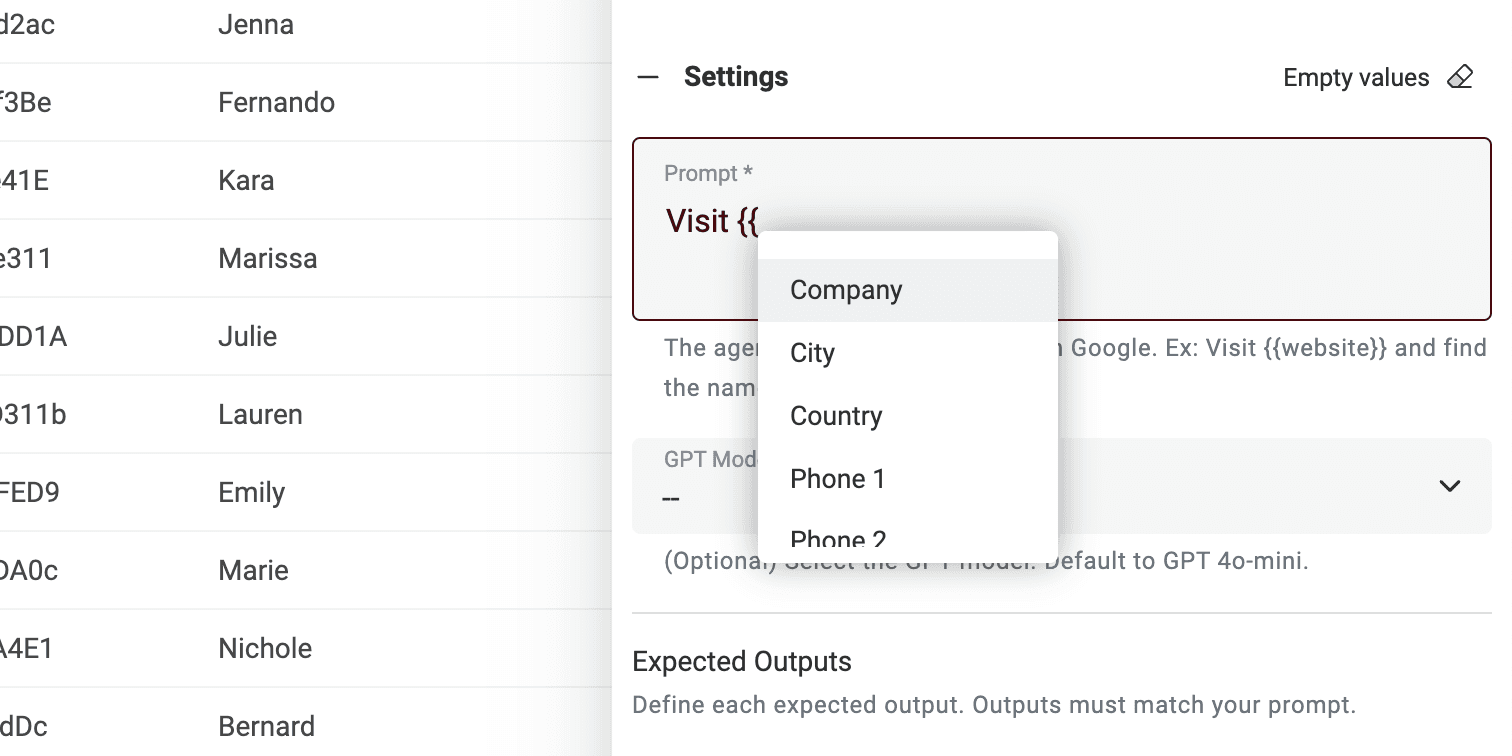
Heb je niet alle variabelen? Pas dan gewoon de prompt aan.
Dat is alles! Je kunt de prompt nu op elke rij van je CSV-bestand draaien en de resultaten in een nieuwe kolom krijgen. 🚀
Opmerking over AI Agent prompts
Deze prompt is gemaakt voor Datablist AI Agent enrichment. Een AI Agent is een slimme tool die artificial intelligence (AI) gebruikt om taken voor je uit te voeren. Het kan websites browsen, Google gebruiken om informatie te vinden en met verschillende online services interageren. Dit betekent dat het je kan helpen met realtime data en up-to-date antwoorden.
Daarentegen kan de ChatGPT API alleen de inputtekst analyseren en antwoorden op basis van bestaande kennis. Het heeft niet de mogelijkheid om het internet te benaderen of zelfstandig nieuwe informatie te verzamelen.
Een AI Agent biedt een dynamischere ervaring door realtime data op te halen, terwijl de ChatGPT API vertrouwt op vooraf bestaande kennis om vragen te beantwoorden.
Wanneer je rechtstreeks op https://chatgpt.com/ werkt, werk je met een Agent. Soms gaat die online om extra informatie voor je prompt te leveren (maar niet vaak). Andere tools die met ChatGPT zijn verbonden gebruiken echter de API. Onthoud dus dat deze prompt niet kan worden gebruikt in een andere tool die de ChatGPT API aanroept.
Datablist AI Agent draait een agent op elke rij van je CSV.