LinkedIn Profile Scraper API
Hent informasjon om jobb, selskap og utdanning fra LinkedIn-profil-URL-er via AI-assistenten din, en no-code-workflow eller din egen kode.
- Fra $0.014 per profil
- Ingen LinkedIn-innlogging nødvendig
- 10 000 profiler per oppgave
| URL til LinkedIn-profil |
|---|
| linkedin.com/in/maya-lindqvist |
| linkedin.com/in/tom-okafor |
| linkedin.com/in/lea-moreau |
Valgt av over 38 000 brukere i startups og Fortune 500-team





Fungerer med alle verktøy som kan sende HTTP-forespørsler
 Claude
 Cursor
 Codex
Codex Make
Make n8n
n8n Zapier
- Din egen kode
Velg hvordan du vil komme i gang
La en AI-assistent eller automatiseringsverktøyet ditt utføre oppsettet, eller kall REST API-et fra din egen kode.
Lim inn oppsettspromptet
Kopier promptet for Claude Code, Codex eller Cursor, eller for Make, n8n eller Zapier, og lim det inn. AI-en oppretter en Datablist-mappe på datamaskinen din og konfigurerer alt.
Lim inn API-nøkkelen din
Når AI-en spør, kopierer du API-nøkkelen fra Datablist-appen og limer den inn i .env-filen den åpnet. Lim den aldri inn i chatten.
Hent resultatene dine
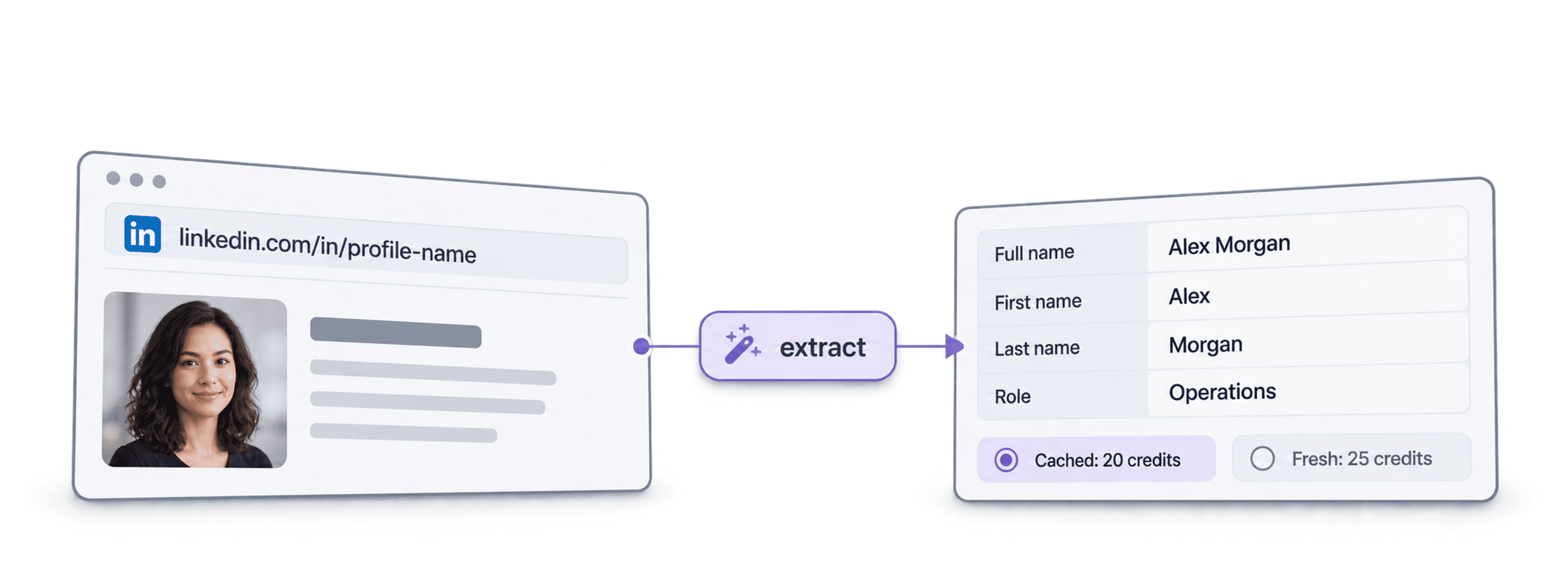
Send listen med LinkedIn-profil-URL-er og få én rad tilbake per profil: navn, overskrift, sted, nåværende jobb og selskap, klart for regnearket eller CRM-et ditt.
Se et eksempelresultatBruker du Make, n8n eller Zapier? Her er alle feltene for HTTP-forespørselen
Bruk modulen eller noden for HTTP-forespørsler som verktøyet ditt tilbyr. Du trenger tre trinn: send listen, vent og les deretter resultatene.
1. Send listen din (HTTP-forespørsel)
- Metode
POST- URL
https://api.datablist.com/v1/enrichments/tasks- Headere
X-API-Key= API-nøkkelen dinContent-Type=application/json- Body (JSON)
- json{"enrichmentId": "linkedin-profile-scraper","uniqueId": "linkedin-profile-scraper-import-1","settings": {"experiencesNb": "3","educationsNb": "1"},"inputs": [{"inputId": "row-1", "data": {"profileUrl": "https://www.linkedin.com/in/maya-lindqvist/"}},{"inputId": "row-2", "data": {"profileUrl": "https://www.linkedin.com/in/tom-okafor/"}},{"inputId": "row-3", "data": {"profileUrl": "https://www.linkedin.com/in/lea-moreau/"}}]}
- Ta vare på
@idfra responsen. Dette er oppgave-ID-en din.
2. Vent til den er ferdig
Legg til en kort ventetid eller forsinkelse, og deretter en GET-forespørsel til https://api.datablist.com/v1/enrichments/tasks/TASK_ID med den samme X-API-Key-headeren. Gjenta til status er completed.
3. Les resultatene
GET https://api.datablist.com/v1/enrichments/tasks/TASK_ID/results?limit=50. Tilordne outputs til kolonnene dine. Hvis nextCursor ikke er tom, kaller du på nytt med &cursor= etterfulgt av denne verdien.
Kort fortalt
Oppdaterte offentlige profildata fra en LinkedIn-URL: hvem personen er, hvor vedkommende jobber og hva vedkommende har studert. Du trenger ikke noe Datablist-workspace, noen samling eller import.
Det du oppgir
- LinkedIn-profil-URL-er: Vanlige profillenker eller lead-lenker fra Sales Navigator
- Hvor mye historikk (valgfritt): 3, 5 eller 10 tidligere jobber og 1, 3 eller 5 utdanningsinstitusjoner
- Bufrede profiler (valgfritt): Godta en nylig lagret kopi for å betale mindre
Det du får tilbake
- Personen: Navn, overskrift, sammendrag, sted, språk og forbindelser
- Nåværende jobb: Tittel, startdato, selskap, selskapets nettsted, bransje og størrelse
- Tidligere jobber og utdanning: Så mange som du ba om
Hva det koster
- Oppdatert profil: 25 credits per profil
- Bufret profil: 20 credits når du godtar en lagret kopi
- 1 000 credits = $1: Delt med Datablist-appen
Dette bygger team med løsningen
Bruk LinkedIn Profile Scraper der dataene dine allerede flyter.
Undersøk leads før outreach
- LinkedIn-URL fra en lead-liste
- Tittel, selskap, sted
Hent nåværende rolle og selskap for hver lead, slik at sekvensen din starter med riktig person og en relevant åpningslinje.
Bygg kandidatprofiler
- Kandidatens LinkedIn-URL
- Jobber og utdanning i ATS-et ditt
Hent tidligere jobber og utdanning for hver kandidat, og hold ATS-et eller regnearket oppdatert uten å kopiere og lime inn.
Oppdag jobbskifter
- Kontakter i CRM-et
- Nytt selskap markert
Kjør kontaktene dine på nytt og sammenlign nåværende selskap med CRM-et for å oppdage støttespillere som har flyttet til en ny konto.
Hva vil det koste?
Betal per oppslag med credits. API-tilgang starter med Growth-abonnementet.
Hvor mye vil det koste?
Fortell oss hvor mange LinkedIn-profiler du trenger, så viser vi deg den rimeligste måten å hente dem på.
= 25 000 credits med 25 credits per oppdatert profil
Slik fungerer credits
1 000 credits = $1, så hver credit koster en tidels cent. En oppdatert profil koster 25 credits, og en bufret profil koster 20 credits. En profil som ikke blir funnet, kan likevel koste credits fordi oppslagsarbeidet er utført. Hvert resultat returnerer creditsUsed, slik at du kan spore den faktiske kostnaden per rad. Credits i abonnementet fornyes hver måned og nullstilles hvis de ikke brukes. Ekstra credits utløper aldri.
Integrer det i koden din
Alt du trenger for å kalle REST API-et direkte: kode, responser, endepunkter, felter, autentisering og grenser.
datablist/linkedin-profile-scraper-api
Offisielle eksempler: cURL, Python med Requests eller asynkron HTTPX, og TypeScript. Legg nøkkelen din i DATABLIST_API_KEY og kjør.
Kopier, lim inn, kjør
Et komplett skript som oppretter en oppgave, venter på den og skriver ut alle resultater. Erstatt YOUR_PERSONAL_API_KEY med nøkkelen din.
# 1. Create the task (returns 202 Accepted and the task "@id")
curl --request POST 'https://api.datablist.com/v1/enrichments/tasks' \
  --header 'X-API-Key: YOUR_PERSONAL_API_KEY' \
  --header 'Content-Type: application/json' \
  --data '{
    "enrichmentId": "linkedin-profile-scraper",
    "uniqueId": "linkedin-profile-scraper-import-1",
    "settings": {
      "experiencesNb": "3",
      "educationsNb": "1"
    },
    "inputs": [
      {"inputId": "row-1", "data": {"profileUrl": "https://www.linkedin.com/in/maya-lindqvist/"}},
      {"inputId": "row-2", "data": {"profileUrl": "https://www.linkedin.com/in/tom-okafor/"}},
      {"inputId": "row-3", "data": {"profileUrl": "https://www.linkedin.com/in/lea-moreau/"}}
    ]
  }'
# 2. Poll every few seconds until status is completed, failed or stopped
curl 'https://api.datablist.com/v1/enrichments/tasks/TASK_ID' \
--header 'X-API-Key: YOUR_PERSONAL_API_KEY'
# 3. Read the results, then follow nextCursor until it is null
curl 'https://api.datablist.com/v1/enrichments/tasks/TASK_ID/results?limit=50' \
--header 'X-API-Key: YOUR_PERSONAL_API_KEY'Dette returnerer API-et
Ett resultat per input, med inputId, status, outputs og credits som er brukt. Eksempeldata.
{
  "taskId": "00000000000040008000000000000001",
  "results": [
    {
      "inputId": "row-1",
      "status": "success",
      "outputs": {
        "profileUrl": "https://www.linkedin.com/in/maya-lindqvist/",
        "firstName": "Maya",
        "lastName": "Lindqvist",
        "fullName": "Maya Lindqvist",
        "linkedInHeadline": "Head of Sales at Brightwave Analytics",
        "linkedInCity": "Stockholm",
        "linkedInCountryCode": "SE",
        "linkedInLocation": "Stockholm, Sweden",
        "linkedInlastExpTitle": "Head of Sales",
        "linkedInlastExpStartsAt": "2023-02-01",
        "linkedInlastExpCompany": "Brightwave Analytics",
        "linkedInlastExpCompanyWebsite": "https://www.brightwaveanalytics.com",
        "linkedInlastExpCompanyIndustry": "Software Development",
        "linkedInlastExpCompanyRange": "51-200",
        "linkedInlastEduSchool": "Example University",
        "linkedInLanguages": "English, Swedish",
        "linkedInConnections": "500"
      },
      "creditsUsed": "25",
      "error": null
    }
  ],
  "nextCursor": null
}
Endepunkter og felter
Alle paths er relative til https://api.datablist.com. Feltdefinisjonene kommer fra GET /v1/enrichments/linkedin-profile-scraper (dokumentasjonen ble oppdatert 21. okt. 2026). Skjemaversjon: 2026-09-12.
Se API-skjema (JSON) (åpnes i en ny fane)
- /v1/enrichments/linkedin-profile-scraper
- Les skjemaet, ingen nøkkel nødvendig
- POST
- /v1/enrichments/tasks
- Opprett en oppgave
- /v1/enrichments/tasks/{taskId}
- Poll status og fremdrift
- /v1/enrichments/tasks/{taskId}/results
- Les resultater, 1 til 100 per side
- POST
- /v1/enrichments/tasks/{taskId}/stop
- Avbryt en oppgave som kjører
- /v1/enrichments/tasks
- Oppgavehistorikk, nyeste først
Skjemareferanse
Send settings én gang per oppgave og ett data-objekt per input. Resultater kan inneholde ekstra felter etter hvert som enrichment utvikles, så behold ukjente nøkler når du parser outputs.
Vis alle innstillinger, inputs og outputs
Innstillinger
includeUrnInclude LinkedIn Internal ID (URN) | Boolean | Include the LinkedIn internal identifier (URN), for example: ACoAAAIJflYBlveEKEKWvVsjTP4QeXHK8KfcKHg. This ID can be used to build Sales Navigator URLs, like https://www.linkedin.com/sales/lead/XXXX. Aktivert når: |
|---|---|---|
includePicturesInclude Pictures | Boolean | Include the LinkedIn profile picture and the company logo URL. ⚠️ These URLs expire fast. Download the images to avoid broken links. Aktivert når: |
acceptCachedProfilesAccept cached profiles | Boolean | Default behavior is to fetch fresh LinkedIn profile data. Enable this option to use cached profiles when available. Cached profiles cost 20 credits per profile. Aktivert når: |
experiencesNbExperiences to return | Text | How many work experiences to return. Default to 3.Tillatte verdier: |
educationsNbEducations to return | Text | How many educations to return. Default to 1.Tillatte verdier: |
Inputs (data)
profileUrlpåkrevdPerson's LinkedIn Profile | Text | LinkedIn Profile Identifier. Works with standard profile URLs (https://linkedin.com/in/xxx) and Sales Navigator URLs (https://www.linkedin.com/sales/lead/xxxx). |
|---|
Outputs
linkedInInternalIdentifierLinkedIn Internal ID (URN) | Text | The unique internal LinkedIn identifier (URN). Example: ACoAAAIJflYBlveEKEKWvVsjTP4QeXHK8KfcKHg. Use it to build Sales Navigator URLs like https://www.linkedin.com/sales/lead/XXXX. Aktivert når: |
|---|---|---|
profileUrlLinkedIn Profile URL Normalized | Text | The clean and standardized LinkedIn Public Profile URL. In the format: https://www.linkedin.com/in/xxxFormat: |
firstNameFirst Name | Text | The first name of the profile |
lastNameLast Name | Text | The last name of the profile |
fullNameFull Name | Text | The full name of the profile |
linkedInHeadlineHeadline | Text | The tagline on the user profile. |
linkedInSummarySummary | Text | A blurb (longer than the tagline) written by the user for his profile. |
linkedInCityCity | Text | The city of the profile |
linkedInStateState | Text | The state of the profile |
linkedInCountryCodeCountry | Text | The country code of the profile. 2-letter country code (ISO 3166-1 alpha-2). |
linkedInCountryNameCountry Name | Text | The profile's country of residence, in English words. |
linkedInLocationLocation | Text | Full Location text |
linkedInProfilePictureLinkedIn Profile Picture | Text | These URLs expire fast. Download the images to avoid broken links. Aktivert når: |
linkedInlastExpTitleTitle (Current or last experience) | Text | The title of the current (or last) experience |
linkedInlastExpEmploymentTypeEmployment Type (Current or last experience) | Text | The employment type of the current (or last) experience. |
linkedInlastExpDescriptionDescription (Current or last experience) | Text | The description of the current (or last) experience |
linkedInlastExpStartsAtStart Date (Current or last experience) | Text | The start date of the current (or last) experience.Format: |
linkedInlastExpEndsAtEnd date (Current or last experience) | Text | The end date of the last experience. None if still active.Format: |
linkedInlastExpLocationLocation (Current or last experience) | Text | The location of the current (or last) experience |
linkedInlastExpCompanyCompany Name (Current or last experience) | Text | The company name of the current (or last) experience. |
linkedInlastExpCompanyPageCompany page URL (Current or last experience) | Text | LinkedIn company's profile URL of the current (or last) experience. |
linkedInlastExpCompanyWebsiteCompany website (Current or last experience) | Text | Company Website of the current (or last) experience. |
linkedInlastExpCompanyDescriptionCompany description (Current or last experience) | Text | The company description from the LinkedIn company page of the current or last experience. |
linkedInlastExpCompanyIndustryCompany Industry (Current or last experience) | Text | Company Industry of the current (or last) experience. |
linkedInlastExpCompanyRangeCompany employee range (Current or last experience) | Text | Size of the company. In the form: 1, 2-10, 11-50, etc. |
linkedInlastExpCompanyLogoCompany Logo (Current or last experience) | Text | These URLs expire fast. Download the images to avoid broken links. Aktivert når: |
linkedIn2ExpTitleTitle (Experience #2) | Text | The title from the second most recent work experience. If available. |
linkedIn2ExpEmploymentTypeEmployment Type (Experience #2) | Text | The employment type from the second most recent work experience. If available. |
linkedIn2ExpDescriptionDescription (Experience #2) | Text | The description from the second most recent work experience. If available. |
linkedIn2ExpStartsAtStart Date (Experience #2) | Text | The start date from the second most recent work experience. If available.Format: |
linkedIn2ExpEndsAtEnd date (Experience #2) | Text | The end date from the second most recent work experience. If available.Format: |
linkedIn2ExpCompanyNameCompany Name (Experience #2) | Text | The company name from the second most recent work experience. If available. |
linkedIn2ExpLogoCompany Logo (Experience #2) | Text | These URLs expire fast. Download the images to avoid broken links. Aktivert når: |
linkedIn3ExpTitleTitle (Experience #3) | Text | The title from the third most recent work experience. If available. |
linkedIn3ExpEmploymentTypeEmployment Type (Experience #3) | Text | The employment type from the third most recent work experience. If available. |
linkedIn3ExpDescriptionDescription (Experience #3) | Text | The description from the third most recent work experience. If available. |
linkedIn3ExpStartsAtStart Date (Experience #3) | Text | The start date from the third most recent work experience. If available.Format: |
linkedIn3ExpEndsAtEnd date (Experience #3) | Text | The end date from the third most recent work experience. If available.Format: |
linkedIn3ExpCompanyNameCompany Name (Experience #3) | Text | The company name from the third most recent work experience. If available. |
linkedIn3ExpLogoCompany Logo (Experience #3) | Text | These URLs expire fast. Download the images to avoid broken links. Aktivert når: |
linkedInlastEduSchoolSchool (Current or last education) | Text | The school name of the current (or last) education |
linkedInlastEduDegreeDegree (Current or last education) | Text | The degree of the current (or last) education |
linkedInlastEduFieldField of Study (Current or last education) | Text | The field of study of the current (or last) education |
linkedInlastEduStartsAtStart Date (Current or last education) | Text | The start date of the current (or last) educationFormat: |
linkedInlastEduEndsAtEnd date (Current or last education) | Text | The end date of the current (or last) educationFormat: |
linkedInlastEduLogoLogo URL (Current or last education) | Text | These URLs expire fast. Download the images to avoid broken links. Aktivert når: |
linkedInSkillsSkills | Text | Comma-separated list of skills listed on the LinkedIn profile. |
linkedInLanguagesLanguages | Text | Comma-separated list of spoken languages of the LinkedIn profile. |
linkedInConnectionsConnections | Text | The number of connections of the profile |
Én header, tydelige grenser
Opprett en personlig API-nøkkel i Datablist-kontoen din og send den med hver autentiserte forespørsel.
Autentisering
Send nøkkelen din i X-API-Key-headeren. Datablist utveksler og fornyer tilgangstokener for deg.
- Header:
X-API-Key: YOUR_PERSONAL_API_KEY - Valgfritt: administrer tokens selv med
Authorization: BearerfraPOST /v1/account/token - Enten det ene eller det andre: Hvis begge headere sendes, returneres
400 AmbiguousCredentials - Kun på serversiden: Hold nøkler utenfor URL-er, nettleserkode og logger
Grenser
- Inputs per oppgave: 1 til 10 000
- Størrelse: 16 KiB per input, 10 MiB per forespørsel
- Kjøretid: opptil 24 timer per oppgave
- Oppretting av oppgaver: 10 forespørsler per 60 sekunder per konto
- Polling og resultater: 120 forespørsler per 60 sekunder per operasjon
- Aktive oppgaver: omtrent 20 samtidig per konto
- Oppbevaring: Oppgaver og resultater lagres i 90 dager
Relaterte veiledninger
Lær de nyeste workflowene med detaljerte trinnvise veiledninger.
Ofte stilte spørsmål
Alt du eller AI-kodeagenten din trenger for å integrere LinkedIn Profile Scraper API: autentisering, forespørsler, polling, resultater, grenser og nye forsøk.
Relaterte API-er, enrichments og gratisverktøy
Koble LinkedIn Profile Scraper sammen med andre enrichments, i koden din, i Datablist-appen eller gratis.
Enrichment-API-er
- Waterfall Email Finder APIFinn en verifisert jobb-email ut fra et navn og selskapets domene.
- Waterfall Phone Finder APIFinn et telefonnummer fra en LinkedIn-profil-URL. Betal bare når et nummer blir funnet.
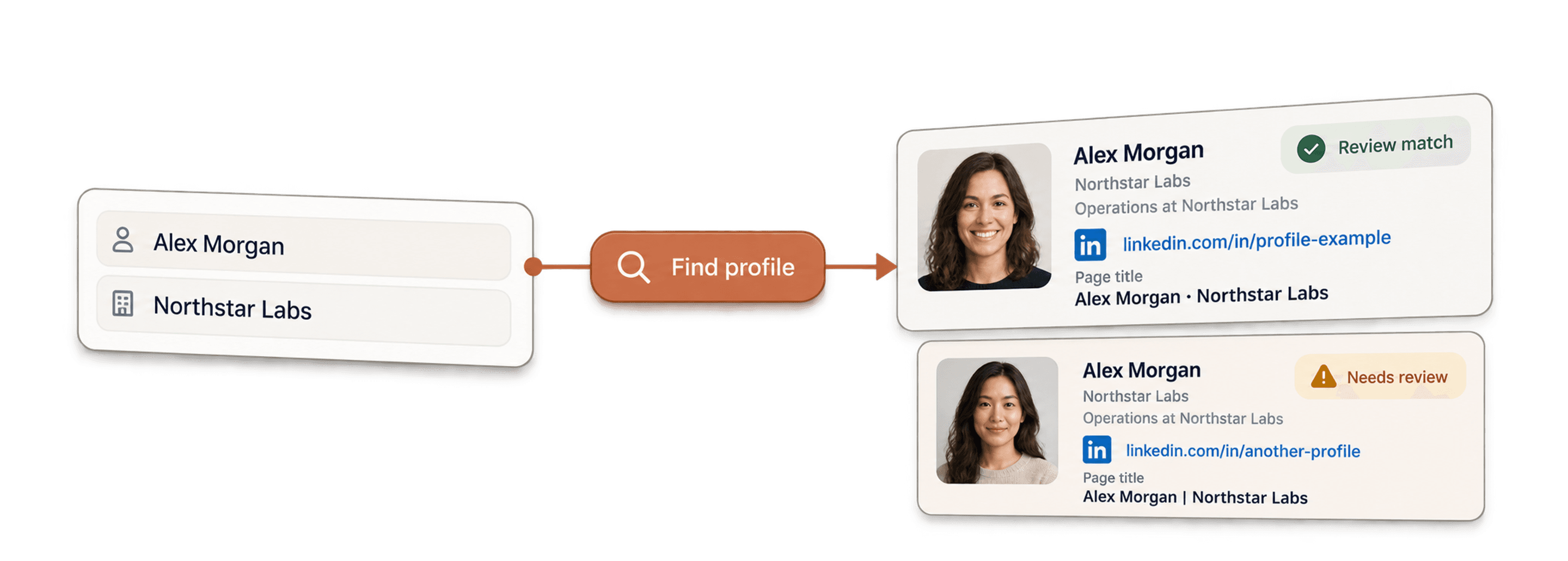
- LinkedIn Profile Finder APIFinn LinkedIn-profil-URL-en til en person ut fra navnet.



No-code-enrichments
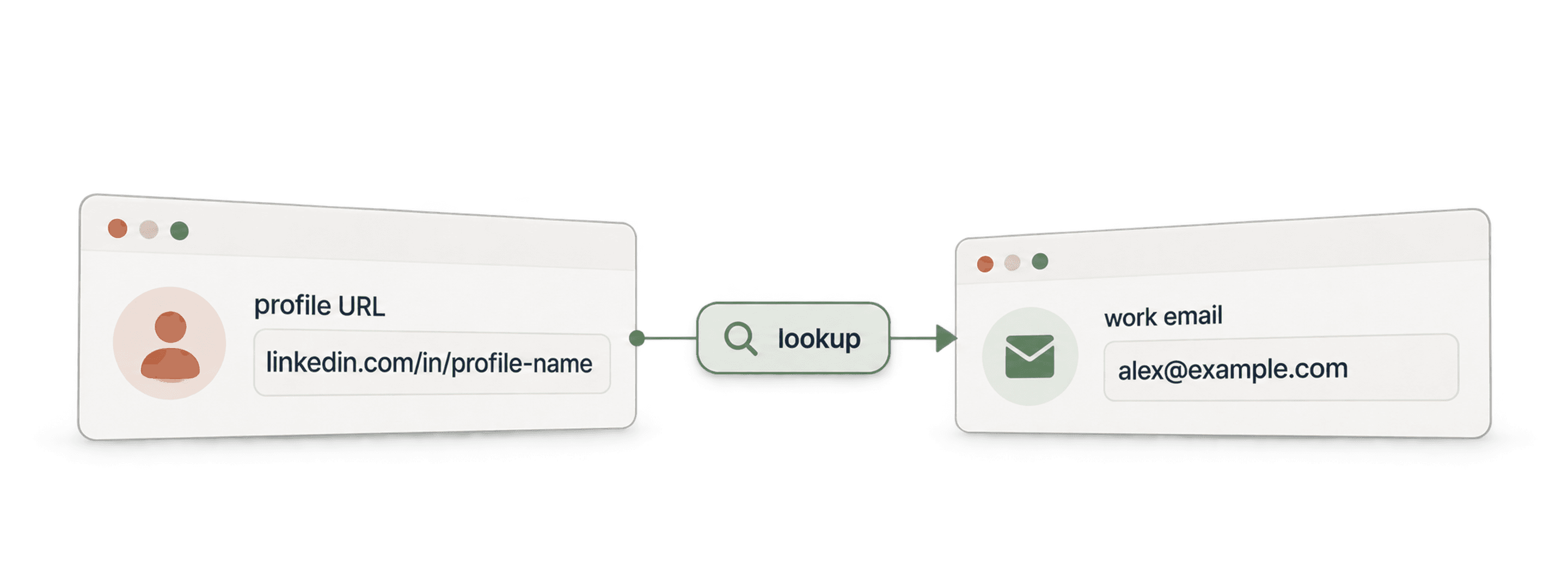
- Waterfall Email FinderFinn verifiserte emails fra en LinkedIn-URL ved å bruke over 20 leverandører samtidig.
- Waterfall Phone FinderFinn direkte mobilnumre fra de samme LinkedIn-profil-URL-ene.
- LinkedIn Company Page ScraperHent offentlige selskapsdata fra URL-er til LinkedIn-selskapssider.
Gratisverktøy
- Gratis LinkedIn Profile ScraperHent offentlige datapunkter fra en profil-URL. Ingen innlogging, cookies eller økt-ID.
- Gratis Email FinderFinn en jobb-email ut fra et navn og et selskap. Prøv gratis.
- Finn bedriftsdomenerFinn nettstedsdomener fra en liste over bedriftsnavn.
