
Want to extract URLs from a website Sitemap?
Whether you are collecting data, analyzing site structures, or finding hidden pages, Datablist's Sitemap Scraper extracts sitemap URLs into a spreadsheet.
This guide walks you through the process, step by step.
Extract URLs from any Sitemap in Seconds
Websites often have thousands of pages. Manually listing them is impossible. But most websites provide a sitemap, a file listing all URLs.
The Sitemap Scraper reads this file and extracts URLs in bulk.
- No code - Enter the sitemap URL.
- Follows sitemap indexes - Extract URLs from linked sitemap files.
- Handles protected sitemaps - Uses a built-in proxy system to browse reliably.
- Filter results - Get only the pages you need by filtering URLs with regular expressions.
Let’s see how you can scrape URLs using Datablist.
Step-by-Step Guide: How to Use the Sitemap Scraper
Datablist helps with data extraction and list building. Follow these steps to extract URLs from a website.
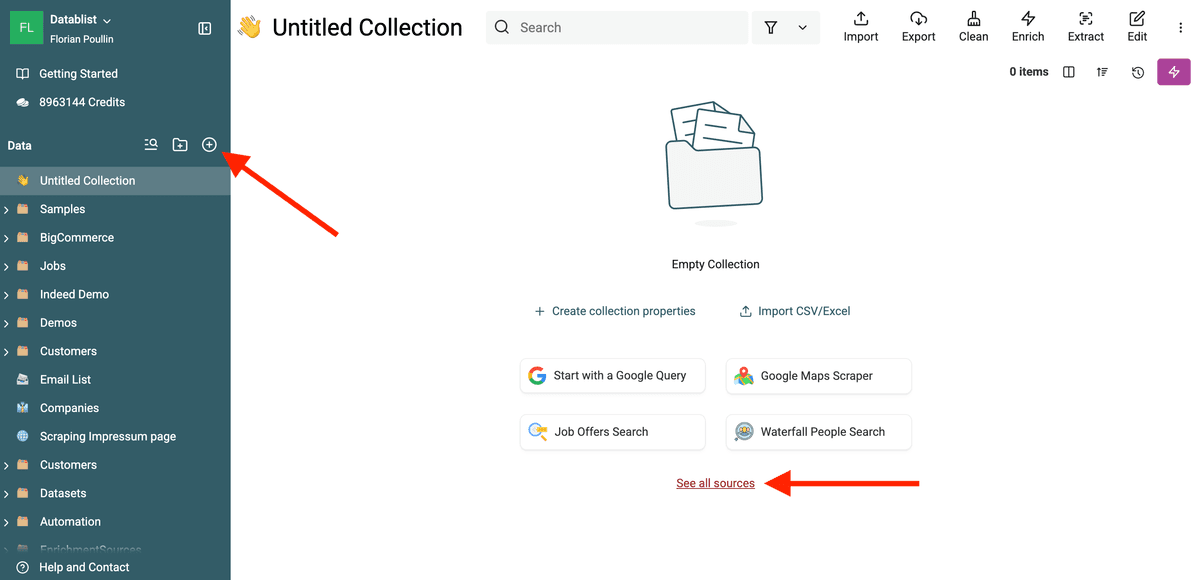
1. Create a New Collection
First, create a new collection in Datablist. Then, open the Sources list.
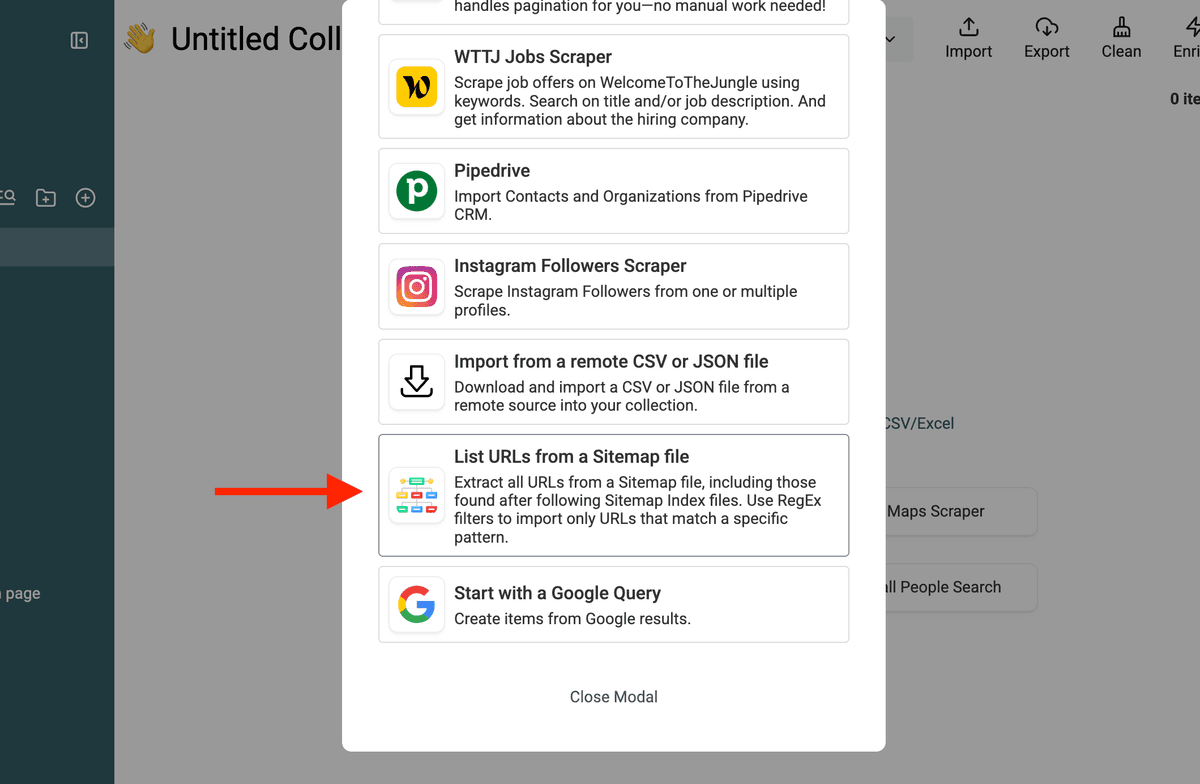
2. Select "Sitemap Scraper"
Choose Sitemap Scraper from the available data sources.
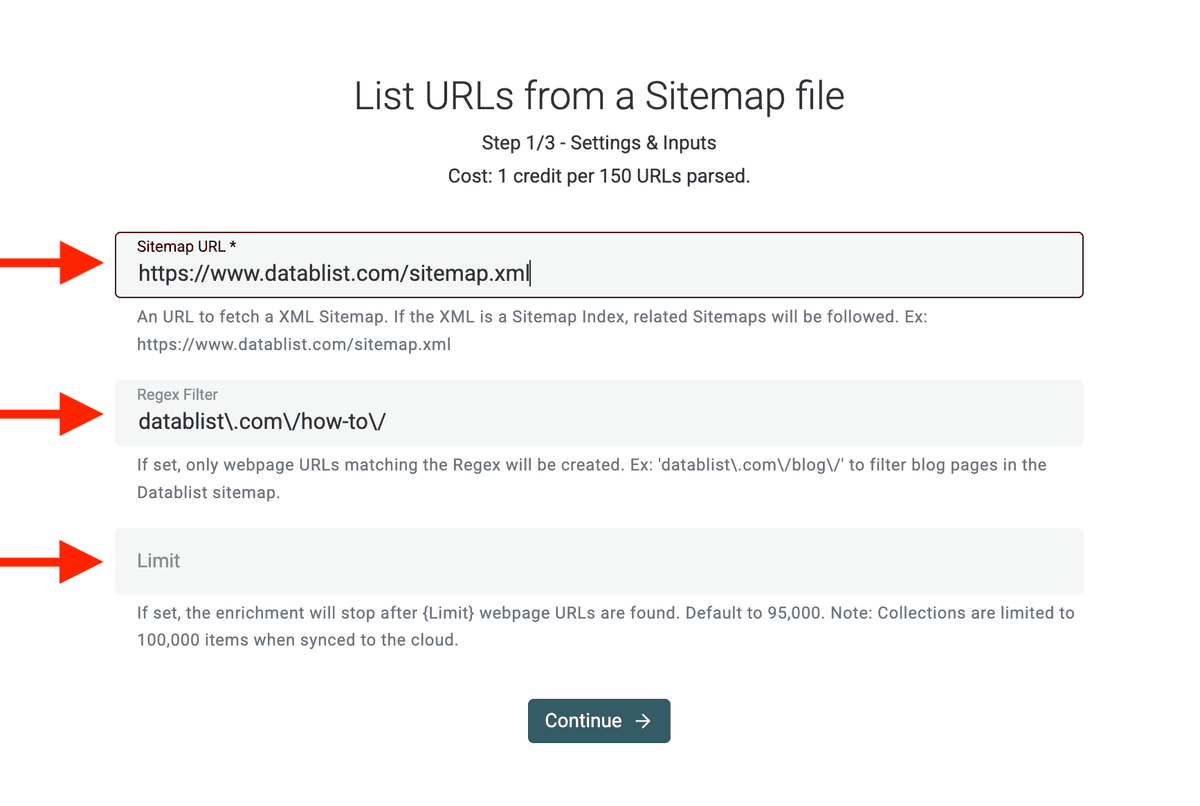
3. Enter the Sitemap URL & Regex Filter
Most websites store their sitemap at:
https://example.com/sitemap.xml
For example, for Datablist, it is https://www.datablist.com/sitemap.xml
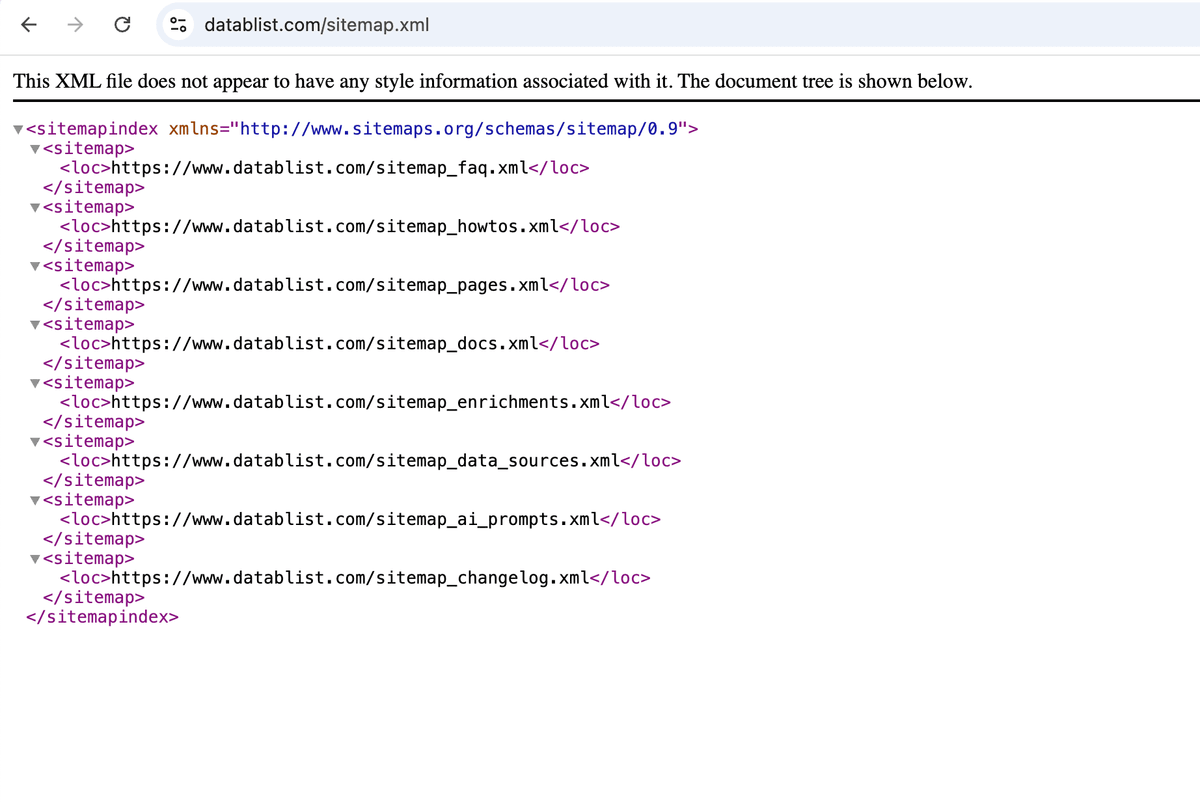
If you do not know the sitemap URL, try:
- Adding
/sitemap.xmlto the domain. - Checking robots.txt: Visit
https://example.com/robots.txt, where sitemaps are often listed.
Paste the sitemap URL into Datablist.
Need only blog posts? Product pages? Exclude certain URLs?
Apply filters to include or exclude URLs based on patterns (e.g., only pages containing /blog/).
Note: The filter setting accepts a Regular Expressions.
4. View the Extracted URLs
Once done, you’ll see all the URLs in your collection.
For each extracted page, you get the following values:
- Page URL
- Page Last Updated
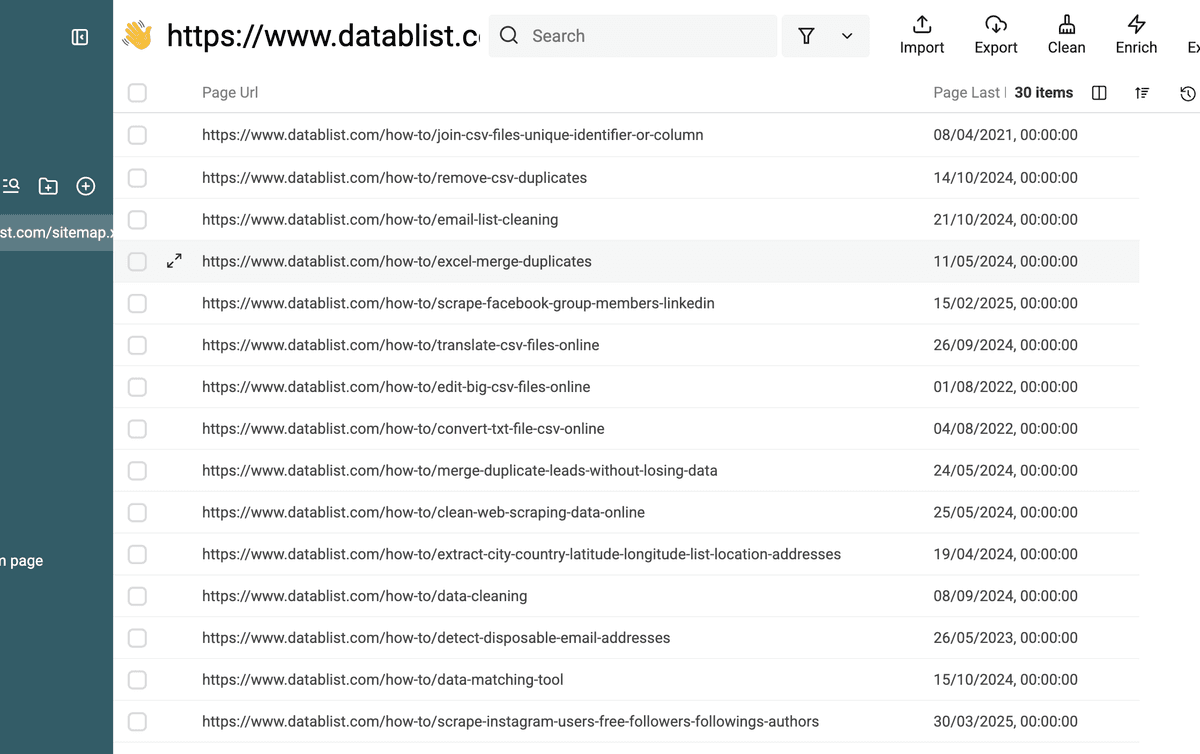
You can export them to CSV, analyze them, or enrich them with more data.
Why Use the Sitemap Scraper?
The Sitemap Scraper is useful for:
- SEO Audits: Get a full list of pages for analysis.
- Competitor Research: See what pages your competitors have.
- Lead Generation: Extract all product or service pages.
- Web Scraping: Collect URLs before running a content scraper.
- Finding Hidden Pages: Discover URLs not linked in navigation.
Advanced Use Cases
SEO Audits & Broken Link Checks
Want to audit your website?
- Extract all URLs.
- Check for missing pages (404s) or duplicate content.
- Ensure all key pages are indexed.
Example: An SEO consultant can scrape a client's sitemap to review their content structure.
Competitor Research
Want to analyze a competitor’s website?
- Extract their URLs.
- Identify their content strategy.
- Find pages they rank for.
Example: A marketing agency can scrape a competitor's sitemap to find their most valuable content.
Lead Generation
Want to generate leads?
- Extract product or service pages from industry websites.
- Find potential business contacts.
- Build a prospect list.
Example: A B2B sales team can extract service pages from a directory site.
Pricing: Affordable & Scalable
The Sitemap Scraper is cost-effective.
- 1 credit per 150 URLs parsed.
- $20 = 20,000 credits (enough for 3 million+ URLs).
Try the Sitemap Scraper
Extract URLs from any website with Datablist.
Best Sitemap Scraper Workflows
Use the Sitemap Scraper when a website already lists its pages in XML.
Good workflows include:
- Collecting all blog posts from a competitor
- Building a URL inventory before an SEO audit
- Finding product or category pages on ecommerce sites
- Monitoring new pages from a sitemap index
- Creating a clean URL list before running metadata extraction or AI scraping
Use the regex filter when you only need a part of the site, such as /blog/, /products/, or /docs/ URLs.
Sitemap to Content Inventory Workflow
The Sitemap Scraper is often the first step before a deeper audit or scraping task.
- Import the sitemap URL, or start from
https://example.com/sitemap.xml. - Use a regex filter when you only need specific sections, such as
/blog/,/products/,/collections/,/case-studies/, or/docs/. - Keep the URL and last modified date to see which pages are current.
- Run Fetch Meta Data from URLs to collect titles, descriptions, and status information.
- Run Website Status Checker or Website AI Scraper when you need availability checks, page text, product data, review data, or structured content.
This workflow is useful for SEO audits, competitor content research, ecommerce product inventories, and preparing URL lists before no-code web scraping.
FAQ
Can Datablist follow sitemap index files?
Yes. The source can follow sitemap indexes and extract URLs from the linked sitemap files.
Can I filter sitemap URLs before importing them?
Yes. Use the regex filter to import only URLs that match your pattern.
What fields does the Sitemap Scraper return?
It returns the page URL and the last modified date when the sitemap provides it.
What should I do after importing sitemap URLs?
Run Fetch Meta Data from URLs, Website Status Checker, Smart Scraper, or Website AI Scraper depending on whether you need metadata, availability, text, or structured data.
What regex filters are useful for sitemap scraping?
Use section patterns such as /blog/, /products/, /collections/, /case-studies/, /jobs/, or /docs/. This avoids importing pages that are not useful for your audit or scraping workflow.