企業名からドメインを検索するAPI
AIアシスタント、ノーコードworkflow、または独自コードから、各企業名に対応するWebサイトを検索できます。
- 1ドメインあたり$0.001から
- ドメインと完全なURL
- 1タスクあたり10,000ドメイン
| 企業名 |
|---|
| Brightwave Analytics |
| Northpeak Logistics |
| Juniper & Vale Studio |
スタートアップからFortune 500企業のチームまで、38,000人以上のユーザーにご利用いただいています





HTTPリクエストを送信できるあらゆるツールに対応
 Claude
 Cursor
 Codex
Codex Make
Make n8n
n8n Zapier
- 独自コード
お好みの始め方を選択
AIアシスタントや自動化ツールにセットアップを任せるか、独自コードからREST APIを呼び出せます。
セットアップ用promptを貼り付ける
Claude Code、Codex、Cursor、またはMake、n8n、Zapier向けのpromptをコピーして貼り付けてください。AIがお使いのコンピューターにDatablistフォルダーを作成し、すべてをセットアップします。
APIキーを貼り付ける
AIから求められたら、DatablistアプリからAPIキーをコピーし、AIが開いた.envファイルに貼り付けてください。チャットには決して貼り付けないでください。
結果を取得する
企業名のリストを送信すると、企業名ごとにドメイン、Webサイト、信頼度を1行で取得でき、スプレッドシートやCRMですぐに利用できます。
結果例を見るMake、n8n、Zapierをご利用ですか?HTTPリクエストの全フィールドはこちらです
ツールに用意されているHTTPリクエストのモジュールまたはノードをご利用ください。リストを送信し、待機してから結果を読み取る、という3つのステップが必要です。
1. リストを送信(HTTPリクエスト)
- メソッド
POST- URL
https://api.datablist.com/v1/enrichments/tasks- ヘッダー
X-API-Key= お客様のAPIキーContent-Type=application/json- 本文(JSON)
- json{"enrichmentId": "company-name-to-domain","uniqueId": "company-name-to-domain-import-1","settings": {"workflow": "dataset_google","searchCountryCode": "US"},"inputs": [{"inputId": "row-1", "data": {"companyName": "Brightwave Analytics"}},{"inputId": "row-2", "data": {"companyName": "Northpeak Logistics"}},{"inputId": "row-3", "data": {"companyName": "Juniper & Vale Studio"}}]}
- 保存する値
- レスポンスの
@id。これがタスクIDです。
2. 完了まで待機
短い待機または遅延を追加してから、同じX-API-Keyヘッダーを使用してhttps://api.datablist.com/v1/enrichments/tasks/TASK_IDへGETリクエストを送信します。statusがcompletedになるまで繰り返してください。
3. 結果を読み取る
GET https://api.datablist.com/v1/enrichments/tasks/TASK_ID/results?limit=50。outputsを列にマッピングします。nextCursorが空でない場合は、&cursor=にその値を加えて再度呼び出してください。
ひと目でわかる概要
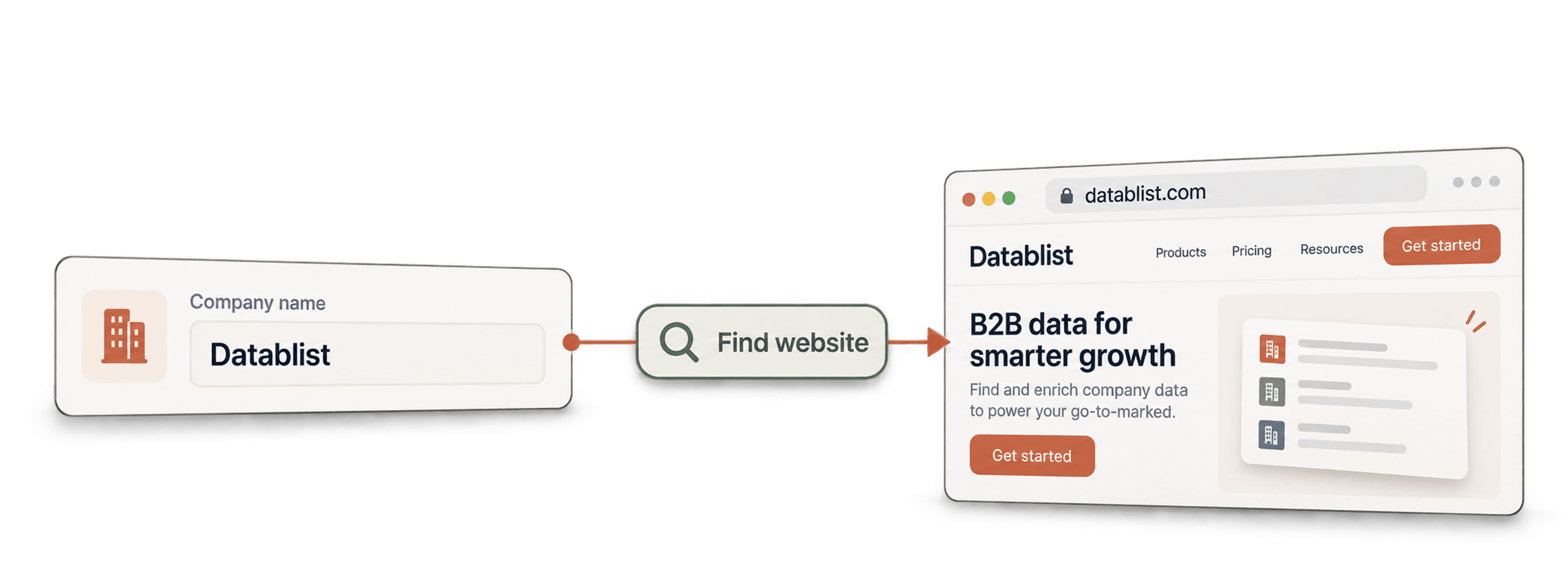
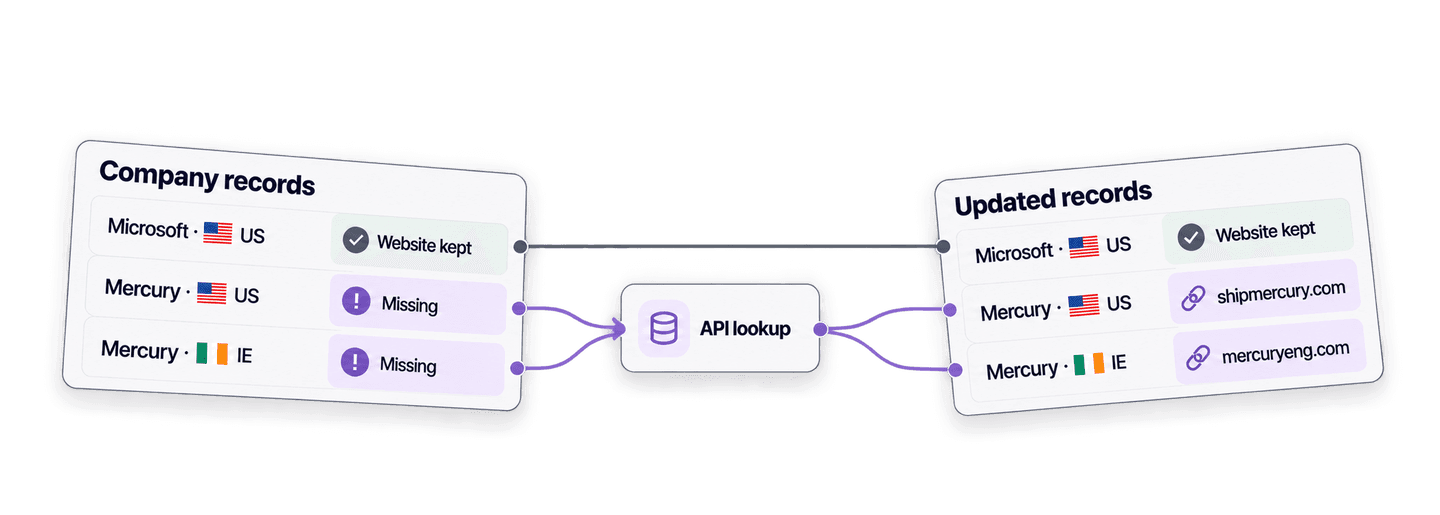
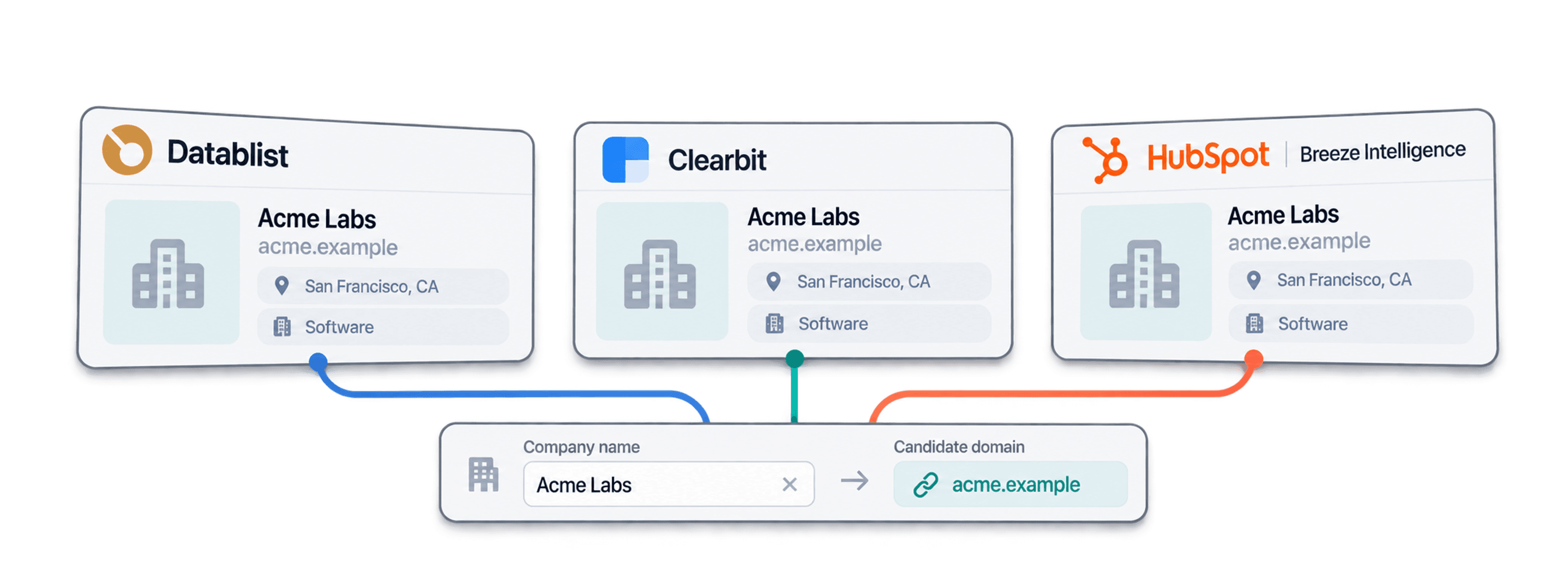
企業名に一致するドメインとWebサイトを返します。国で絞り込むこともできます。複数のドメインが一致した場合は、トラフィックが最も多いドメインを返します。Datablistのworkspace、collection、importは不要です。
入力するもの
- 企業名:リスト、スプレッドシート、CRMから1行につき1社
- 国(任意):米国やフランスなど、検索範囲を絞り込みます
- 検索先:当社の企業データセット、Google、またはその両方
取得できるもの
- ドメイン:例:brightwaveanalytics.com
- Webサイト:クリック可能な完全なWebアドレス
- 信頼度:高、中、低、非常に低のいずれかで、要確認の結果を判断できます
料金
- 当社データセットで検出:1クレジット。ドメインが見つかった場合のみ課金
- Googleで検索:検索した企業名1件あたり2.5クレジット
- 1,000クレジット = $1:Datablistアプリと共通
チームで構築できるもの
Company Name to Domainを既存のデータフローに組み込めます。
CRMの企業アカウント情報を補完
- CRMに新しい企業アカウントを追加
- レコードにドメインを保存
Webサイト情報のない企業アカウントが追加されるたびに検索を実行し、HubSpot、Salesforce、Pipedriveで照合に使えるドメインを常に保持できます。
データenrichmentパイプラインに供給
- 企業名
- email、企業属性、LinkedIn
ドメインは、ほかの多くのenrichmentで必要となるキーです。最初にドメインを特定し、その後に企業enrichmentやemail finderへ渡せます。
イベントリストをドメインに変換
- 展示会またはパートナーのリスト
- 重複排除して振り分け
展示会リスト、パートナーからのエクスポート、フォーム入力に含まれる企業名だけのデータを、重複排除や振り分けに使えるドメインへ変換します。
料金はいくらですか?
検索ごとにクレジットでお支払いいただきます。APIアクセスはGrowthプランからご利用いただけます。
料金はいくらですか?
特定したい企業名の件数をご入力いただくと、最もお得な方法をご案内します。
= 合計1,450クレジット:データベースでの一致700件(各1クレジット)、Google検索300件(各2.5クレジット)
クレジットの仕組み
1,000クレジット = $1のため、1クレジットは0.1セントです。データベースでの一致には1クレジットが必要で、ドメインが返された場合のみ課金されます。Googleへのフォールバック検索には2.5クレジットが必要で、結果の有無にかかわらず課金されるため、両者の割合が料金を左右します。Googleの結果は48時間キャッシュされるため、この期間内に設定を変更して再実行した場合、料金は1行あたり2.5クレジットではなく1クレジットです。プランのクレジットは毎月更新され、未使用分はリセットされます。追加購入したクレジットに有効期限はありません。
独自コードへの組み込み
REST APIを直接呼び出すために必要なコード、レスポンス、エンドポイント、フィールド、認証、制限をすべてご確認いただけます。
datablist/company-name-to-domain-api
公式サンプル:cURL、requestsおよびHTTPXを使用したPython、CSVの一括処理。キーをDATABLIST_API_KEYに設定して実行してください。
コピーして貼り付け、実行
タスクを作成し、完了を待って、すべての結果を出力する完全なスクリプトです。YOUR_PERSONAL_API_KEYをご自身のキーに置き換えてください。
# 1. Create the task (returns 202 Accepted and the task "@id")
curl --request POST 'https://api.datablist.com/v1/enrichments/tasks' \
  --header 'X-API-Key: YOUR_PERSONAL_API_KEY' \
  --header 'Content-Type: application/json' \
  --data '{
    "enrichmentId": "company-name-to-domain",
    "uniqueId": "company-name-to-domain-import-1",
    "settings": {
      "workflow": "dataset_google",
      "searchCountryCode": "US"
    },
    "inputs": [
      {"inputId": "row-1", "data": {"companyName": "Brightwave Analytics"}},
      {"inputId": "row-2", "data": {"companyName": "Northpeak Logistics"}},
      {"inputId": "row-3", "data": {"companyName": "Juniper & Vale Studio"}}
    ]
  }'
# 2. Poll every few seconds until status is completed, failed or stopped
curl 'https://api.datablist.com/v1/enrichments/tasks/TASK_ID' \
--header 'X-API-Key: YOUR_PERSONAL_API_KEY'
# 3. Read the results, then follow nextCursor until it is null
curl 'https://api.datablist.com/v1/enrichments/tasks/TASK_ID/results?limit=50' \
--header 'X-API-Key: YOUR_PERSONAL_API_KEY'APIが返すデータ
入力ごとに、inputId、status、outputs、使用クレジットを含む結果が1件返されます。以下はサンプルデータです。
{
  "taskId": "00000000000040008000000000000001",
  "results": [
    {
      "inputId": "row-1",
      "status": "success",
      "outputs": {
        "companyDomain": "brightwaveanalytics.com",
        "companyUrl": "https://www.brightwaveanalytics.com",
        "domainConfidence": "High"
      },
      "creditsUsed": "1",
      "error": null
    }
  ],
  "nextCursor": null
}
エンドポイントとフィールド
すべてのパスはhttps://api.datablist.comを基準としています。フィールド定義はGET /v1/enrichments/company-name-to-domain(スキーマバージョン2026-09-12)から取得しています。
- /v1/enrichments/company-name-to-domain
- スキーマを取得(キー不要)
- POST
- /v1/enrichments/tasks
- タスクを作成
- /v1/enrichments/tasks/{taskId}
- ステータスと進捗をポーリング
- /v1/enrichments/tasks/{taskId}/results
- 結果を取得(1ページあたり1~100件)
- POST
- /v1/enrichments/tasks/{taskId}/stop
- 実行中のタスクをキャンセル
- /v1/enrichments/tasks
- タスク履歴(新しい順)
スキーマリファレンス
タスクごとにsettingsを1回送信し、入力ごとにdataオブジェクトを1つ送信します。enrichmentの進化に伴い結果に追加フィールドが含まれる場合があるため、outputsの解析時には未知のキーも保持してください。
すべての設定、入力、出力を表示
設定
workflowWorkflow | Text | Datablist first uses a company dataset to match names with domains. Datablist might also perform a Google search on the remaining company names.使用可能な値: |
|---|---|---|
searchCountryCodeTarget Country | Text | Narrow down the search to a specific country. This setting filters the company dataset and is a country setting for the Google Search fallback.使用可能な値: |
countryOverwriteDefine target country per item. | Boolean | When enabled, a “Target Country” input will be added to configure the target country for each item. You can enter a country using its ISO 3166 code (Alpha-2 like “FR“, or Alpha-3 like “USA“) or its full English name (like “Portugal“). If the country is missing or invalid, Datablist will use the global “Target Country” setting as a fallback. |
acceptNonRootAccept non root websites | Boolean | By default, Datablist skips dataset and Google results that point to a page hosted below a domain the company does not own (eg: https://www.directory.com/mycompany). This is good to avoid company directories. But you can miss company websites that are hosted on platforms. For example: https://www.hostingplatform.com/mycompanypage. Use this setting to accept non-root websites while preserving and validating the full page URL. 👉 Datablist caches Google search results for 48 hours. If you change this setting after the first run, results come from the cache, costing only 1 credit. 有効になる条件: |
skipDomainsSkip following domains | Text list or Text | Additional domains to exclude when selecting company websites, as an array of domains. 有効になる条件: |
onlyProcessCachedResultsOnly Process Google Cached Results | Boolean | If enabled, Datablist will only use your saved Google search results from the cache. It won’t run new live searches. Use this to reduce costs and skip dataset results. 有効になる条件: |
入力(data)
companyName必須Company Name | Text | The name of the company to search for (ex: google). |
|---|---|---|
targetCountryTarget Country | Text | Narrow down the search to a specific country. This setting filters the company dataset and is a country setting for the Google Search fallback. If the country is missing or invalid, Datablist will use the global “Target Country” setting as a fallback. 有効になる条件: |
出力
companyDomainCompany Domain | Text | The company domain (ex: google.com), when found. |
|---|---|---|
companyUrlCompany Full Url | Text | The company full url (ex: https://www.google.com), when found.形式: |
domainConfidenceDomain Confidence | Text | Confidence level of the match: High, Medium, Low, or Very Low. |
1つのヘッダー、明確な制限
DatablistアカウントでPersonal API Keyを作成し、認証が必要なすべてのリクエストで送信してください。
認証
X-API-Keyヘッダーでキーを送信してください。Datablistがお客様に代わってアクセストークンの交換と更新を行います。
- ヘッダー:
X-API-Key: YOUR_PERSONAL_API_KEY - 任意:
POST /v1/account/tokenで取得したAuthorization: Bearerを使用し、トークンをご自身で管理できます - いずれか一方:両方のヘッダーを送信すると
400 AmbiguousCredentialsが返されます - サーバー側のみ:キーをURL、ブラウザーコード、ログに含めないでください
制限
- タスクあたりの入力数:1~10,000件
- サイズ:入力1件あたり16 KiB、リクエスト1件あたり10 MiB
- 実行時間:タスク1件あたり最大24時間
- タスク作成:アカウントごとに60秒あたり10リクエスト
- ポーリングと結果取得:操作ごとに60秒あたり120リクエスト
- アクティブなタスク:アカウントごとに同時に約20件
- 保持期間:タスクと結果は90日間保持
関連チュートリアル
詳しいステップ別ガイドで、最新のworkflowをご確認いただけます。
よくあるご質問
Company Name to Domain APIの連携に必要な認証、リクエスト、ポーリング、結果、制限、再試行について、お客様やAIコーディングエージェントが必要とする情報をすべてご確認いただけます。
関連API、enrichment、無料ツール
独自コード、Datablistアプリ、または無料ツールで、Company Name to Domainをほかのenrichmentと連携できます。
Enrichment API
- Company Name Cleaner APIドメインを検索する前に、表記が乱れた企業名をクリーニングします。
- Company to LinkedIn API企業WebサイトとLinkedIn企業ページを相互に照合します。
- Waterfall Email Finder API氏名と企業ドメインから、検証済みの仕事用emailを検索します。