
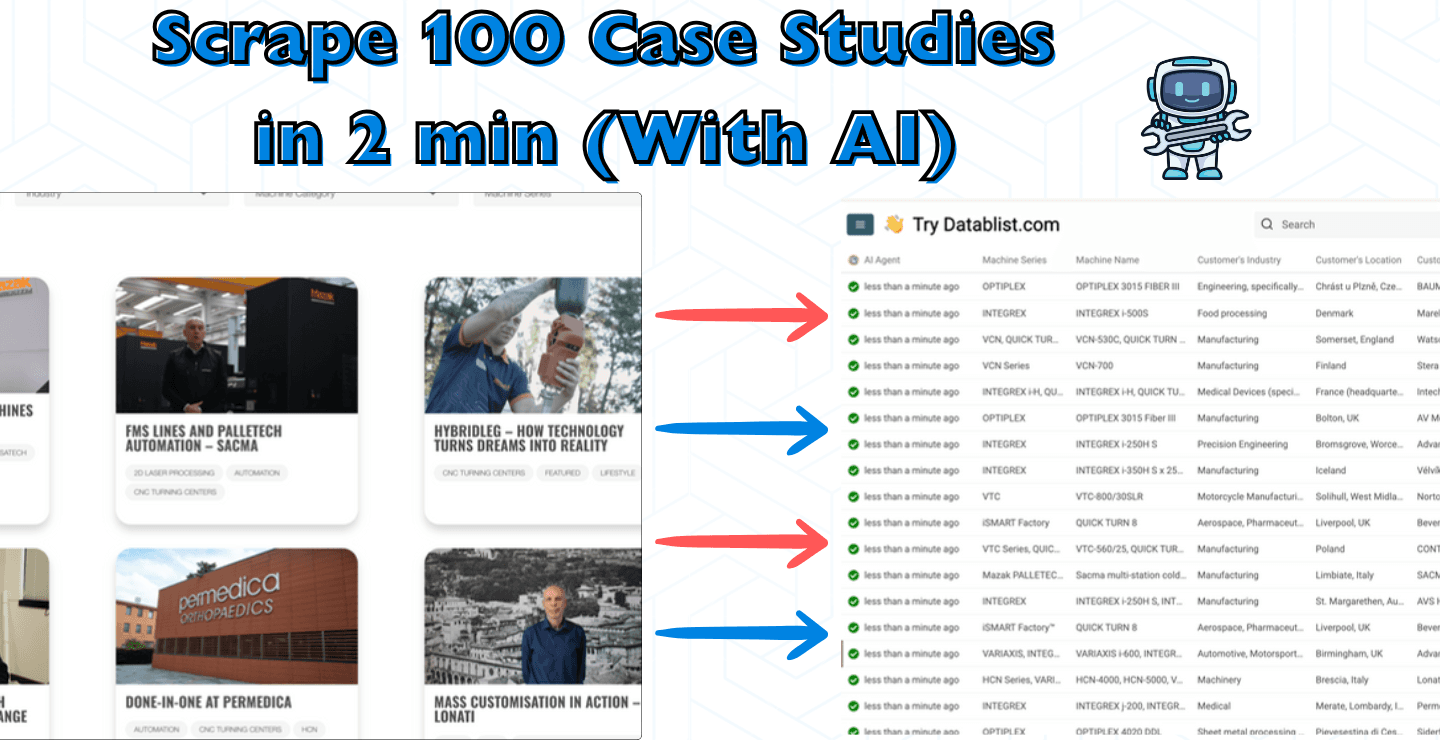
我可以在几分钟内抓取数百个客户案例,你也可以。
在这篇教程里,我会一步步演示如何高效抓取客户案例,帮你搭建一个可用于 sales、marketing 或竞品分析的高价值 database。
完成这篇教程后,你不仅能自动提取客户案例链接,还能抓取客户信息、行业数据和其他关键指标,并把所有内容整理成结构化格式。
整个流程分为 2 个部分,每一步都可以直接照做:
注意: 这篇教程适合从一个网站抓取几十到几百个客户案例。如果你想从多个公司网站各抓取一两个客户案例,请阅读这篇:How to Scrape Case Studies at Scale with AI。
从公司网站抓取客户案例链接
第 1 步:创建 Datablist collection
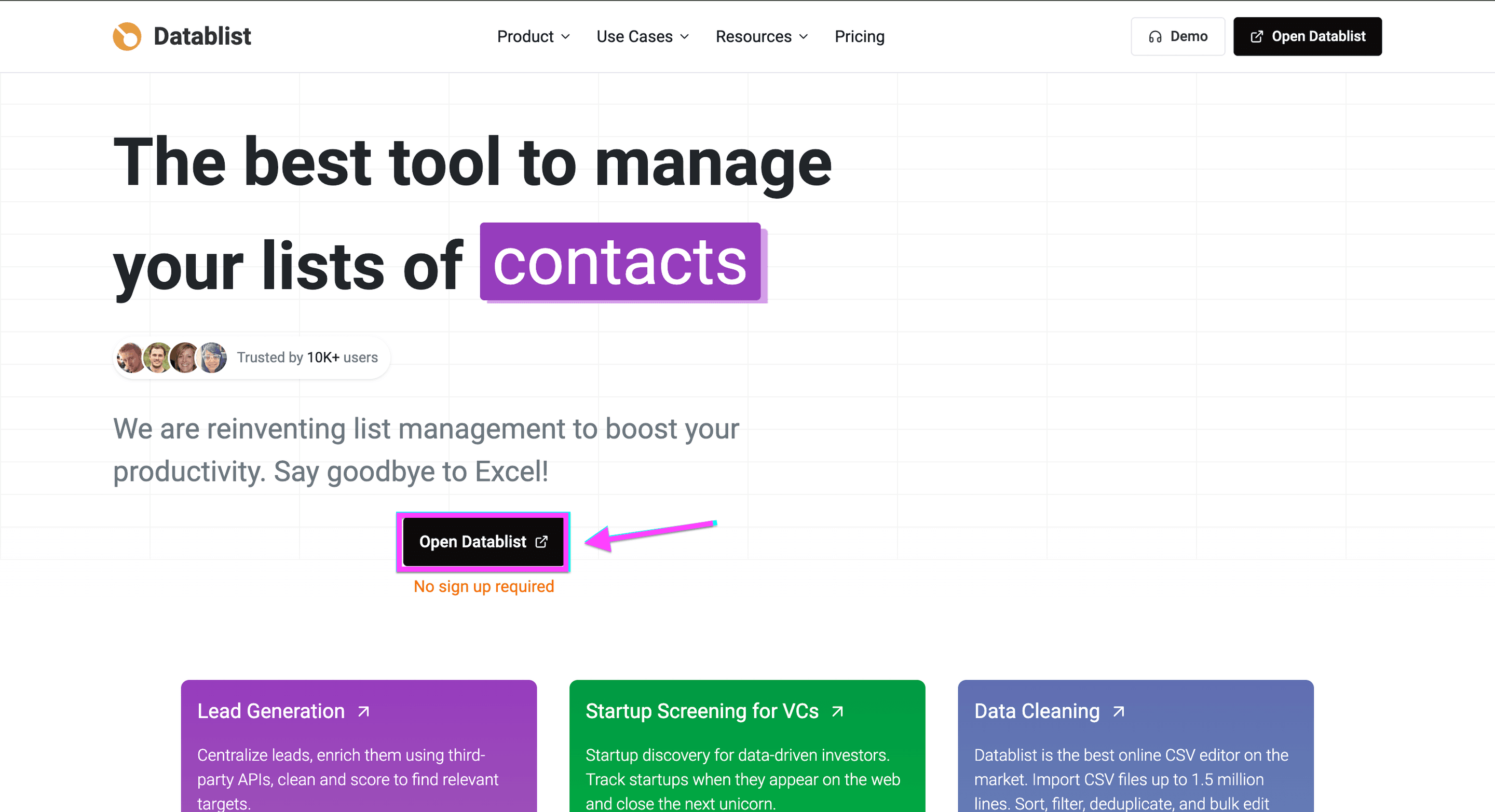
打开 Datablist.com 并注册账号。
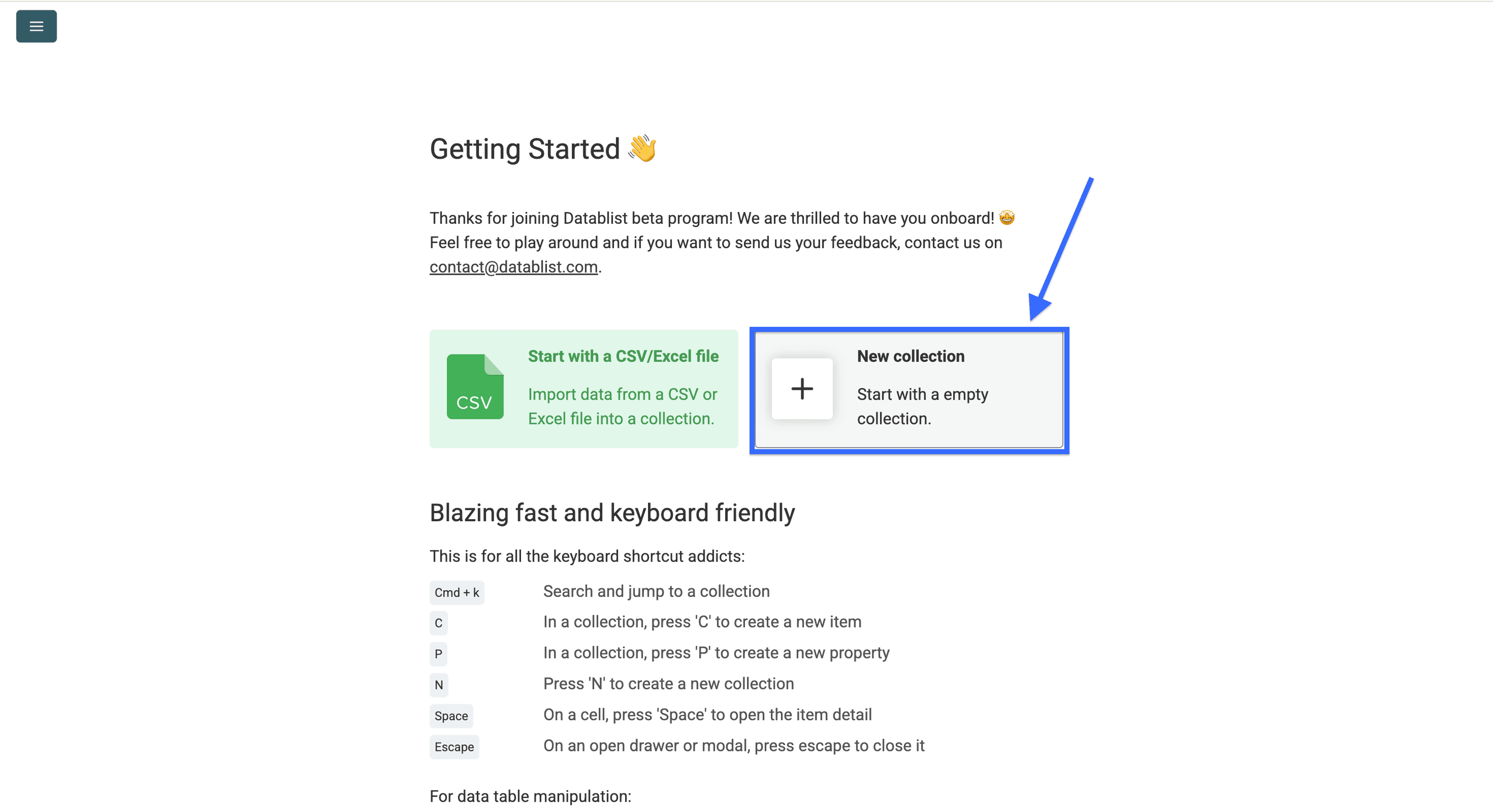
创建一个 collection。
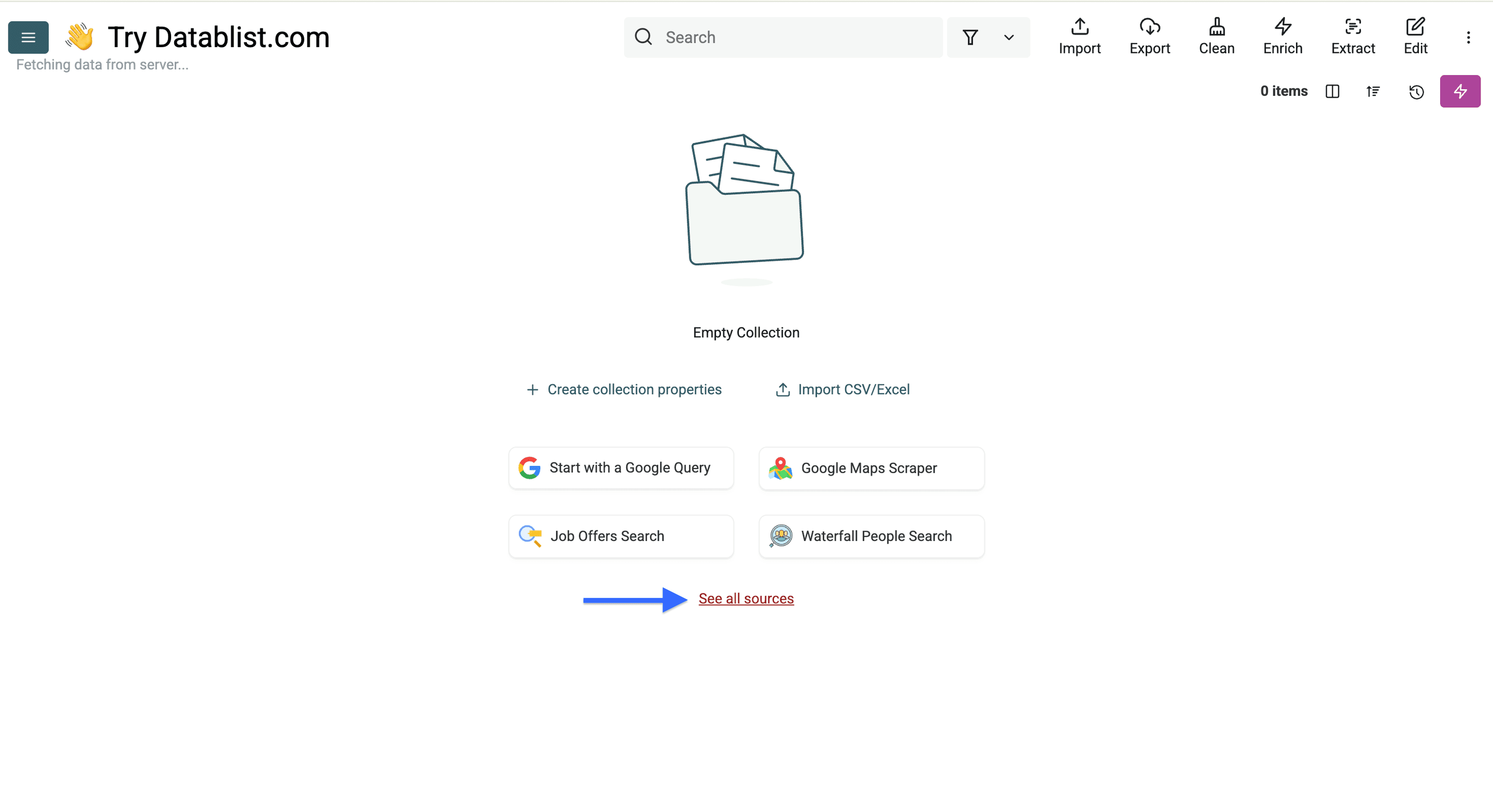
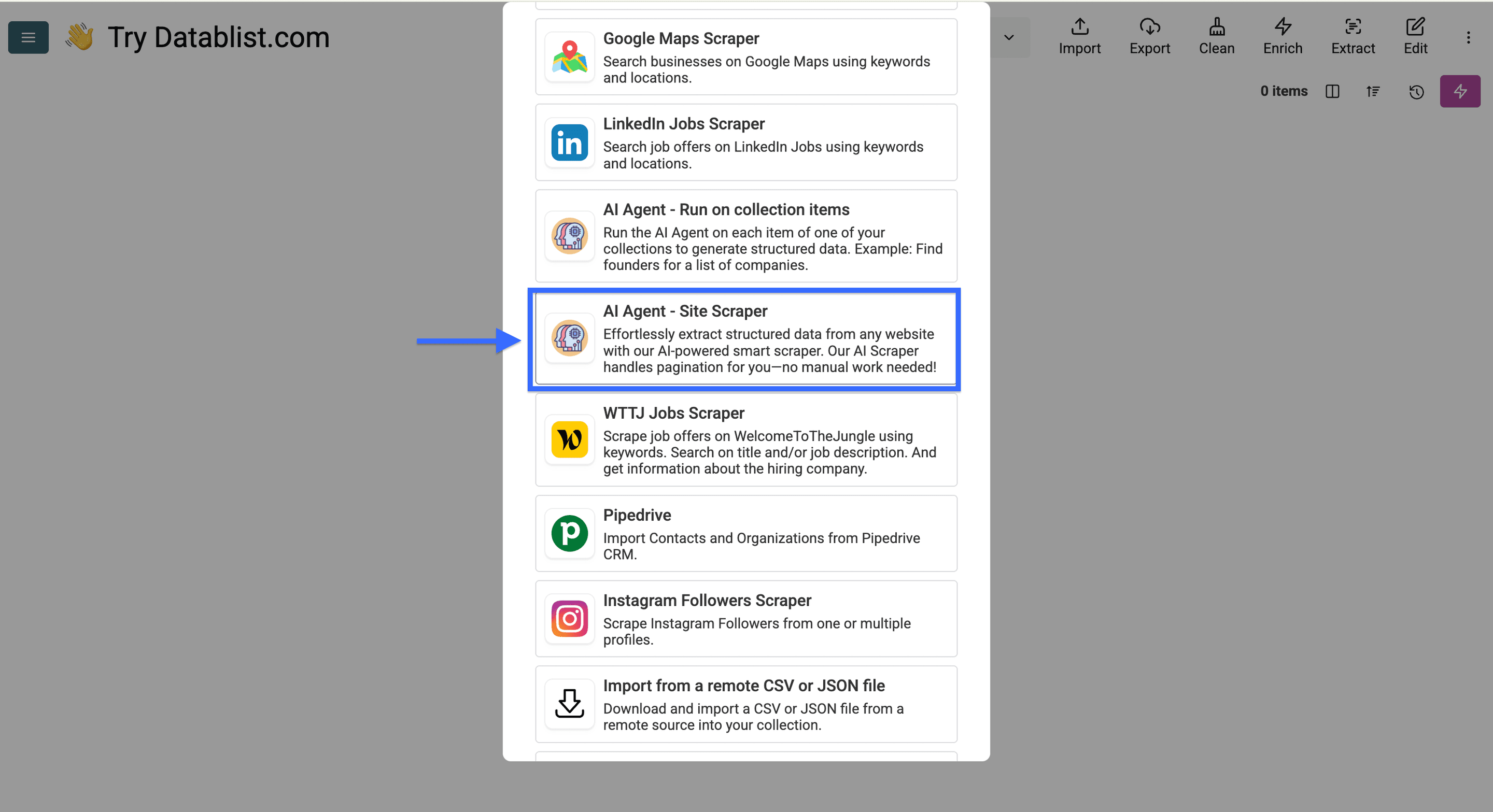
点击 “See all sources”。
选择 “AI Agent - Site Scraper”。
第 2 步:配置 AI Agent 抓取链接
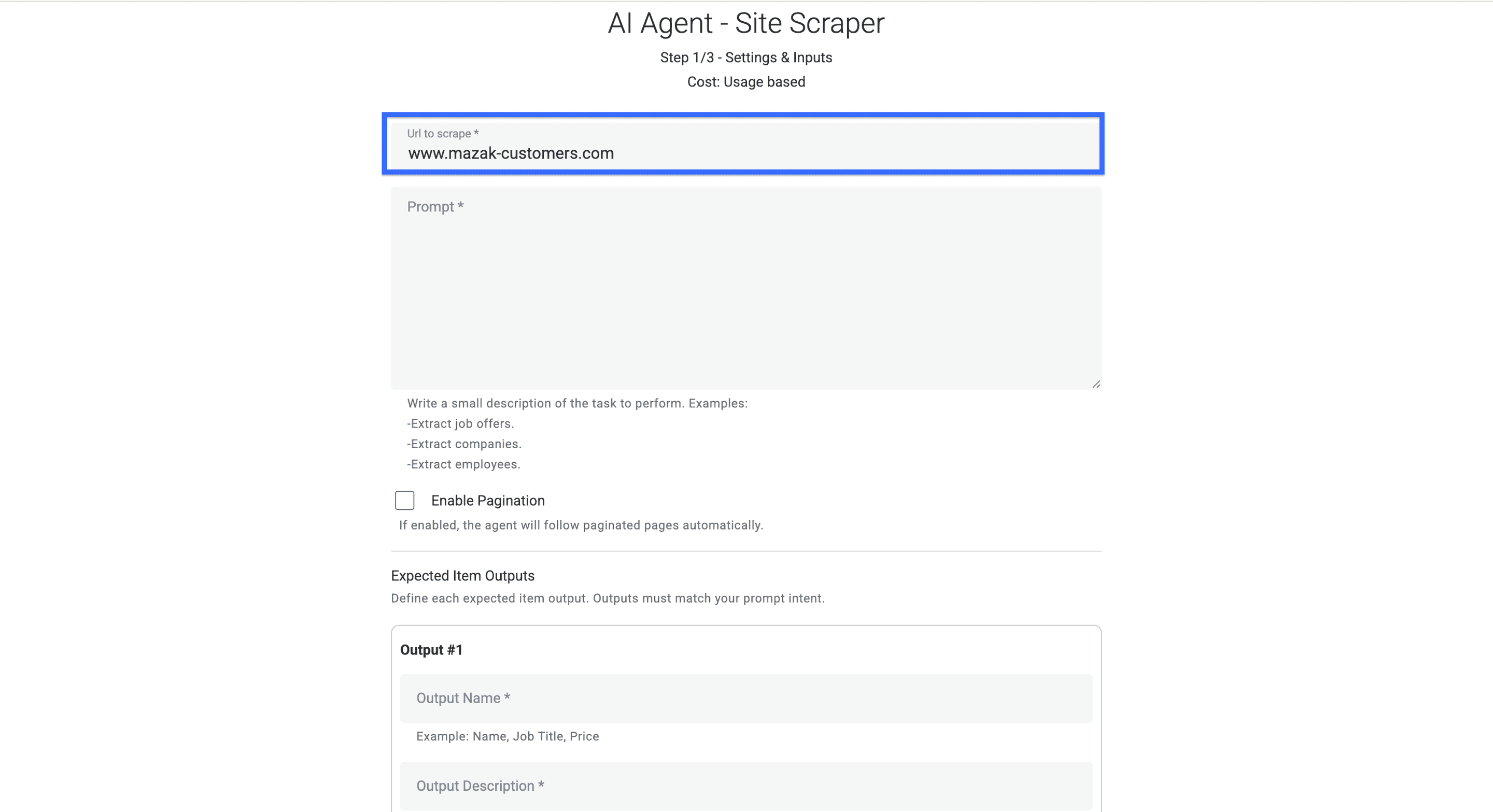
这一步我们会配置 AI agent,让它从存放所有客户案例的页面中提取全部链接。
先把客户案例列表页的链接提供给它。
然后写一个 prompt 来提取链接,也可以直接使用下面的 template。
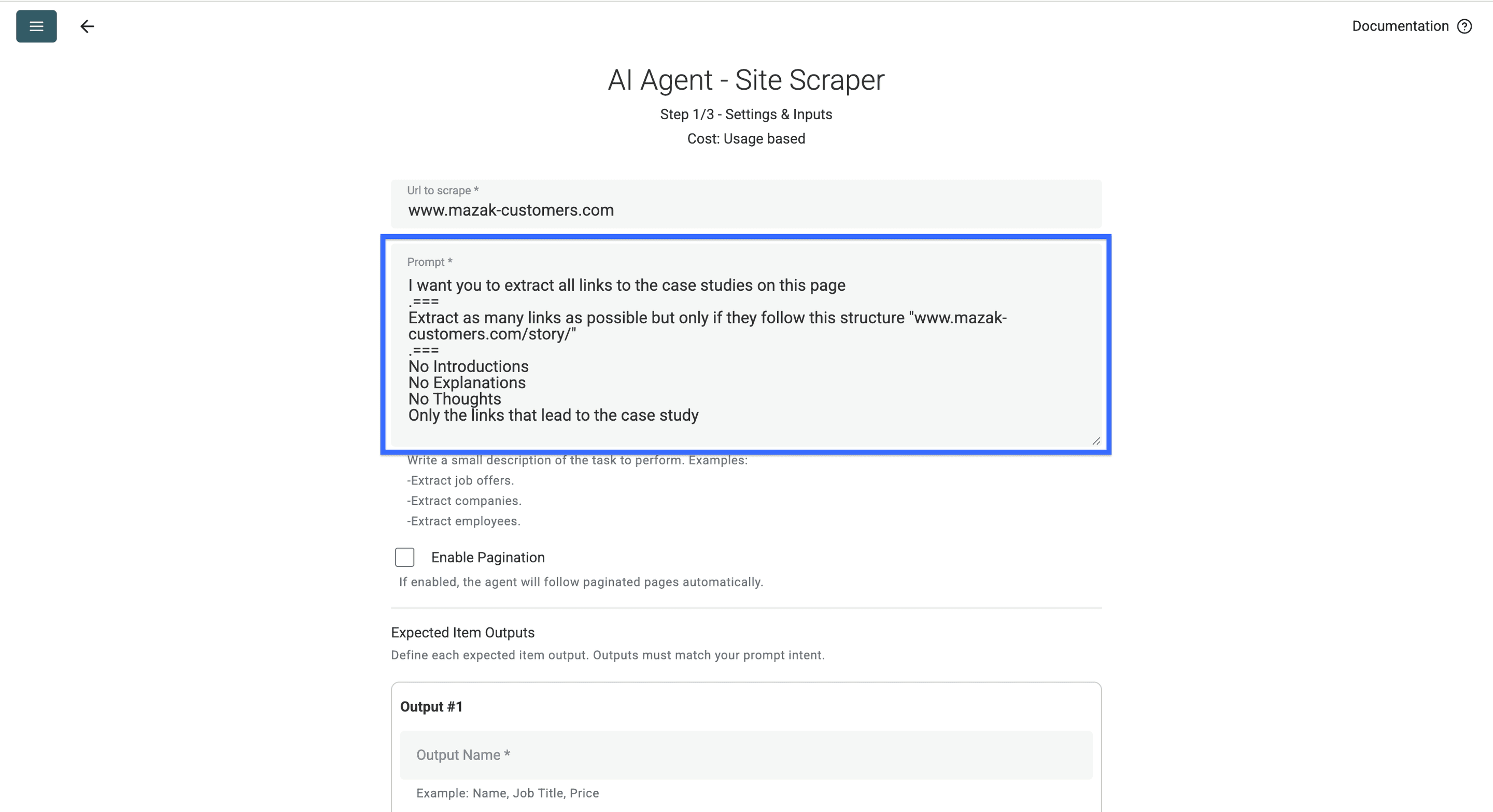
这是我使用的 prompt:
I want you to extract all links to the case studies on this page
===Extract only the links that have this structure "https://www.mazak-customers.com/story/story/......"
===
No Introductions
No Explanations
No Thoughts
Only the links that lead to the case study
请务必给 AI 提供一个你想抓取的链接结构示例,比如 www.mazak-customers.com/story/ 或 www.salesforce.com/customer-stories/。因为有些网站会同时提供 PDF 版 case study,而这类文件对当前场景通常没有网页链接那么好用。
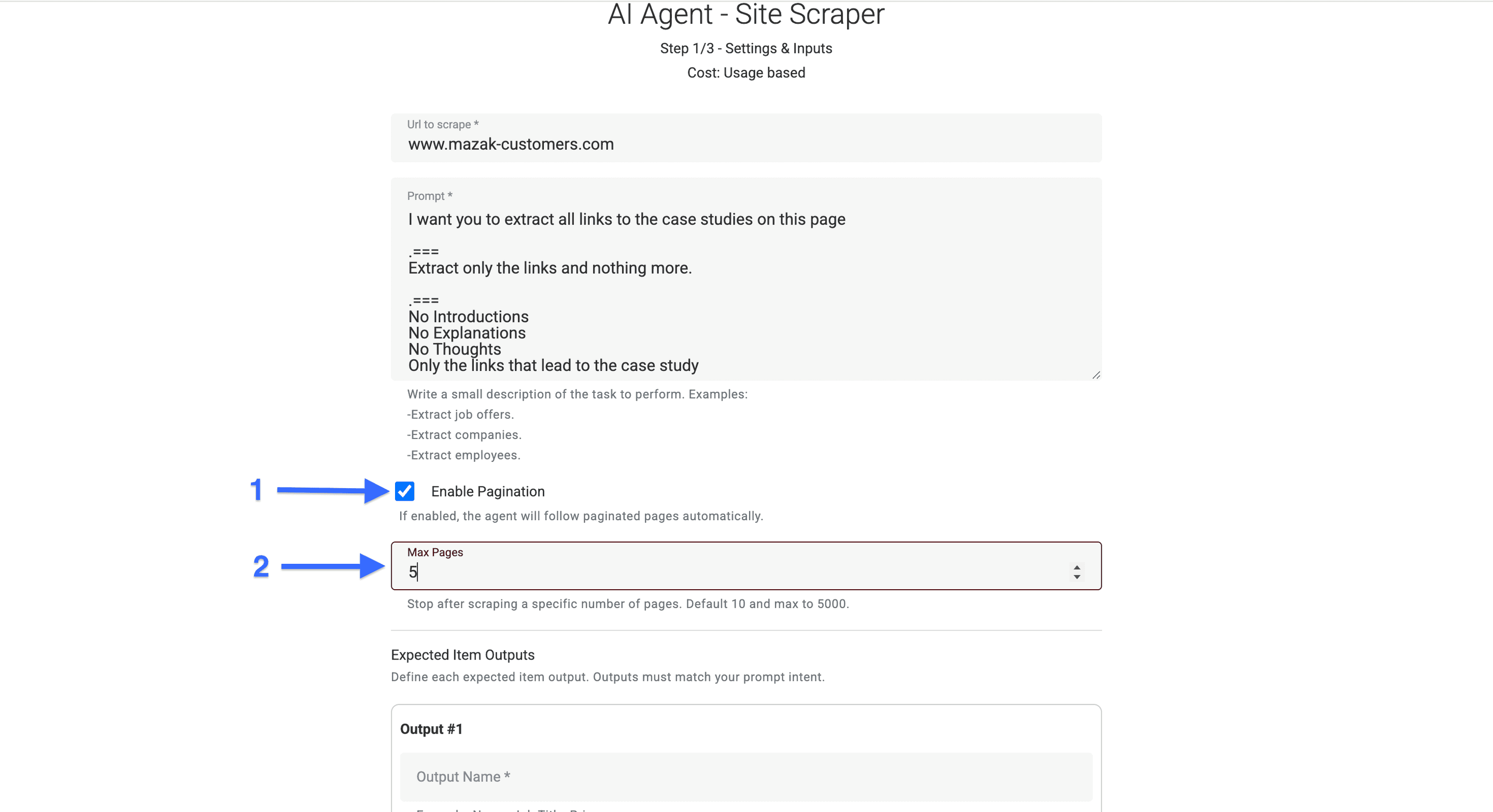
现在勾选 “Enable Pagination” 左侧的复选框,并设置 AI agent 最多可以访问多少页。
接着按你的需求配置 outputs,也可以直接复制下面这些值:
- Output Name: Case Study Link
- Output Description: The link found on the page
- Output Type: URL
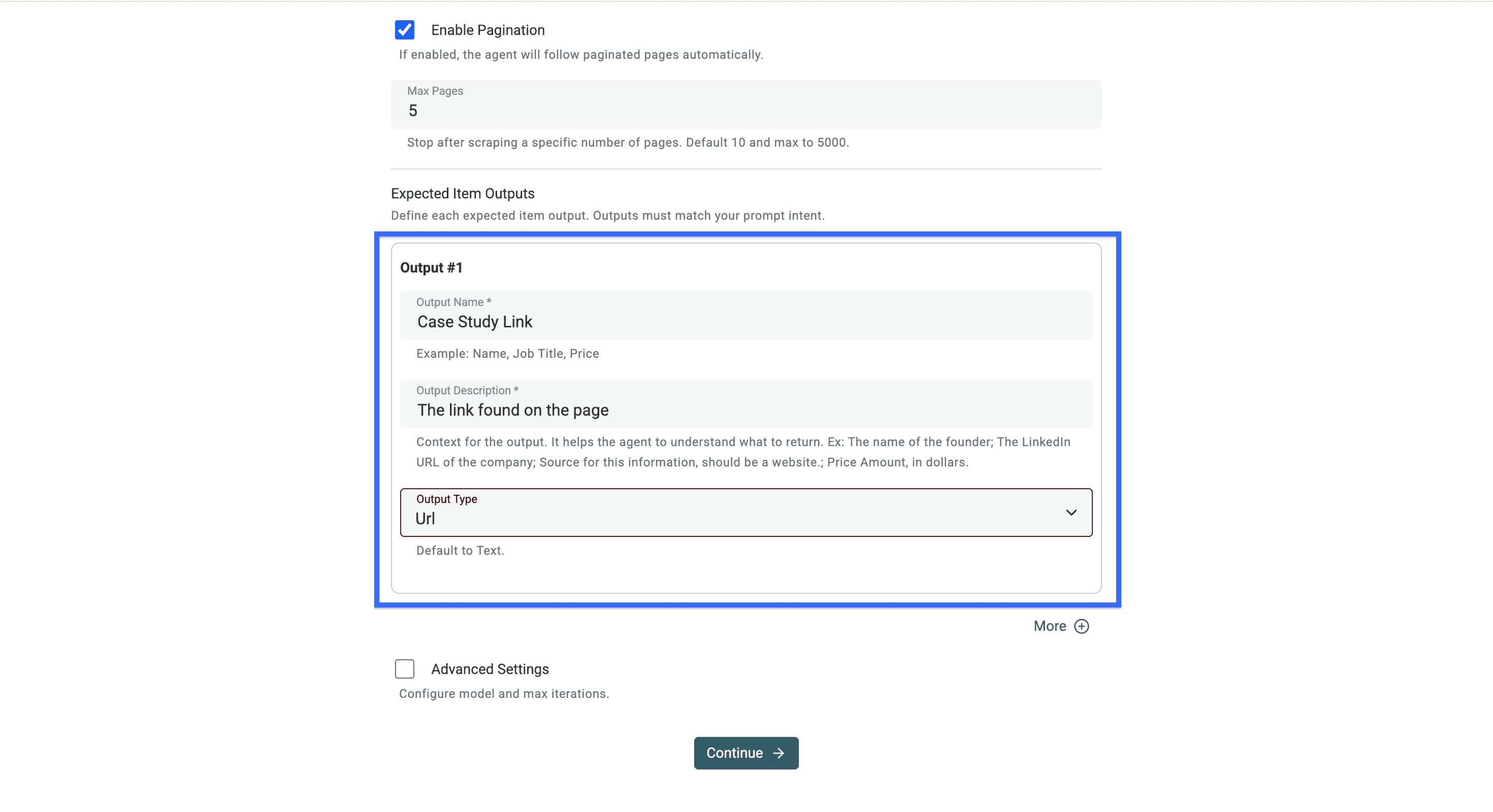
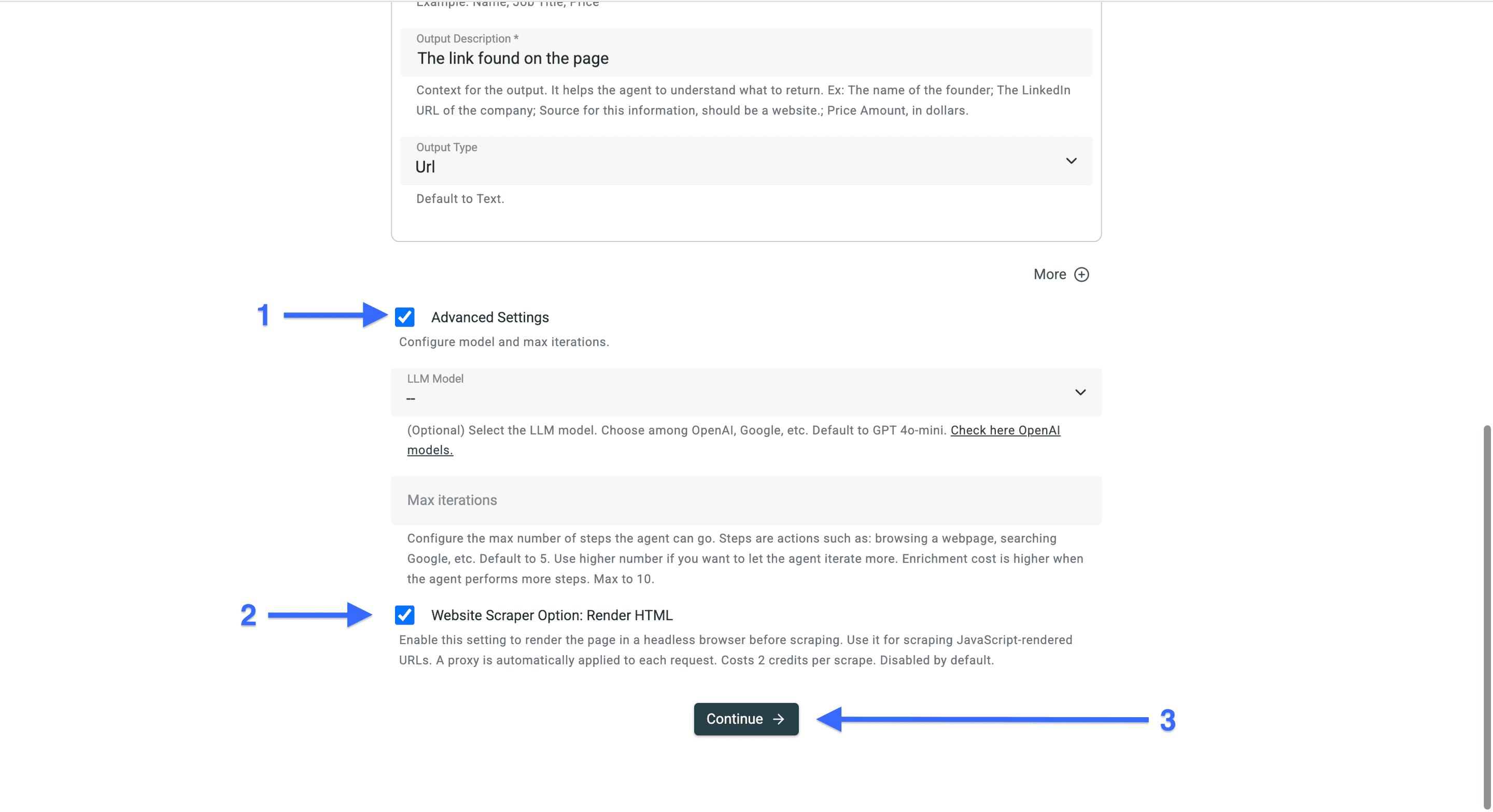
然后勾选 “Advanced Settings” 左侧的复选框,并启用 “Website Scraper Option: Render HTML”。
完成后,点击 “Continue” 开始抓取。
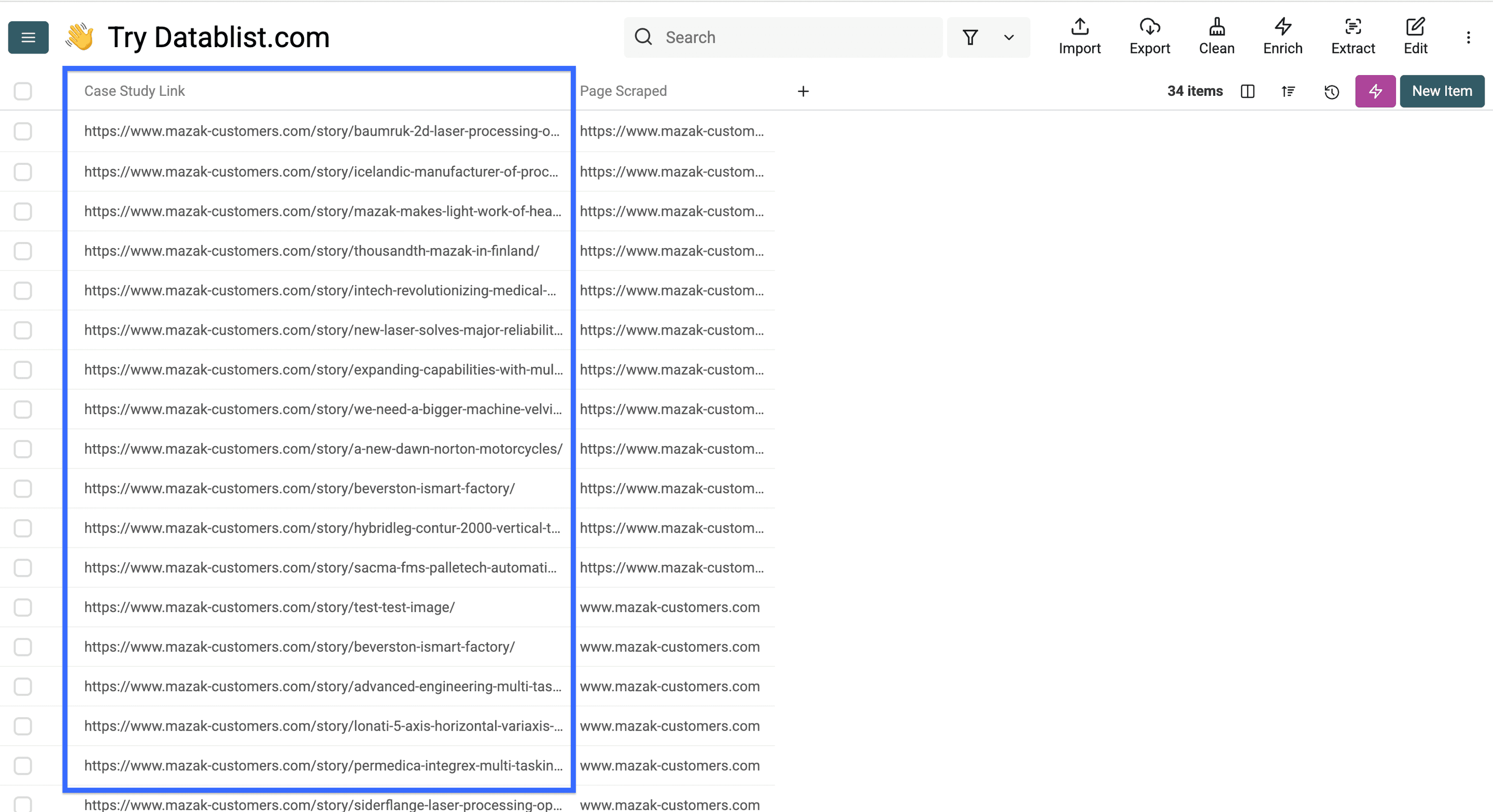
当 AI agent 完成客户案例抓取后,你的 collection 看起来会像这样。
结果会在我们命名为 “Case Study Link” 的列中显示客户案例链接,并在 “Page Scraped” 列中显示来源页面。
现在我们已经从第一个页面抓取了所有客户案例链接,接下来继续从每个客户案例页面中提取正文内容和关键信息。
提取每个客户案例的关键信息
这部分流程会稍微更精细一些,但相比手动复制粘贴,它能节省大量时间。按照下面的步骤操作,你基本就不会踩坑。
这个 workflow 包含以下步骤:
- 打开一两个页面,先观察并分析页面结构
- 为你想提取的每类信息创建标签
- 编写 prompt,给 AI 清晰的指令和示例
- 配置你想得到的 outputs
- 运行 AI agent,抓取客户案例内容
第 1 步:分析客户案例页面结构
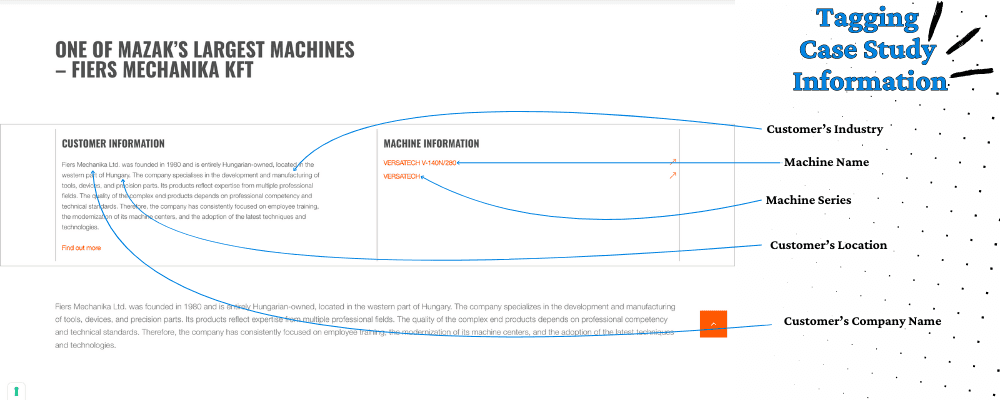
首先,你需要打开刚刚抓取到的一两个页面,明确你想要哪些信息,并观察这些客户案例页面在结构上是否存在固定模式。
其次,为每一类你想提取的信息创建一个 tag,给 AI 提供示例,并告诉它在哪里能找到相关信息。这样做之后,AI 给出的结果会稳定很多,也更准确。
有时你可以把鼠标悬停在文本上,看看链接里是否包含可用于定义输出格式的细节。比如在我的案例里,“VERSATECH” 就是一个 machine series。
💡 小提示
提供示例后,输出质量最高可以比不提供示例提升 3 倍
第 2 步:用 AI Agent 抓取案例信息
这一步,我们会配置 AI agent,让它从客户案例页面中抓取信息。开始吧。
首先,重新打开包含客户案例页面链接的 collection。
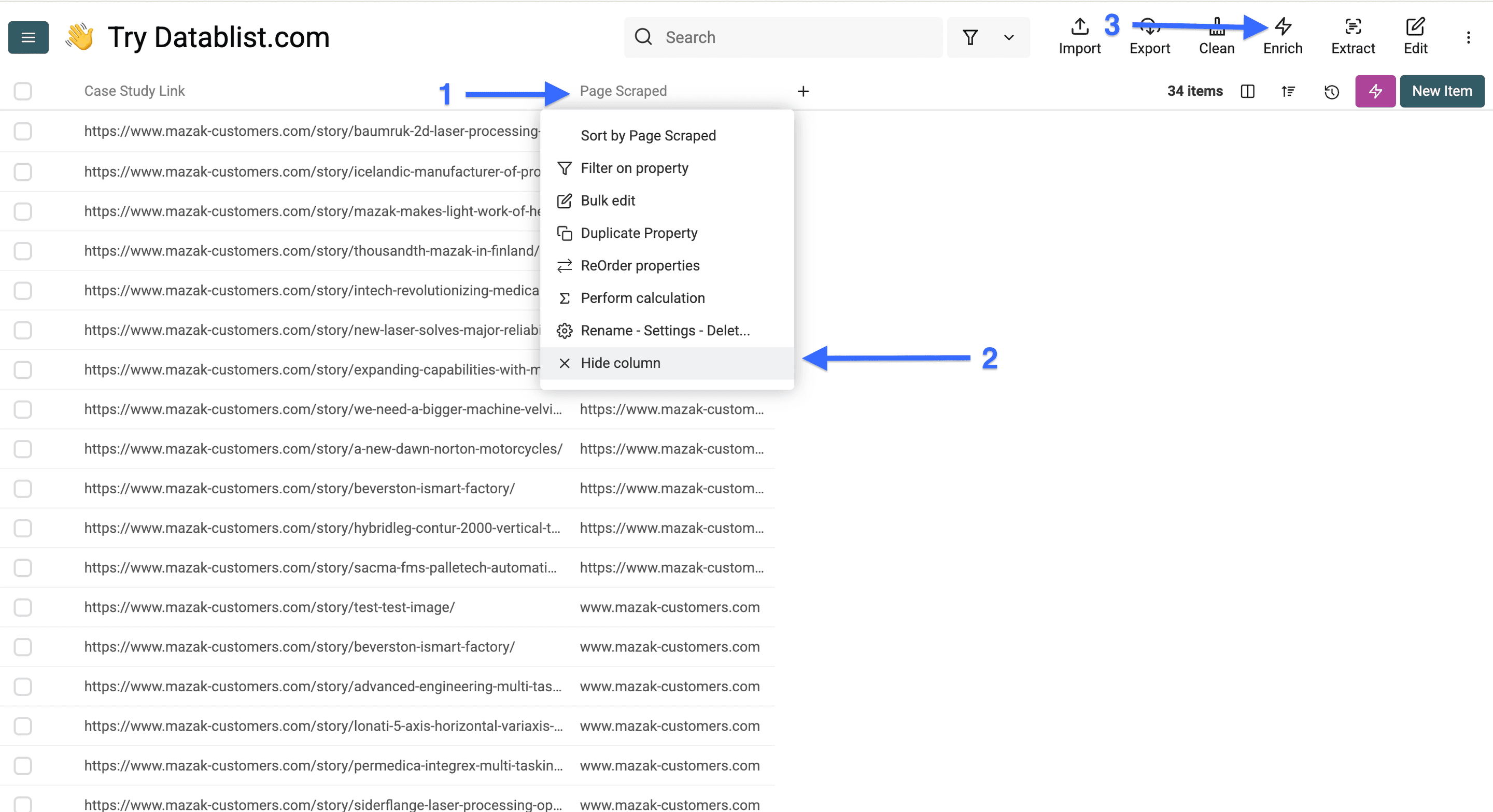
由于这次 workflow 不需要 “Scraped Page” 列,我们可以先把它隐藏,然后点击 “Enrich”。
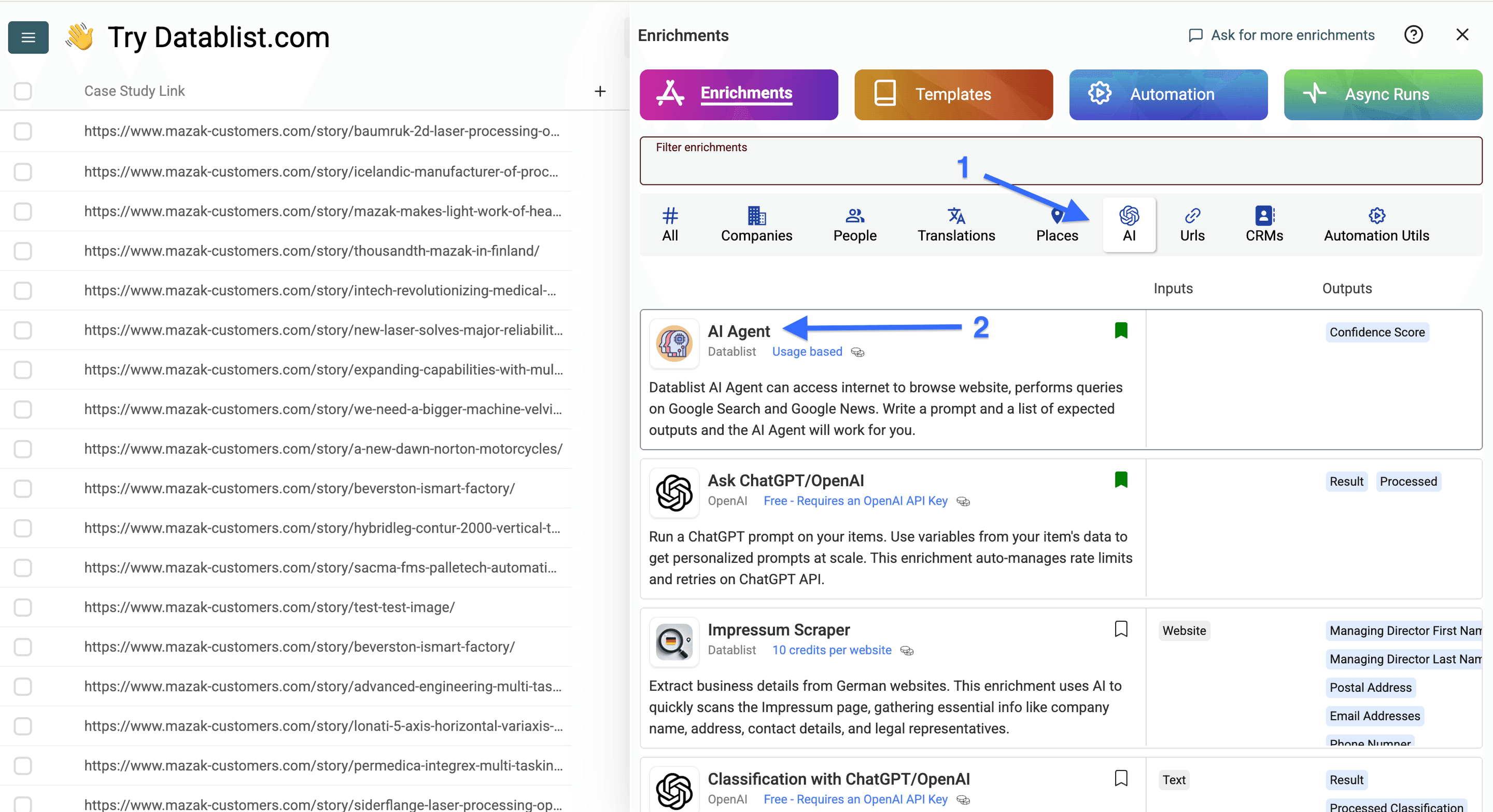
现在进入 “AI”,选择 “AI Agent”。
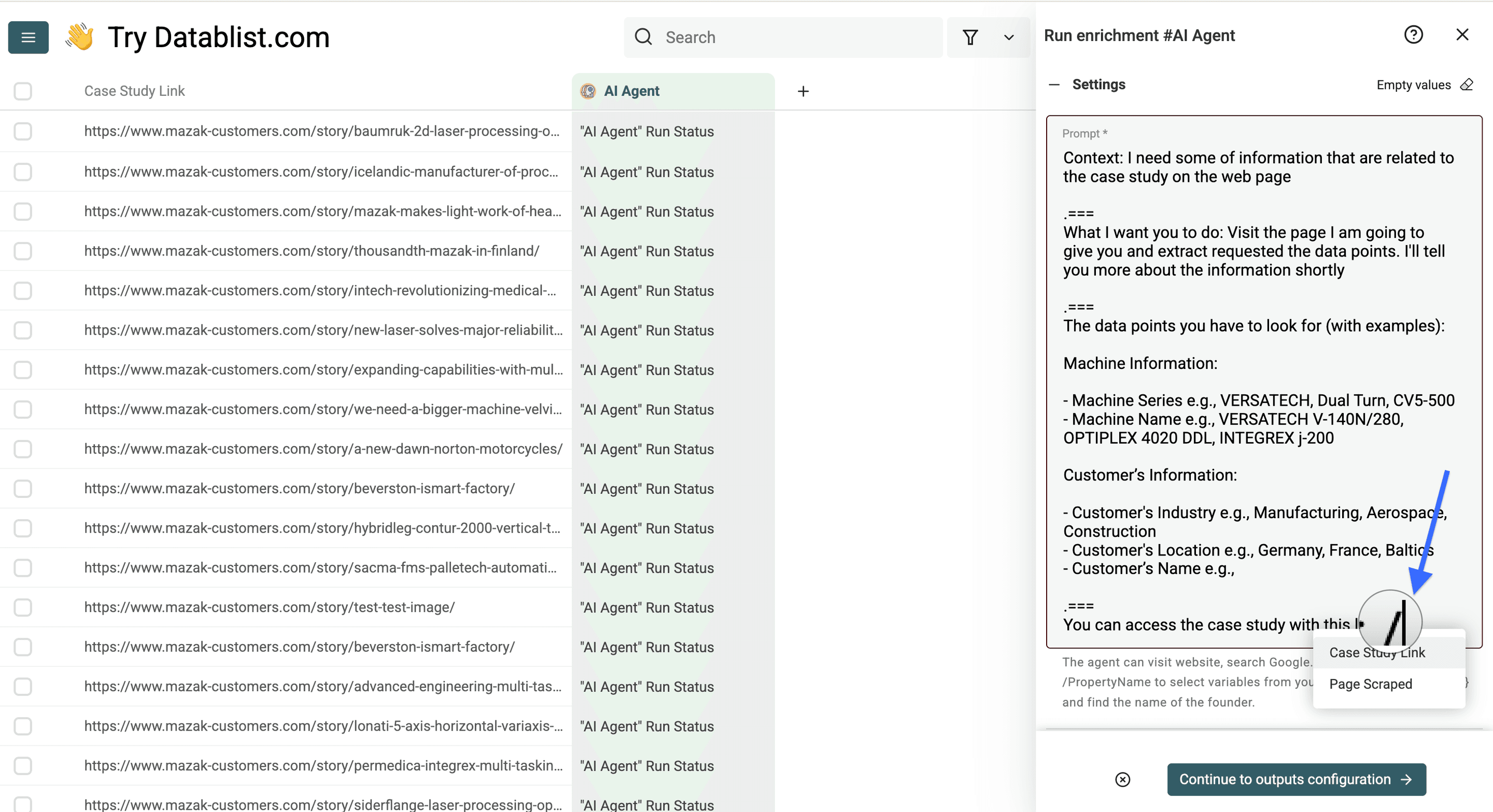
接下来,复制下面的 prompt template,并根据你需要从客户案例页面提取的信息进行修改。
Context: I need some of information that are related to the case study on the web page
===What I want you to do: Visit the page I am going to give you and extract requested the data points. I'll tell you more about the information shortly
===
The data points you have to look for (with examples):
[Information Tag 1] e.g., [Example 1, Example 2, Example 3]
[Information Tag 2] e.g., [Example 1, Example 2, Example 3]
[Information Tag 3] e.g., [Example 1, Example 2, Example 3]
You can access the case study with this link: /Your column
下面是带示例数据的 template prompt:
Context: I need some of information that are related to the case study on the web page
===What I want you to do: Visit the page I am going to give you and extract requested the data points. I'll tell you more about the information shortly.
===
The data points you have to look for (with examples):
Machine Information:
- Machine Series e.g., VERSATECH, Dual Turn, CV5-500
- Machine Name e.g., VERSATECH V-140N/280, OPTIPLEX 4020 DDL, INTEGREX j-200
Customer’s Information:
- Customer's Industry e.g., Manufacturing, Aerospace, Construction
- Customer's Location e.g., Germany, France, Baltics
- Customer’s Name e.g.,
You can access the case study with this link: /Case Study Link
💡 关于 AI Agent 的小事实
AI agent 非常擅长遵循指令,但如果你没有提供清晰示例,它通常不会给出足够好的结果。
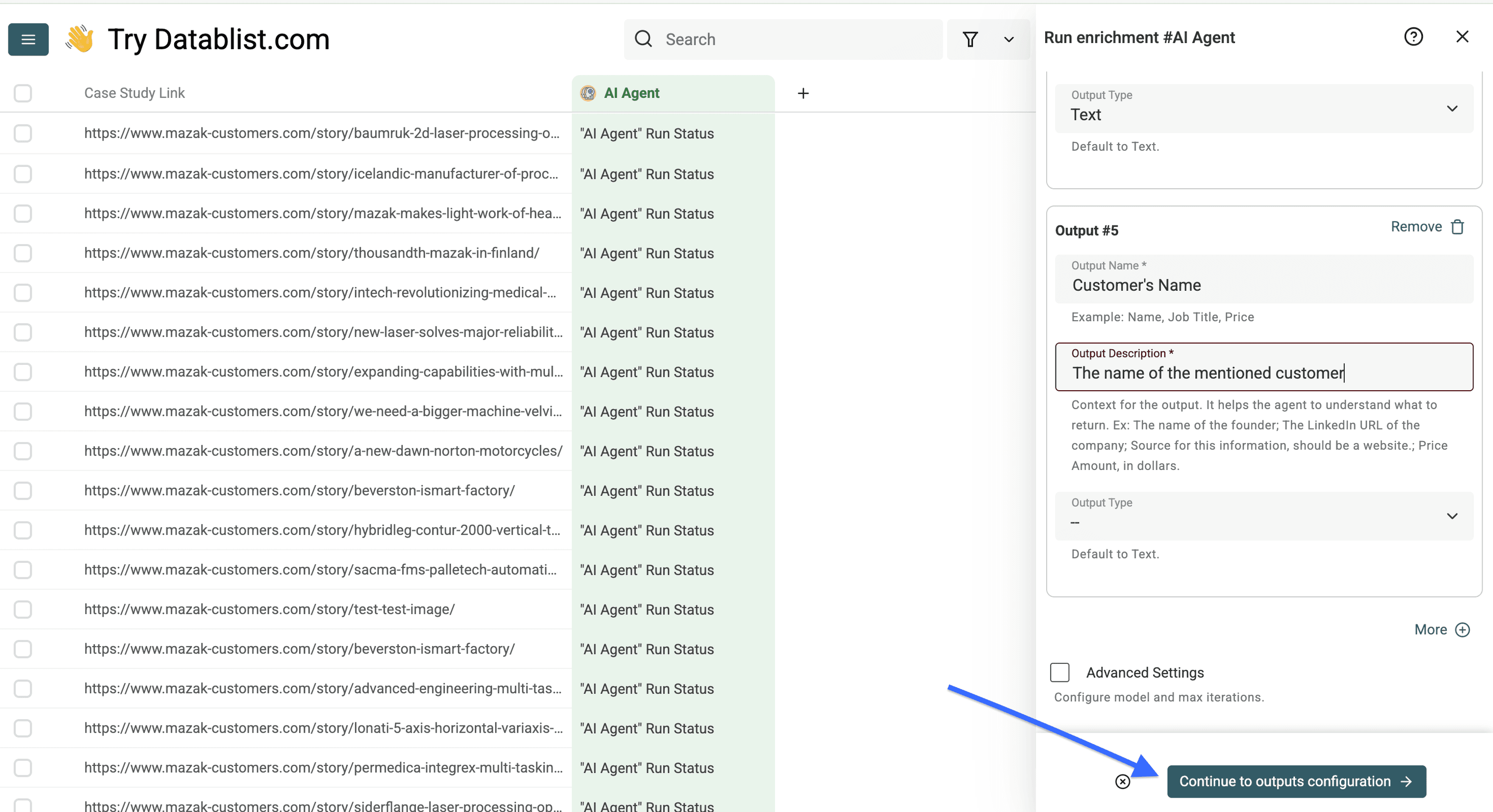
使用我们的 template 配置好 prompt 之后,你还需要配置 outputs,具体做法如下:
对于每一类你想提取的信息:
- 将信息 tag 名称用作 “Output Name”
- 在 “Output Description” 字段中添加清晰描述,或放入示例
- 为你想获得的数据选择合适的 “Output Type”
- 点击 “More” 添加更多 outputs,并用同样方式配置
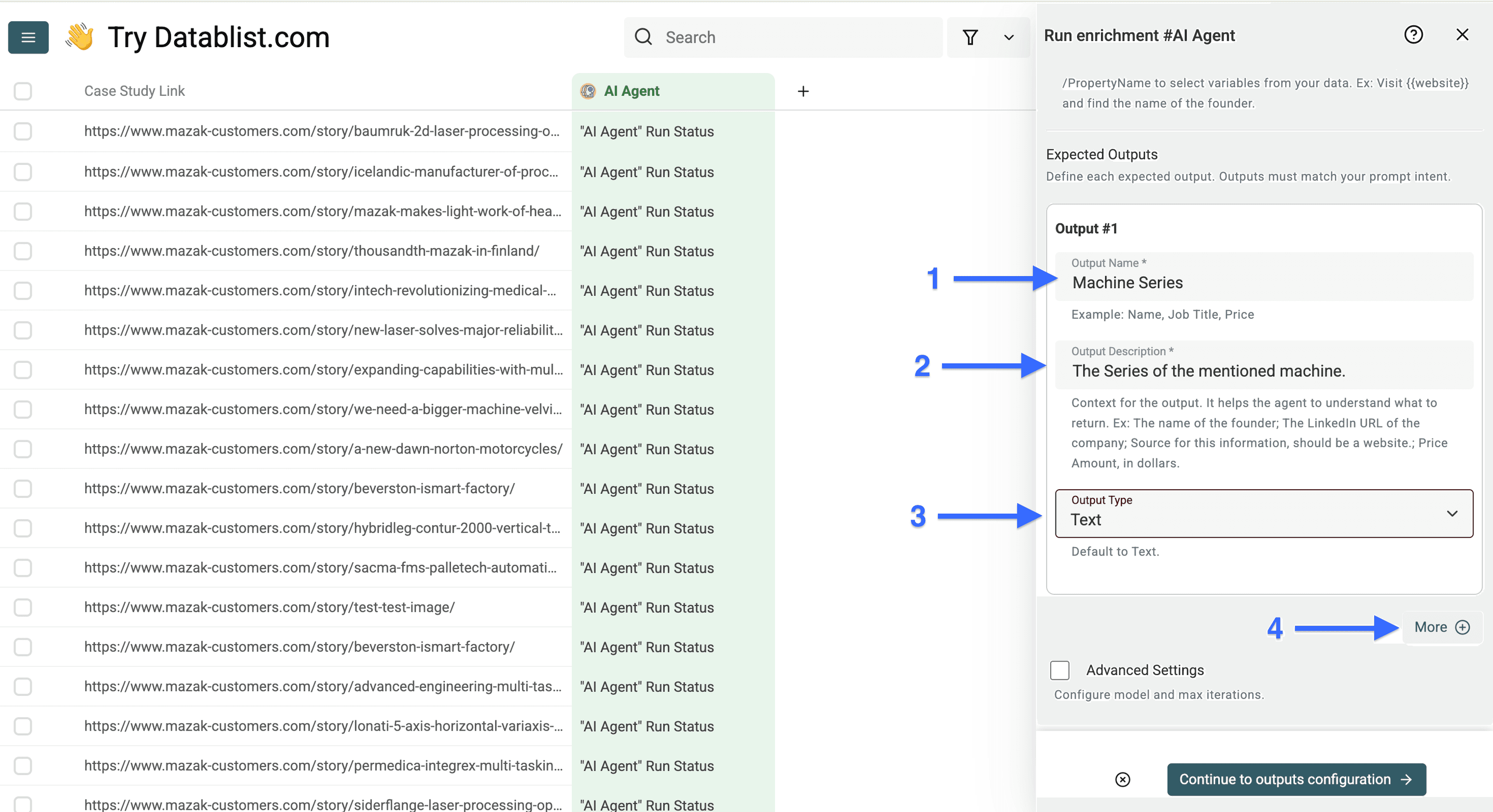
配置完所有 outputs 后,点击 “Continue to outputs configuration”。
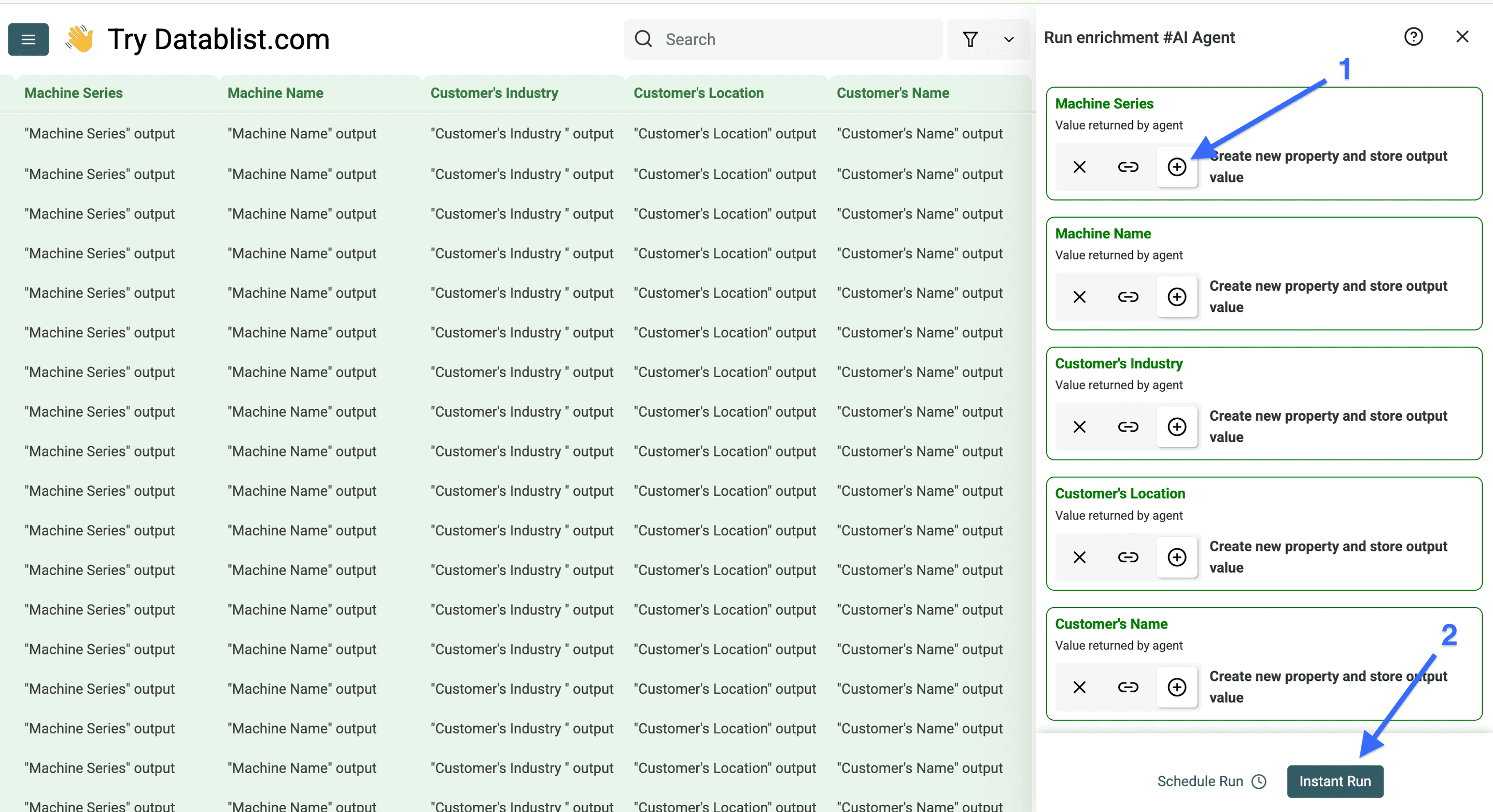
现在点击所有加号(+)图标,为每个 output 添加一个新列,然后点击 “Instant Run”。
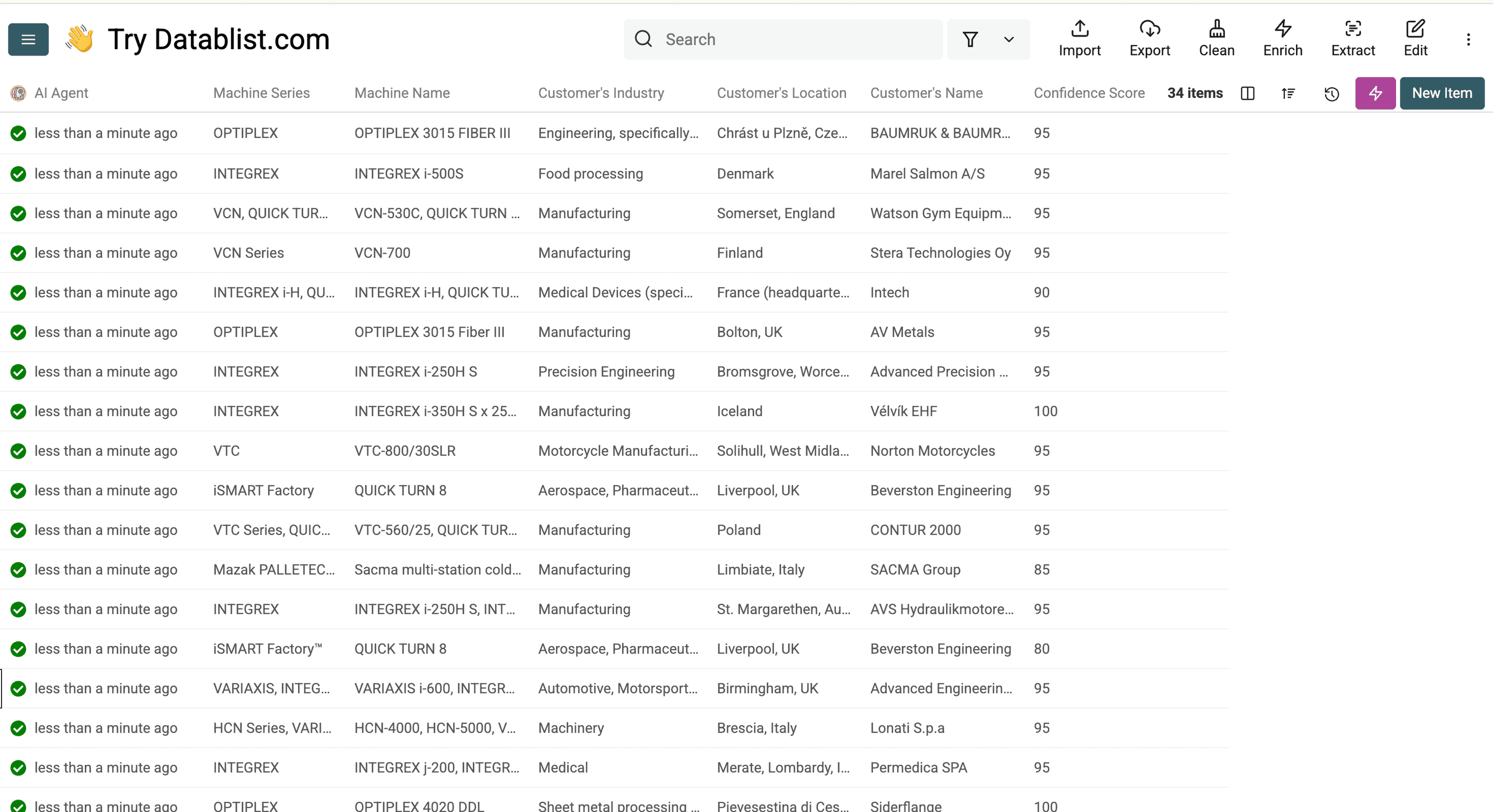
这些就是抓取客户案例后的结果。
抓取客户案例常见问题
如何合法抓取网站上的客户案例?
当你抓取的是公开可访问的数据,并且尊重版权限制时,网站 scraping 通常是合法的。
抓取网站客户案例需要哪些工具?
你可以使用 Datablist 这类 web scraping 工具来完成 no-code 抓取。
抓取一个网站的客户案例需要多久?
使用 Datablist 这类工具,你可以在几分钟到几小时内抓取数百个客户案例。只要你理解了网站结构,自动化配置通常只需要 15 到 30 分钟。
我可以抓取任何网站的客户案例吗?
并不是所有网站都允许 scraping。有些网站会使用反爬措施,或在服务条款中明确禁止抓取。
可以从客户案例中提取哪些信息?
你可以提取公司名称、行业、挑战、解决方案、结果、客户证言、日期和关键指标等多种 data points。关键在于识别客户案例在网站上的一致结构,这样才能确保数据提取更准确。