
Instagram 是挖掘 Leads 的宝库。通过查看一些垂直领域账号的 followers,你可以快速扩展自己的潜在客户网络。
不少 Instagram 用户会在简介里公开邮箱和手机号。如果你是做营销、准备发起 outreach campaign(外联触达),Instagram 用户通常互动更高、响应更积极,是非常优质的目标人群。
Datablist 的 Instagram Scraper 可以轻松帮你抓取 followers 列表、某个账号的 following 列表,以及帖子作者(post authors)。对于想要抓取 Instagram 数据的人来说,这个工具会让你事半功倍。
在这篇教程里,你会学到:
- 如何配置 Instagram 抓取脚本
- 如何抓取 Instagram followers
- 如何抓取 Instagram following 列表
- 如何在地点/标签页抓取 Instagram Post Authors
- 如何用 Chrome Extension 快速调用脚本
配置 Instagram 用户抓取脚本
Note:如果你想把脚本存到 Chrome Extension 里,后续 一键快速使用,请先阅读 把抓取脚本放进 Chrome Extension
要抓取 Instagram 用户,只需要 把下面的脚本复制粘贴到 Chrome Developer Console。
Notes
这个 Instagram member scraper 的源代码在 GitHub 上。脚本的原理是读取网页加载成员列表时产生的 API calls,并从中提取成员数据。
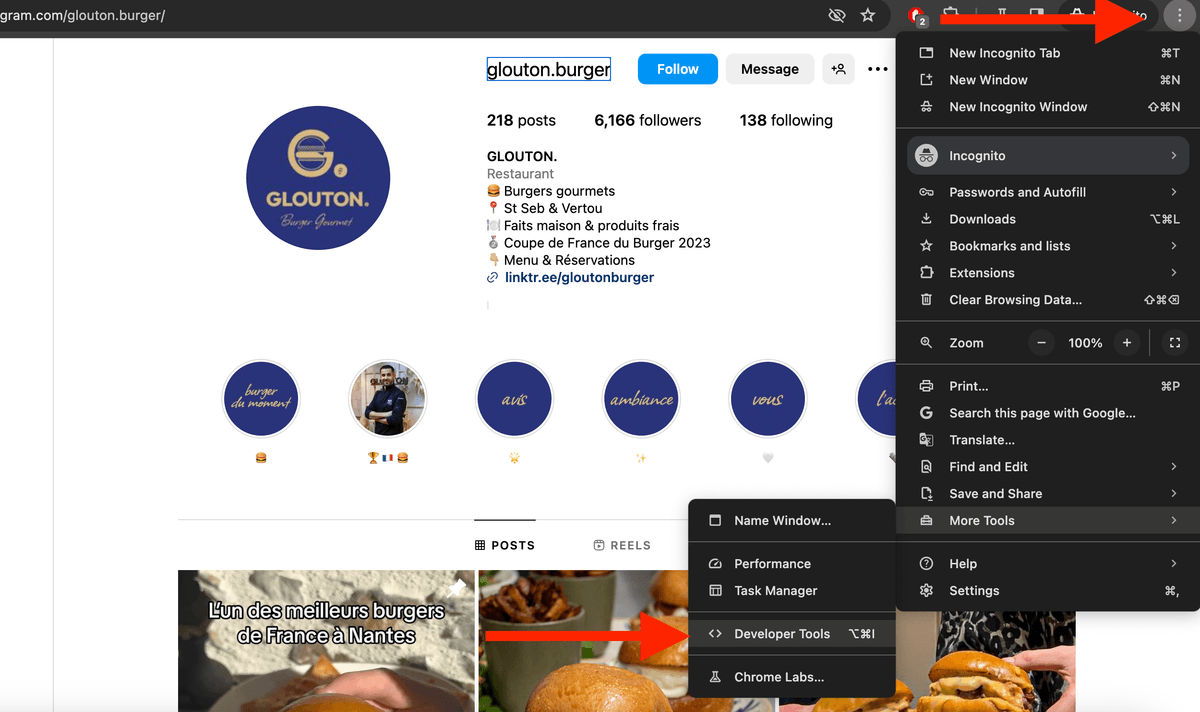
打开 Chrome Developer Console:在 Chrome 主菜单中点击 “More Tools -> Developer Tools”,然后选择 “Console” 标签。
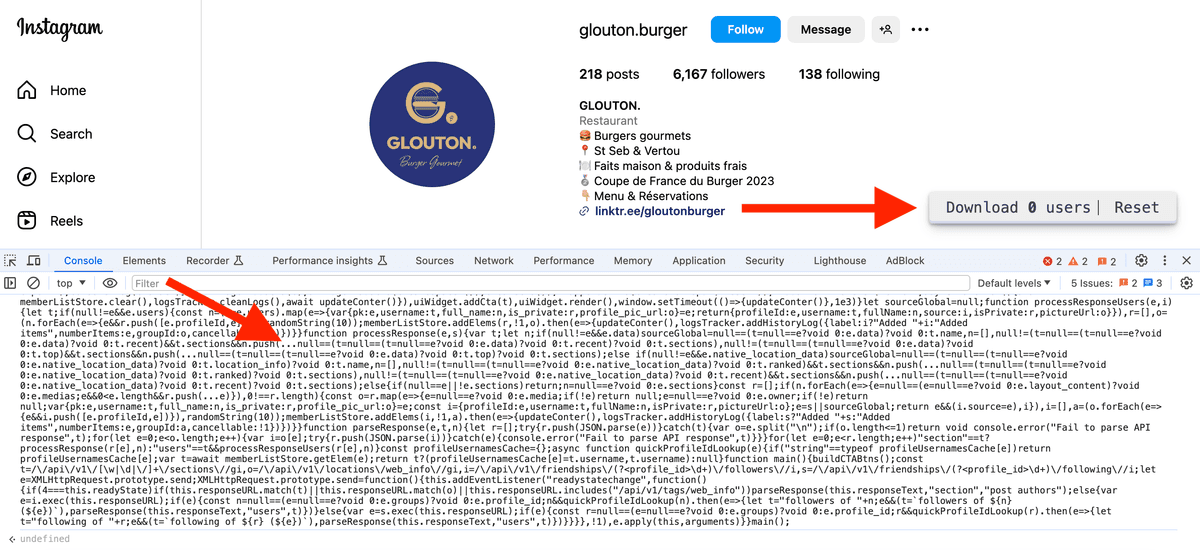
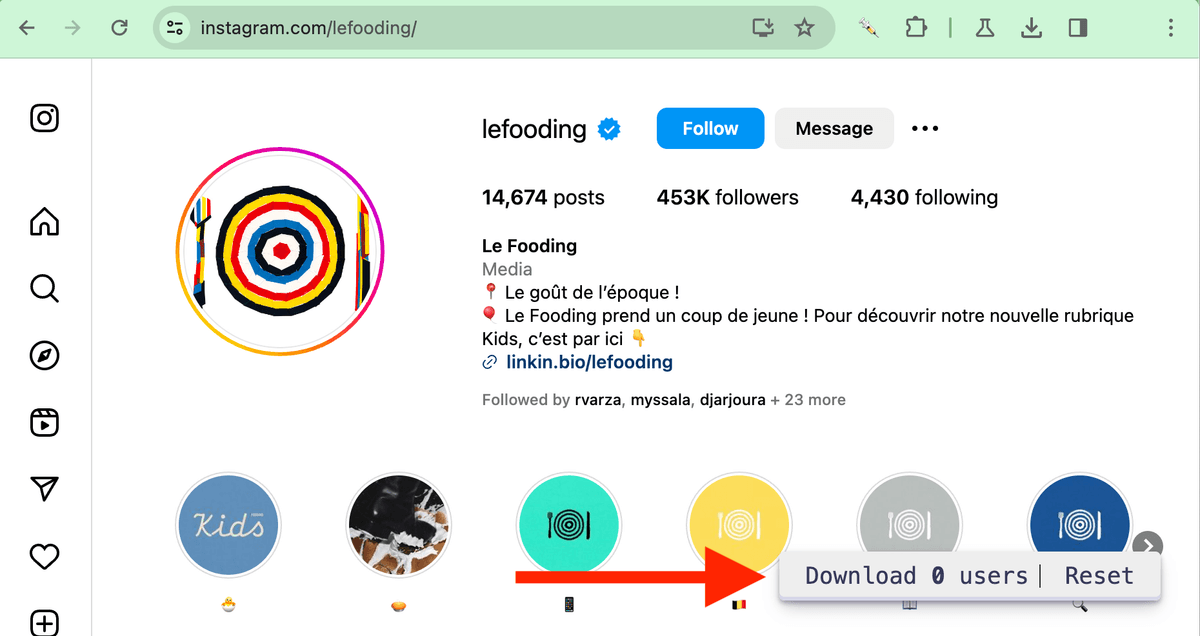
粘贴脚本后按 “Enter” 执行。右下角会出现一个小组件(widget)。
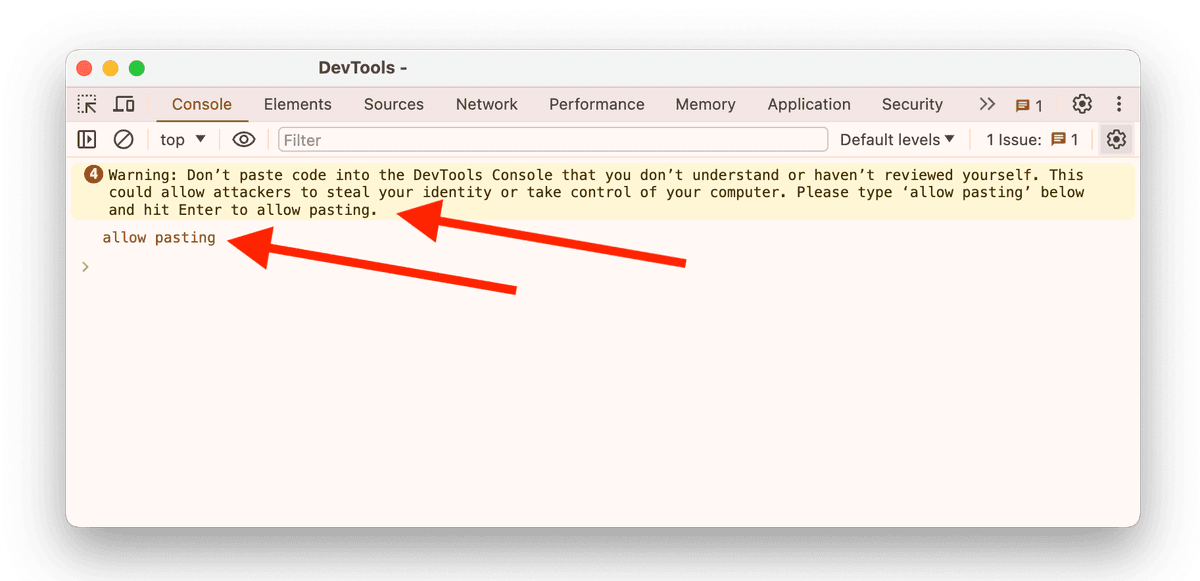
Important - 如果这是你第一次打开 Chrome Developer Console,你可能会看到一个 Warning,导致无法在 console 里直接复制/粘贴。要启用粘贴,只需要输入 “allow pasting”,然后按 “Enter”。
可抓取字段
脚本通过拦截浏览器和 Instagram 服务器之间的 API calls 来工作。比如你打开某个账号的 followers 列表时,脚本会扫描相关 API calls 并把 followers 数据提取出来。
抓取到的用户会存到本地数据库里,而且是持久化的。你刷新页面、下次再粘贴脚本时,之前已经抓取的用户也会保留。
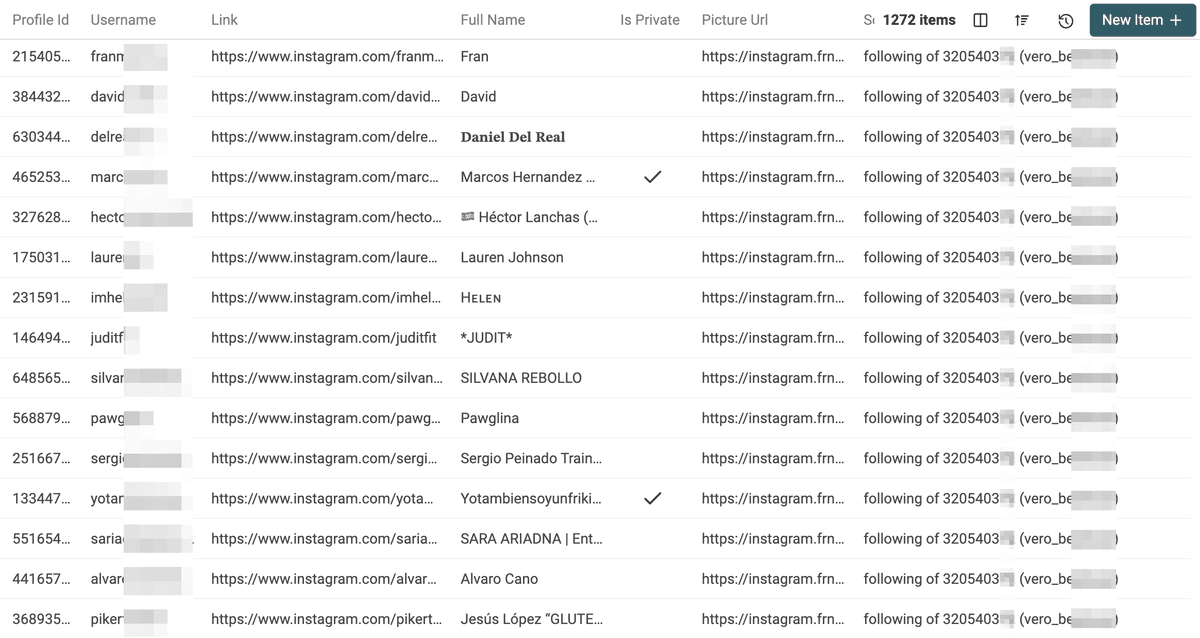
- Profile Id:Instagram 的唯一标识(多位数字)。
- Username:Instagram 用户名。
- Link:Instagram 个人主页 URL,格式为 https://www.instagram.com/{{username}}
- Full Name:用户的完整名称
- Is Private:账号是否为私密
- Location:用于抓取 post author 时的地点名称(如可用)。
- Picture Url:头像链接
- Source:用户来源信息(Followers、Following、Post Authors 等)。
以 CSV 下载用户
要把抓取到的用户导出为 CSV,只需点击 widget 上的 “Download XX users”。
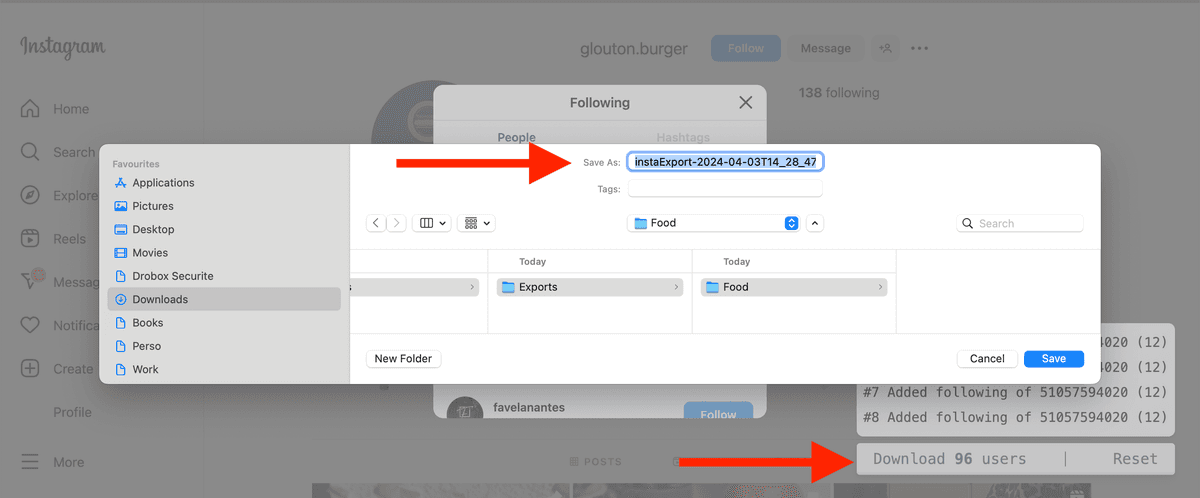
如果你想清洗、筛选或查看 CSV,可以使用 Datablist CSV Editor。
抓取 Instagram 账号 followers
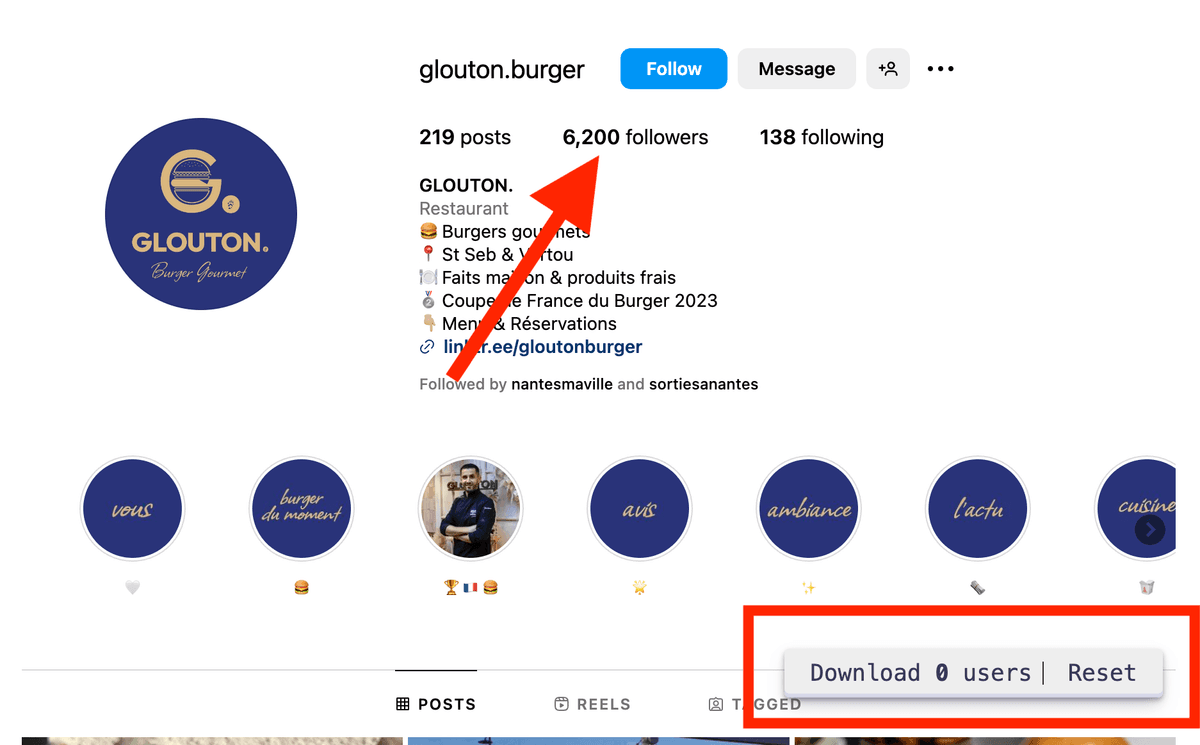
要抓取 Instagram followers,你必须在点击某个账号的 followers 列表 之前 先加载脚本。
Warning:如果你在打开 followers 列表之后才加载脚本,脚本就无法拦截到对应的 API calls。若你已经打开了 followers 列表,刷新页面并重新加载脚本即可。
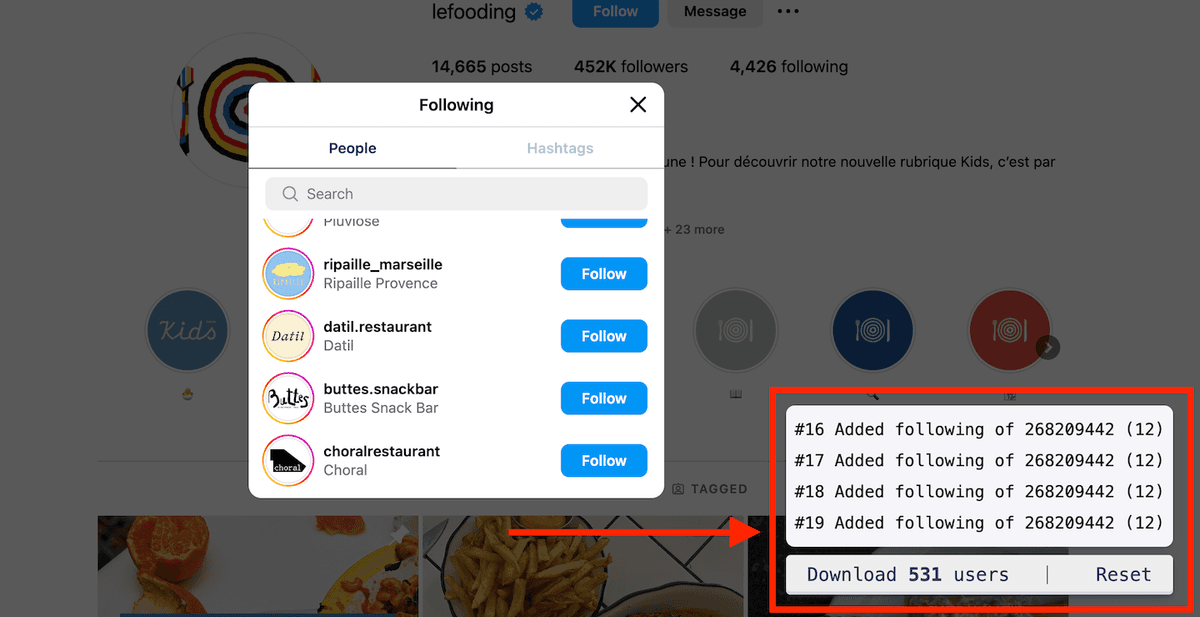
当 followers 的弹窗(modal)打开后,你会看到 widget 的计数随着新增用户不断上涨。
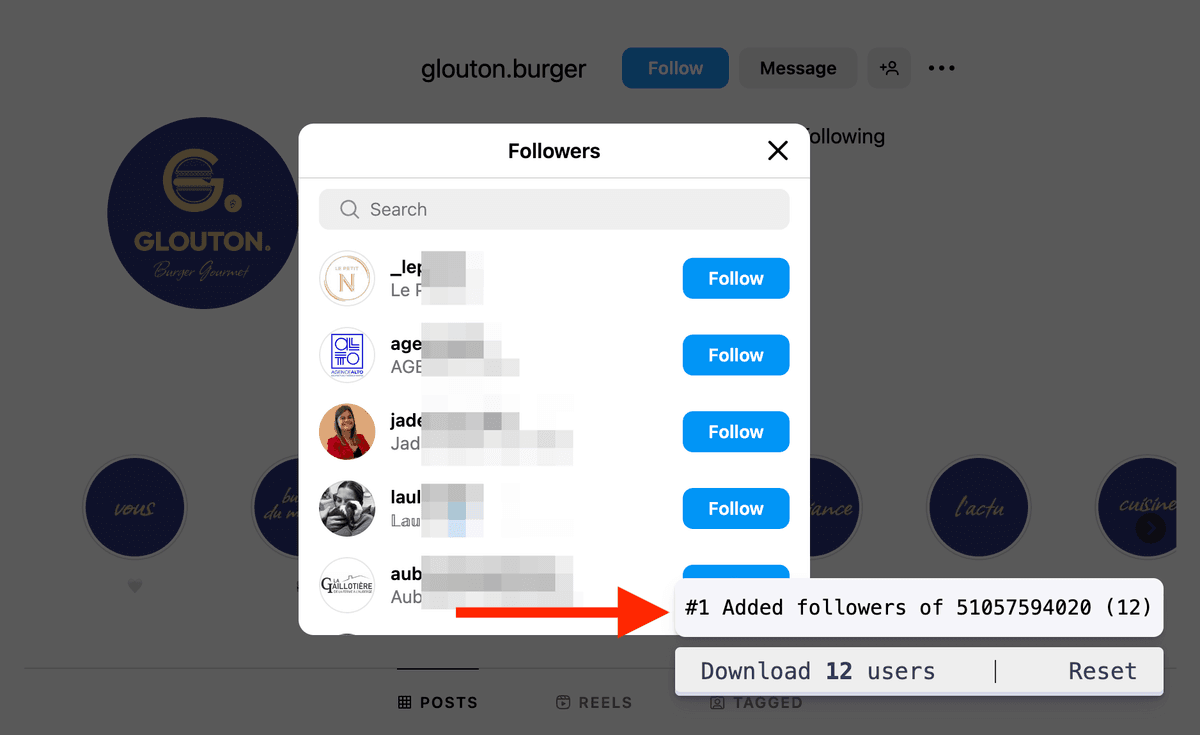
继续向下滚动 followers 列表,即可抓取更多用户。
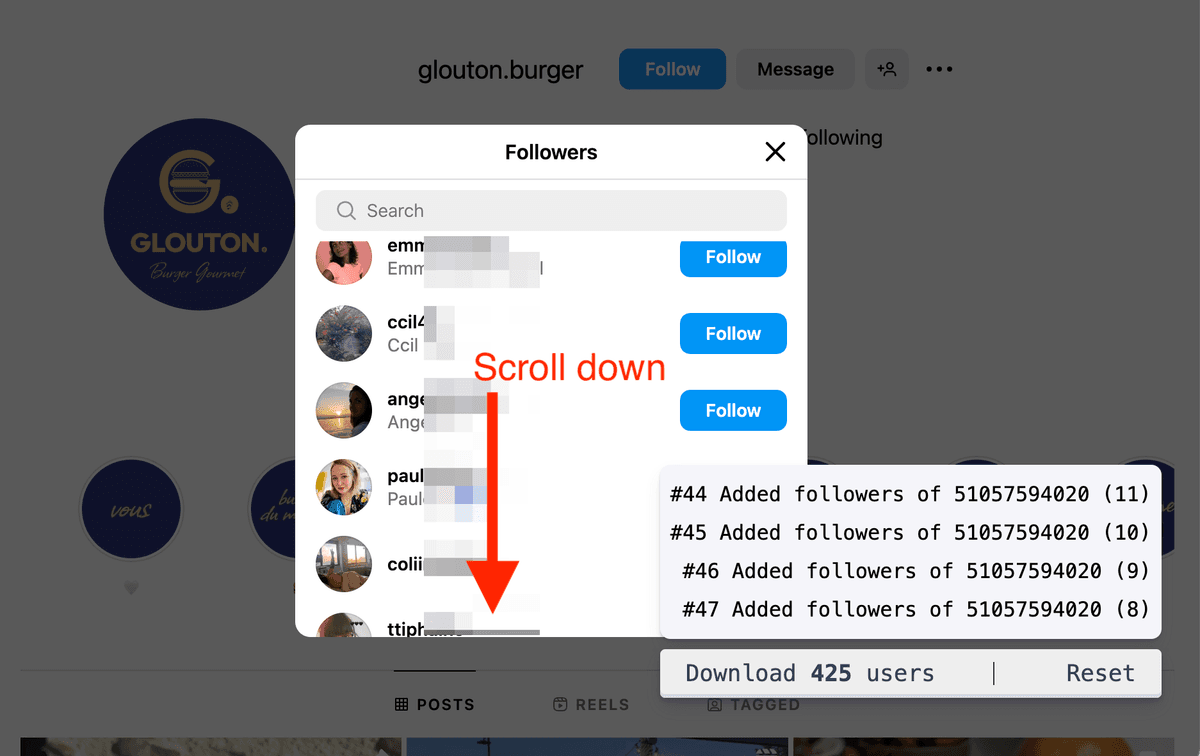
如果你需要大规模、自动化抓取 Instagram Followers,可以查看我们的 Instagram Followers Scraper。
抓取 Instagram following 列表
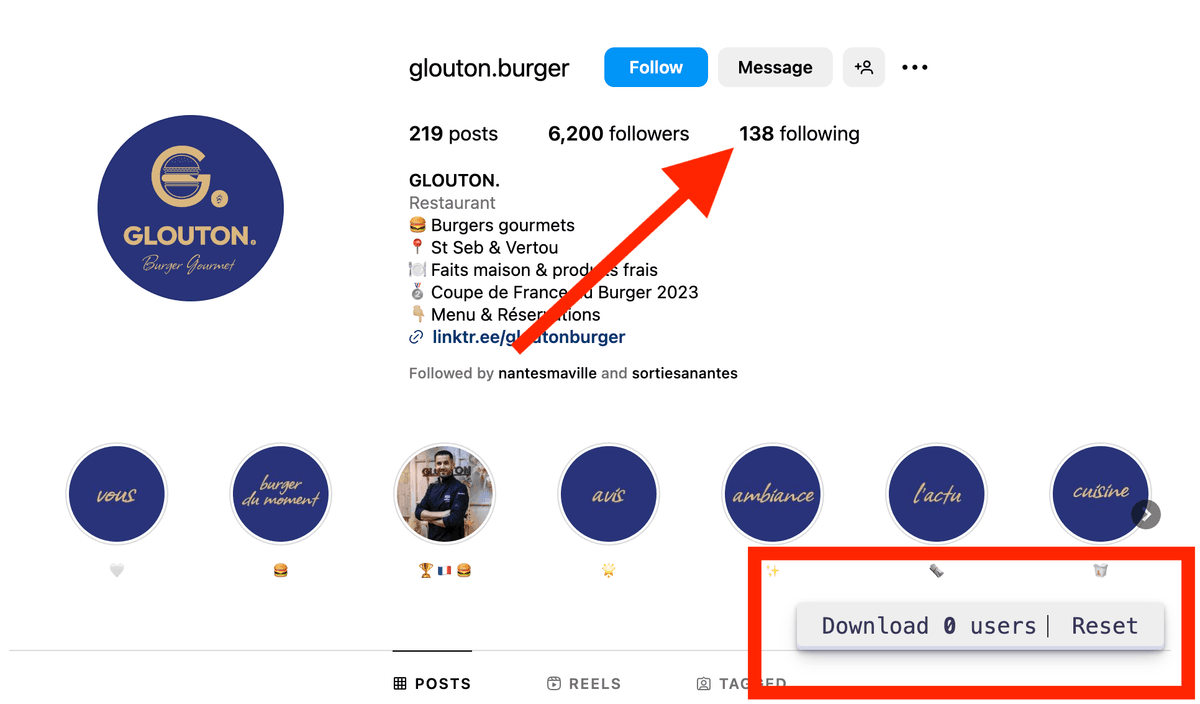
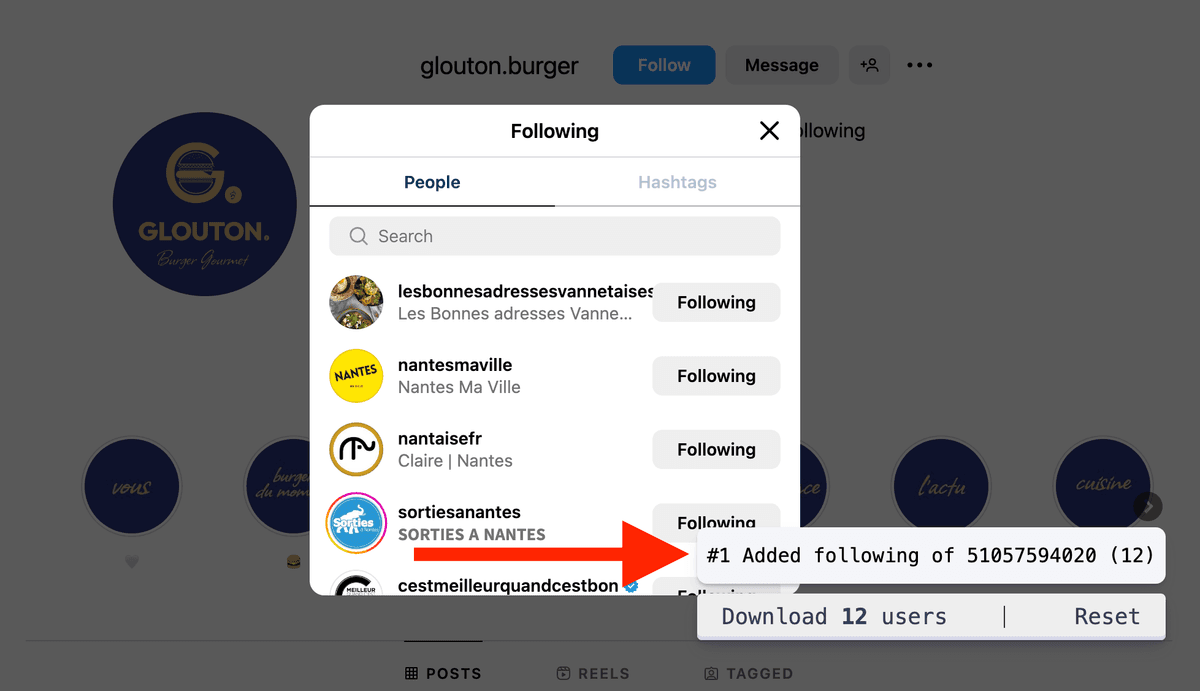
当 following 列表弹窗打开后,你会看到 widget 计数随新增用户不断增长。
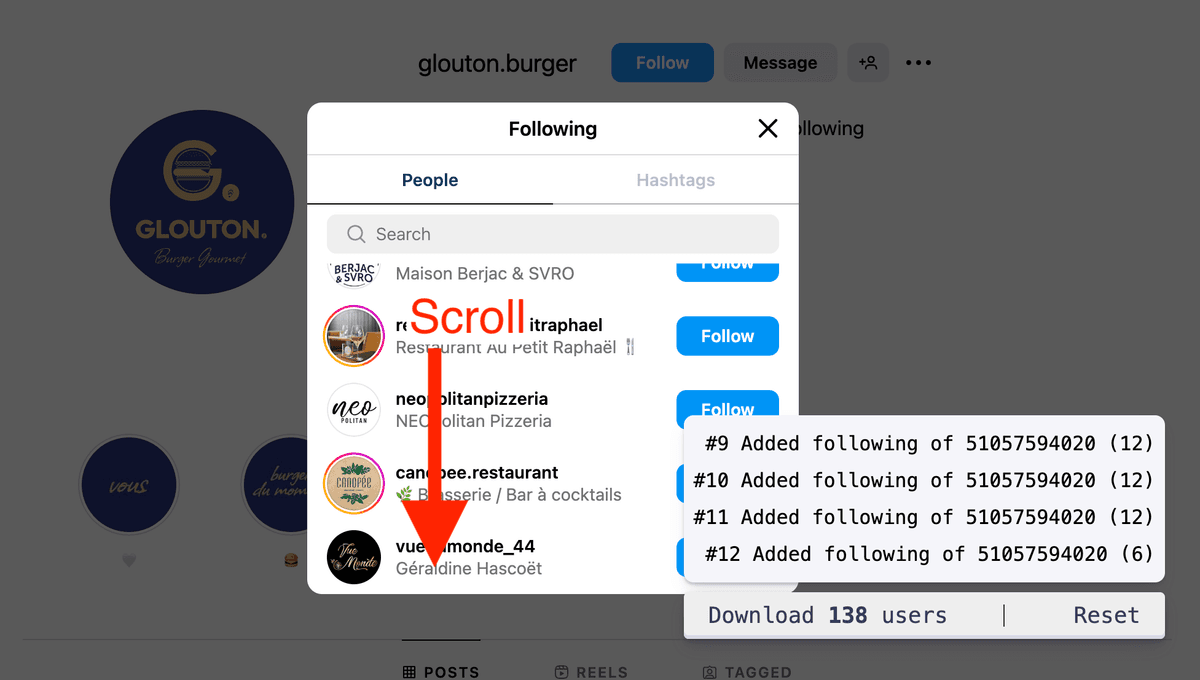
继续向下滚动 following 列表,即可抓取更多用户。
抓取地点和标签页的帖子作者
Instagram Users Scraper 支持从 Location 和 Hashtag 页面提取帖子作者(post authors)。如果可用,脚本也会导出帖子对应的 location 信息。
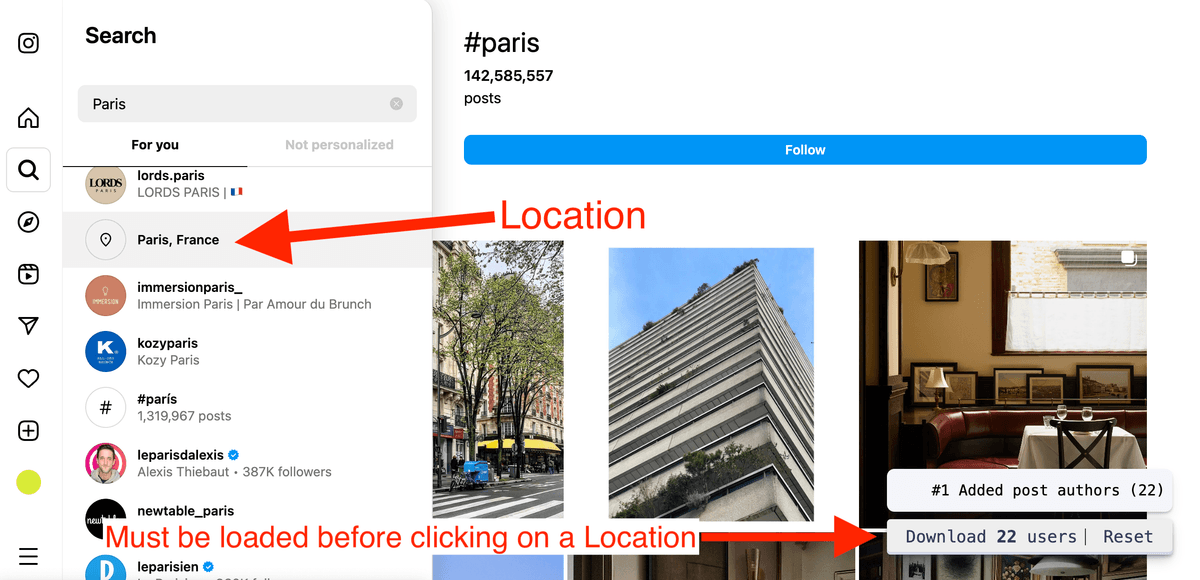
Warning:必须在进入 Location 或 Hashtag 页面之前先加载脚本,否则脚本无法拦截到相关 API calls。
要抓取 post authors,先用侧边栏的搜索菜单搜索一个 hashtag 或 Location。
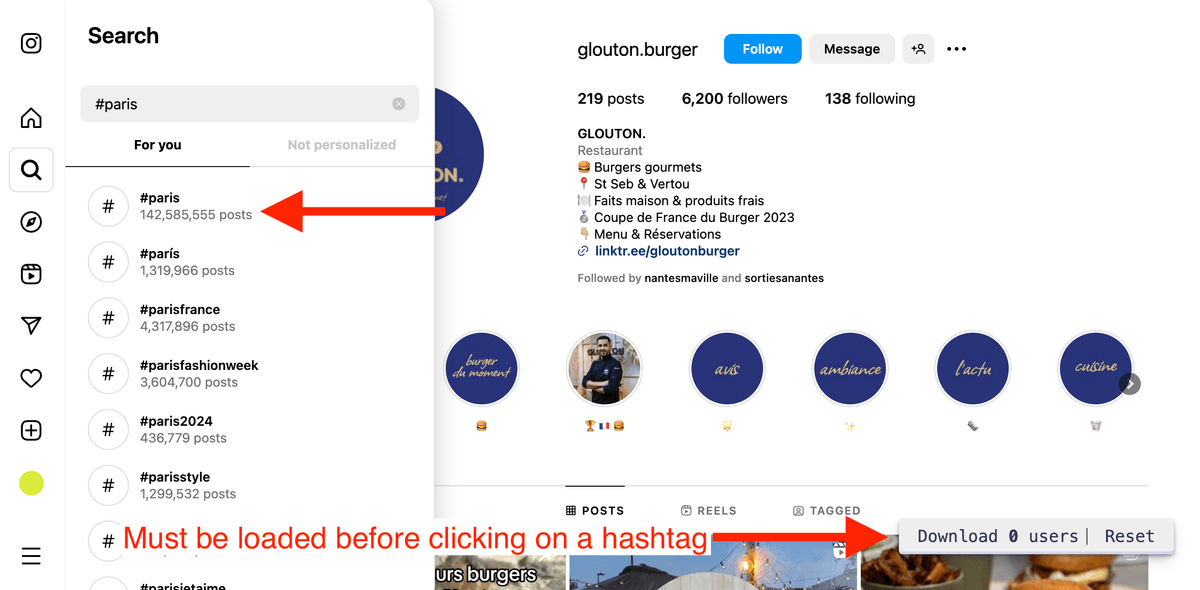
进入 hashtag 页面后,通过滚动加载更多内容,就能抓取更多用户。
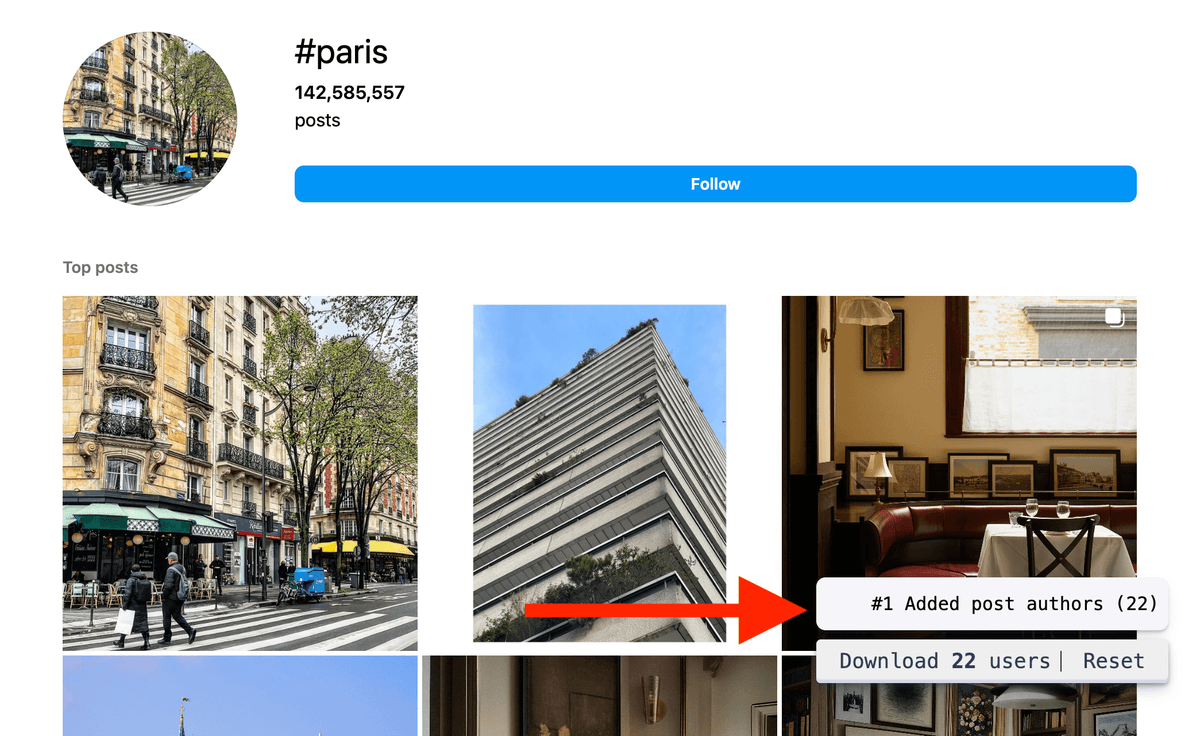
Instagram 的 hashtag 搜索返回结果通常比较少。如果你在搭建 lead list,从 Instagram Location 抓取用户往往更容易做量。
用 profile 信息 Enrich Instagram 用户
Instagram Scraper 脚本返回的 profile 信息相对基础(Profile Id、Username、Link、Full Name、Is Private、Location、Picture Url、Source)。
如果你想拿到更完整、可用于销售/营销的字段,Datablist 提供了 Instagram Profile Scraper enrichment 来做数据增强。
这个 enrichment 会逐个访问 profile 并抓取公开信息。不需要你的 Instagram login 或 password。 你只要导入列表、配置 enrichment,然后运行即可。
Instagram Profile Scraper 可返回:
- Description - Instagram 用户 bio。
- Follower Count - followers 数。
- Following Count - following 数。
- Category - 用户类别名称。
- Website - 外链 url。
- Public Email - 公开邮箱地址。
- Phone Number - 公开手机号。
- Profile Picture - 头像。
- Private - 是否私密账号。
- Verified - 是否认证。
- Business Account - 是否为商业账号。
- Business Zip Code
- Business City
- Business Street Address
- Home Country - 用户国家名称,例如:France。
- Date Joined - 注册月份和年份,例如:October 2012。
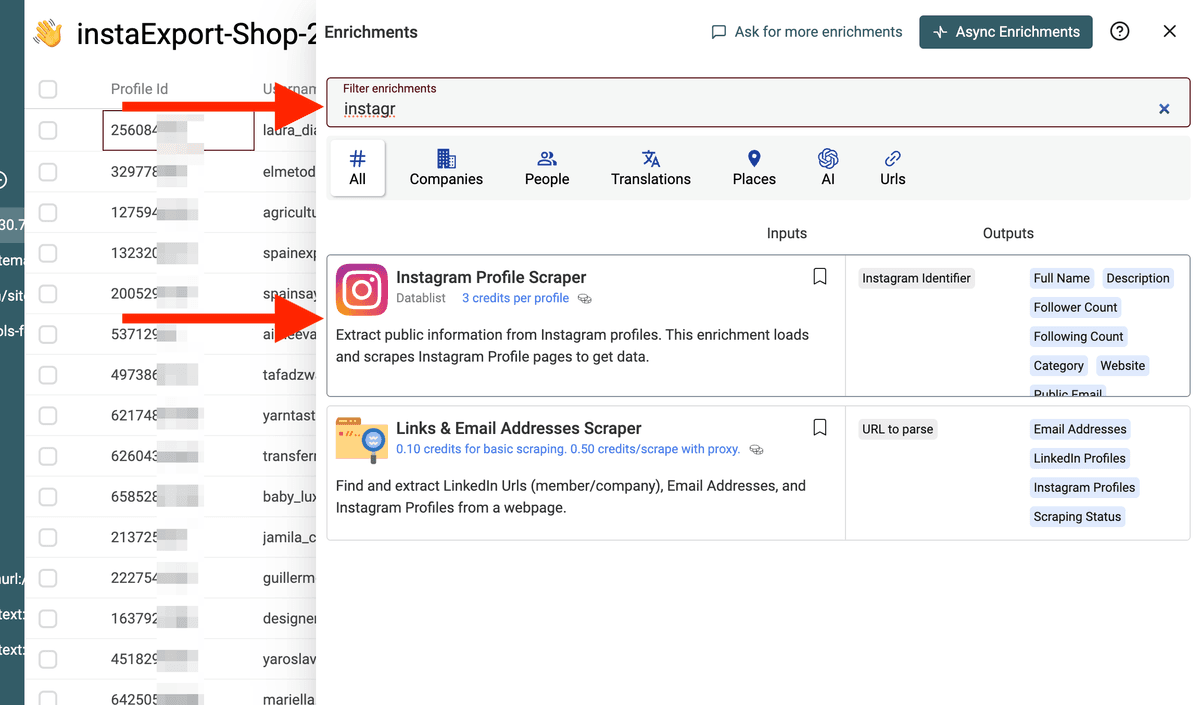
要对你的 Instagram 用户列表做 enrichment:先 把 CSV 导入 Datablist,然后点击 “Enrich”。
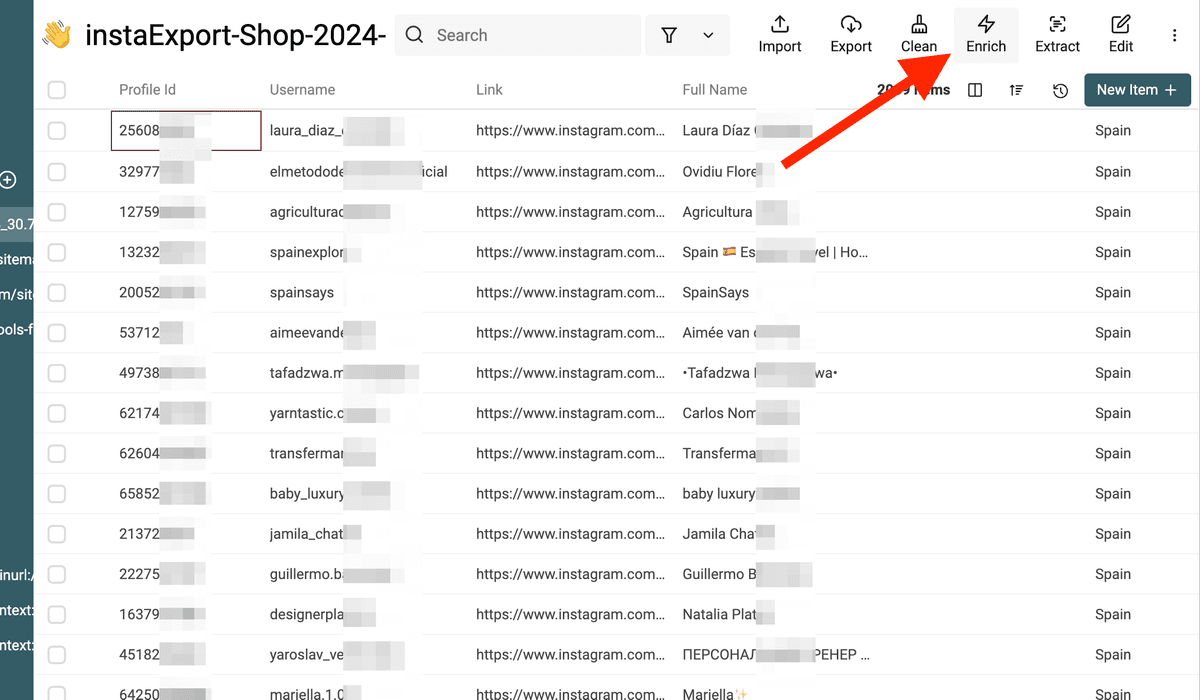
接着选择 “Instagram Profile Scraper” enrichment。
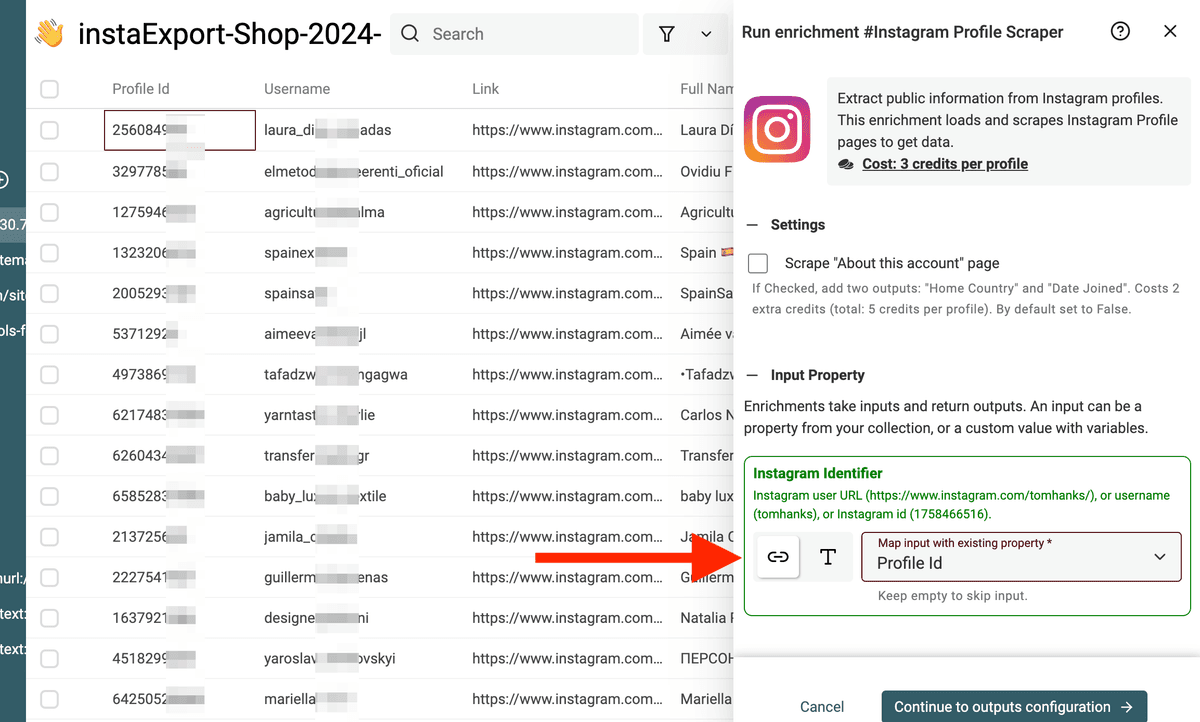
在标识字段(identifier)里使用脚本抓到的 Profile Id。
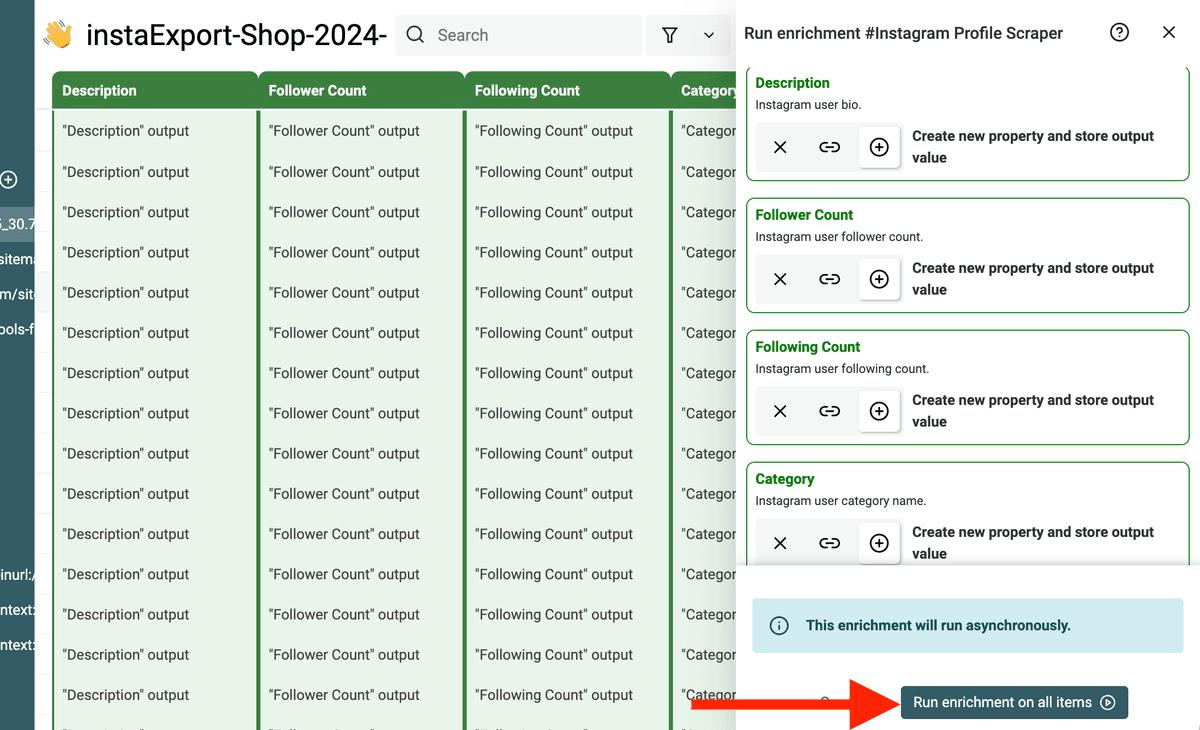
然后为每个你想抓取的新增字段创建一个新的 property,最后点击 “Run the enrichment” 开始执行。
把抓取脚本存到 Chrome Extension
每次都在 Chrome Console 里复制粘贴脚本确实比较费时间。好消息:你可以用 Chrome Extension 一键注入脚本。 你可以设置成在 Instagram 页面自动注入,也可以点击后手动注入。
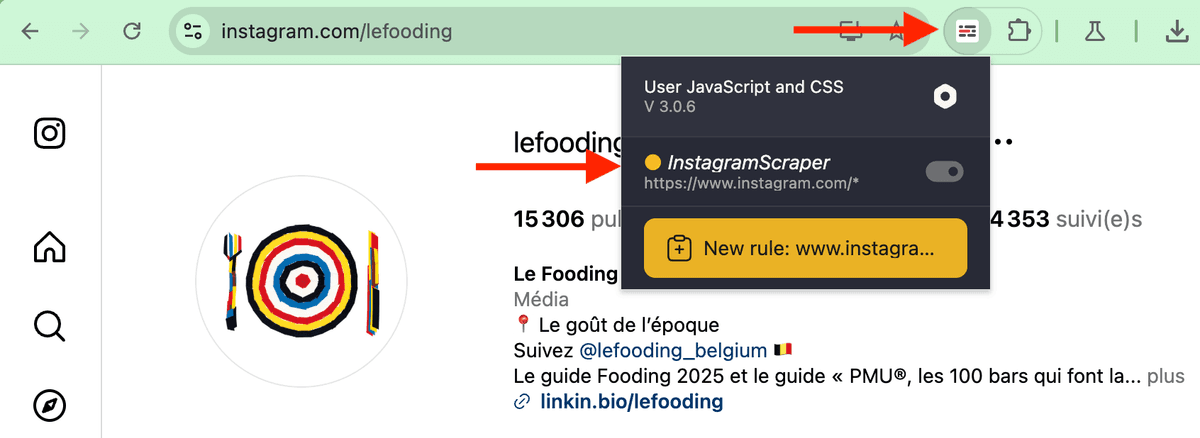
从 Chrome Extension 点击后,脚本会直接添加到当前的 Instagram 页面。
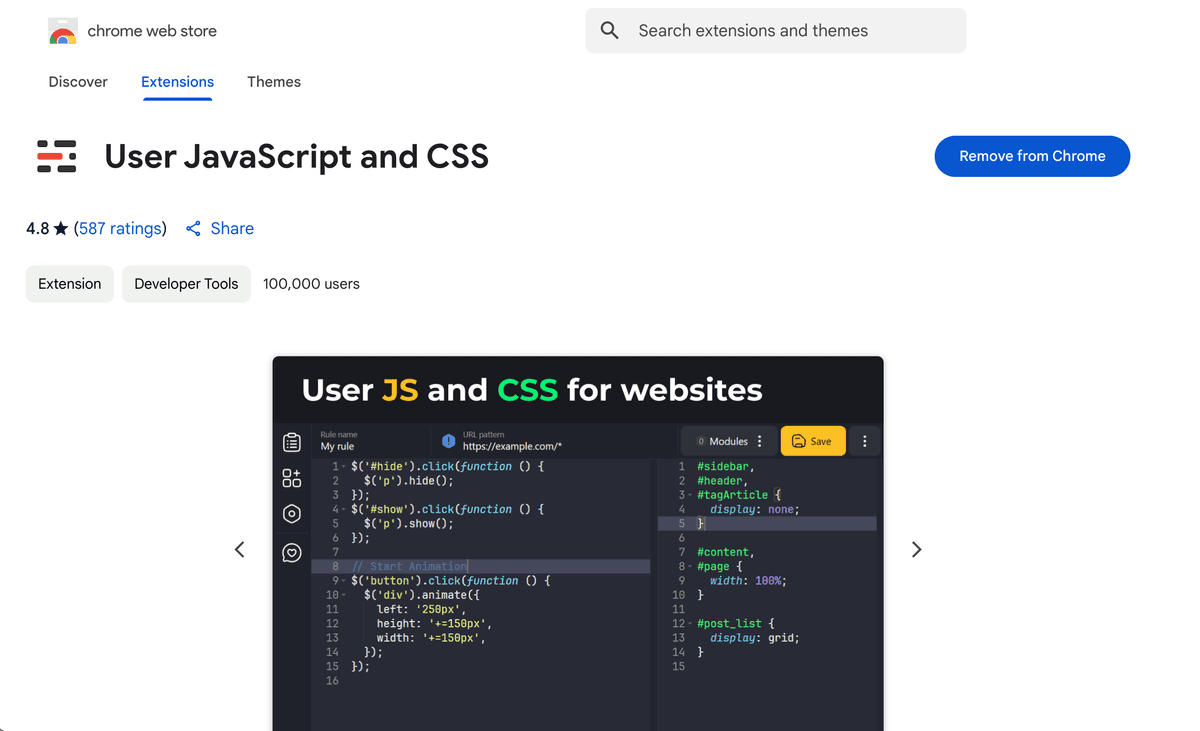
这个 Chrome Extension 叫 “User JavaScript and CSS”,可在 Chrome Extensions 商店获取: https://chromewebstore.google.com/detail/user-javascript-and-css/nbhcbdghjpllgmfilhnhkllmkecfmpld
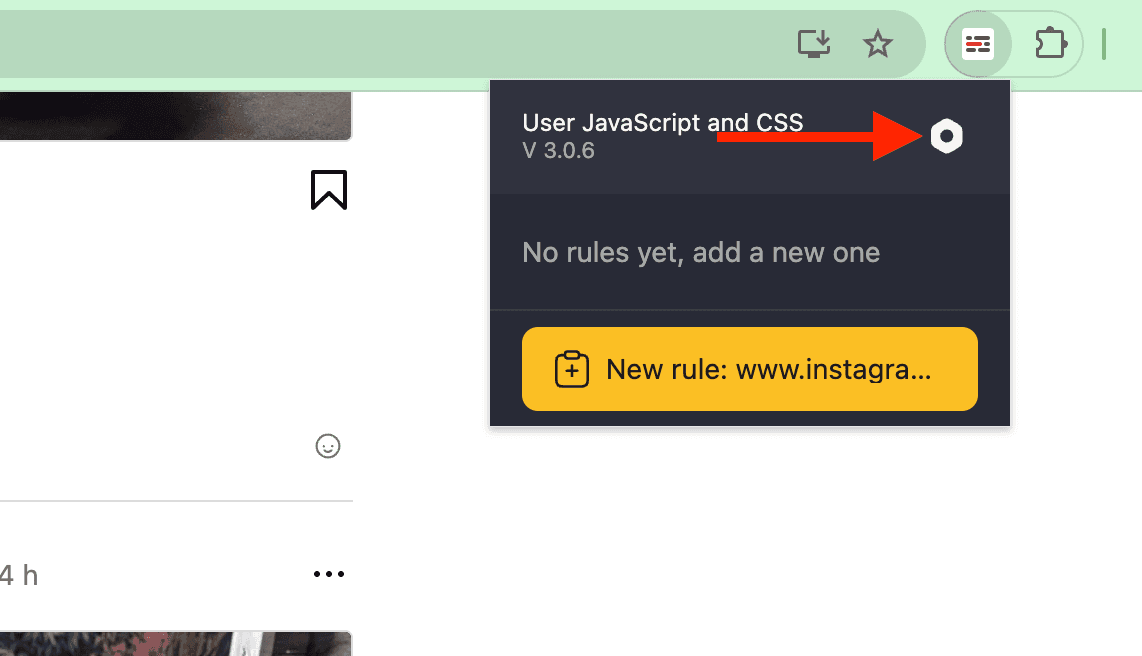
安装完成后,点击设置按钮(setting buttom)来配置一个新的 script。
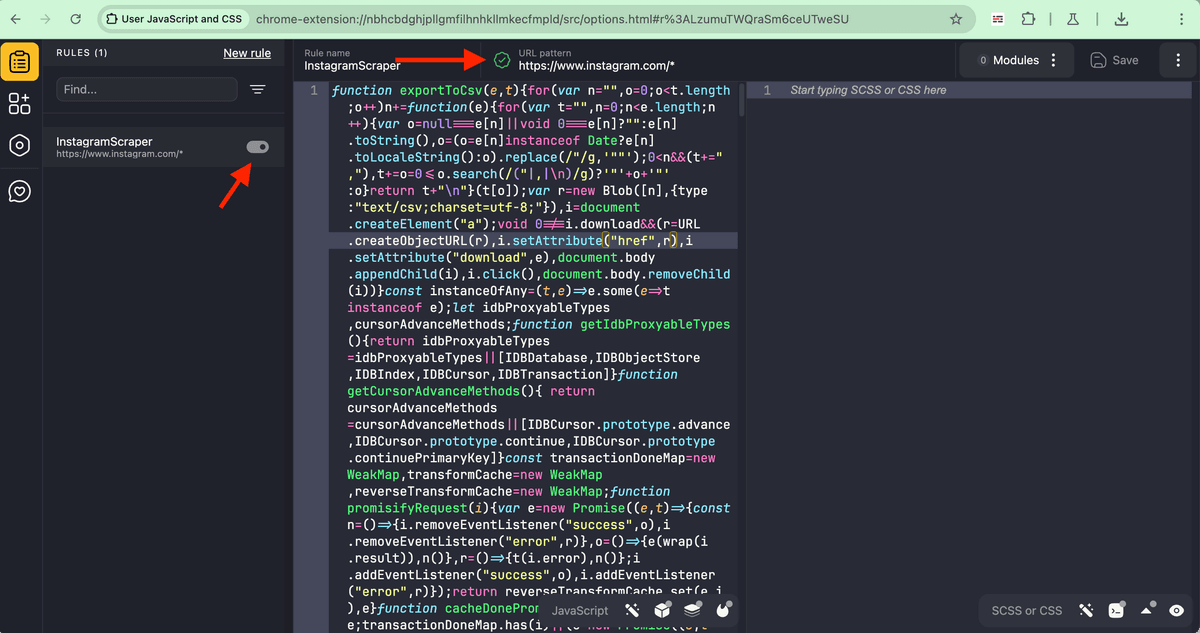
新建一条规则,按以下参数填写:
- Name:
InstagramScraper - URL Pattern:
https://www.instagram.com/* - Enable the script
- In the JavaScript code, copy paste the code from here
- Let the CSS code empty
点击 “Save”。
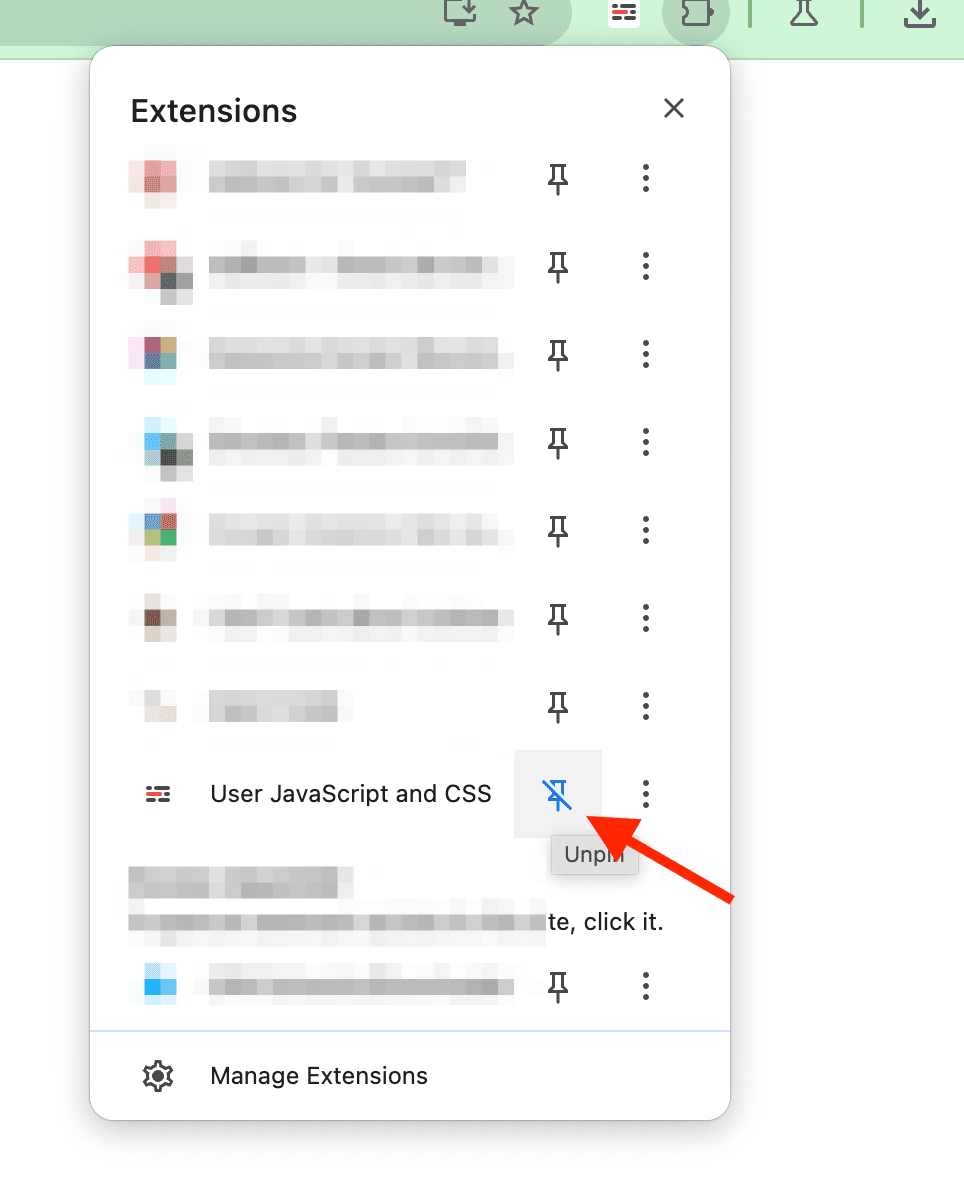
把扩展固定(Pin)到浏览器导航栏,就完成了。
FAQ
抓取 Instagram 是免费的吗?
这个 Instagram scraper script 是免费且开源的(源码在这里)。它可以抓取 Instagram followers、following 用户列表,以及 location/hashtag 页面的 post authors。你也可以用 Datablist 的免费账号来 clean 和 filter CSV。
如果你需要为每个抓取到的 Instagram profile 增强更多字段,就需要访问 Instagram 的公开 profile 页面(参考 Instagram Profile Scraper)。这个 enrichment 需要 Datablist 的 付费账号。
会被 Instagram 识别/封号吗?
这个脚本抓的是网页内部真实发生的 API calls,不会额外发请求,也不会模拟 bot clicks。整个过程都在你的正常浏览行为里完成。相比那些跑在云端、靠 proxies 和 bots 抓数据的爬虫工具,这种方式更安全。
但也建议你保持克制,不要滥用 Instagram,尽量避免全自动脚本。如果条件允许,最好用一个非个人主号的备用账号操作。
抓取 Instagram 用户要多久?
当你滚动列表时,脚本会扫描 Instagram API calls。每次 API call 平均会加载:followers/following 列表约 12 个新用户,Location 列表约 60 个用户。通常滚动几分钟,就能导出上千个用户。
Instagram 抓取的常见应用场景
KOL/Influencer 合作挖掘
Instagram 是 influencer marketing 的主阵地。与拥有忠实粉丝群的 KOL 合作,往往能显著放大你的传播和转化。用这个 Instagram scrapper,你可以批量找到与你行业相关的 influencers。
从地点或 hashtags 获取 Leads
Hashtags 用来给内容做分类,覆盖特定话题、兴趣或事件。聚焦在与特定 hashtags 互动的用户,相当于直接进入一个“已经对你所在领域感兴趣”的人群池。
在某些 hashtags 下发帖或关注相关内容的用户,并不是被动浏览者,而是在主动参与讨论。这通常意味着更高的意向与互动度,也更容易接受与你产品/服务匹配的消息或 offer。
从竞品 followers 找潜在客户
抓取竞品的 Instagram followers 往往是挖掘 Leads 的高效方式,因为你能直接触达一群已经对类似产品或服务感兴趣的人。这些用户已经表现出与细分领域品牌互动的意愿,只要你的 messaging 和他们的兴趣点匹配,转化概率会更高。
通过分析这批 followers,你还能更准确地理解他们的需求、偏好和 pain points,从而优化营销策略。相比广撒网,这种更精准的定向触达不仅相关性更强,也更容易带来实际转化。