API de scraping de perfiles de LinkedIn
Obtenga información sobre empleos, empresas y formación a partir de URLs de perfiles de LinkedIn desde su asistente de AI, un workflow no-code o su propio código.
- Desde 0,014 $ por perfil
- No necesita iniciar sesión en LinkedIn
- 10.000 perfiles por tarea
| URL del perfil de LinkedIn |
|---|
| linkedin.com/in/maya-lindqvist |
| linkedin.com/in/tom-okafor |
| linkedin.com/in/lea-moreau |
Con la confianza de más de 38.000 usuarios de startups y equipos de Fortune 500





Funciona con cualquier herramienta capaz de enviar solicitudes HTTP
 Claude
 Cursor
 Codex
Codex Make
Make n8n
n8n Zapier
- Su propio código
Elija cómo empezar
Deje que un asistente de AI o su herramienta de automatización se encargue de la configuración, o llame a la API REST desde su propio código.
Pegue el prompt de configuración
Copie el prompt para Claude Code, Codex o Cursor, o para Make, n8n o Zapier, y péguelo. La AI crea una carpeta de Datablist en su ordenador y lo configura todo.
Pegue su clave de API
Cuando la AI se la solicite, copie su clave de API desde la aplicación Datablist y péguela en el archivo .env que ha abierto. Nunca la pegue en el chat.
Obtenga sus resultados
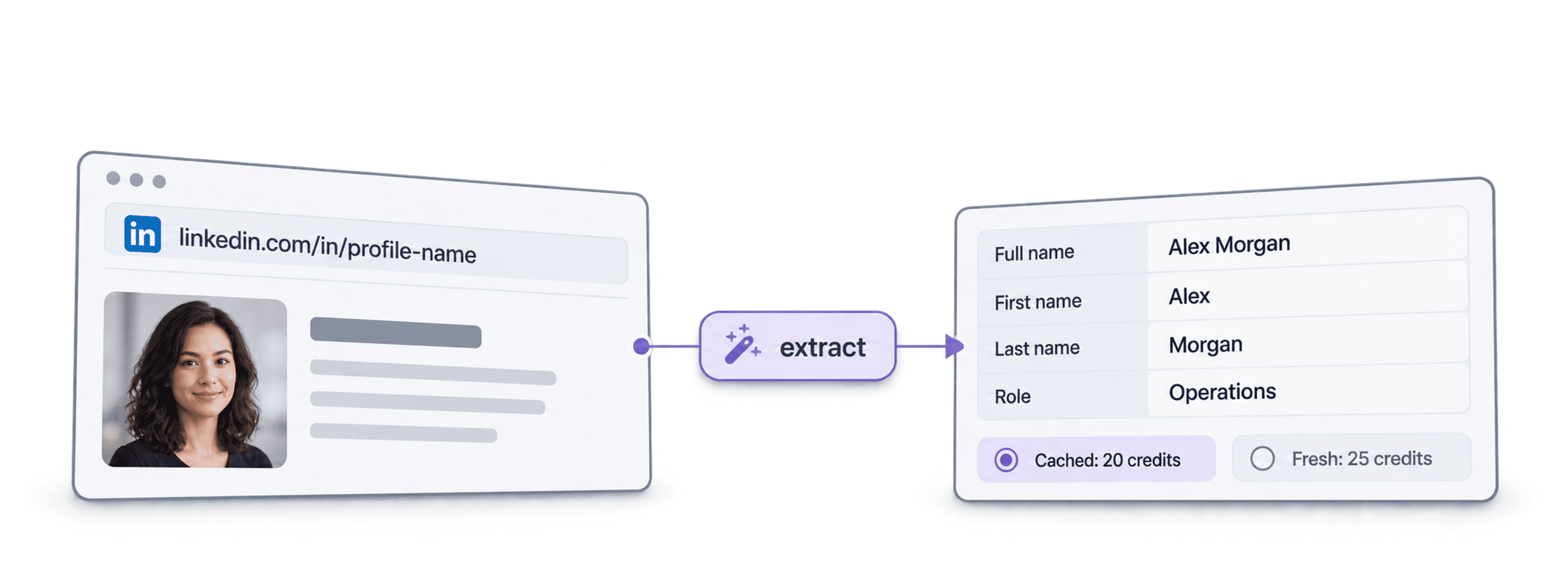
Envíe su lista de URLs de perfiles de LinkedIn y reciba una fila por perfil con el nombre, titular, ubicación, empleo actual y empresa, lista para su hoja de cálculo o CRM.
Ver un resultado de ejemplo¿Utiliza Make, n8n o Zapier? Aquí tiene todos los campos de la solicitud HTTP
Utilice el módulo o nodo de solicitudes HTTP que ofrece su herramienta. Necesita tres pasos: enviar la lista, esperar y consultar los resultados.
1. Envíe su lista (solicitud HTTP)
- Método
POST- URL
https://api.datablist.com/v1/enrichments/tasks- Encabezados
X-API-Key= su clave de APIContent-Type=application/json- Cuerpo (JSON)
- json{"enrichmentId": "linkedin-profile-scraper","uniqueId": "linkedin-profile-scraper-import-1","settings": {"experiencesNb": "3","educationsNb": "1"},"inputs": [{"inputId": "row-1", "data": {"profileUrl": "https://www.linkedin.com/in/maya-lindqvist/"}},{"inputId": "row-2", "data": {"profileUrl": "https://www.linkedin.com/in/tom-okafor/"}},{"inputId": "row-3", "data": {"profileUrl": "https://www.linkedin.com/in/lea-moreau/"}}]}
- Conserve
- El
@idde la respuesta. Ese es el ID de su tarea.
2. Espere hasta que termine
Añada una espera o demora breve y, después, una solicitud GET a https://api.datablist.com/v1/enrichments/tasks/TASK_ID con el mismo encabezado X-API-Key. Repita hasta que status sea completed.
3. Consulte los resultados
GET https://api.datablist.com/v1/enrichments/tasks/TASK_ID/results?limit=50. Asigne outputs a sus columnas. Si nextCursor no está vacío, vuelva a realizar la llamada con &cursor= seguido de ese valor.
De un vistazo
Datos públicos recientes de perfiles a partir de una URL de LinkedIn: quién es la persona, dónde trabaja y qué estudió. No necesita ningún espacio de trabajo, colección ni importación de Datablist.
Lo que proporciona
- URLs de perfiles de LinkedIn: enlaces de perfiles estándar o enlaces de leads de Sales Navigator
- Cuánto historial (opcional): 3, 5 o 10 empleos anteriores y 1, 3 o 5 centros educativos
- Perfiles en caché (opcional): acepte una copia reciente guardada para pagar menos
Lo que obtiene
- La persona: nombre, titular, resumen, ubicación, idiomas y contactos
- El empleo actual: cargo, fecha de inicio, empresa, sitio web de la empresa, sector y tamaño
- Empleos anteriores y formación: tantos como haya solicitado
Cuánto cuesta
- Perfil reciente: 25 créditos por perfil
- Perfil en caché: 20 créditos cuando acepta una copia guardada
- 1.000 créditos = 1 $: compartidos con la aplicación Datablist
Lo que los equipos crean con esta API
Integre LinkedIn Profile Scraper donde ya circulan sus datos.
Investigue leads antes del outreach
- URL de LinkedIn de una lista de leads
- Cargo, empresa y ubicación
Obtenga el puesto y la empresa actuales de cada lead para que su secuencia comience con la persona adecuada y una primera frase relevante.
Cree perfiles de candidatos
- URL de LinkedIn del candidato
- Empleos y formación en su ATS
Obtenga los empleos anteriores y la formación de cada candidato y mantenga actualizado su ATS o su hoja de cálculo sin copiar y pegar.
Detecte cambios de empleo
- Contactos del CRM
- Nueva empresa señalada
Vuelva a procesar sus contactos y compare la empresa actual con el CRM para detectar a sus promotores cuando cambien a una nueva cuenta.
¿Cuánto le costará?
Pague por consulta mediante créditos. El acceso a la API comienza con el plan Growth.
¿Cuánto le costará?
Indíquenos cuántos perfiles de LinkedIn necesita y le mostraremos la forma más económica de obtenerlos.
= 25.000 créditos a 25 créditos por perfil reciente
Cómo funcionan los créditos
1.000 créditos = 1 $, por lo que cada crédito cuesta una décima de centavo. Un perfil reciente cuesta 25 créditos y uno en caché, 20 créditos. Un perfil que no se encuentre puede seguir consumiendo créditos porque el trabajo de búsqueda se ha realizado. Cada resultado devuelve creditsUsed para que pueda controlar el coste real por fila. Los créditos del plan se renuevan mensualmente y se restablecen si no se utilizan. Los créditos de recarga nunca caducan.
Intégrelo en su código
Todo lo necesario para llamar directamente a la API REST: código, respuestas, endpoints, campos, autenticación y límites.
datablist/linkedin-profile-scraper-api
Ejemplos oficiales: cURL, Python con Requests o HTTPX asíncrono y TypeScript. Introduzca su clave en DATABLIST_API_KEY y ejecute el código.
Copie, pegue y ejecute
Un script completo que crea una tarea, espera a que termine e imprime todos los resultados. Sustituya YOUR_PERSONAL_API_KEY por su clave.
# 1. Create the task (returns 202 Accepted and the task "@id")
curl --request POST 'https://api.datablist.com/v1/enrichments/tasks' \
  --header 'X-API-Key: YOUR_PERSONAL_API_KEY' \
  --header 'Content-Type: application/json' \
  --data '{
    "enrichmentId": "linkedin-profile-scraper",
    "uniqueId": "linkedin-profile-scraper-import-1",
    "settings": {
      "experiencesNb": "3",
      "educationsNb": "1"
    },
    "inputs": [
      {"inputId": "row-1", "data": {"profileUrl": "https://www.linkedin.com/in/maya-lindqvist/"}},
      {"inputId": "row-2", "data": {"profileUrl": "https://www.linkedin.com/in/tom-okafor/"}},
      {"inputId": "row-3", "data": {"profileUrl": "https://www.linkedin.com/in/lea-moreau/"}}
    ]
  }'
# 2. Poll every few seconds until status is completed, failed or stopped
curl 'https://api.datablist.com/v1/enrichments/tasks/TASK_ID' \
--header 'X-API-Key: YOUR_PERSONAL_API_KEY'
# 3. Read the results, then follow nextCursor until it is null
curl 'https://api.datablist.com/v1/enrichments/tasks/TASK_ID/results?limit=50' \
--header 'X-API-Key: YOUR_PERSONAL_API_KEY'Lo que devuelve la API
Un resultado por entrada, con su inputId, un estado, los outputs y los créditos utilizados. Datos de ejemplo.
{
  "taskId": "00000000000040008000000000000001",
  "results": [
    {
      "inputId": "row-1",
      "status": "success",
      "outputs": {
        "profileUrl": "https://www.linkedin.com/in/maya-lindqvist/",
        "firstName": "Maya",
        "lastName": "Lindqvist",
        "fullName": "Maya Lindqvist",
        "linkedInHeadline": "Head of Sales at Brightwave Analytics",
        "linkedInCity": "Stockholm",
        "linkedInCountryCode": "SE",
        "linkedInLocation": "Stockholm, Sweden",
        "linkedInlastExpTitle": "Head of Sales",
        "linkedInlastExpStartsAt": "2023-02-01",
        "linkedInlastExpCompany": "Brightwave Analytics",
        "linkedInlastExpCompanyWebsite": "https://www.brightwaveanalytics.com",
        "linkedInlastExpCompanyIndustry": "Software Development",
        "linkedInlastExpCompanyRange": "51-200",
        "linkedInlastEduSchool": "Example University",
        "linkedInLanguages": "English, Swedish",
        "linkedInConnections": "500"
      },
      "creditsUsed": "25",
      "error": null
    }
  ],
  "nextCursor": null
}
Endpoints y campos
Todas las rutas son relativas a https://api.datablist.com. Las definiciones de los campos proceden de GET /v1/enrichments/linkedin-profile-scraper (documentación actualizada el 21 de octubre de 2026). Versión del esquema: 2026-09-12.
Ver esquema de la API (JSON) (se abre en una pestaña nueva)
- /v1/enrichments/linkedin-profile-scraper
- Consultar el esquema; no se necesita clave
- POST
- /v1/enrichments/tasks
- Crear una tarea
- /v1/enrichments/tasks/{taskId}
- Consultar el estado y el progreso
- /v1/enrichments/tasks/{taskId}/results
- Consultar los resultados, de 1 a 100 por página
- POST
- /v1/enrichments/tasks/{taskId}/stop
- Cancelar una tarea en ejecución
- /v1/enrichments/tasks
- Historial de tareas, primero las más recientes
Referencia del esquema
Envíe settings una vez por tarea y un objeto data por entrada. Los resultados pueden incluir campos adicionales a medida que evolucione el enriquecimiento, así que conserve las claves desconocidas al analizar outputs.
Mostrar todos los ajustes, entradas y salidas
Ajustes
includeUrnInclude LinkedIn Internal ID (URN) | Boolean | Include the LinkedIn internal identifier (URN), for example: ACoAAAIJflYBlveEKEKWvVsjTP4QeXHK8KfcKHg. This ID can be used to build Sales Navigator URLs, like https://www.linkedin.com/sales/lead/XXXX. Habilitado cuando: |
|---|---|---|
includePicturesInclude Pictures | Boolean | Include the LinkedIn profile picture and the company logo URL. ⚠️ These URLs expire fast. Download the images to avoid broken links. Habilitado cuando: |
acceptCachedProfilesAccept cached profiles | Boolean | Default behavior is to fetch fresh LinkedIn profile data. Enable this option to use cached profiles when available. Cached profiles cost 20 credits per profile. Habilitado cuando: |
experiencesNbExperiences to return | Text | How many work experiences to return. Default to 3.Valores permitidos: |
educationsNbEducations to return | Text | How many educations to return. Default to 1.Valores permitidos: |
Entradas (data)
profileUrlobligatorioPerson's LinkedIn Profile | Text | LinkedIn Profile Identifier. Works with standard profile URLs (https://linkedin.com/in/xxx) and Sales Navigator URLs (https://www.linkedin.com/sales/lead/xxxx). |
|---|
Salidas
linkedInInternalIdentifierLinkedIn Internal ID (URN) | Text | The unique internal LinkedIn identifier (URN). Example: ACoAAAIJflYBlveEKEKWvVsjTP4QeXHK8KfcKHg. Use it to build Sales Navigator URLs like https://www.linkedin.com/sales/lead/XXXX. Habilitado cuando: |
|---|---|---|
profileUrlLinkedIn Profile URL Normalized | Text | The clean and standardized LinkedIn Public Profile URL. In the format: https://www.linkedin.com/in/xxxFormato: |
firstNameFirst Name | Text | The first name of the profile |
lastNameLast Name | Text | The last name of the profile |
fullNameFull Name | Text | The full name of the profile |
linkedInHeadlineHeadline | Text | The tagline on the user profile. |
linkedInSummarySummary | Text | A blurb (longer than the tagline) written by the user for his profile. |
linkedInCityCity | Text | The city of the profile |
linkedInStateState | Text | The state of the profile |
linkedInCountryCodeCountry | Text | The country code of the profile. 2-letter country code (ISO 3166-1 alpha-2). |
linkedInCountryNameCountry Name | Text | The profile's country of residence, in English words. |
linkedInLocationLocation | Text | Full Location text |
linkedInProfilePictureLinkedIn Profile Picture | Text | These URLs expire fast. Download the images to avoid broken links. Habilitado cuando: |
linkedInlastExpTitleTitle (Current or last experience) | Text | The title of the current (or last) experience |
linkedInlastExpEmploymentTypeEmployment Type (Current or last experience) | Text | The employment type of the current (or last) experience. |
linkedInlastExpDescriptionDescription (Current or last experience) | Text | The description of the current (or last) experience |
linkedInlastExpStartsAtStart Date (Current or last experience) | Text | The start date of the current (or last) experience.Formato: |
linkedInlastExpEndsAtEnd date (Current or last experience) | Text | The end date of the last experience. None if still active.Formato: |
linkedInlastExpLocationLocation (Current or last experience) | Text | The location of the current (or last) experience |
linkedInlastExpCompanyCompany Name (Current or last experience) | Text | The company name of the current (or last) experience. |
linkedInlastExpCompanyPageCompany page URL (Current or last experience) | Text | LinkedIn company's profile URL of the current (or last) experience. |
linkedInlastExpCompanyWebsiteCompany website (Current or last experience) | Text | Company Website of the current (or last) experience. |
linkedInlastExpCompanyDescriptionCompany description (Current or last experience) | Text | The company description from the LinkedIn company page of the current or last experience. |
linkedInlastExpCompanyIndustryCompany Industry (Current or last experience) | Text | Company Industry of the current (or last) experience. |
linkedInlastExpCompanyRangeCompany employee range (Current or last experience) | Text | Size of the company. In the form: 1, 2-10, 11-50, etc. |
linkedInlastExpCompanyLogoCompany Logo (Current or last experience) | Text | These URLs expire fast. Download the images to avoid broken links. Habilitado cuando: |
linkedIn2ExpTitleTitle (Experience #2) | Text | The title from the second most recent work experience. If available. |
linkedIn2ExpEmploymentTypeEmployment Type (Experience #2) | Text | The employment type from the second most recent work experience. If available. |
linkedIn2ExpDescriptionDescription (Experience #2) | Text | The description from the second most recent work experience. If available. |
linkedIn2ExpStartsAtStart Date (Experience #2) | Text | The start date from the second most recent work experience. If available.Formato: |
linkedIn2ExpEndsAtEnd date (Experience #2) | Text | The end date from the second most recent work experience. If available.Formato: |
linkedIn2ExpCompanyNameCompany Name (Experience #2) | Text | The company name from the second most recent work experience. If available. |
linkedIn2ExpLogoCompany Logo (Experience #2) | Text | These URLs expire fast. Download the images to avoid broken links. Habilitado cuando: |
linkedIn3ExpTitleTitle (Experience #3) | Text | The title from the third most recent work experience. If available. |
linkedIn3ExpEmploymentTypeEmployment Type (Experience #3) | Text | The employment type from the third most recent work experience. If available. |
linkedIn3ExpDescriptionDescription (Experience #3) | Text | The description from the third most recent work experience. If available. |
linkedIn3ExpStartsAtStart Date (Experience #3) | Text | The start date from the third most recent work experience. If available.Formato: |
linkedIn3ExpEndsAtEnd date (Experience #3) | Text | The end date from the third most recent work experience. If available.Formato: |
linkedIn3ExpCompanyNameCompany Name (Experience #3) | Text | The company name from the third most recent work experience. If available. |
linkedIn3ExpLogoCompany Logo (Experience #3) | Text | These URLs expire fast. Download the images to avoid broken links. Habilitado cuando: |
linkedInlastEduSchoolSchool (Current or last education) | Text | The school name of the current (or last) education |
linkedInlastEduDegreeDegree (Current or last education) | Text | The degree of the current (or last) education |
linkedInlastEduFieldField of Study (Current or last education) | Text | The field of study of the current (or last) education |
linkedInlastEduStartsAtStart Date (Current or last education) | Text | The start date of the current (or last) educationFormato: |
linkedInlastEduEndsAtEnd date (Current or last education) | Text | The end date of the current (or last) educationFormato: |
linkedInlastEduLogoLogo URL (Current or last education) | Text | These URLs expire fast. Download the images to avoid broken links. Habilitado cuando: |
linkedInSkillsSkills | Text | Comma-separated list of skills listed on the LinkedIn profile. |
linkedInLanguagesLanguages | Text | Comma-separated list of spoken languages of the LinkedIn profile. |
linkedInConnectionsConnections | Text | The number of connections of the profile |
Un encabezado y límites claros
Cree una clave de API personal en su cuenta de Datablist y envíela con cada solicitud autenticada.
Autenticación
Envíe su clave en el encabezado X-API-Key. Datablist intercambia y renueva los tokens de acceso por usted.
- Encabezado:
X-API-Key: YOUR_PERSONAL_API_KEY - Opcional: gestione los tokens usted mismo con
Authorization: BearerdesdePOST /v1/account/token - Uno u otro: enviar ambos encabezados devuelve
400 AmbiguousCredentials - Solo en el servidor: mantenga las claves fuera de las URLs, el código del navegador y los registros
Límites
- Entradas por tarea: de 1 a 10.000
- Tamaño: 16 KiB por entrada y 10 MiB por solicitud
- Tiempo de ejecución: hasta 24 horas por tarea
- Creación de tareas: 10 solicitudes cada 60 segundos por cuenta
- Sondeo y resultados: 120 solicitudes cada 60 segundos por operación
- Tareas activas: unas 20 simultáneas por cuenta
- Retención: las tareas y los resultados se conservan durante 90 días
Tutoriales relacionados
Descubra los workflows más recientes con guías detalladas paso a paso.
Preguntas frecuentes
Todo lo que usted o su agente de programación con AI necesitan para integrar la API de scraping de perfiles de LinkedIn: autenticación, solicitudes, sondeo, resultados, límites y reintentos.
APIs, enriquecimientos y herramientas gratuitas relacionados
Conecte LinkedIn Profile Scraper con otros enriquecimientos, desde su código, en la aplicación Datablist o de forma gratuita.
APIs de enriquecimiento
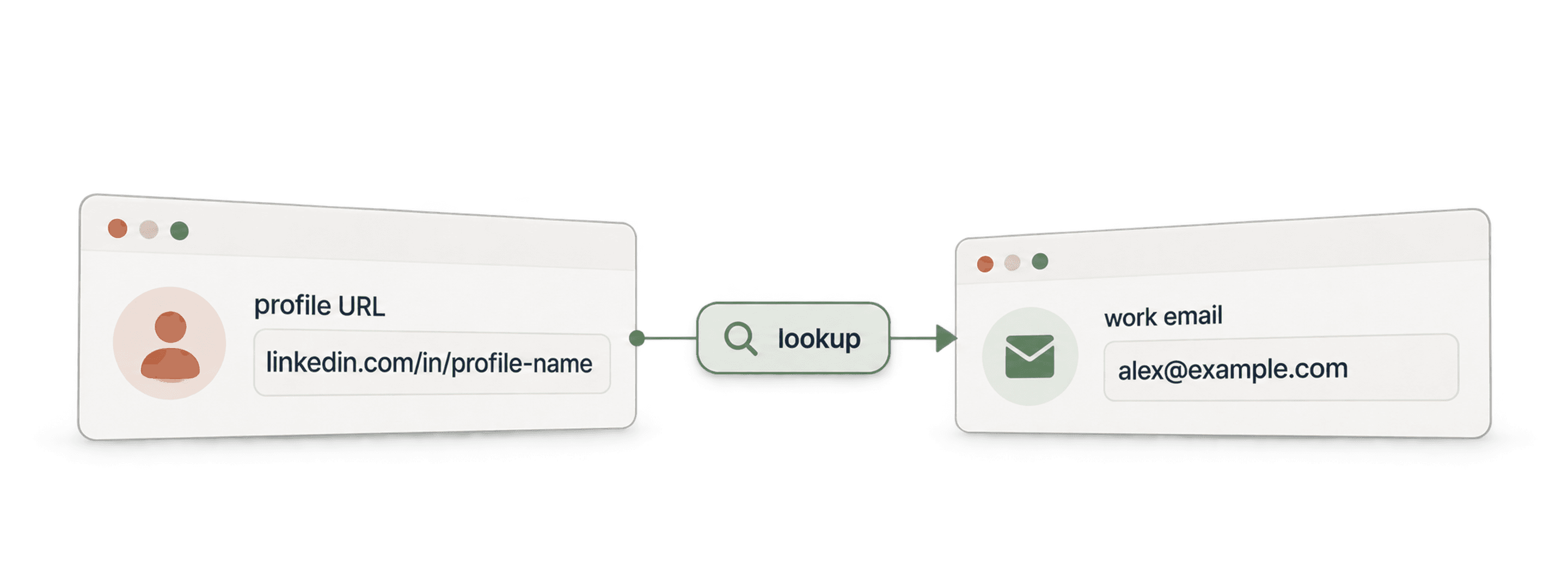
- API Waterfall Email FinderEncuentre un email de trabajo verificado a partir de un nombre y el dominio de la empresa.
- API Waterfall Phone FinderEncuentre un número de teléfono a partir de la URL de un perfil de LinkedIn. Pague solo si se encuentra.
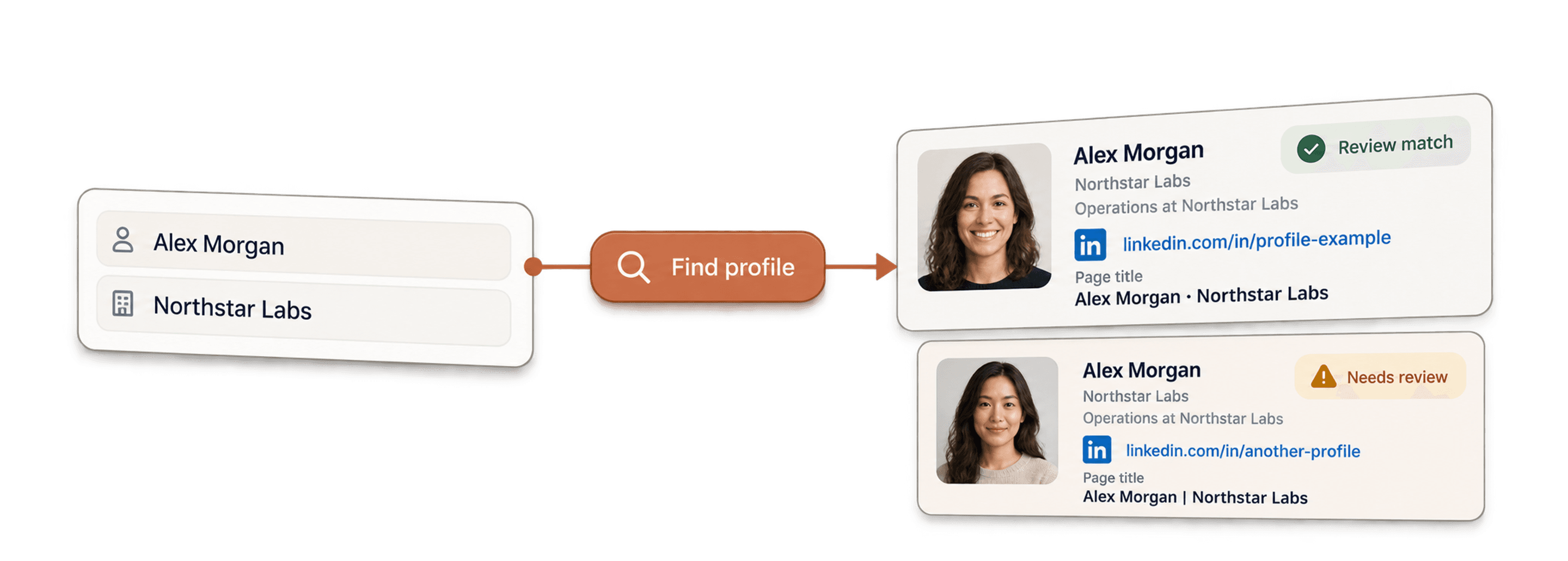
- API LinkedIn Profile FinderEncuentre la URL del perfil de LinkedIn de una persona a partir de su nombre.



Enriquecimientos no-code
- Waterfall Email FinderEncuentre emails verificados a partir de una URL de LinkedIn mediante más de 20 proveedores a la vez.
- Waterfall Phone FinderObtenga números de móvil directos a partir de las mismas URLs de perfiles de LinkedIn.
- Scraper de páginas de empresa de LinkedInExtraiga datos públicos de empresas a partir de URLs de páginas de empresa de LinkedIn.
Herramientas gratuitas
- Scraper gratuito de perfiles de LinkedInExtraiga datos públicos a partir de la URL de un perfil. Sin inicio de sesión, cookies ni ID de sesión.
- Email Finder gratuitoEncuentre un email de trabajo a partir de un nombre y una empresa. Pruébelo gratis.
- Buscador de dominios de empresasEncuentre dominios web a partir de una lista de nombres de empresas.
