Find a company's official domain using its name and an employee's full name to identify and verify the correct company.
Come usare questo prompt su un file CSV?
Datablist ti consente di prendere un intero file CSV ed eseguire prompts direttamente su ogni riga.
La buona notizia �e8 che il prompt che ti serve �e8 gi�e0 disponibile in Datablist nella sezione "Templates". Non serve partire da zero! Seleziona semplicemente il template adatto al tuo task ed �e8 pronto per essere eseguito su ogni riga del tuo CSV. Cos�ec trasformi i tuoi dati in pochi click.
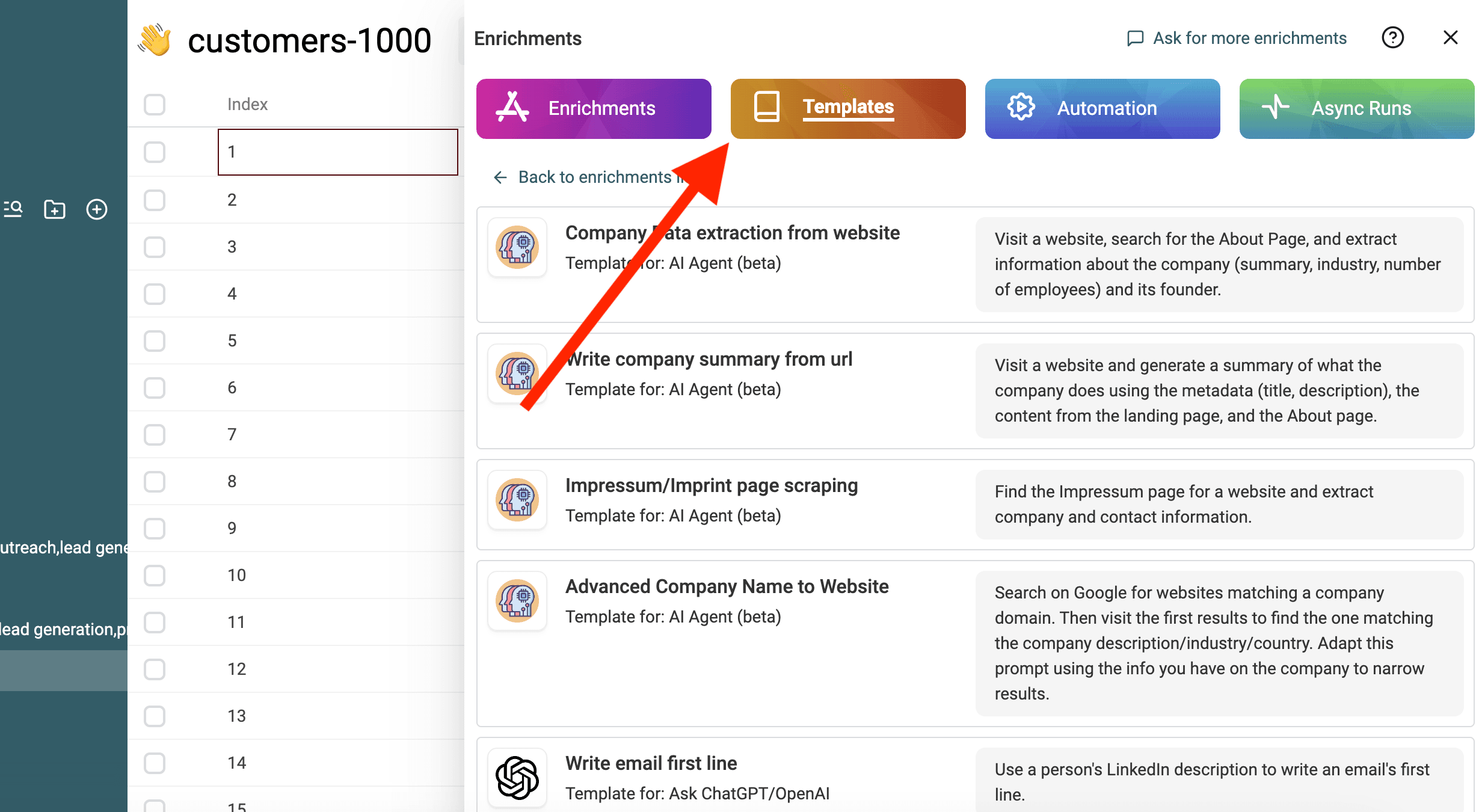
Importa il tuo file CSV in Datablist. Poi seleziona "Enrich" dall'header.
Seleziona il template: Find Company Domain from Company and Employee Names
Sostituisci le variabili del prompt con le propriet�e0 della tua collezione usando / o '{{'.
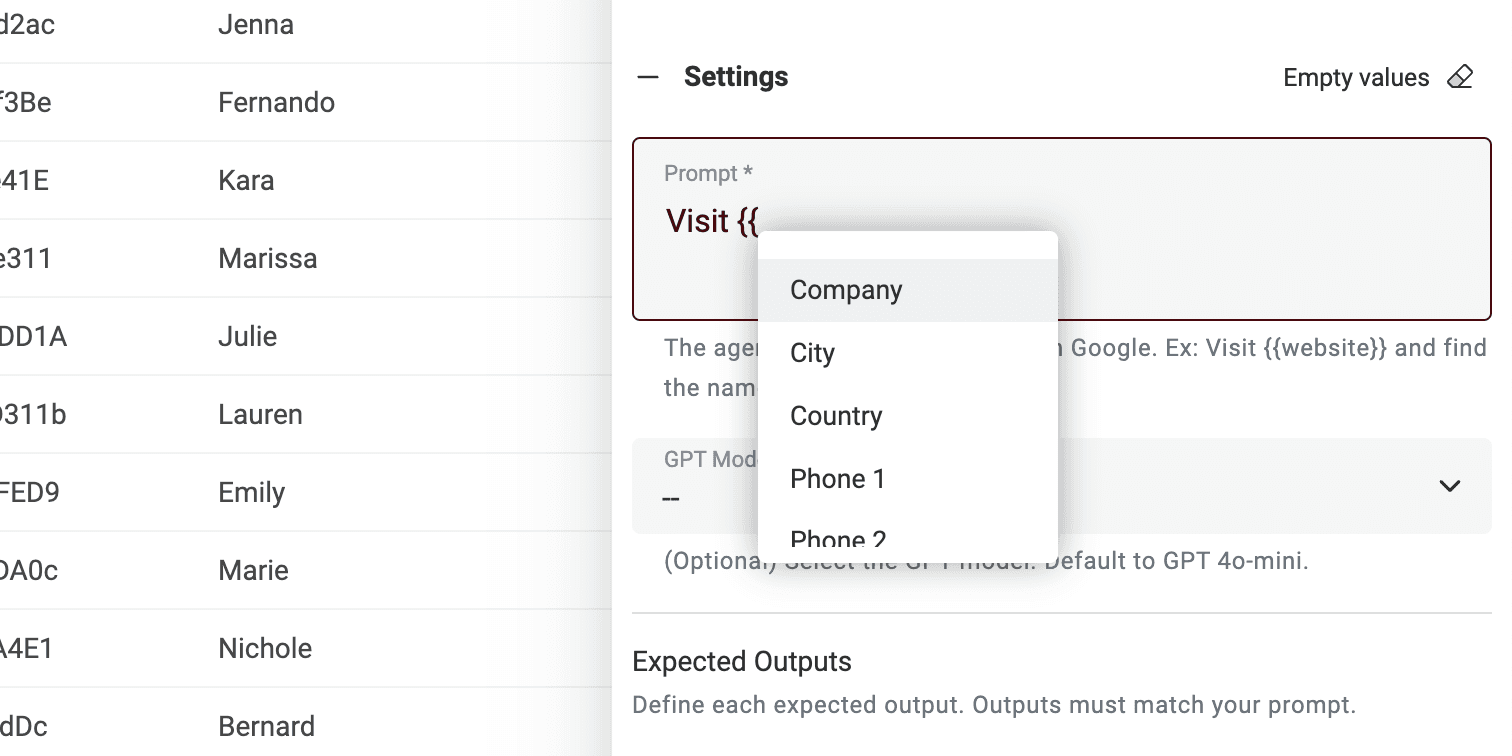
Se non hai tutte le variabili, modifica semplicemente il prompt.
Fatto! Ora puoi eseguire il prompt su ogni riga del tuo file CSV e ottenere i risultati in una nuova colonna. 680
Nota sugli AI Agent prompts
Questo prompt �e8 pensato per l'enrichment Datablist AI Agent. Un AI Agent �e8 uno strumento intelligente che utilizza l'intelligenza artificiale (AI) per svolgere attivit�e0 al tuo posto. Pu�f2 navigare sui siti web, usare Google per trovare informazioni e interagire con diversi servizi online. Questo significa che pu�f2 aiutarti con dati in tempo reale e risposte aggiornate.
D'altra parte, la ChatGPT API pu�f2 solo analizzare il testo in input e rispondere in base alla sua conoscenza esistente. Non ha la capacit�e0 di accedere a Internet o raccogliere nuove informazioni autonomamente.
Un AI Agent offre un'esperienza pi�f9 dinamica recuperando dati in tempo reale, mentre la ChatGPT API si basa su conoscenze preesistenti per rispondere alle richieste.
Quando interagisci direttamente su https://chatgpt.com/, stai interagendo con un Agent. A volte va online per fornire informazioni extra per il tuo prompt (ma non spesso). Tuttavia altri strumenti collegati a ChatGPT usano l'API. Quindi ricorda che questo prompt non pu�f2 essere usato in un altro tool che chiama la ChatGPT API.
Datablist AI Agent esegue un agent su ogni riga del tuo CSV.