 From 1 Credit per Profile
 Up to 23 Data Points per Profile
 Scrape 500 Profiles Free
















 Easy to Use
 No Technical Configuration
 Fully No-Code
Step-by-Step Guide
Step 1: Sign Up And Upload Your Data
First, sign up for Datablist.com.
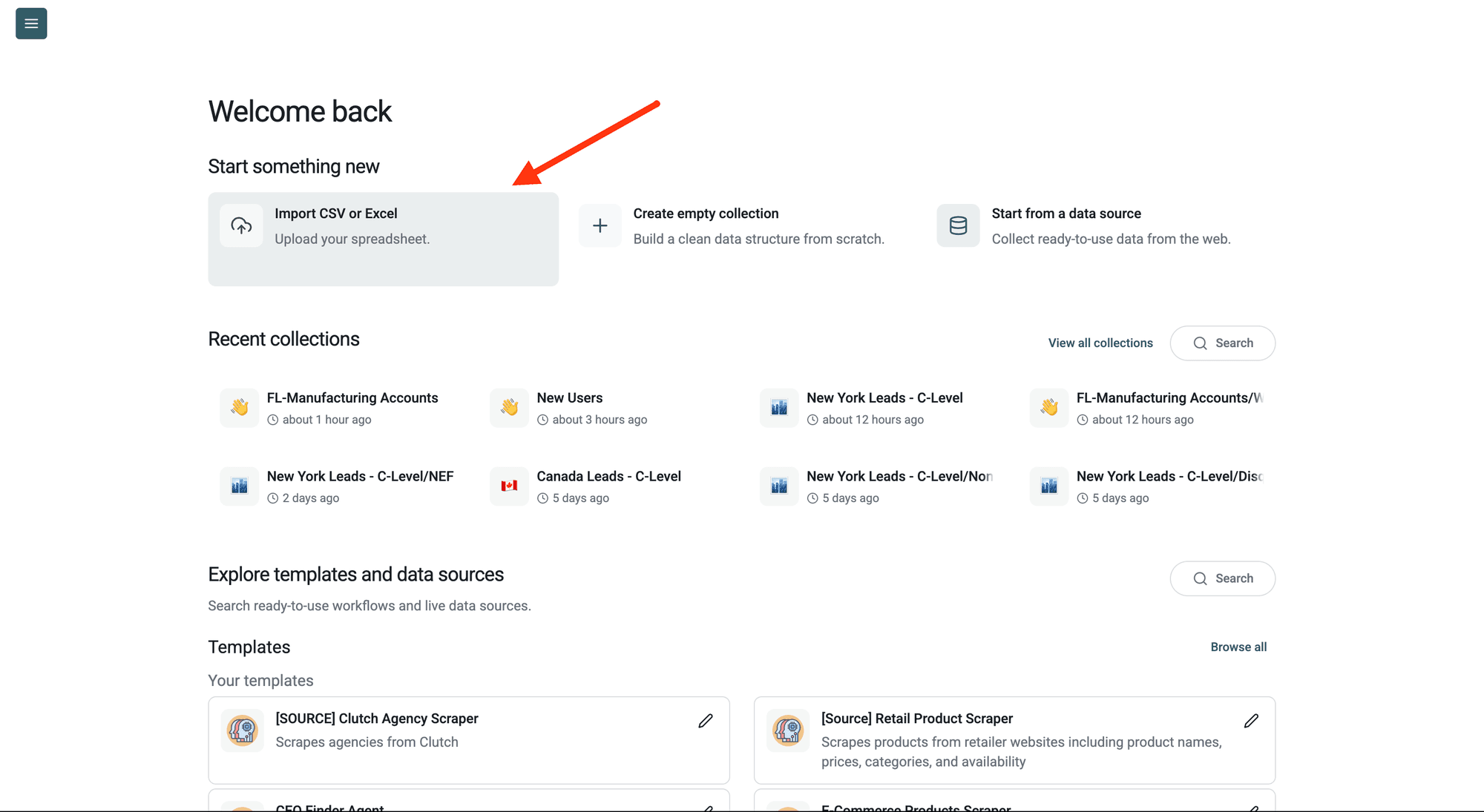
Then, upload your CSV or Excel file with your Instagram identifiers.
Datablist is a CSV editor built for large lists, so you can scrape Instagram profiles in bulk without custom scripts. Create a new collection and import your file. Keep your original identifier column next to the new ones.
Step 2: Navigate To The Enrichment
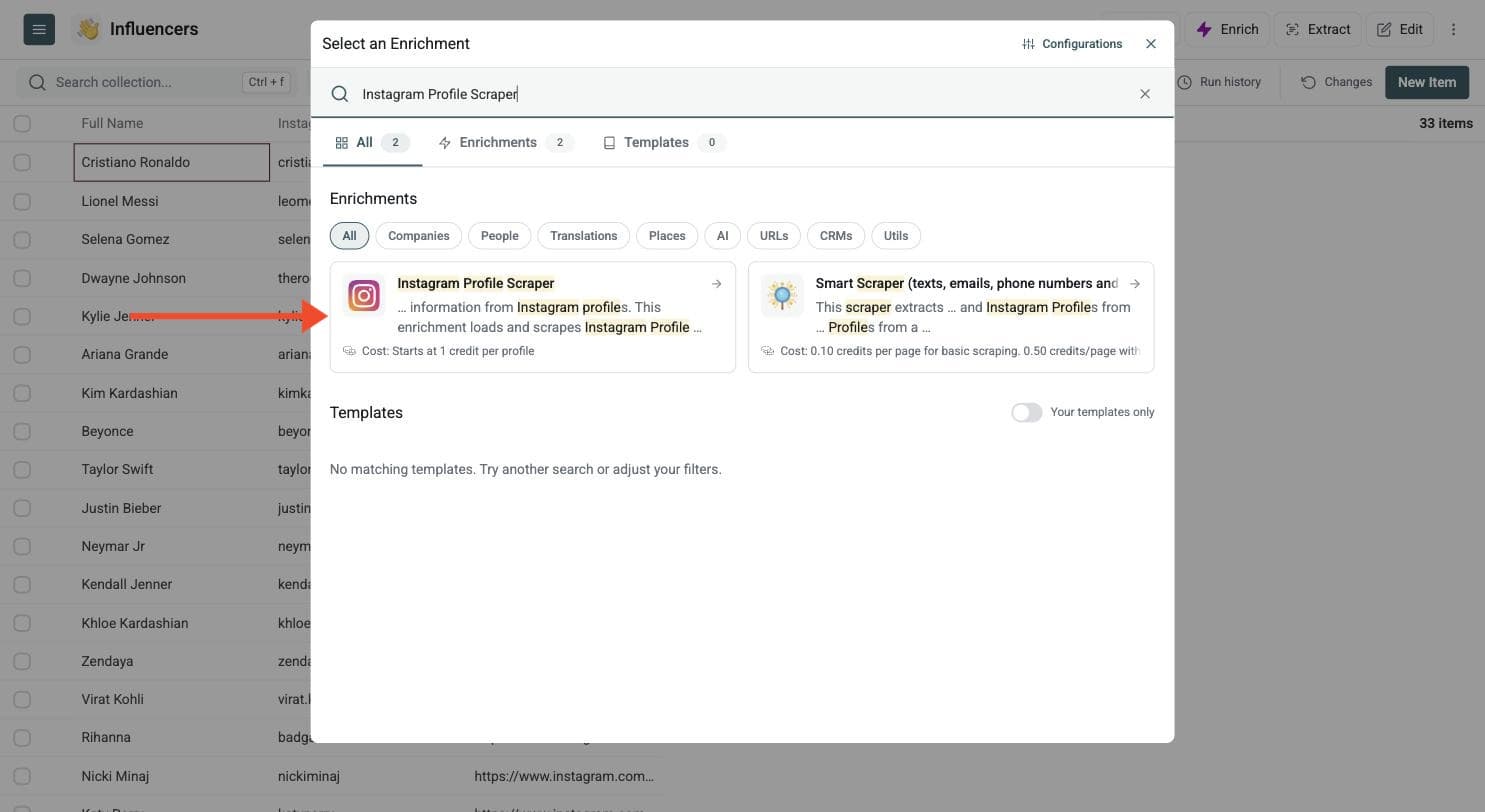
Click on the Enrich button in the header, and search for Instagram Profile Scraper.
Step 3: Map The Instagram Identifier
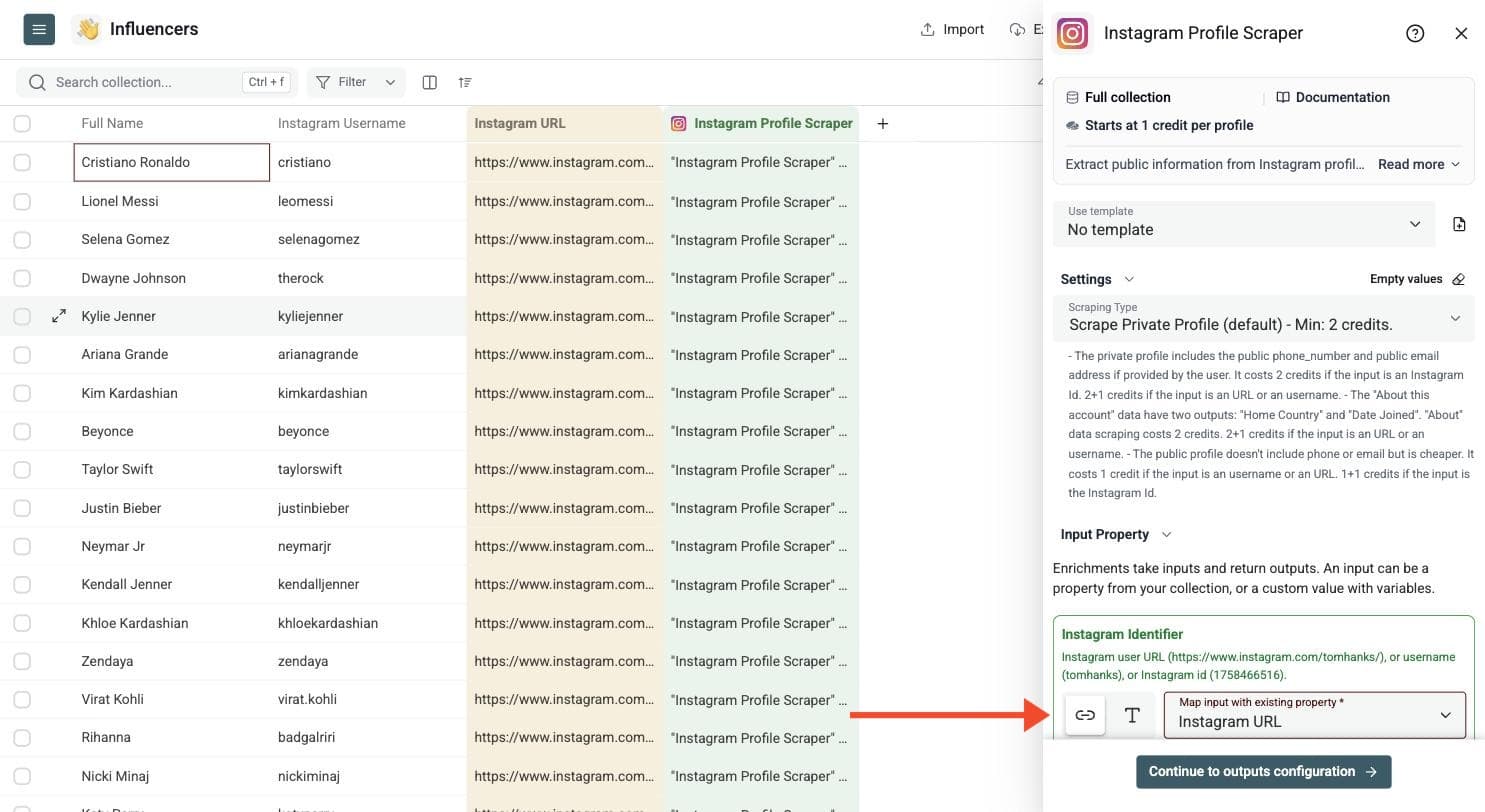
Connect Instagram Identifier to the column that contains the profile value. The input can be:
- An Instagram profile URL, such as
https://www.instagram.com/tomhanks/ - A username, such as
tomhanks - An Instagram user ID, such as
1758466516
Datablist validates empty and malformed values and marks them in the run status.
Use one clean identifier per row. Use full profile URLs when your list comes from a scraper. Use usernames when your source file is already normalized. IDs avoid username-to-ID resolution for private profile and About modes; public profile mode is cheaper with usernames or URLs.
Step 4: Choose The Scraping Type
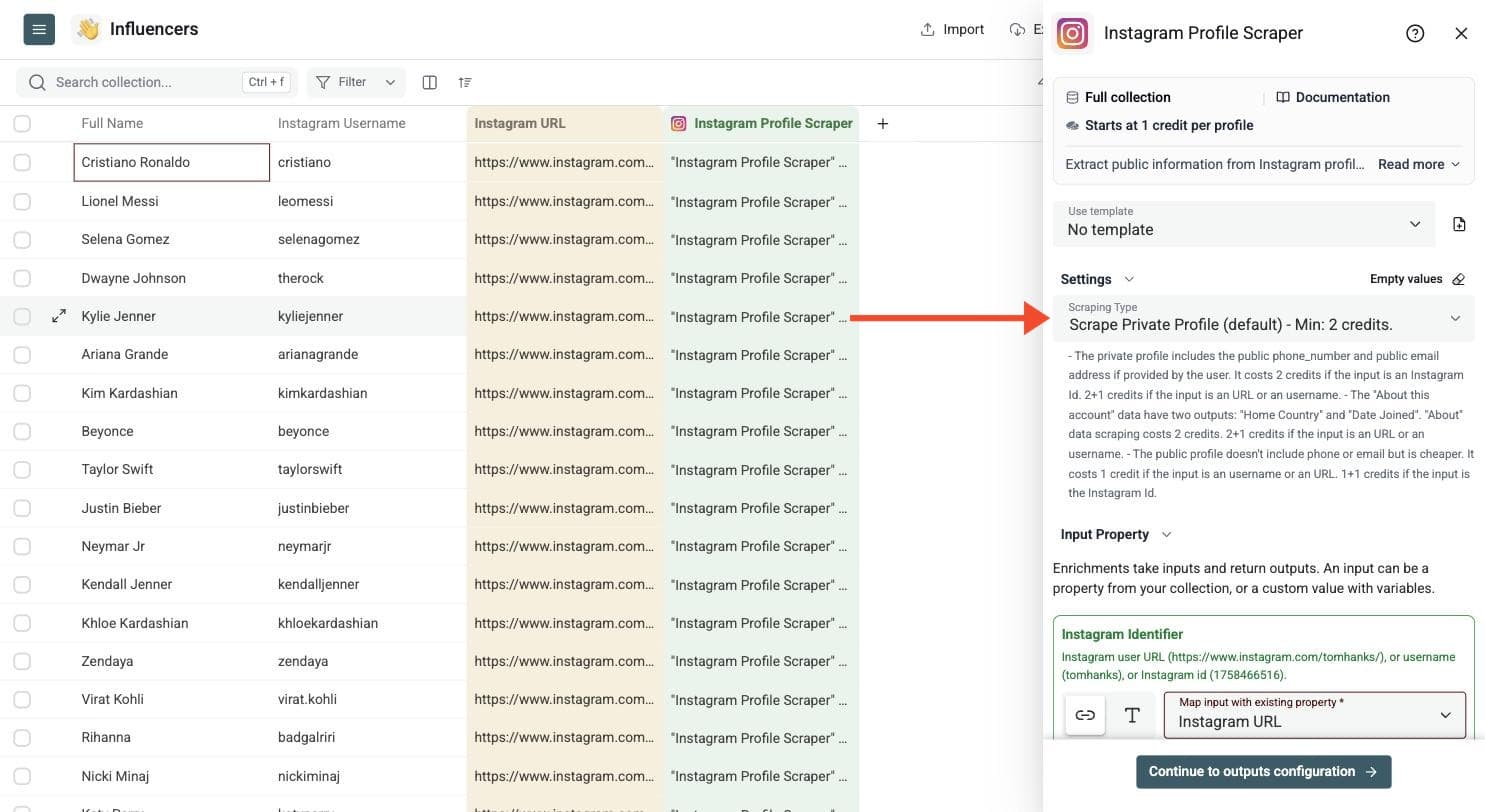
The enrichment has several scraping modes:
- Scrape Private Profile: Default mode. Returns profile data and can include public email and phone fields when the user exposes them.
- Scrape Private Profile and About data: Adds About this account data.
- Scrape only About data: Returns only the About fields.
- Scrape only Public Profile: Cheaper profile mode. It does not include public phone or email.
Choose the lightest mode that gives you the fields you need. Use public profile mode when you only need follower counts, bio, website, and public profile fields. Use private profile mode when you need public email or phone outputs. Add About data only when you need home country or date joined.
Step 5: Select Output Columns
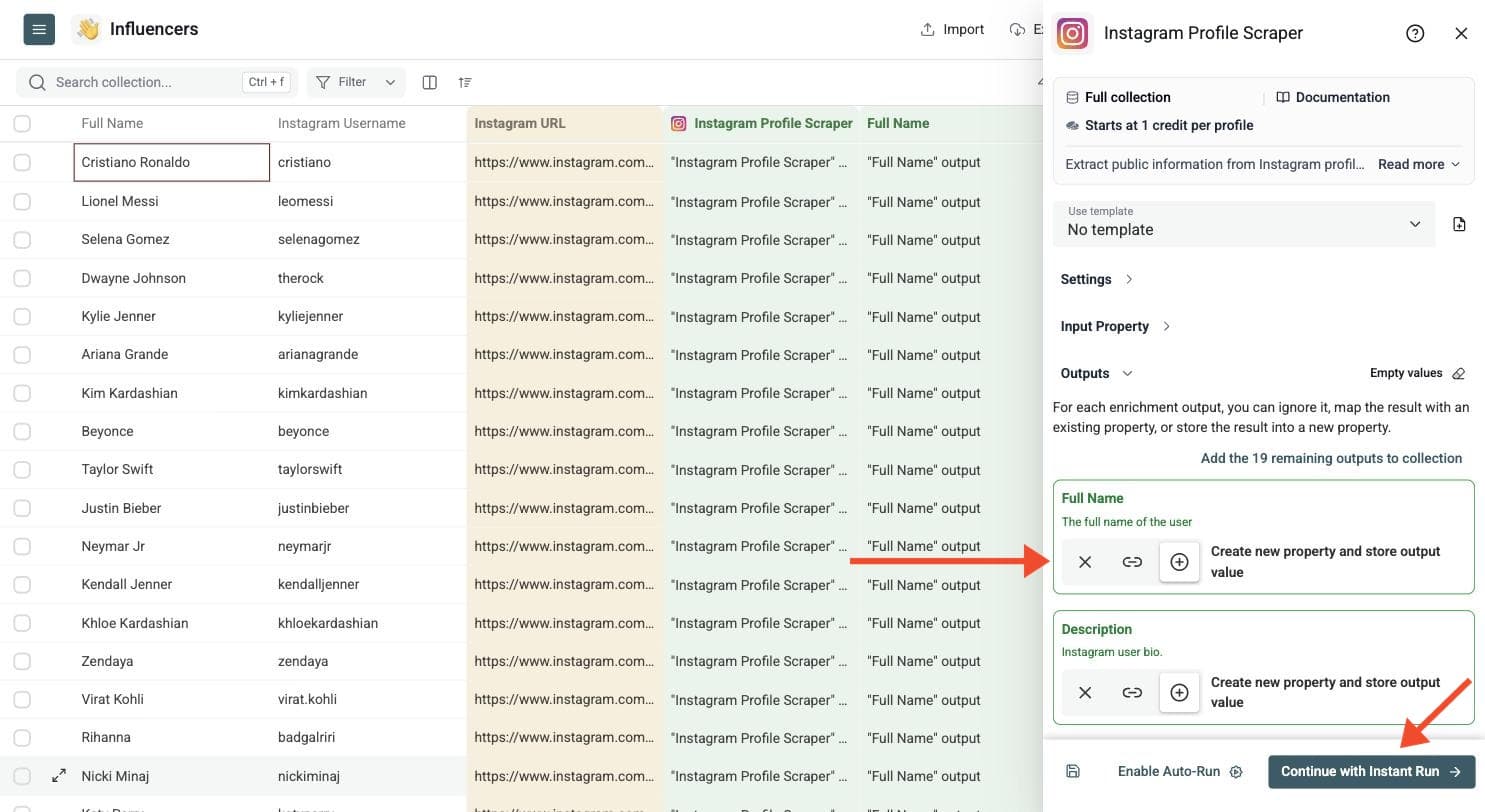
Depending on the scraping mode, Datablist can return fields such as full name, bio, follower count, website, public email, phone number, account type and profile URL.
Click the ⊕ icons to add the outputs to your collection. Keep the original identifier column and write normalized usernames and profile URLs to new columns.
The available outputs depend on Scraping Type:
- Profile data: Full Name, Description (bio), Follower Count, Following Count, Category, Website, Profile Picture, Private, Verified, Business Account, Number of Posts, Business Zip Code, Business City, and Business Street Address.
- Private profile modes: Public Email, Phone Number, WhatsApp Phone Number, and Account Type (
PERSONAL,BUSINESS, orCREATOR). Contact details are returned only when available. - Public profile mode: Last Location, when recent post location information is available.
- About modes: Home Country and Date Joined.
- All modes: User Id, User Username, and User Profile URL.
Some fields can be empty even when the profile is found. Review the run-status column to find rows that failed or need attention.
Step 6: Preview And Run
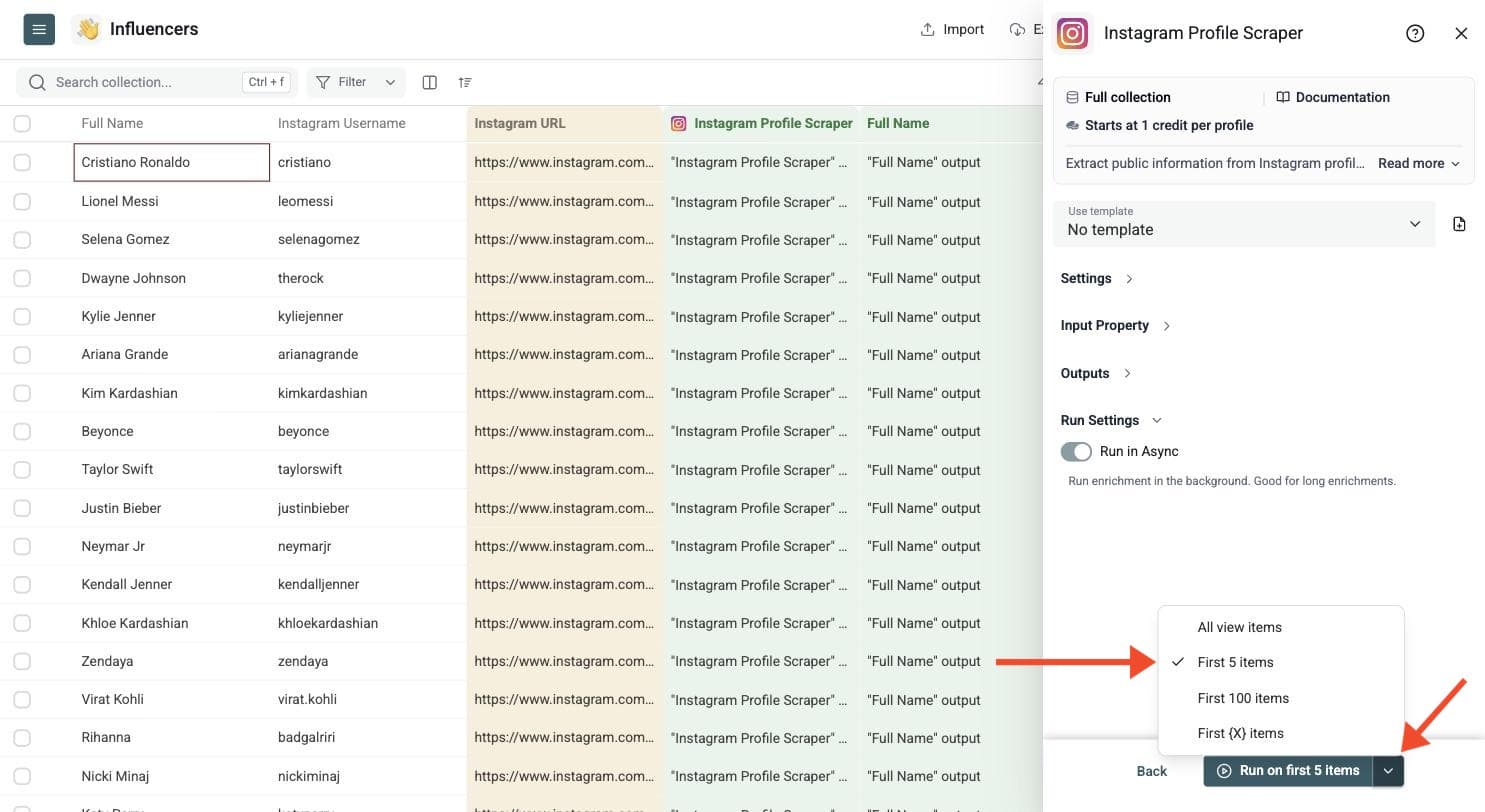
Run a preview on a few profiles first. Include a username, a URL and a profile ID if your file contains mixed formats. Click the chevron on the right side of the run button to choose how many items to process:
- Run on first 10 items: Good for checking results before committing.
- Run on first 100 items: Useful for validating larger samples.
- Run on all view items: Process your entire list (or view if you've enabled filters).
Then run the enrichment on the full list.
Check the fields and estimated cost before processing a large file. Use the run-status column to filter failed rows, fix malformed usernames or URLs, and rerun only those rows. The scraped profile data lands in your collection, ready to filter and export.
Common Use Cases
Use it for influencer research, creator discovery, ecommerce prospecting, local business lists, partnership research, and social media audits.
Influencer Research
Collect follower counts, bios, profile links, categories, and websites for a list of creators.
Use the Instagram follower scraping guide to build a list, then enrich the profiles before filtering or outreach.
Find Contact Details
Use the default private profile mode to capture public email, phone, WhatsApp phone, and website fields when the profile exposes them.
Build Local Business Lists
Scrape business profile data such as category, website, city, zip code, and street address when available.
Clean Social Media Columns
Turn mixed Instagram URLs and usernames into clean username, user ID, and profile URL columns.
Audit Brand Or Creator Lists
Check whether profiles are private, verified, business accounts, or still reachable.
Cost Examples
Costs depend on the scraping type and identifier format:
- Public profile mode starts at 1 credit per profile from a username or URL, or 2 credits from an Instagram ID.
- Private profile mode starts at 2 credits per profile when the input is an Instagram ID.
- Private profile mode costs 3 credits when Datablist must resolve a URL or username first.
- Private profile plus About data starts at 4 credits from an ID, or 5 credits when a URL or username needs resolving.
- About data only starts at 2 credits from an ID, or 3 credits when a URL or username needs resolving.
Examples:
- 1,000 public profile scrapes from usernames cost about 1,000 credits.
- 1,000 private profile scrapes from Instagram IDs cost about 2,000 credits.
- 1,000 private profile scrapes from usernames or URLs cost about 3,000 credits.
- 1,000 private profile plus About data scrapes cost about 4,000 credits or more, depending on identifier resolution.
Use the cost calculator or pricing page for current plan and credit-package prices. The calculator uses the typical starting cost for the selected mode and counts each profile once. Identifier resolution or a fallback lookup can increase the total; available cached data can reduce it. Failed lookups can still use credits if a lookup was performed, so the estimate is not a success-only price.
Finding Profiles To Enrich
If you do not have a list yet, you can scrape Instagram followers, following lists and post authors, then enrich their profile data.
For Instagram profile links found on company websites, use Smart Scraper first. Map the profile identifiers into Instagram Profile Scraper to add the fields you need.