
ChatGPTは史上2番目に成長が速かったアプリケーションで、2025年2月時点では週間ユーザー数が4億人に達していました。それでも、99%の方はまだうまく使いこなせていないのではないでしょうか。
ここで言う「使いこなせていない」とは、多くの方がAIへの指示の出し方を知らないため、精度の低い結果やストレスにつながっている、という意味です。
この記事では、安定して高い精度を出せるpromptの書き方を、実践ベースでご紹介します。
このガイドで扱う内容はこちらです。
Promptとは何か?
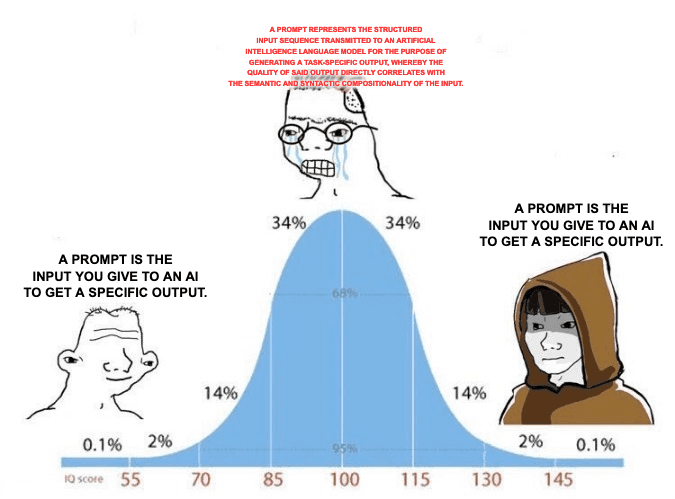
シンプルに言うと: promptとは、AIから特定の出力を得るために入力する指示のことです。
他の記事で「promptとは何か」について長い説明を読んだことがあっても、難しく考える必要はありません。実際のところ、promptの定義自体は複雑ではありません。
難しいのは、良いpromptを書くことです。その書き方を説明する前に、まずpromptの例を3つ見てみましょう。
このガイドの対象者
効果的なpromptを書く力は、どのような職種の方でも、どこかのタイミングで必要になります。
そのため、このガイドは特定の業界や職種だけを対象にしていません。データやautomationを扱う方に向けて、大量のdatasetを効率よく編集、分析、cleaningするためのpromptの書き方に絞って解説します。学生の方でも、実務経験のあるプロフェッショナルの方でも使える内容です。
このガイドおよび他のpromptの検証は、すべてDatablist.comで行っています。
良いPromptが重要な理由
AIに指示を出すことは、自律性がまったくないagencyの低いアシスタントに依頼するようなものです。ただし、何をすべきかを明確に伝えれば、きちんと実行してくれます。依頼内容が具体的であるほど、結果の質も上がります。
悪いPromptの例
このPromptが悪い理由:
- 指示が構造化されていない: 要件が文章内に散らばっており、整理されていません。
- 明確なセクションや区切りがない: AIは論理的な区切りのない長い文章を読み解く必要があります。
- placeholderが文章に混ざっている: {{company_about}} や {{Website Texts}} が文章の途中に置かれているため、AIが値を正しく扱いにくくなります。
- カジュアルすぎる表現: 「stuff」や「btw」のような表現は曖昧さを生みます。
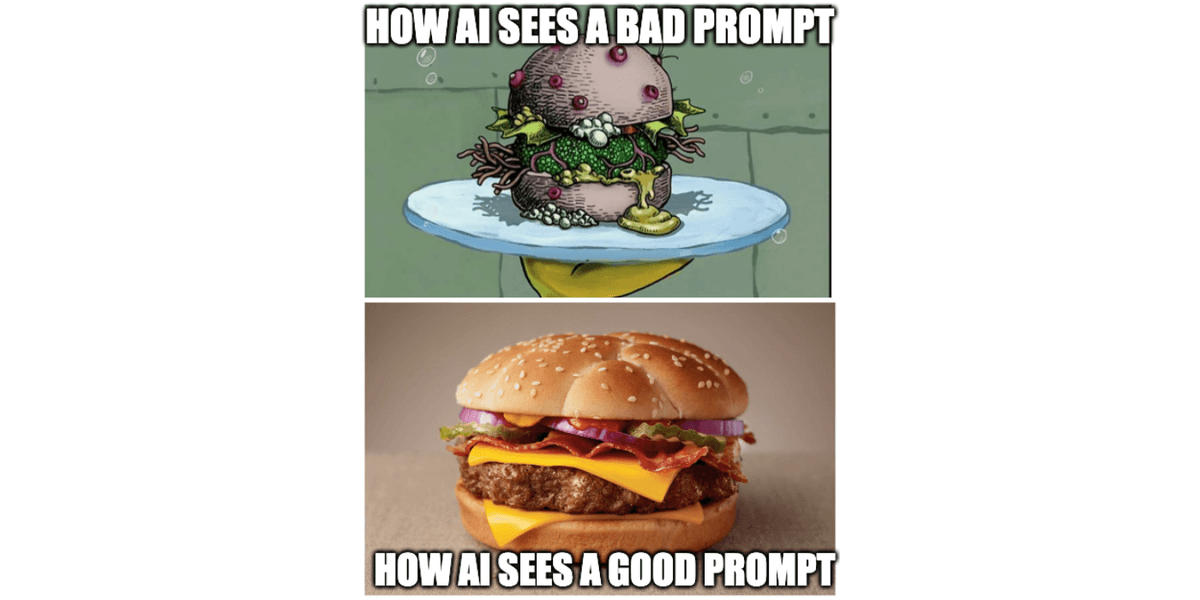
AIにはこのPromptがどう見えるか
このpromptを実際のデータに対して使うと、AIには次のように見えます。
placeholderが実データに置き換わると、内容が混ざり合い、AIが正しく理解して処理するのが非常に難しくなります。
このケースで起きている問題は次の通りです。
- 混乱とplaceholderの問題: placeholderが置き換わると、AIは2つの異なるデータソースを正しく分けられなくなります。
- 解釈の難しさ: HR企業かどうかを判断する正確な条件を、AIが理解しづらくなります。
👉 ではここから、良いpromptがどのような形で、どう作ればよいのかを分解していきます。
Promptの3つの例
1つのCommand Prompt
最もシンプルな形では、promptは次のようなcommandになります。
“Create me an essay about the Renaissance"
Question Prompt
promptは、次のようなシンプルな質問でも構いません。
"Are roses red?"
Tagged Prompt(最もおすすめのPrompt)
promptは、より詳細な指示セットにもできます。たとえば、cold emailsのパーソナライズ、customer feedbackの分析、会社名のcleaningなど、データの編集、分析、cleaningに使えます。
私はこれをtagged promptと呼んでいます。各セクションにtagを付け、AIに「このセクションが何についてのものか」を説明するためです。そうしないと、AIは各セクションの意味を自分で推測してしまいます。
Context: I will give you know a record with account data including the account's LinkedIn description and the website texts of companies where we aren't sure in which niche/industry there in.
=====
What I want you to do: Evaluate if this company fits in our targeting based on what they offer as a service/product.=====
How to do it: I'll provide you with the LinkedIn company description or website texts or both, you have then to read this text and check if the context indicates they fit in the description I am going to give you.
=====
Important mention about the task: Always check for context rather than for isolated keywords.
=====
Here’s a description of the companies we’re looking for: B2B companies that help other companies with HR services such as recruitment, HR consulting, skilled workforce acquisition, employer branding, personnel growth, executive searches, payroll, HR software, and outplacements.
=====
Important mention about the data: Many companies might have some keywords in their descriptions that could suggest they operate in the B2B personnel sector but they actually do something different, so you must always evaluate in context, meaning that not every company that mentions "employees" or "teams" is a match.
=====
How to start: Read the first description then the second one and make your decision afterward.
=====
Here is the first company description: {{company_about}}
=====
Here is the second description: {{Website Texts}}
このpromptを見て「これは実用的ではない」と思われたかもしれません。
ここから分解して説明します。
Promptの分解と実装ステップ
Prompt構造の分解(良いPromptの形)
Datablist.comのAI-prompts libraryにあるAI prompt templateを見ると、ほぼすべてのtemplateが複数のセクションで構成されていることに気づくはずです。そして各セクションには、次の3つの要素があります。
- Tag: そのセクションが何についてのものかをAIに伝えます。
- Body: AIがタスクを理解し、実行するための指示を含みます。
- Explanation: AIが知っておくべきことやcontextを伝えます。
- Command: AIに何をするべきか、つまりtaskを伝えます。
- Separators (===): 区切り線は2つの目的で使います。
- 視覚的な区切り:セクション間に明確な区切りを作り、人間が読み、理解し、編集しやすくします。
- AI parsing:AIがprompt内のセクションを識別して処理しやすくなり、回答の質が上がります。
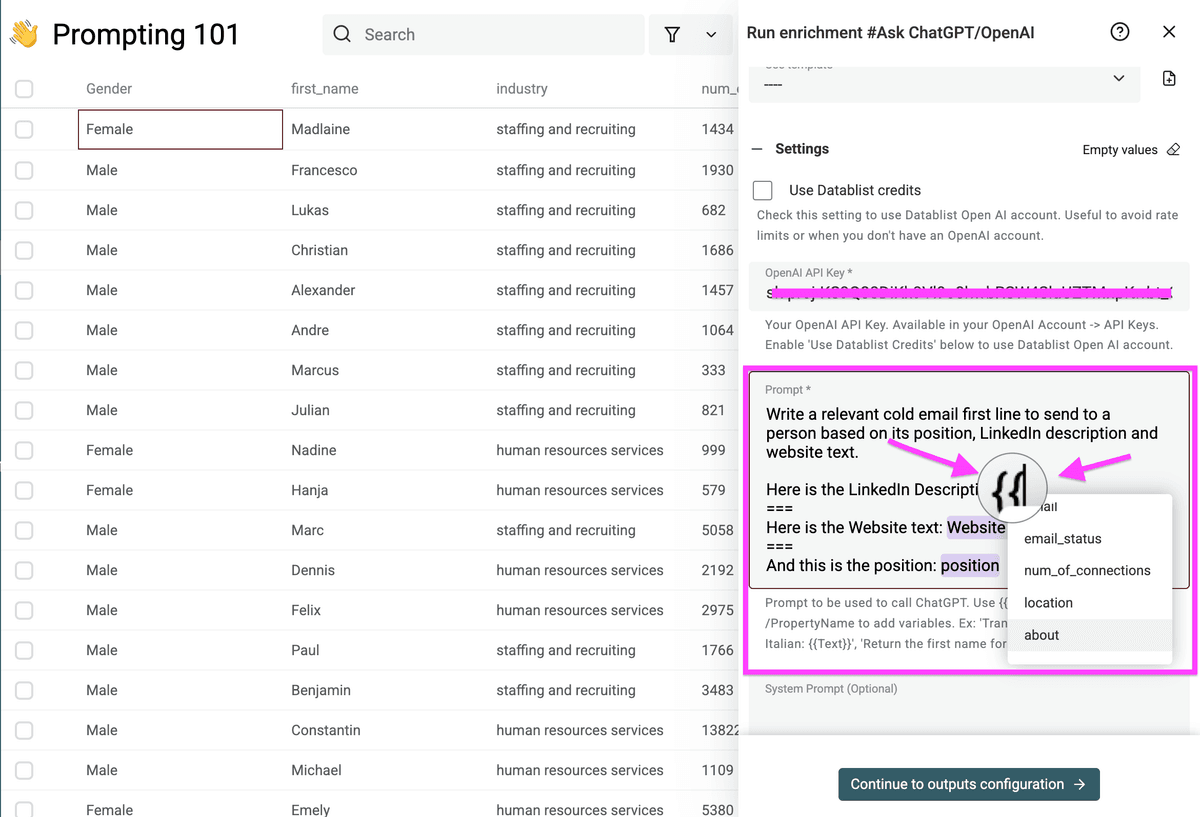
最後に、Placeholder propertiesもあります。
- prompt使用時にデータへ置き換えられるcolumnsです。
- dataset内の各recordに合わせてpromptをカスタマイズするために使います。
たとえば、Job Title Categorizerのpromptでは、{{job_title}}をplaceholderとして使っています。各recordを処理する際に、dataset内の実際のjob titleに置き換えられます。
私のPromptの分解と実装ステップ
Note: HR企業は当社のICP("Ideal Customer Profile")ではありません。ここでは例として使用しています。
ステップ1:Context
AIにcontextを渡す際、私は主に3つのことを行いました。
- AIが受け取るデータの内容を説明しつつ、具体的なtargeting criteriaは明かさない
- これにより、AIの分析にバイアスが入りにくくなります。
- データ周辺のcontextを説明し、具体的なproblemを示す
- AIが何を扱っているのか理解しやすくなります。
- 自分の具体的な状況を説明する
- AIがこちらのニーズに合わせて判断しやすくなります。
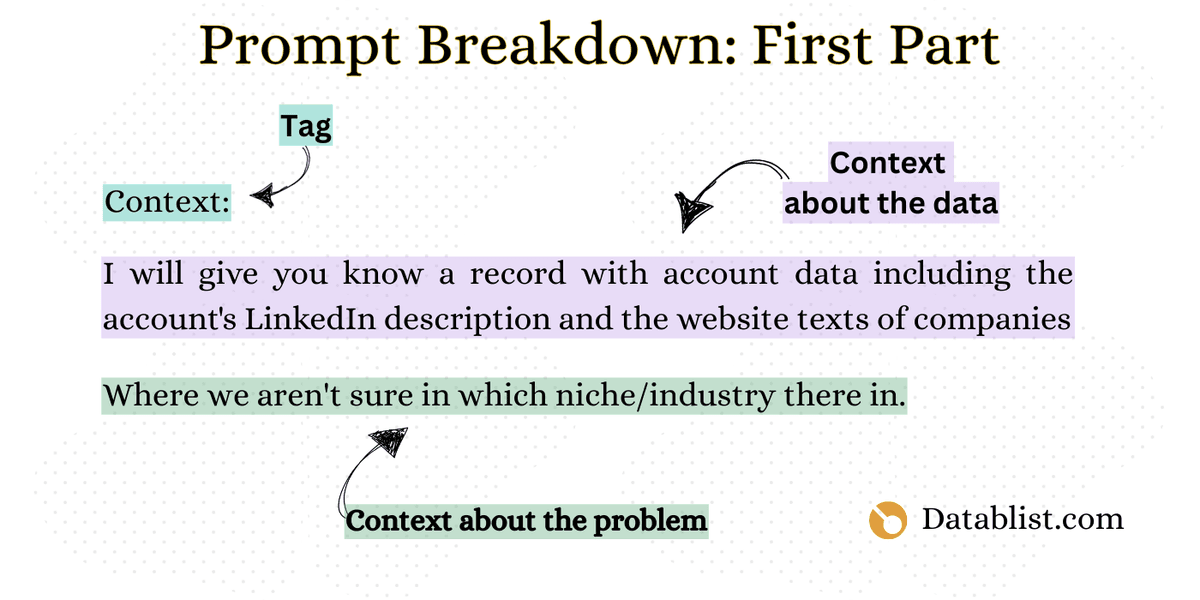
promptを書くときにやるべきこと:
- AIに渡すデータの内容を説明する
- 解決したいproblemを説明する
- separators(===)を使う
ステップ2:Task/Command(何をしてほしいか)
このpromptのセクションでは、重要なことを2つ行いました。
- 「What I want you to do」というtagでAIを再度フレーミングし、これから何について話すのかを明確にした
- 取るべき手順や見るべきデータにはまだ触れず、taskの大枠だけを伝えた。情報の流れを論理的に保つためです。
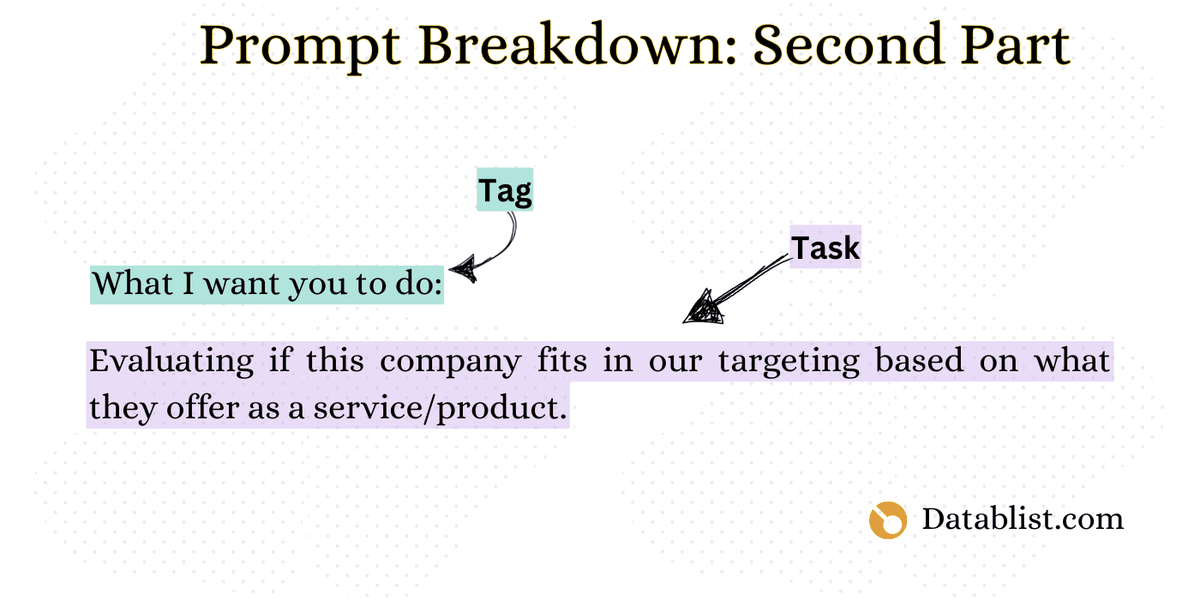
promptを書くときにやるべきこと:
- まず、taskまたはcommandの中心目的を特定する
- 次に、separators(===)を使う
似たようなtaskが複数ある場合でも、1つのpromptですべて処理しようとしないでください。AIにとって扱いづらくなり、こちらもエラーを見つけにくくなります。
ステップ3:Command Instructions(どう実行するか)
promptに指示を追加するとき、私は次のことを意識しています。
- シンプルでわかりやすくする
- 人に手作業で教えるようにtaskを説明する
- 明確なstep-by-step instructionsに集中する
AIは、適切な指示があれば反復作業を得意とします。期待した結果が得られない場合、多くは指示が十分に明確、または具体的ではないことが原因です。AIができないのではなく、こちらの伝え方を調整する必要があります。
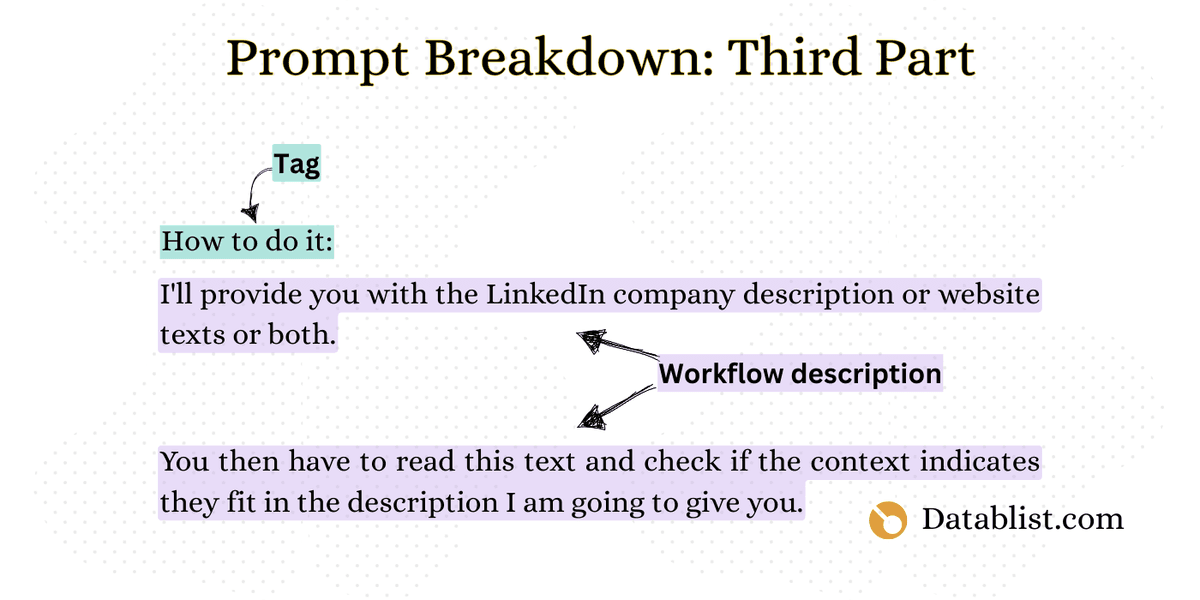
promptを書くときにやるべきこと:
- シンプルで明確な言葉を使い、step-by-stepの指示を作る
- separators(===)を使う
ステップ4:ミス防止 no.1(TaskのContext)– 任意
このステップでは、AIが次のことをしやすくなるよう、task固有のcontextを追加します。
- taskのニュアンスを理解する
- よくある落とし穴を避ける
- より良い判断をする
想定される問題やedge caseを明示することで、AIが勝手に推測してミスをするのを防ぐguardrailsを作れます。
このステップはすべてのpromptで必須ではありませんが、複雑なtaskでは非常に重要です。
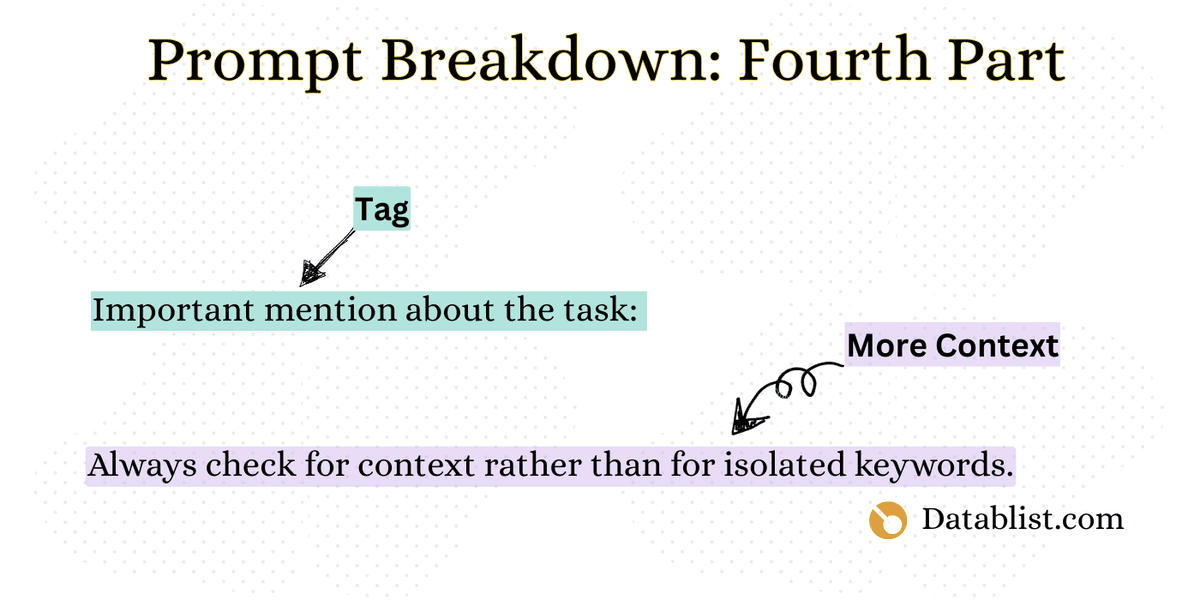
promptを書くときにやるべきこと:
- この種のtaskをjunior employeeが行うときに起こしがちなミスを考える
- AIが避けられるように、そのミスをpromptに含める
- separators(===)を使う
ステップ5:Goal(何を探しているか)
promptで期待値を書くときに最も重要なのは、次の点です。
- 望ましい結果について詳しいcontextを提供する
- 期待する結果を具体的にする
- 分析に影響するようなバイアスや望ましい結論を先に見せすぎない
専門用語を多用するよりも、自然な会話に近い言葉で書くほうが、AIから良い結果を得やすくなります。
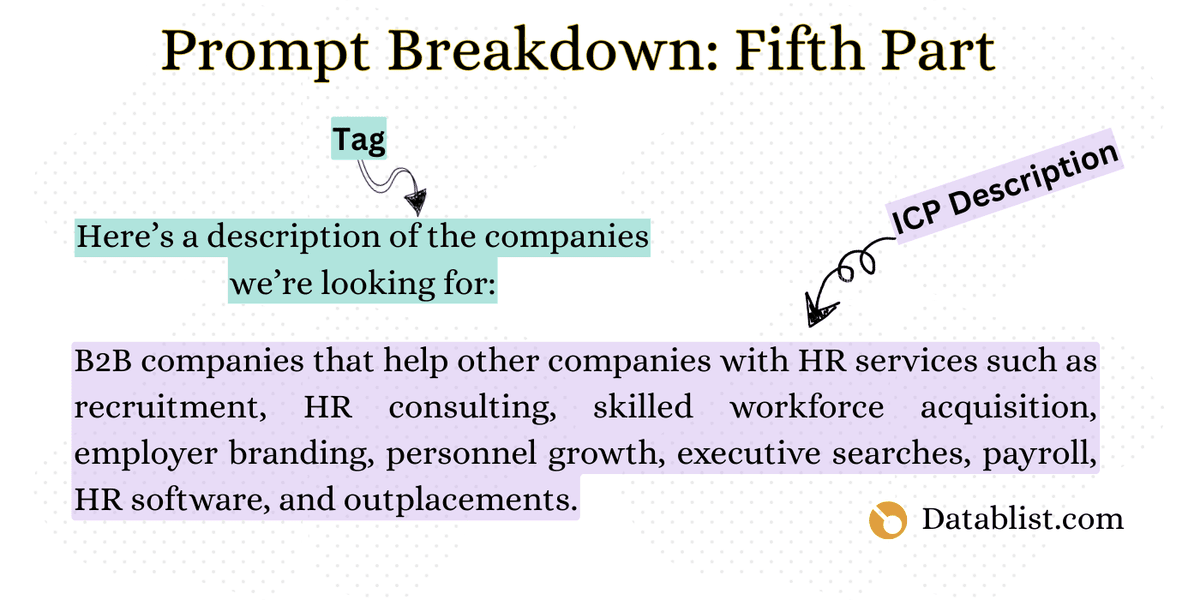
promptを書くときにやるべきこと:
- 分析やtaskから得たいoutcomeを明確に定義する
- どのindicatorやsignalが重要かを具体的に伝える
- 例を入れる
- separators(===)を使う
ステップ6:Data Context(データに関する補足)– 任意
promptにdata contextを追加するとき、私は次のルールに従っています。
- 明確なruleとreasonでミス防止を強化する
- Rule example: 「常に全体のcontextで評価する」
- Reason: 「単一のindicatorは誤解を招くことがある」
- 複数レイヤーのcontextを追加する
- 避けるべき潜在的なミス
- データ固有の問題
- task固有のリマインダー
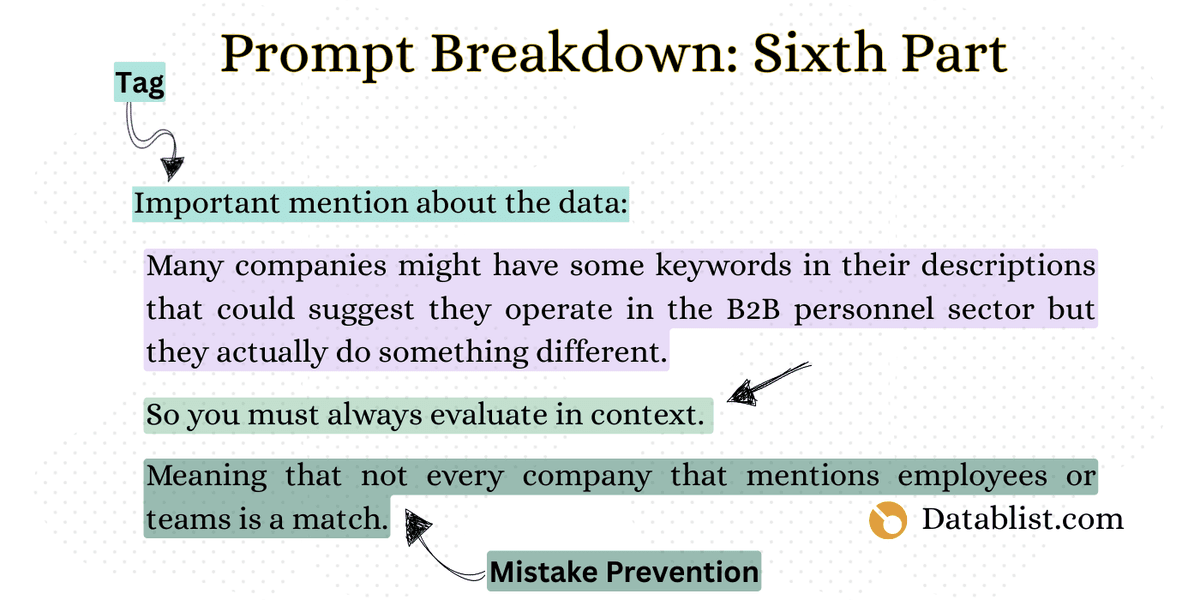
promptを書くときにやるべきこと:
- AIが起こしそうなミスを考え、その specific error を避けるよう明示する
- 情報を一度に詰め込まず、論理的なパーツに分ける
- separators(===)を使う
📘 Quick Fact
promptについてAIに推測させるのではなく、明確に伝えることで、多くのミスを防げます。
ステップ7:How to Start(最初の一手)
最後のステップでは、AIに対して明確な開始手順を渡します。私が行ったことはこちらです。
- シンプルでわかりやすくした
- 手順を時系列で番号付きにした
- 「read」「make」「decide」のような明確なaction wordsを使った

promptを書くときにやるべきこと:
- 番号付きの明確な開始手順を渡す
- action verbsを使い、手順を追いやすくする
- 指示はシンプルでわかりやすく保つ
- separators(===)を使う
ステップ8:Placeholder Format(必ず最後)
効果的なpromptを書く最後のステップ: columnをplaceholderとして挿入します。
このステップは必ず最後に置く必要があります。 promptの前半にdata placeholdersを置くと、誤った結果につながることがあります。
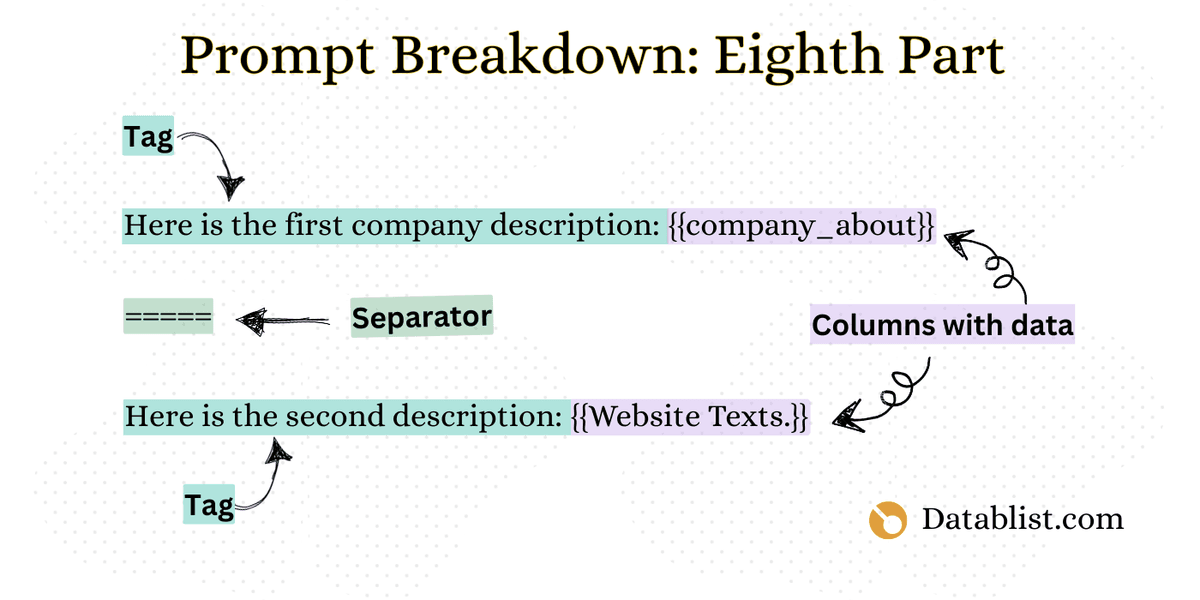
やるべきこと:
スプレッドシートのcolumnsからデータを追加するには、double curly braces {{ }} を使います。
separators(===)を使います。

❗Important
正しい結果を得るため、すべてのplaceholderはpromptの最後に挿入してください。
別の例でルールを適用する
数日前、M&A firmからメールを受け取りました。このガイドに含めるのに最適な例です。
ご相談内容はこちらでした:
では、promptを作っていきましょう。
ステップ1
このステップでは、AIにgeneral contextを渡します。
====
ステップ2
次に、AI assistantに対する主なobjectiveを明確にします。
====
ステップ3
ここでは、AIが分析で従うべき具体的なステップに分解します。
- First, read through the complete record, including all available data fields (financial reports, executive info, tech stack).
- Create a structured format of the data.
- Identify records with data quality issues or inconsistencies and flag them.
- Score companies based on the given criteria.
=====
ステップ4
精度を高めるため、ここでは注意すべき落とし穴と重要な観点を説明します。
- Some financial metrics may appear similar but have different calculations across industries
- Company distress signals need to be evaluated in the context of the industry and market conditions
=====
ステップ5
次に、評価基準を明確にして、successの状態を定義します。
- Here's an example of how to present the scoring criteria clearly:
Scoring Model Structure: Each company will receive a score based on 4 key criteria. We'll assign points for meeting each criterion, with those meeting 3 or more criteria getting priority status.
Key Criteria (1 point each):
- Financial Health Score
- Technology Alignment Score
- Leadership Stability Score
- Market Position Score
=====
ステップ6
ここでは、data interpretationと業界固有のcontextを追加します。
Reason: Financial metrics only make sense when compared within the same industry context
Example: A SaaS company with $5M revenue at a 10x multiple ($50M valuation) could be worth more than a retail company with $30M revenue at 1.5x multiple ($45M valuation)
=====
ステップ7
次に、AIが分析を始めるための正確なaction sequenceを伝えます。
- Read through each record and verify all required data fields are present
- Create a structured format for the data, organizing it into clear categories
- Flag any records with data quality issues or inconsistencies
- Apply the scoring criteria to evaluate and rank companies =====
ステップ8
最後に、AIが処理するデータを渡します。
This is the Company Name: {{Company Name}}
====
This is the Industry: {{Industy}}
====
This is the Revenue of the last 12 months: {{Rev. 2024}}
====
This is the Growth Rate YoY: {{Growth Rate}}
====
This is the Technology Stack: {{Tech Stack}}
====
This is the Executive Team Size: {{Execs.}}
=====
これでpromptは完成です。ご覧のとおり、このtemplateはほぼどのtaskにも効果的に使えます。
まとめ
良いpromptを書くことは、いまの仕事環境では必須スキルです。ChatGPT、Claude、DeepSeek、その他のAI modelのどれを使う場合でも、良いpromptを書けることが、より正確で、関連性が高く、実用的な回答を得るための近道です。このガイドで紹介した原則に沿ってpromptを作れば、AIをより効果的に使い、生産性を高められます。
AI Promptの書き方に関するFAQ
良いAI Promptとは何ですか?
良いAI promptは、明確で具体的、かつ構造化されています。達成したいことのcontext、実行方法に関する具体的なinstructions、そして出力してほしいformatが含まれています。promptはシンプルな言葉で書き、誤解につながる曖昧さを避ける必要があります。
Lead generation向けAI prompt examplesを見る。
ChatGPT Promptがうまく動かないのはなぜですか?
AI promptがうまく機能しない理由には、次のようなものがあります。
- 指示が不明確、または曖昧
- 1つのpromptにtaskを詰め込みすぎている
- contextやbackground informationが不足している
- 複雑すぎる、またはtechnicalすぎる言葉を使っている
- 具体例や望ましいoutput formatがない
より良い結果を出すAI Promptの書き方は?
効果的なAI promptを書くには、次の点を意識してください。
- 明確なobjectiveから始める
- 複雑なtaskを小さなstepsに分ける
- 関連するcontextやbackgroundを提供する
- 望ましいoutput formatを指定する
- シンプルでまっすぐな言葉を使う
- 可能であれば例を含める
Prompt Writingでよくあるミスは何ですか?
prompt writingでよくあるミスは次の通りです。
- 曖昧すぎる、または一般的すぎる
- 複数のtaskを1つのpromptに詰め込みすぎる
- contextが不足している
- 不明確、または曖昧な言葉を使っている
- AIが暗黙の情報を理解していると想定している
- 望ましいoutput formatを指定していない
AI Promptの長さはどれくらいが適切ですか?
AI promptは、必要な情報をすべて伝えられる長さであれば十分です。ただし、長ければ良いわけではありません。一般的に、シンプルなtaskでは数文から1段落程度、詳細なinstructionsやcontextが必要な複雑なtaskではもう少し長くなります。重要なのは、網羅的でありながら簡潔であることです。
Prompt Engineeringとは何ですか?
Prompt engineeringとは、AI modelからより正確で有用なoutputを得るために、入力内容を設計し、最適化する手法です。AI modelがinstructionsをどのように解釈するかを理解し、promptを効果的に構造化し、結果を見ながら継続的に改善していくことが含まれます。