Scrapes agency listings from Clutch.co including company names, ratings, services, pricing, and profile links

## Goal
Visit the Clutch.co URL I am going to give you and extract the agency information.

## Information I want you to extract:

- Company Name
- Clutch Profile URL (full absolute URL to the company profile page, e.g. https://clutch.co/profile/company-name)
- Tagline / Summary (the short description shown below the company name)
- Min. Project Size (e.g. $10,000+, $25,000+)
- Avg. Hourly Rate (e.g. $25 - $49 / hr)
- Employee Count (e.g. 10 - 49, 50 - 249, 250 - 999)
- Location (city and country as displayed, e.g. Denpasar, Indonesia)
- Rating (overall star rating out of 5.0)
- Number of Reviews (total number of reviews shown)
- Primary Service (the service with the highest percentage, e.g. "40% UX/UI Design")
- All Services (comma-separated list of all services provided, e.g. "UX/UI Design, Custom Software Development, Mobile App Development")
- Verified Status (Premier Verified, Verified, or Not Verified)

## How to handle pagination:
- The pagination on Clutch.co is done using the "?page=X" URL parameter
- Example: https://clutch.co/id/agencies/ui-ux?page=2, https://clutch.co/id/agencies/ui-ux?page=3
- Use this parameter to navigate through all pages of results

## How to handle data inconsistencies:
- Return only one piece of information for each type
- Return "N/A" if the data isn't available
- For ratings, return the numeric value (e.g. "4.8") not the star icons
- If a company has no reviews yet, return "0" for Number of Reviews and "N/A" for Rating
- For the Primary Service, always include the percentage (e.g. "40% UX/UI Design")
- For All Services, list them without percentages, separated by commas

## Additional Instructions:
- Extract information from the listing cards on the search results page
- Do not navigate into individual company profiles, extract only what is visible on the listing page
- Skip sponsored/featured banners that are not actual company listings
- Some listings may show a "Serves [Location]" instead of a physical location, extract that as the Location value
- Important: Do not extract anything else but the requested information

이 AI Prompt 사용하는 방법

  1. Create a New Collection: 데이터가 저장될 빈 새 컬렉션을 Datablist에서 생성하세요. 사이드바에서 '+ Create new collection'을 클릭합니다.
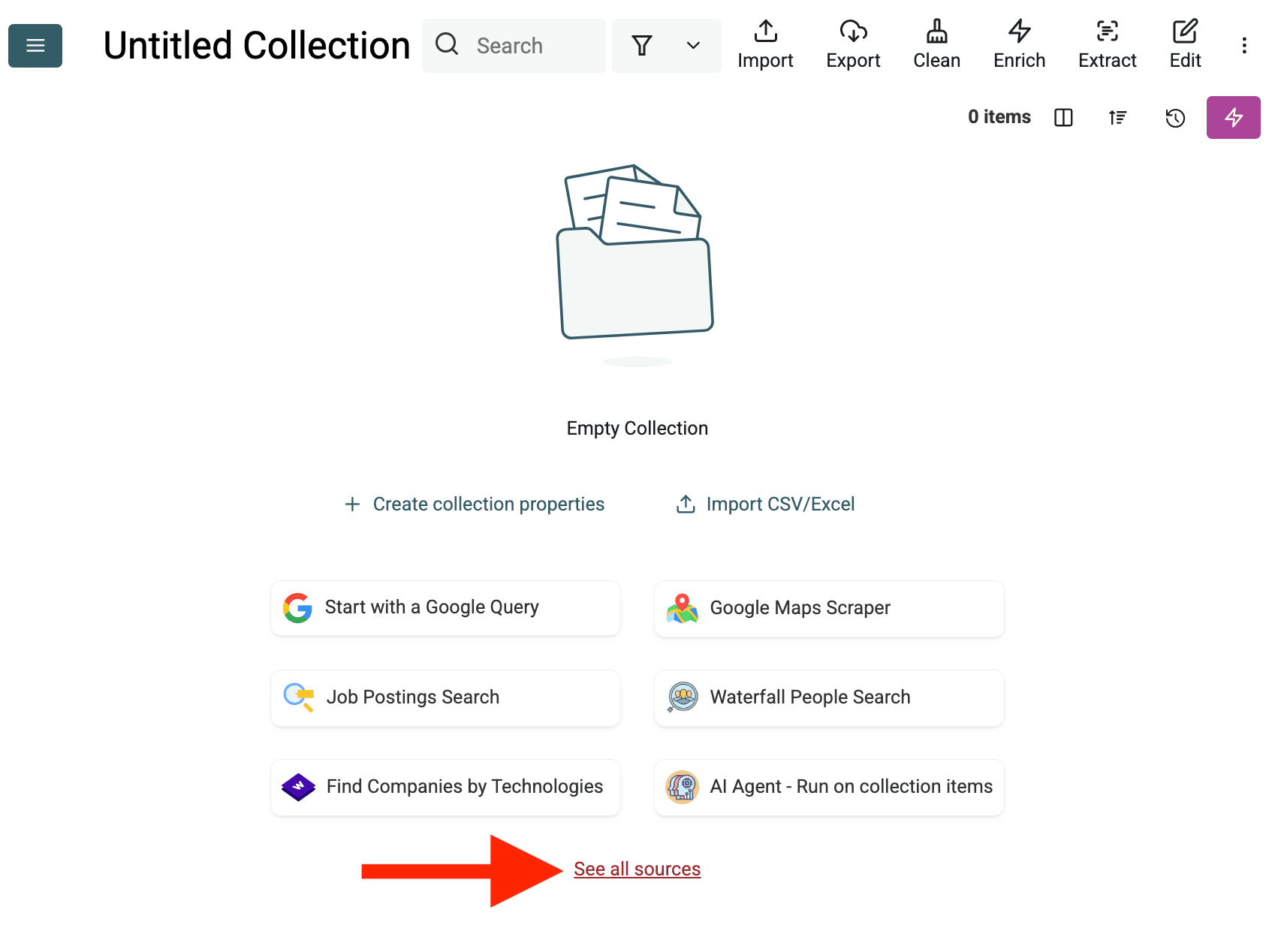
AI web scraping > Regular web scraping
  1. Select the AI Agent Source: "See all sources"를 클릭하거나 "Import" -> "Import From Data Sources"로 이동하세요. "AI Agent - Site Scraper"를 선택합니다.
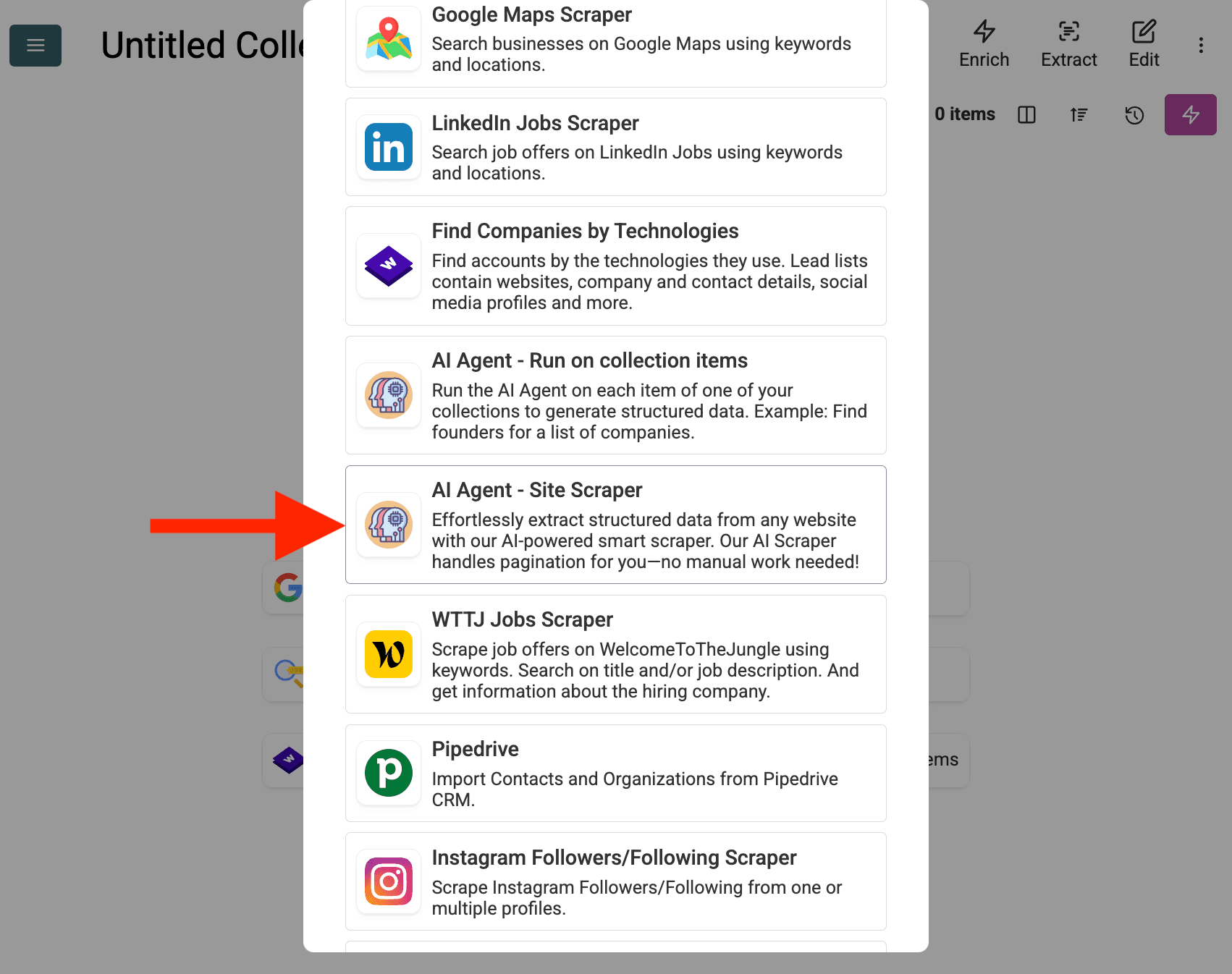
Select AI Agent - Site Scraper
  1. Configure the Source:

    • Select Template: "Template" 드롭다운에서 해당 prompt를 찾아 선택하세요. 위의 prompt가 자동으로 로드됩니다.
    • URL to Scrape: 스크래핑할 URL을 입력하세요
    • Enable Pagination (Optional): 결과가 여러 페이지에 걸쳐 있다면, Enable Pagination을 체크하고 적절한 Max Pages 한도(예: 10)를 설정하세요.
    • Customize (Optional): AI 모델을 조정하고(예: GPT-4o mini는 비용 효율적), 특정 요구에 맞춰 prompt를 수정하거나 예상 Outputs를 변경할 수 있습니다.
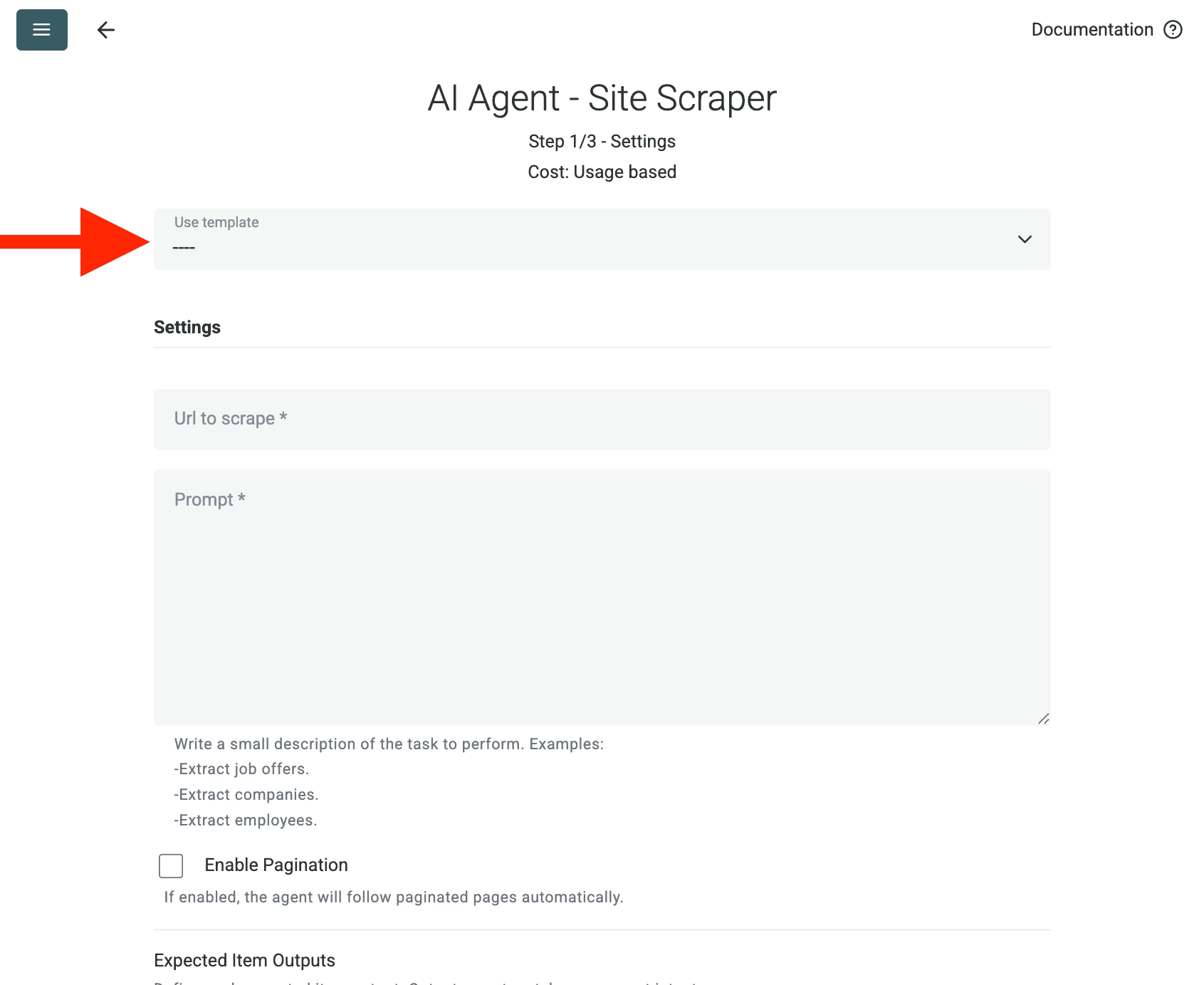
AI web scraping > Regular web scraping
  1. Review Outputs: Continue를 클릭하세요. Datablist가 prompt에 정의된 출력 필드(Project Name, Client Company Name)를 보여줍니다. 각 항목 옆의 + 아이콘을 클릭해 컬렉션에 해당 속성(컬럼)을 생성하세요.
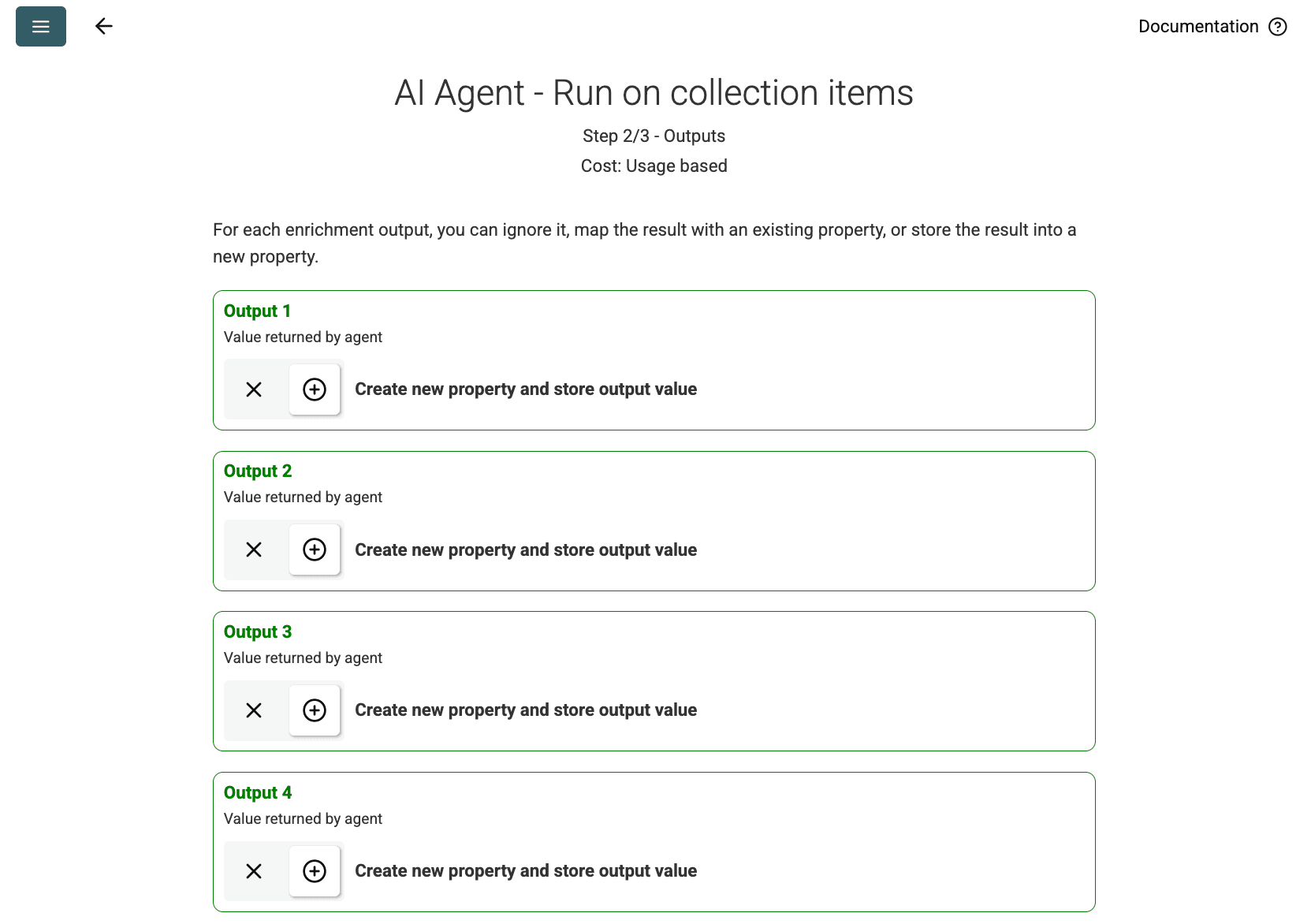
Outputs
Outputs
  1. Run Import: Run import now를 클릭하세요. AI Agent가 prompt를 기반으로 웹사이트 스크래핑을 시작하고 컬렉션을 채웁니다.

Pricing

이 데이터 소스는 사용량 기준으로 Datablist 크레딧을 사용합니다. 비용은 웹사이트의 복잡도와 방문한 페이지 수에 따라 달라집니다.

먼저 단일 페이지에서 AI Agent를 테스트 실행하여 비용을 추정하세요.

FAQ

동일한 구성으로 다시 실행하려면 어떻게 하나요?

AI Agent를 실행한 후, 데이터 테이블 우측 상단의 분홍색 버튼을 클릭하면 마지막 설정으로 다시 열 수 있습니다.
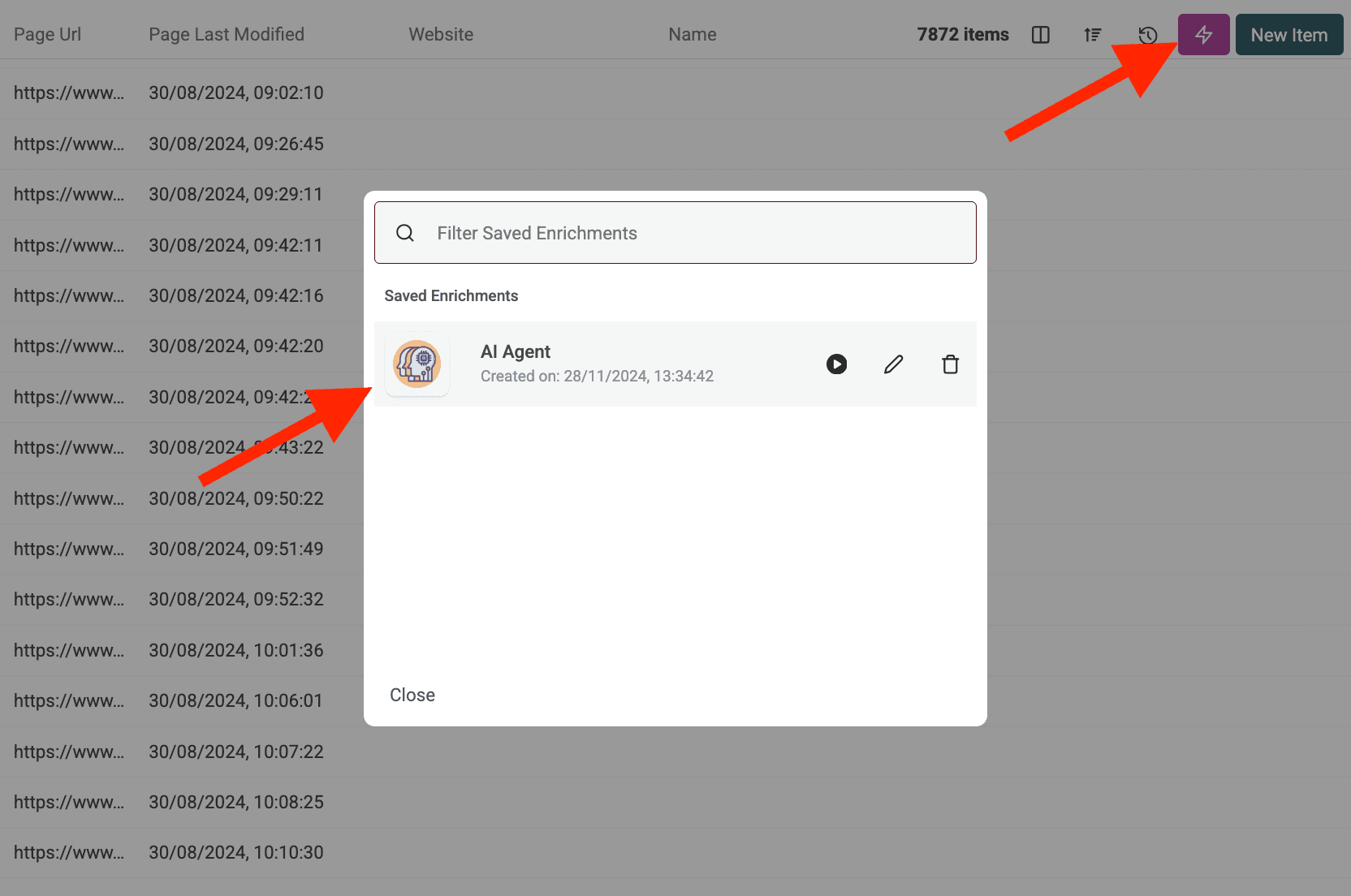
기존 에이전트 설정 사용
기존 에이전트 설정 사용

AI Agent가 보호된 웹사이트에 접근하거나 차단되면 어떻게 되나요?

AI Agent는 필요 시 자동으로 프록시 서버를 사용하여 스크래핑 방어나 지역 제한이 있는 웹사이트에 접근을 시도합니다. 성공 확률을 높여 주지만, 방어가 매우 강한 사이트는 여전히 어려울 수 있습니다.

AI Agent로 얼마나 많은 데이터를 처리할 수 있나요?

AI Agent를 실행할 때(Enrichment 또는 Data Source), Datablist 컬렉션은 최대 100,000 items(행)까지 처리할 수 있습니다. 그보다 큰 데이터셋은 여러 컬렉션으로 분할해야 할 수 있습니다.

AI Agent는 ChatGPT/Claude/Gemini enrichment와 어떻게 다른가요?

표준 AI enrichment(ChatGPT, Claude, Gemini)는 컬렉션에 이미 있는 데이터를 AI의 기존 지식으로 처리합니다. AI Agent는 실제 웹과 상호작용하며 Google 검색, 웹사이트 브라우징, prompt를 기반으로 새로운 정보를 추출할 수 있습니다.

결과 정확도는 어느 정도인가요?

정확도는 prompt의 명확성·구체성, 작업의 복잡도, 온라인에서 이용 가능한 정보에 크게 좌우됩니다. 명확한 지침, 예시, 오류 처리 규칙을 제공하면 결과가 향상됩니다. Datablist는 신뢰도를 가늠할 수 있도록 AI Agent 출력에 대해 종종 confidence score를 제공합니다.