회사명→도메인 API
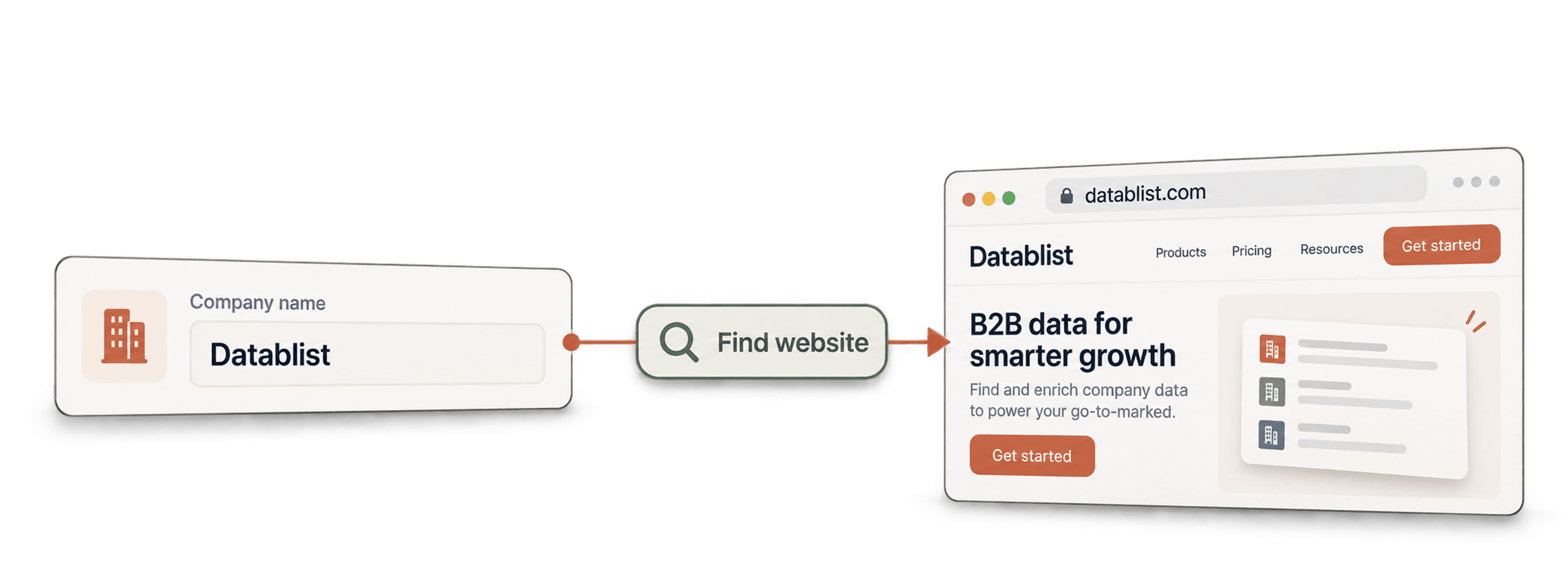
AI 어시스턴트, no-code workflow 또는 자체 코드에서 모든 회사명에 해당하는 웹사이트를 찾으세요.
- 도메인당 $0.001부터
- 도메인 및 전체 URL
- 작업당 도메인 10,000개
| 회사명 |
|---|
| Brightwave Analytics |
| Northpeak Logistics |
| Juniper & Vale Studio |
스타트업 및 Fortune 500 팀의 사용자 38,000명 이상이 신뢰합니다





HTTP 요청을 전송할 수 있는 모든 도구와 연동됩니다
 Claude
 Cursor
 Codex
Codex Make
Make n8n
n8n Zapier
- 자체 코드
원하는 시작 방법을 선택하세요
AI 어시스턴트나 자동화 도구에 설정을 맡기거나 자체 코드에서 REST API를 직접 호출하세요.
설정 prompt 붙여넣기
Claude Code, Codex, Cursor 또는 Make, n8n, Zapier용 prompt를 복사해 붙여넣으세요. AI가 컴퓨터에 Datablist 폴더를 만들고 모든 설정을 완료합니다.
API 키 붙여넣기
AI가 요청하면 Datablist 앱에서 API 키를 복사하여 AI가 연 .env 파일에 붙여넣으세요. 채팅에는 절대 붙여넣지 마세요.
결과 받기
이름 목록을 전송하면 이름마다 도메인, 웹사이트 및 신뢰도 수준이 한 행씩 반환됩니다. 시트나 CRM에서 바로 사용할 수 있습니다.
결과 예시 보기Make, n8n 또는 Zapier를 사용하시나요? HTTP 요청에 필요한 모든 필드를 확인하세요
도구에서 제공하는 HTTP 요청 모듈 또는 노드를 사용하세요. 목록 전송, 대기, 결과 읽기의 3단계가 필요합니다.
1. 목록 전송(HTTP 요청)
- 메서드
POST- URL
https://api.datablist.com/v1/enrichments/tasks- 헤더
X-API-Key= API 키Content-Type=application/json- 본문(JSON)
- json{"enrichmentId": "company-name-to-domain","uniqueId": "company-name-to-domain-import-1","settings": {"workflow": "dataset_google","searchCountryCode": "US"},"inputs": [{"inputId": "row-1", "data": {"companyName": "Brightwave Analytics"}},{"inputId": "row-2", "data": {"companyName": "Northpeak Logistics"}},{"inputId": "row-3", "data": {"companyName": "Juniper & Vale Studio"}}]}
- 보관할 값
- 응답의
@id. 이것이 작업 ID입니다.
2. 완료될 때까지 대기
짧은 대기 또는 지연을 추가한 다음, 동일한 X-API-Key 헤더로 https://api.datablist.com/v1/enrichments/tasks/TASK_ID에 GET 요청을 보내세요. status가 completed가 될 때까지 반복합니다.
3. 결과 읽기
GET https://api.datablist.com/v1/enrichments/tasks/TASK_ID/results?limit=50. outputs를 열에 매핑하세요. nextCursor가 비어 있지 않으면 &cursor= 뒤에 해당 값을 붙여 다시 호출하세요.
한눈에 보기
회사명과 일치하는 도메인과 웹사이트를 반환합니다. 국가로 필터링하여 결과 범위를 좁힐 수 있습니다. 여러 도메인이 일치하면 트래픽이 더 많은 도메인을 반환합니다. Datablist workspace, collection 또는 import는 필요하지 않습니다.
입력하는 정보
- 회사명: 목록, 시트 또는 CRM에서 가져온 이름을 행마다 하나씩 입력
- 국가(선택 사항): 검색 범위를 좁힙니다(예: 미국 또는 프랑스)
- 검색 위치: Datablist 회사 데이터셋, Google 또는 둘 다
반환되는 정보
- 도메인: 예: brightwaveanalytics.com
- 웹사이트: 클릭할 수 있는 전체 웹 주소
- 신뢰도 수준: 높음, 보통, 낮음 또는 매우 낮음으로, 재확인할 항목을 파악할 수 있습니다
비용
- 데이터셋에서 검색: 도메인이 발견된 경우에만 1 credit
- Google에서 검색: 검색한 이름당 2.5 credits
- 1,000 credits = $1: Datablist 앱과 공유
팀에서 구축할 수 있는 것
데이터가 흐르는 어느 위치에서든 회사명→도메인을 활용하세요.
CRM의 계정 정보 완성
- CRM에 새 계정 등록
- 레코드에 도메인 저장
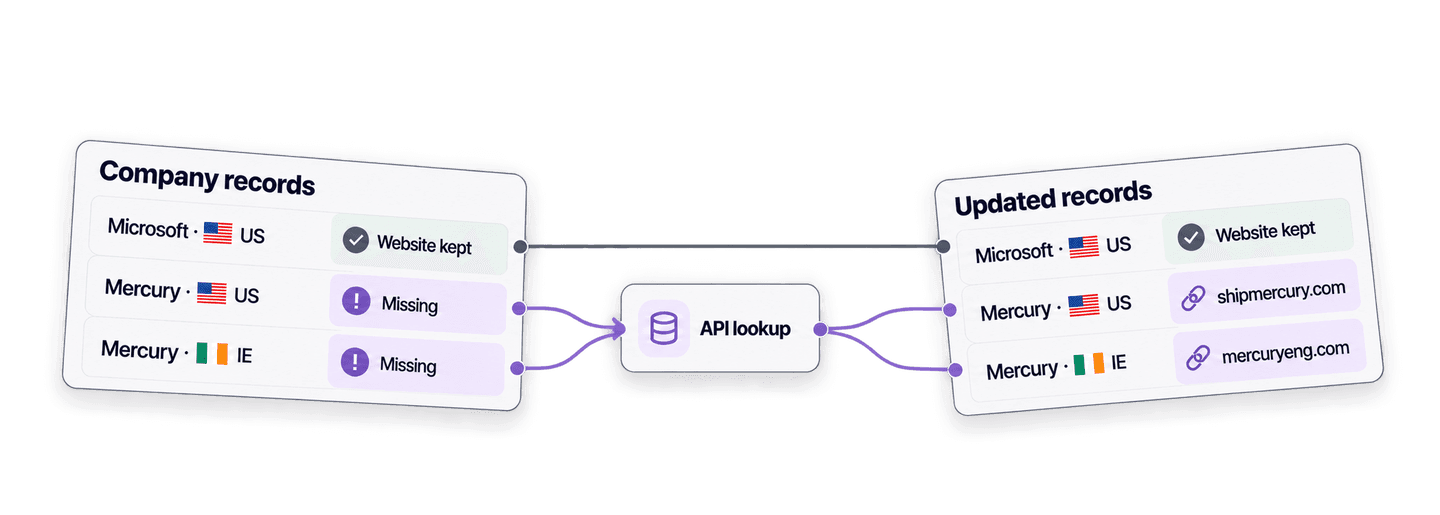
웹사이트 없이 계정이 등록될 때마다 조회를 실행하여 HubSpot, Salesforce 또는 Pipedrive에서 항상 매칭에 사용할 도메인을 확보하세요.
데이터 enrichment pipeline에 연결
- 회사명
- Emails, 기업 특성 데이터, LinkedIn
도메인은 대부분의 다른 enrichment에 필요한 핵심 정보입니다. 먼저 도메인을 찾은 다음 회사 enrichment 또는 email finder로 전달하세요.
이벤트 목록을 도메인으로 변환
- 박람회 또는 파트너 목록
- 중복 제거 및 라우팅
박람회 목록, 파트너 export 또는 양식 제출에서 얻은 회사명만으로 중복 제거 및 라우팅이 가능한 도메인을 생성하세요.
비용은 얼마나 들까요?
조회할 때마다 credits로 결제합니다. API 이용은 Growth 플랜부터 가능합니다.
비용은 얼마나 들까요?
조회해야 할 회사명 수를 입력하면 가장 경제적인 방법을 안내해 드립니다.
= 총 1,450 credits: 데이터베이스 매칭 700건은 건당 1 credit, Google 조회 300건은 건당 2.5 credits
Credits 사용 방식
1,000 credits = $1이므로 credit당 비용은 0.1센트입니다. 데이터베이스 매칭에는 1 credit이 들며 도메인이 반환된 경우에만 청구됩니다. Google fallback 조회에는 2.5 credits가 들며 결과 여부와 관계없이 청구되므로 두 방식의 비중이 요금을 좌우합니다. Google 결과는 48시간 동안 캐시되므로 이 시간 안에 설정을 변경하고 다시 실행하면 행당 2.5 credits가 아닌 1 credit이 듭니다. 플랜 credits는 매월 갱신되며 사용하지 않은 경우 초기화됩니다. 충전한 credits는 만료되지 않습니다.
코드에 통합하세요
REST API를 직접 호출하는 데 필요한 코드, 응답, endpoint, 필드, 인증 및 제한을 모두 확인하세요.
datablist/company-name-to-domain-api
공식 예제: cURL, requests 및 HTTPX를 사용하는 Python, 대량 CSV 처리. 키를 DATABLIST_API_KEY에 입력하고 실행하세요.
복사하고 붙여넣은 후 실행하세요
작업을 생성하고 완료될 때까지 기다린 후 모든 결과를 출력하는 전체 스크립트입니다. YOUR_PERSONAL_API_KEY를 실제 키로 바꾸세요.
# 1. Create the task (returns 202 Accepted and the task "@id")
curl --request POST 'https://api.datablist.com/v1/enrichments/tasks' \
  --header 'X-API-Key: YOUR_PERSONAL_API_KEY' \
  --header 'Content-Type: application/json' \
  --data '{
    "enrichmentId": "company-name-to-domain",
    "uniqueId": "company-name-to-domain-import-1",
    "settings": {
      "workflow": "dataset_google",
      "searchCountryCode": "US"
    },
    "inputs": [
      {"inputId": "row-1", "data": {"companyName": "Brightwave Analytics"}},
      {"inputId": "row-2", "data": {"companyName": "Northpeak Logistics"}},
      {"inputId": "row-3", "data": {"companyName": "Juniper & Vale Studio"}}
    ]
  }'
# 2. Poll every few seconds until status is completed, failed or stopped
curl 'https://api.datablist.com/v1/enrichments/tasks/TASK_ID' \
--header 'X-API-Key: YOUR_PERSONAL_API_KEY'
# 3. Read the results, then follow nextCursor until it is null
curl 'https://api.datablist.com/v1/enrichments/tasks/TASK_ID/results?limit=50' \
--header 'X-API-Key: YOUR_PERSONAL_API_KEY'API가 반환하는 내용
각 입력에 대해 inputId, status, outputs 및 사용된 credits를 포함한 결과 하나가 반환됩니다. 예시 데이터입니다.
{
  "taskId": "00000000000040008000000000000001",
  "results": [
    {
      "inputId": "row-1",
      "status": "success",
      "outputs": {
        "companyDomain": "brightwaveanalytics.com",
        "companyUrl": "https://www.brightwaveanalytics.com",
        "domainConfidence": "High"
      },
      "creditsUsed": "1",
      "error": null
    }
  ],
  "nextCursor": null
}
Endpoint 및 필드
모든 경로는 https://api.datablist.com을 기준으로 합니다. 필드 정의는 GET /v1/enrichments/company-name-to-domain에서 가져옵니다(스키마 버전 2026-09-12).
- /v1/enrichments/company-name-to-domain
- 키 없이 스키마 읽기
- POST
- /v1/enrichments/tasks
- 작업 생성
- /v1/enrichments/tasks/{taskId}
- 상태 및 진행 상황 polling
- /v1/enrichments/tasks/{taskId}/results
- 결과 읽기, 페이지당 1~100개
- POST
- /v1/enrichments/tasks/{taskId}/stop
- 실행 중인 작업 취소
- /v1/enrichments/tasks
- 최신순 작업 기록
스키마 레퍼런스
작업마다 settings를 한 번 전송하고, 입력마다 하나의 data 객체를 전송하세요. Enrichment가 발전함에 따라 결과에 추가 필드가 포함될 수 있으므로 outputs를 파싱할 때 알 수 없는 키도 유지하세요.
모든 설정, 입력 및 출력 표시
설정
workflowWorkflow | Text | Datablist first uses a company dataset to match names with domains. Datablist might also perform a Google search on the remaining company names.허용되는 값: |
|---|---|---|
searchCountryCodeTarget Country | Text | Narrow down the search to a specific country. This setting filters the company dataset and is a country setting for the Google Search fallback.허용되는 값: |
countryOverwriteDefine target country per item. | Boolean | When enabled, a “Target Country” input will be added to configure the target country for each item. You can enter a country using its ISO 3166 code (Alpha-2 like “FR“, or Alpha-3 like “USA“) or its full English name (like “Portugal“). If the country is missing or invalid, Datablist will use the global “Target Country” setting as a fallback. |
acceptNonRootAccept non root websites | Boolean | By default, Datablist skips dataset and Google results that point to a page hosted below a domain the company does not own (eg: https://www.directory.com/mycompany). This is good to avoid company directories. But you can miss company websites that are hosted on platforms. For example: https://www.hostingplatform.com/mycompanypage. Use this setting to accept non-root websites while preserving and validating the full page URL. 👉 Datablist caches Google search results for 48 hours. If you change this setting after the first run, results come from the cache, costing only 1 credit. 활성화 조건: |
skipDomainsSkip following domains | Text list or Text | Additional domains to exclude when selecting company websites, as an array of domains. 활성화 조건: |
onlyProcessCachedResultsOnly Process Google Cached Results | Boolean | If enabled, Datablist will only use your saved Google search results from the cache. It won’t run new live searches. Use this to reduce costs and skip dataset results. 활성화 조건: |
입력(data)
companyName필수Company Name | Text | The name of the company to search for (ex: google). |
|---|---|---|
targetCountryTarget Country | Text | Narrow down the search to a specific country. This setting filters the company dataset and is a country setting for the Google Search fallback. If the country is missing or invalid, Datablist will use the global “Target Country” setting as a fallback. 활성화 조건: |
출력
companyDomainCompany Domain | Text | The company domain (ex: google.com), when found. |
|---|---|---|
companyUrlCompany Full Url | Text | The company full url (ex: https://www.google.com), when found.형식: |
domainConfidenceDomain Confidence | Text | Confidence level of the match: High, Medium, Low, or Very Low. |
하나의 헤더, 명확한 제한
Datablist 계정에서 개인 API 키를 생성하고 인증이 필요한 모든 요청에 포함하세요.
인증
X-API-Key 헤더에 키를 넣어 전송하세요. Datablist가 사용자를 대신하여 access token을 교환하고 갱신합니다.
- 헤더:
X-API-Key: YOUR_PERSONAL_API_KEY - 선택 사항:
POST /v1/account/token에서 받은Authorization: Bearer를 사용하여 token을 직접 관리 - 둘 중 하나만 사용: 두 헤더를 모두 전송하면
400 AmbiguousCredentials가 반환됩니다 - 서버 측에서만 사용: URL, 브라우저 코드 및 로그에 키를 노출하지 마세요
제한
- 작업당 입력 수: 1~10,000개
- 크기: 입력당 16 KiB, 요청당 10 MiB
- 실행 시간: 작업당 최대 24시간
- 작업 생성: 계정당 60초에 10개 요청
- Polling 및 결과: 작업 유형별 60초에 120개 요청
- 활성 작업: 계정당 동시에 약 20개
- 보관 기간: 작업 및 결과는 90일간 보관
관련 튜토리얼
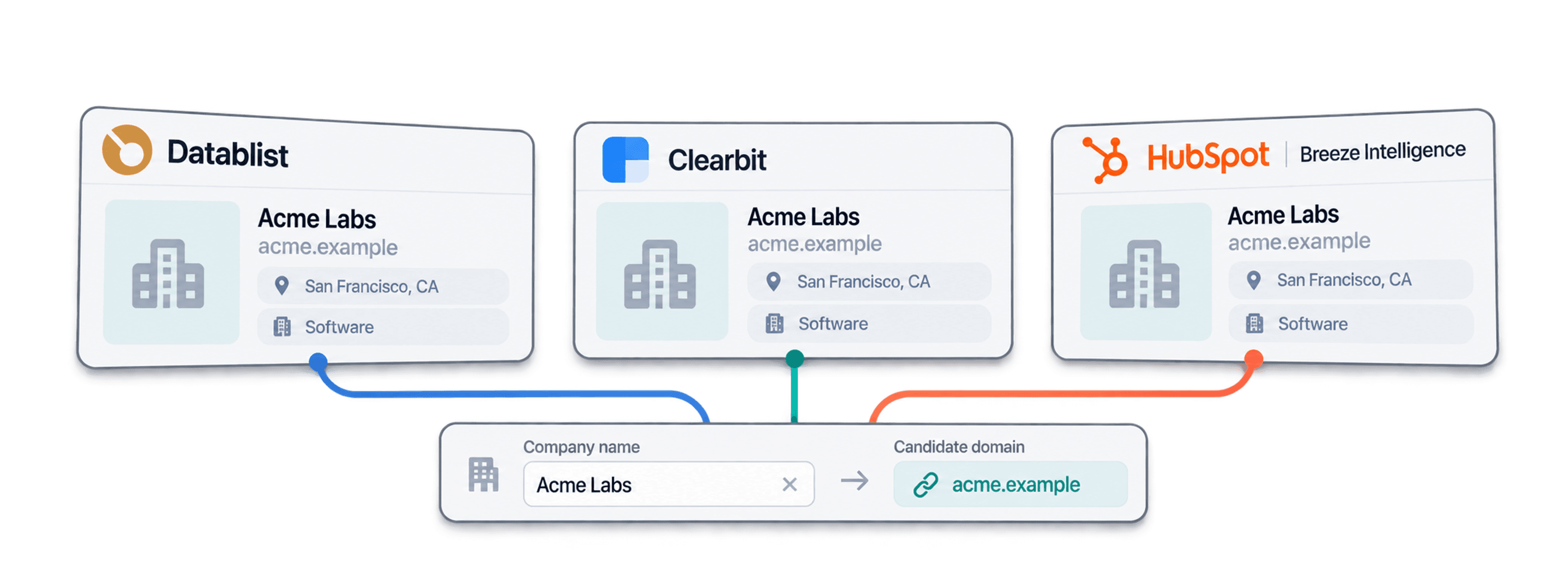
상세한 단계별 가이드로 최신 workflows를 알아보세요.
자주 묻는 질문
사용자 또는 AI 코딩 에이전트가 회사명→도메인 API를 통합하는 데 필요한 인증, 요청, polling, 결과, 제한 및 재시도 정보를 모두 확인하세요.
관련 API, Enrichment 및 무료 도구
코드, Datablist 앱 또는 무료 도구에서 회사명→도메인을 다른 enrichments와 연결하세요.
Enrichment API
- 회사명 정리 API도메인을 조회하기 전에 정리되지 않은 회사명을 표준화하세요.
- 회사→LinkedIn API회사 웹사이트를 해당 LinkedIn 회사 페이지와 매칭하거나 그 반대로 매칭하세요.
- Waterfall Email Finder API이름과 회사 도메인으로 인증된 업무용 email을 찾으세요.