LinkedIn 프로필 스크래퍼 API
AI 어시스턴트, no-code workflow 또는 자체 코드에서 LinkedIn 프로필 URL을 통해 직무, 회사 및 학력 세부 정보를 가져오세요.
- 프로필당 $0.014부터
- LinkedIn 로그인 불필요
- 작업당 프로필 10,000개
| LinkedIn 프로필 URL |
|---|
| linkedin.com/in/maya-lindqvist |
| linkedin.com/in/tom-okafor |
| linkedin.com/in/lea-moreau |
스타트업부터 Fortune 500 팀까지 38,000명 이상의 사용자가 신뢰합니다





HTTP 요청을 전송할 수 있는 모든 도구와 연동됩니다
 Claude
 Cursor
 Codex
Codex Make
Make n8n
n8n Zapier
- 자체 코드
원하는 시작 방법을 선택하세요
AI 어시스턴트나 자동화 도구에 설정을 맡기거나 자체 코드에서 REST API를 직접 호출하세요.
설정 prompt 붙여 넣기
Claude Code, Codex, Cursor 또는 Make, n8n, Zapier용 prompt를 복사해 붙여 넣으세요. AI가 컴퓨터에 Datablist 폴더를 만들고 모든 설정을 완료합니다.
API 키 붙여 넣기
AI가 요청하면 Datablist 앱에서 API 키를 복사하여 AI가 연 .env 파일에 붙여 넣으세요. 채팅에는 절대 붙여 넣지 마세요.
결과 받기
LinkedIn 프로필 URL 목록을 보내면 프로필별로 이름, 헤드라인, 위치, 현재 직무와 회사가 한 행씩 반환되어 스프레드시트나 CRM에서 바로 사용할 수 있습니다.
결과 예시 보기Make, n8n 또는 Zapier를 사용하시나요? HTTP 요청에 필요한 모든 필드를 확인하세요
도구에서 제공하는 HTTP 요청 모듈 또는 노드를 사용하세요. 목록 전송, 대기, 결과 확인의 세 단계가 필요합니다.
1. 목록 전송(HTTP 요청)
- 메서드
POST- URL
https://api.datablist.com/v1/enrichments/tasks- 헤더
X-API-Key= 사용자의 API 키Content-Type=application/json- 본문(JSON)
- json{"enrichmentId": "linkedin-profile-scraper","uniqueId": "linkedin-profile-scraper-import-1","settings": {"experiencesNb": "3","educationsNb": "1"},"inputs": [{"inputId": "row-1", "data": {"profileUrl": "https://www.linkedin.com/in/maya-lindqvist/"}},{"inputId": "row-2", "data": {"profileUrl": "https://www.linkedin.com/in/tom-okafor/"}},{"inputId": "row-3", "data": {"profileUrl": "https://www.linkedin.com/in/lea-moreau/"}}]}
- 보관할 값
- 응답의
@id입니다. 이 값이 작업 ID입니다.
2. 완료될 때까지 대기
잠시 대기하거나 지연한 다음, 동일한 X-API-Key 헤더를 사용해 https://api.datablist.com/v1/enrichments/tasks/TASK_ID로 GET 요청을 보내세요. status가 completed가 될 때까지 반복하세요.
3. 결과 읽기
GET https://api.datablist.com/v1/enrichments/tasks/TASK_ID/results?limit=50. outputs를 열에 매핑하세요. nextCursor가 비어 있지 않으면 &cursor= 뒤에 해당 값을 붙여 다시 호출하세요.
한눈에 보기
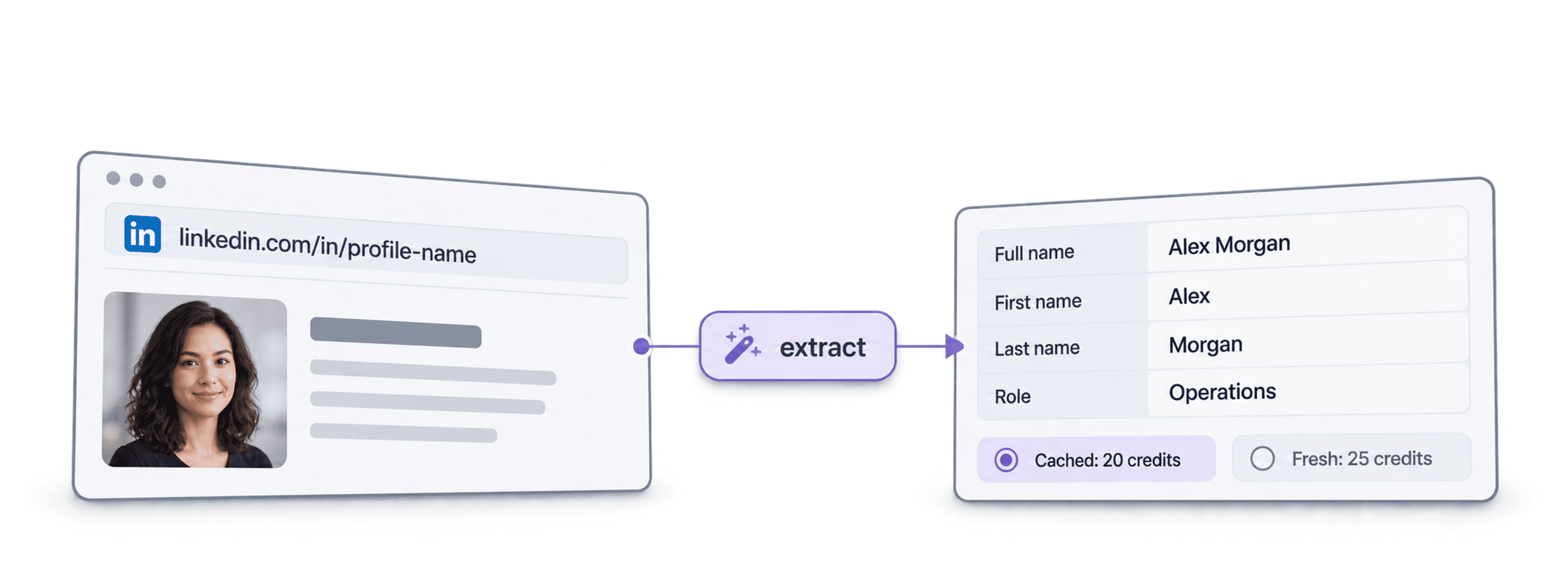
LinkedIn URL에서 최신 공개 프로필 데이터인 인물 정보, 근무처 및 학력 정보를 가져옵니다. Datablist workspace, collection 또는 import가 필요하지 않습니다.
제공할 정보
- LinkedIn 프로필 URL: 일반 프로필 링크 또는 Sales Navigator lead 링크
- 경력 범위(선택 사항): 이전 직장 3개, 5개 또는 10개 및 학교 1개, 3개 또는 5개
- 캐시된 프로필(선택 사항): 최근 저장된 사본을 사용하여 비용 절감
반환되는 정보
- 인물: 이름, 헤드라인, 소개, 위치, 언어 및 인맥 수
- 현재 직무: 직책, 시작일, 회사, 회사 웹사이트, 산업 및 규모
- 이전 경력 및 학력: 요청한 수만큼
비용
- 최신 프로필: 프로필당 25 credits
- 캐시된 프로필: 저장된 사본 사용 시 20 credits
- 1,000 credits = $1: Datablist 앱과 공유
팀에서 구축할 수 있는 workflow
데이터가 흐르는 어느 곳에서든 LinkedIn 프로필 스크래퍼를 사용하세요.
outreach 전 leads 조사
- lead 목록의 LinkedIn URL
- 직책, 회사, 위치
각 lead의 현재 직무와 회사를 가져와 정확한 대상과 관련성 높은 첫 문장으로 시퀀스를 시작하세요.
지원자 프로필 구축
- 지원자 LinkedIn URL
- ATS의 경력 및 학력 정보
모든 지원자의 이전 경력과 학력을 가져와 복사하여 붙여 넣을 필요 없이 ATS 또는 스프레드시트를 최신 상태로 유지하세요.
이직 감지
- CRM의 연락처
- 새 회사 표시
연락처를 다시 처리하고 현재 회사와 CRM 데이터를 비교하여 새 계정으로 이동한 핵심 인물을 포착하세요.
비용은 얼마인가요?
조회 건별로 credits를 지불합니다. API 액세스는 Growth 플랜부터 제공됩니다.
비용은 얼마인가요?
필요한 LinkedIn 프로필 수를 입력하면 가장 저렴하게 가져오는 방법을 알려드립니다.
= 최신 프로필당 25 credits 기준 25,000 credits
credits 작동 방식
1,000 credits = $1이므로 credit 1개는 0.1센트입니다. 최신 프로필은 25 credits, 캐시된 프로필은 20 credits입니다. 조회 작업이 수행되므로 프로필을 찾지 못한 경우에도 credits가 부과될 수 있습니다. 모든 결과에 creditsUsed가 반환되므로 행별 실제 비용을 추적할 수 있습니다. 플랜 credits는 매월 갱신되며 사용하지 않으면 초기화됩니다. 추가 구매 credits는 만료되지 않습니다.
코드에 통합하세요
REST API를 직접 호출하는 데 필요한 코드, 응답, endpoint, 필드, 인증 및 제한 정보를 모두 제공합니다.
datablist/linkedin-profile-scraper-api
공식 예시: cURL, Requests 또는 비동기 HTTPX를 사용하는 Python, TypeScript. 키를 DATABLIST_API_KEY에 입력하고 실행하세요.
복사하고 붙여 넣어 실행하세요
작업을 생성하고 완료될 때까지 기다린 후 모든 결과를 출력하는 전체 스크립트입니다. YOUR_PERSONAL_API_KEY를 사용자의 키로 교체하세요.
# 1. Create the task (returns 202 Accepted and the task "@id")
curl --request POST 'https://api.datablist.com/v1/enrichments/tasks' \
  --header 'X-API-Key: YOUR_PERSONAL_API_KEY' \
  --header 'Content-Type: application/json' \
  --data '{
    "enrichmentId": "linkedin-profile-scraper",
    "uniqueId": "linkedin-profile-scraper-import-1",
    "settings": {
      "experiencesNb": "3",
      "educationsNb": "1"
    },
    "inputs": [
      {"inputId": "row-1", "data": {"profileUrl": "https://www.linkedin.com/in/maya-lindqvist/"}},
      {"inputId": "row-2", "data": {"profileUrl": "https://www.linkedin.com/in/tom-okafor/"}},
      {"inputId": "row-3", "data": {"profileUrl": "https://www.linkedin.com/in/lea-moreau/"}}
    ]
  }'
# 2. Poll every few seconds until status is completed, failed or stopped
curl 'https://api.datablist.com/v1/enrichments/tasks/TASK_ID' \
--header 'X-API-Key: YOUR_PERSONAL_API_KEY'
# 3. Read the results, then follow nextCursor until it is null
curl 'https://api.datablist.com/v1/enrichments/tasks/TASK_ID/results?limit=50' \
--header 'X-API-Key: YOUR_PERSONAL_API_KEY'API 반환 데이터
각 입력별로 inputId, status, outputs 및 사용된 credits가 포함된 결과 하나를 반환합니다. 예시 데이터입니다.
{
  "taskId": "00000000000040008000000000000001",
  "results": [
    {
      "inputId": "row-1",
      "status": "success",
      "outputs": {
        "profileUrl": "https://www.linkedin.com/in/maya-lindqvist/",
        "firstName": "Maya",
        "lastName": "Lindqvist",
        "fullName": "Maya Lindqvist",
        "linkedInHeadline": "Head of Sales at Brightwave Analytics",
        "linkedInCity": "Stockholm",
        "linkedInCountryCode": "SE",
        "linkedInLocation": "Stockholm, Sweden",
        "linkedInlastExpTitle": "Head of Sales",
        "linkedInlastExpStartsAt": "2023-02-01",
        "linkedInlastExpCompany": "Brightwave Analytics",
        "linkedInlastExpCompanyWebsite": "https://www.brightwaveanalytics.com",
        "linkedInlastExpCompanyIndustry": "Software Development",
        "linkedInlastExpCompanyRange": "51-200",
        "linkedInlastEduSchool": "Example University",
        "linkedInLanguages": "English, Swedish",
        "linkedInConnections": "500"
      },
      "creditsUsed": "25",
      "error": null
    }
  ],
  "nextCursor": null
}
endpoint 및 필드
모든 경로는 https://api.datablist.com을 기준으로 합니다. 필드 정의는 GET /v1/enrichments/linkedin-profile-scraper에서 가져옵니다(문서 업데이트: 2026년 10월 21일). 스키마 버전: 2026-09-12.
- /v1/enrichments/linkedin-profile-scraper
- 스키마 확인, 키 불필요
- POST
- /v1/enrichments/tasks
- 작업 생성
- /v1/enrichments/tasks/{taskId}
- status 및 진행 상황 폴링
- /v1/enrichments/tasks/{taskId}/results
- 결과 확인, 페이지당 1~100개
- POST
- /v1/enrichments/tasks/{taskId}/stop
- 실행 중인 작업 취소
- /v1/enrichments/tasks
- 작업 기록, 최신순
스키마 레퍼런스
작업당 한 번 settings를 전송하고 입력마다 하나의 data 객체를 전송하세요. enrichment가 발전함에 따라 결과에 추가 필드가 포함될 수 있으므로 outputs를 파싱할 때 알 수 없는 키도 유지하세요.
모든 설정, 입력 및 출력 보기
설정
includeUrnInclude LinkedIn Internal ID (URN) | Boolean | Include the LinkedIn internal identifier (URN), for example: ACoAAAIJflYBlveEKEKWvVsjTP4QeXHK8KfcKHg. This ID can be used to build Sales Navigator URLs, like https://www.linkedin.com/sales/lead/XXXX. 활성화 조건: |
|---|---|---|
includePicturesInclude Pictures | Boolean | Include the LinkedIn profile picture and the company logo URL. ⚠️ These URLs expire fast. Download the images to avoid broken links. 활성화 조건: |
acceptCachedProfilesAccept cached profiles | Boolean | Default behavior is to fetch fresh LinkedIn profile data. Enable this option to use cached profiles when available. Cached profiles cost 20 credits per profile. 활성화 조건: |
experiencesNbExperiences to return | Text | How many work experiences to return. Default to 3.허용되는 값: |
educationsNbEducations to return | Text | How many educations to return. Default to 1.허용되는 값: |
입력(data)
profileUrl필수Person's LinkedIn Profile | Text | LinkedIn Profile Identifier. Works with standard profile URLs (https://linkedin.com/in/xxx) and Sales Navigator URLs (https://www.linkedin.com/sales/lead/xxxx). |
|---|
출력
linkedInInternalIdentifierLinkedIn Internal ID (URN) | Text | The unique internal LinkedIn identifier (URN). Example: ACoAAAIJflYBlveEKEKWvVsjTP4QeXHK8KfcKHg. Use it to build Sales Navigator URLs like https://www.linkedin.com/sales/lead/XXXX. 활성화 조건: |
|---|---|---|
profileUrlLinkedIn Profile URL Normalized | Text | The clean and standardized LinkedIn Public Profile URL. In the format: https://www.linkedin.com/in/xxx형식: |
firstNameFirst Name | Text | The first name of the profile |
lastNameLast Name | Text | The last name of the profile |
fullNameFull Name | Text | The full name of the profile |
linkedInHeadlineHeadline | Text | The tagline on the user profile. |
linkedInSummarySummary | Text | A blurb (longer than the tagline) written by the user for his profile. |
linkedInCityCity | Text | The city of the profile |
linkedInStateState | Text | The state of the profile |
linkedInCountryCodeCountry | Text | The country code of the profile. 2-letter country code (ISO 3166-1 alpha-2). |
linkedInCountryNameCountry Name | Text | The profile's country of residence, in English words. |
linkedInLocationLocation | Text | Full Location text |
linkedInProfilePictureLinkedIn Profile Picture | Text | These URLs expire fast. Download the images to avoid broken links. 활성화 조건: |
linkedInlastExpTitleTitle (Current or last experience) | Text | The title of the current (or last) experience |
linkedInlastExpEmploymentTypeEmployment Type (Current or last experience) | Text | The employment type of the current (or last) experience. |
linkedInlastExpDescriptionDescription (Current or last experience) | Text | The description of the current (or last) experience |
linkedInlastExpStartsAtStart Date (Current or last experience) | Text | The start date of the current (or last) experience.형식: |
linkedInlastExpEndsAtEnd date (Current or last experience) | Text | The end date of the last experience. None if still active.형식: |
linkedInlastExpLocationLocation (Current or last experience) | Text | The location of the current (or last) experience |
linkedInlastExpCompanyCompany Name (Current or last experience) | Text | The company name of the current (or last) experience. |
linkedInlastExpCompanyPageCompany page URL (Current or last experience) | Text | LinkedIn company's profile URL of the current (or last) experience. |
linkedInlastExpCompanyWebsiteCompany website (Current or last experience) | Text | Company Website of the current (or last) experience. |
linkedInlastExpCompanyDescriptionCompany description (Current or last experience) | Text | The company description from the LinkedIn company page of the current or last experience. |
linkedInlastExpCompanyIndustryCompany Industry (Current or last experience) | Text | Company Industry of the current (or last) experience. |
linkedInlastExpCompanyRangeCompany employee range (Current or last experience) | Text | Size of the company. In the form: 1, 2-10, 11-50, etc. |
linkedInlastExpCompanyLogoCompany Logo (Current or last experience) | Text | These URLs expire fast. Download the images to avoid broken links. 활성화 조건: |
linkedIn2ExpTitleTitle (Experience #2) | Text | The title from the second most recent work experience. If available. |
linkedIn2ExpEmploymentTypeEmployment Type (Experience #2) | Text | The employment type from the second most recent work experience. If available. |
linkedIn2ExpDescriptionDescription (Experience #2) | Text | The description from the second most recent work experience. If available. |
linkedIn2ExpStartsAtStart Date (Experience #2) | Text | The start date from the second most recent work experience. If available.형식: |
linkedIn2ExpEndsAtEnd date (Experience #2) | Text | The end date from the second most recent work experience. If available.형식: |
linkedIn2ExpCompanyNameCompany Name (Experience #2) | Text | The company name from the second most recent work experience. If available. |
linkedIn2ExpLogoCompany Logo (Experience #2) | Text | These URLs expire fast. Download the images to avoid broken links. 활성화 조건: |
linkedIn3ExpTitleTitle (Experience #3) | Text | The title from the third most recent work experience. If available. |
linkedIn3ExpEmploymentTypeEmployment Type (Experience #3) | Text | The employment type from the third most recent work experience. If available. |
linkedIn3ExpDescriptionDescription (Experience #3) | Text | The description from the third most recent work experience. If available. |
linkedIn3ExpStartsAtStart Date (Experience #3) | Text | The start date from the third most recent work experience. If available.형식: |
linkedIn3ExpEndsAtEnd date (Experience #3) | Text | The end date from the third most recent work experience. If available.형식: |
linkedIn3ExpCompanyNameCompany Name (Experience #3) | Text | The company name from the third most recent work experience. If available. |
linkedIn3ExpLogoCompany Logo (Experience #3) | Text | These URLs expire fast. Download the images to avoid broken links. 활성화 조건: |
linkedInlastEduSchoolSchool (Current or last education) | Text | The school name of the current (or last) education |
linkedInlastEduDegreeDegree (Current or last education) | Text | The degree of the current (or last) education |
linkedInlastEduFieldField of Study (Current or last education) | Text | The field of study of the current (or last) education |
linkedInlastEduStartsAtStart Date (Current or last education) | Text | The start date of the current (or last) education형식: |
linkedInlastEduEndsAtEnd date (Current or last education) | Text | The end date of the current (or last) education형식: |
linkedInlastEduLogoLogo URL (Current or last education) | Text | These URLs expire fast. Download the images to avoid broken links. 활성화 조건: |
linkedInSkillsSkills | Text | Comma-separated list of skills listed on the LinkedIn profile. |
linkedInLanguagesLanguages | Text | Comma-separated list of spoken languages of the LinkedIn profile. |
linkedInConnectionsConnections | Text | The number of connections of the profile |
하나의 헤더, 명확한 제한
Datablist 계정에서 Personal API Key를 생성하고 인증이 필요한 모든 요청에 포함하세요.
인증
X-API-Key 헤더에 키를 넣어 전송하세요. Datablist가 액세스 토큰을 교환하고 갱신합니다.
- 헤더:
X-API-Key: YOUR_PERSONAL_API_KEY - 선택 사항:
POST /v1/account/token에서 받은Authorization: Bearer를 사용해 토큰을 직접 관리 - 둘 중 하나만 사용: 두 헤더를 모두 전송하면
400 AmbiguousCredentials가 반환됩니다 - 서버 측에서만 사용: URL, 브라우저 코드 및 로그에 키를 노출하지 마세요
제한
- 작업당 입력: 1~10,000개
- 크기: 입력당 16 KiB, 요청당 10 MiB
- 실행 시간: 작업당 최대 24시간
- 작업 생성: 계정당 60초에 요청 10회
- 폴링 및 결과: 작업별 60초에 요청 120회
- 활성 작업: 계정당 동시에 약 20개
- 보관 기간: 작업 및 결과는 90일간 보관
관련 튜토리얼
자세한 단계별 가이드로 최신 workflow를 알아보세요.
자주 묻는 질문
사용자 또는 AI 코딩 에이전트가 LinkedIn 프로필 스크래퍼 API를 통합하는 데 필요한 인증, 요청, 폴링, 결과, 제한 및 재시도 정보를 모두 제공합니다.
관련 API, enrichment 및 무료 도구
코드, Datablist 앱 또는 무료 도구에서 LinkedIn 프로필 스크래퍼를 다른 enrichment와 연결하세요.
Enrichment API
- Waterfall Email Finder API이름과 회사 도메인으로 검증된 업무용 email을 찾으세요.
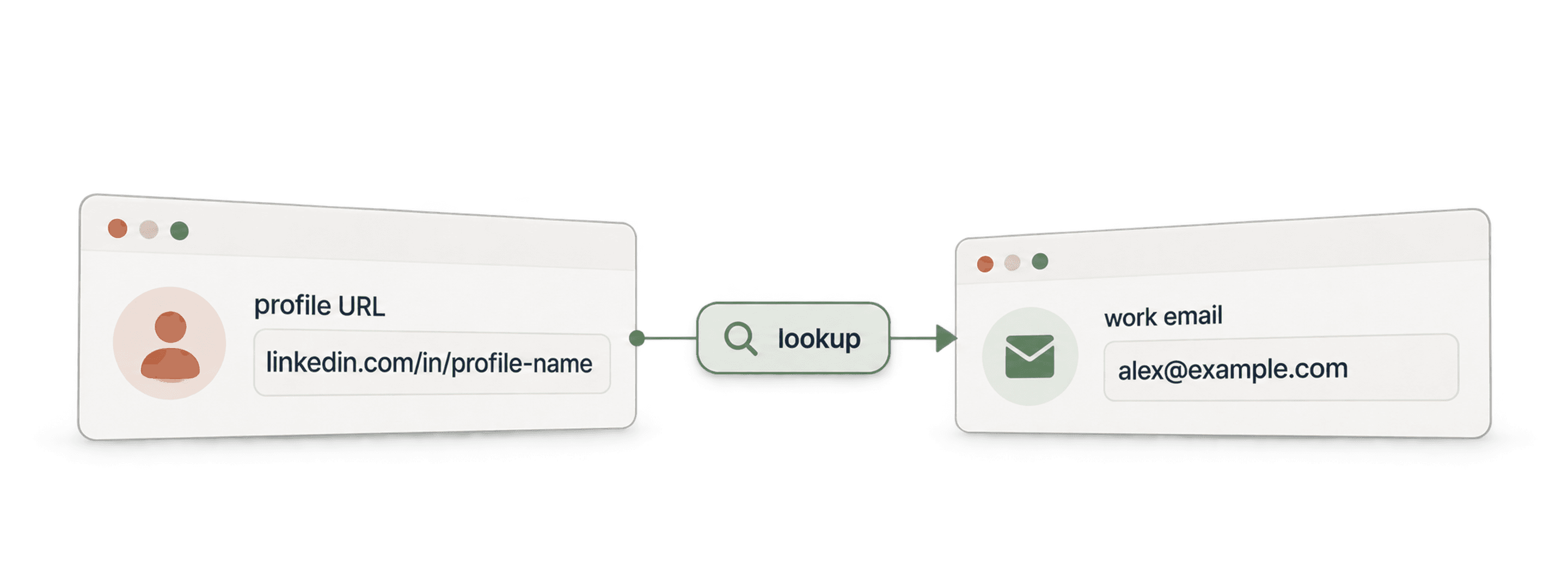
- Waterfall Phone Finder APILinkedIn 프로필 URL에서 전화번호를 찾으세요. 찾은 경우에만 비용을 지불합니다.
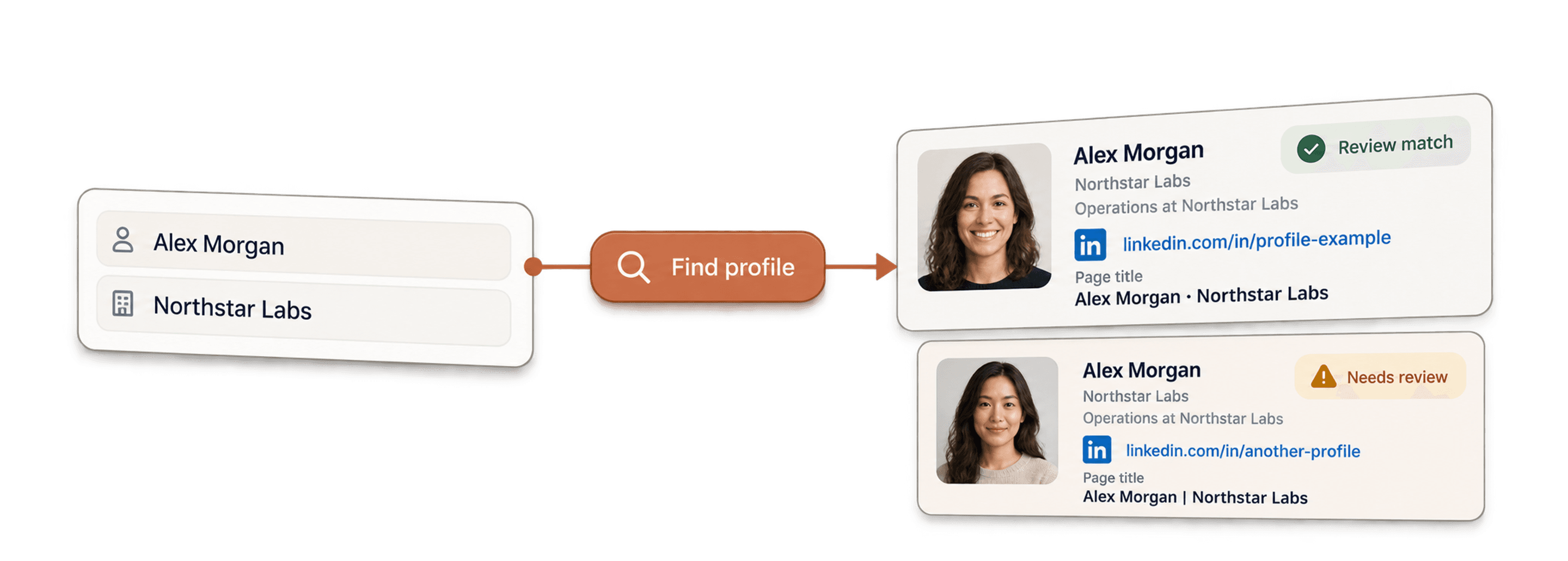
- LinkedIn Profile Finder API이름으로 해당 인물의 LinkedIn 프로필 URL을 찾으세요.