Visit a company website and extract their phone number with the source location.

Your goal is to visit the website I am going to give you and find the phone number of the company

## Information I want you to extract:
- Phone Number
- Source (Only one word e.g. Web, Contact, About)

## Instructions
- In the case you don't find the phone number, keep the field empty.
- Important: Do not extract anything else but the requested information.
- Look for the phone number in common sections like "Contact Us", "About Us", "Footer", or "Get in Touch" pages.
- The phone number format should include country code and area code e.g., +x xxx xxx xxxx
- For the Source field, indicate where you found the information using as little words as possible (e.g., Contact page, About page, Homepage).

## Fast Exit Rule (Critical)
- If you cannot quickly get a phone number, STOP immediately.
- Return empty values for all outputs.
- Do NOT perform deep searches, long browsing, or complex reasoning.
- We prefer empty data over spending credits

## Mistakes to avoid:
- Don't return fax numbers, toll-free support lines, or sales hotlines unless they are the main company phone number.
- Make sure to format the phone number correctly with country and area codes.
- Don't return phone numbers from third-party sites or directories unless verified on the company website.

## Input
Website to visit: /domain

如何在 CSV 文件上使用此 prompt?

Datablist 允许你拿整个 CSV 文件并在每一行上直接运行 prompts。

好消息是,你需要的 prompt 已在 Datablist 的 "Templates" 区域就绪。无需从零开始!只需选择符合任务的 template,即可在你的 CSV 每一行上运行。用几次点击就能轻松改造你的数据。

在 Datablist 中导入你的 CSV 文件。然后从顶部导航选择 "Enrich"。

选择模板:Business Number Extractor
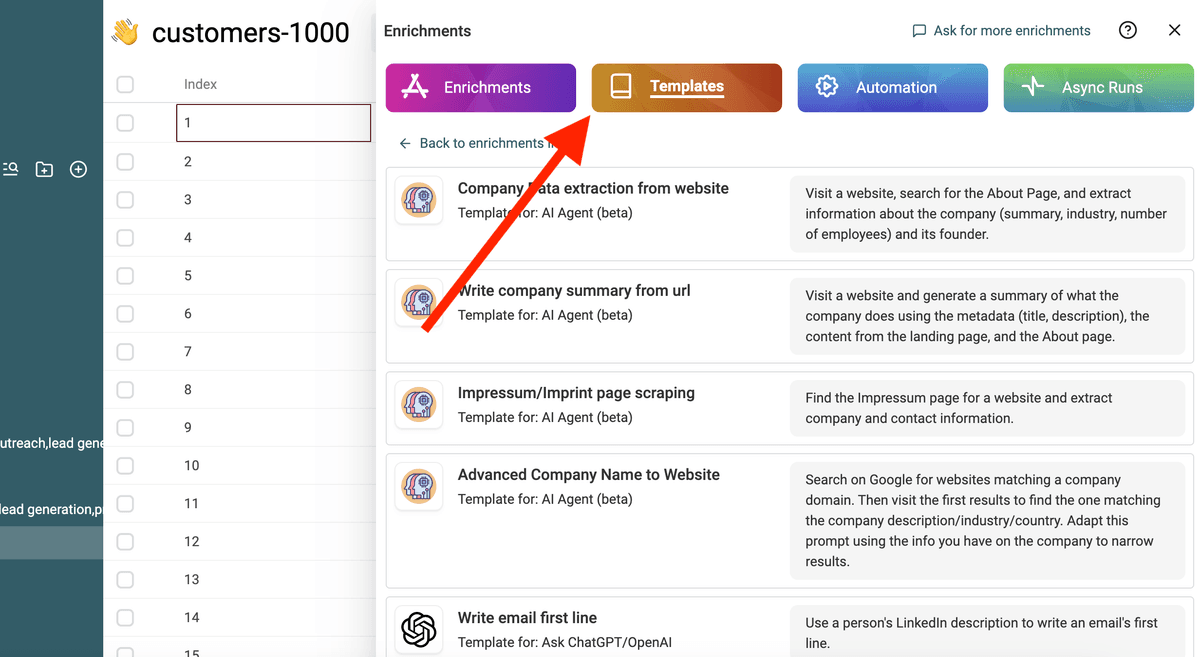
选择模板
选择模板

使用 "/" 或 '{{' 将 prompt 中的变量替换为你 collection 的属性。
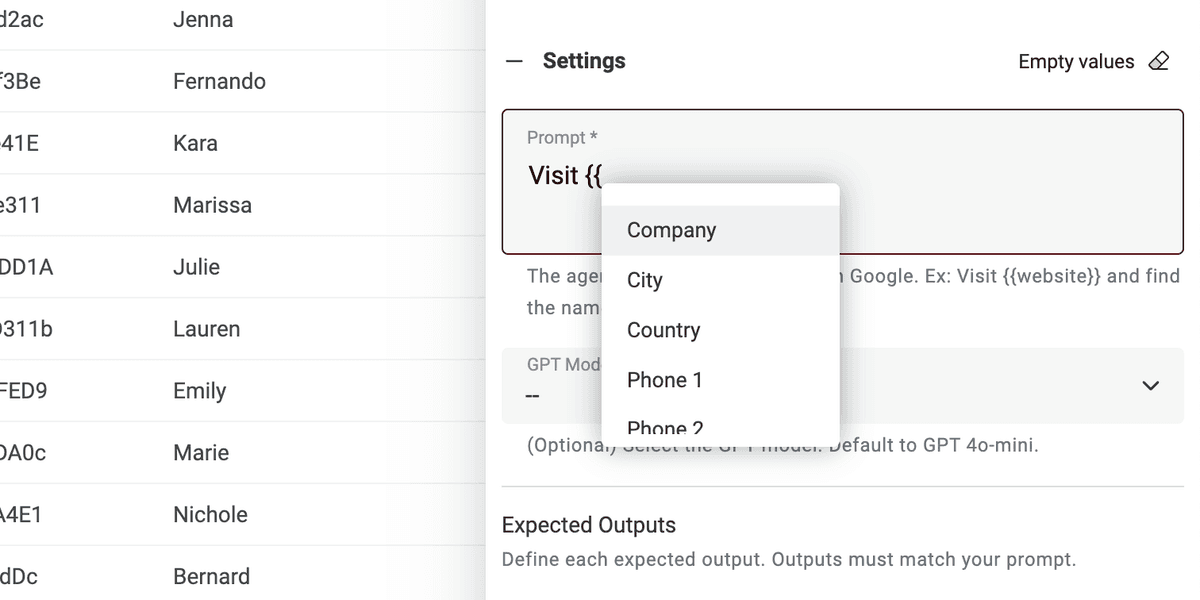
使用你的 collection 属性定义变量

如果缺少某些变量,直接编辑 prompt 即可。

就这么简单! 现在你可以在 CSV 文件的每一行上运行该 prompt,并在新列中获得结果。 🚀

关于 AI Agent prompts 的说明

此 prompt 适用于 Datablist AI Agent enrichment。AI Agent 是一种使用人工智能(AI)为你执行任务的智能工具。它可以浏览网站、用 Google 查找信息,并与不同的在线服务交互。 这意味着它可以使用实时数据,为你提供最新答案。

相比之下,ChatGPT API 只能分析输入文本,并基于其既有知识作答。它无法自行访问互联网或收集新信息。

AI Agent 通过引入实时数据提供更动态的体验,而 ChatGPT API 则依赖既有知识来响应查询。

当你直接在 https://chatgpt.com/ 上交互时,你是在与一个 Agent 交互。有时它会联网为你的 prompt 提供额外信息(但不经常)。然而,其他连接到 ChatGPT 的工具使用的是 API。因此请记住,此 prompt 不能用于调用 ChatGPT API 的其他工具中。

Datablist AI Agent 会在你的 CSV 每一行上运行一个 agent。