
从 Trustpilot 抓取评论非常适合做竞品分析,也很适合用来更深入地了解某个市场及其客户,因为很多电商店铺、金融服务商和代理机构都把 Trustpilot 当作他们的№1 用户评价平台。
唯一的问题是:大多数 Trustpilot scraper 都依赖 Python 或其他编程语言,对大多数人来说上手门槛很高。
这篇指南会带你一步步学会:不写一行代码,如何抓取 Trustpilot 评论。
开始吧!
Step 1:无代码抓取 Trustpilot 评论的准备工作
在开始无代码抓取 Trustpilot 评论之前,我们先把需求讲清楚。你需要的只有:
- 一个可以在完全不写代码的情况下抓取任意网站数据的工具
- 你想抓取的 Trustpilot 页面链接
📘 我的工具
我会使用 Datablist 的 AI Agent,它可以让你用无代码方式抓取任意网站。
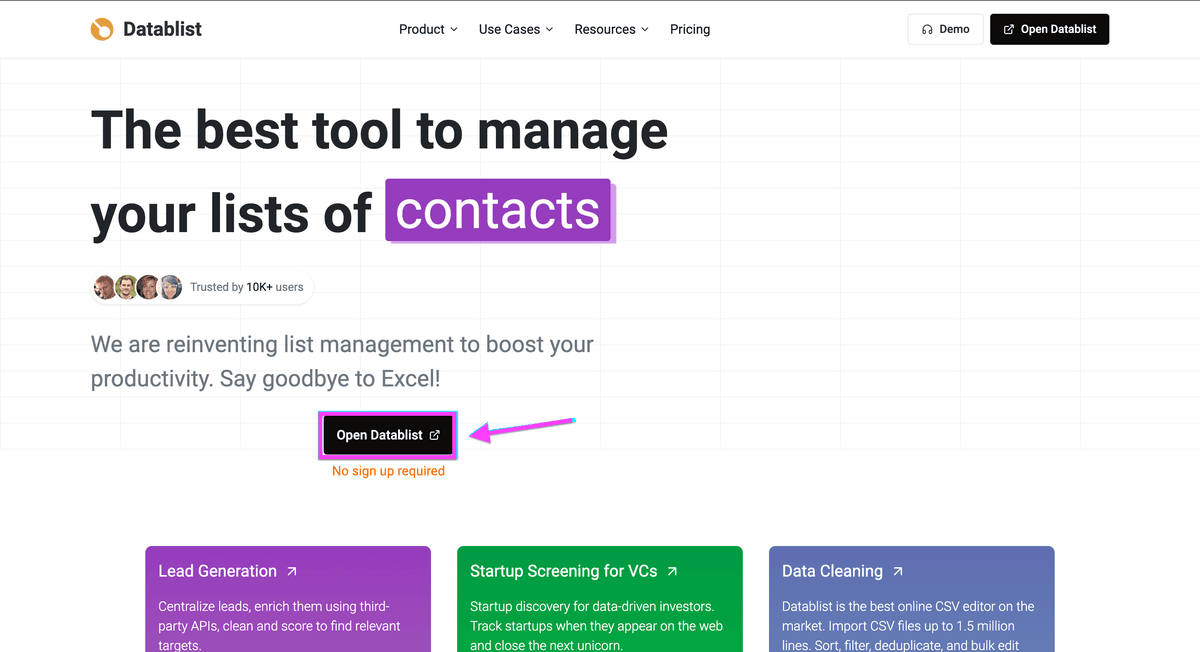
Step 2:设置 Datablist 的 AI Agent(无代码)
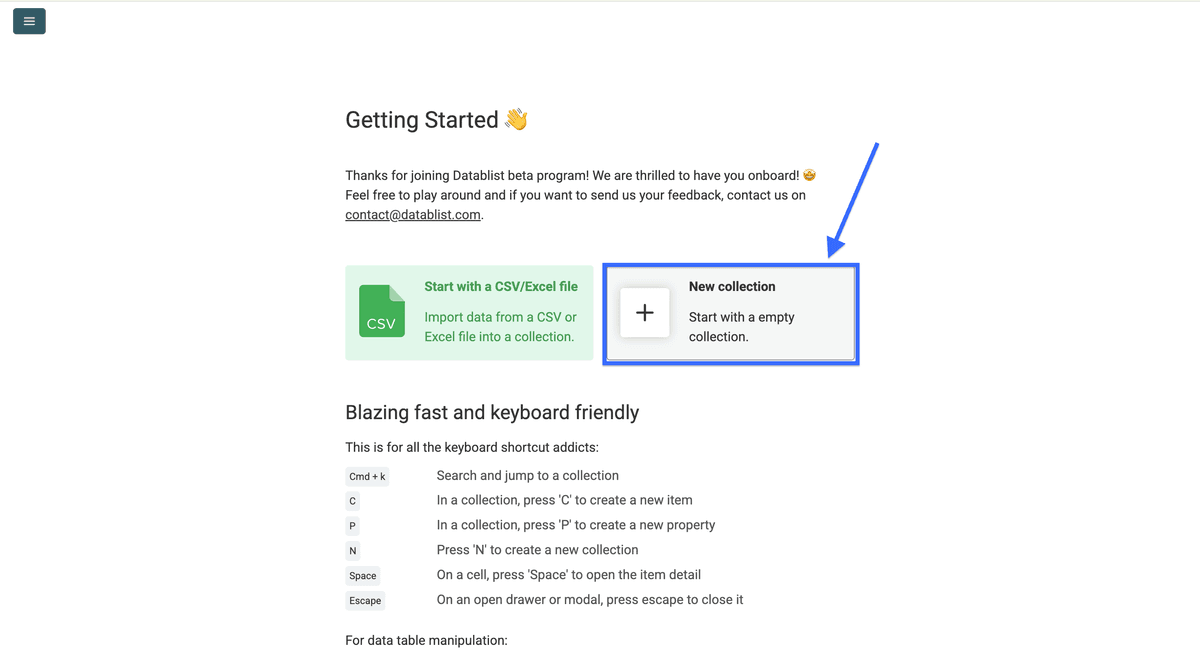
- 点击 “New Collection”,或者使用快捷键
n新建一个 collection。
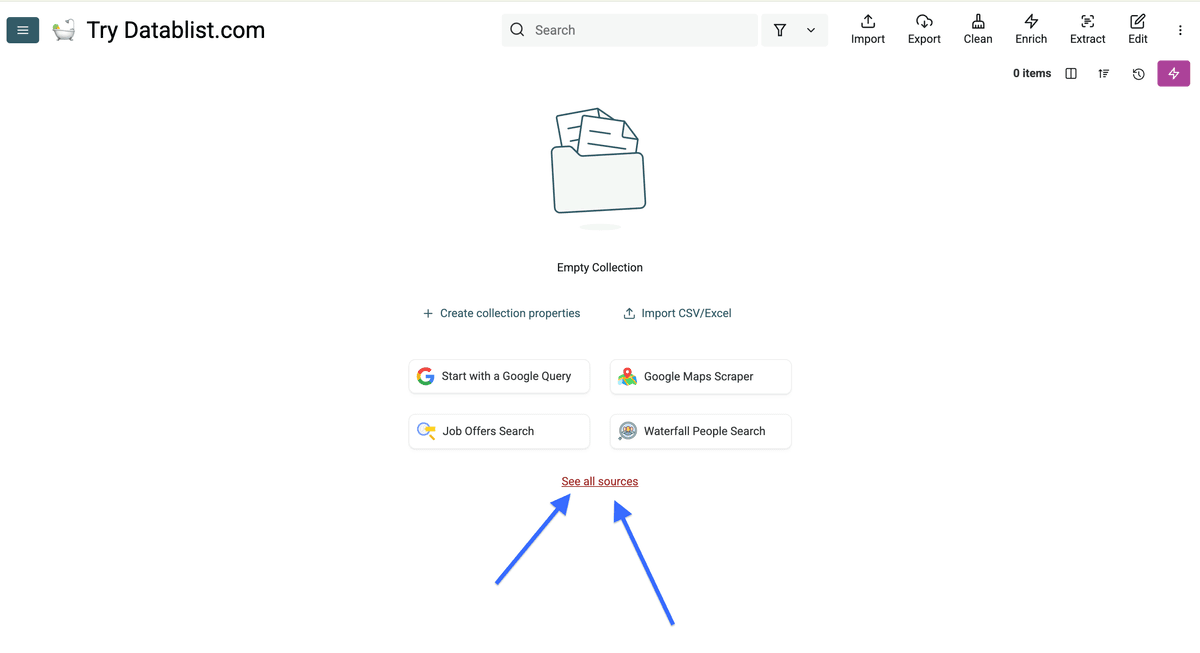
- 创建完成后,点击 “See all sources”
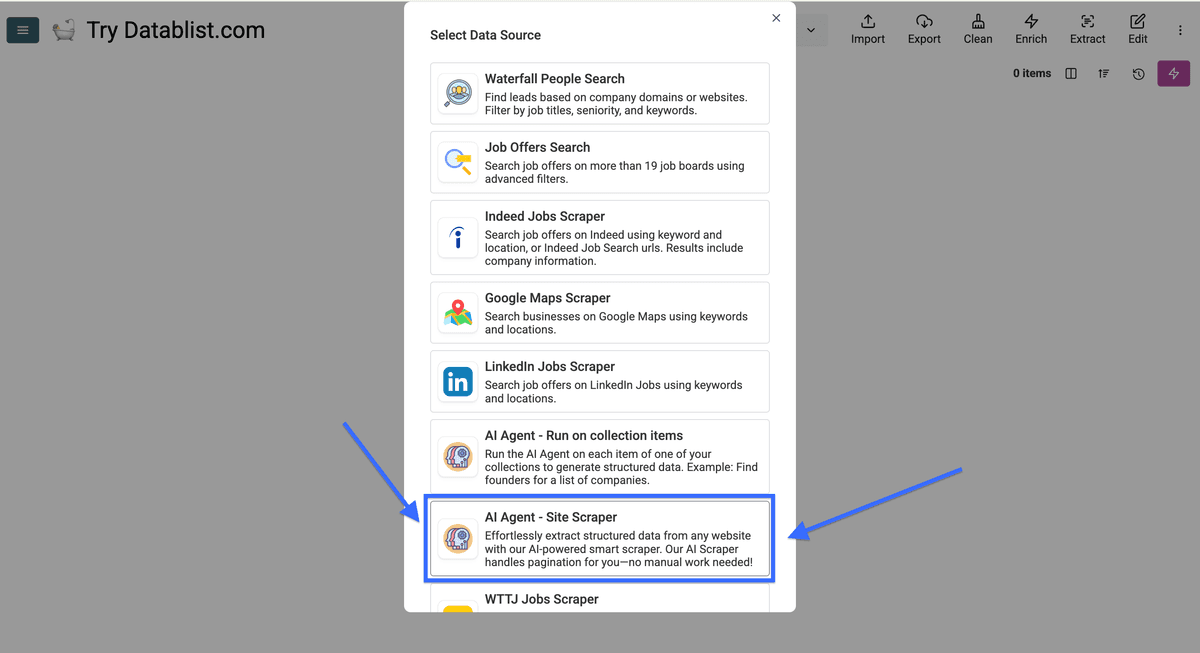
Step 3:运行 AI Agent 抓取 Trustpilot 评论
现在来到最关键的一步:配置 AI Agent。如果你一路跟着操作,现在应该看到的是这个页面:
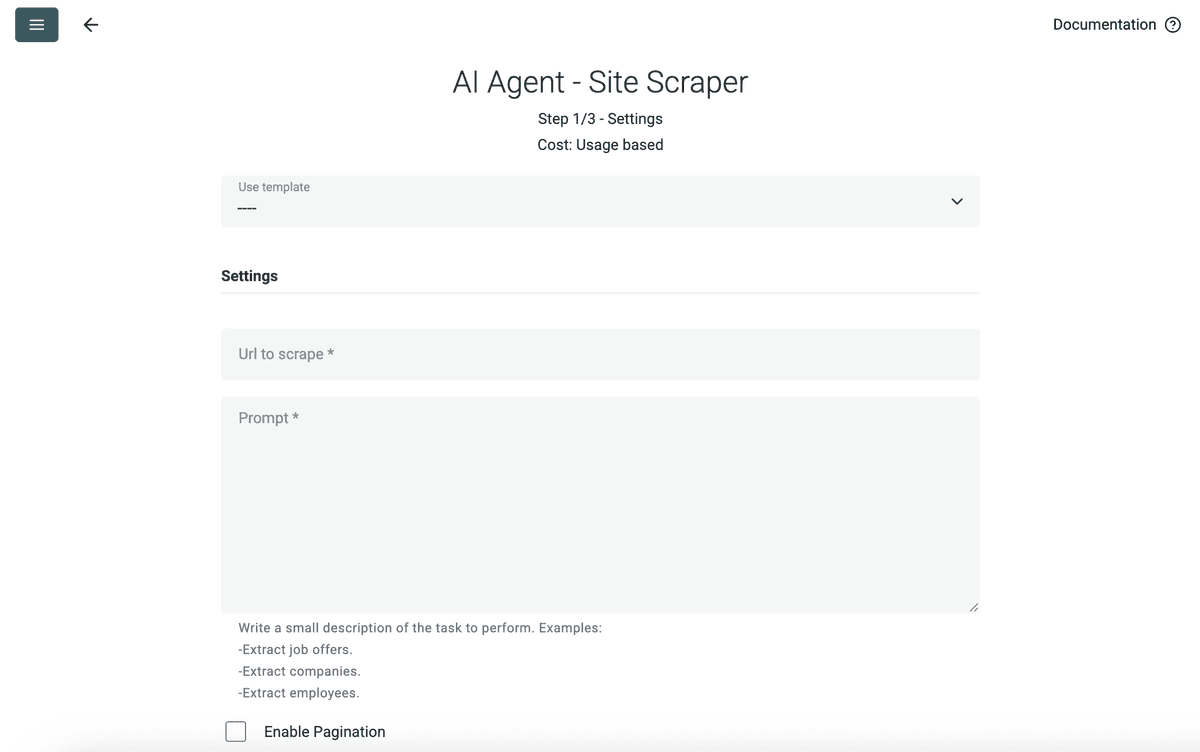
想让 AI agent 自动抓取 Trustpilot reviews,需要做 4 件事:
- 给它一个要抓取的 Trustpilot URL。
- 写一段 prompt,把你希望它抓取什么说清楚(我把我的放在下面)。
- 让它能够翻页(pagination)。
- 配置输出字段(outputs),把评论整理成干净、结构化的数据。
我们开始!
Datablist 内置模板里已经包含 Trustpilot 评论抓取所需的 prompt 和 output 设置。
请选择 "Trustpilot Reviews Scraper" 模板。
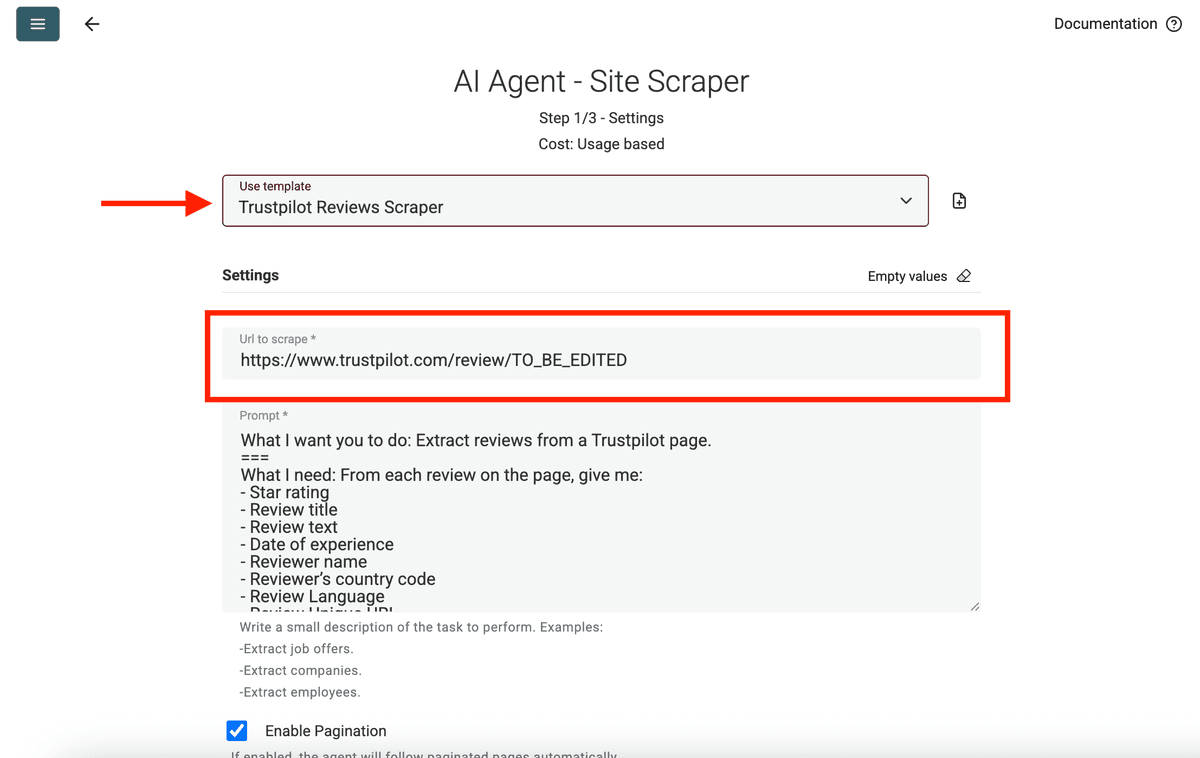
首先,把你要抓取的 Trustpilot 页面 URL 粘贴到高亮输入框。
我这里用这个示例:https://www.trustpilot.com/review/thefreewebsiteguys.com。
如果这家公司有几百条评论,建议把任务拆成多个 URL 来绕过 Trustpilot 的限制。可以参考:Split your scraping into multiple URLs to scrape more。
❗️ 重要提示
Trustpilot 只有在浏览器语言设置为英文时才会默认显示英文评论——而 AI Agent 就是以这种方式浏览。 如果你想抓取其他语言的评论,请在 URL 后面加上
?languages=XX,或者用?languages=all。用我们的示例 URL:
https://www.trustpilot.com/review/thefreewebsiteguys.com?languages=fr或https://www.trustpilot.com/review/thefreewebsiteguys.com?languages=all
💡 快速技巧
如果你只需要 3 星评论,直接在 URL 后加
?stars=3(https://www.trustpilot.com/review/thefreewebsiteguys.com?stars=3)。如果只要 1 星,把 “3” 改成 “1” 就行。如果你想从某一页开始抓取,加上
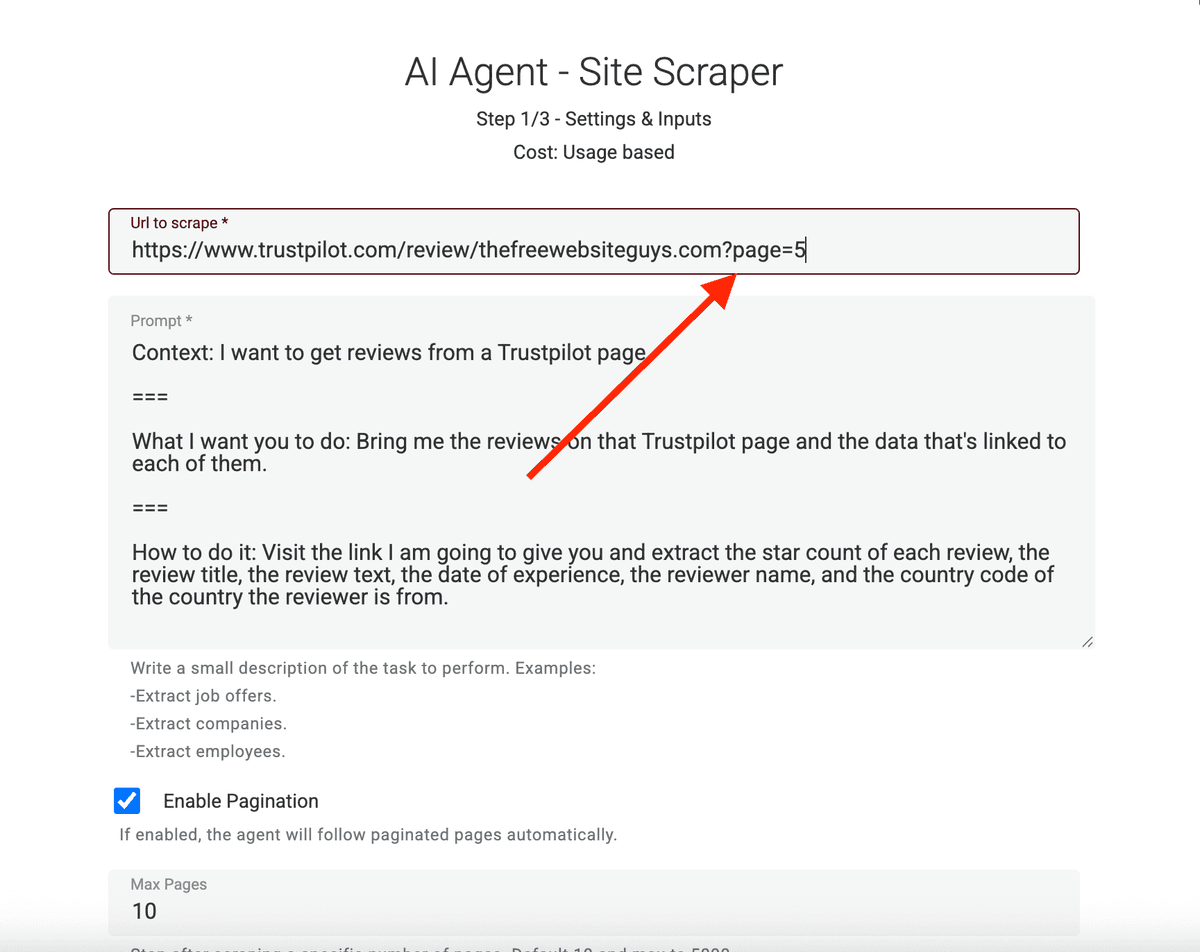
?page=X(https://www.trustpilot.com/review/thefreewebsiteguys.com?page=X),比如?page=5。如果要和 stars 参数组合,就写成?page=5&stars=3。
prompt 的作用是告诉 AI Agent 你要它做什么。如果你选了 Trustpilot Reviews Scraper 模板,prompt 已经自动填好了。否则你也可以从这里复制一份,再按你的需求改。
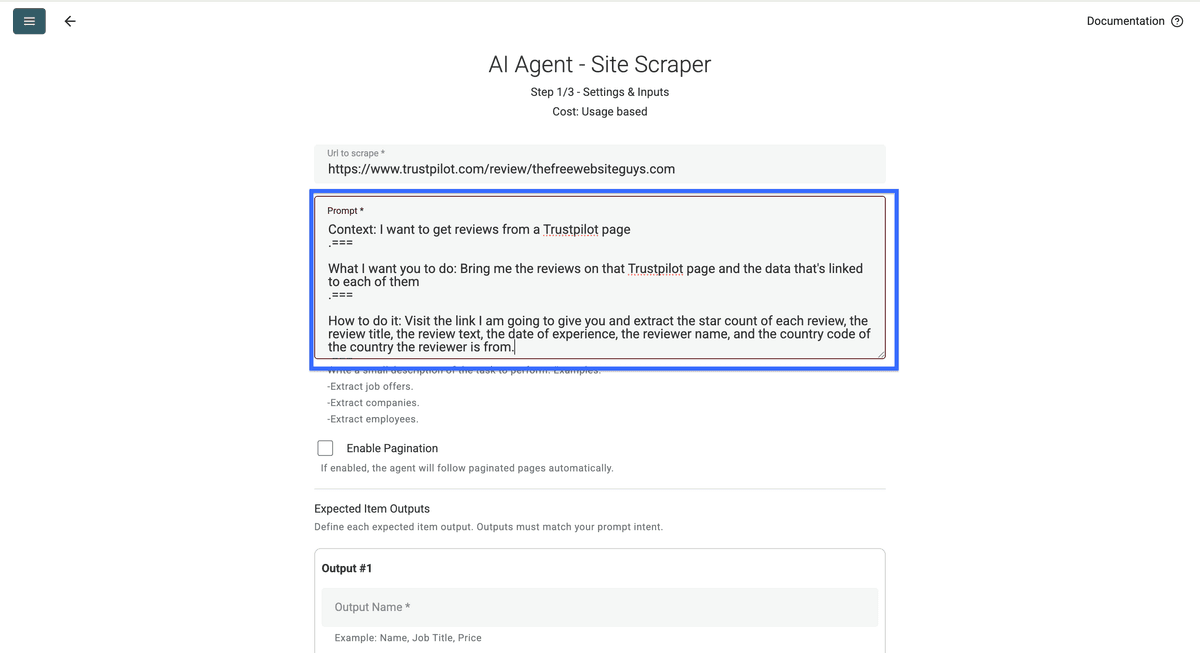
Context: I want to get reviews from a Trustpilot page.
===What I want you to do: Bring me the reviews on that Trustpilot page and the data that's linked to each of them.
===How to do it: Visit the link I am going to give you and extract the star count of each review, the review title, the review text, the date of experience, the review unique url, the reviewer name, the reviewer profile url, and the country code of the country the reviewer is from.
粘贴好 prompt 之后,勾选这个 checkbox,并选择 AI Agent 需要访问的页数上限。
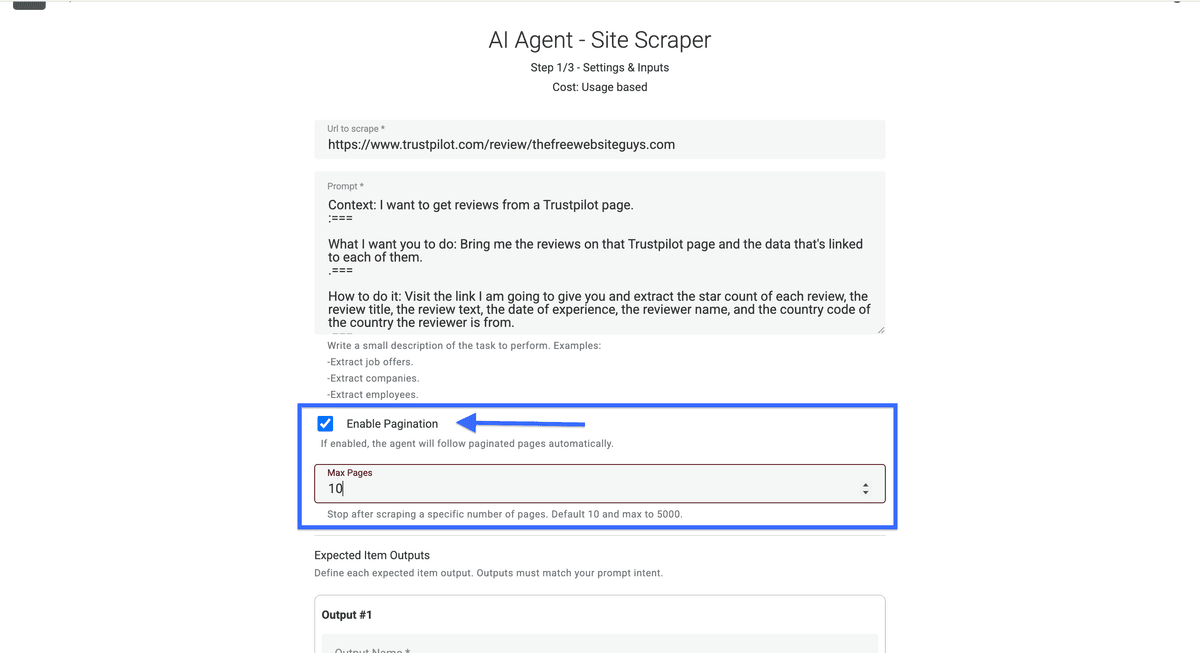
❗️ 重要提示
Trustpilot 在第 10 页之后会弹出登录页,所以单个 URL 基本只能抓到约 200 条评论。 想抓更多,就用多个带筛选条件的 URL。比如先抓 200 条 5 星,再抓 200 条 4 星,以此类推。你也可以用任何 filter 来分段你的数据。
开启 pagination 后,就可以继续配置 outputs 了。抓取 Trustpilot 评论时,我通常重点关注 6 个核心字段:
- Review star count
- Review title
- Review text
- Name of reviewer
- Reviewer Profile URL
- Country code of reviewer
- Date of experience
- Review Language
- Review Unique URL
我们一步一步把它们配置好
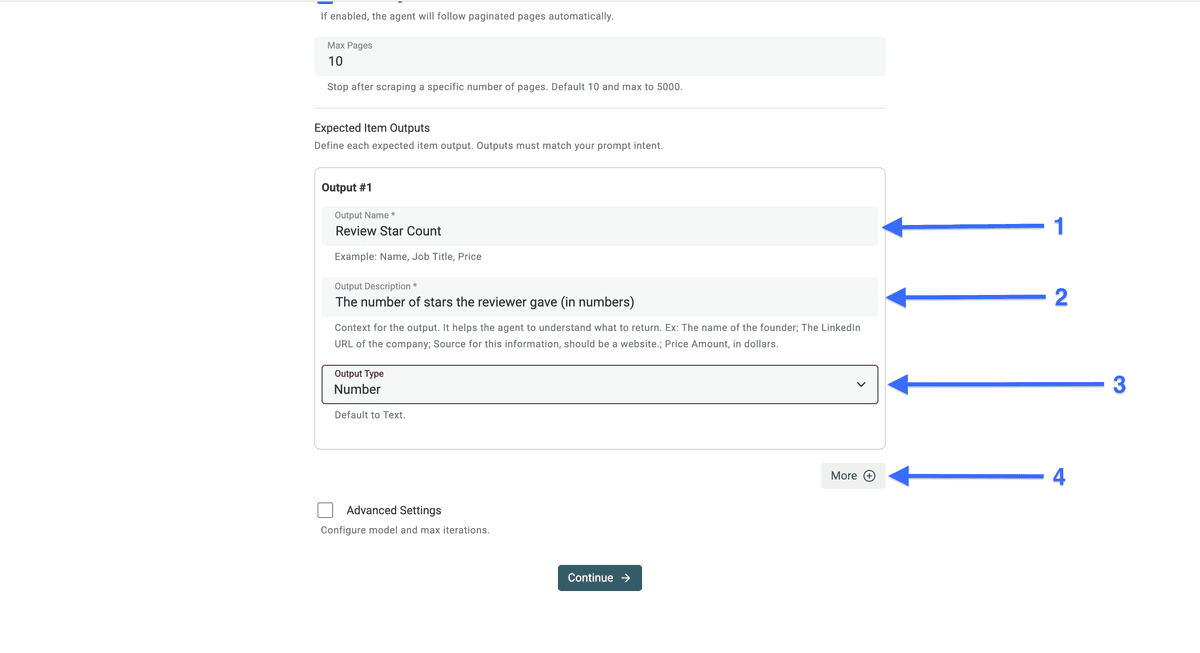
配置 “Review Star Count” 输出字段
- 在 “Output Name” 里复制粘贴:
Review Star Count - 在 “Output Description” 里复制粘贴:
The number of stars the reviewer gave (in numbers) - 把 “Output Type” 设置为:
Number
然后点击 More。
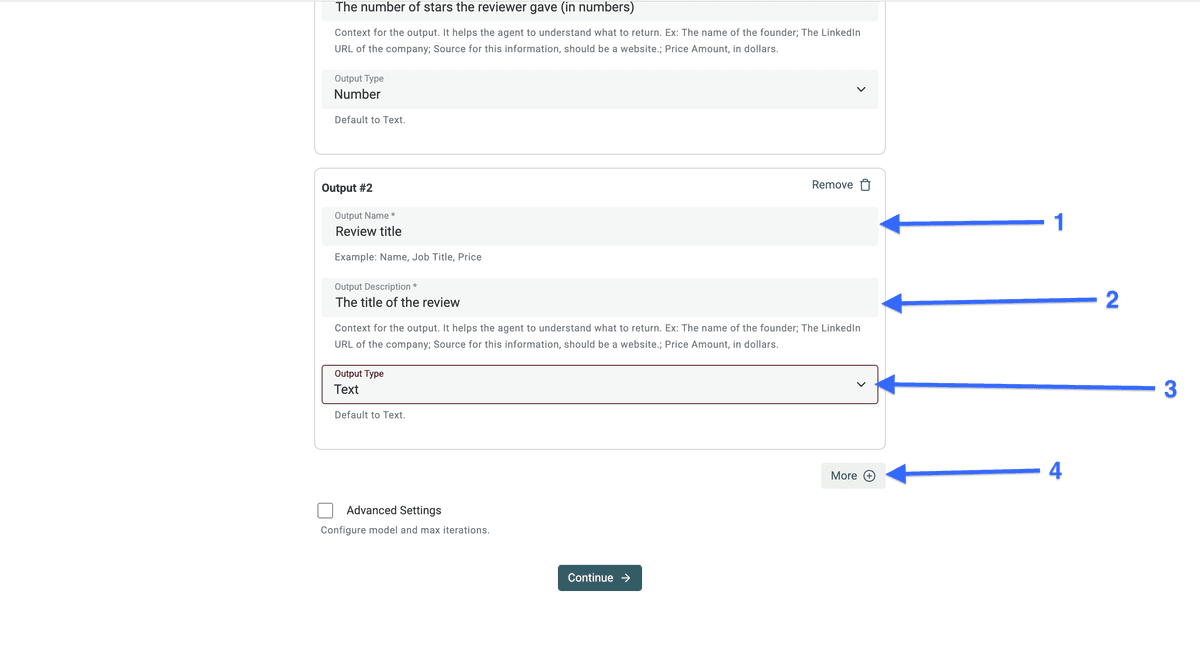
配置 “Review title” 输出字段
- 在 “Output Name” 里复制粘贴:
Review title - 在 “Output Description” 里复制粘贴:
The title of the review - 把 “Output Type” 设置为:
Text
然后点击 More。
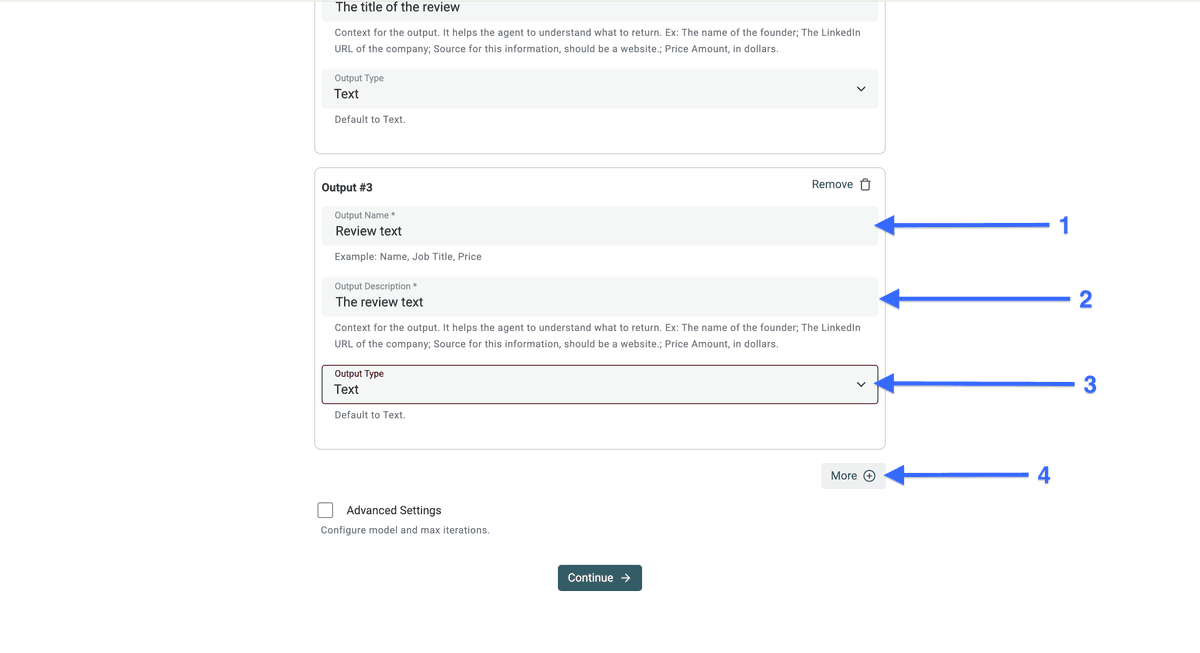
配置 “Review text” 输出字段
- 在 “Output Name” 里复制粘贴:
Review text - 在 “Output Description” 里复制粘贴:
The review text - 把 “Output Type” 设置为:
Text
然后点击 More。
配置 “Name of reviewer” 输出字段
- 在 “Output Name” 里复制粘贴:
Name of reviewer - 在 “Output Description” 里复制粘贴:
The name of the user who wrote the review - 把 “Output Type” 设置为:
Text - 点击 “More”
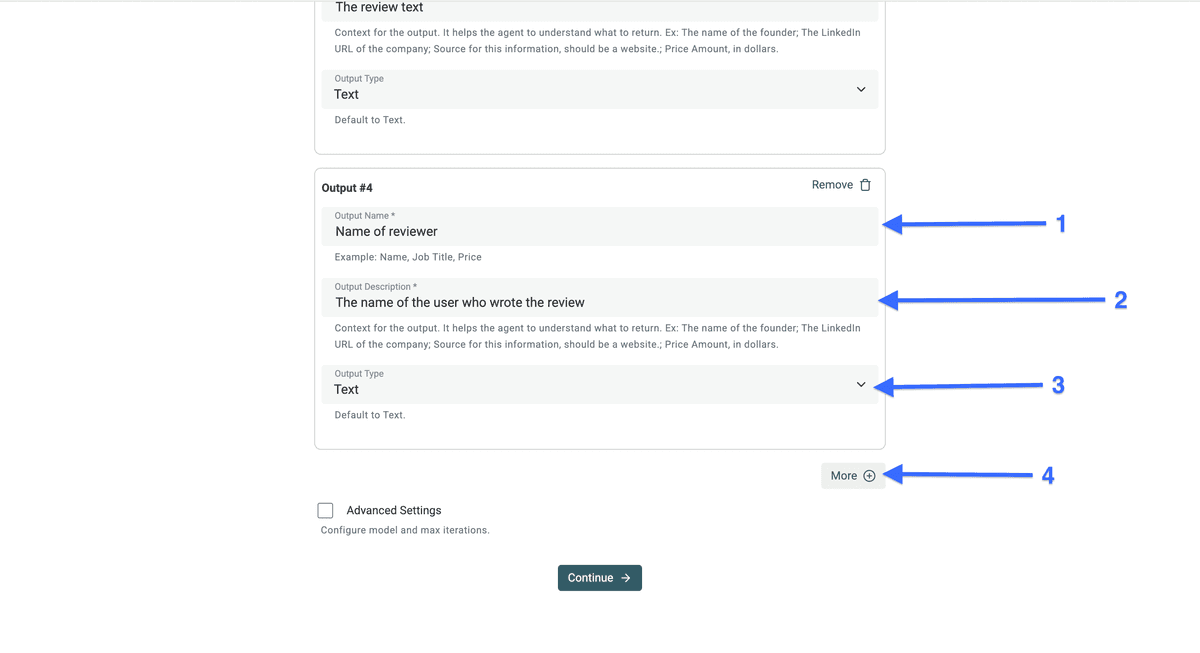
Trustpilot 上的 reviewer name 也可能是昵称。
配置 “Trustpilot Profile URL” 输出字段
- 在 “Output Name” 里复制粘贴:
Trustpilot Profile URL - 在 “Output Description” 里复制粘贴:
Profile URL for the reviewer - 把 “Output Type” 设置为:
Url - 点击 “More”
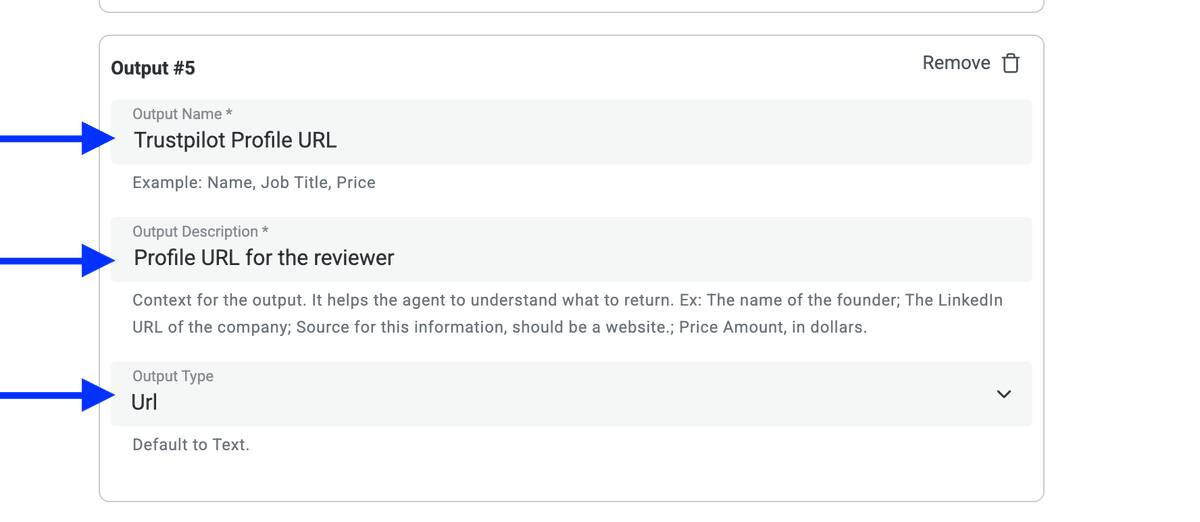
配置 “Country code of reviewer” 输出字段
- 在 “Output Name” 里复制粘贴:
Country code of reviewer - 在 “Output Description” 里复制粘贴:
The code of the country the user is from - 把 “Output Type” 设置为:
Text - 点击 “More”
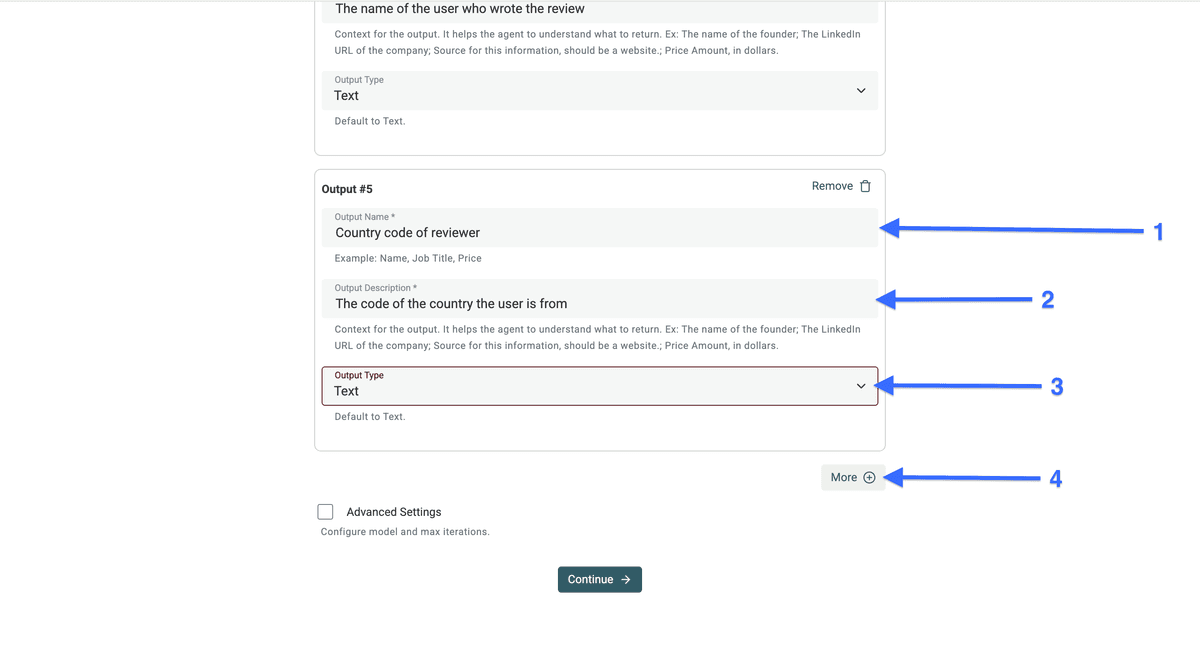
有了国家代码(country code),你就能按地区对评论者进行分组分析。
配置 “Date of experience” 输出字段
- 在 “Output Name” 里复制粘贴:
Date of experience - 在 “Output Description” 里复制粘贴:
The date of experience - 把 “Output Type” 设置为:
Text - 点击 “More”
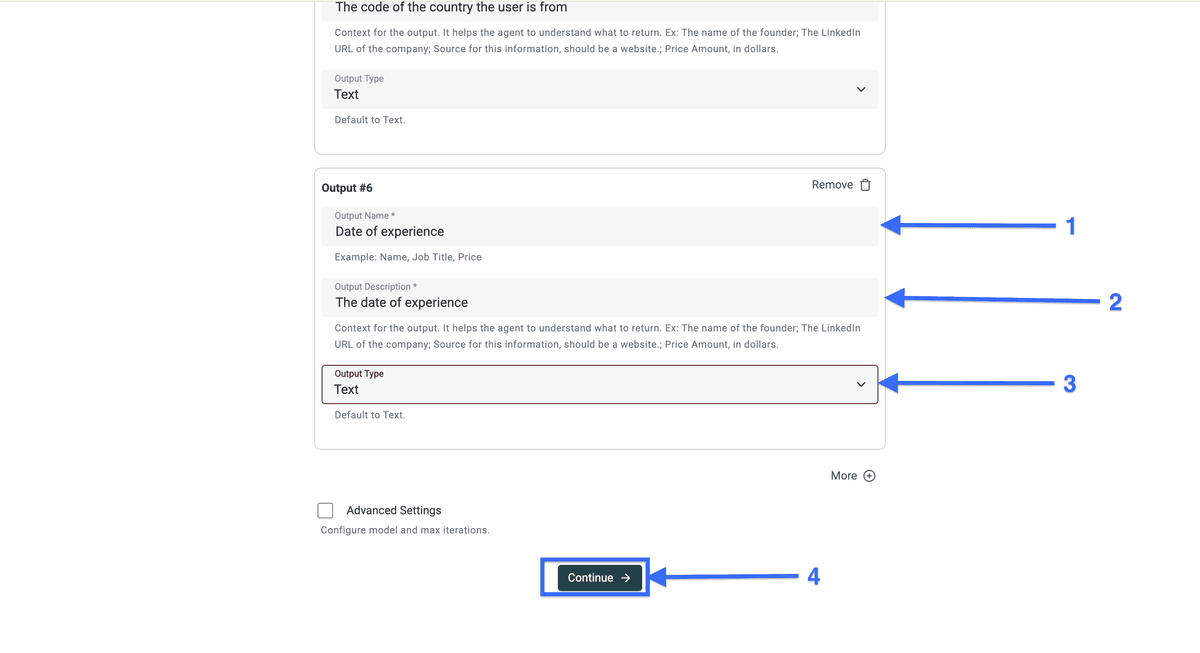
配置 “Language” 输出字段
- 在 “Output Name” 里复制粘贴:
Language - 在 “Output Description” 里复制粘贴:
Language for the review - 把 “Output Type” 设置为:
Text - 点击 “More”
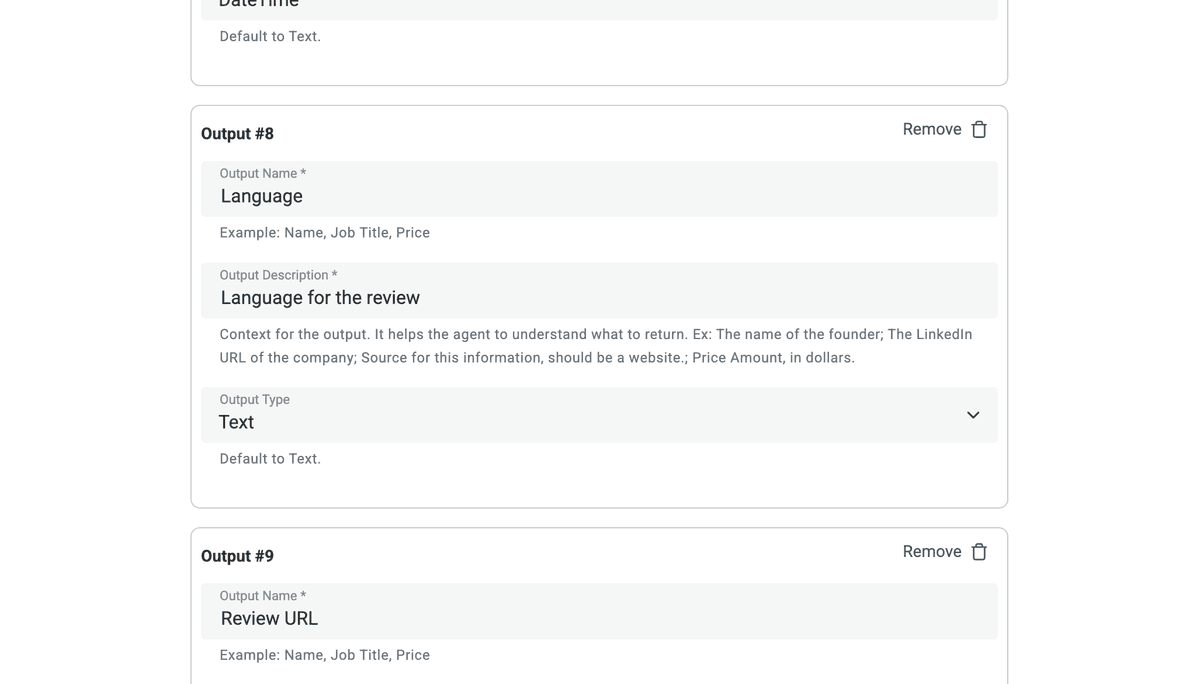
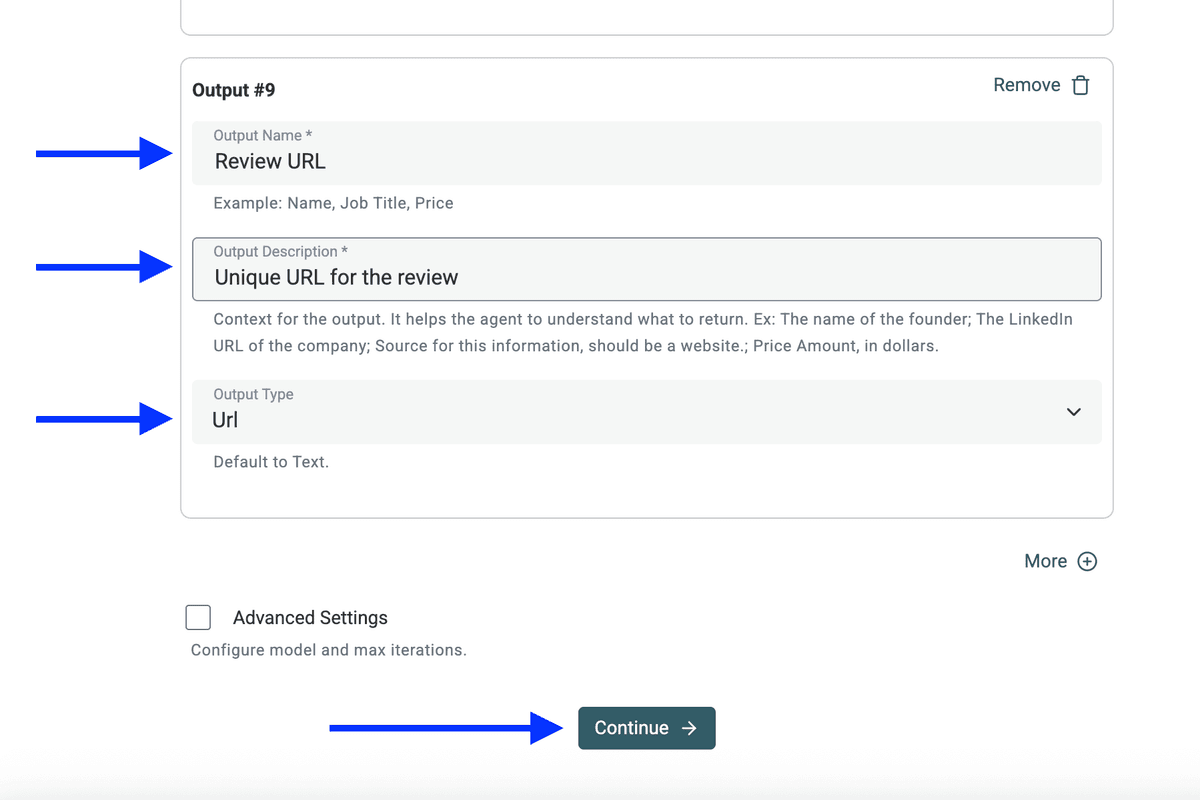
配置 “Review URL” 输出字段
- 在 “Output Name” 里复制粘贴:
Review URL - 在 “Output Description” 里复制粘贴:
Unique URL for the review - 把 “Output Type” 设置为:
Url - 点击 “Continue”
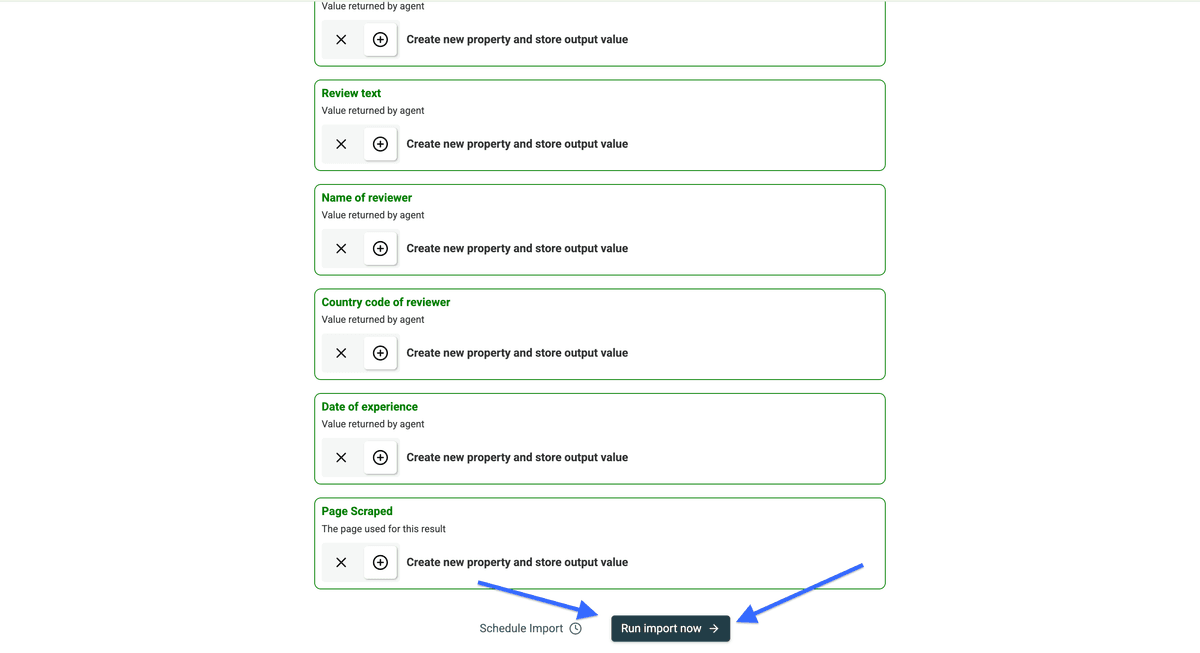
点击 Continue 之后,你会看到即将创建的输出字段列表。
点击 Run import now,开始抓取 Trustpilot 页面。
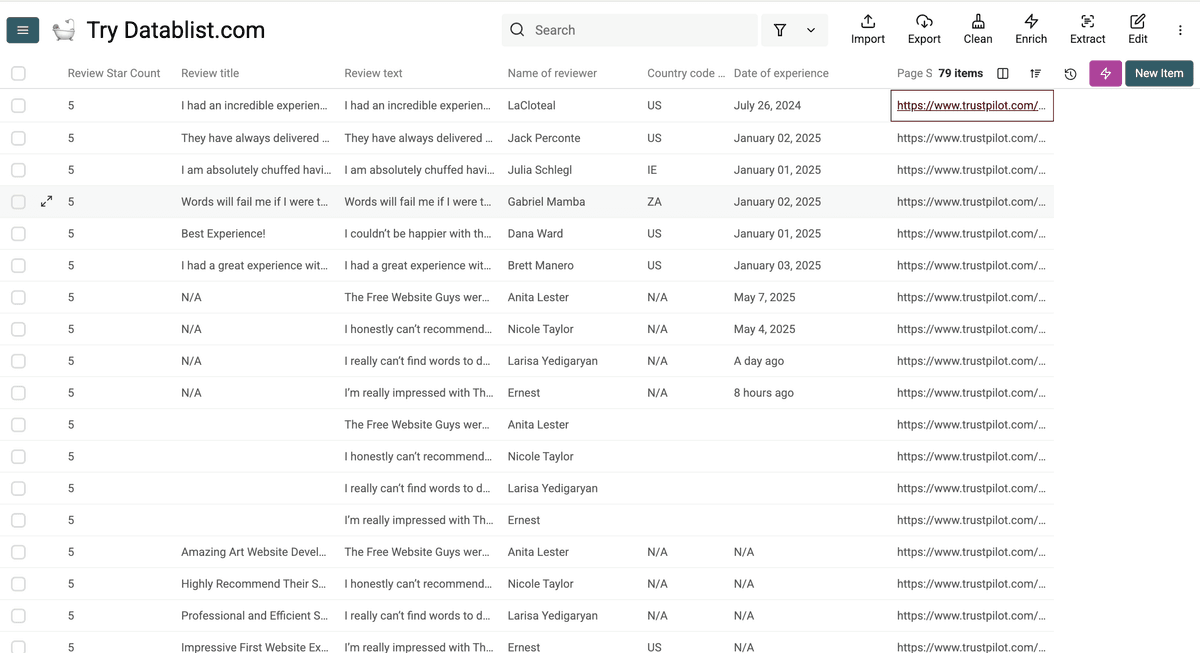
这就是我们用无代码 Trustpilot scraper(也就是 Datablist 的 AI agent)得到的结果——很不错吧?
从指定页继续抓取 Trustpilot 评论
抓取 Trustpilot 评论时,更稳妥的做法是先小规模跑一轮:先抓前几页,检查结果没问题,再继续往后抓。
在你运行完 AI Agent scraper 之后,可以用新的参数再跑一次。
在 collection 右上角点击粉色的 “Saved Enrichments” 按钮。
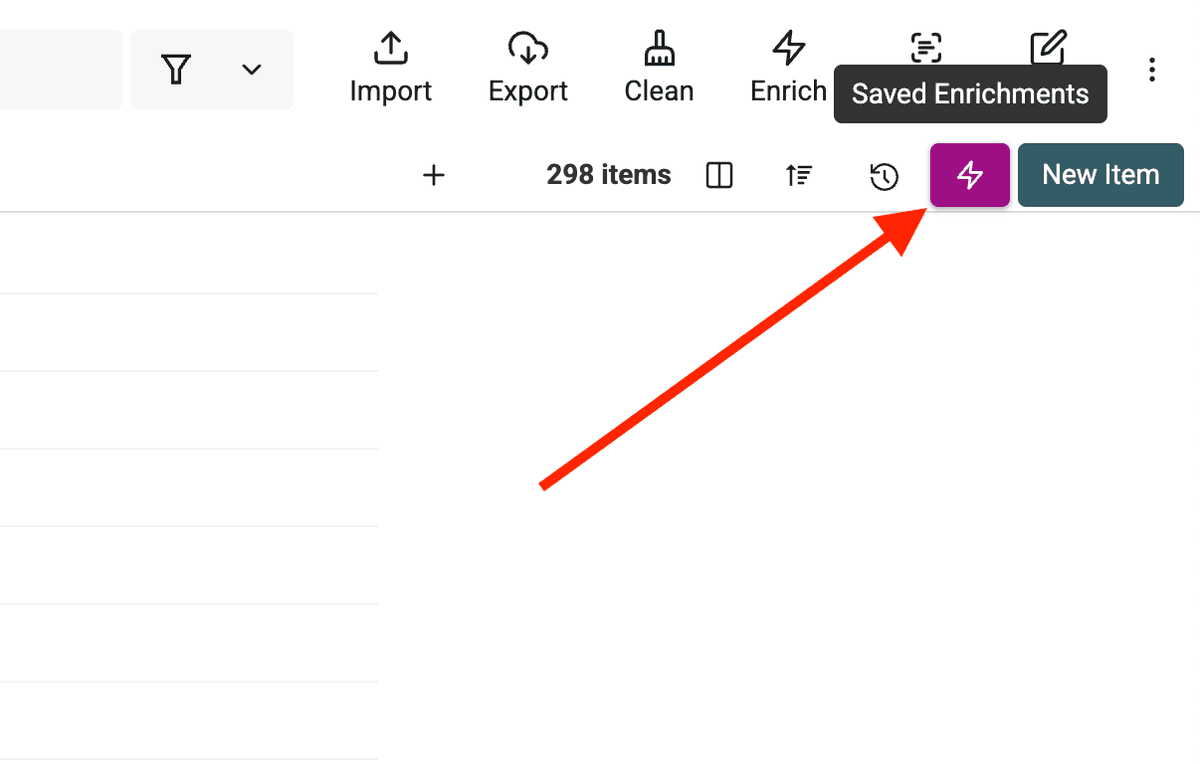
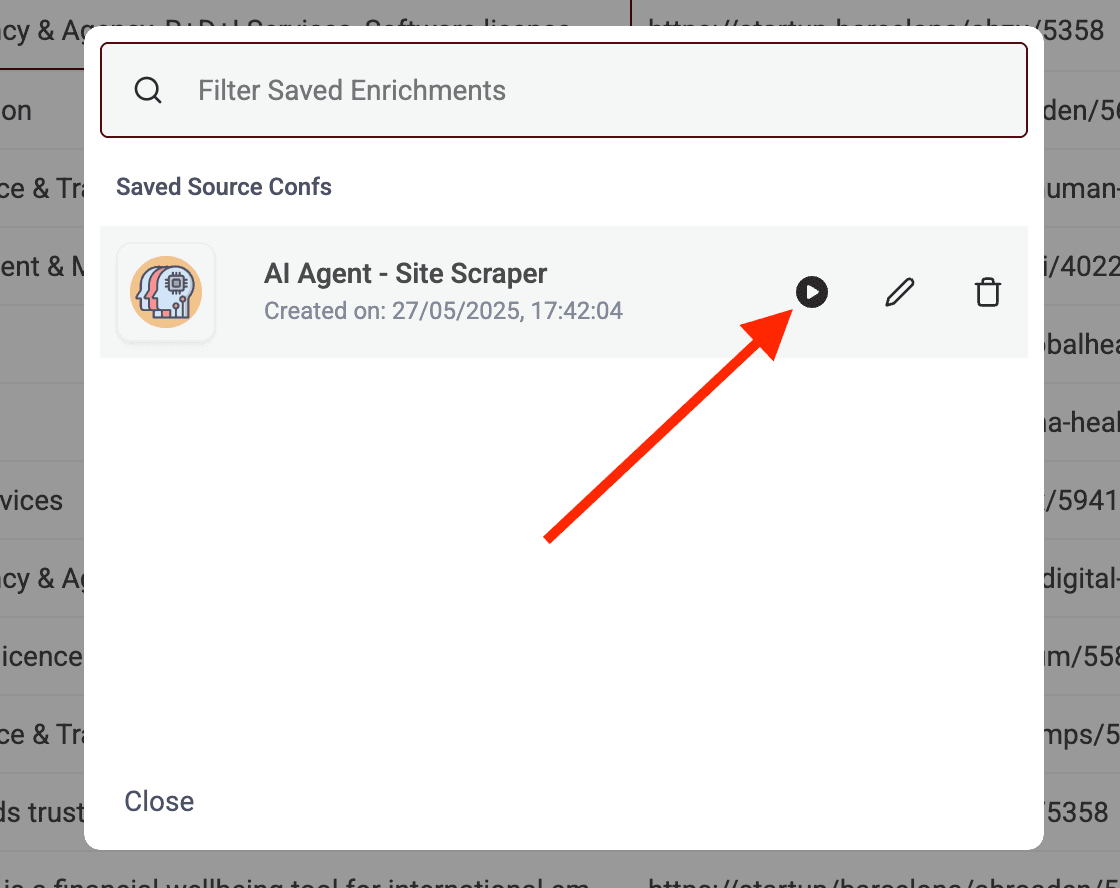
这里会展示所有连接到该 collection 的数据源。
找到 Trustpilot source,然后点击 “Play” 图标进入设置。
接着更新 URL,让它从不同页开始抓取。
比如你已经抓完第 1 到第 4 页,那就在 Trustpilot URL 末尾加上 ?page=5,从第 5 页继续。
想知道哪些页面已经抓过,可以看结果里的 Page Scraped 这一列。
它会显示每条 review 来自哪个具体 URL。
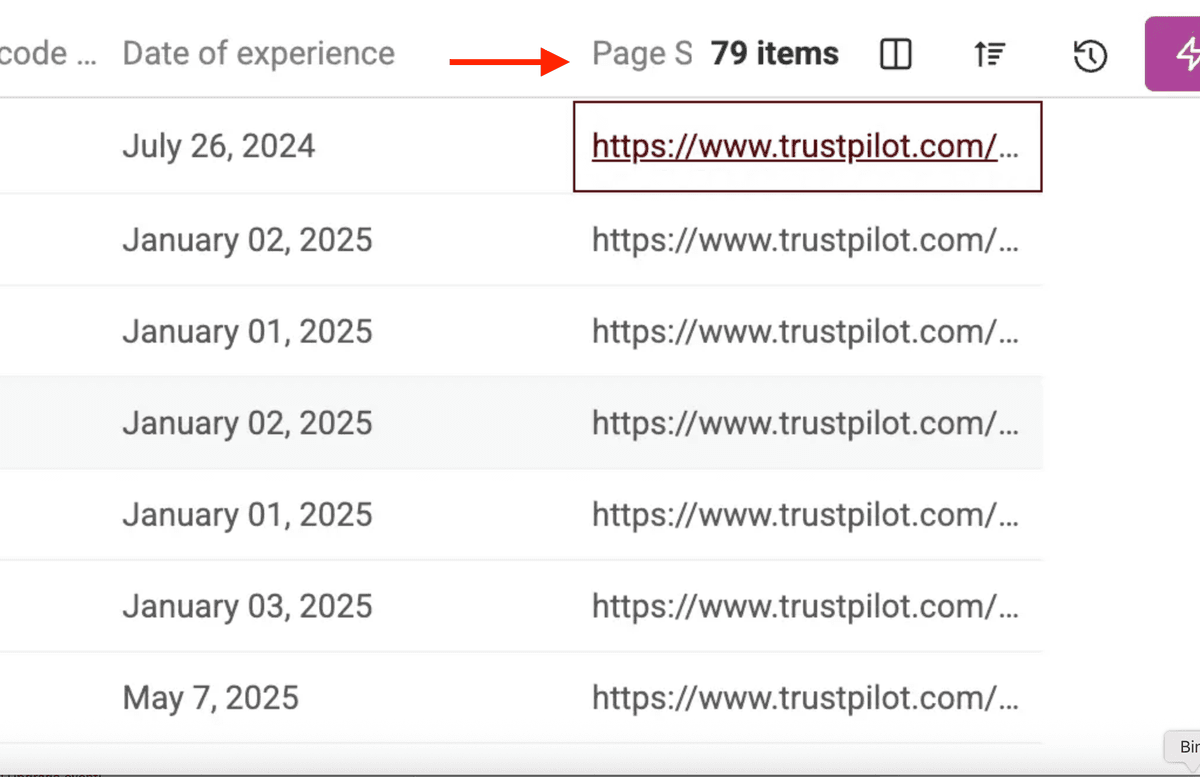
用这个信息来决定下一次的 ?page=X 值即可。
简单而且准确。
用多个 URL 拆分抓取,拿到更多评论
Trustpilot 在尝试抓取到第 10 页评论时会出现登录页,AI Agent 也无法继续往后翻。
这意味着单次抓取基本被限制在一个 URL 约 200 条评论。
想突破这个限制、抓到更多评论,你需要使用多个不同的 URL。
最简单的方式就是用 Trustpilot 的 filters:按星级、语言等条件生成不同的 URL。
例如:
.../review/company-name?stars=5.../review/company-name?stars=4.../review/company-name?stars=1.../review/company-name?languages=fr
对每个带筛选条件的 URL 都跑一次 10 页抓取。这种“横向拆分”的策略可以把大任务拆成多个小块,最终累计拿到上千条评论数据。
抓取 Trustpilot 评论要多少钱?
使用我们的 AI Agent 抓取 Trustpilot reviews 采用 usage-based 计费,成本取决于页面长度和内容复杂度。
根据我们的测试,抓取一条评论的成本 不到 1 credit。
👉 只要 $20(20,000 credits),就可以抓取超过 20,000 条 Trustpilot 评论。
Trustpilot 评论抓取 FAQ
抓取 Trustpilot 评论合法吗?
是的,抓取公开可访问的 Trustpilot 评论通常是合法的。
不会写代码也能抓 Trustpilot 评论吗?
可以。你可以使用 Datablist 的 AI agent 这类 no-code 工具来无代码抓取 Trustpilot reviews。
从 Trustpilot 评论可以提取哪些数据?
从 Trustpilot reviews 里你可以提取很多字段,例如:
- 星级评分
- 评论标题和全文
- 客户姓名
- 评论日期
- 地理位置信息
- 体验日期(experience date)
- 回复状态与商家回复内容
Trustpilot 最多能抓多少条评论?
可抓取的评论数量取决于你的抓取工具能力。Datablist 的 AI agent 可以让你抓取几百条,甚至通过多 URL 拆分的方式抓取上千条评论。