
抓取 Trusted Shops 评论,是快速收集高价值电商口碑数据的一个简单方法。由于买家不需要公开身份,他们更愿意留下真实评价,这也让 Trusted Shops 成为很多线上商店最常用的评论平台之一。
无论你是想用 scrape Trusted Shops reviews 做竞品分析,还是做用户洞察,这篇指南都会带你用 0 代码完成。
话不多说,开始 Scrape Trusted Shops Reviews!
Step 1:0 代码抓取 Trusted Shops 评论前的准备
在开始 0 代码抓取 Trusted Shops 评论之前,我们先把需求说明白。你需要准备:
- 一个可以在不写任何代码的情况下抓取网站数据的工具
- 你想要抓取的 Trusted Shops 页面链接
📘 我的工具
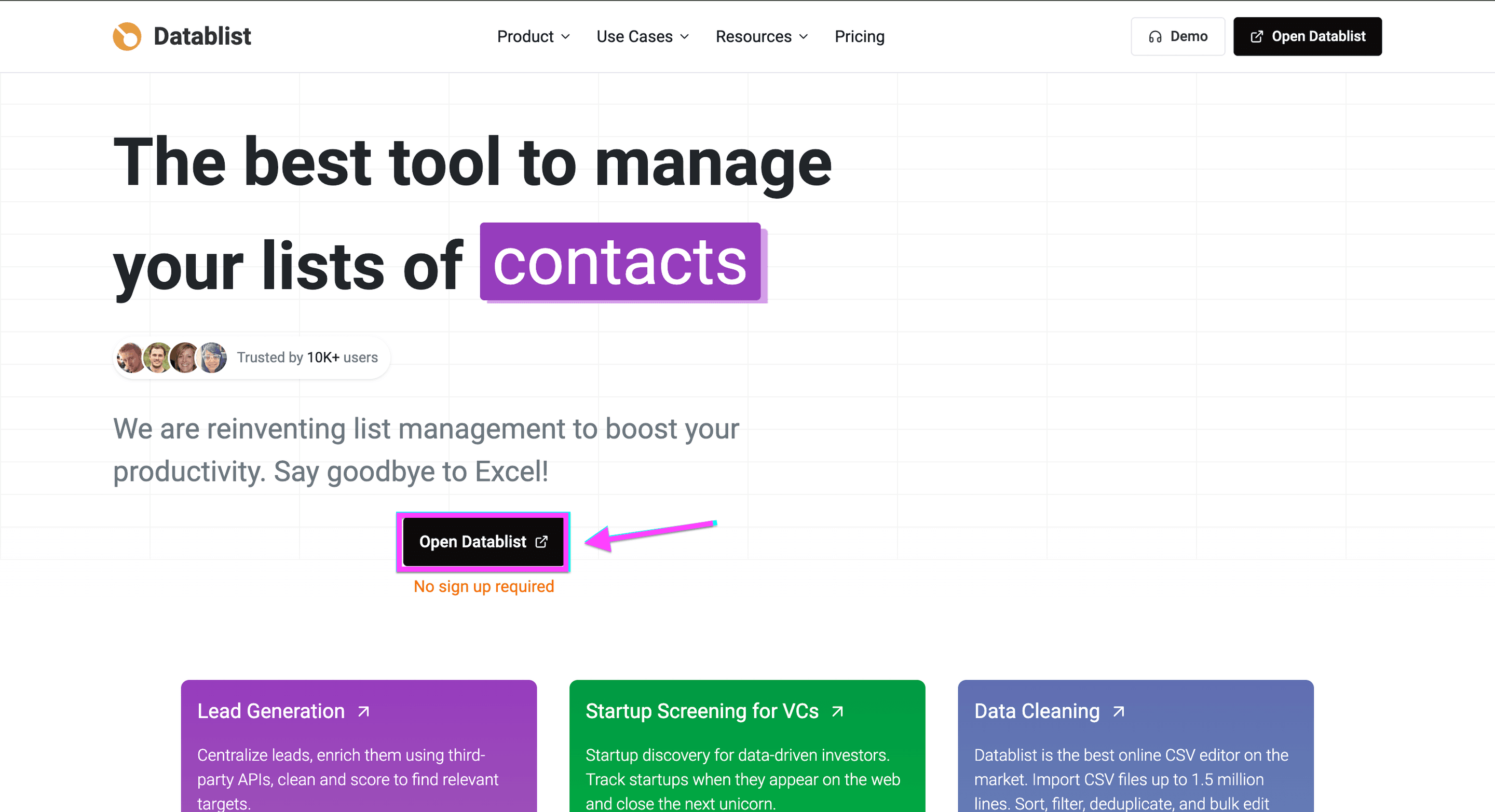
我会使用 Datablist 的 AI Agent,它可以让你无需代码就能抓取任何网站
Step 2:用 AI Agent 配置 Trusted Shops 评论抓取
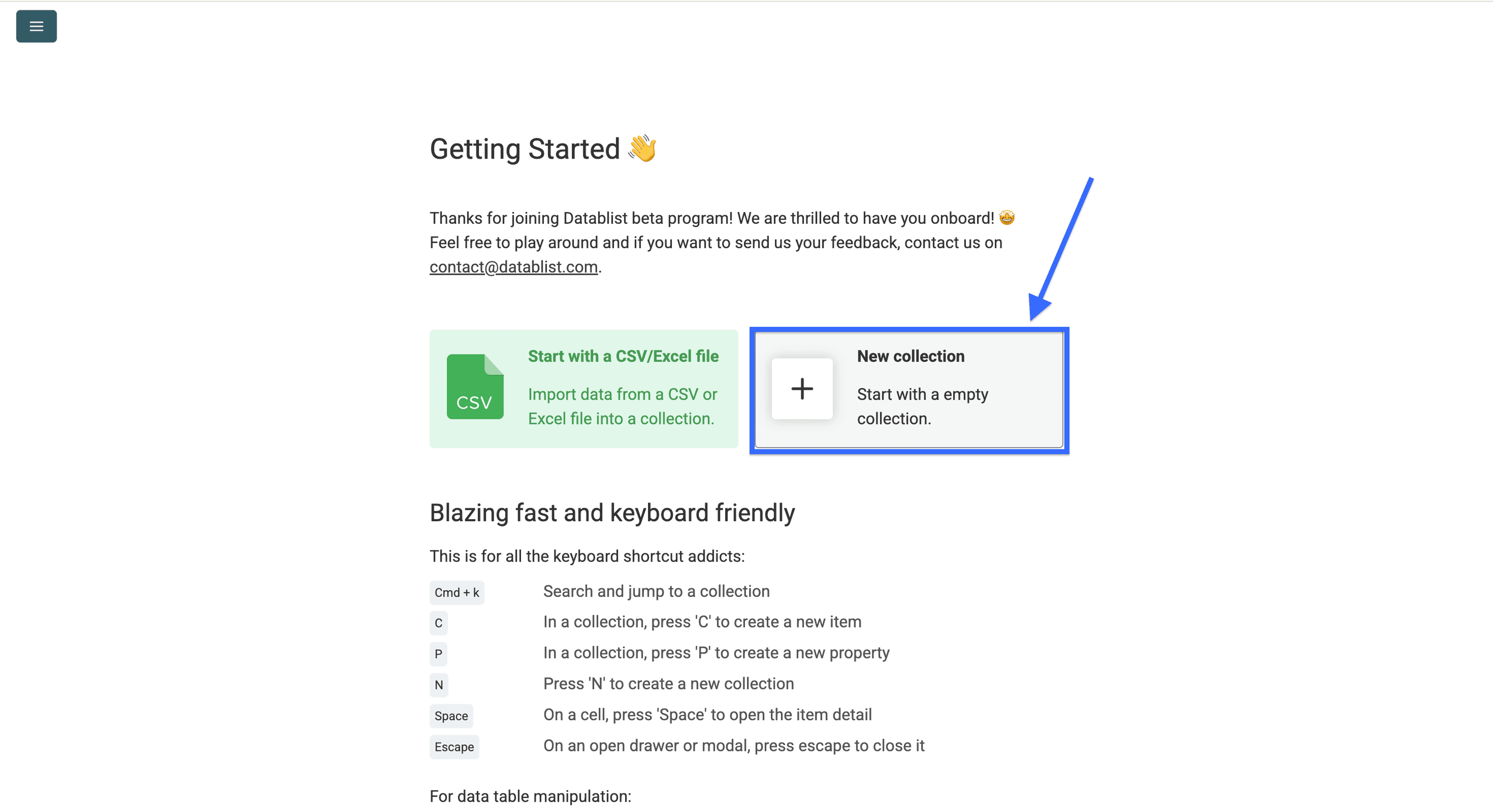
- 点击 “New Collection”,或者用快捷键 “N” 创建一个新 collection
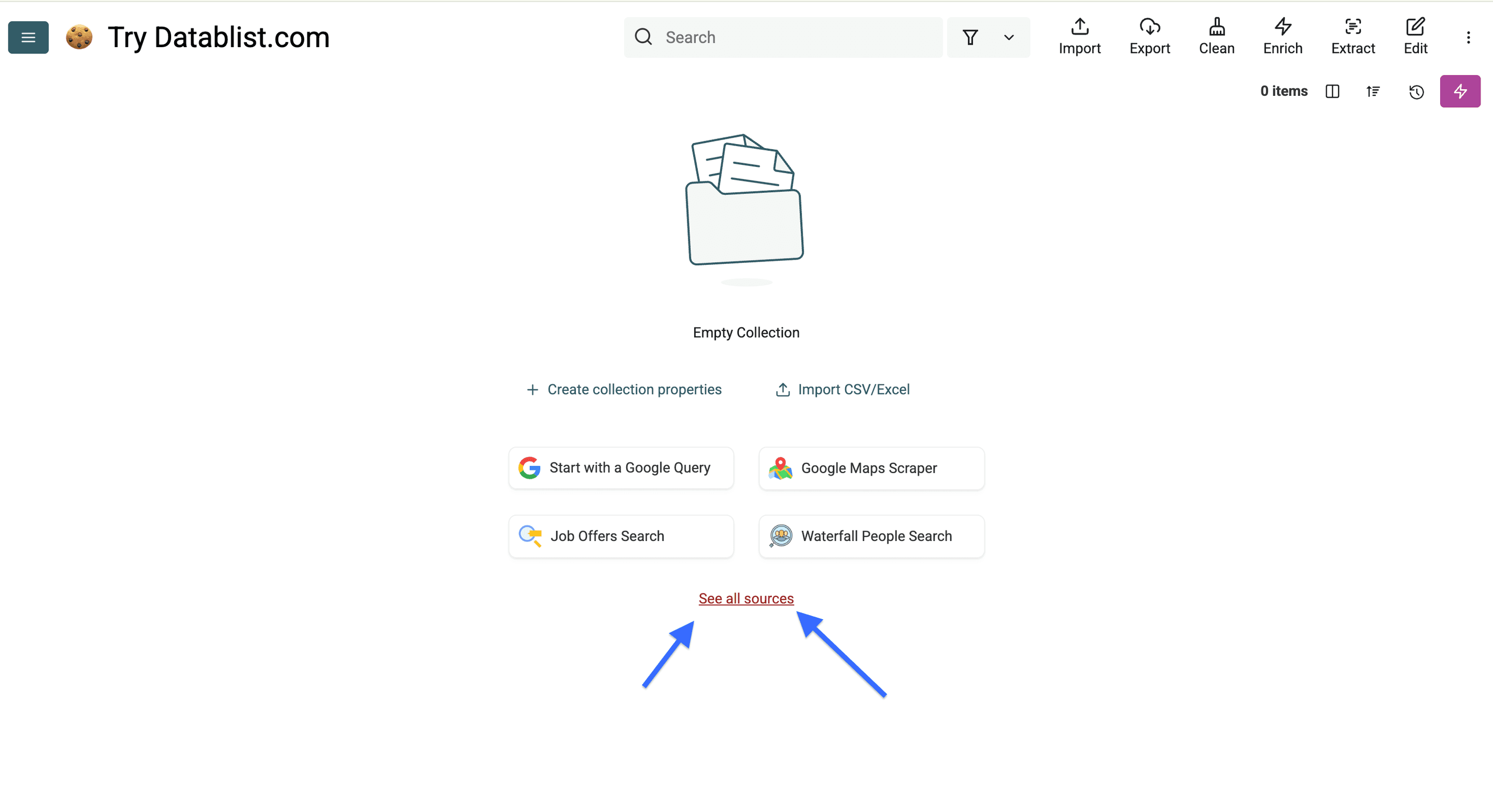
- 创建完成后,点击 “See all sources”
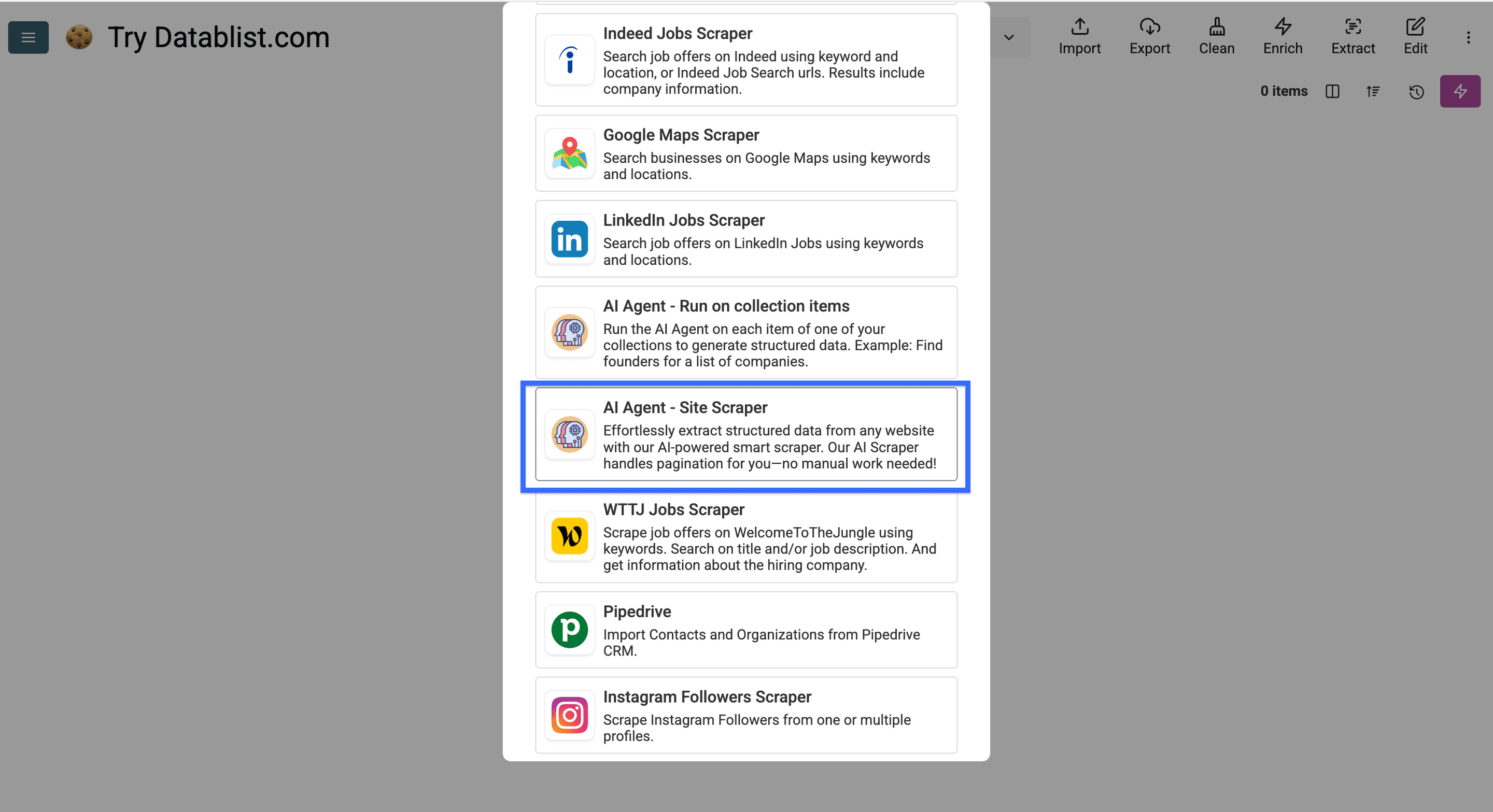
Step 3:运行 AI Agent 自动抓取 Trusted Shops 评论
现在来到最关键的一步:配置 AI Agent。跟着操作的话,你现在应该看到的是这个界面:
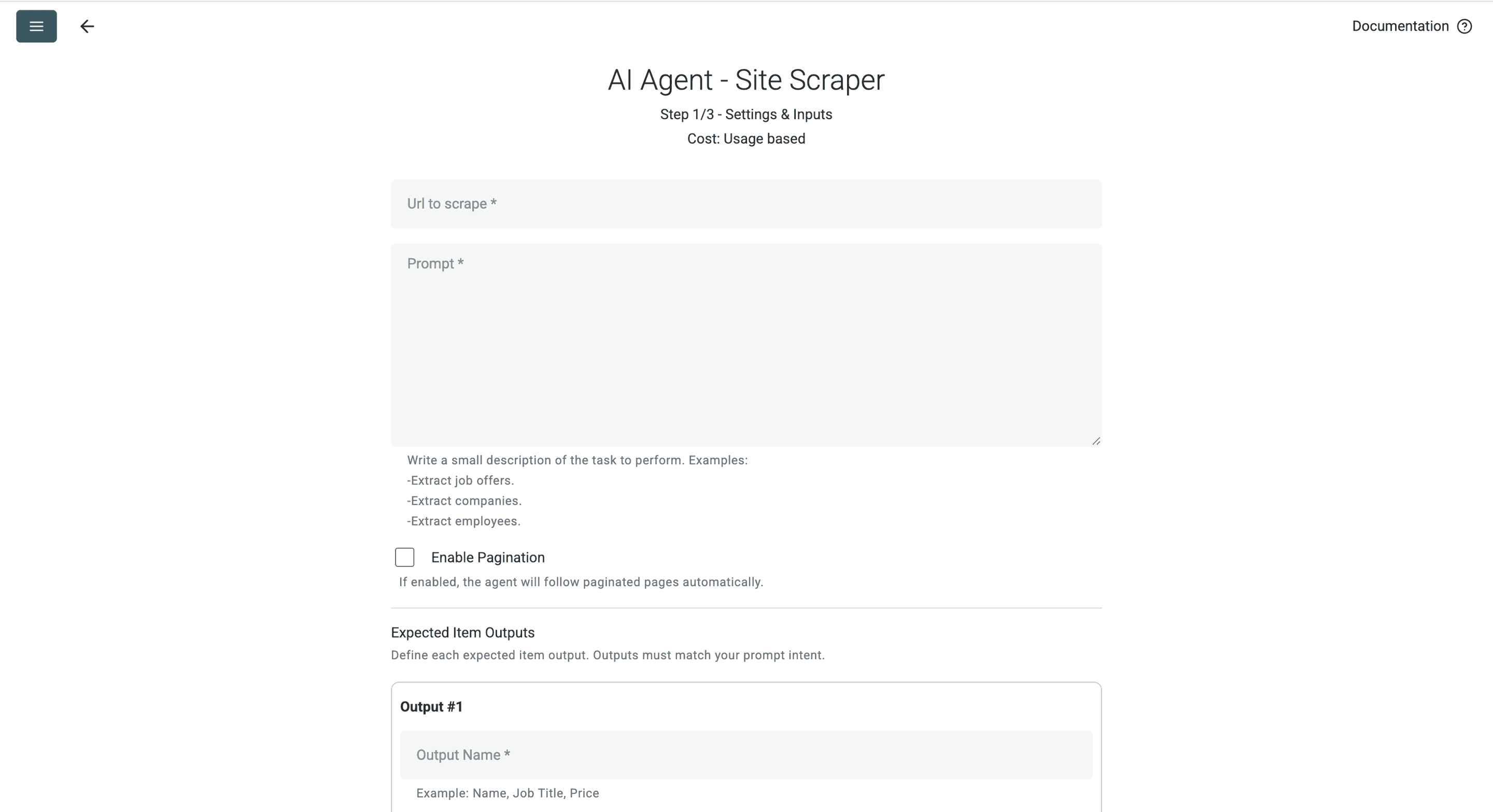
要让 AI agent 可以自动 scrape Trusted Shops reviews,我们需要完成 5 件事:
- 提供一个 Trusted Shops 评论页 URL(作为抓取入口)。
- 写一个清晰的 prompt,把你希望提取的数据说清楚(我把我的模板放在下面)。
- 让它能翻页(例如从第 1 页到第 2 页)。
- 配置 outputs,得到干净、结构化的评论数据。
- 让它能滚动页面(从顶部滚动到底部)。
开始抓取!
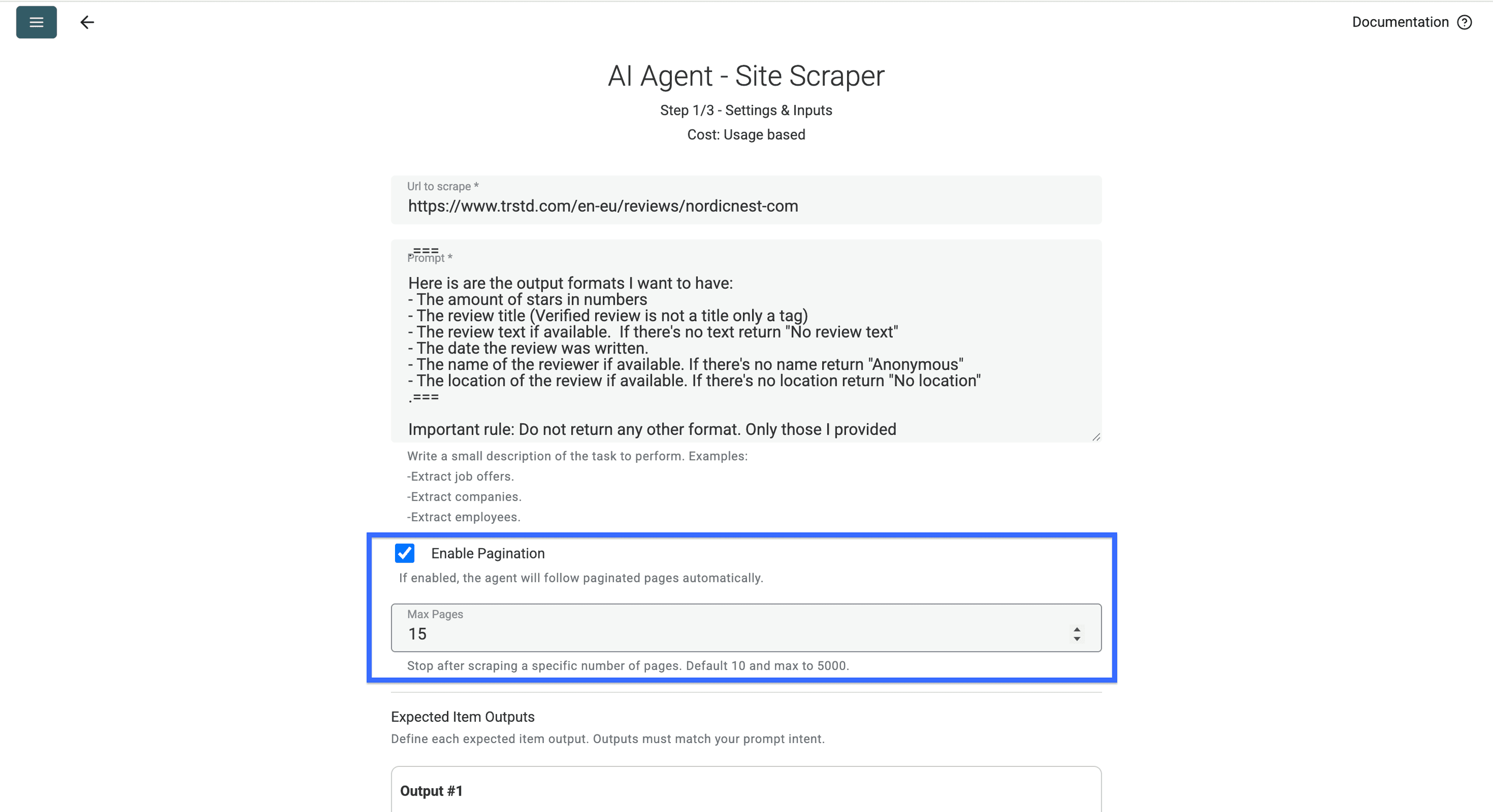
首先,把你要抓取的 Trusted Shops 评论页链接粘贴到高亮输入框中。URL 通常长这样:https://www.trstd.com/en-eu/reviews/xxx
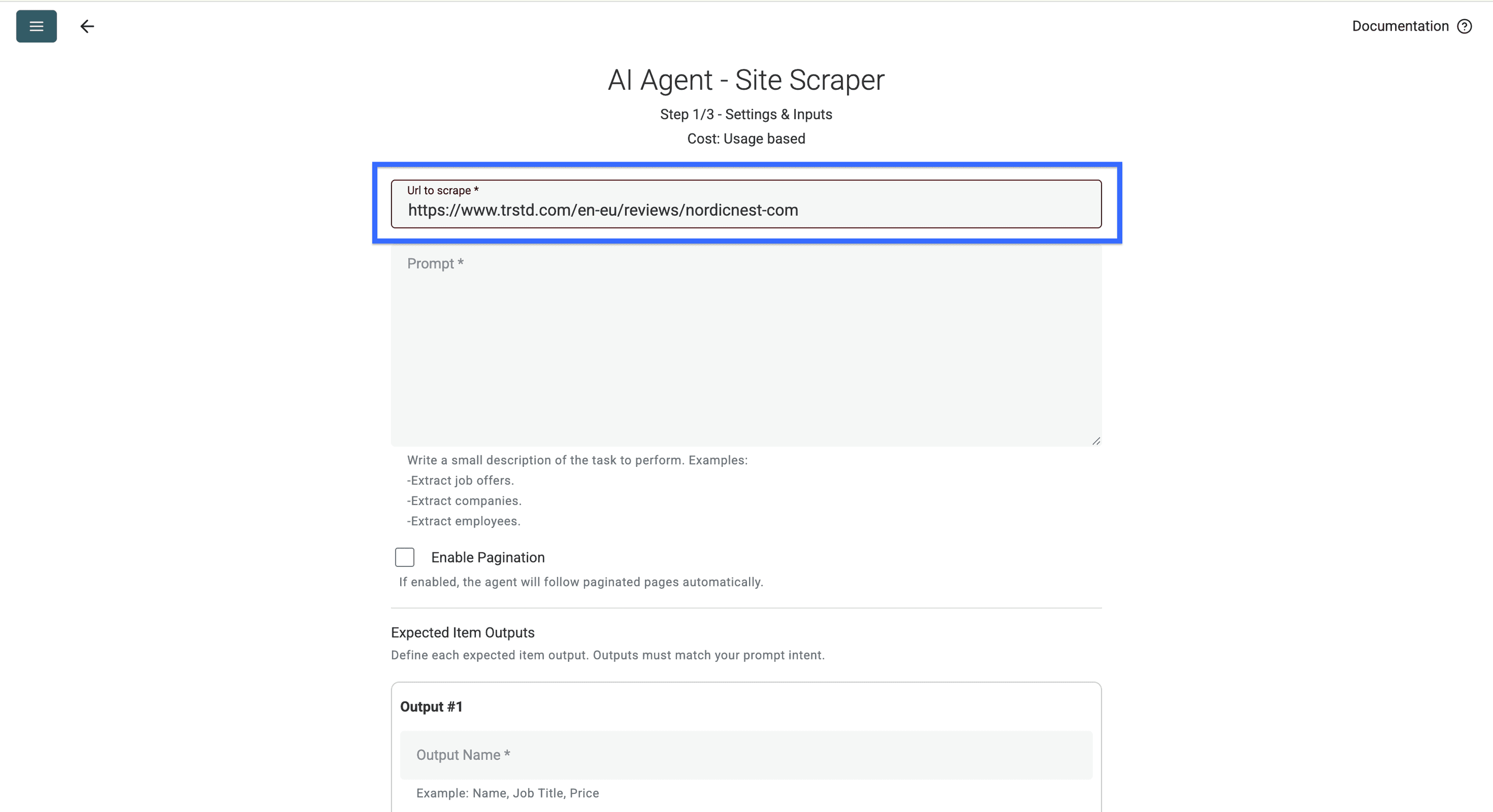
💡 快速提示
如果你只想要 3 星评论,在 URL 后加上
?stars=3;如果只要 1 星,把 “3” 改成 “1” 就行。例如:https://www.trstd.com/en-eu/reviews/nordicnest-com?stars=3
接着,把下面这段 prompt 复制到第二个输入框里,或者你也可以 自己写 prompt。
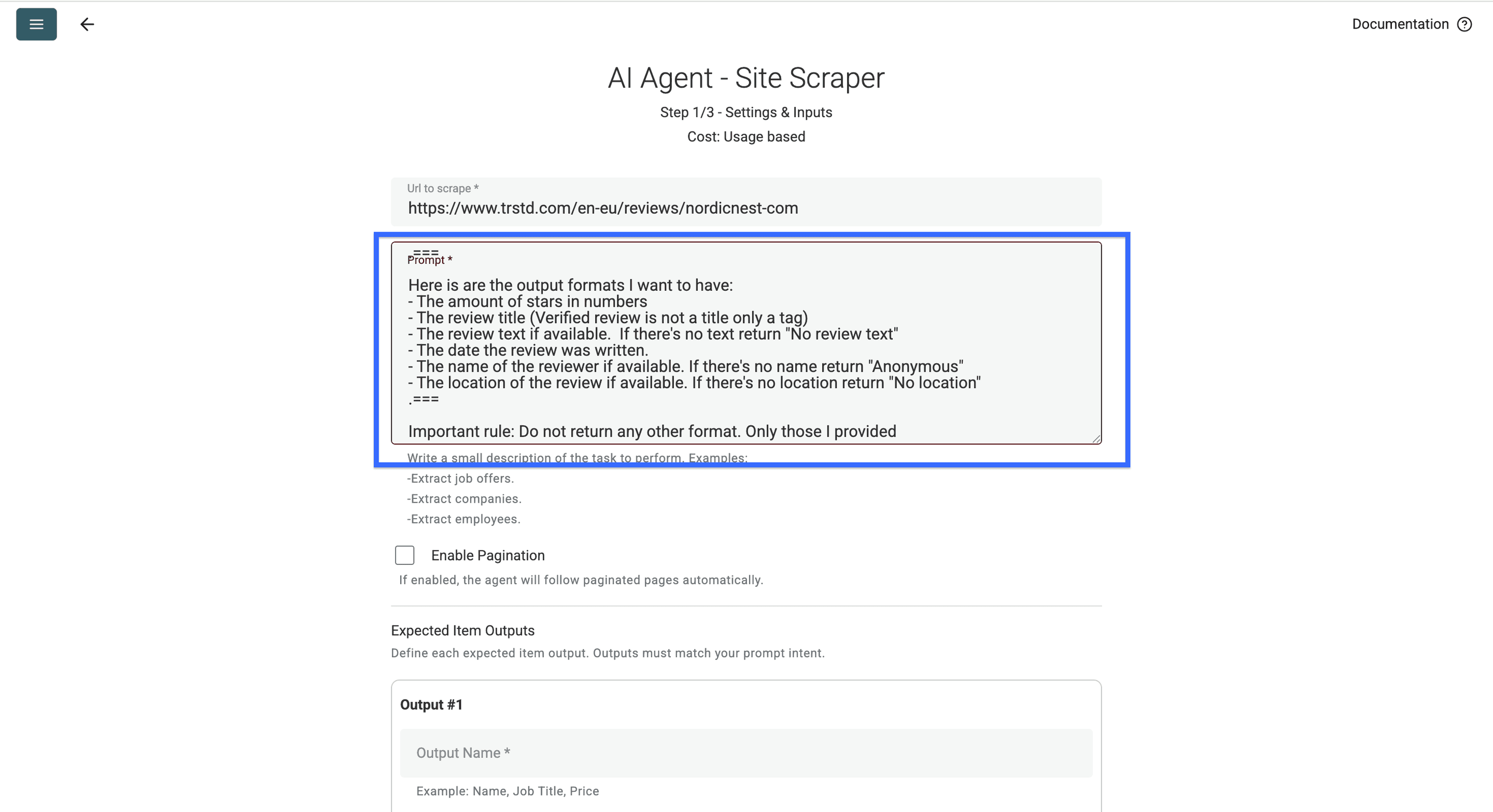
Context: I want to get reviews from a Trusted Shops page.
===What I want you to do: Bring me the reviews on that Trusted Shops page and the data that's linked to each of them.
===Here is are the output formats I want to have:
- The amount of stars in numbers
- The review title (Verified review is not a title only a tag)
- The review text if available. If there's no text return "No review text"
- The date the review was written.
- The name of the reviewer if available. If there's no name return "Anonymous"
- The location of the review if available. If there's no location return "No location"
Important rule: Do not return any other format. Only those I provided
粘贴完 prompt 后,勾选这个 checkbox,并设置 AI Agent 需要访问的页数上限。
💡 快速提示
建议先从 15 页开始(大概 50–100 条评论),后面需要更多再追加抓取页数即可。
启用 pagination 后,就可以继续做 output 配置了。抓取 Trusted Shops 评论时,我通常会重点拿到 6 个核心字段:
- 评论星级(数字)
- 评论标题
- 评论正文
- 评论者姓名
- 评论者所在地
- 评论日期
我们一步步把它们配置好
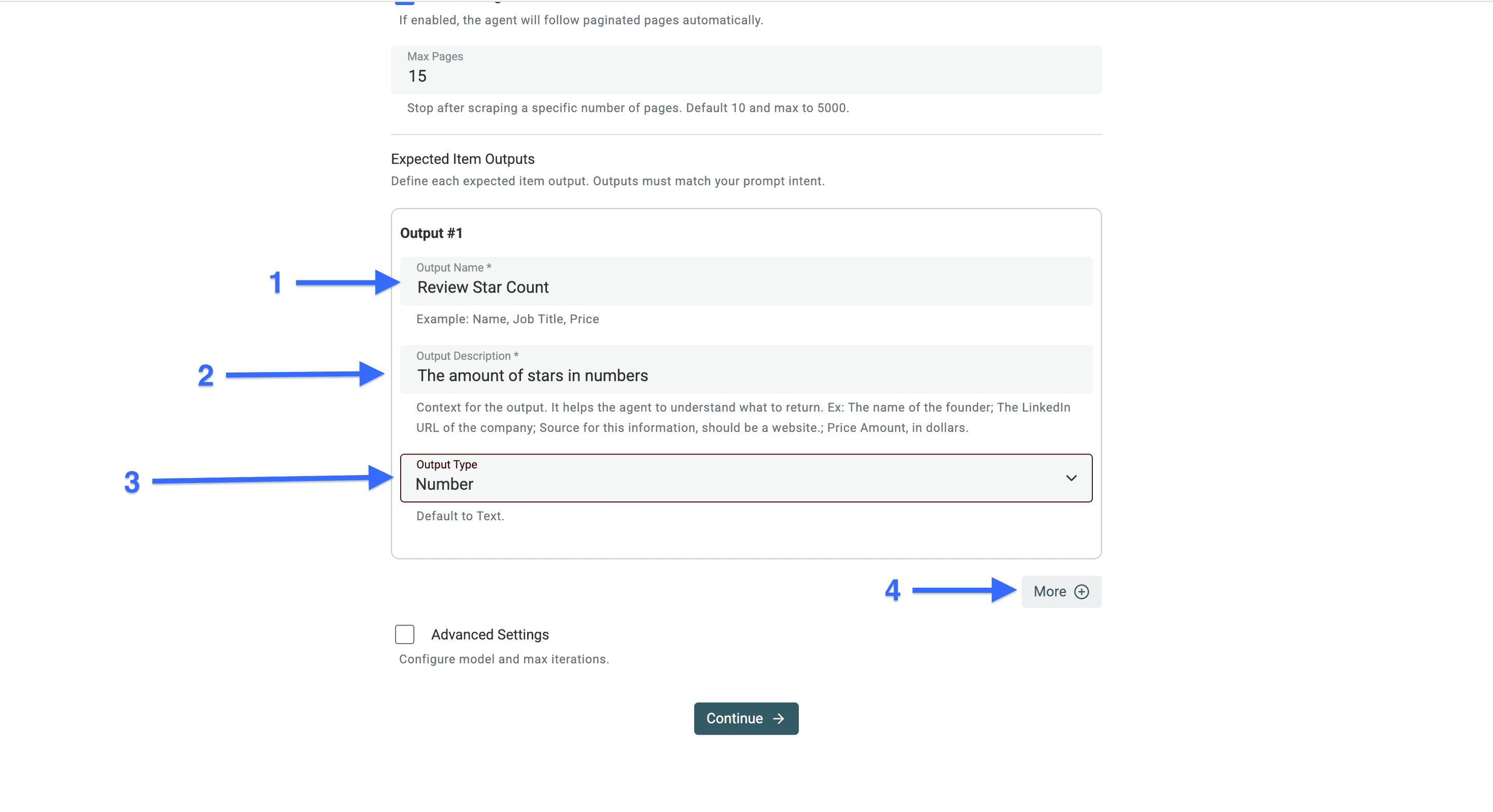
配置第 1 个抓取 Output
- 在 “Output Name” 粘贴:
Review Star Count - 在 “Output Description” 粘贴:
The amount of stars in numbers - “Output Type” 选择:
Number - 点击 “More”
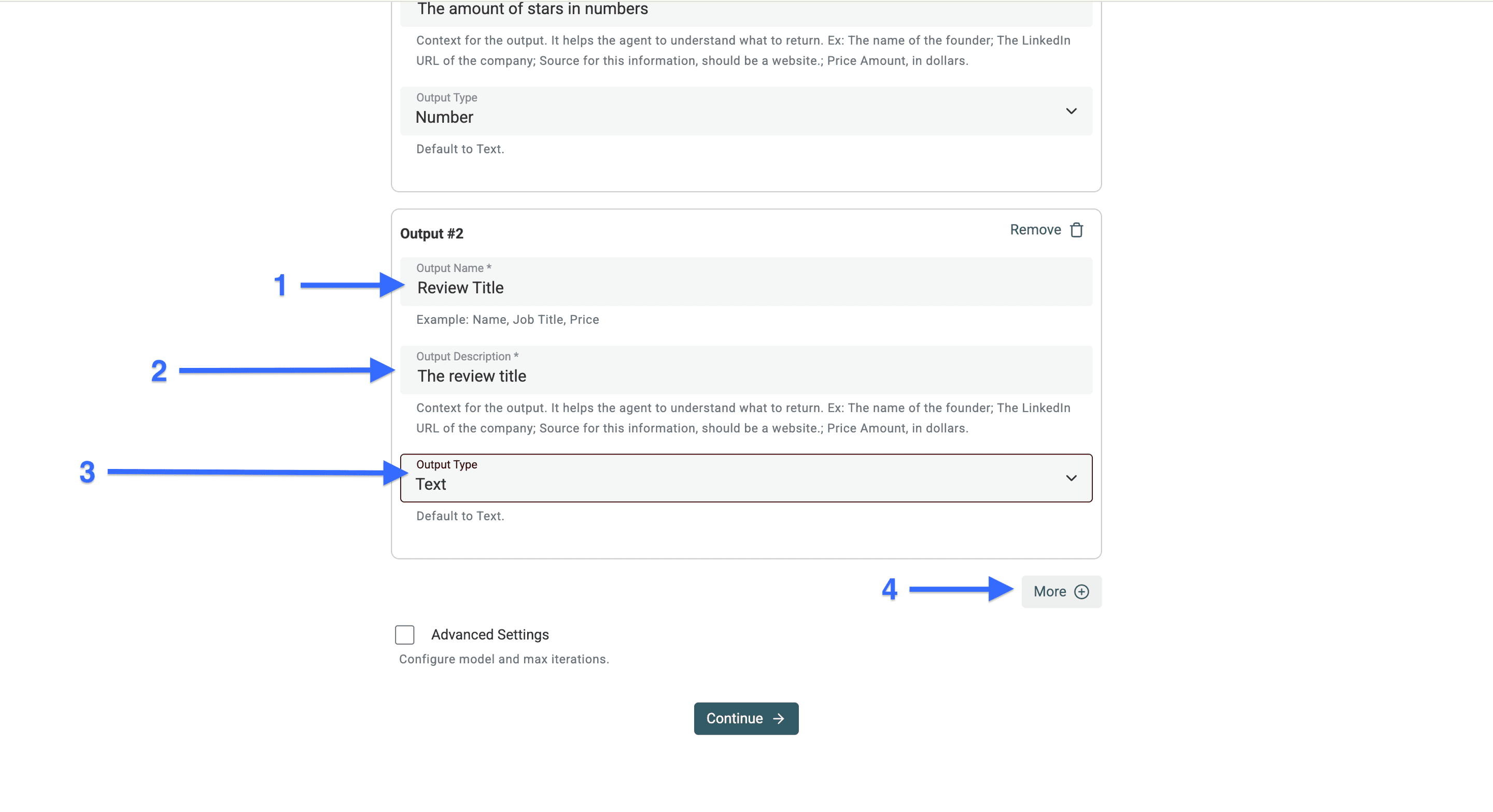
配置第 2 个抓取 Output
- 在 “Output Name” 粘贴:
Review Title - 在 “Output Description” 粘贴:
The review title - “Output Type” 选择:
Text - 点击 “More”
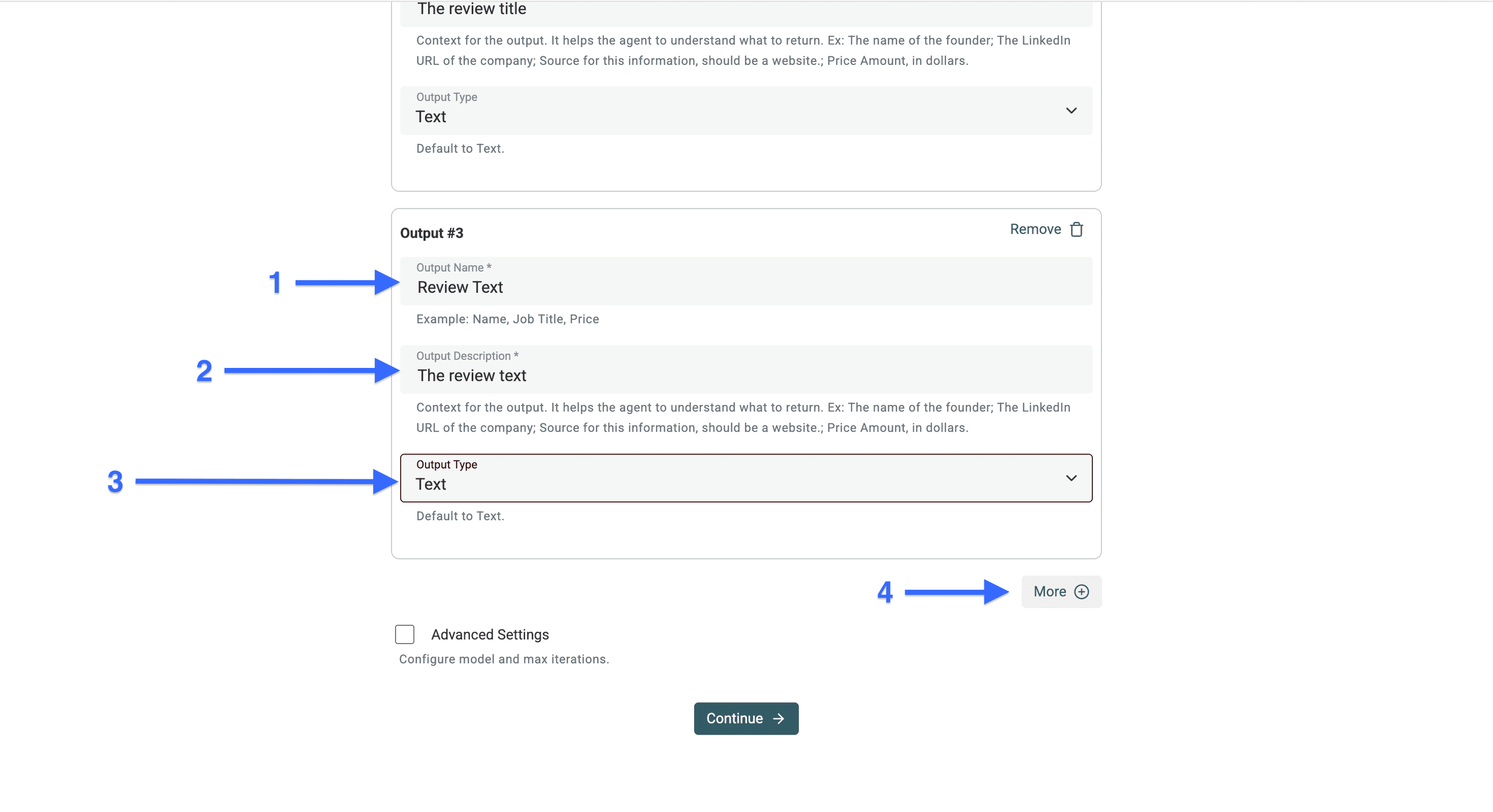
配置第 3 个抓取 Output
- 在 “Output Name” 粘贴:
Review text - 在 “Output Description” 粘贴:
The review text - “Output Type” 选择:
Text - 点击 “More”
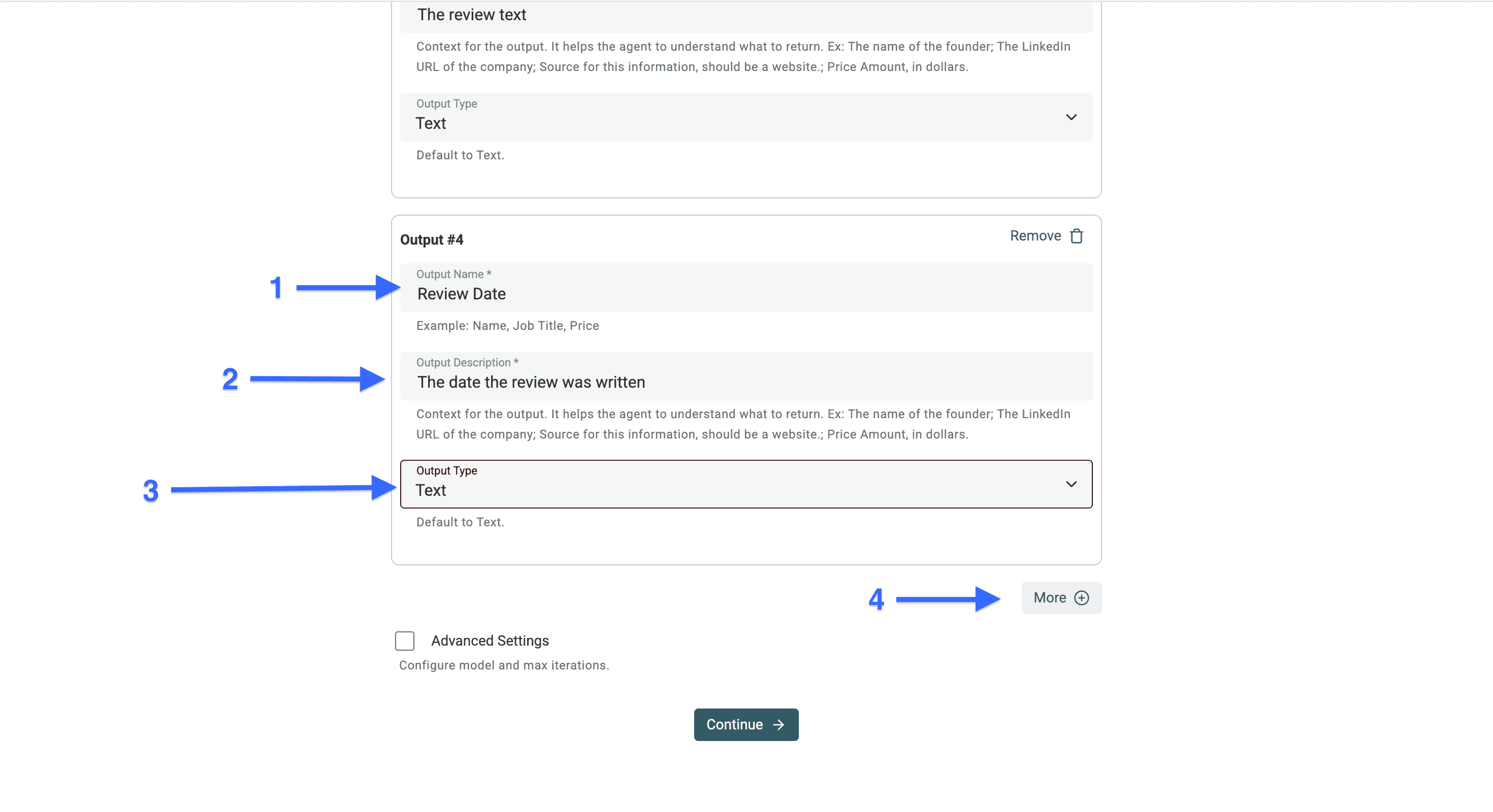
配置第 4 个抓取 Output
- 在 “Output Name” 粘贴:
Review Date - 在 “Output Description” 粘贴:
The date the review was written - “Output Type” 选择:
Text - 点击 “More”
📘 你需要知道
有时你拿到的会是 “x days ago” 或 “x hours ago” 这种相对时间,而不是真实日期,因为 Trusted Shops 会在 2 周后才把相对时间转换成具体日期
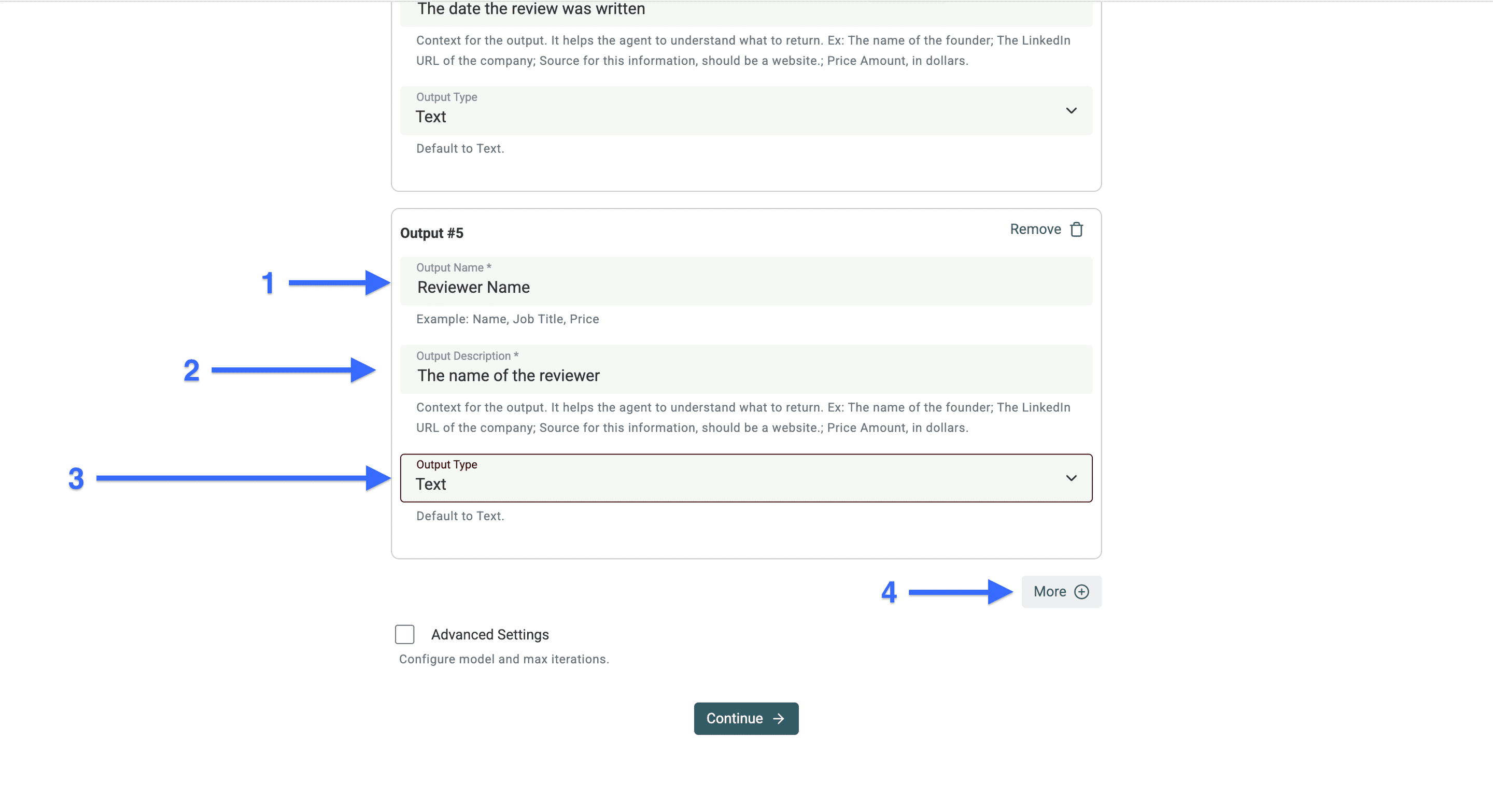
配置第 5 个抓取 Output
- 在 “Output Name” 粘贴:
Reviewer Name - 在 “Output Description” 粘贴:
The name of the reviewer - “Output Type” 选择:
Text - 点击 “More”
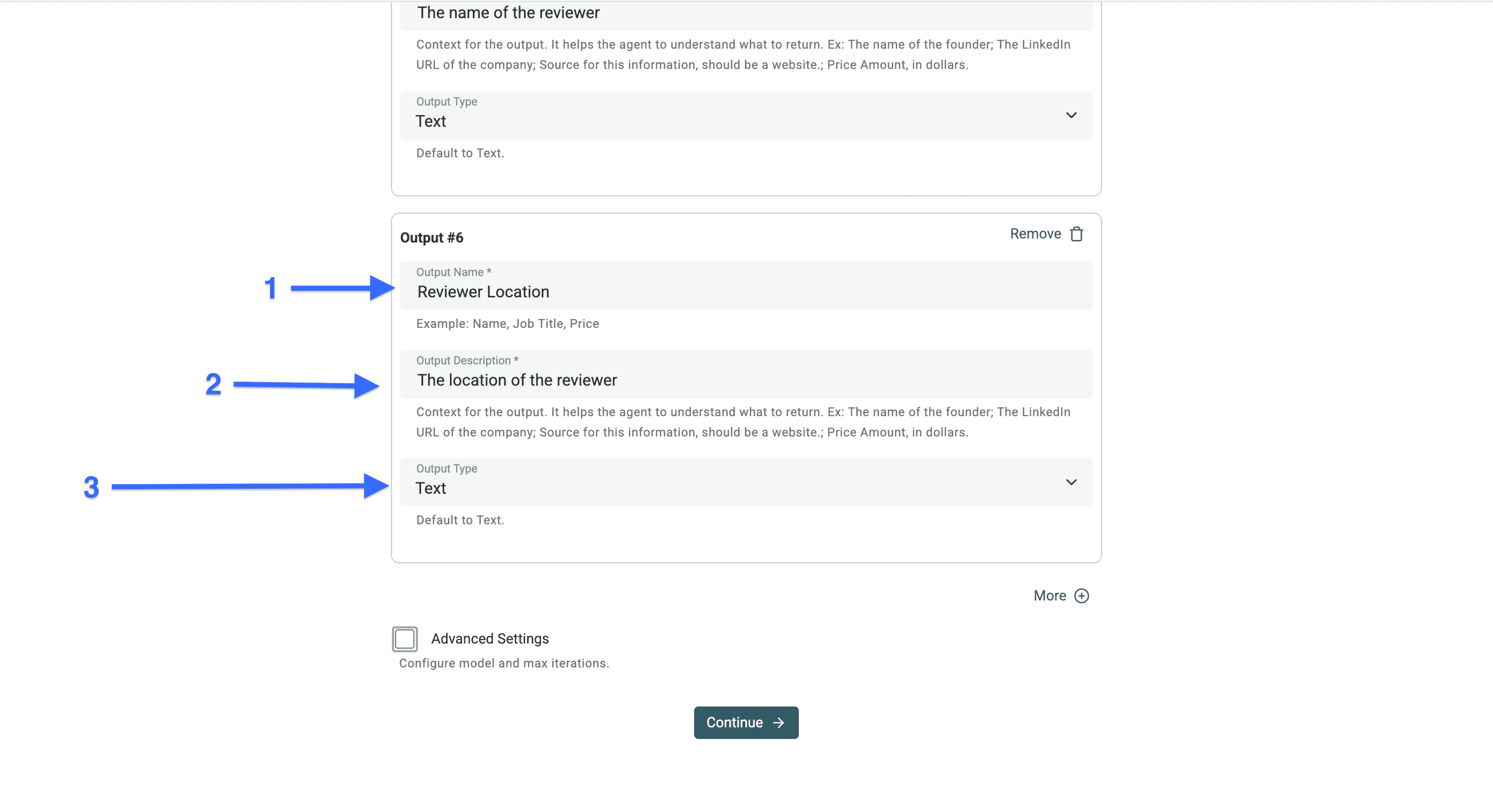
配置第 6 个抓取 Output
- 在 “Output Name” 粘贴: Reviewer Location
- 在 “Output Description” 粘贴: The location of the reviewer
- “Output Type” 选择: Text
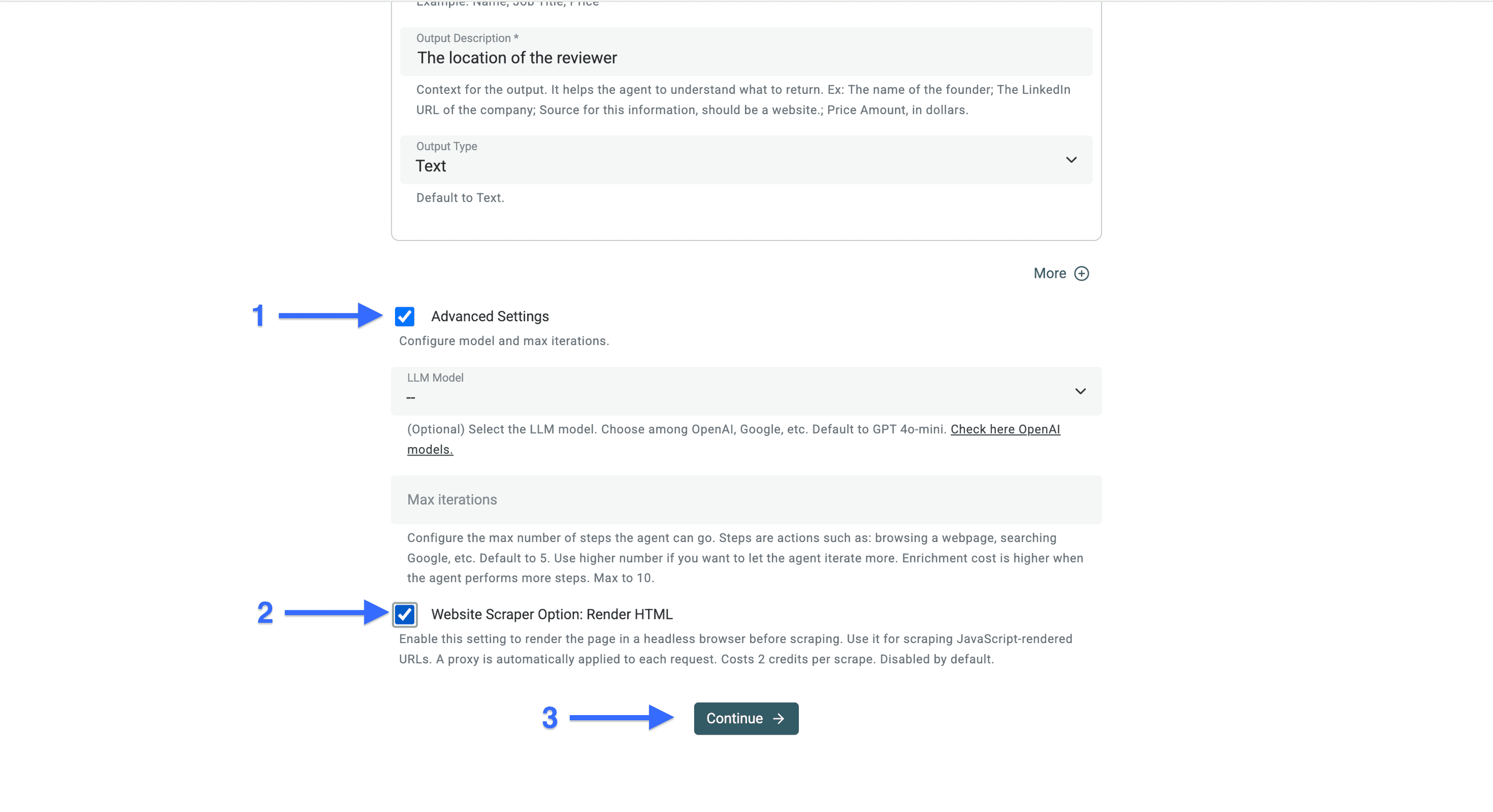
Step 4:开启 Render HTML 提升评论抓取量
这一步我们要让 AI agent 能渲染评论区域里的 JavaScript。这样才能尽可能抓到更多评论。
- 勾选 “Advanced Settings” 旁边的 checkbox
- 勾选 “Website Scraper Option: Render HTML” 旁边的 checkbox
- 点击 “Continue”
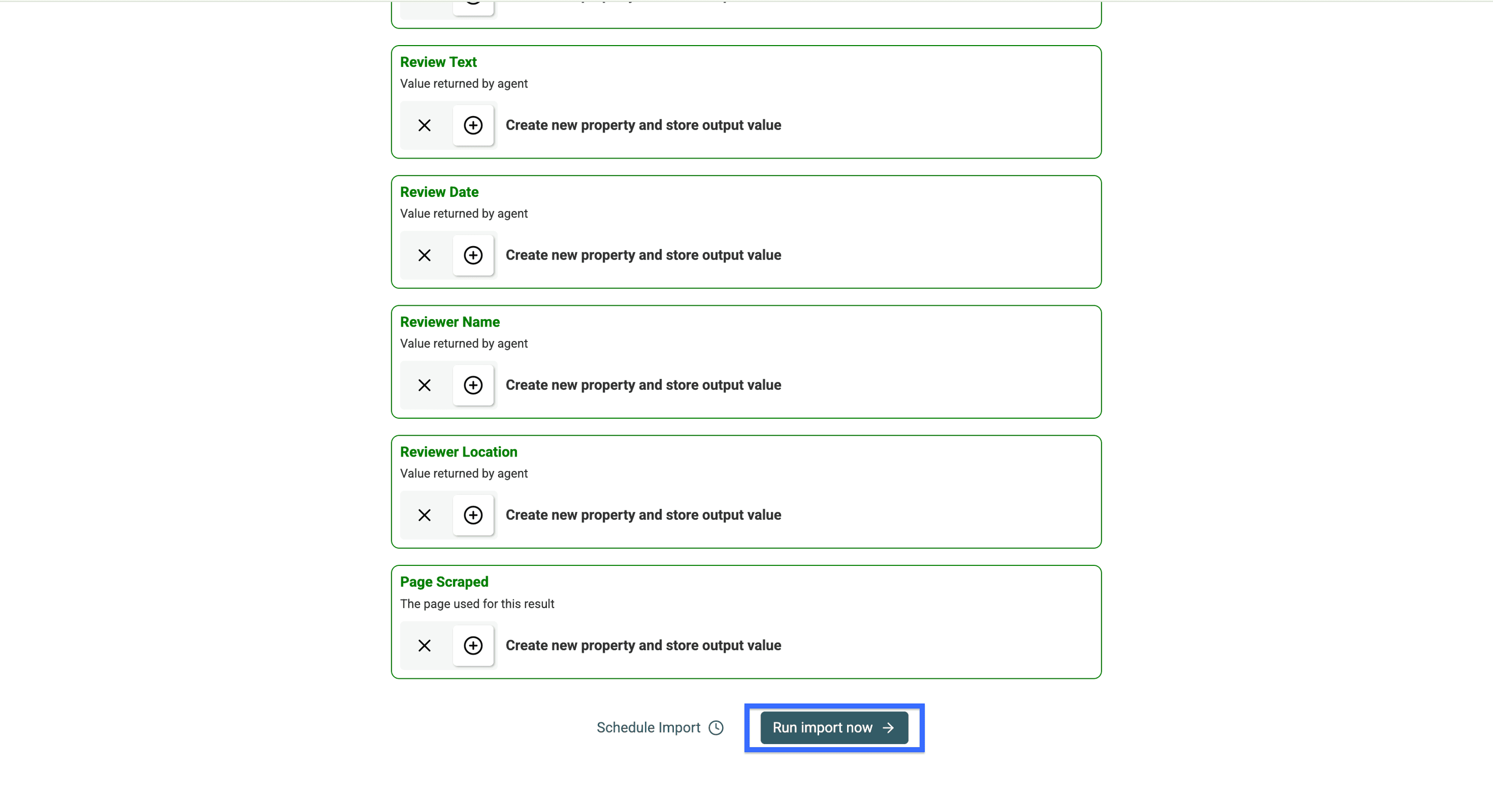
点击 “Continue” 后,你会看到已经创建好的 output 字段。
点击 “Run import now”,开始抓取 Trusted Shops 评论页。
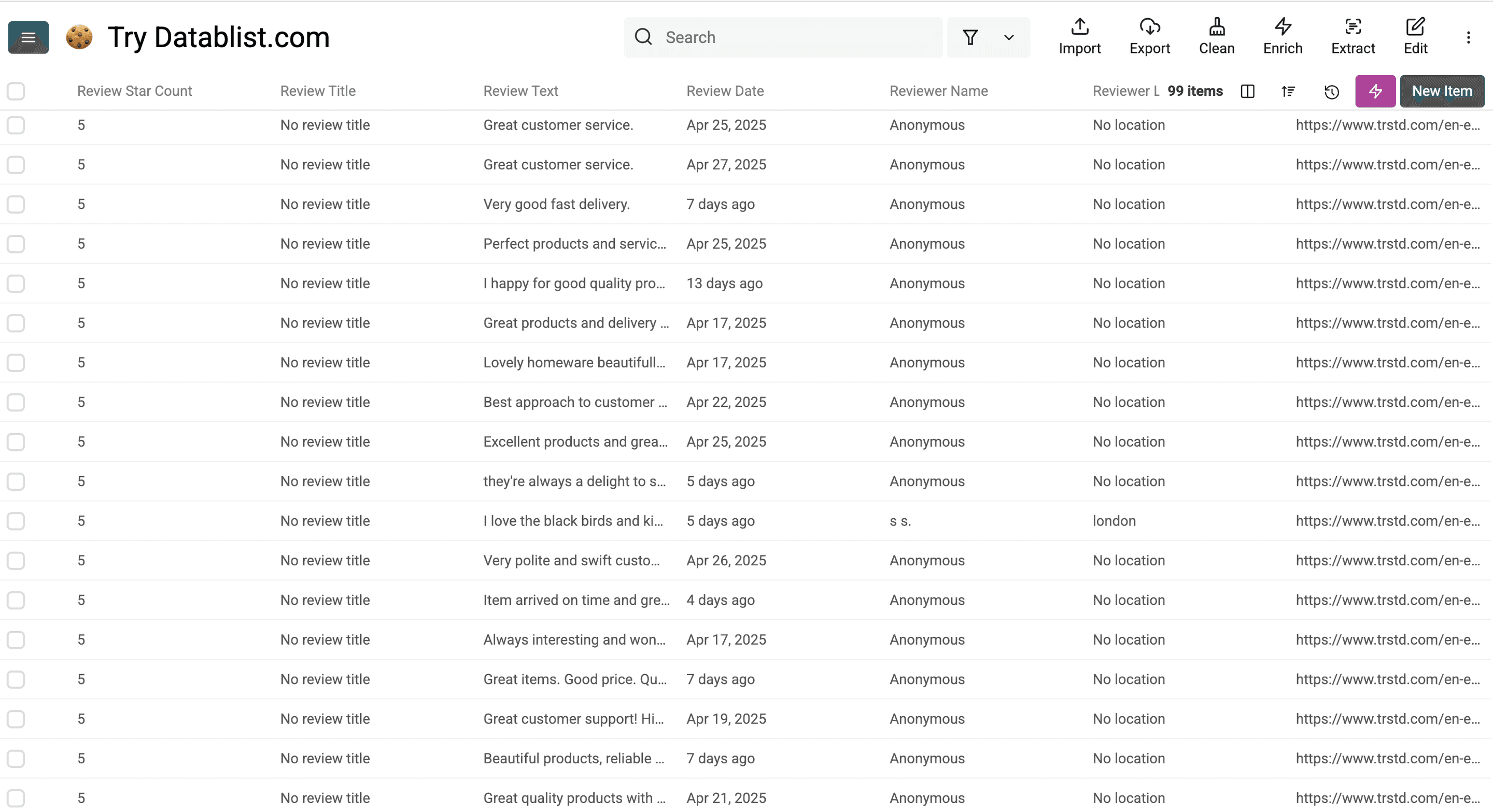
这就是我们用 0 代码 Trusted Shops 评论抓取器(也就是 Datablist 的 AI agent)得到的结果——效果很顶,对吧?
Trusted Shops 评论抓取常见问题 FAQ
抓取 Trusted Shops 评论合法吗?
是的,抓取公开可访问的 Trusted Shops 评论通常是合法的。
不写代码也能抓取 Trusted Shops 评论吗?
可以。使用 Datablist 的 AI agent 这类 no-code 工具,就能在不写代码的情况下抓取 Trusted Shops 评论。
Trusted Shops 评论能抓到哪些数据?
你可以从 Trusted Shops 评论中提取多种数据字段,例如:
- 星级评分
- 评论标题与完整正文
- 客户名称
- 评论日期
- 地理位置信息
- 客户体验发生日期
- 商家是否回复、以及回复内容
Trusted Shops 最多能抓多少条评论?
能抓多少取决于你使用的抓取工具能力。Datablist 的 AI agent 可以抓取几百条,甚至上千条评论。