API LinkedIn Profile Scraper
Obtenez les informations sur l’emploi, l’entreprise et la formation à partir d’URL de profils LinkedIn, depuis votre assistant AI, un workflow no-code ou votre propre code.
- À partir de 0,014 $ par profil
- Aucune connexion LinkedIn requise
- 10 000 profils par tâche
| URL du profil LinkedIn |
|---|
| linkedin.com/in/maya-lindqvist |
| linkedin.com/in/tom-okafor |
| linkedin.com/in/lea-moreau |
Plébiscité par plus de 38 000 utilisateurs dans des startups et des équipes du Fortune 500





Fonctionne avec tout outil capable d’envoyer des requêtes HTTP
 Claude
 Cursor
 Codex
Codex Make
Make n8n
n8n Zapier
- Votre propre code
Choisissez votre méthode
Laissez un assistant AI ou votre outil d’automatisation effectuer la configuration, ou appelez l’API REST depuis votre propre code.
Collez le prompt de configuration
Copiez le prompt pour Claude Code, Codex ou Cursor, ou pour Make, n8n ou Zapier, puis collez-le. L’AI crée un dossier Datablist sur votre ordinateur et configure tout pour vous.
Collez votre clé API
Lorsque l’AI vous le demande, copiez votre clé API depuis l’application Datablist et collez-la dans le fichier .env qu’elle a ouvert. Ne la collez jamais dans le chat.
Obtenez vos résultats
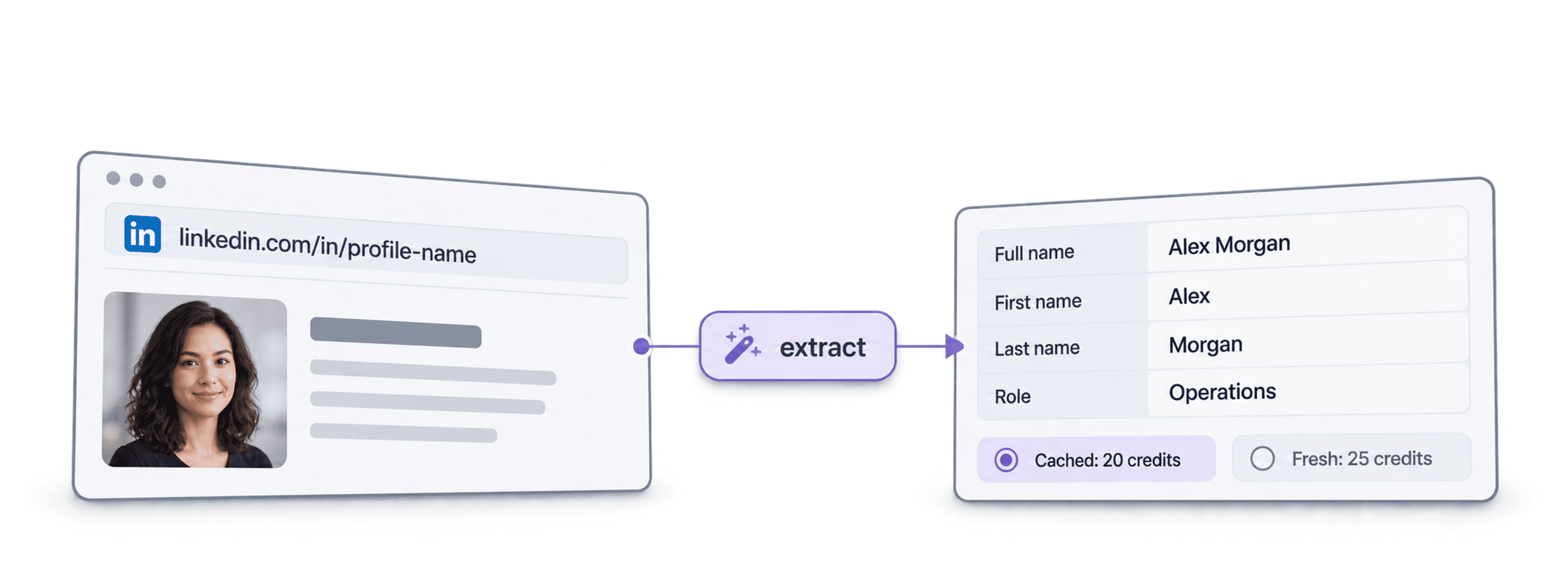
Envoyez votre liste d’URL de profils LinkedIn et récupérez une ligne par profil : nom, titre, localisation, emploi actuel et entreprise, prête pour votre feuille de calcul ou votre CRM.
Voir un exemple de résultatVous utilisez Make, n8n ou Zapier ? Voici tous les champs de la requête HTTP
Utilisez le module ou le nœud de requête HTTP proposé par votre outil. Trois étapes sont nécessaires : envoyer la liste, attendre, puis lire les résultats.
1. Envoyez votre liste (requête HTTP)
- Méthode
POST- URL
https://api.datablist.com/v1/enrichments/tasks- En-têtes
X-API-Key= votre clé APIContent-Type=application/json- Corps (JSON)
- json{"enrichmentId": "linkedin-profile-scraper","uniqueId": "linkedin-profile-scraper-import-1","settings": {"experiencesNb": "3","educationsNb": "1"},"inputs": [{"inputId": "row-1", "data": {"profileUrl": "https://www.linkedin.com/in/maya-lindqvist/"}},{"inputId": "row-2", "data": {"profileUrl": "https://www.linkedin.com/in/tom-okafor/"}},{"inputId": "row-3", "data": {"profileUrl": "https://www.linkedin.com/in/lea-moreau/"}}]}
- À conserver
- Le
@idde la réponse. Il s’agit de l’ID de votre tâche.
2. Attendez la fin du traitement
Ajoutez une courte attente ou temporisation, puis une requête GET vers https://api.datablist.com/v1/enrichments/tasks/TASK_ID avec le même en-tête X-API-Key. Répétez jusqu’à ce que status soit completed.
3. Lisez les résultats
GET https://api.datablist.com/v1/enrichments/tasks/TASK_ID/results?limit=50. Associez outputs à vos colonnes. Si nextCursor n’est pas vide, renouvelez l’appel avec &cursor= suivi de cette valeur.
L’essentiel en un coup d’œil
Des données publiques actualisées à partir d’une URL LinkedIn : identité de la personne, entreprise où elle travaille et études suivies. Aucun espace de travail, aucune collection ni aucun import Datablist requis.
Ce que vous fournissez
- URL de profils LinkedIn : liens de profils standards ou liens de leads Sales Navigator
- Profondeur de l’historique (facultatif) : 3, 5 ou 10 emplois précédents et 1, 3 ou 5 établissements
- Profils en cache (facultatif) : acceptez une copie récente enregistrée pour payer moins cher
Ce que vous obtenez
- La personne : nom, titre, résumé, localisation, langues et relations
- L’emploi actuel : poste, date de début, entreprise, site web de l’entreprise, secteur et taille
- Emplois précédents et formation : autant que demandé
Le coût
- Profil actualisé : 25 crédits par profil
- Profil en cache : 20 crédits si vous acceptez une copie enregistrée
- 1 000 crédits = 1 $ : partagés avec l’application Datablist
Ce que les équipes créent avec cette API
Intégrez LinkedIn Profile Scraper partout où circulent déjà vos données.
Recherchez des informations sur vos leads avant l’outreach
- URL LinkedIn issue d’une liste de leads
- Poste, entreprise, localisation
Récupérez le poste et l’entreprise actuels de chaque lead pour que votre séquence cible la bonne personne dès le départ avec une première phrase pertinente.
Créez des profils de candidats
- URL LinkedIn du candidat
- Emplois et formation dans votre ATS
Obtenez les emplois précédents et la formation de chaque candidat, et maintenez votre ATS ou votre feuille de calcul à jour sans copier-coller.
Détectez les changements de poste
- Contacts dans le CRM
- Nouvelle entreprise signalée
Relancez le traitement de vos contacts et comparez leur entreprise actuelle avec celle du CRM pour repérer les champions ayant rejoint un nouveau compte.
Combien cela vous coûtera-t-il ?
Payez chaque recherche avec des crédits. L’accès API est disponible à partir du plan Growth.
Combien cela vous coûtera-t-il ?
Indiquez-nous le nombre de profils LinkedIn dont vous avez besoin et nous vous présenterons l’option la moins chère.
= 25 000 crédits à raison de 25 crédits par profil actualisé
Fonctionnement des crédits
1 000 crédits = 1 $, chaque crédit coûte donc un dixième de centime. Un profil actualisé coûte 25 crédits et un profil en cache, 20 crédits. Un profil introuvable peut tout de même consommer des crédits, car la recherche a été effectuée. Chaque résultat renvoie creditsUsed afin que vous puissiez suivre le coût réel par ligne. Les crédits du plan sont renouvelés chaque mois et les crédits inutilisés sont réinitialisés. Les crédits supplémentaires n’expirent jamais.
Intégrez-la à votre code
Tout ce dont vous avez besoin pour appeler directement l’API REST : code, réponses, endpoints, champs, authentification et limites.
datablist/linkedin-profile-scraper-api
Exemples officiels : cURL, Python avec Requests ou HTTPX asynchrone, et TypeScript. Placez votre clé dans DATABLIST_API_KEY et exécutez le code.
Copiez, collez, exécutez
Un script complet qui crée une tâche, attend sa fin et affiche chaque résultat. Remplacez YOUR_PERSONAL_API_KEY par votre clé.
# 1. Create the task (returns 202 Accepted and the task "@id")
curl --request POST 'https://api.datablist.com/v1/enrichments/tasks' \
  --header 'X-API-Key: YOUR_PERSONAL_API_KEY' \
  --header 'Content-Type: application/json' \
  --data '{
    "enrichmentId": "linkedin-profile-scraper",
    "uniqueId": "linkedin-profile-scraper-import-1",
    "settings": {
      "experiencesNb": "3",
      "educationsNb": "1"
    },
    "inputs": [
      {"inputId": "row-1", "data": {"profileUrl": "https://www.linkedin.com/in/maya-lindqvist/"}},
      {"inputId": "row-2", "data": {"profileUrl": "https://www.linkedin.com/in/tom-okafor/"}},
      {"inputId": "row-3", "data": {"profileUrl": "https://www.linkedin.com/in/lea-moreau/"}}
    ]
  }'
# 2. Poll every few seconds until status is completed, failed or stopped
curl 'https://api.datablist.com/v1/enrichments/tasks/TASK_ID' \
--header 'X-API-Key: YOUR_PERSONAL_API_KEY'
# 3. Read the results, then follow nextCursor until it is null
curl 'https://api.datablist.com/v1/enrichments/tasks/TASK_ID/results?limit=50' \
--header 'X-API-Key: YOUR_PERSONAL_API_KEY'Ce que renvoie l’API
Un résultat par entrée, avec votre inputId, un statut, les outputs et les crédits consommés. Données d’exemple.
{
  "taskId": "00000000000040008000000000000001",
  "results": [
    {
      "inputId": "row-1",
      "status": "success",
      "outputs": {
        "profileUrl": "https://www.linkedin.com/in/maya-lindqvist/",
        "firstName": "Maya",
        "lastName": "Lindqvist",
        "fullName": "Maya Lindqvist",
        "linkedInHeadline": "Head of Sales at Brightwave Analytics",
        "linkedInCity": "Stockholm",
        "linkedInCountryCode": "SE",
        "linkedInLocation": "Stockholm, Sweden",
        "linkedInlastExpTitle": "Head of Sales",
        "linkedInlastExpStartsAt": "2023-02-01",
        "linkedInlastExpCompany": "Brightwave Analytics",
        "linkedInlastExpCompanyWebsite": "https://www.brightwaveanalytics.com",
        "linkedInlastExpCompanyIndustry": "Software Development",
        "linkedInlastExpCompanyRange": "51-200",
        "linkedInlastEduSchool": "Example University",
        "linkedInLanguages": "English, Swedish",
        "linkedInConnections": "500"
      },
      "creditsUsed": "25",
      "error": null
    }
  ],
  "nextCursor": null
}
Endpoints et champs
Tous les chemins sont relatifs à https://api.datablist.com. Les définitions des champs proviennent de GET /v1/enrichments/linkedin-profile-scraper (documentation mise à jour le 21 octobre 2026). Version du schéma : 2026-09-12.
Voir le schéma de l’API (JSON) (s’ouvre dans un nouvel onglet)
- /v1/enrichments/linkedin-profile-scraper
- Lire le schéma, aucune clé requise
- POST
- /v1/enrichments/tasks
- Créer une tâche
- /v1/enrichments/tasks/{taskId}
- Interroger le statut et la progression
- /v1/enrichments/tasks/{taskId}/results
- Lire les résultats, de 1 à 100 par page
- POST
- /v1/enrichments/tasks/{taskId}/stop
- Annuler une tâche en cours
- /v1/enrichments/tasks
- Historique des tâches, les plus récentes en premier
Référence du schéma
Envoyez settings une fois par tâche et un objet data par entrée. Les résultats peuvent inclure des champs supplémentaires à mesure que l’enrichissement évolue : conservez donc les clés inconnues lorsque vous analysez outputs.
Afficher tous les paramètres, inputs et outputs
Paramètres
includeUrnInclude LinkedIn Internal ID (URN) | Boolean | Include the LinkedIn internal identifier (URN), for example: ACoAAAIJflYBlveEKEKWvVsjTP4QeXHK8KfcKHg. This ID can be used to build Sales Navigator URLs, like https://www.linkedin.com/sales/lead/XXXX. Activé lorsque : |
|---|---|---|
includePicturesInclude Pictures | Boolean | Include the LinkedIn profile picture and the company logo URL. ⚠️ These URLs expire fast. Download the images to avoid broken links. Activé lorsque : |
acceptCachedProfilesAccept cached profiles | Boolean | Default behavior is to fetch fresh LinkedIn profile data. Enable this option to use cached profiles when available. Cached profiles cost 20 credits per profile. Activé lorsque : |
experiencesNbExperiences to return | Text | How many work experiences to return. Default to 3.Valeurs autorisées : |
educationsNbEducations to return | Text | How many educations to return. Default to 1.Valeurs autorisées : |
Inputs (données)
profileUrlobligatoirePerson's LinkedIn Profile | Text | LinkedIn Profile Identifier. Works with standard profile URLs (https://linkedin.com/in/xxx) and Sales Navigator URLs (https://www.linkedin.com/sales/lead/xxxx). |
|---|
Outputs
linkedInInternalIdentifierLinkedIn Internal ID (URN) | Text | The unique internal LinkedIn identifier (URN). Example: ACoAAAIJflYBlveEKEKWvVsjTP4QeXHK8KfcKHg. Use it to build Sales Navigator URLs like https://www.linkedin.com/sales/lead/XXXX. Activé lorsque : |
|---|---|---|
profileUrlLinkedIn Profile URL Normalized | Text | The clean and standardized LinkedIn Public Profile URL. In the format: https://www.linkedin.com/in/xxxFormat : |
firstNameFirst Name | Text | The first name of the profile |
lastNameLast Name | Text | The last name of the profile |
fullNameFull Name | Text | The full name of the profile |
linkedInHeadlineHeadline | Text | The tagline on the user profile. |
linkedInSummarySummary | Text | A blurb (longer than the tagline) written by the user for his profile. |
linkedInCityCity | Text | The city of the profile |
linkedInStateState | Text | The state of the profile |
linkedInCountryCodeCountry | Text | The country code of the profile. 2-letter country code (ISO 3166-1 alpha-2). |
linkedInCountryNameCountry Name | Text | The profile's country of residence, in English words. |
linkedInLocationLocation | Text | Full Location text |
linkedInProfilePictureLinkedIn Profile Picture | Text | These URLs expire fast. Download the images to avoid broken links. Activé lorsque : |
linkedInlastExpTitleTitle (Current or last experience) | Text | The title of the current (or last) experience |
linkedInlastExpEmploymentTypeEmployment Type (Current or last experience) | Text | The employment type of the current (or last) experience. |
linkedInlastExpDescriptionDescription (Current or last experience) | Text | The description of the current (or last) experience |
linkedInlastExpStartsAtStart Date (Current or last experience) | Text | The start date of the current (or last) experience.Format : |
linkedInlastExpEndsAtEnd date (Current or last experience) | Text | The end date of the last experience. None if still active.Format : |
linkedInlastExpLocationLocation (Current or last experience) | Text | The location of the current (or last) experience |
linkedInlastExpCompanyCompany Name (Current or last experience) | Text | The company name of the current (or last) experience. |
linkedInlastExpCompanyPageCompany page URL (Current or last experience) | Text | LinkedIn company's profile URL of the current (or last) experience. |
linkedInlastExpCompanyWebsiteCompany website (Current or last experience) | Text | Company Website of the current (or last) experience. |
linkedInlastExpCompanyDescriptionCompany description (Current or last experience) | Text | The company description from the LinkedIn company page of the current or last experience. |
linkedInlastExpCompanyIndustryCompany Industry (Current or last experience) | Text | Company Industry of the current (or last) experience. |
linkedInlastExpCompanyRangeCompany employee range (Current or last experience) | Text | Size of the company. In the form: 1, 2-10, 11-50, etc. |
linkedInlastExpCompanyLogoCompany Logo (Current or last experience) | Text | These URLs expire fast. Download the images to avoid broken links. Activé lorsque : |
linkedIn2ExpTitleTitle (Experience #2) | Text | The title from the second most recent work experience. If available. |
linkedIn2ExpEmploymentTypeEmployment Type (Experience #2) | Text | The employment type from the second most recent work experience. If available. |
linkedIn2ExpDescriptionDescription (Experience #2) | Text | The description from the second most recent work experience. If available. |
linkedIn2ExpStartsAtStart Date (Experience #2) | Text | The start date from the second most recent work experience. If available.Format : |
linkedIn2ExpEndsAtEnd date (Experience #2) | Text | The end date from the second most recent work experience. If available.Format : |
linkedIn2ExpCompanyNameCompany Name (Experience #2) | Text | The company name from the second most recent work experience. If available. |
linkedIn2ExpLogoCompany Logo (Experience #2) | Text | These URLs expire fast. Download the images to avoid broken links. Activé lorsque : |
linkedIn3ExpTitleTitle (Experience #3) | Text | The title from the third most recent work experience. If available. |
linkedIn3ExpEmploymentTypeEmployment Type (Experience #3) | Text | The employment type from the third most recent work experience. If available. |
linkedIn3ExpDescriptionDescription (Experience #3) | Text | The description from the third most recent work experience. If available. |
linkedIn3ExpStartsAtStart Date (Experience #3) | Text | The start date from the third most recent work experience. If available.Format : |
linkedIn3ExpEndsAtEnd date (Experience #3) | Text | The end date from the third most recent work experience. If available.Format : |
linkedIn3ExpCompanyNameCompany Name (Experience #3) | Text | The company name from the third most recent work experience. If available. |
linkedIn3ExpLogoCompany Logo (Experience #3) | Text | These URLs expire fast. Download the images to avoid broken links. Activé lorsque : |
linkedInlastEduSchoolSchool (Current or last education) | Text | The school name of the current (or last) education |
linkedInlastEduDegreeDegree (Current or last education) | Text | The degree of the current (or last) education |
linkedInlastEduFieldField of Study (Current or last education) | Text | The field of study of the current (or last) education |
linkedInlastEduStartsAtStart Date (Current or last education) | Text | The start date of the current (or last) educationFormat : |
linkedInlastEduEndsAtEnd date (Current or last education) | Text | The end date of the current (or last) educationFormat : |
linkedInlastEduLogoLogo URL (Current or last education) | Text | These URLs expire fast. Download the images to avoid broken links. Activé lorsque : |
linkedInSkillsSkills | Text | Comma-separated list of skills listed on the LinkedIn profile. |
linkedInLanguagesLanguages | Text | Comma-separated list of spoken languages of the LinkedIn profile. |
linkedInConnectionsConnections | Text | The number of connections of the profile |
Un seul en-tête, des limites claires
Créez une clé API personnelle dans votre compte Datablist et envoyez-la avec chaque requête authentifiée.
Authentification
Envoyez votre clé dans l’en-tête X-API-Key. Datablist échange et renouvelle les tokens d’accès pour vous.
- En-tête :
X-API-Key: YOUR_PERSONAL_API_KEY - Facultatif : gérez vous-même les tokens avec
Authorization: Bearerobtenu viaPOST /v1/account/token - L’un ou l’autre : l’envoi des deux en-têtes renvoie
400 AmbiguousCredentials - Côté serveur uniquement : n’insérez jamais les clés dans des URL, du code exécuté dans le navigateur ou des logs
Limites
- Inputs par tâche : de 1 à 10 000
- Taille : 16 Kio par input, 10 Mio par requête
- Durée d’exécution : jusqu’à 24 heures par tâche
- Création de tâches : 10 requêtes toutes les 60 secondes par compte
- Polling et résultats : 120 requêtes toutes les 60 secondes par opération
- Tâches actives : environ 20 simultanément par compte
- Conservation : les tâches et résultats sont conservés pendant 90 jours
Tutoriels associés
Découvrez les workflows les plus récents grâce à des guides détaillés étape par étape.
Questions fréquentes
Tout ce dont vous ou votre agent de programmation AI avez besoin pour intégrer l’API LinkedIn Profile Scraper : authentification, requête, polling, résultats, limites et nouvelles tentatives.
API, enrichissements et outils gratuits associés
Enchaînez LinkedIn Profile Scraper avec d’autres enrichissements, dans votre code, dans l’application Datablist ou gratuitement.
API d’enrichissement
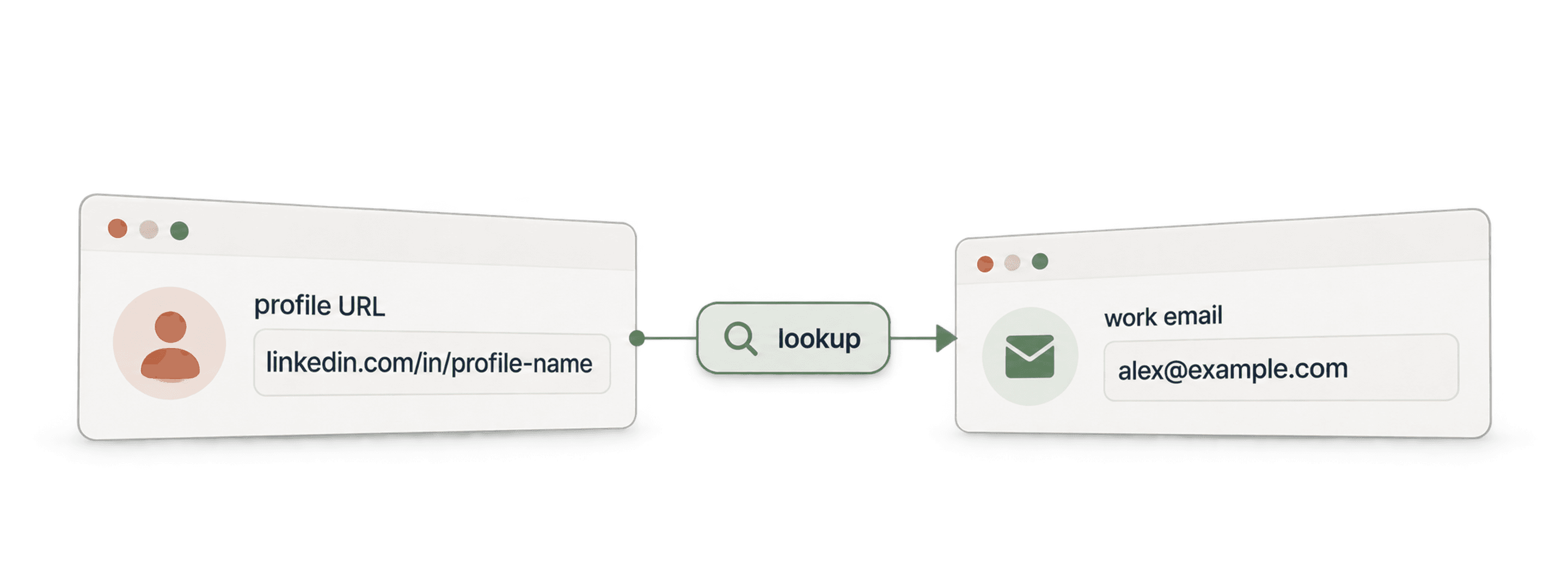
- API Waterfall Email FinderTrouvez un email professionnel vérifié à partir d’un nom et du domaine de l’entreprise.
- API Waterfall Phone FinderTrouvez un numéro de téléphone à partir d’une URL de profil LinkedIn. Payez uniquement lorsqu’un numéro est trouvé.
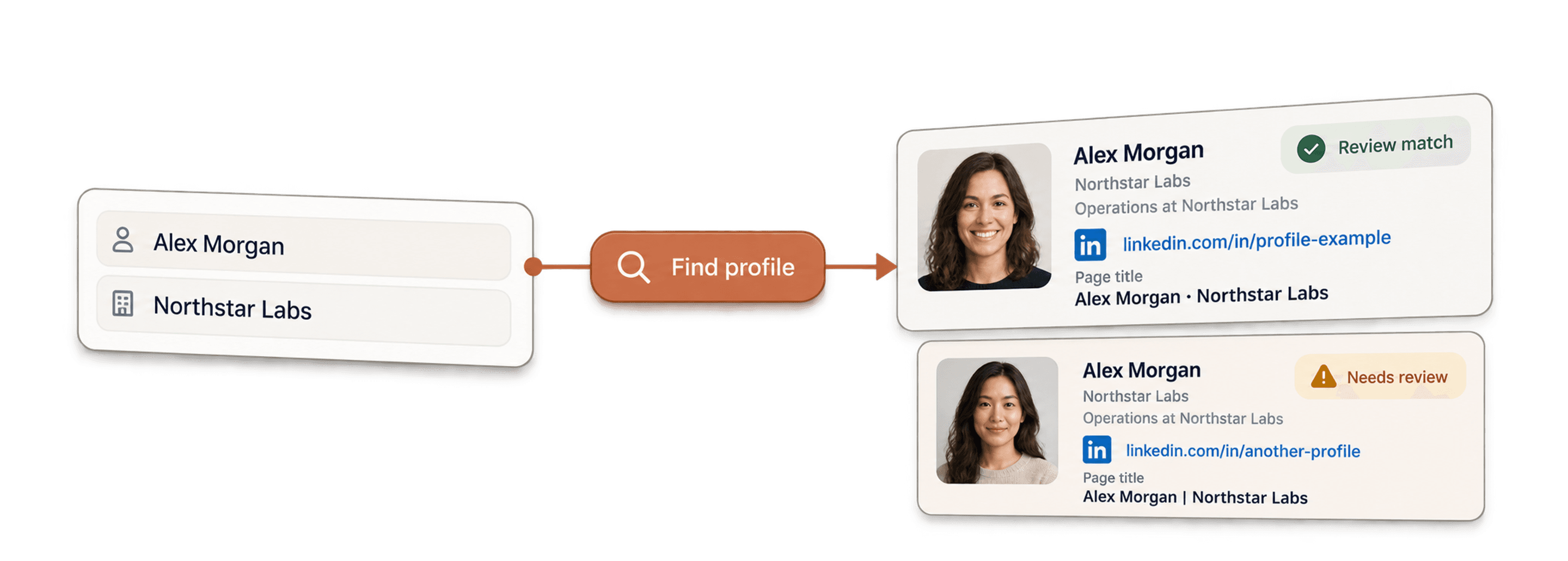
- API LinkedIn Profile FinderTrouvez l’URL du profil LinkedIn d’une personne à partir de son nom.



Enrichissements no-code
- Waterfall Email FinderTrouvez des emails vérifiés à partir d’une URL LinkedIn en interrogeant simultanément plus de 20 fournisseurs.
- Waterfall Phone FinderObtenez des numéros de portable directs à partir des mêmes URL de profils LinkedIn.
- LinkedIn Company Page ScraperExtrayez les données publiques d’entreprises à partir d’URL de pages d’entreprise LinkedIn.
Outils gratuits
- LinkedIn Profile Scraper gratuitExtrayez des données publiques depuis une URL de profil. Aucun identifiant, cookie ou ID de session requis.
- Email Finder gratuitTrouvez un email professionnel à partir d’un nom et d’une entreprise. Essayez-le gratuitement.
- Outil de recherche de domaines d’entrepriseTrouvez les domaines de sites web à partir d’une liste de noms d’entreprises.
