
Want to scrape Instagram followers? Whether you are building a lead list, analyzing competitors, or researching creators, Datablist's Instagram Followers Scraper imports followers into a spreadsheet.
This guide walks you through the process, step by step.
No Instagram Login Required
The Instagram Followers Scraper works without Instagram credentials.
Unlike other scrapers that ask for your username and password, Datablist operates independently. This means:
- No login required - You do not share your Instagram username, password, cookies, or browser session.
- Credential privacy - Your credentials remain yours. We never ask for them.
- Simple setup - Enter the Instagram profiles you want to scrape and set a limit.
Here is how to extract Instagram followers with Datablist.
Step-by-Step Guide: How to Scrape Instagram Followers
Datablist helps you build, clean, and enrich lead lists. Follow these steps to extract followers from Instagram profiles.
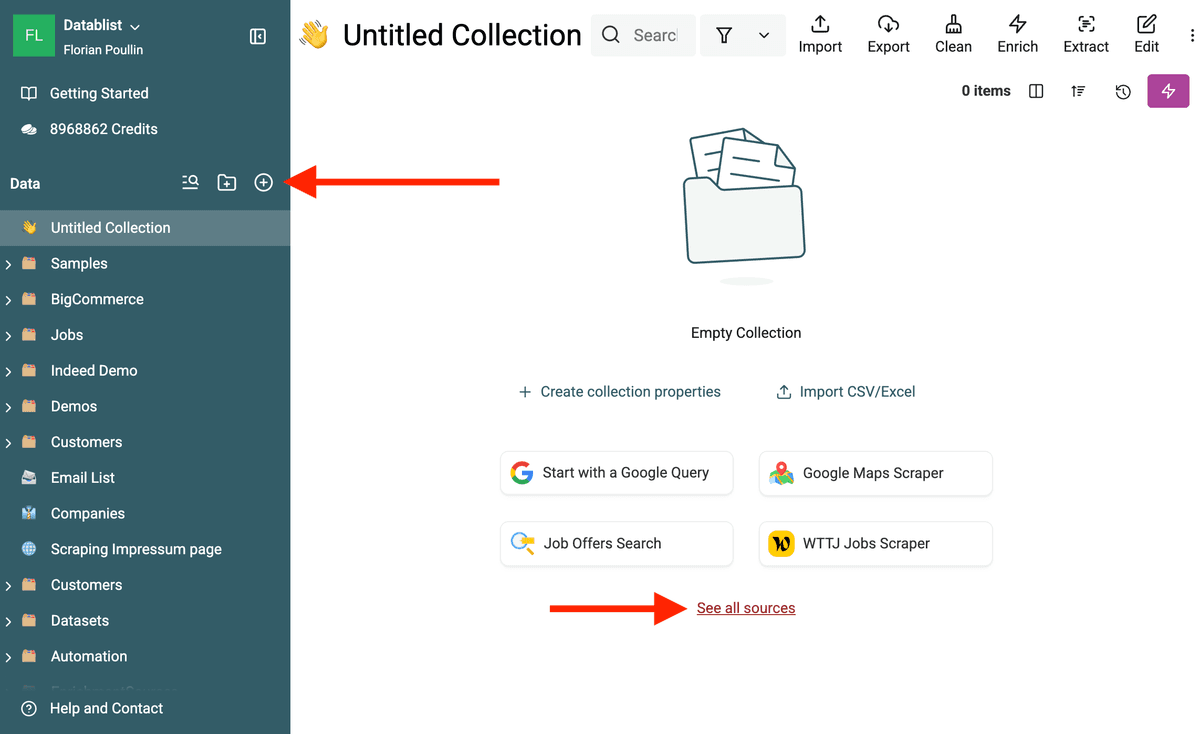
1. Create a New Collection
First, create a new collection in Datablist. Then, open the Sources list.
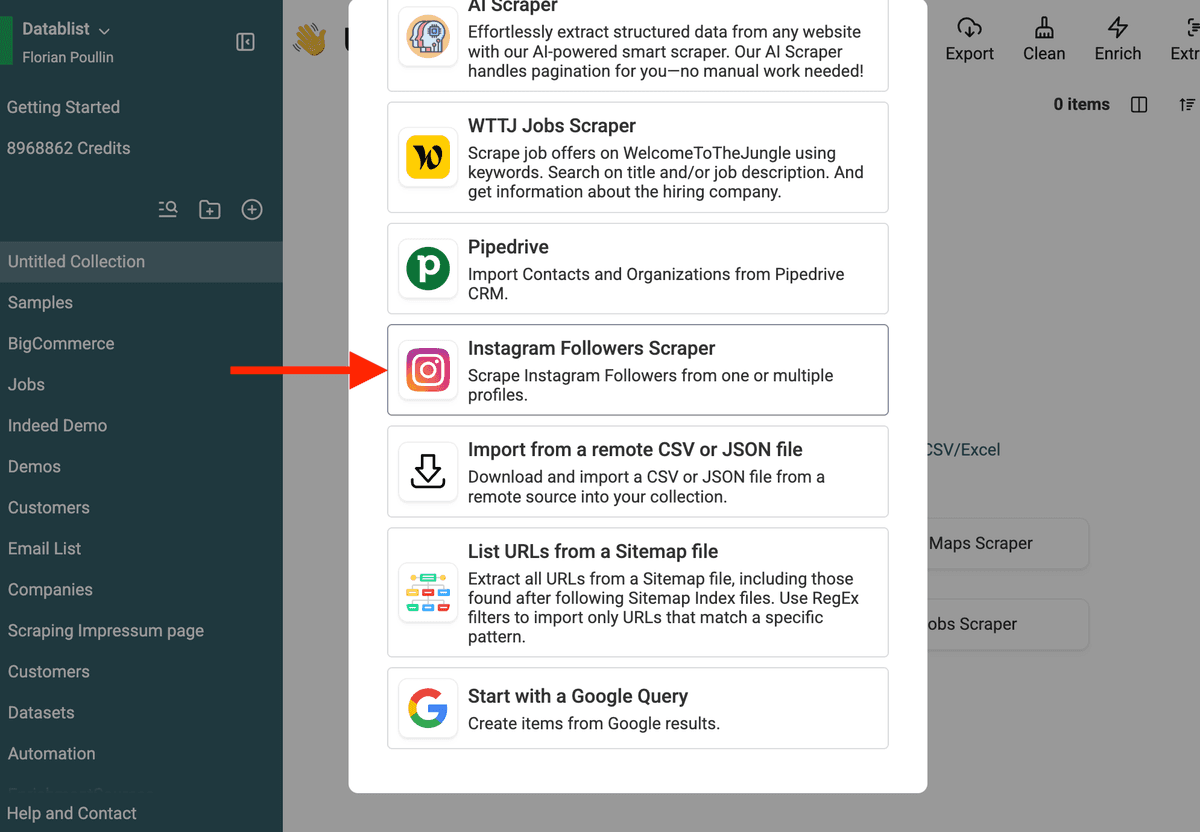
2. Select "Instagram Followers Scraper"
Choose Instagram Followers Scraper from the available data sources.
3. Enter Instagram Profiles
You can scrape followers from multiple profiles at once.
- Enter one Instagram username per line.
- Set a follower limit per profile (e.g., 10,000 followers).
For example, if you enter:
https://www.instagram.com/nike
adidas
puma
With a 10,000 follower limit, Datablist will extract up to 30,000 follower profiles (10K per brand).
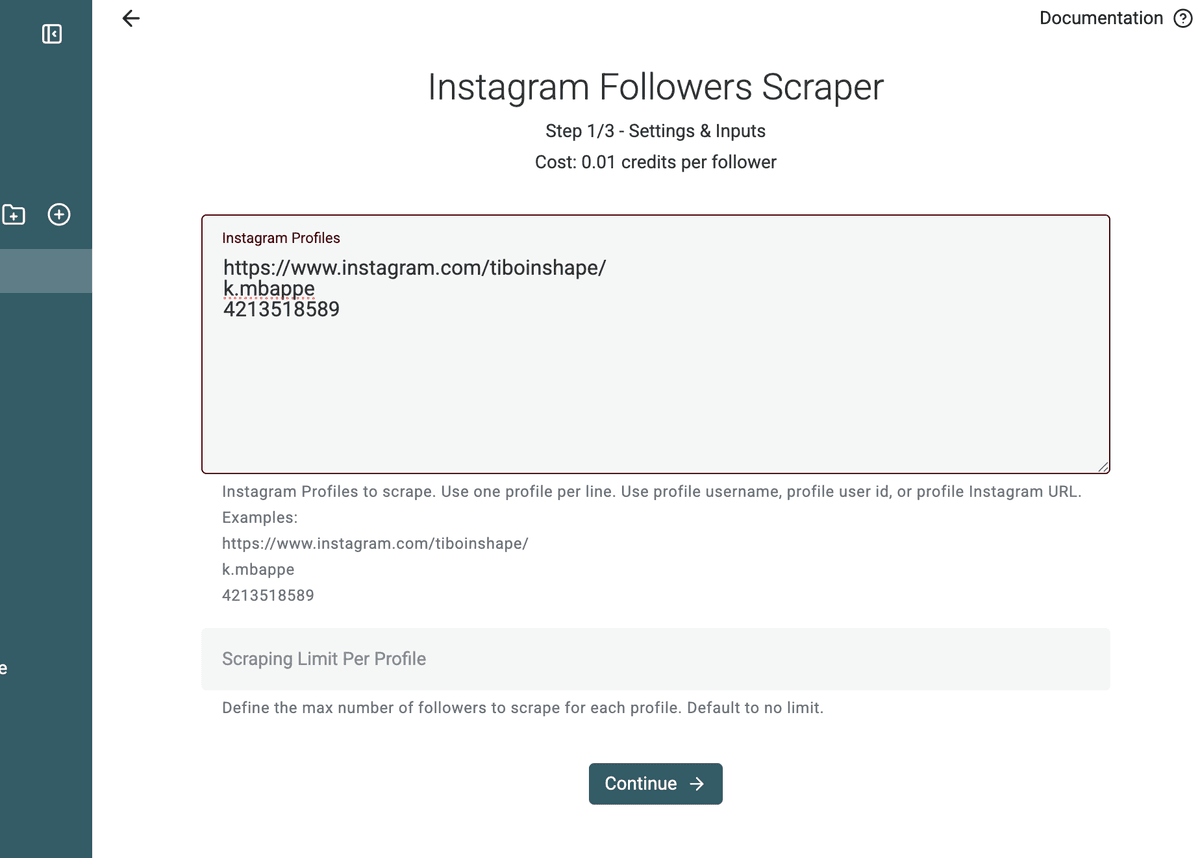
Important: The Instagram Followers scraper does not require your Instagram credentials.
❗️ 90,000 Followers Limit per Collection
Each Datablist collection is limited to 90,000 scraped followers.
If you need to extract more than 90K followers, simply create multiple collections.
For example:
- Create one collection per Instagram profile.
- Or split large profiles into several runs with different follower limits.
This makes it easy to scale your scraping while keeping each collection fast and organized.
After export, the CSV Splitter is useful if you need to break a large followers file into smaller CSVs for teammates, ad platforms, or enrichment batches.
4. Review Extracted Data Fields
Before launching the scraper, Datablist will show the data points that will be extracted.
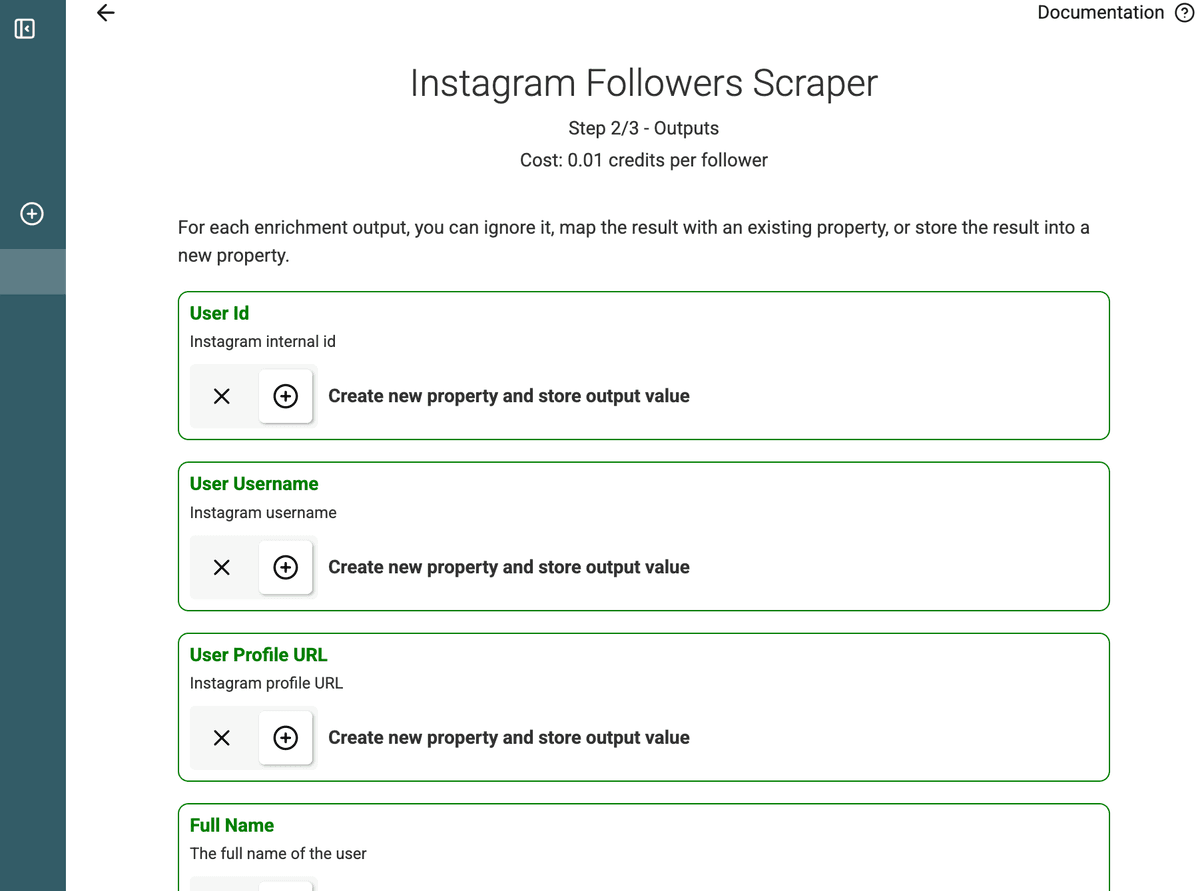
Scraped fields include:
- User Id
- User Username
- User Profile URL
- Full Name
- Profile Picture
- Private
- Verified
- Follower of
5. Start the Scraper
Click the Run import now button.
A notification will appear while Datablist collects the data.
6. View the Results
Once done, you’ll see the scraped Instagram followers in your collection.
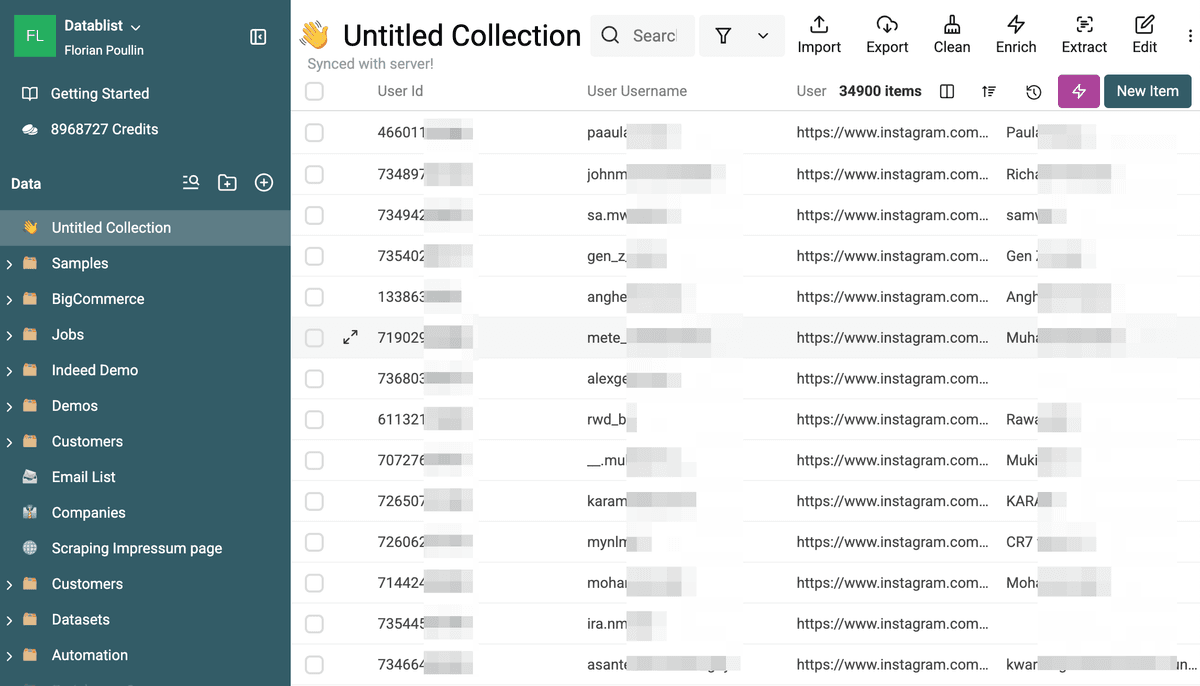
A Follower Of column will indicate which profile each follower was extracted from.
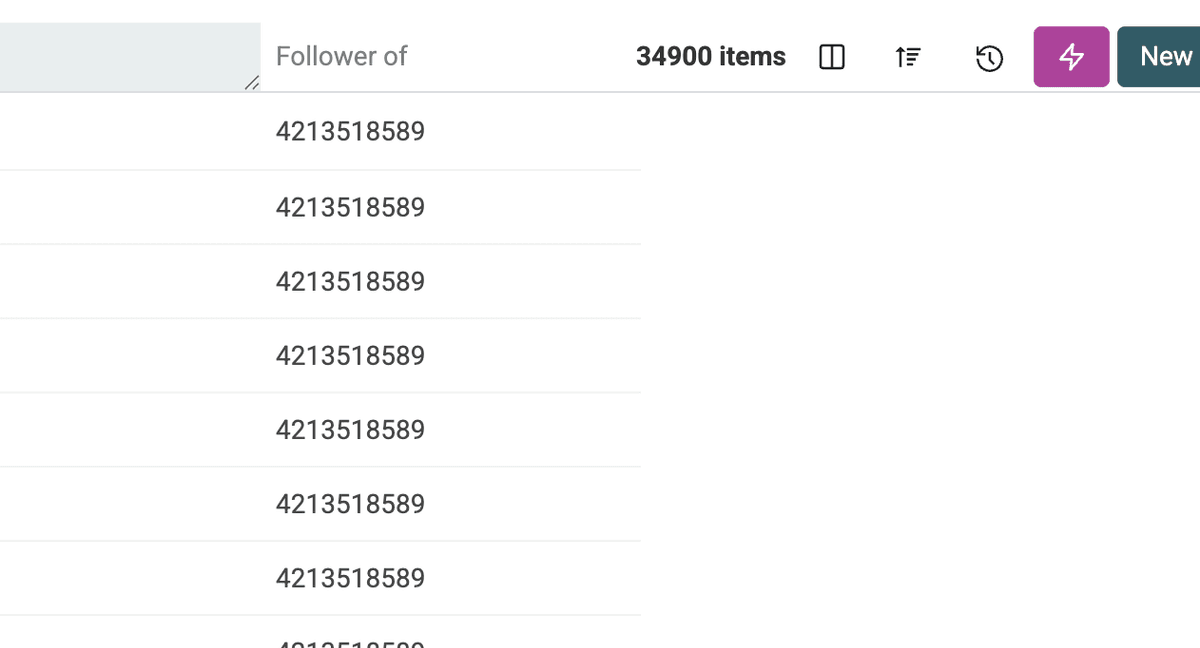
Next Step: Scrape Full Instagram Profiles
The Instagram Followers Scraper gives basic profile information. If you need bio, website, email, location, and more, use the Instagram Profile Scraper for deeper insights.
Why Scrape Instagram Followers?
Scraping Instagram followers can be useful for:
- Lead Generation: Extract followers from competitors' profiles and reach out to potential customers.
- Market Research: Analyze follower demographics, interests, and activity.
- Influencer Outreach: Find influencers in your niche by scraping their engaged followers.
- Competitor Analysis: Compare follower growth and audience insights.
- Social Media Growth: Discover active users in your industry and engage with them.
Advanced Use Cases
Lead Generation with Instagram Followers
Want to generate leads? Use the Instagram Followers Scraper to extract followers from competitors or industry influencers.
Example: If you run a fitness coaching business, scrape followers from popular fitness trainers and gyms. These people are already interested in fitness and might be great potential clients.
Finding Influencers & Brand Ambassadors
Need to connect with micro-influencers? Scrape followers from big brands in your niche, then analyze their profiles to find engaged users with a good following.
Example: A small fashion brand could scrape followers from Zara or H&M, then filter users with high engagement and reach out for collaborations.
Competitor Analysis
Want to monitor competitors? Scrape and track their followers over time to see how their audience grows.
Example: A social media agency can scrape competitor followers every month to measure growth rates and engagement trends.
Try the Instagram Followers Scraper
Extract Instagram followers in bulk with Datablist.
Best Inputs for Instagram Follower Scraping
Use one Instagram profile per line. You can paste usernames or profile URLs.
Good inputs:
nikehttps://www.instagram.com/adidas/- A list of competitor profiles
- A list of influencer profiles in the same niche
Set a follower or following limit per profile before running the scraper. If you need more than the collection limit, split the work across several collections.
From Followers to Qualified Instagram Profiles
The follower list is the starting point. The next step is qualification.
Start with accounts that concentrate your audience: competitors, industry creators, local business pages, ecommerce brands, communities, or event accounts. Scrape followers or following profiles, then keep the Follower Of column so you know which source account produced each profile.
After the import, run the Instagram Profile Scraper on the profile URLs to enrich each row with bio, follower count, following count, website, public email, public phone, business category, and location when available.
For better segmentation, run Entity Name Extraction on bios to extract companies, places, professions, or niche keywords. This is useful when you scrape followers from Shopify brands, WooCommerce stores, influencers, local communities, or competitor accounts and need to separate consumers, creators, agencies, and businesses.
FAQ
Can I scrape Instagram followers without logging in?
Yes. The page workflow does not ask for your Instagram username, password, cookies, or browser session.
Can I scrape followers from several profiles at once?
Yes. Add one Instagram profile per line and set a limit per profile. Datablist creates rows for the scraped follower or following profiles.
What can I do after importing Instagram followers?
Run the Instagram Profile Scraper to enrich profiles with bio, follower count, website, public email, phone number, and account type when available.
What is this useful for?
Use it for influencer research, competitor audience analysis, creator discovery, ecommerce prospecting, and local business lead generation.
Should I enrich scraped Instagram followers after import?
Yes. The source imports basic profile data. Enrich the rows afterward when you need bios, websites, public emails, phone numbers, follower counts, categories, or business locations.