
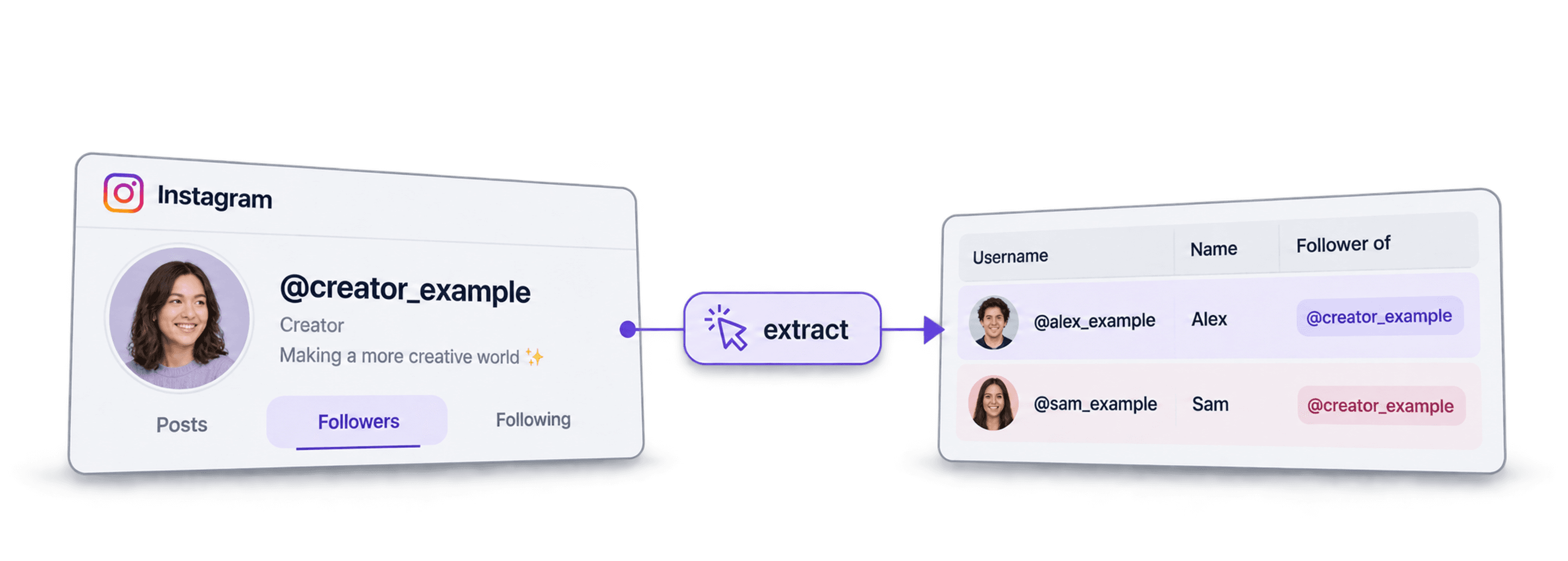
To scrape Instagram followers in Datablist, open the Instagram Followers/Following Scraper source, supply a public profile URL, username, or user ID, choose a per-profile limit, and review the returned follower rows before exporting them.
I would start with one profile and a small limit. The returned list is a snapshot of the accounts the provider could retrieve, not a guarantee of the profile’s complete live follower list. Following a niche influencer also does not establish a person's occupation, location, or willingness to buy.
This guide covers the source settings, relationship outputs, review and deduplication, resuming a larger scrape, and the separate enrichment for profile details. It does not require your Instagram login credentials.
📌 Quick workflow
Create a collection, open See all sources, and choose Instagram Followers/Following Scraper. Enter one profile per line under Instagram Profiles, keep Followers (default) under Scrape followers or following, and set Scraping Limit Per Profile. Add follower identifiers and source-profile outputs, run a sample, then check and export the result.
What Does Scraping Instagram Followers Cost?
Follower-list extraction costs 0.01 credits per returned follower. Resolving the source profile can add 1 credit when its identifier is not cached. Profile-detail enrichment is a separate charge.
For a worked example, suppose one source profile returns exactly 1,000 follower rows:
- Follower list: 1,000 × 0.01 = 10 credits, plus 1 for an uncached source lookup: 11 credits.
- Details for 100 selected followers: with their returned User Id values, the standard profile lookup costs 2 credits each: 200 credits. This option can return public email and phone fields when available; it does not guarantee either.
- Total: 211 credits for the list and those 100 profile lookups. Adding About data or choosing another scraping type changes the enrichment cost.
On monthly USD billing, Starter costs $25 and includes 5,000 credits. Starting with that unused allowance, this example needs no top-up and leaves 4,789 credits. The $25 subscription is the cash payment; 211 credits is the workflow usage. Credits do not have one fixed dollar value across plans and top-up packages.
Use the returned User Id for this profile-enrichment example; a username or URL can require another identifier lookup. Check actual returned rows and credit use after the sample. Provider pages can exceed a small requested limit, and a profile lookup can consume credits even when no follower rows return, so the requested limit is not an exact spending ceiling.
What is Datablist: Quick Overview
Datablist is a spreadsheet-style workspace for lead generation workflows. You can collect, review, enrich, and export rows using enrichments, from AI Agents to Email Finders, AI processors, Technology enrichments, and more.
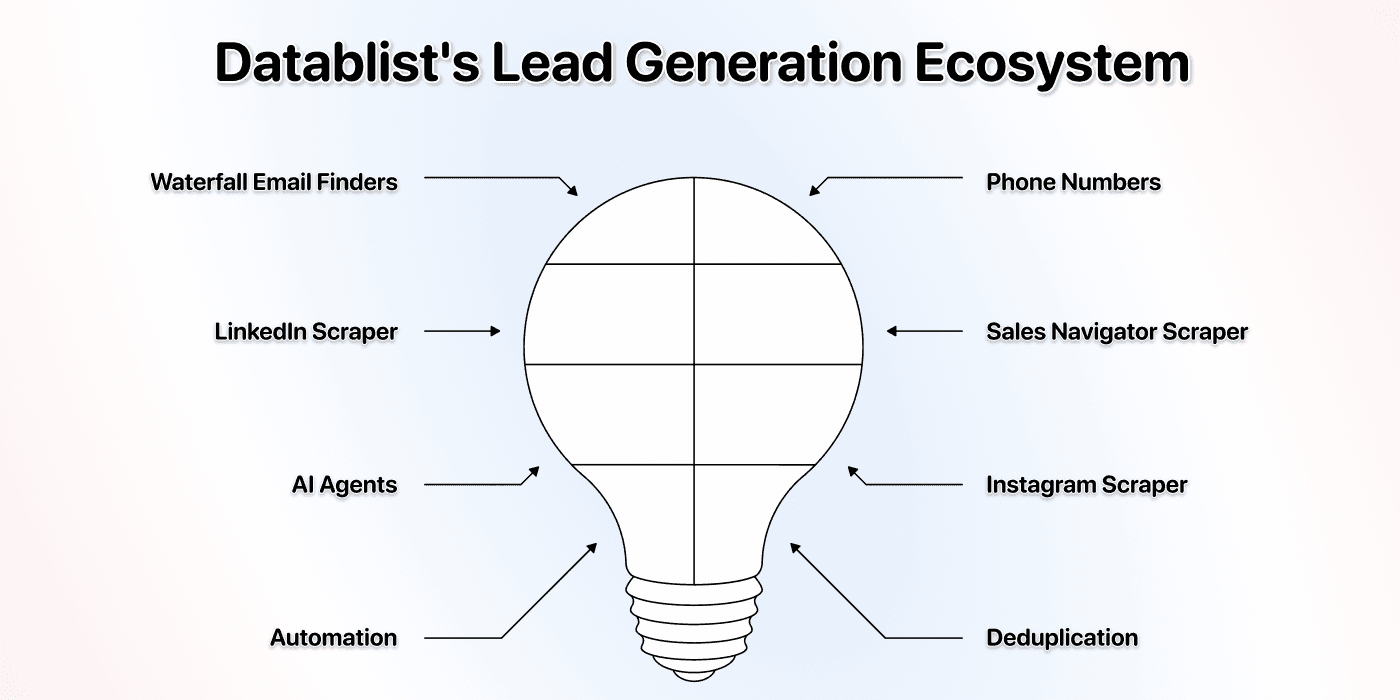
Additionally, Datablist allows you to set up automated workflows that run on schedule or demand. Here are a few practical use cases that Datablist users love:
- Building lead lists
- Personalizing emails with AI
- Cleaning and deduplicating CRMs
- Scraping job postings
- Scraping leads from Sales Navigator
How To Scrape Instagram Followers For Cheap (Step-by-Step)
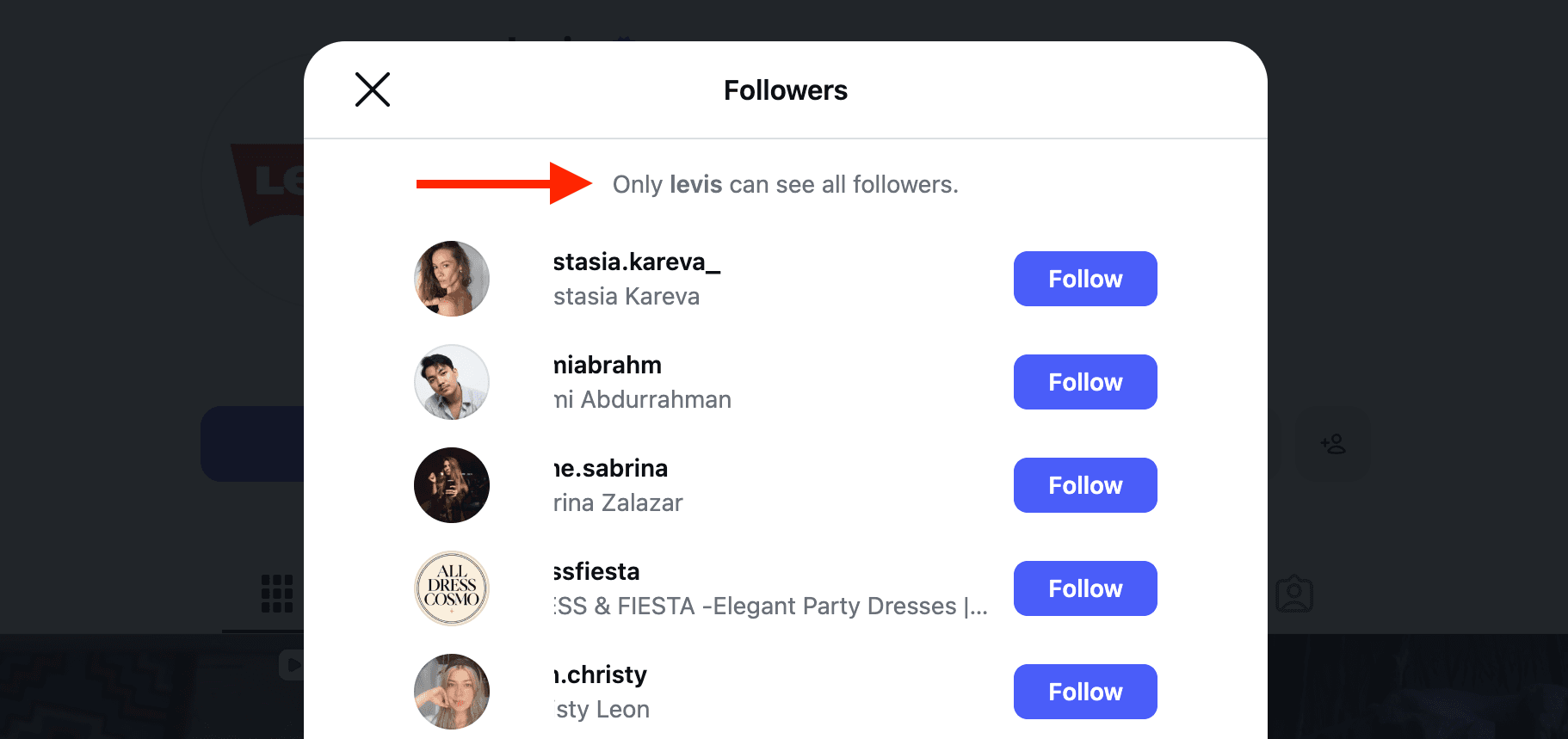
Check follower visibility before you start
Open the Instagram profile and click Followers. If you see “Only [username] can see all followers,” expect a partial list, even for a public profile.
In Datablist, you can enter profile URLs or usernames and review the source profile and returned fields before increasing the limit. You do not need a browser extension or your own provider API key for this workflow.
📘 Important: Private Profiles
A private profile’s follower list is not available through this workflow. A run can consume credits while resolving a profile even when it returns no follower rows. Profile-detail enrichment is a separate lookup and does not grant access to private posts or follower lists.
Step 1: Sign Up on Datablist.com
Go to Datablist.com and create an account. Follow the account setup to open your workspace.
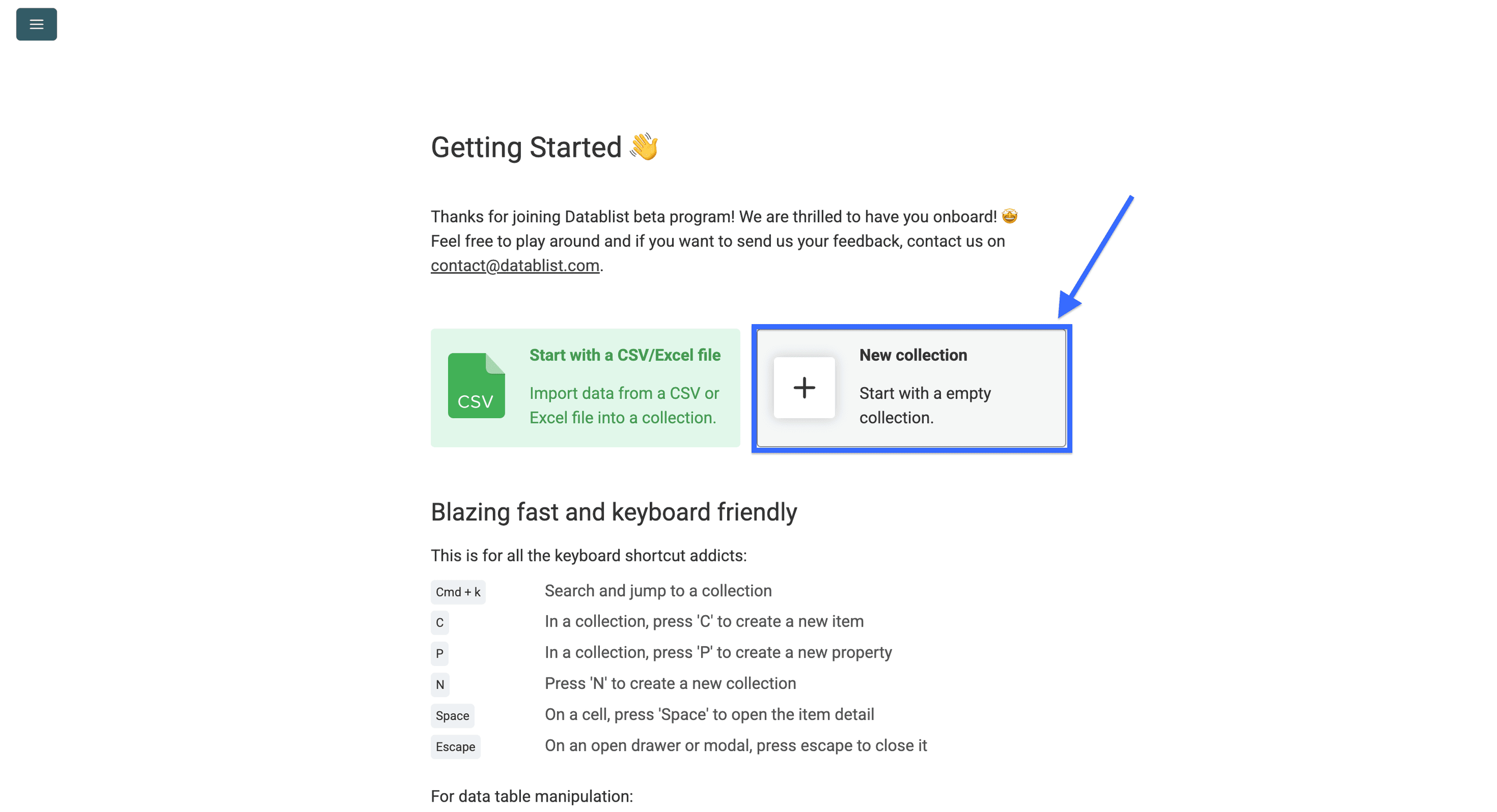
Step 2: Create a New Collection
Once you're in, click on New Collection
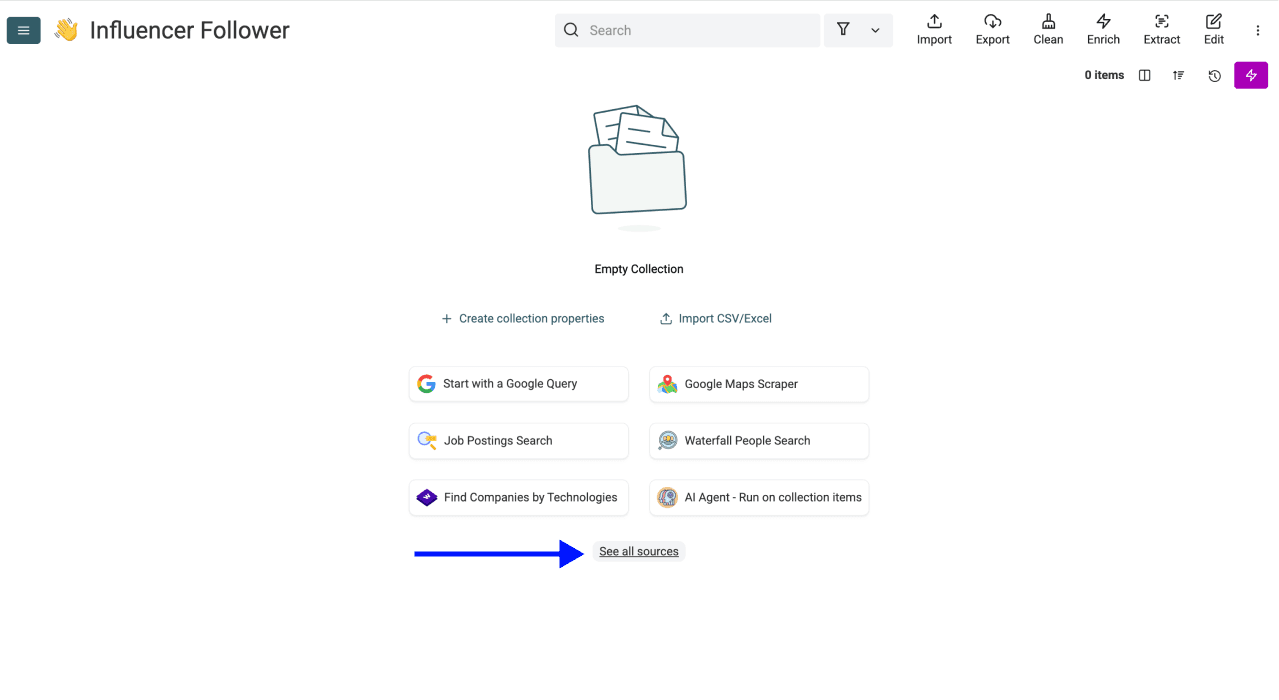
Step 3: Navigate to the Instagram Followers/Following Scraper
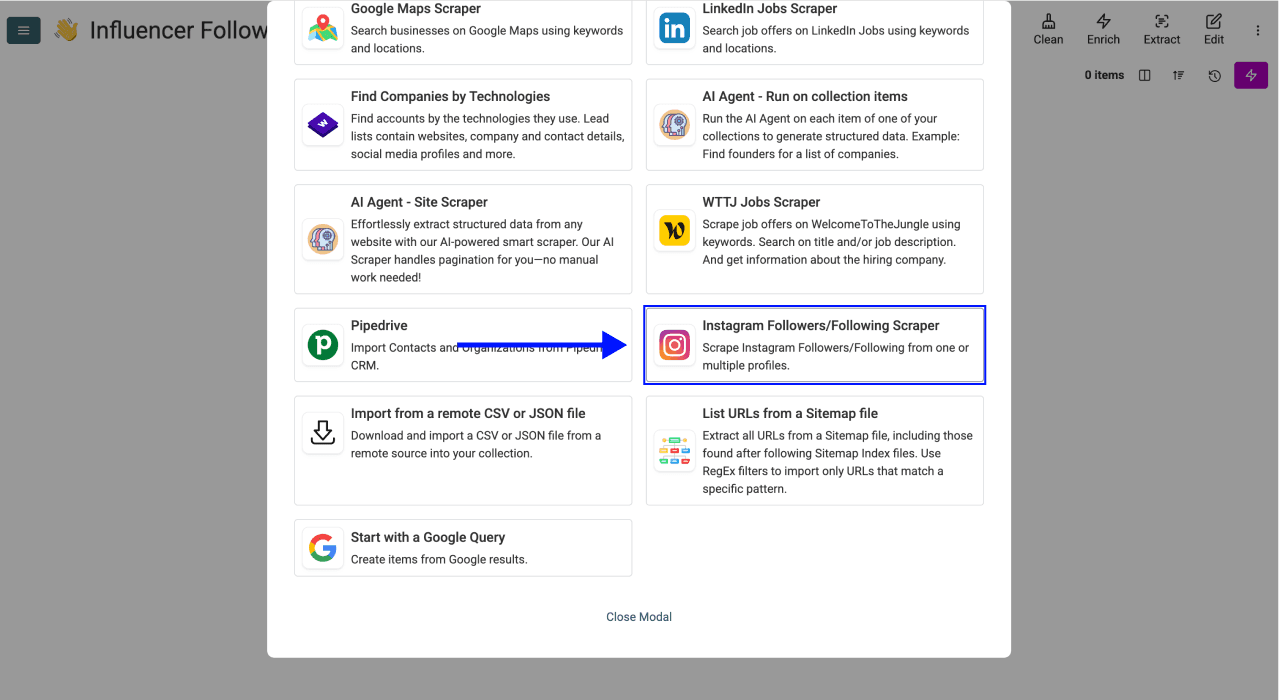
Click on See all sources
Scroll down, and select the Instagram Followers/Following Scraper from the list.
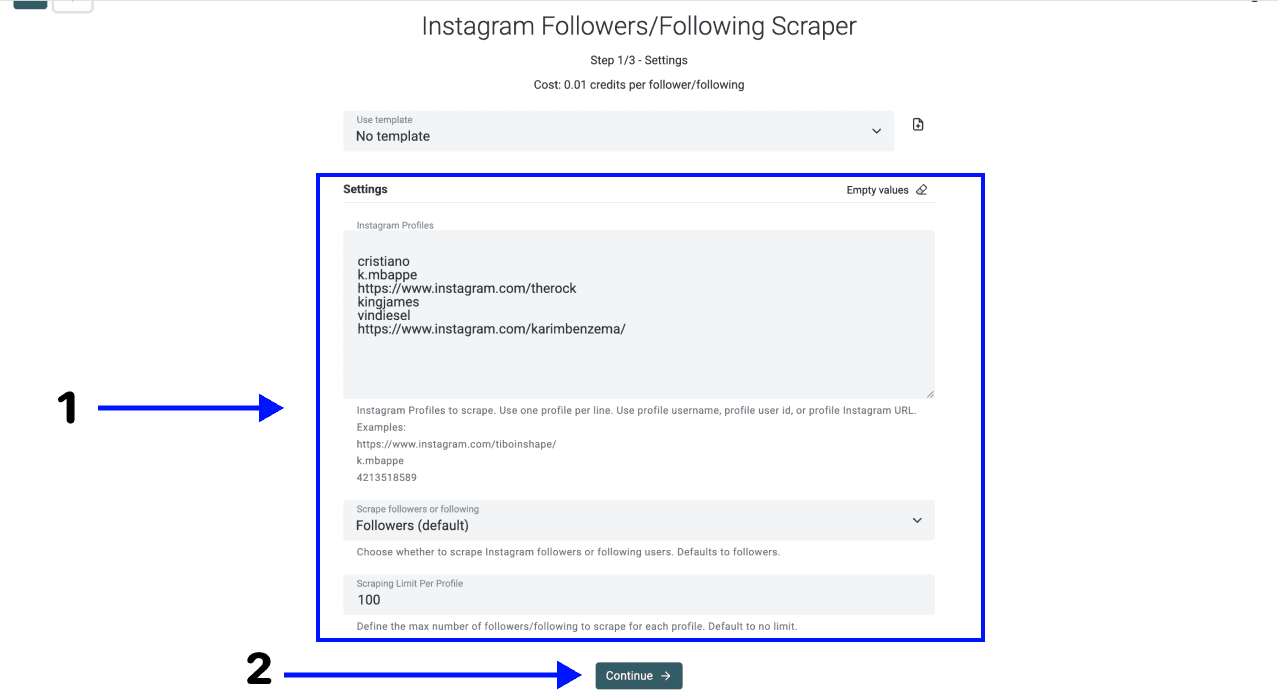
Step 4: Configure Your Settings
You'll see a simple configuration screen. Here's what to do to get the best results:
- Under Instagram Profiles, enter one public profile URL, username, or user ID per line. Check that each identifier refers to the intended account.
- Under Scrape followers or following, choose Followers (default). Choose Following only when you want the accounts that the supplied profile follows.
- Set Scraping Limit Per Profile to a small sample size before expanding the run. A cap is not a completeness guarantee.
- Click Continue and configure the output columns.
Step 5: Select Your Outputs
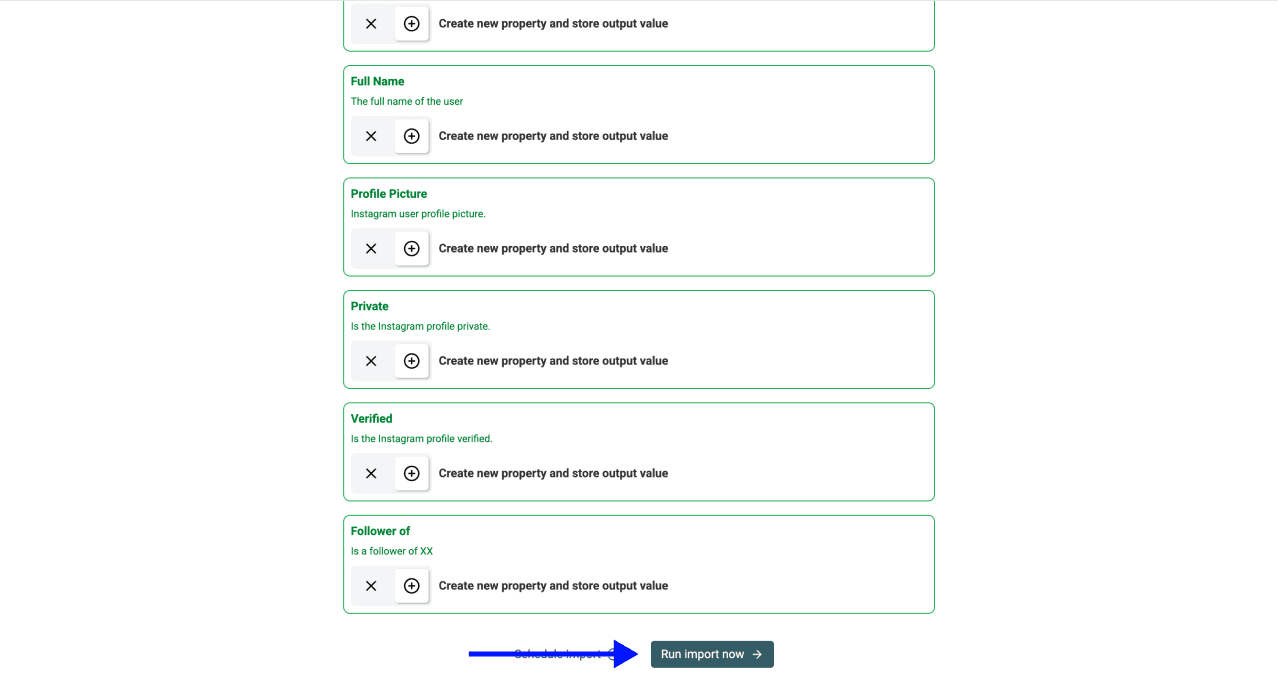
Datablist shows the available output fields. Keep the follower’s User Id, User Username, and User Profile URL, plus the source-profile fields. These let you check who each row represents and which input profile produced it.
Click the ✕ icons to remove the ones you don’t want, then click Run import now
Step 6: Get Your Results
When the source run completes, compare the returned rows with your requested limit and inspect its status. Duration depends on provider responses, pagination, the profile, and the run size. Do not assume that a low row count means the profile has no other followers.
Note: The results also include the full names. We’ve hidden them in the picture below to preserve people’s privacy.
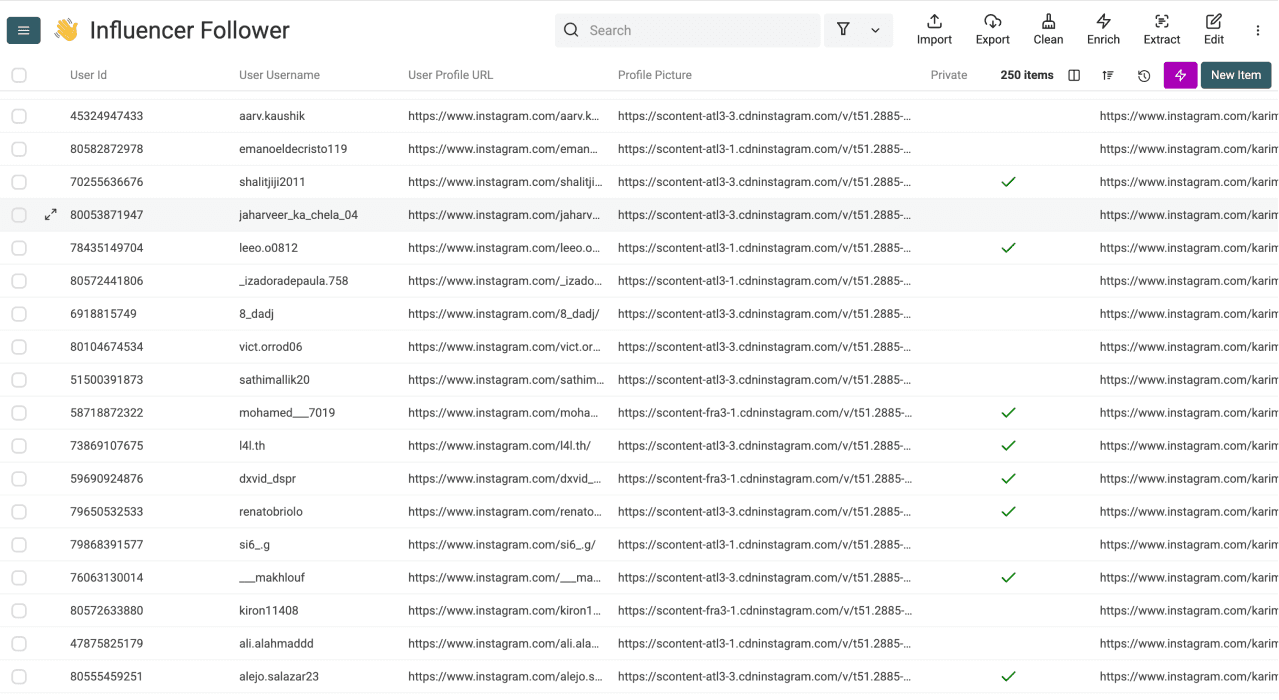
For several input profiles, keep Follower of (UserId), Follower of (Username), or Follower of (ProfileUrl). Use them to filter the relationships by source account instead of relying on column position.
💡 Good To Know: Large Scrapes
The source run has its own pagination and row limits. Those are separate from collection storage and cloud synchronization. If a run stops with more results available, use the resume option below rather than assuming the remaining followers fit in the same run.
Step 7: Enrich Followers with Profile Details
Getting a list of followers is just the beginning. To turn these usernames into actionable leads, you need to know who they are. The Instagram Profile Scraper lets you enrich your list with public data like email addresses, bios, and engagement stats.
For lead-list building, use profile details as evidence for a segment. A follower relationship alone is not a reliable qualification rule.
Pick one follower from your results and look up their profile in the free Instagram Profile Scraper. Check whether its bio, website, or public contact details help you decide which fields to collect for the rest of the list.
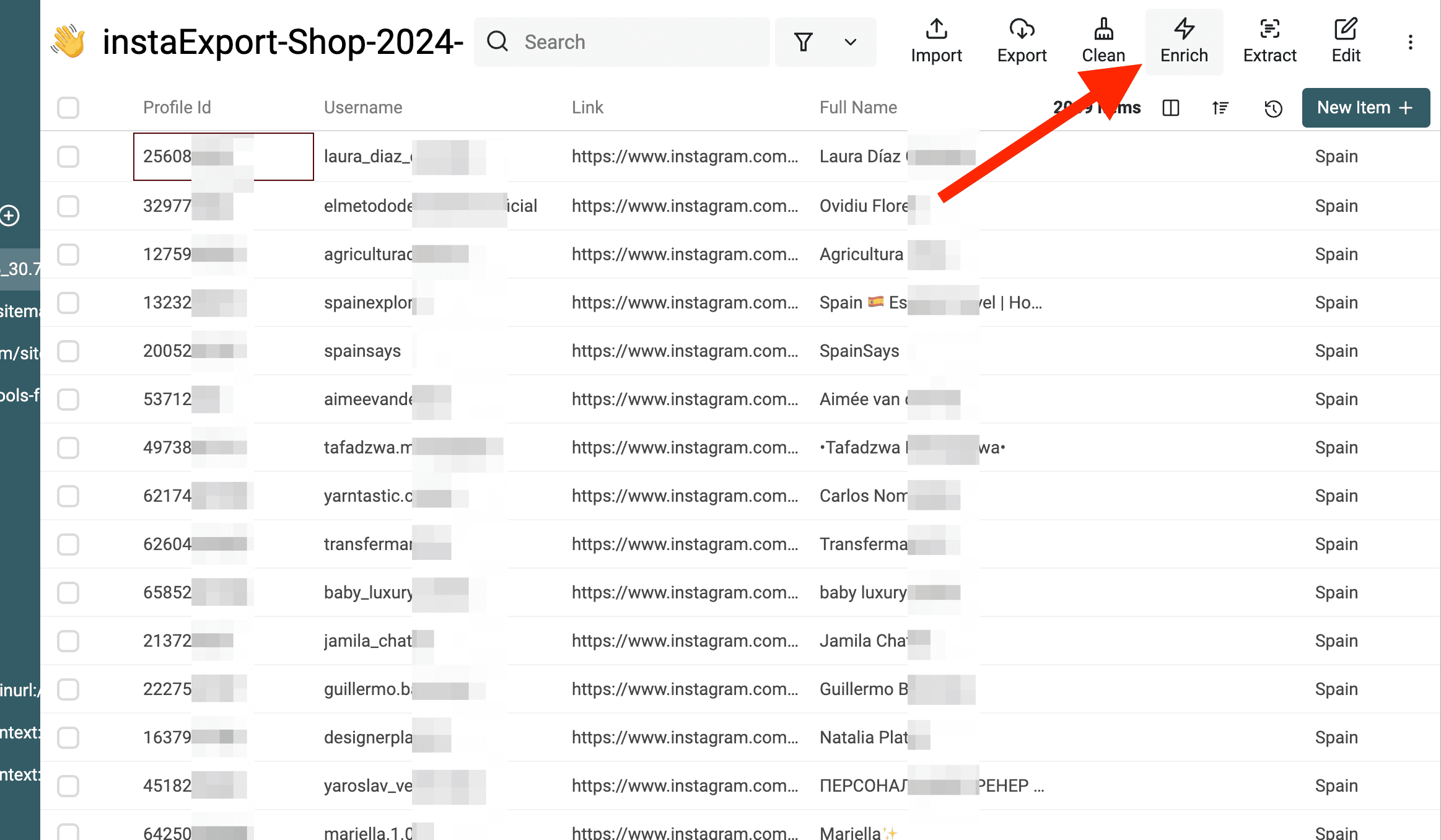
1. Access the Enrichment Menu Inside your collection with the scraped followers, click Enrich at the top of your dashboard.
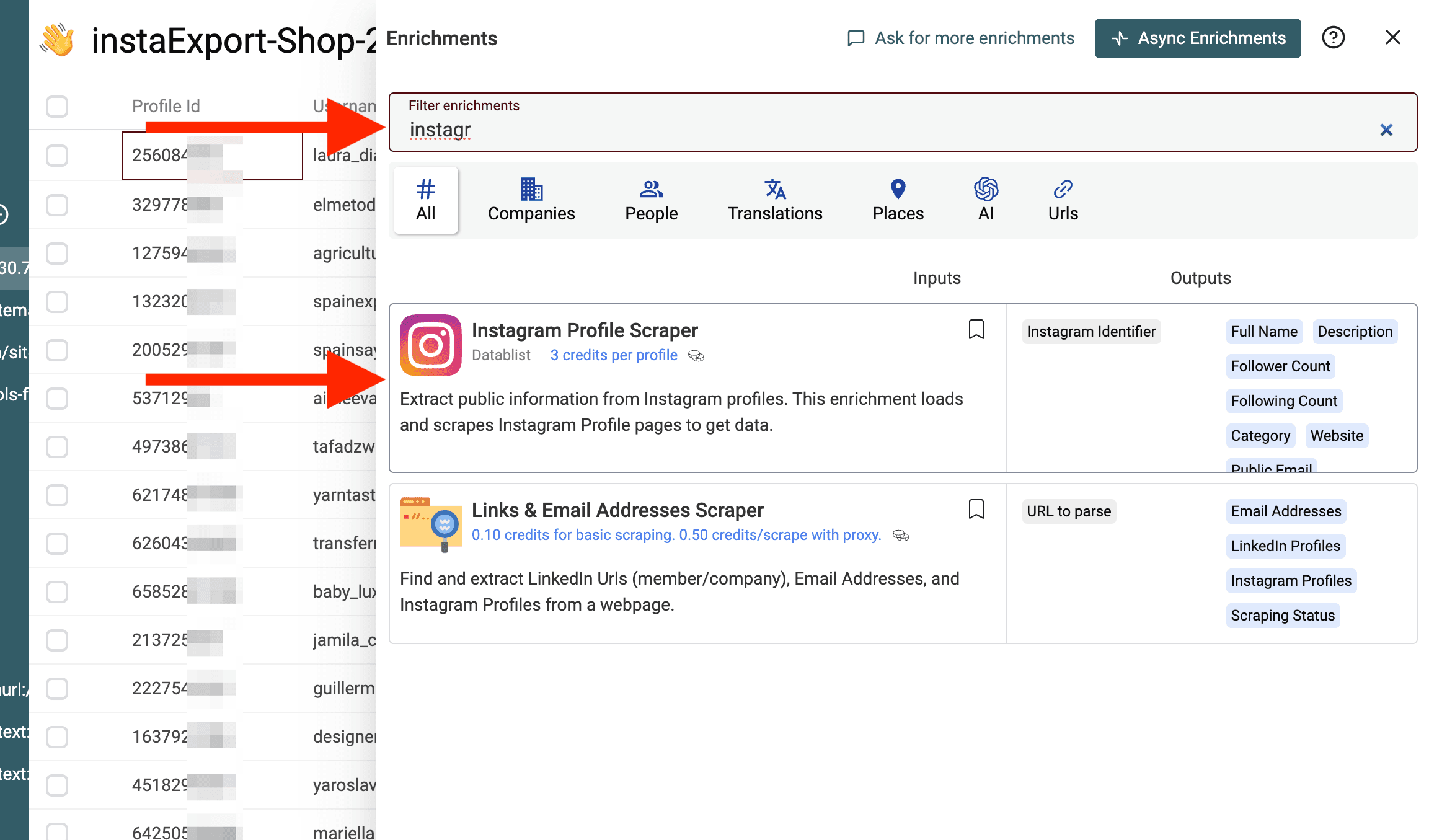
2. Select the Instagram Profile Scraper Search for Instagram Profile Scraper and select it. This enrichment uses the profile identifiers from your source results to request additional profile fields. Availability depends on the selected scraping type and what the provider can return.
3. Map Your Data Columns Tell Datablist which column contains the handles. You should map the Instagram Username or Profile URL column from Step 6 to the input field of the scraper.
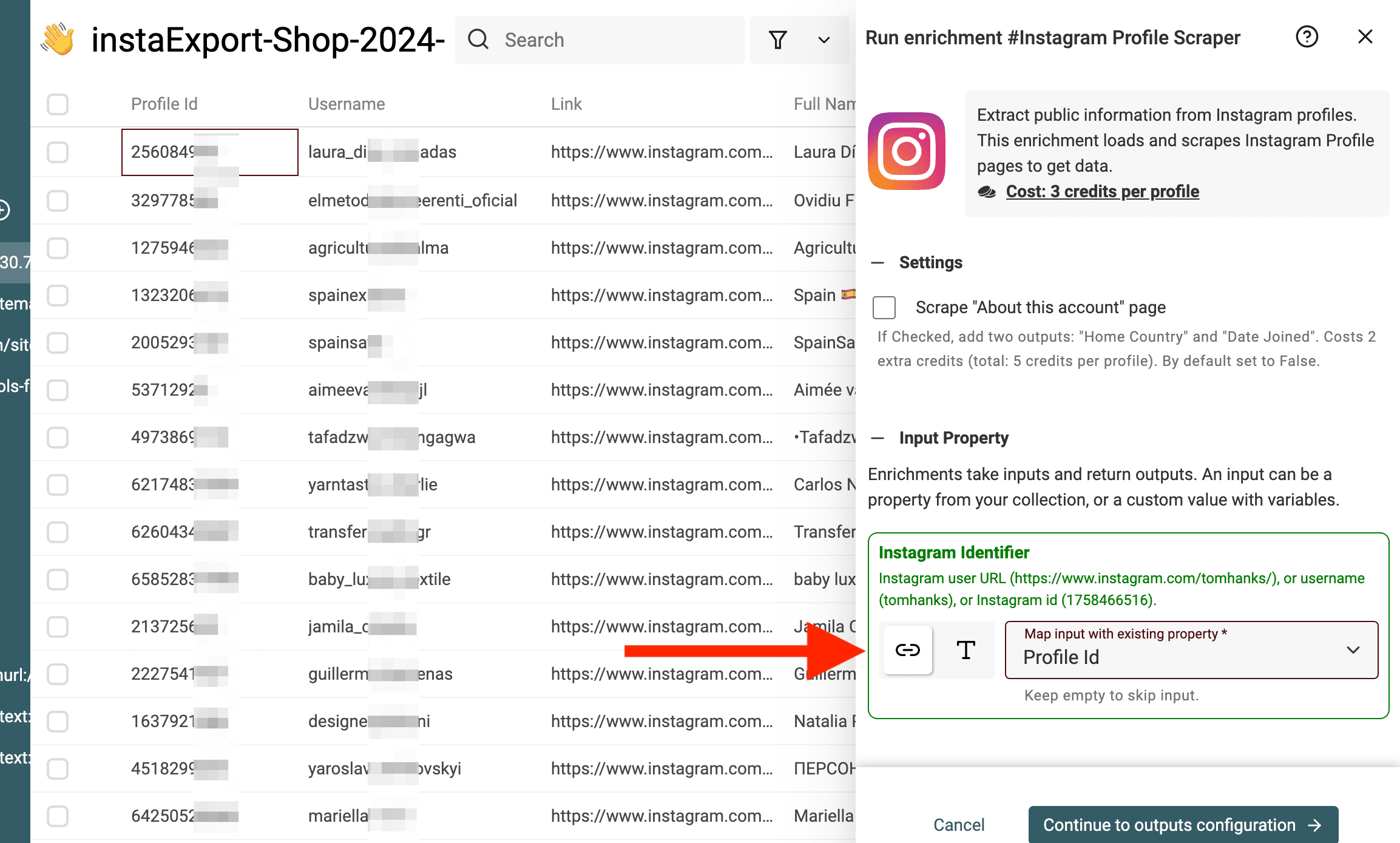
4. Pick Your Output Fields Select the specific data points you want to add to your collection.
Map the output fields you need to new columns so the original follower identifiers remain available.
Among the outputs, you will get:
- Public Email: Extract emails directly from business profiles.
- Description: Use this to filter your data for specific job titles or interests.
- Follower Count: Filter for "Micro-influencers" versus regular users.
- Website: Get the link in their bio for further company research.
5. Run the Enrichment
Choose the Scraping Type that returns the fields you need, then run a sample. The public-profile-only option does not include email or phone outputs. The profile option can return a public email or phone number when the user provides one; those fields can still be empty. Check the available settings and credit estimate before processing the rest.
Review Enrichment Status and any missing fields when the enrichment finishes. A missing public email should stay empty; it does not prove that the person has no email address. You can then use the Data Extractor if any emails are hidden inside the bio text rather than the official email field.
Review Overlap and Resume a Larger Scrape
Keep two different datasets in mind:
- Follower relationships: one row per follower and source-profile pair. A person following two input accounts can legitimately appear twice.
- Unique profiles: one row per User Id when you want to enrich each person once. Preserve source membership separately before removing repeated profiles.
For an illustrative batch, User Id 101 following both Account A and Account B represents two relationships and one profile. Deduplicating only by User Id would lose one source relationship unless you consolidate that context first.
I would review missing IDs, repeated source/follower pairs, and unexpectedly small results before enrichment. Select a representative profile sample and inspect Description, Website, and any returned email fields. Do not label every follower of a fitness account as a fitness professional.
If a previous run has a saved continuation, open the source settings and use Continue a previous scrape. Available entries are scoped to the current workspace and retained for seven days. The selected entry reuses its source profile and scrape type; you do not need to replace them with a new profile input.
When the source reaches a collection boundary, resume into another collection in the same workspace as instructed by the setting. If the continuation is unavailable, check the source run before starting over. A restarted scrape can overlap with an earlier snapshot, so compare identifiers and retain the source and collection context.
Save a Checked At date alongside each batch and export the reviewed results as CSV or Excel. A changing follower count is not a checklist proving your extract is complete; followers can change between pages or runs.
Conclusion
Start with a public profile and a small limit, keep the follower and source identifiers, and review the returned relationships before enriching or exporting them. Use a saved continuation when available for a larger source run.
Open Datablist to try the same workflow on a profile relevant to your project.
Frequently Asked Questions (FAQ) About Scraping Instagram Followers
Is It Legal to Scrape Instagram Followers?
Public visibility does not establish permission for automated collection or reuse. Review Instagram’s current terms and the requirements for your intended use before collecting follower data.
Can I Scrape Followers From Multiple Influencers at the Same Time?
Yes. Enter one identifier per line under Instagram Profiles. The source processes the supplied accounts and includes source-profile relationship fields with the returned rows. Run duration and completion can differ between accounts.
Can I Scrape Followers From Private Instagram Profiles?
No. This workflow does not provide a private profile’s follower list. A profile-detail lookup is a separate enrichment and is not a way to unlock restricted follower data.
How Fast Can I Scrape Instagram Followers?
There is no fixed completion time for every profile. Run a small sample and inspect the actual duration, returned rows, and credit use before expanding it.
What Happens if I Scrape More Than 100,000 Followers?
Treat the source-run limit and collection storage as separate constraints. A source may stop before a profile’s entire list is retrieved. Use an available continuation in another collection when instructed, and export each completed batch. Do not assume the collection’s import capacity is the source’s extraction capacity.
What Data Do I Get When I Scrape Instagram Followers?
You can choose from various profile data fields for each follower including:
- User Id: Instagram's internal user identifier
- User Username: The follower's Instagram handle
- User Profile URL: Direct link to their Instagram profile
- Full Name: Display name on their profile
- Profile Picture: URL to their profile image
- Private: Whether the account is private or public
- Verified: Blue checkmark verification status
- Follower of (UserId), Follower of (Username), and Follower of (ProfileUrl): Source account identifiers for checking the relationship
How Many Instagram Followers Can I Scrape at Once?
Set Scraping Limit Per Profile for the source run and check its progress and continuation settings. Actual results depend on accessible follower pages, provider responses, run limits, and available credits. Import capacity is not a promise that a follower source can return the same number in one run.
Do I Need a Browser Extension to Scrape Instagram Followers?
No. Datablist runs entirely as a web app. No extensions, no downloads, no installations needed.
What's the Cheapest Way to Scrape Instagram Followers?
Use a small requested limit, inspect the credit estimate, and review the returned rows before running profile-detail enrichment. Compare cost per useful reviewed profile rather than assuming every returned follower is a qualified contact.
How Do I Scrape Instagram Followers Without Getting Banned?
Datablist does not ask for your Instagram login credentials or session cookies in this workflow. That does not establish a risk-free scraping method or permission to collect data. Use accessible source data, review the site’s requirements, and stop when the requested list is unavailable.
What's the Difference Between Scraping Followers and Scraping Following?
Followers are people who follow a profile. Following is the list of accounts that the profile follows. This guide covers follower scraping specifically, but Datablist offers both options.
Can I Scrape Instagram Followers From a Business Account?
Yes, when Instagram makes the list available. Some public business accounts show only part of their follower list. Check the Followers dialog before you run the scraper.
How Do I Download an Instagram Follower List?
Sign up for Datablist, create a collection, select the Instagram Followers/Following Scraper, paste the profile, and click run. Once done, export the results as CSV or Excel.
What Tools Can Scrape Instagram Followers?
There are several options, including browser extensions, Python scripts, and platforms like Datablist. Compare required account access, returned fields, continuation support, sample duration, and cost per useful result. Datablist does not require your Instagram credentials for this workflow.