Find a company's official domain using its name and an employee's full name to identify and verify the correct company.
Wie verwenden Sie diesen Prompt mit einer CSV-Datei?
Mit Datablist können Sie eine gesamte CSV-Datei nutzen und Prompts direkt auf jeder Zeile ausführen.
Die gute Nachricht: Der benötigte Prompt ist in Datablist bereits im Bereich "Templates" verfügbar. Sie müssen nicht bei Null starten! Wählen Sie einfach das Template, das zu Ihrer Aufgabe passt, und es ist bereit, auf jede Zeile Ihrer CSV angewendet zu werden. So transformieren Sie Ihre Daten mit nur wenigen Klicks noch einfacher.
Importieren Sie Ihre CSV-Datei in Datablist. Wählen Sie anschließend in der Kopfzeile "Enrich".
Wählen Sie das Template: Find Company Domain from Company and Employee Names
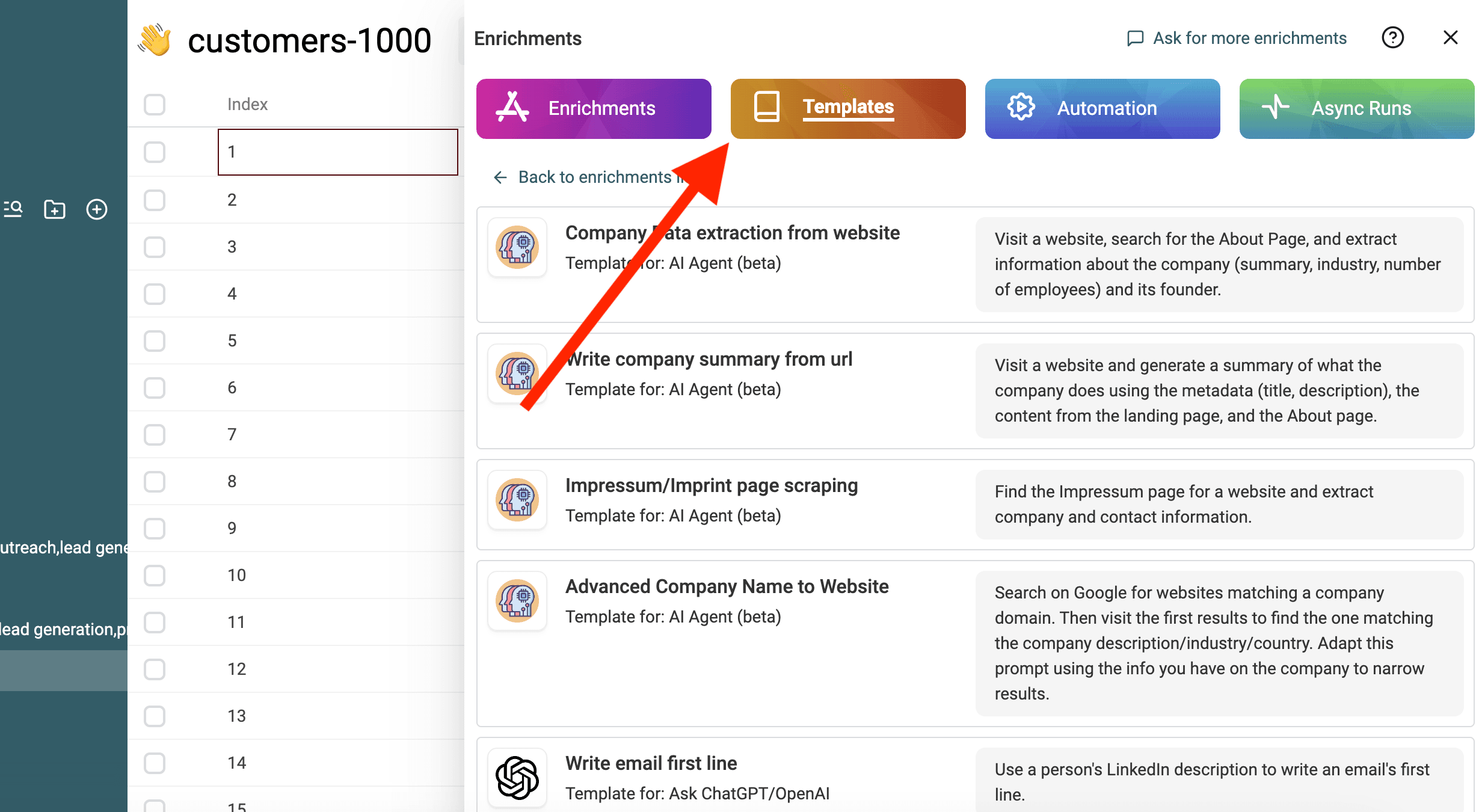
Ersetzen Sie die Variablen im Prompt durch die Eigenschaften Ihrer Collection, indem Sie "/" oder '{{' verwenden.
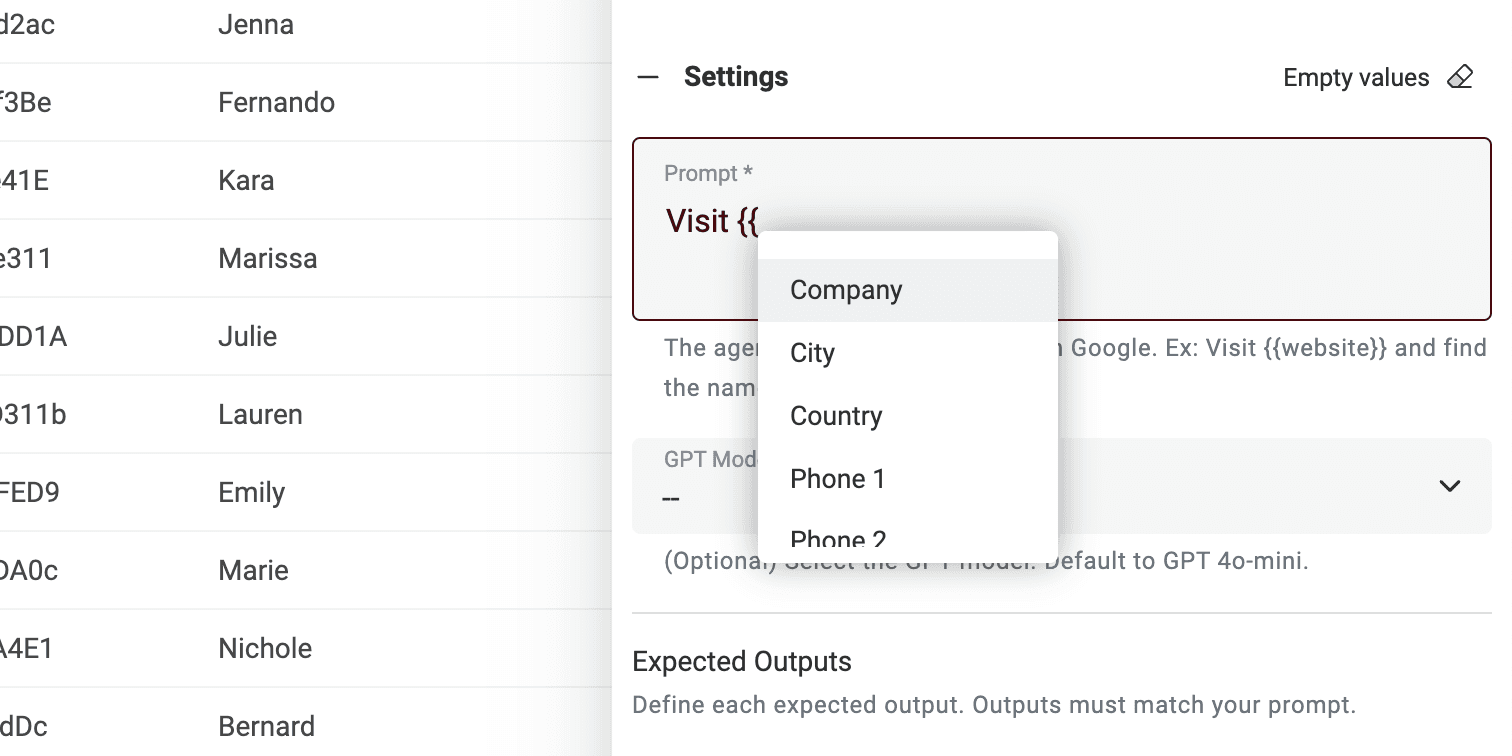
Wenn Ihnen nicht alle Variablen vorliegen, bearbeiten Sie den Prompt einfach.
Das war’s! Sie können den Prompt jetzt auf jede Zeile Ihrer CSV-Datei ausführen und die Ergebnisse in einer neuen Spalte erhalten. 🚀
Hinweis zu AI Agent Prompts
Dieser Prompt ist für die Datablist-AI Agent-Anreicherung gedacht. Ein AI Agent ist ein intelligentes Tool, das künstliche Intelligenz (AI) nutzt, um Aufgaben für Sie zu erledigen. Er kann Websites durchsuchen, Google verwenden und mit verschiedenen Online-Diensten interagieren. Dadurch kann er mit Echtzeitdaten arbeiten und aktuelle Antworten liefern.
Die ChatGPT-API hingegen kann nur den Eingabetext analysieren und auf Basis ihres vorhandenen Wissens antworten. Sie hat keine Möglichkeit, auf das Internet zuzugreifen oder eigenständig neue Informationen zu beschaffen.
Ein AI Agent bietet ein dynamischeres Erlebnis, indem er Echtzeitdaten einbezieht, während die ChatGPT-API auf vorhandenem Wissen basiert, um auf Anfragen zu antworten.
Wenn Sie direkt auf https://chatgpt.com/ interagieren, arbeiten Sie mit einem Agent. Manchmal geht er online, um zusätzliche Informationen für Ihren Prompt bereitzustellen (aber nicht häufig). Andere Tools, die mit ChatGPT verbunden sind, nutzen jedoch die API. Denken Sie daher daran, dass dieser Prompt nicht in einem anderen Tool verwendet werden kann, das die ChatGPT-API aufruft.
Der Datablist-AI Agent führt auf jeder Zeile Ihrer CSV einen Agenten aus.