

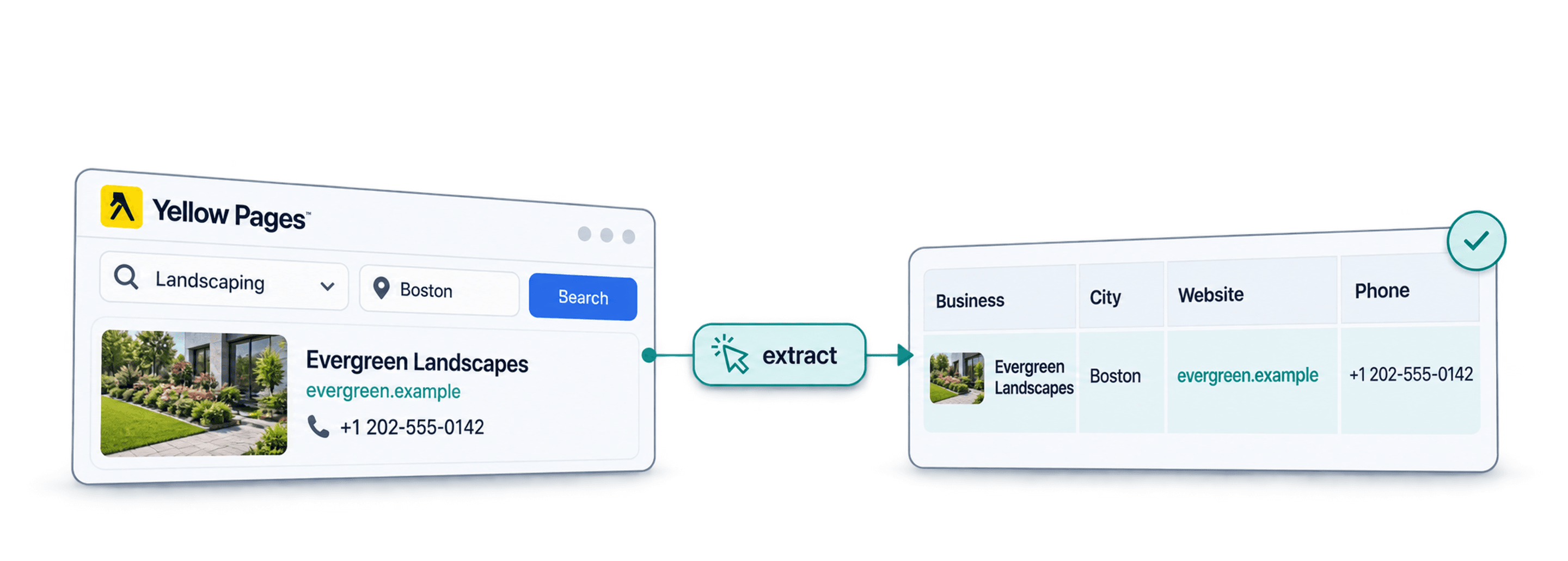
Scrape landscaping businesses from Yellow Pages by opening a location/category search, copying its URL, and running Datablist's Yellow Pages Business Details Extractor template. It creates rows with listing details you can review and export.
The useful result is a list of distinct business locations. Keep the listing URL and address: the same business name can belong to several branches, and nearby searches can return the same listing more than once.
📌 Summary For Those In a Rush
Turn a Yellow Pages landscaping search into a spreadsheet of business names, phone numbers, websites, addresses, descriptions, and listing URLs. In Datablist, choose AI Agent - Site Scraper, load the Yellow Pages template, and inspect a small import before expanding the search. Keep Business Name non-unique so separate branches survive; use the listing URL to review repeated results. Available pages determine coverage, so a completed run is not proof of a complete local business inventory.
What This Guide Will Cover
- A Step-by-Step Walkthrough to Scrape Landscaping Businesses From Yellow Pages
- Alternative Methods for Scraping Yellow Pages Listings
- Why Datablist is the Best Tool for Scraping Landscaping Businesses
- Frequently Asked Questions About Scraping Yellow Pages
What is Datablist?
Datablist combines data sources, enrichments, and cleaning tools in a spreadsheet. For this workflow, AI Agent - Site Scraper creates business rows from an accessible search page, and you review them before cleaning duplicate listings or finding additional contact details.
Scraping Landscaping Businesses From Yellow Pages: The 5 Step Process
When I earlier said that Datablist is easy to use, I really meant that. The process is so easy, it takes just 5 steps, or put simply: a few clicks. Before we start, though, make sure that you:
- Have configured your search in Yellow Pages
- Copied the Yellow Pages URL from your browser's search bar
Scraping Landscaping Businesses From Yellow Pages: Step-By-Step Guide
The following section will guide you through the entire scraping process. If you encounter any issues, feel free to reach out to us
Step 1: Sign up & Create a Collection
First, sign up for Datablist.com
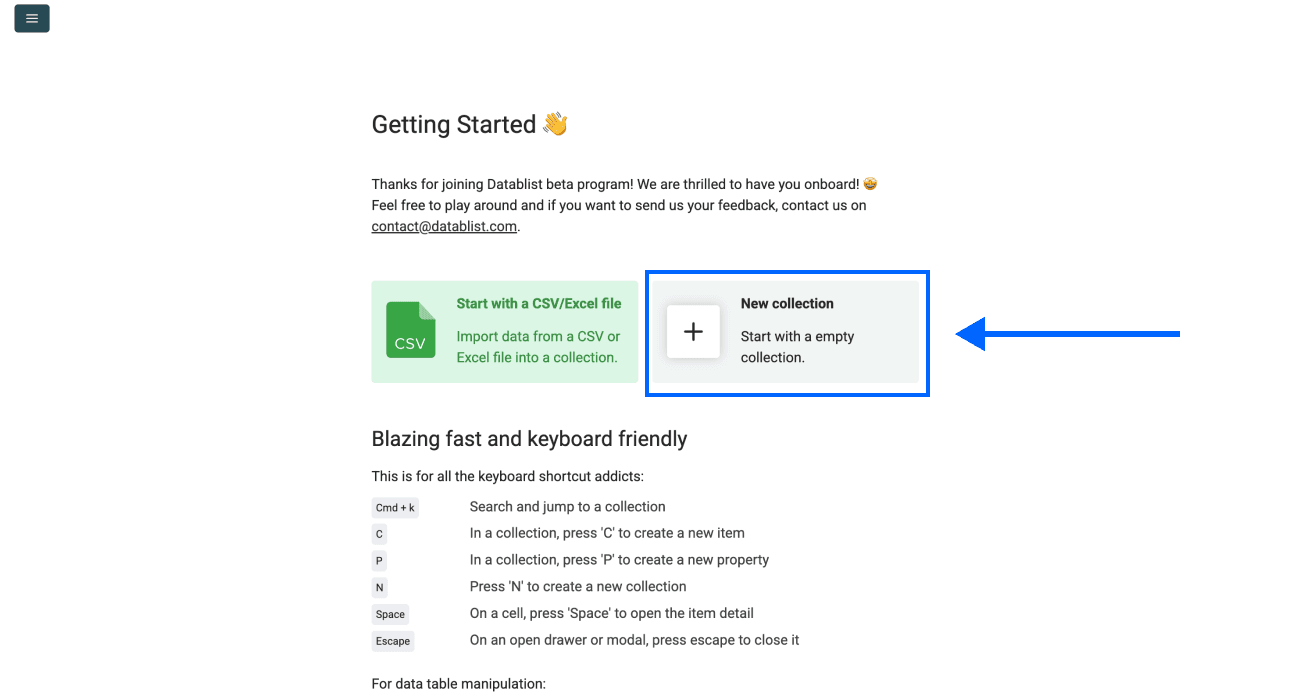
Then, create a New Collection
Step 2: Keep Listing Identifiers Before Deduplication
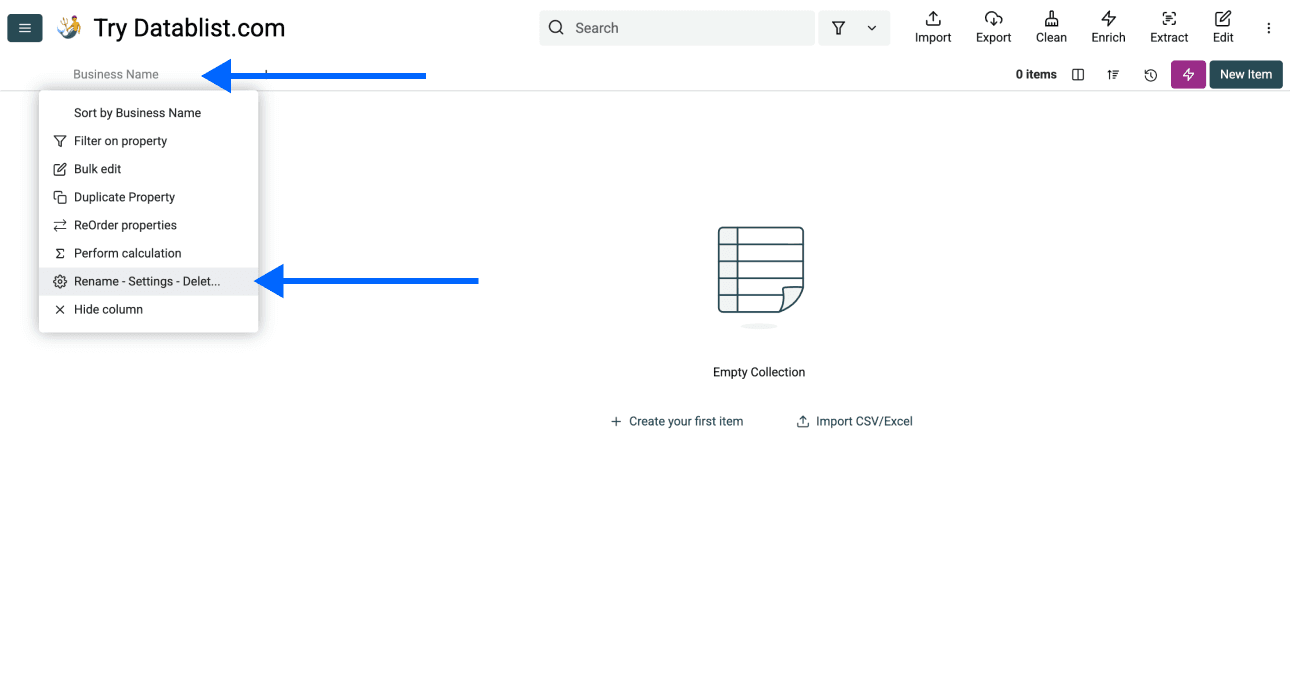
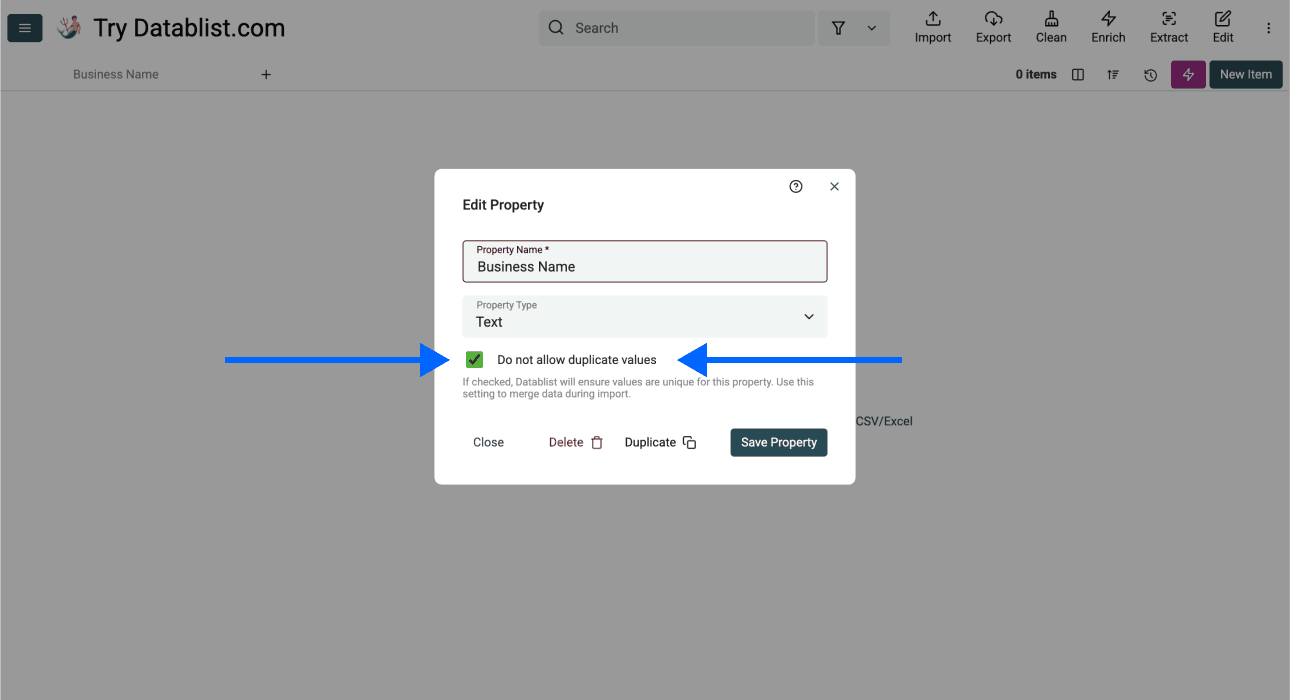
Create a text property named Business Name and leave Do not allow duplicate values disabled for it. Two landscaping branches can share a name while serving different locations.
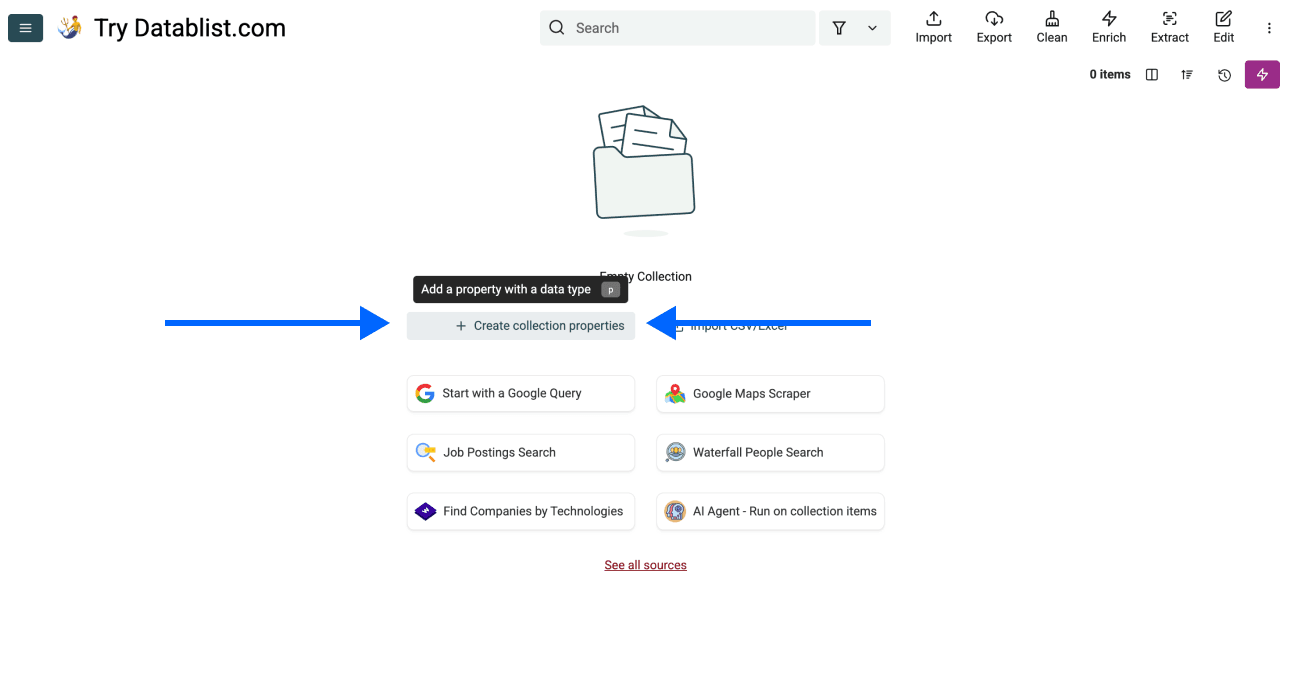
Open the column's Rename - Settings - Delete control if you need to check its settings.
The screenshot below shows the uniqueness setting. Do not enable it on Business Name for a location-level list. Map Address and YellowPage Detail Url in the output step so you can distinguish branches and review duplicate listings after import.
For example, in an illustrative list, “Example Landscaping” at two different street addresses represents two locations. The same Yellow Pages detail URL returned by two neighboring searches is a candidate for consolidation. A shared company website alone does not prove that two locations are duplicates.
Step 3: Navigating To the Template
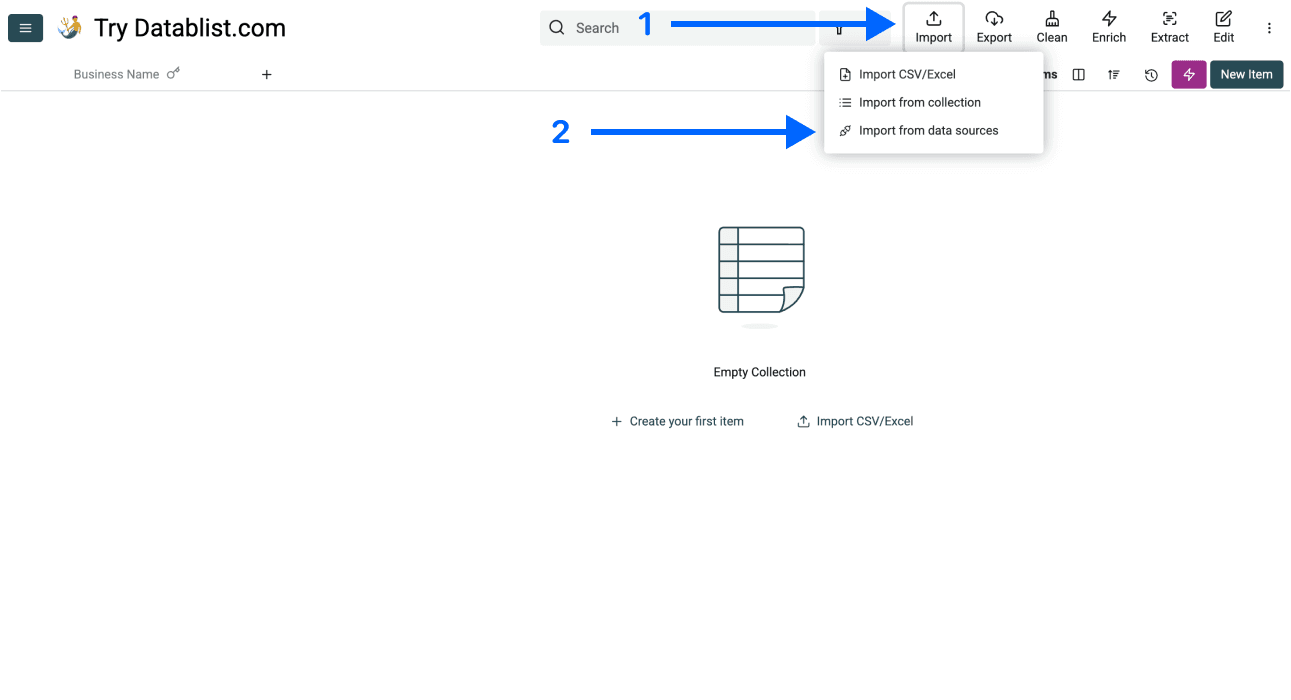
- Click on Import in the top menu of the app and select Import From Data Sources
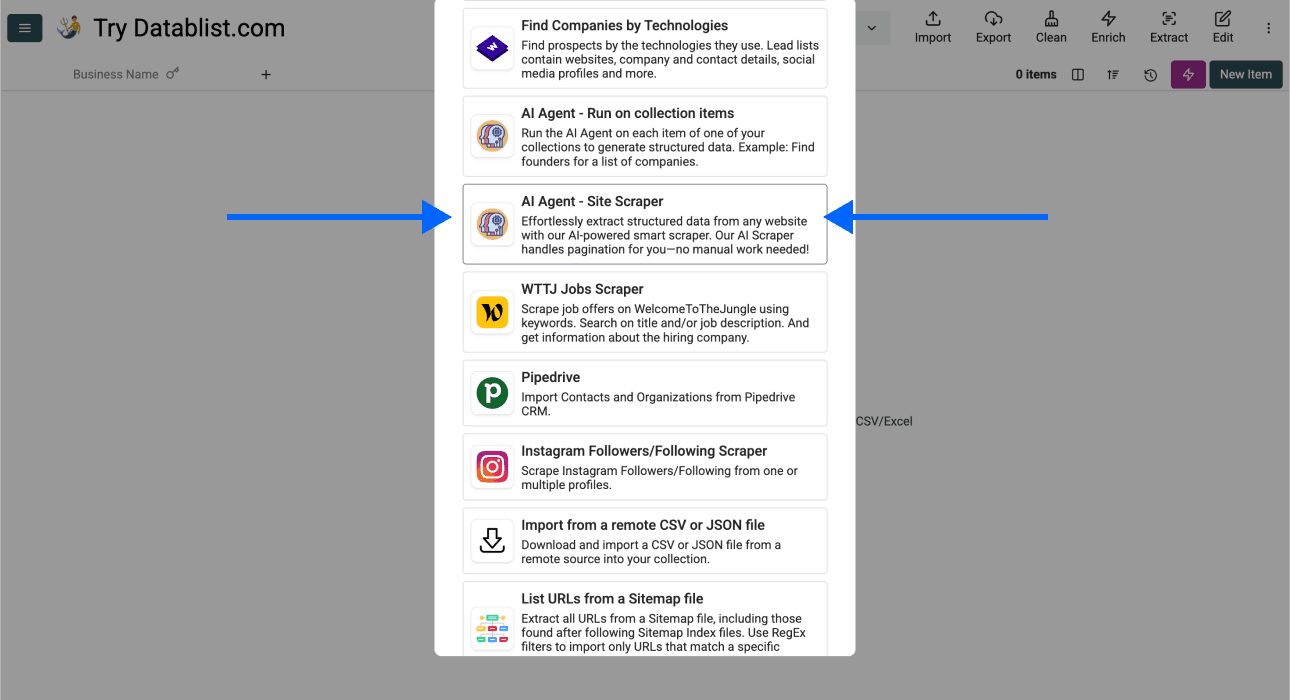
- Scroll down and select AI Agent - Site Scraper
Now, you should see a different interface, which looks like this
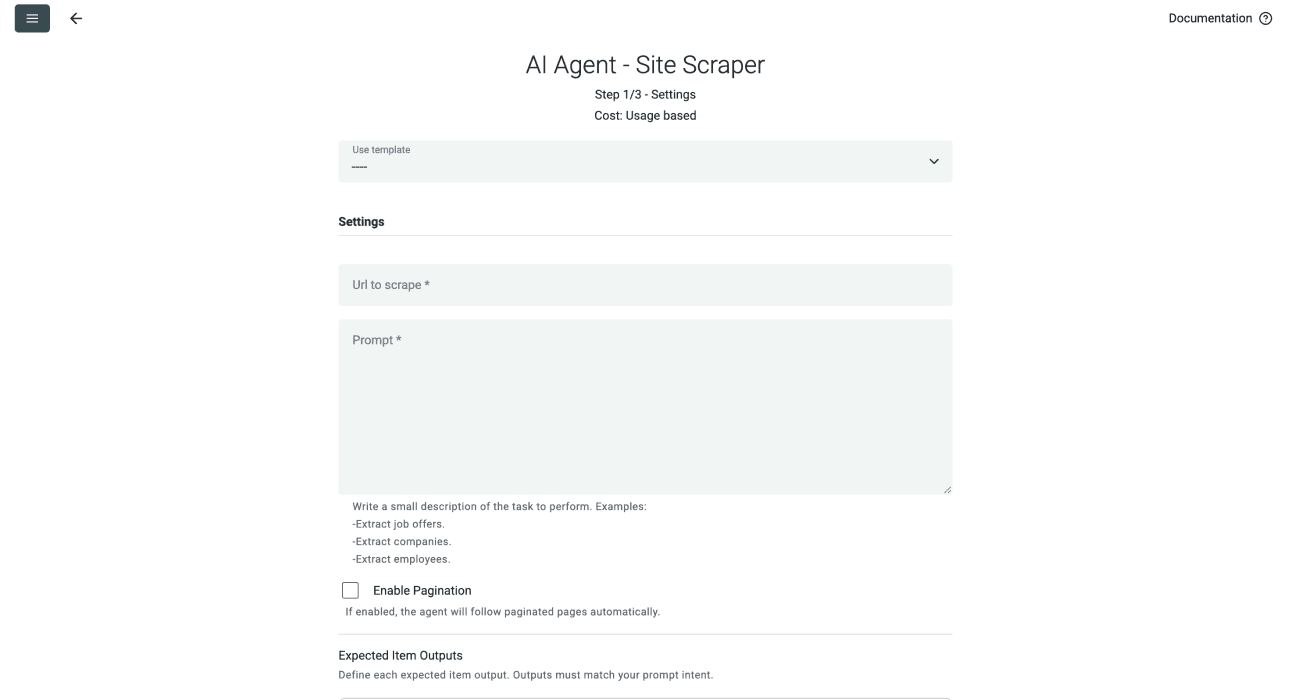
Step 4: Selecting the Template & Setting Limits
- Open the template dropdown and select [Source] Yellow Pages Business Details Extractor. The screenshots show an earlier template label; the current template returns the six business-detail fields described below.
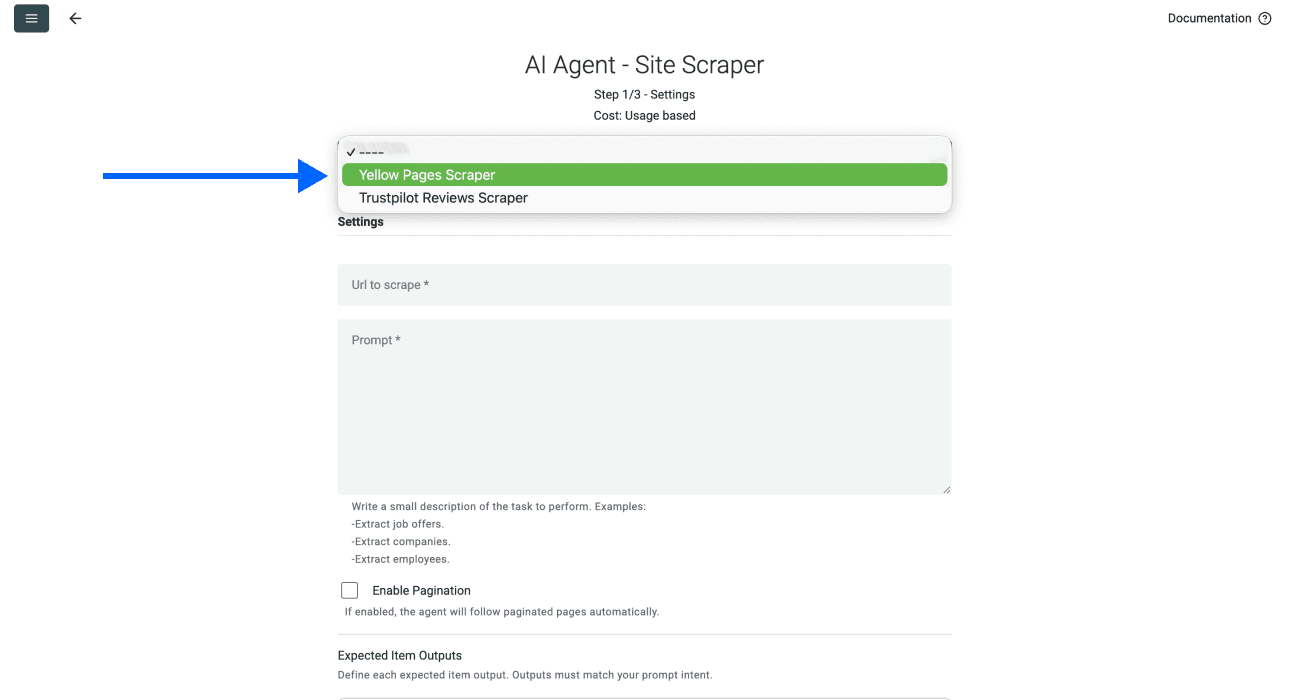
- Paste your Yellow Pages search URL in the first field
For example https://www.yellowpages.com/boston-ma/landscape-contractors
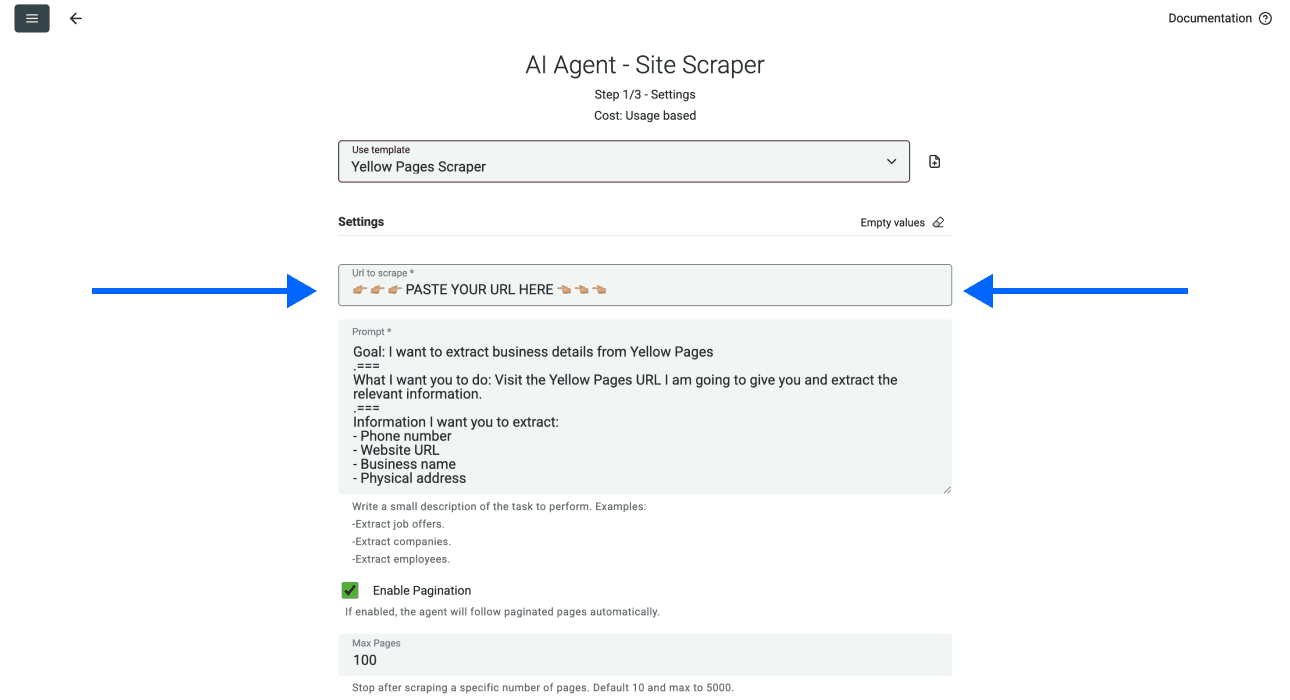
- Review Enable Pagination and choose Max Pages. Start with a small number so you can check the output before expanding the run.
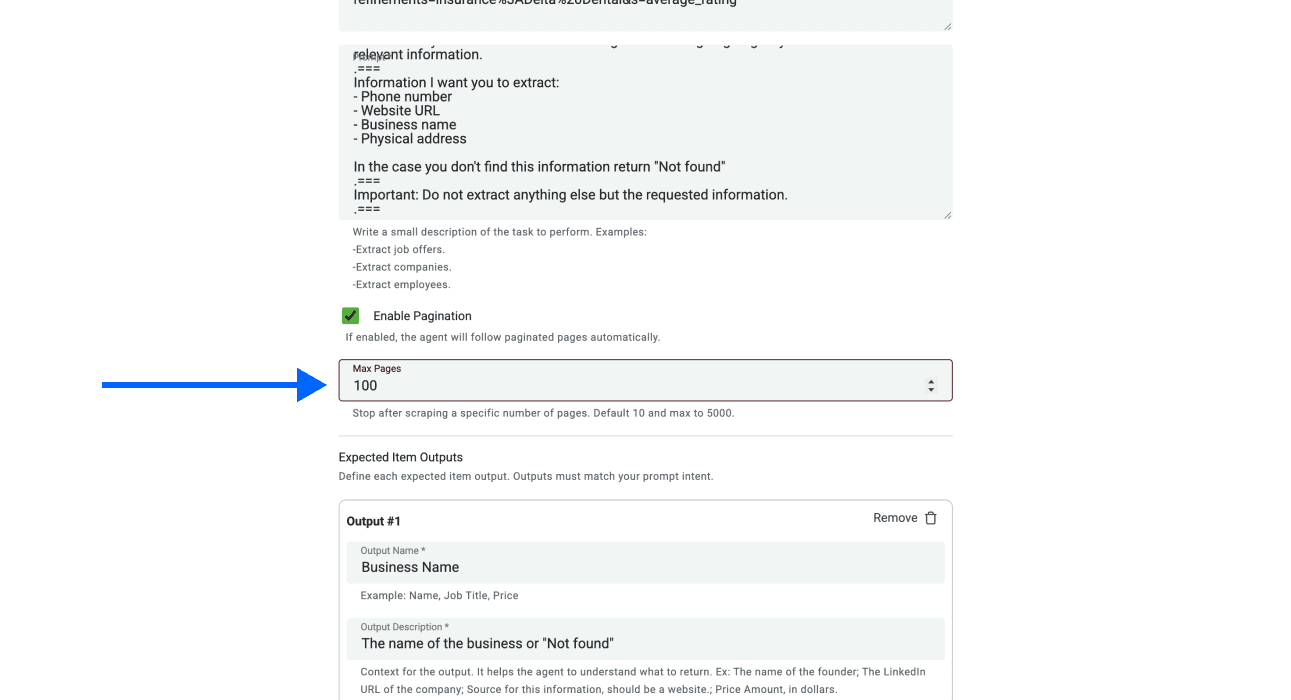
📘 Check Search Coverage
Inspect the accessible result pages for your category and location. Pagination, repeated listings, missing fields, and site access can limit what the agent returns. Smaller nearby-area searches can broaden your sample, but they can overlap and do not guarantee every landscaping business is included. Keep each search URL with the results and compare repeated listing URLs.
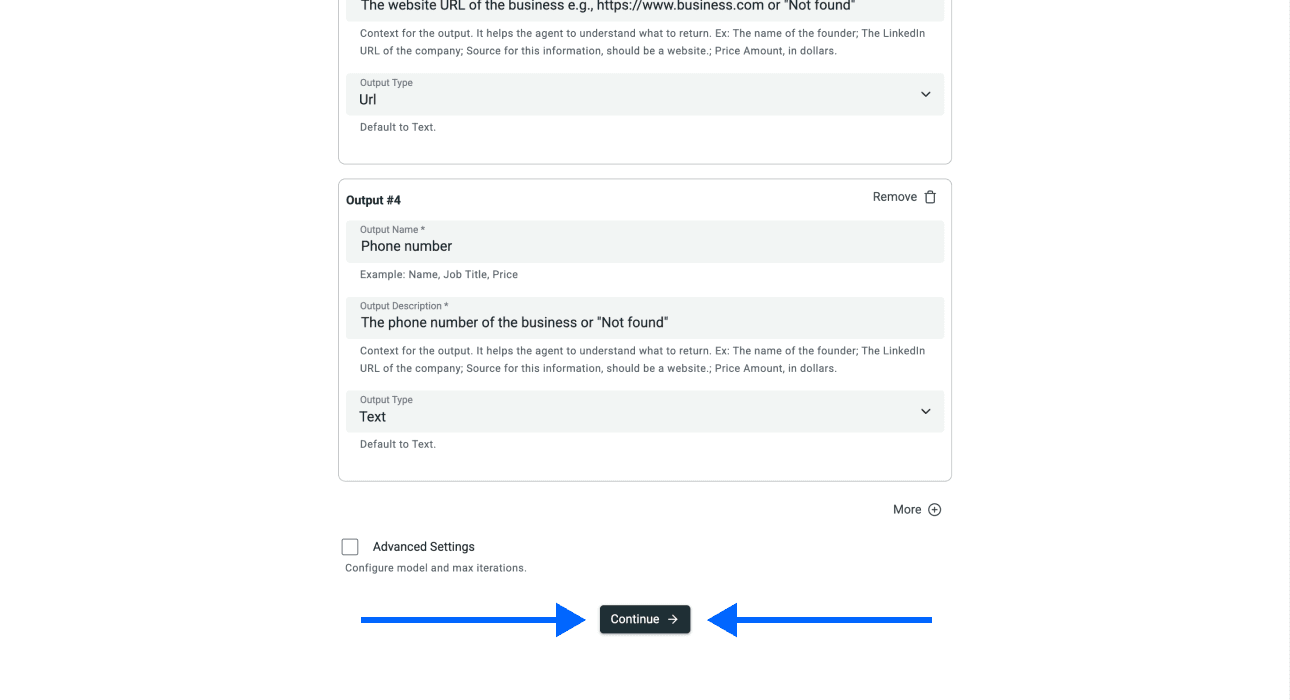
- Scroll down and click on Continue
Step 5: Selecting Inputs
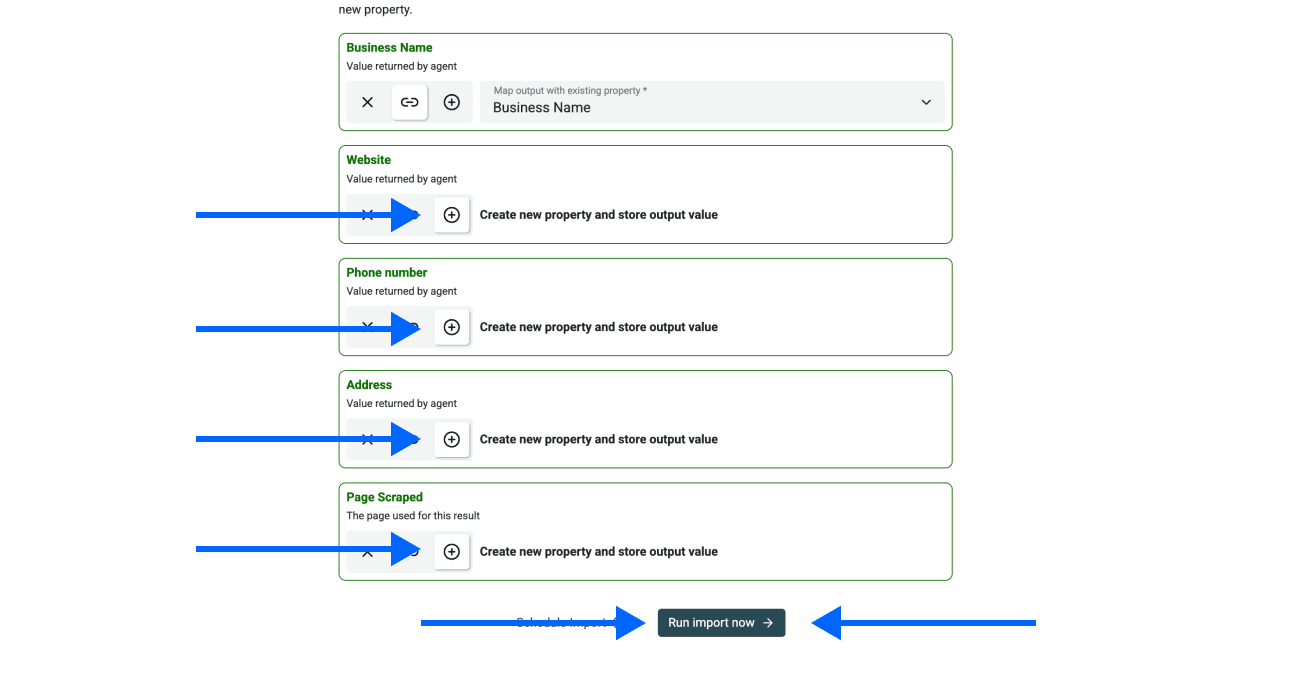
Datablist will map the first property automatically since they have the same name.
For the other properties, click on the ⊕ Icons to add them to your collection
Once you’ve done that, click on Run Import Now to start scraping
The import creates business rows. Review them against the source page before treating the list as ready for outreach.
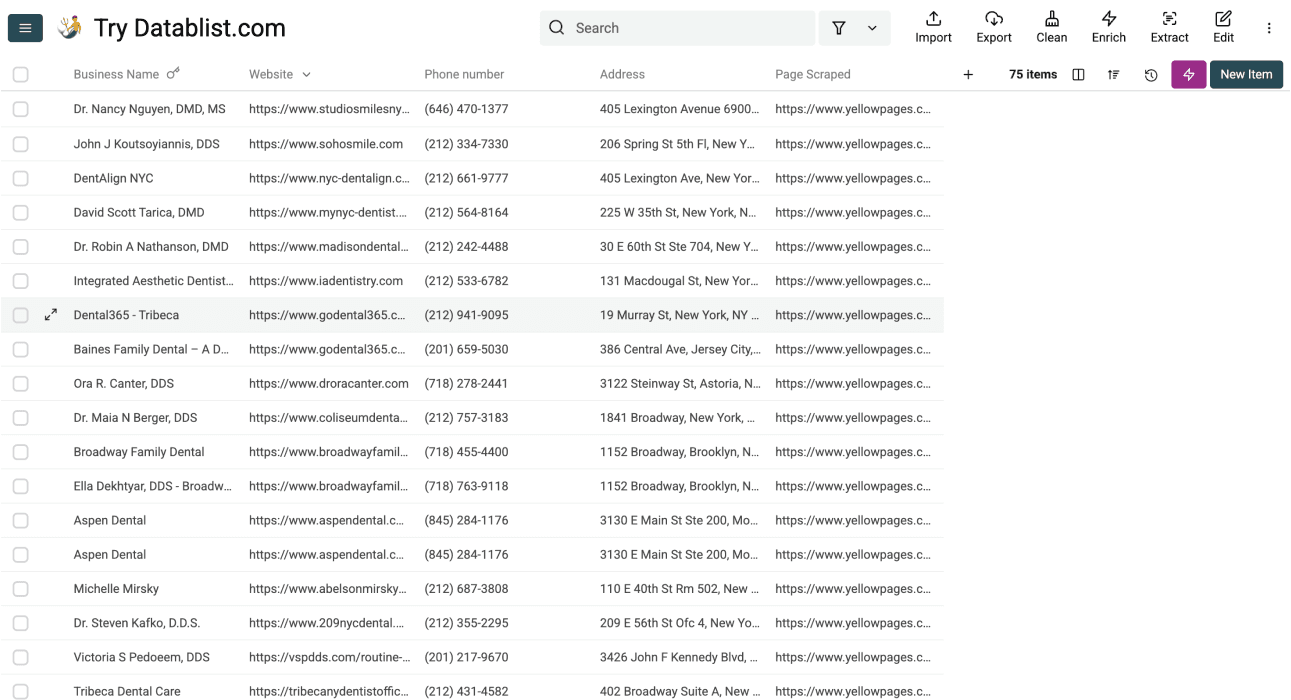
Review the Imported Landscaping List
Check the first result set before running more locations:
- Confirm the businesses match your selected service and area. A result page can include related categories or businesses serving an area from elsewhere.
- Open several YellowPage Detail Url values and compare the name, address, and phone with the imported row.
- Keep missing Website or Phone Number values empty. A missing listing field does not prove that the business has no website or phone.
- Compare listing URLs across searches, then review names and addresses together before consolidating branches.
- Export the accepted rows with the source identifiers so later enrichment can be joined to the correct business location.
The template supplies Business Name, Phone Number, Website, Address, YellowPage Detail Url, and Business Description when found. Reviews, ratings, owner names, and email addresses require a separate extraction or enrichment task; they are not promised by this template.
2 Alternative Methods to Scraping Landscaping Businesses From Yellow Pages
While Datablist offers the most straightforward path, it's helpful to understand the other tools available. Let’s break down two popular alternatives and see how they compare. This will give you a clearer picture of what "no-code" really means across different platforms.
ScrapingBee
ScrapingBee is a “no-code” web scraping API for users who need reliable data extraction for their applications, but it’s still a tool for developers, not for sellers & marketers.
Though ScrapingBee markets itself as a solution for no-code users[1], but it operates primarily through an API (Application Programming Interface). This means:
- For a non-technical person, an API is just code by another name.
- It requires you to understand how to send requests and handle responses, which is a technical task.
- Most people looking for a "no-code" solution are actually looking for a "no tech-headaches" solution; working with an API doesn't fit that description, even though it's easier than coding.
Octoparse
Key Features
Octoparse provides visual extraction tasks and a free local plan. Paid plans add cloud execution and scheduling.
Pricing
Octoparse Standard starts at $83/month on monthly billing; the $69 rate requires annual billing. Its free plan runs locally and has different limits. Datablist Starter is $25/month with 5,000 credits, with usage-based AI scraping and optional top-ups. Compare the setup and required features as well as the entry fee.
Limitation
Test the target page’s listing fields and pagination in the selected task; a subscription or a template does not guarantee complete extraction.
Octoparse is a visual web scraping tool that is genuinely no-code. You don't need to write code or configure an API, which is a big step in the right direction.
However, there are still a few hidden catches when you want to use Octoparse for scraping Landscaping Businesses from Yellow Pages:
- You need to understand the structure of the website
And
- You have to identify and select the correct website elements
These things can be confusing if you're not familiar with how web pages are built, which leads to a lot of trial and error, watching tutorials, or chatting with support just to scrape a few Landscaping Businesses from Yellow Pages. It's easier than coding, but it's not the effortless experience most users are looking for
Octoparse offers a desktop task builder and managed cloud runs. Check whether its ready-made template or a task you configure fits the listing fields and pagination you need.
Why Datablist Is the Best Option to Scrape Yellow Pages Listings
When you compare the options you have to scrape Landscaping Businesses from Yellow Pages, it becomes clear that not all "no-code" tools are created equal. Datablist was built from the ground up to eliminate the technical friction that other platforms still have. Here’s the evidence:
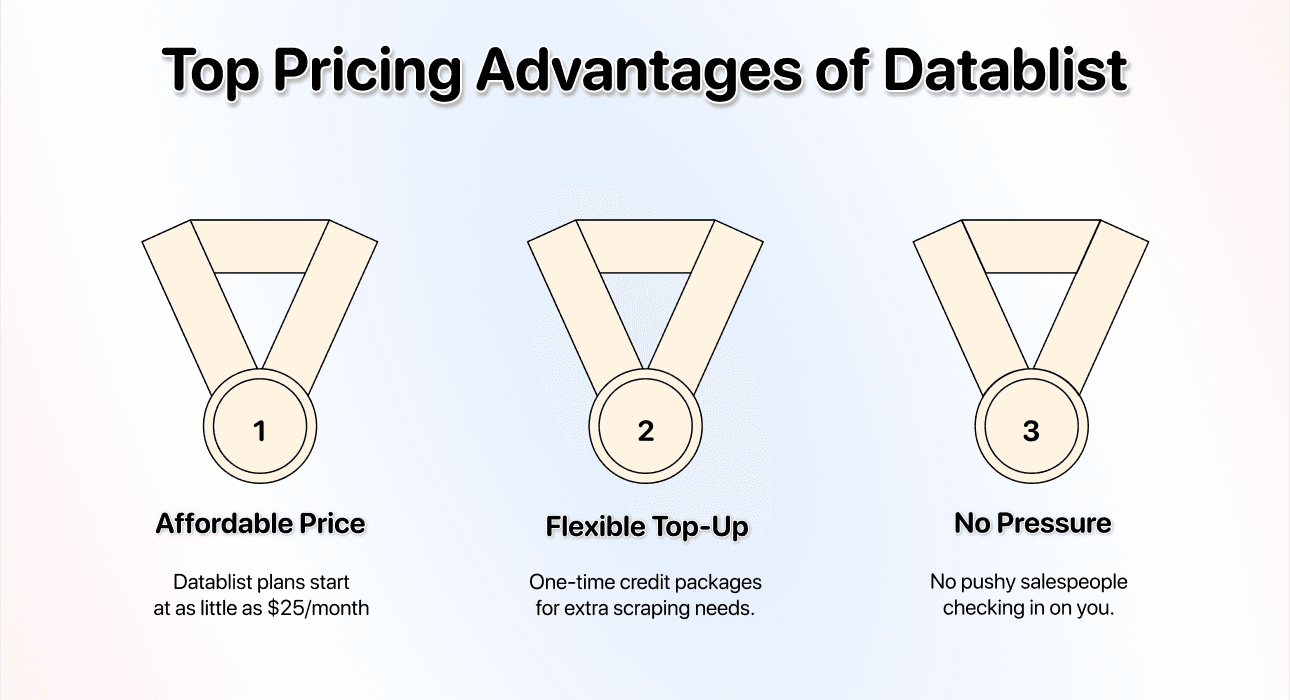
Price Advantage
- Starting price: Just $25/month; one of the most accessible yet powerful scraping solutions on the market
- Flexible credit system: Active subscribers can buy top-up credits when their included balance is exhausted. Review credit usage and top-ups before expanding a run.
Additionally, with Datablist, you won't have any pushy salespeople “checking in”
Ease of Use
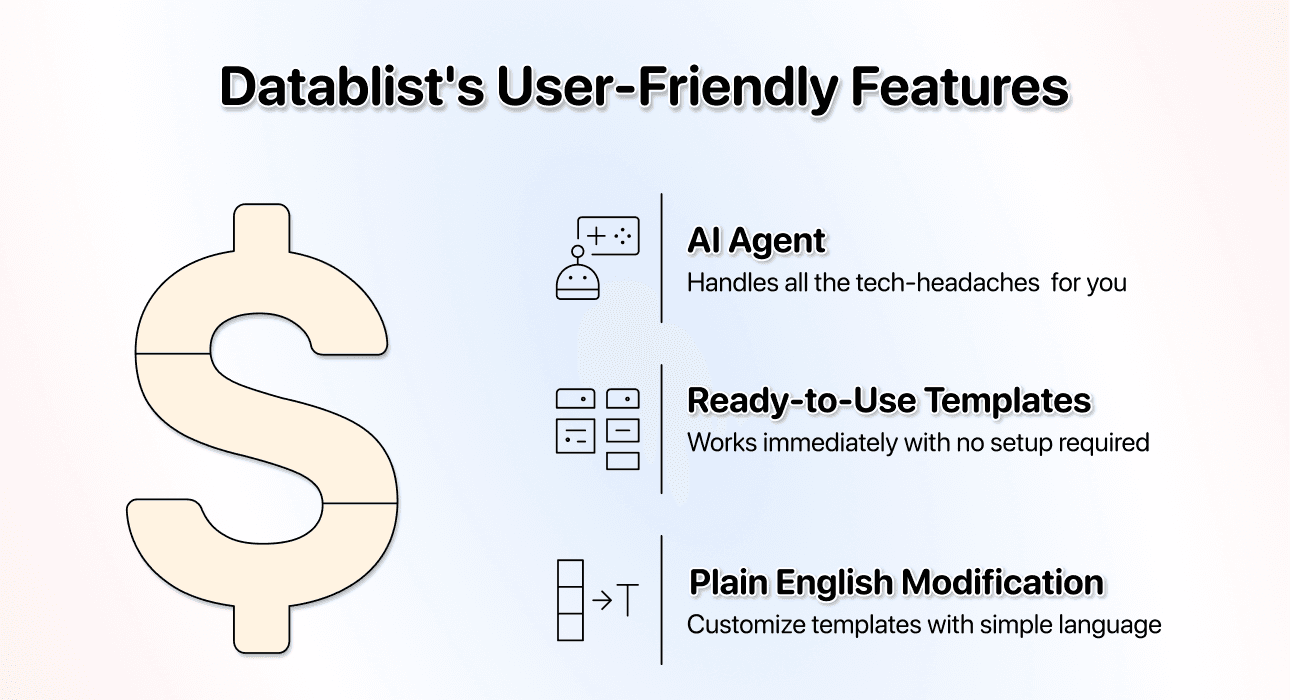
User friendliness is very important and probably the thing Datablist is the best at.
With our AI Agent, you don't need to:
- Read documentation
- Understand APIs
- Point-and-click on confusing website elements.
The scraping templates are ready to use the moment you paste in a Yellow Pages URL. There is no complex configuration. Even if you want to modify a template to get different data, you can do it using plain English. Just tell the AI what you want, and it handles the rest.
Lead Generation Ecosystem
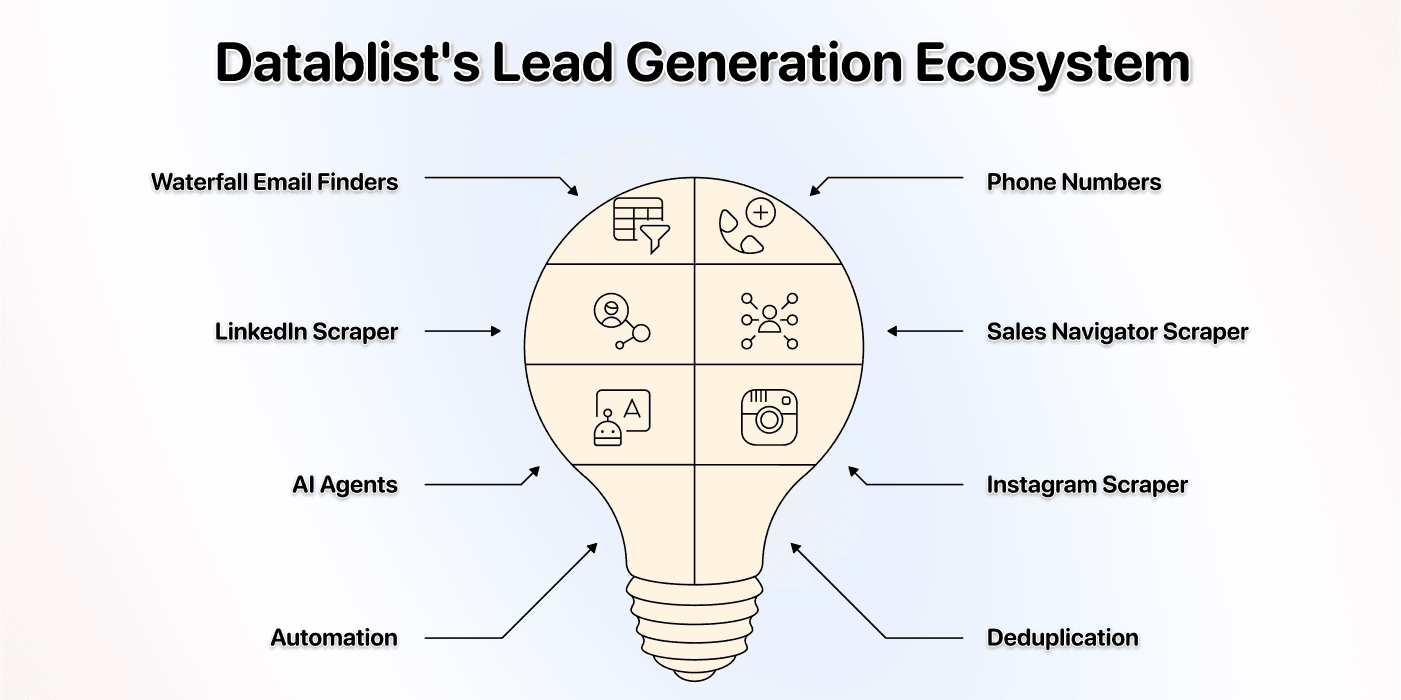
Scraping data is usually just the first step. The most important thing is what you do with the data afterwards, and with Datablist, you get much more than just a Yellow Pages scraper; it provides enrichments and cleaning tools to continue your lead generation workflow
Once you have your list of Landscaping Businesses, you can immediately use other Datablist tools, including:
- Waterfall Email Finders: Find verified email addresses for your prospects.
- Mobile Phone Number Enrichments: Get direct mobile numbers for cold calling campaigns.
- LinkedIn Scraper: Gather professional data from LinkedIn profiles.
- Sales Navigator Scraper: Extract targeted leads from Sales Navigator for a separate prospecting workflow.
- AI Agents: Research accessible websites and return the output fields you define.
- Instagram Scraper: Collect data from Instagram profiles for social outreach.
The Bottom Line: Scraping Yellow Pages Should Be Easy
Scraping Landscaping Businesses from Yellow Pages shouldn't be a project you have to "set up" or "figure out." It should be a simple, fast task that gives you the data you need to grow your business.
Unlike other "templates" that still require a lot of configuration, the only thing you have to do with Datablist's AI Agent is select the Yellow Pages template, paste your URL, and start the process.
Review the business identities and missing fields, then export a structured list for the next step in your outreach workflow.
Start with one landscaping search and expand after the imported rows match the source.