
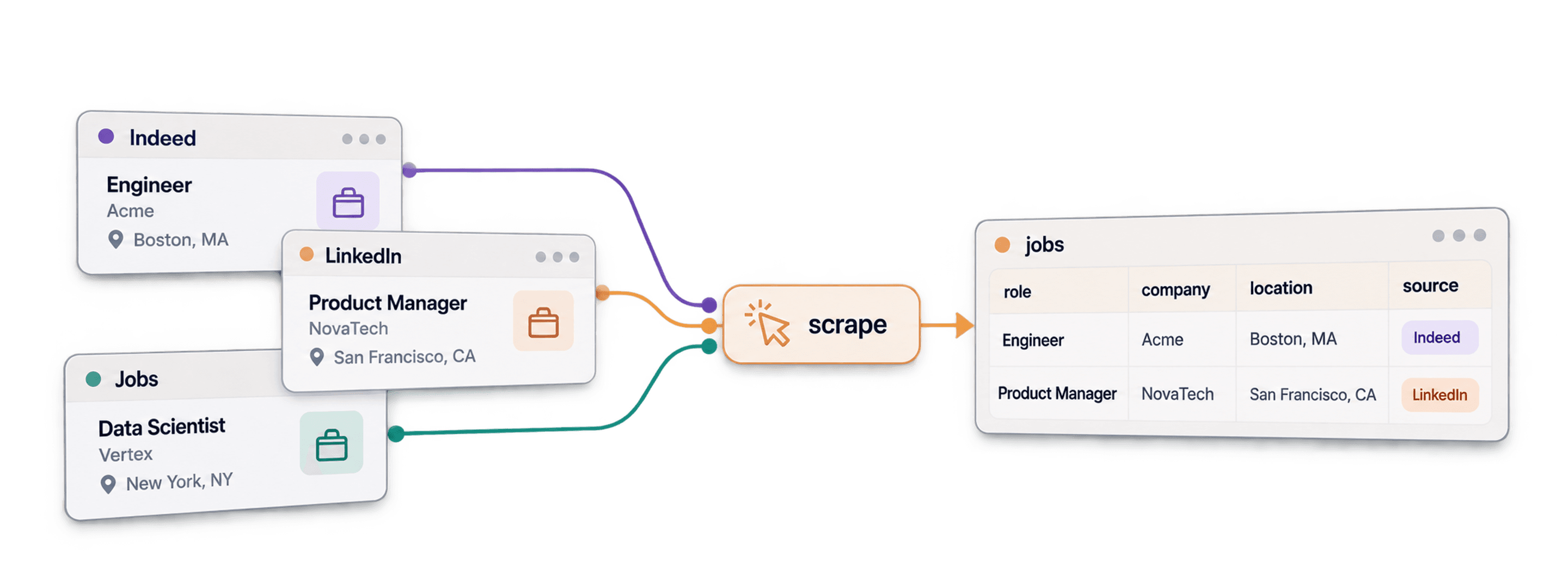
To scrape job boards with Datablist, open Job Postings Search, choose your keywords and countries, and import the matching jobs into a collection. You can also search for openings at companies from your CRM. Keep the job ID, company website, and posting date so you can compare results when you repeat the search.
I recommend separating two goals: finding new companies that are hiring, and monitoring new roles at companies you already know. Excluding previously found companies can help with the first goal, but it would hide new jobs for the second.
This guide covers filter-based and company-based searches, the fields you can collect, and a repeat-search workflow for tracking new postings without counting the same job twice.
📺 For Visual Learners
If you’re like me and like watching more than reading, then check out my video on how to scrape job postings from 19 job boards simultaneously 👈🏽
What This Article Covers
- Explanation of the method I use to scrape 19 job boards at the same time
- List of the job boards that we scrape
- Tutorial on how to scrape job postings — Step-by-Step
- Tutorial on how to scrape job postings of companies in your CRM — Step-by-Step
- Breakdown of: Why you need to scrape multiple job boards, not just one
- How Datablist helps you use the job data in your sales and marketing
The Method Behind Scraping 19 Job Boards Simultaneously
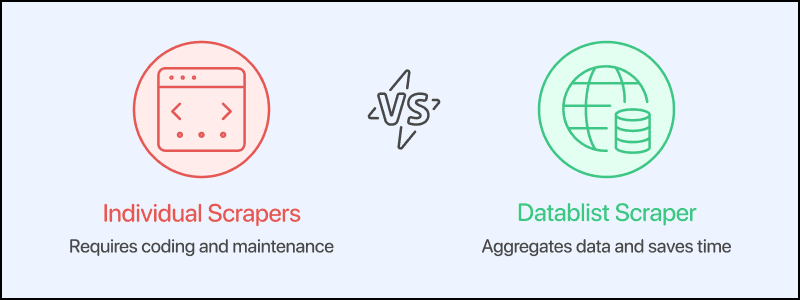
If you want to scrape 19 job boards simultaneously, you have two options:
- Creating a scraper for each job board yourself and dealing with complicated code
- Using Datablist’s job board scraper, which aggregates 19 job boards across the globe
Datablist searches an aggregated job database through its data provider. Your search returns matching indexed postings; it does not crawl every listed board from scratch each time. Coverage and available fields vary by posting, so inspect the source URLs for the jobs you plan to use.
💡 What Datablist Is
Datablist is a platform for building lead generation workflows that allows folks to find, enrich, and clean data using over 60 different tools from AI Agents to Email Finders, AI processors, Technology enrichments, and more.
Additionally, Datablist allows you to set up automated workflows that run on schedule or demand. Here are a few practical use cases that Datablist users love:
- Building lead lists
- Personalizing emails with AI
- Cleaning and deduplicating CRMs
- Scraping job postings from 19 boards at once
- Scraping LinkedIn Sales Navigator searches without risking your account
I think the point is clear: if you need to get data, clean data, or automate workflows with data involved and you need it to be easy, fast, and reliable, Datablist is the place to go.
The Job Boards Datablist Scrapes For You
Datablist has some unique advantages compared to other job data scrapers in the market. It aggregates data from 19 job boards at once, which saves you hours of setup and maintenance time that you'd otherwise spend on creating individual scrapers.
Below is a list of the job boards it scrapes:
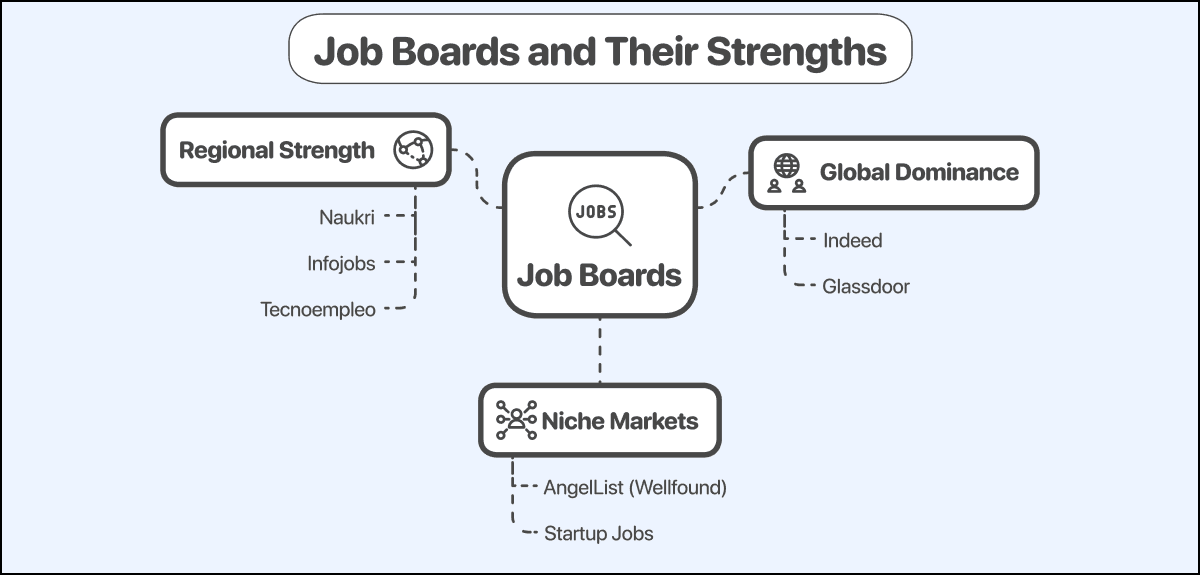
Global Job Boards:
- Indeed: Dominates worldwide with extensive reach across most countries and industries.
- Glassdoor: Global presence with a strong focus on company reviews alongside job listings
Regional Job Boards:
- Asia & Oceania
- Seek: Market leader in Australia and New Zealand
- Naukri: Market leader in India with millions of listings
- Naukri Gulf: Specialized for Middle Eastern job markets
- JobsDB: Strong presence in Southeast Asian countries
- Jobstreet: Popular across Malaysia, the Philippines, Singapore, and other Asian markets
- Europe
- Infojobs: Dominant in Spain and parts of Latin America
- Tecnoempleo: Spain-focused with specialization in tech positions
- Welcome to The Jungle: Big platform in France and expanding to other European markets
Niche Job Boards & ATS Systems:
- Startup Ecosystem
- AngelList (now Wellfound): Focused on startup jobs primarily in the U.S. tech scene
- Startup Jobs: Specializes in early-stage company positions across North America
- ATS Systems (Application Tracking Systems)
- Workable, Greenhouse, Lever, Ashby, Join, BambooHR, SimplyHired: These systems also get scraped by Datablist to give you an even wider coverage of the job market
How To Scrape Multiple Job Boards at Once: The Step-by-Step
At Datablist, we think that we should give users as much control as possible over the data they get and how they get it.
That’s why we give you 2 options of how you can scrape job postings:
How To Scrape Multiple Job Boards using filters
In this part, I’ll show you how to use filters on the Datablist job board aggregator to get job postings based on keywords, seniorities, locations, etc.
Let’s go!
First, sign up for Datablist.
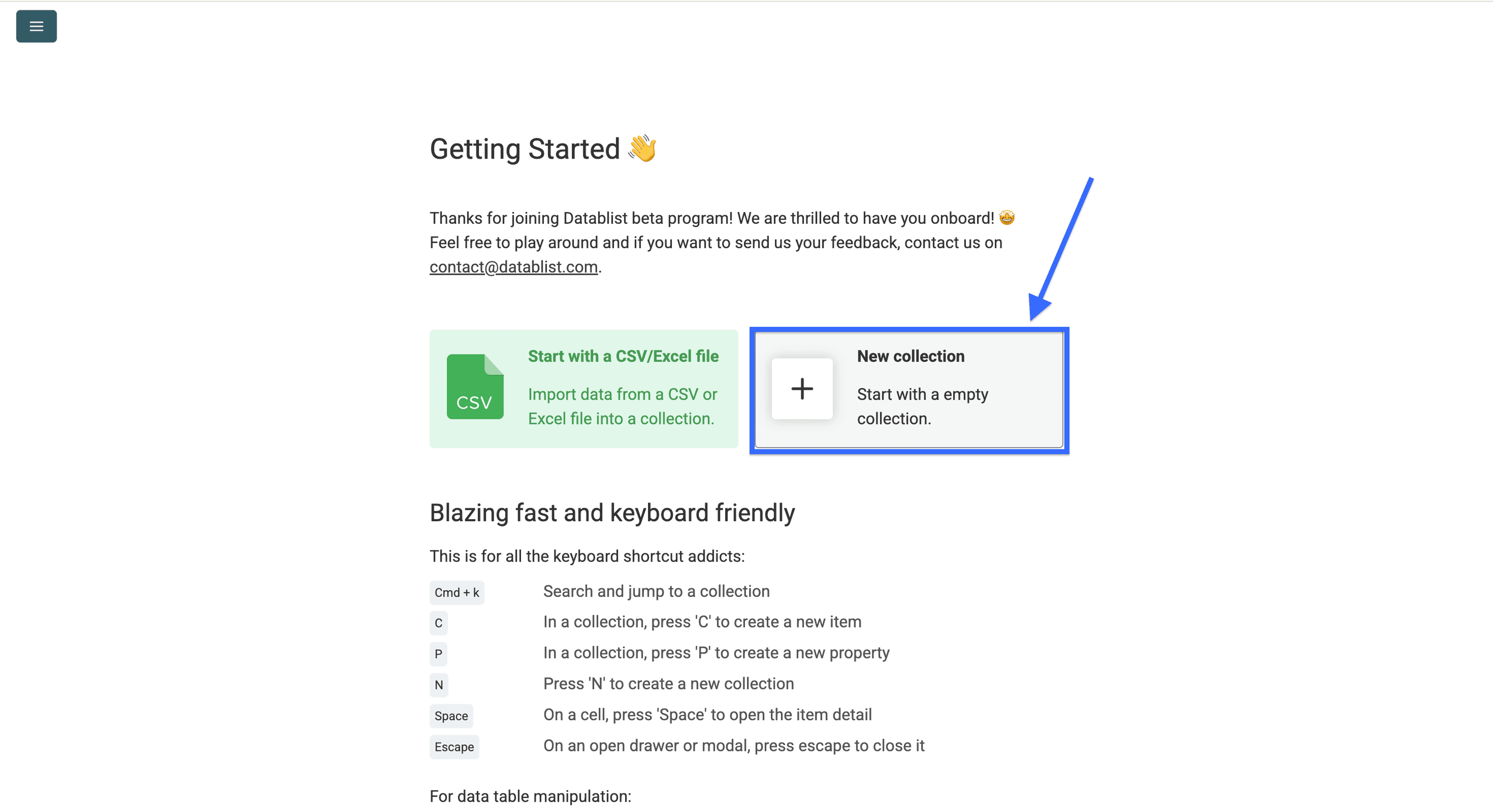
Create a Collection.
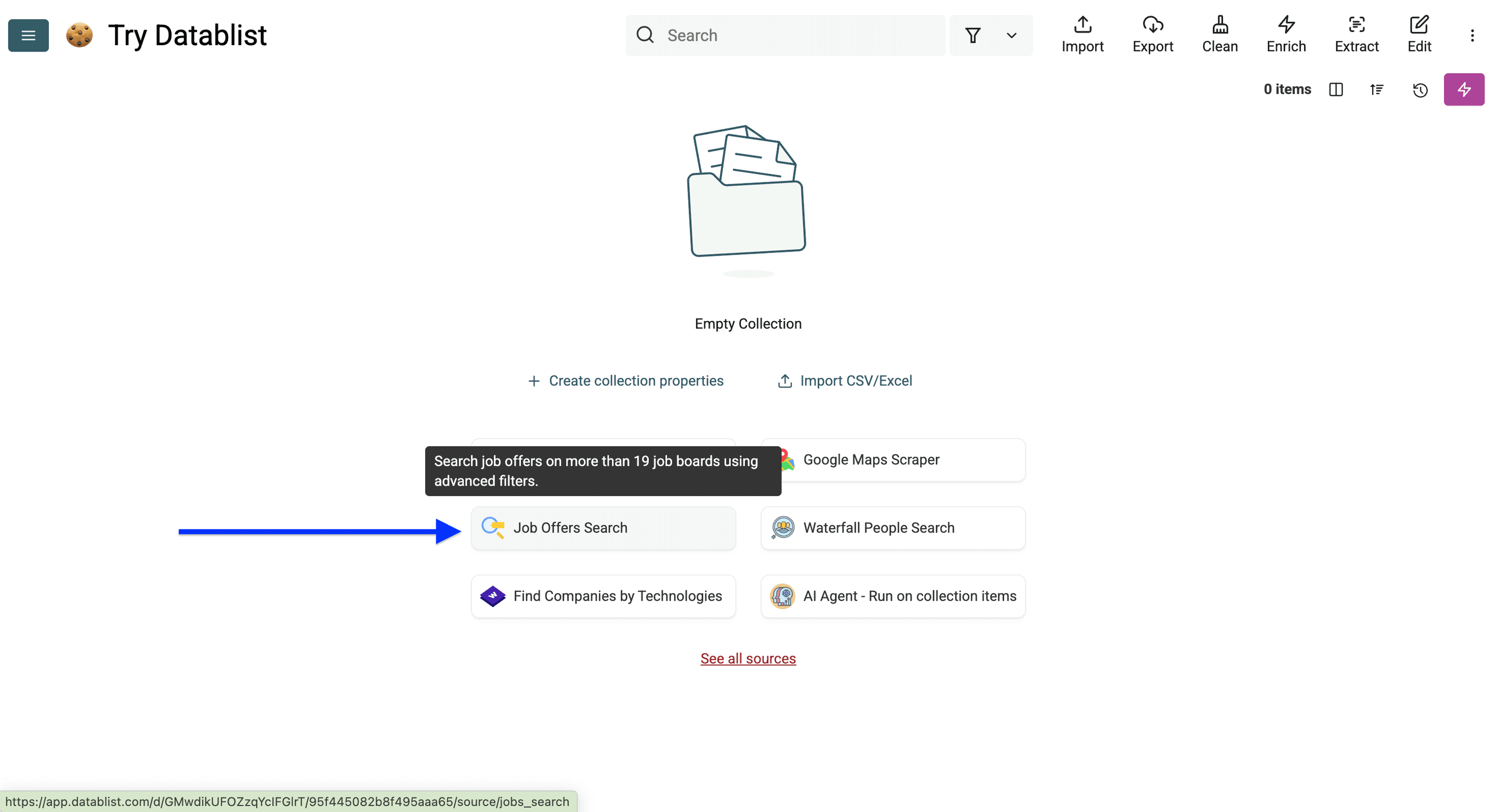
Click on Job Postings Search.
Configure the filters for the jobs you want. The current settings below may differ from the older screenshots.
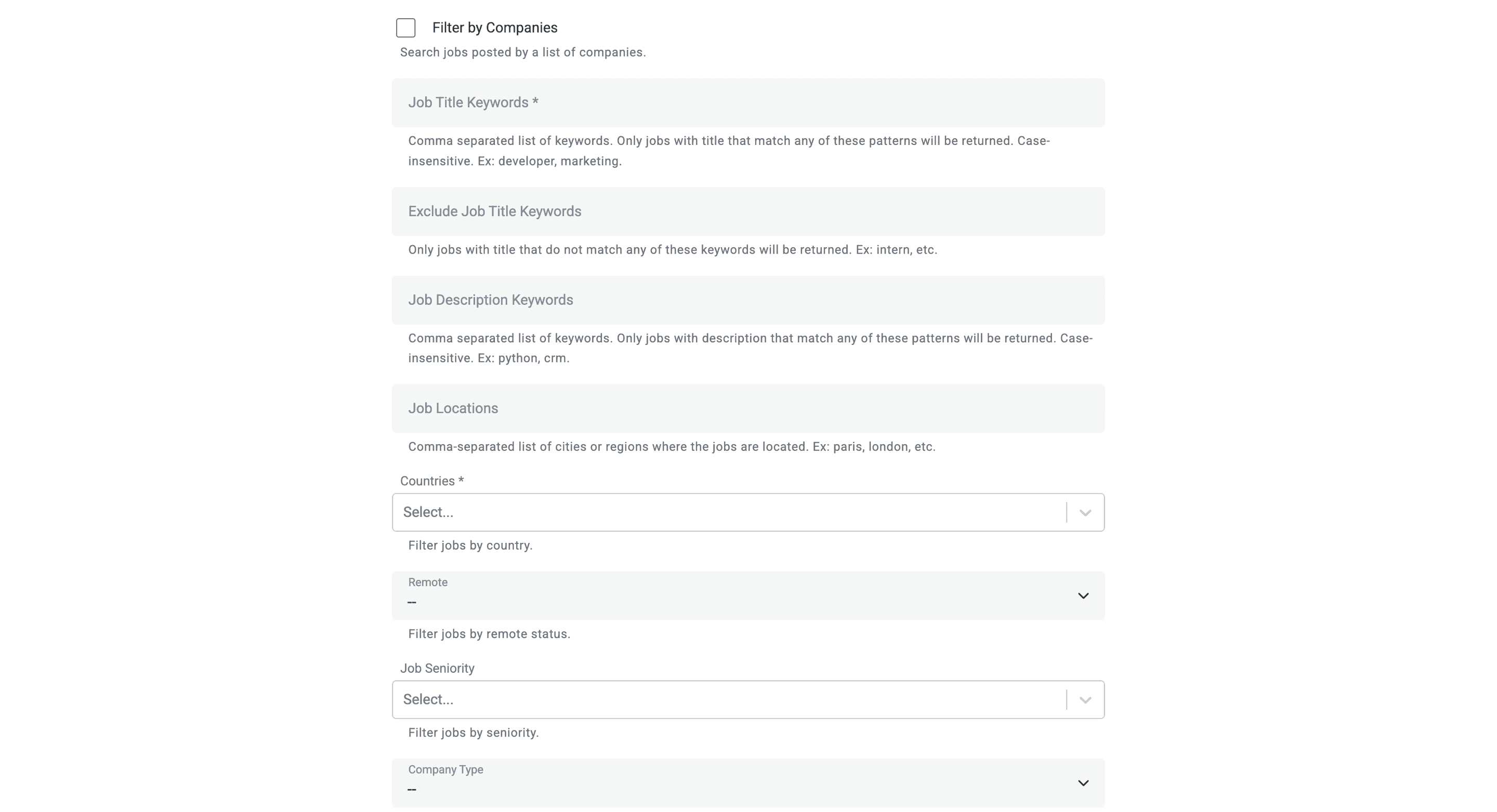
Job & Company Filters
Start with a focused search. For example, to find Python-related jobs in the United Kingdom, set Job Description Keywords to python, choose the United Kingdom in Countries, leave Job Status on Only Open Jobs (default), select Last 7 days under Max Age, and set Limit to 100 for your first run.
Review the first results before widening the search. A mention of Python in a description does not necessarily mean the role's main responsibility is Python development.
Choose how keywords match:
- Job Title Keywords accepts comma-separated phrases. A title matches any phrase when all words in that phrase appear, case-insensitively and in any order.
data engineercan matchSenior Data Platform Engineer. - Exclude Job Title Keywords removes matching titles, such as roles containing
intern. - Job Description Keywords matches complete words as plain text by default.
salesmatchessales manager, but notSalesforce. - Use Regex for Description Matching enables patterns. In this mode, Require All Description Patterns lets you require every included pattern rather than any one of them. Leave regex off for a simple keyword search.
- Exclude Job Description Keywords uses the description matching mode you selected.
Choose the job location and status:
- Job Locations filters cities or regions; Countries filters the job's country. Company headquarters are a separate filter.
- Workplace Types offers On-site, Hybrid, and Remote. Employment Types filters full-time, part-time, contract, and other employment types.
- Job Seniority filters experience levels.
- Job Status can return open, closed, or all jobs. Use open jobs for a current hiring list.
- Only with Recruiter Info restricts results to postings with recruiter information. Some jobs may have only part of that information, so check the returned fields.
Choose companies and the date window:
- Filter Job Postings for a specific list of Companies searches companies from a collection. See the company-list workflow.
- Exclude Job Postings posted by a specific list of Companies excludes every posting from the selected company domains. Use it for companies you deliberately do not want in the results.
- Company filters include Company Type, Company Industries, Company Funding Stage, and headquarters location or country.
- Max Age limits how old a posting can be. Posted On or After and Posted On or Before define an exact date range and override Max Age when set.
- Limit caps the returned postings. It defaults to 1,000 and supports up to 2,000 per search. Reaching that cap means you should inspect narrower searches rather than assume you collected every matching job.
Exclude companies you do not want to monitor
Company exclusion is useful for removing active clients or companies outside your target list. It is not job-level deduplication. If you exclude a company found yesterday, you also exclude a different job that company posts tomorrow.
For a company exclusion list:
- Enable Exclude Job Postings posted by a specific list of Companies.
- Select the exclusion list under Datablist Collection.
- Map Datablist Collection Property to its company website or domain column.
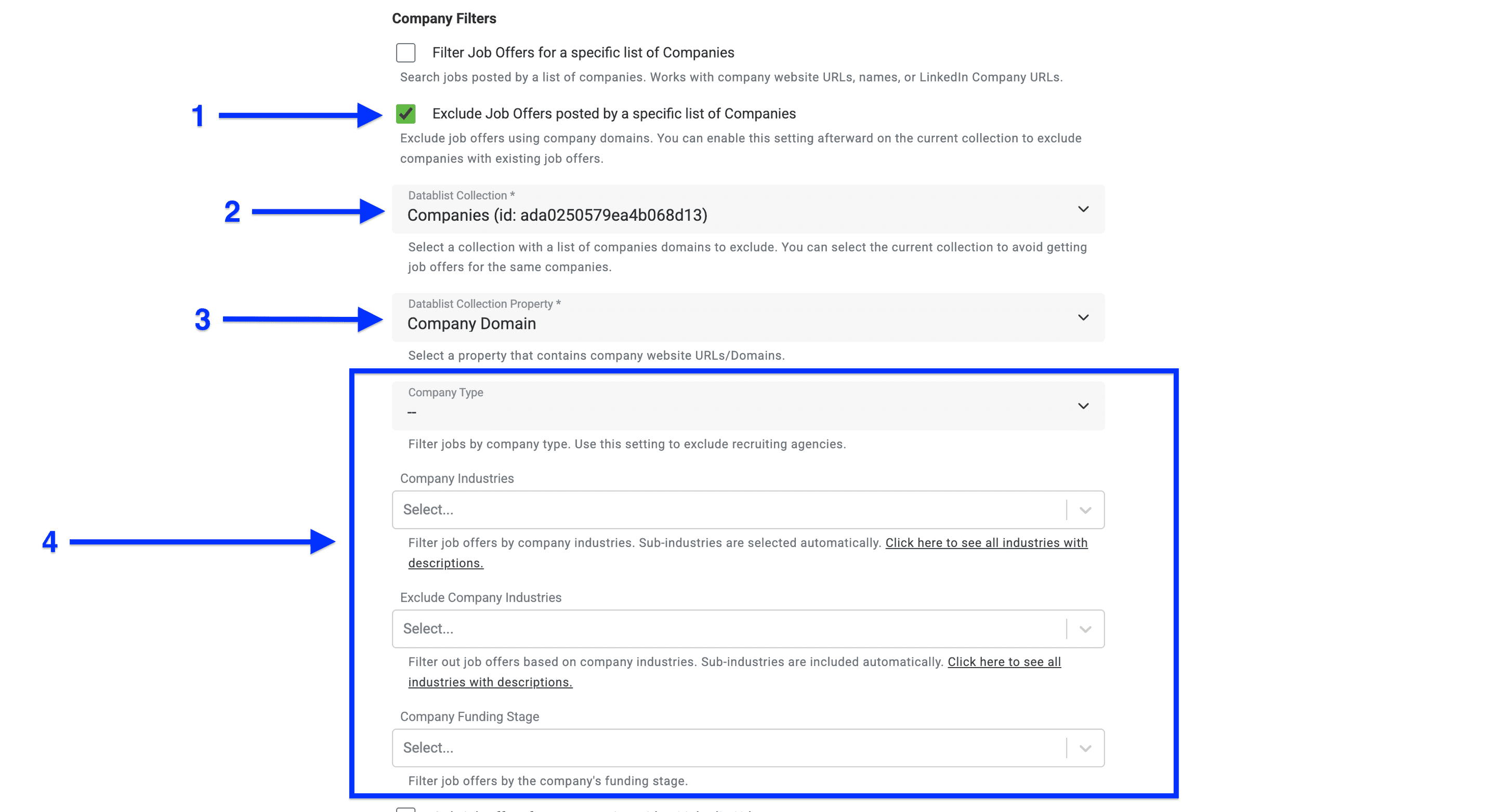
Start job postings search
Once you set all your filters, click on Continue.
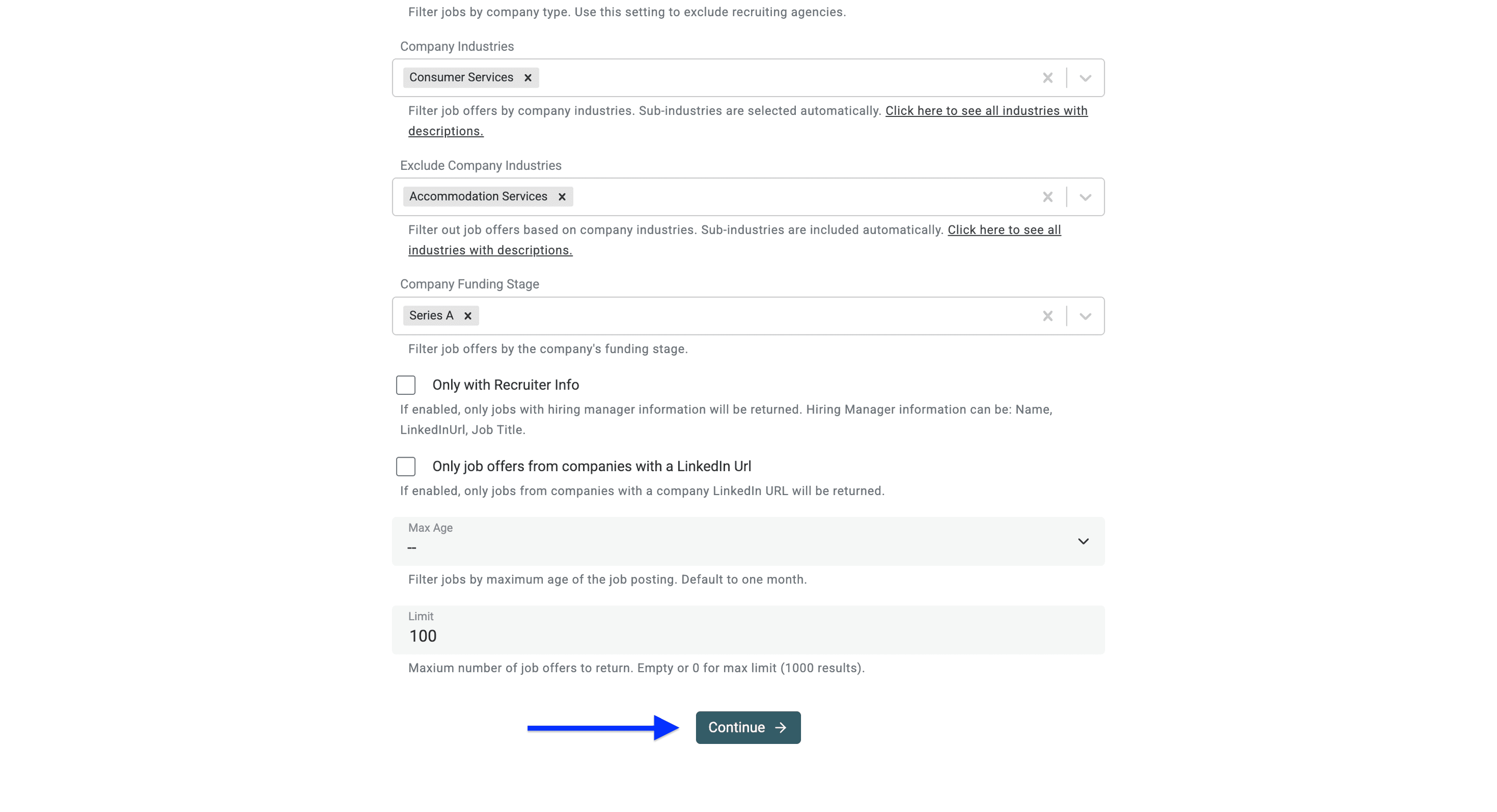
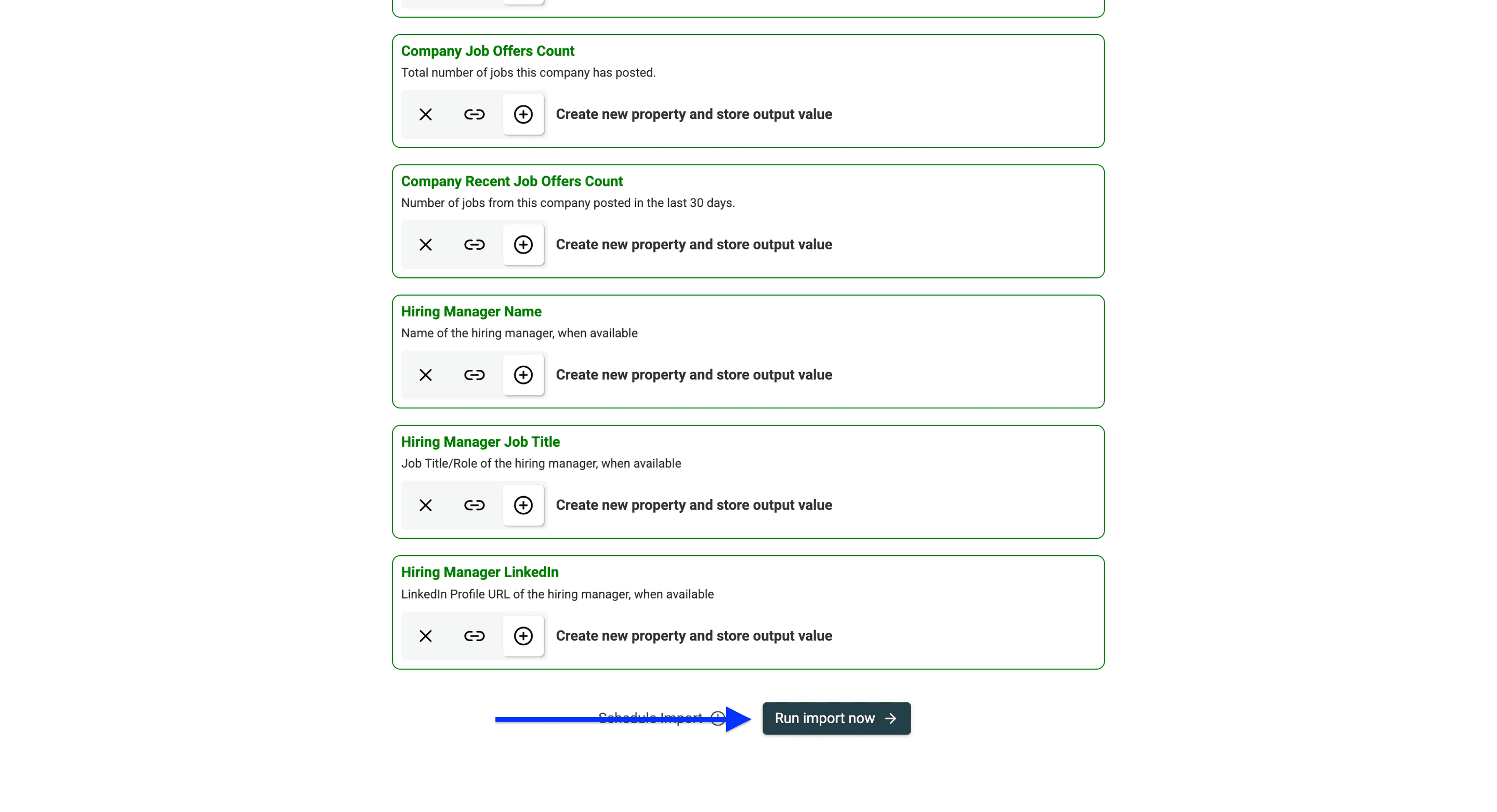
Here are the data points Datablist will return:
| Category | Fields |
|---|---|
| Job Details | Job Title, Job Description, Job Type, Job Location, Job Country, Workplace Type, Job Seniority, Salary Range |
| Firmographics | Company Name, Company Website, LinkedIn URL, Employee Count, Company Employee Range, Industry, Founded Year, Revenue |
| Additional Information | Company Description, Company City, Company Country, Company Job Postings Count, Company Recent Job Postings Count |
| Job Meta Data | Job Posting Id, Job Posting URL, Job Posting Source URL, Date Posted, Closed At |
| Hiring Manager Details | Hiring Manager Name, Hiring Manager Job Title, Hiring Manager LinkedIn Profile |
Navigate to the bottom of the page and click on Run import now.
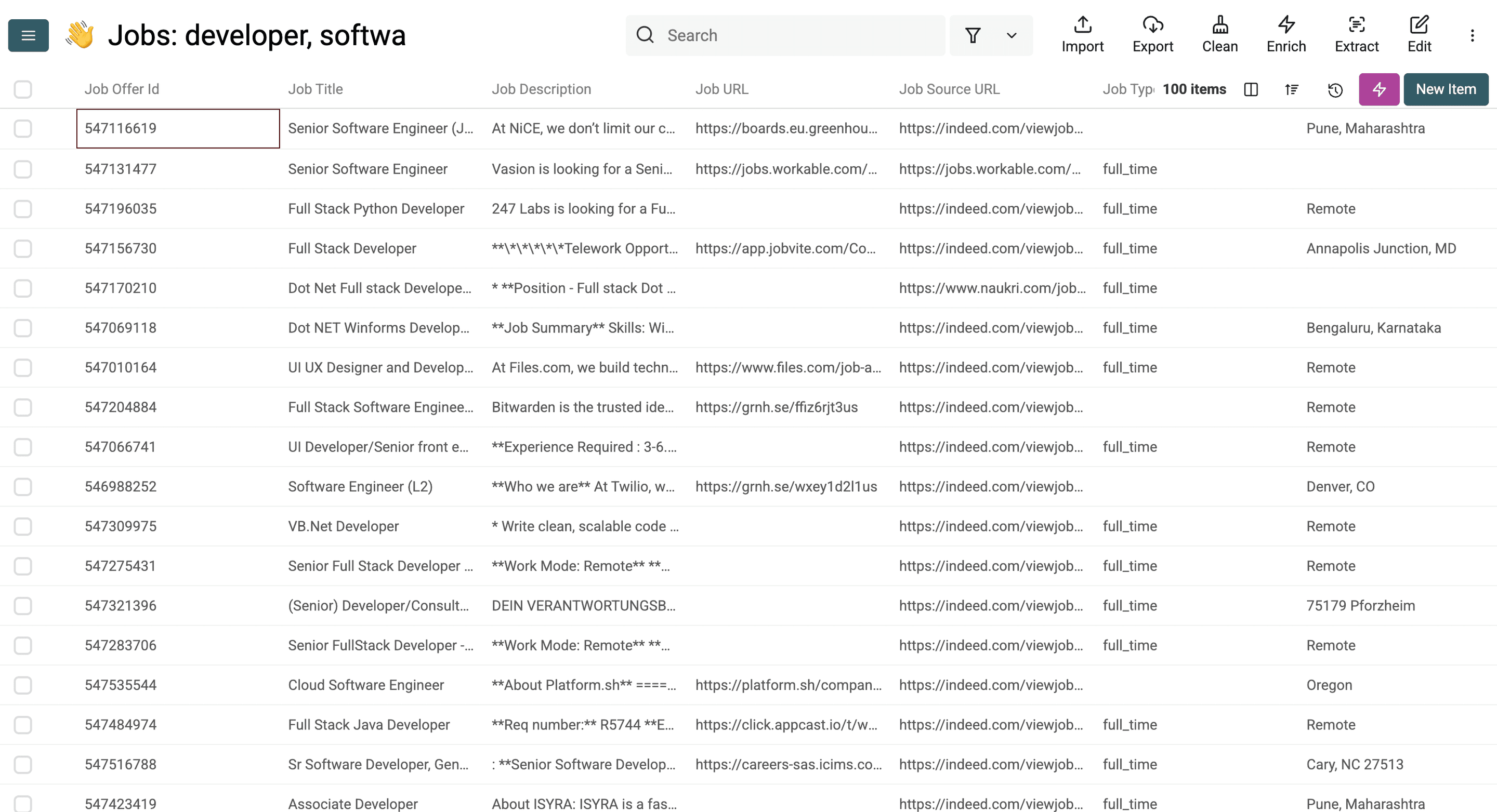
When the scraper finishes its job, the results will look like this:
Searching for job postings based on a list of companies
As I mentioned before, this option allows you to scrape job postings from companies that you already have in your Datablist workspace, CRM, or any other databases.
For this, you need to have the company name, the company LinkedIn URL, or the website URL in a Datablist collection.
First, sign up for Datablist.
Import a list of companies.
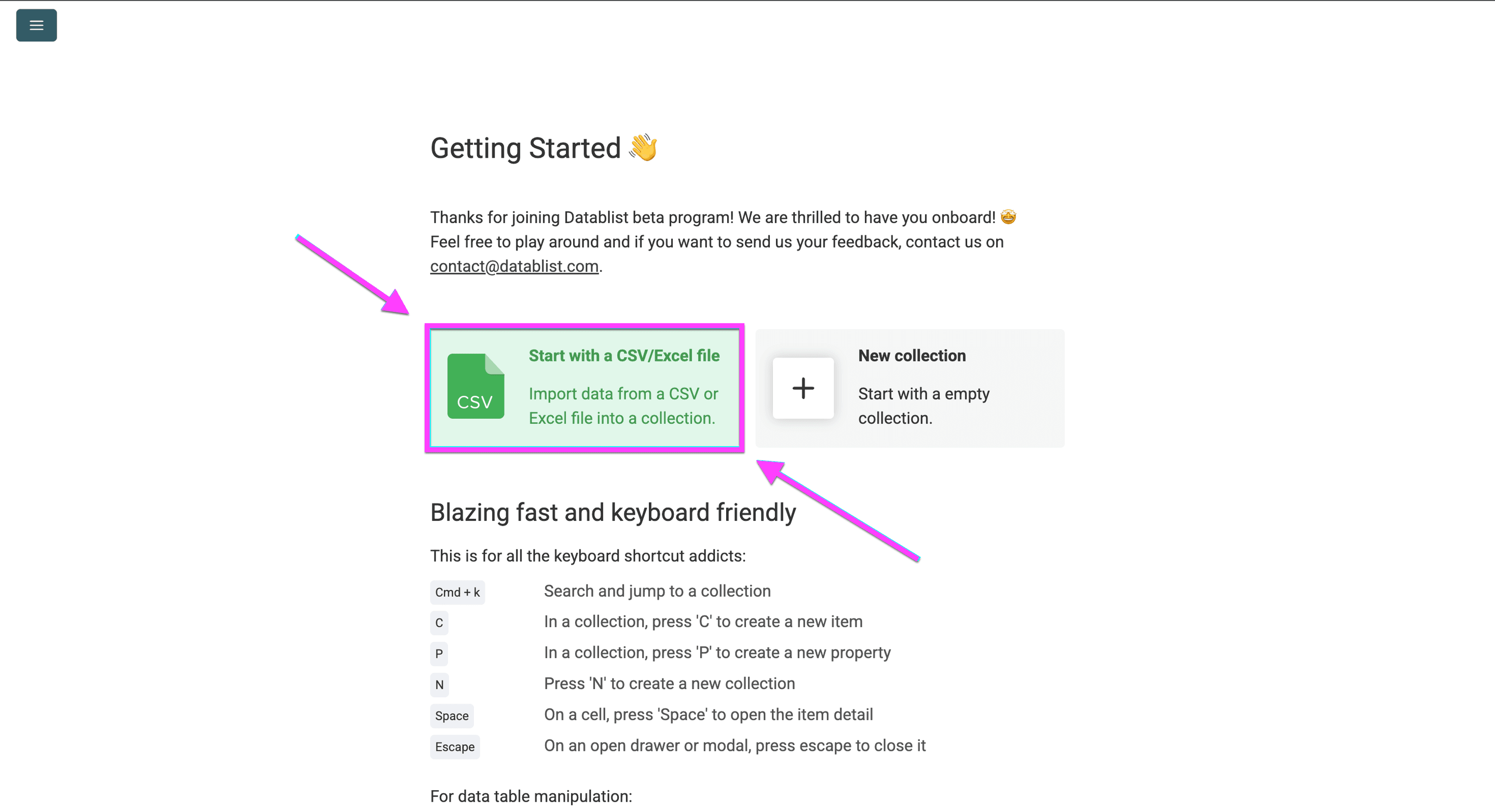
Create a separate Collection.
Open Job Postings Search.
Now you have to do the following:
- Enable Filter Job Postings for a specific list of Companies.
- Select your uploaded list under Datablist Collection.
- Map Datablist Collection Property to the company website, name, or LinkedIn company URL column. I recommend websites when available to reduce ambiguous company names.
- Define the job postings you want to scrape using our filters. Click here to see all filters.
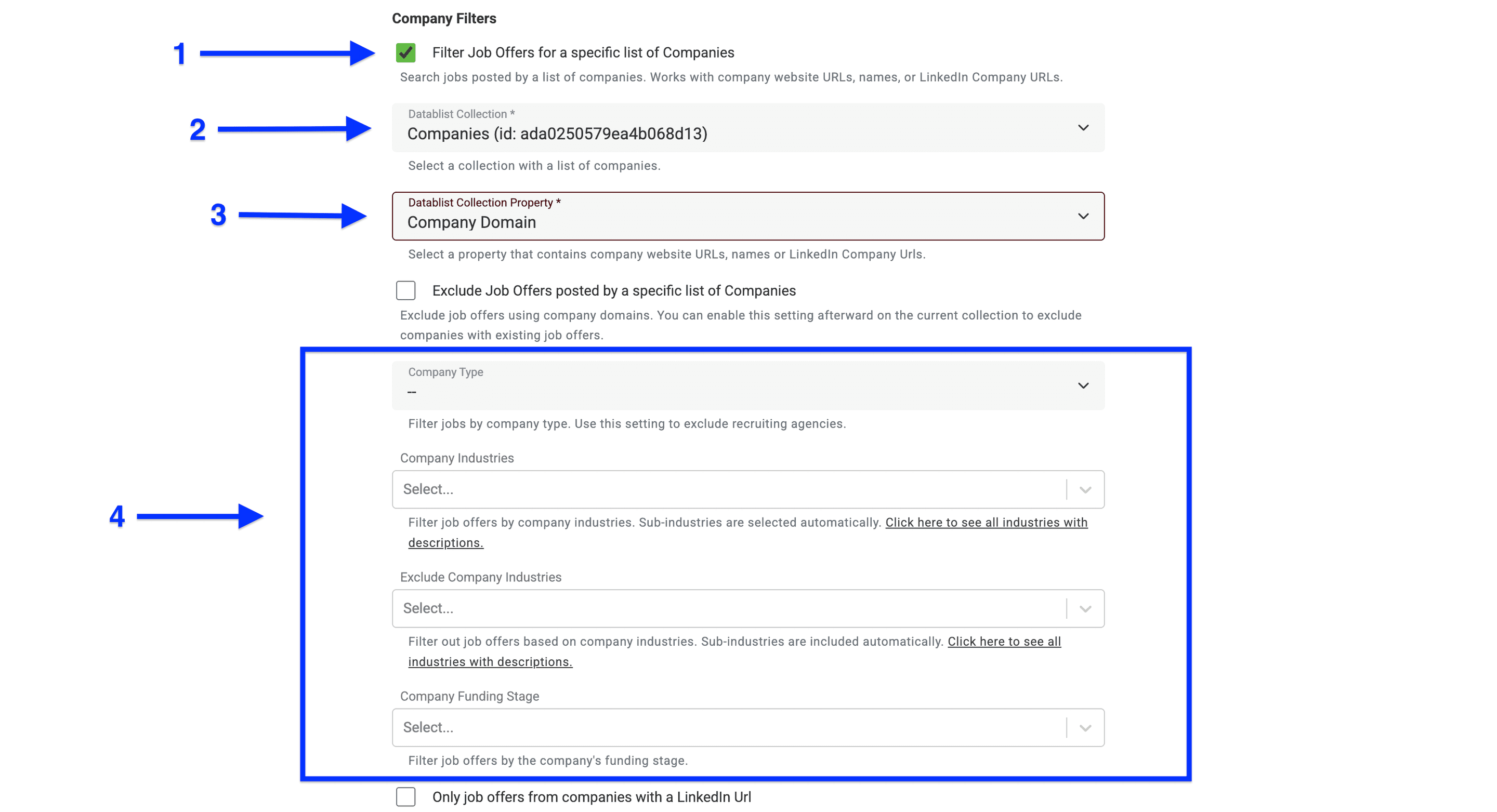
You can also define a collection with company websites or domains to exclude from the job postings, using the same logic.
💡 3 Useful Tips for Scraping Job Boards
Tip 1: Exclude active clients from your job posting search to avoid embarrassing situations.
Tip 2: Include past clients in your job posting search to reactivate them again.
Tip 3: You can filter/exclude companies from your search using website URLs and company names, not only domains.
Once you set everything up, click on Continue.
Now, navigate to the bottom of the page and click Run import now.
When the import finishes, review the matching postings and their source URLs. The search filters, result limit, and indexed coverage determine which jobs you receive.
📘 Job search credits
Each returned job posting costs 10 credits. For example, 100 returned postings cost 1,000 credits. Check your credit balance and the current plan options before a large or recurring search.
How to monitor new job postings across repeat searches
A recurring job search needs a stable comparison key and a date window, not just a daily run. I would start with a daily search over the last seven days, then adjust the overlap to your market. The overlap gives delayed listings another chance to appear; it also means the same job can return more than once.
- Keep
Job Posting Id,Job Posting URL,Company Website, andDate Postedin your results. - Compare each new batch with previous batches by
Job Posting Id. Use the unique-property settings to prevent duplicate values, or review duplicates before combining exports. - Keep the same company in your monitoring list. A different job ID from that company is a new posting worth reviewing, not a company duplicate to discard.
- Record when you first observed a posting in your own tracking file if you need that information.
Date Postedis the posting date, not the time your workflow discovered it. - Review missing IDs and apparent reposts by title, company, location, and URL. Distinct IDs can still describe similar roles; do not merge them automatically just because the title matches.
For an automated import on Growth, choose a daily frequency, time, and timezone in the source scheduler, then click Schedule Import. Configure duplicate handling before enabling the schedule. You can also repeat the search manually. Deduplicating stored rows does not make the data provider's returned results free, so account for overlap in your credit budget.
Do not infer that a job closed just because it disappeared from one search. It may have fallen outside your date window, filters, or result limit. Use Job Status and the returned Closed At field when checking closed postings, and verify important jobs on their source pages.
Why Scraping 19 Job Boards in The First Place?
Did you ever hear someone say, "I have too much data"? Me neither, because data is gold. The only thing we all can agree about is: Not all data is worth the same; some is valuable, some is irrelevant.
Why More Sources Matter
By scraping more job boards, you get more job postings, which increases your chances of finding more useful data. This broader approach ensures you don't miss valuable opportunities hidden across different platforms.
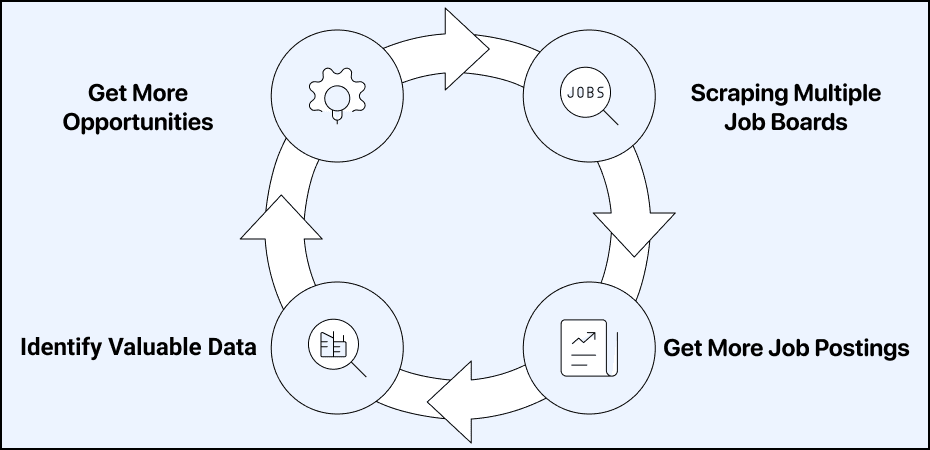
Benefits of Multi-Board Job Scraping
- Enhanced Data Volume
- Compare postings from multiple sources
- Discover more opportunities with target companies
- Strategic Business Intelligence
- Identify companies with immediate needs (signaled by job postings)
- Target accounts based on their current priorities
- Use as qualification variables in cold email campaigns
- Competitive Advantages
- Win deals more efficiently as a recruiter
- Provide more comprehensive insights to job seekers
- Identify hiring trends before competitors
- Gain better market coverage than single-board searches
- Connect with potential clients at their growth investment stage
Now that you have some ideas in mind, why this data is so useful, let me show you what you can do next with it.
What You Can Do with Job Data
Yes, Datablist is great for scraping job boards, but this is not even 1% of what it can do for you. Let me give you some ideas of what you could do now with the job posting data:
- Enrich companies with additional data
- Using the AI Agent to search for data that no database has
- Find decision makers within target accounts
- Find emails and phone numbers with Waterfall Enrichment
- Use AI to compose personalized emails
- Analyze the tech stack of the company
The list could go on and on. The point here is: Datablist isn't just a tool for scraping; it gives you access to an entire lead generation ecosystem with just one affordable subscription.
Conclusion
Scraping multiple job boards is a competitive advantage that you should use to stay ahead, for as long as you can. Datablist makes the access to job data easier than any other tool and allows you to even search for job postings within the companies you already have in your CRM.
FAQ
How does job scraping work in this workflow?
Datablist queries a provider's aggregated job database with your filters, then imports the matching postings as rows. It is useful for structured job lists across sources. It does not guarantee every vacancy from every job board, so keep the source URLs and verify roles before acting on them.
What Does Scrape Job Postings Mean?
Scraping job postings means using automated tools to extract job listing information from various websites. This process collects data like job titles, descriptions, company details, location, salary ranges, and more.
What Is The Best Job Scraping Tool?
Datablist stands out as a powerful job scraping tool that aggregates postings from 19 different job boards simultaneously. It offers comprehensive filtering options for job details, company information, and hiring manager data. Beyond scraping, Datablist provides data enrichment, AI-powered search, and automation capabilities.
Can I use AI to analyze the job listings?
Yes. After importing jobs, use an AI enrichment to classify descriptions, identify relevant requirements, or draft a short account-research summary. Keep the original posting and source URL beside the result so you can check what the model used. See the AI classification guide for label and review rules.
How Can I Use Scraped Job Data For Outreach Campaigns?
Scraped job data provides valuable intelligence for targeted outreach campaigns. You can identify companies actively hiring (signaling growth), find decision-makers, enrich contact information, and use AI to craft personalized messages based on their specific needs. Verify the hiring signal before using it in outreach, and connect it to a relevant lead scraping workflow.
What Data Points Can I Get From Job Board Scraping?
Job board scraping tools like Datablist can extract comprehensive data, including job details (title, description, type, location, salary), company information (name, website, LinkedIn, size, industry), hiring manager details (name, title, LinkedIn), and metadata like posting dates. This rich dataset provides valuable business intelligence.
How Many Job Boards Should I Scrape?
Scraping multiple job boards provides significantly better results than relying on a single source. Tools like Datablist can scrape 19 job boards simultaneously, giving you comprehensive market coverage, more opportunities to identify potential clients, and better insights into hiring trends before competitors.