
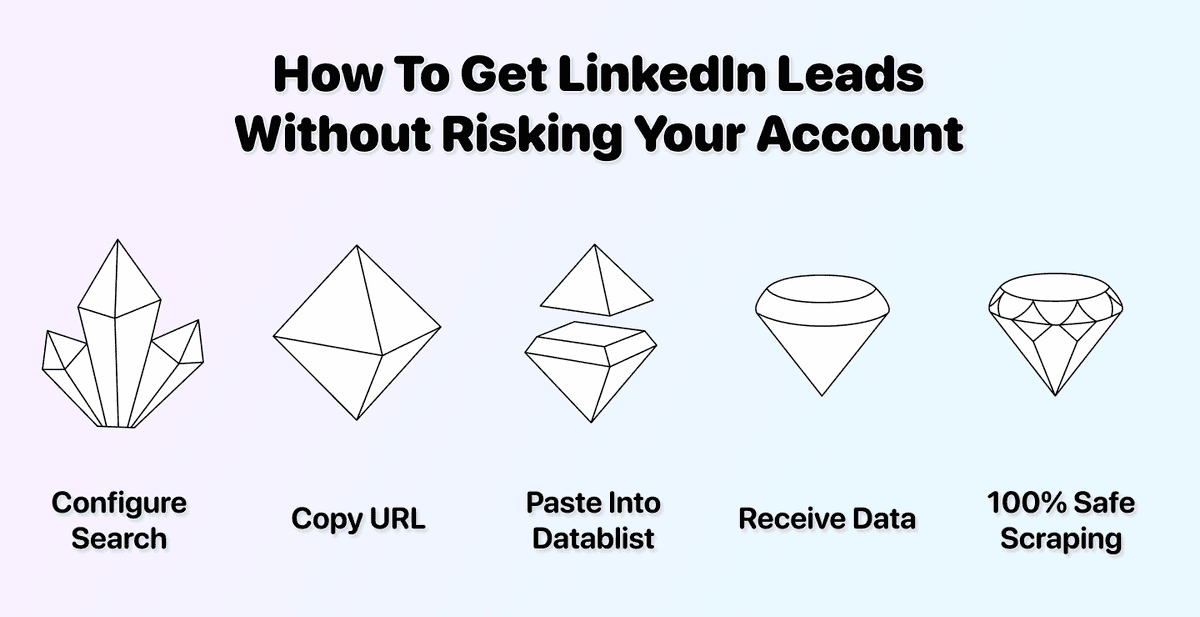
If you don't want to get your account banned from LinkedIn, this is for you.
We all put so much effort into appealing to prospects, employers, and partners. For knowledge workers, this means having a LinkedIn profile. However, many risk losing this online presence just to scrape a few leads using the wrong tools.
The good news: You don't have to take that risk. This article shows you how to scrape LinkedIn leads safely, without connecting any tool to your account, and without spending a fortune doing it.
📌 Summary For Those In a Rush
This article shows how to scrape leads from LinkedIn without putting your account at risk. Here is a summary:
- Problem: Most LinkedIn scrapers require your account credentials or cookies, which puts your account at risk of being banned.
- Why it's a problem: Losing your LinkedIn account means losing years of connections, conversations, and professional opportunities.
- Solution: Use Datablist's LinkedIn Search Scraper, which never requires your credentials, cookies, or any connection to your personal account.
Why Use Datablist: 3 simple reasons
- Zero risk to your LinkedIn account
- Cheaper than most LinkedIn scrapers on the market
- Takes less than 3 minutes to get your results
What This Guide Will Cover
- Why Scraping LinkedIn Leads Is Risky (With Most Tools)
- How To Scrape LinkedIn Leads Without Account Risk (Step-by-Step Instructions)
- Why Datablist Is the Safest Option
- Frequently Asked Questions About Scraping LinkedIn Leads
Why Scraping LinkedIn Leads Is Risky (With Most Tools)
Before we get into the solution, let's talk about the problem. Most LinkedIn scrapers put your account in danger, and here's why that matters.
What Happens When LinkedIn Detects Scraping
LinkedIn has sophisticated systems designed to detect automated activity. When they catch you, the consequences range from annoying to devastating:
Temporary restrictions are the first warning sign. You might find yourself unable to send connection requests, view profiles, or message people for days or even weeks.
Account suspension is the next level. LinkedIn locks you out while they "review" your activity. Some people get their accounts back. Many don't.
Permanent bans are the worst-case scenario. Your account is gone forever. All your connections, all your conversations, all your recommendations, all your credibility on the platform. Gone.
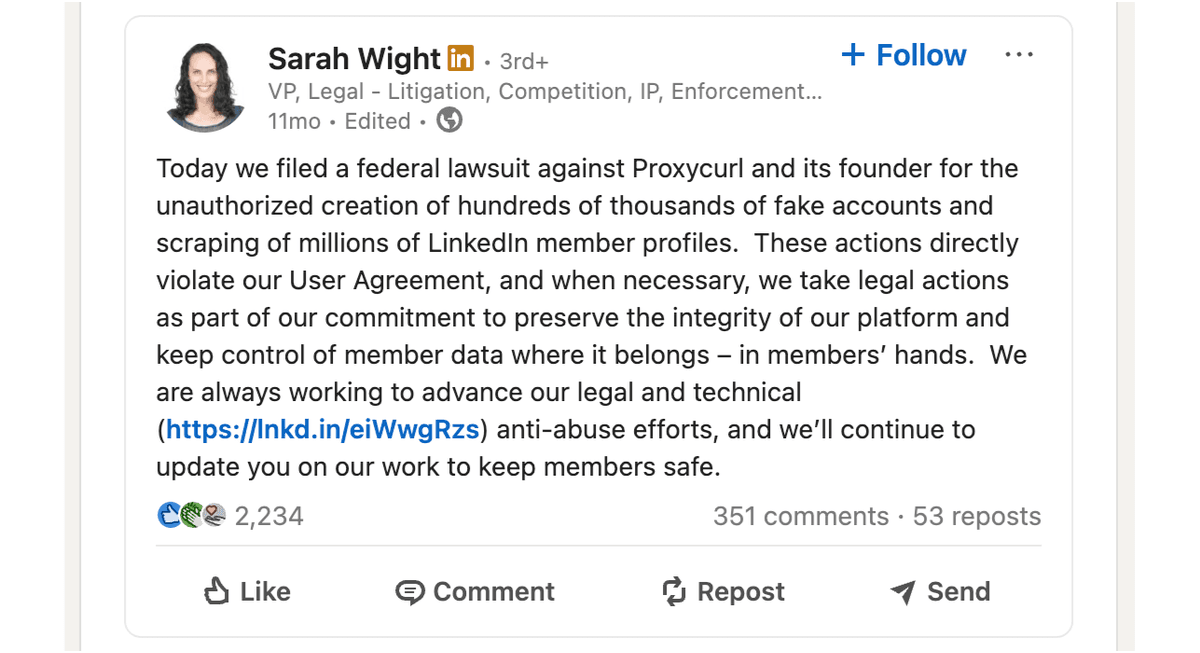
The frustrating part? You're not doing anything illegal. You're just trying to build a lead list. But LinkedIn doesn't care about your intentions. They care about protecting their platform[2], and they're aggressive about it. Very aggressive. They even sued Proxycurl[1].
Browser Extensions and Why They Put Your Account at Risk
Browser extensions are the most common way people try to scrape LinkedIn. They seem convenient. One click and you get a spreadsheet of leads. But there's a catch.
Every browser extension operates through your account. It uses your session, your cookies, and your IP address. To LinkedIn, there's no difference between you clicking around manually and an extension automating thousands of requests. Both activities come from the same source: your account.
Here's what makes browser extensions so dangerous:
- They send requests at speeds no human could match
- They access more profiles in an hour than most people view in a month
- They leave digital fingerprints that LinkedIn's algorithms are trained to detect
- They require access to your LinkedIn session, which is a security risk on its own
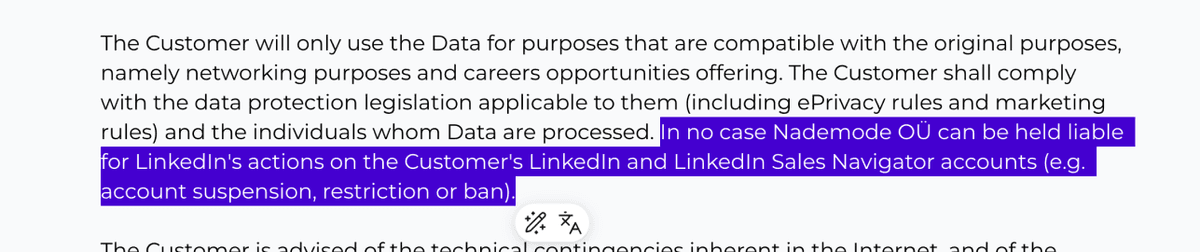
The result? People get banned every single day for using these tools. And when you ask the extension company for help, they'll point to their terms of service, where they told you (in tiny print)[3] that the risk was always yours.
How To Scrape LinkedIn Leads Without Account Risk (Step-by-Step)
Now that you understand the problem, let's fix it. Datablist's LinkedIn Search Scraper works without ever touching your account. No cookies. No credentials. No risk.
From the idea to a list of leads, you have to go through a simple process with two phases:
📘 Quick Note About Sales Navigator
This guide focuses on scraping regular LinkedIn searches. If you have Sales Navigator and want to scrape from there instead, check out our guide on how to scrape leads from LinkedIn Sales Navigator. The process is similar, and Datablist handles both without risking your account.
Configuring Your LinkedIn Search (Using the People Filter)
First, you need to set up your search on LinkedIn. This is where you define who you want to scrape.
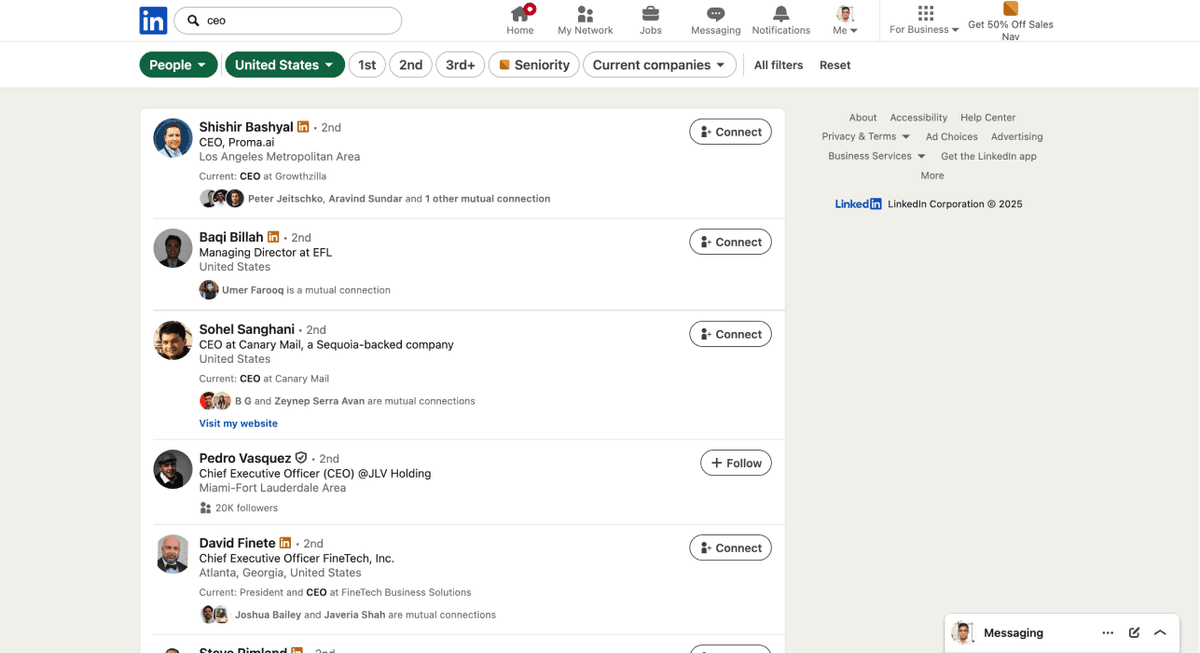
- Go to LinkedIn and click on the search bar. Type in a job title, company, or keyword related to the leads you're looking for.
- Click on "people" to filter your results. This is very important. You want to scrape people, not posts, jobs, or companies. The “people" filter ensures you're looking at the right data.
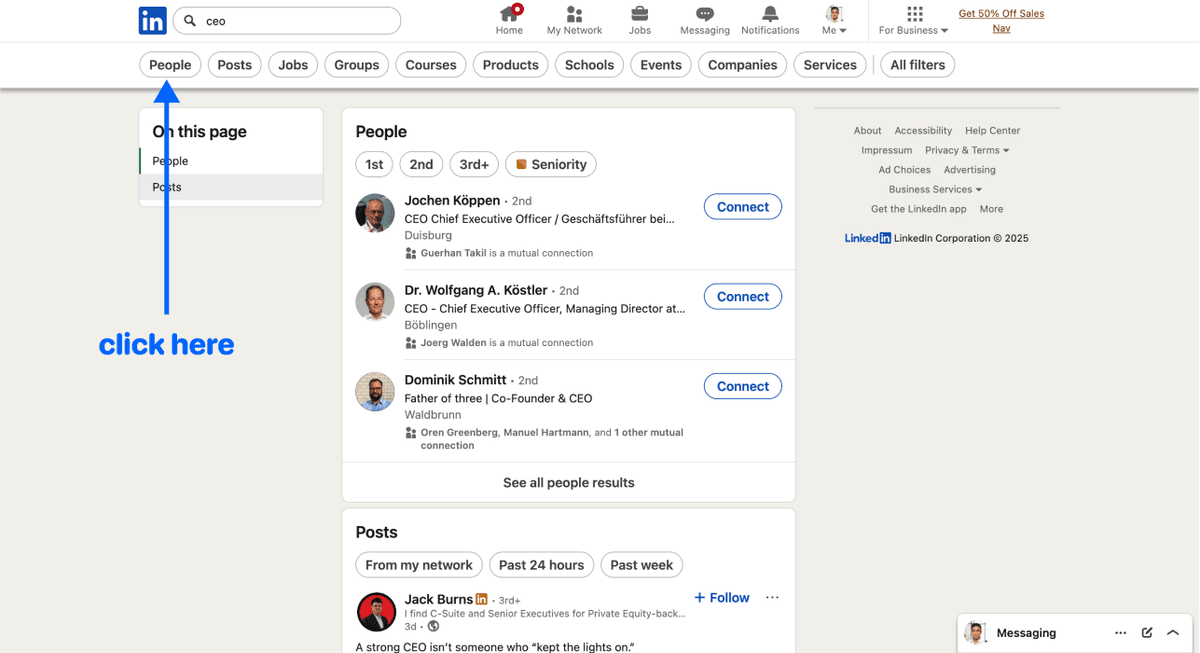
How To Scrape Leads From LinkedIn - LinkedIn Search Interface
- Use additional filters to narrow your search. LinkedIn offers several useful filters, including:
- Job title
- Industry
- Location
- … and more
Do not use any account-specific filters, such as 1st, 2nd, or 3rd connection grade, since we are not connecting to your account, which also means that we cannot scrape lists that include account-specific filters.
Once your search is ready, copy the URL from your browser. This URL contains all your filter settings. You'll paste it into Datablist in the next step.
Scraping With Datablist's LinkedIn Search Scraper
Now comes the easy part. Remember: Datablist handles the scraping without any connection to your LinkedIn account.
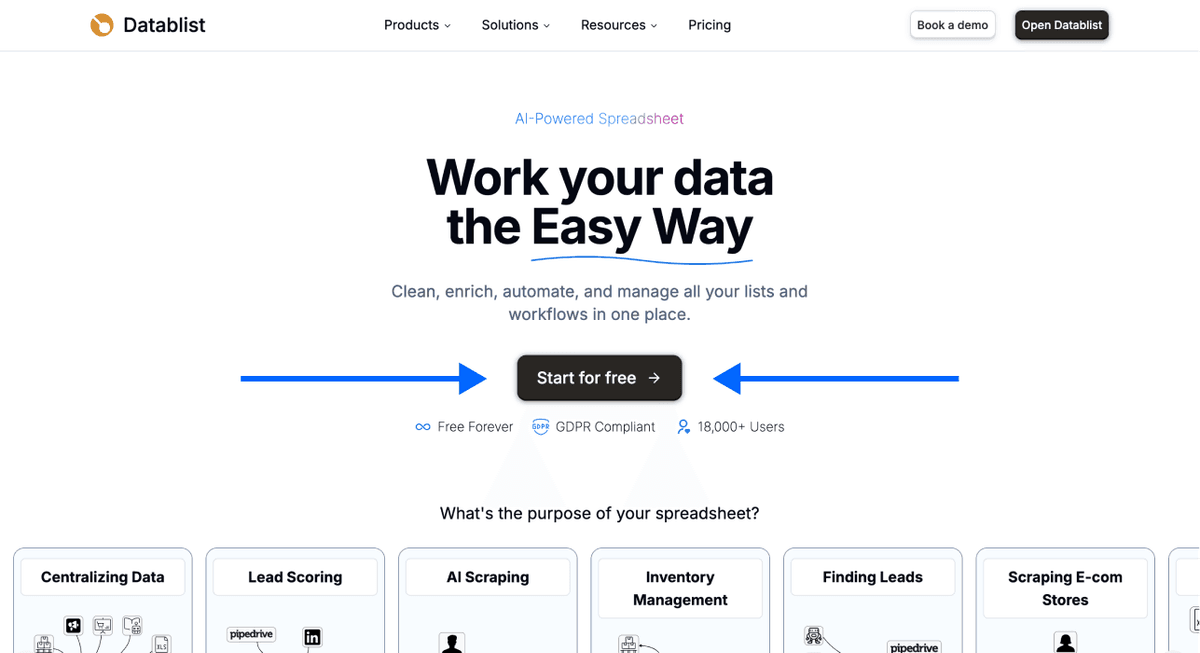
Step 1: Sign up on Datablist.com
Go to Datablist.com and create an account. The process takes less than a minute.
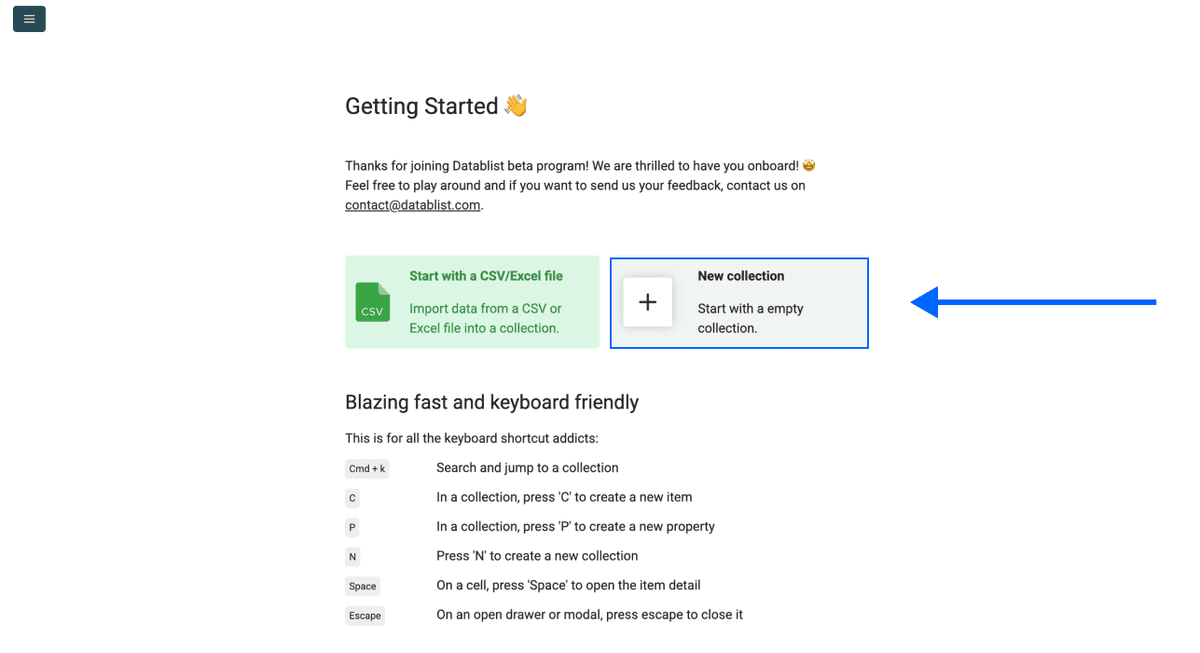
Step 2: Create a New Collection
Once you're in, click on New Collection. This is where your scraped leads will live.
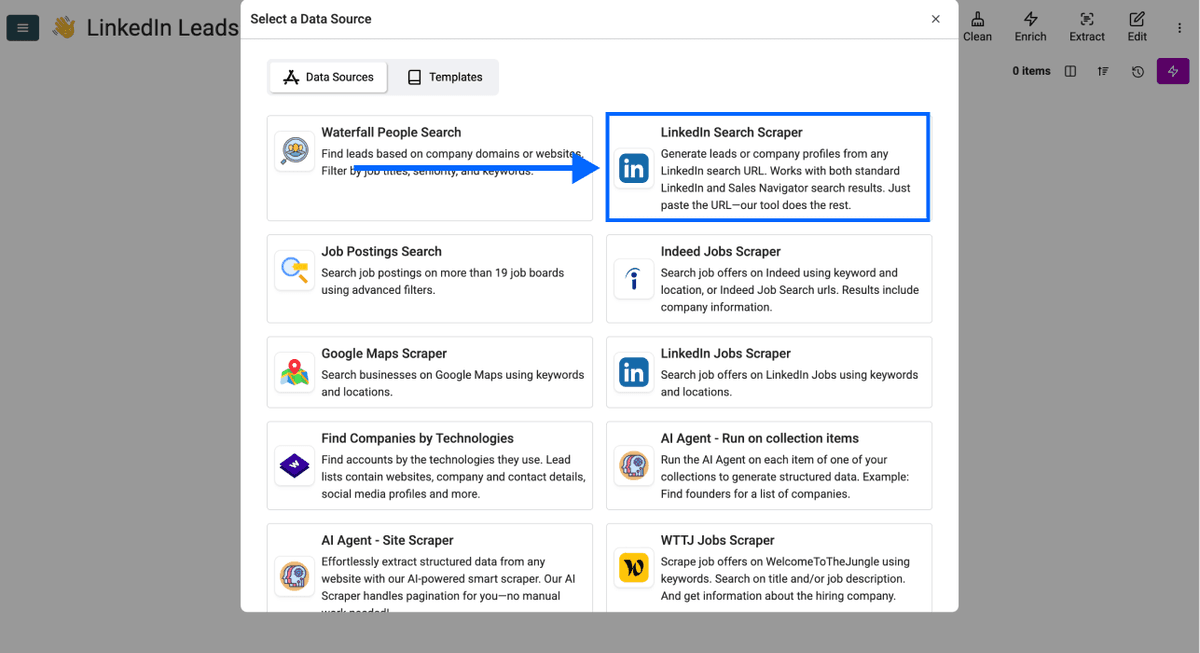
Step 3: Navigate to the LinkedIn Search Scraper
Click on See all sources and select the LinkedIn Search Scraper from the list.
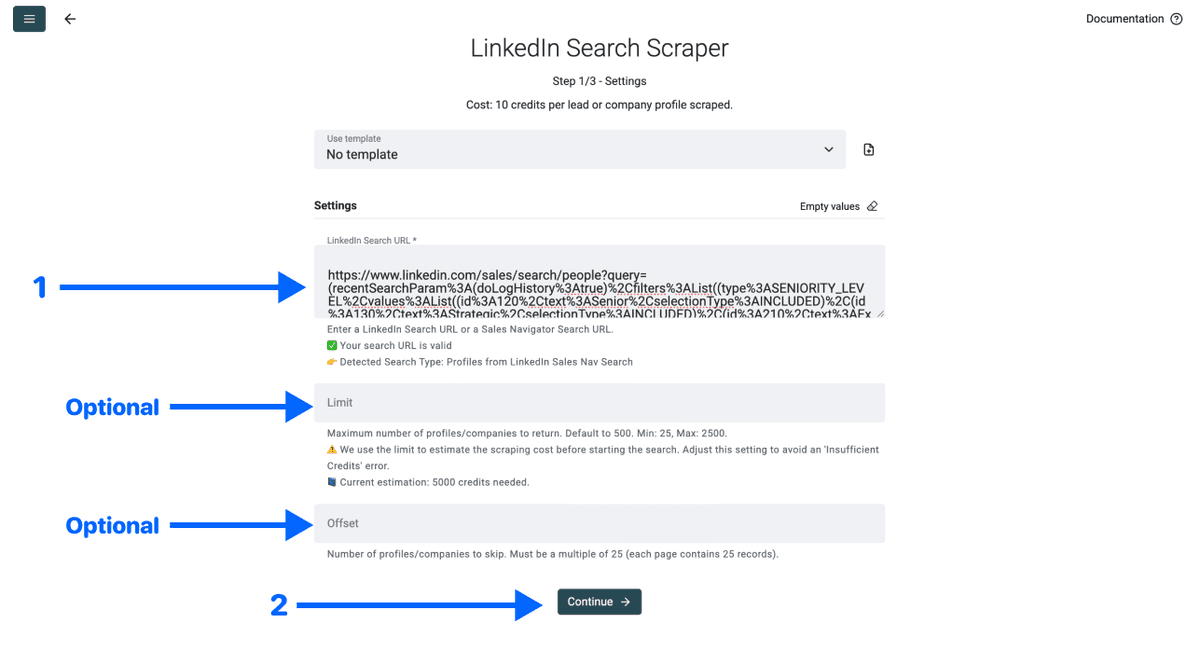
Step 4: Configure Your Scrape
You'll see a simple configuration screen. Here's what to do:
- Paste your LinkedIn search URL in the first field
- Set a limit if you don't want all results (optional)
- Click Continue
Step 5: Select Your Outputs and Run
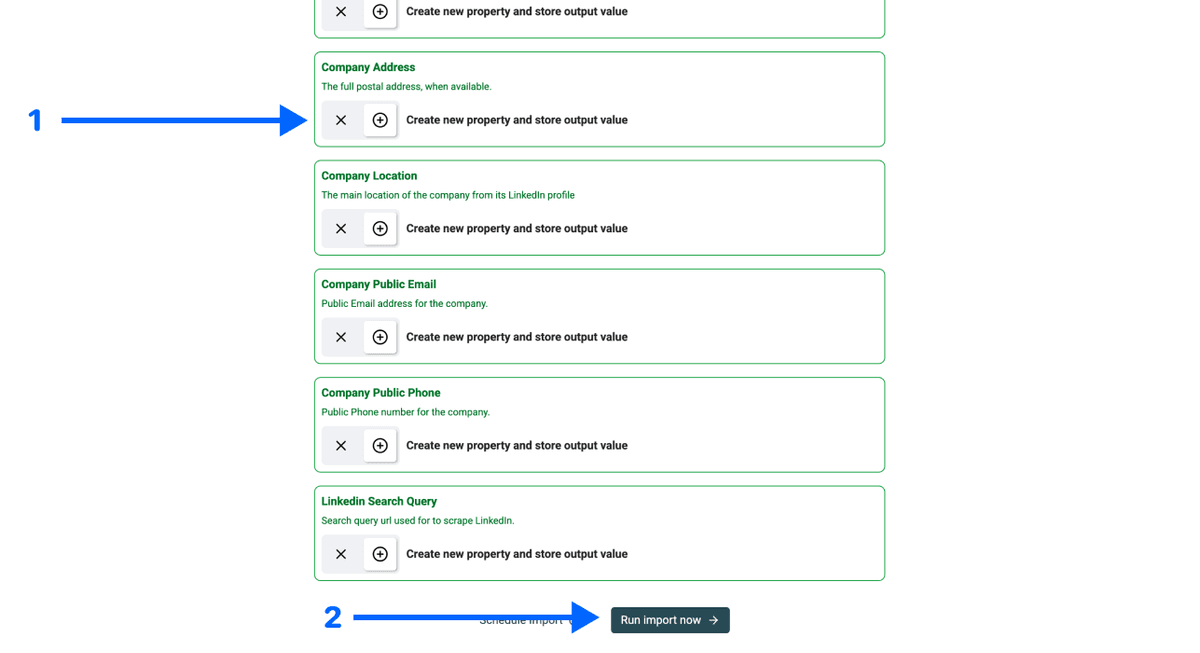
Datablist will show you all the data points it can extract and create a property for each one automatically
Click the ✕ icons to remove the ones you don’t want, then click Run import now
Step 6: Get Your Results
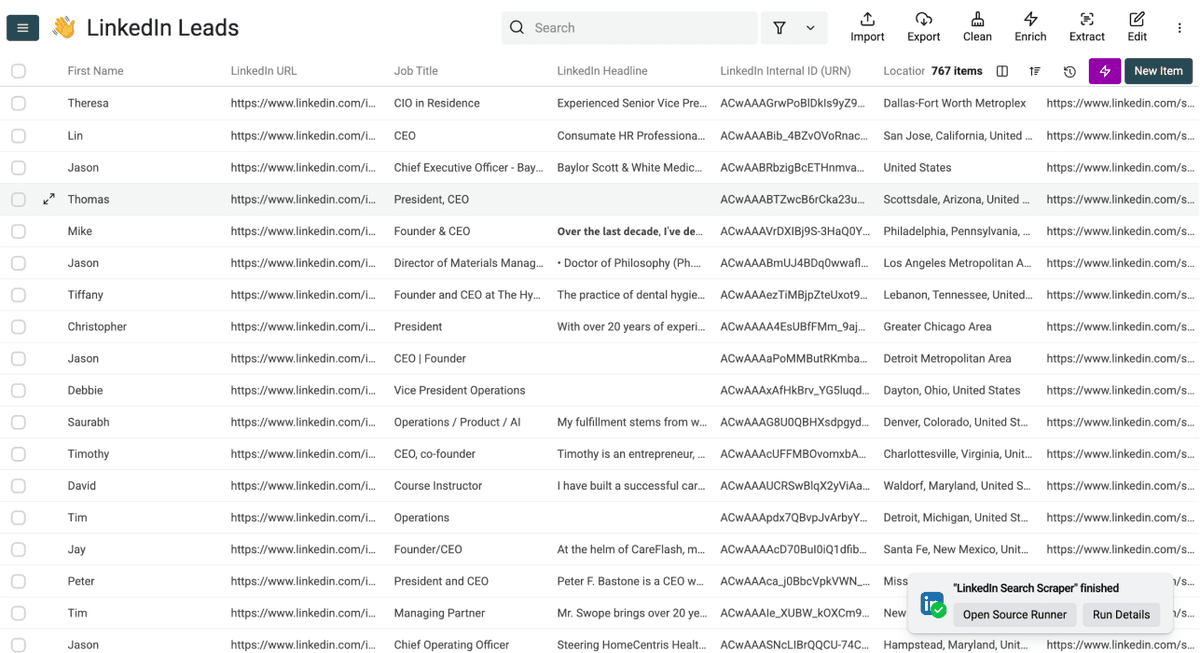
In just a few minutes, your collection will be filled with clean, structured lead data. No risk to your account. No complicated setup.
Why Datablist Is the Safest Option
You have options when it comes to scraping LinkedIn leads. But not all options are created equal. Here's why Datablist stands out.
No Cookies, No Credentials Required
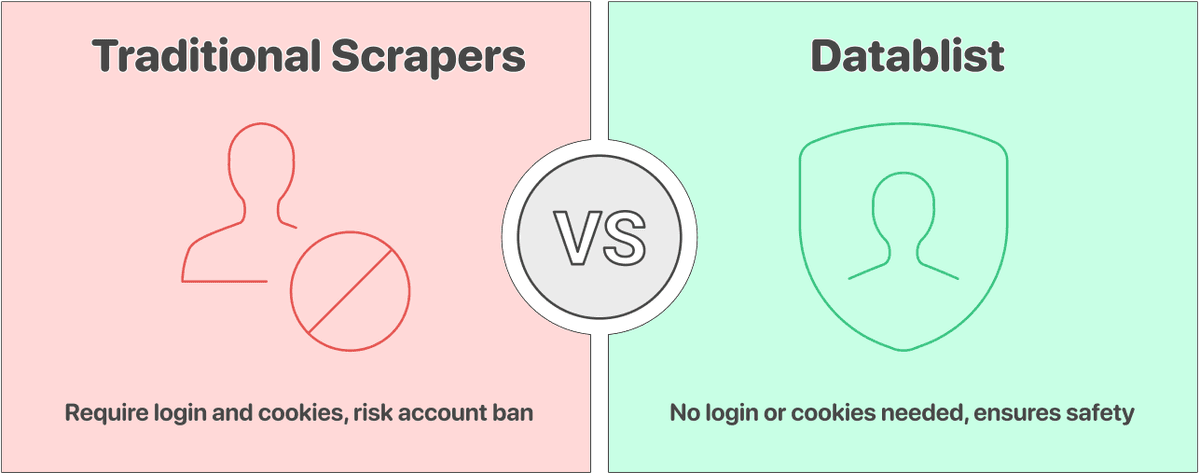
This is the most important point. Datablist never asks for your LinkedIn login, your cookies, or any other connection to your account.
Most scrapers need access to your session to work. They pretend to be you while they collect data. That's why people get banned from LinkedIn.
Datablist works differently. You give us a search URL. We get the data. Your account stays completely separate from the process. LinkedIn has no way to trace the scraping activity back to you because there's nothing connecting you to it.
Price Comparison With Competitors
Safe scraping shouldn't cost a fortune. Datablist is significantly cheaper than most alternatives, especially when you factor in the cost of a banned account.
Let's do some quick math:
- Datablist: With a $25/month Starter plan and a $20 credit top-up, you can scrape around 2,500 profiles for $45 total. That's $0.018 per lead.
- Competitors like Evaboot: $49/month gets you 1,500 exports. That's $0.033 per lead, nearly double the price, and you're still risking your account.
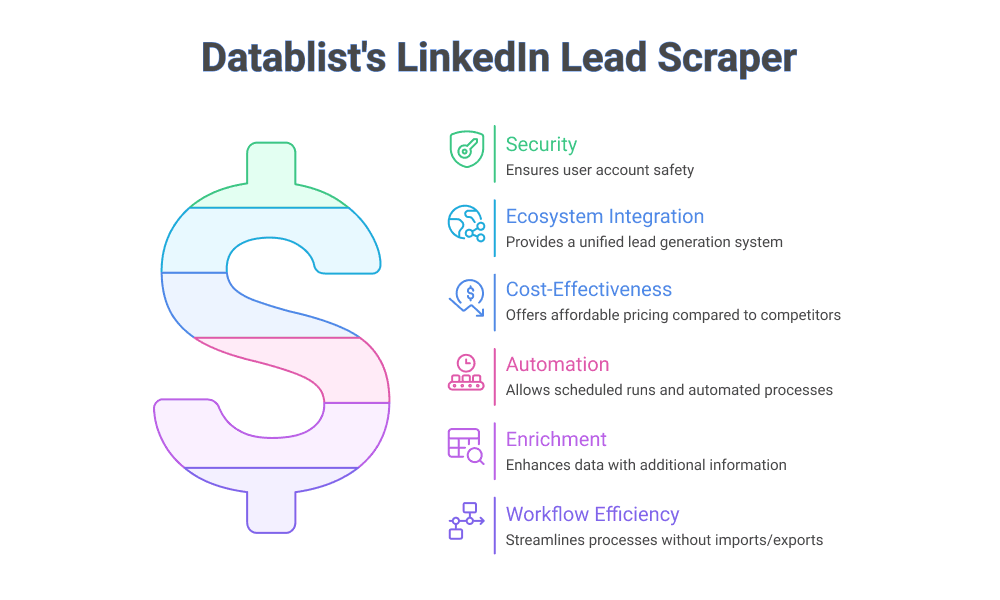
The price difference adds up fast when you're building serious lead lists. And unlike other tools, Datablist gives you access to an entire ecosystem of lead generation features beyond just scraping.
💡 What You Get Beyond Scraping
Datablist isn't just a scraper. Once you have your leads, you can:
- Find verified email addresses with our Waterfall Email Finder
- Enrich profiles with phone numbers
- Clean and deduplicate your data
- Personalize outreach with AI
All in one platform. No imports and exports between tools.
Conclusion
Scraping LinkedIn leads doesn't have to mean risking your account. The key is using a tool that operates independently from your personal profile.
Datablist's LinkedIn Search Scraper gives you fresh, accurate lead data without ever requiring your credentials, cookies, or any other connection to your account. It's faster than manual extraction, safer than browser extensions, and cheaper than most alternatives.
Stop gambling with your LinkedIn account. Use a method that protects what you've built while still giving you the data you need.
Frequently Asked Questions About Scraping LinkedIn Leads
Is There Really No Risk To My Account When I Use Datablist?
Yes, there is genuinely no risk. Datablist's LinkedIn Search Scraper never requires your LinkedIn credentials, cookies, or any connection to your personal account. Since your account isn't involved in the scraping process at all, LinkedIn has no way to link the activity back to you. Your account stays completely safe.
How Much Does It Cost To Scrape 500 Leads Using Datablist?
Scraping 500 leads is covered by the $25/month Starter subscription. You get 5,000 credits with your subscription, and scraping one LinkedIn profile costs 10 Datablist credits. That means 500 leads would use 5,000 credits, which is exactly what you get with the base plan.
How Much Does It Cost To Scrape 1,000 Leads Using Datablist?
To scrape 1,000 leads, you'd need 10,000 credits (10 credits per profile). The Starter plan includes 5,000 credits, so you'd need a $20 credit top-up, which gives you 20,000 additional credits. Your total cost would be $45, and you'd have 15,000 credits left over for other enrichments like finding emails.
Do I Also Get The Emails When I Scrape Leads From LinkedIn With Datablist?
No, emails are not included by default when scraping LinkedIn profiles. However, you can use Datablist's Waterfall Email Finder to find verified email addresses for your scraped leads. The email finder checks multiple data sources to maximize your find rate, and it works directly on the data you've already collected.
What Data Can I Get When Scraping LinkedIn Leads?
Datablist extracts comprehensive profiles and company information from LinkedIn leads. This includes: name, job title, company name, company domain, company description, LinkedIn profile URL, LinkedIn ID, industry, location, and more. You get around 30 data points per profile, giving you everything you need for targeted outreach.
Can I Scrape LinkedIn Without Sales Navigator?
Yes, absolutely. Datablist's LinkedIn Search Scraper works with regular LinkedIn searches, not just Sales Navigator. Simply go to LinkedIn, use the search bar with the "People" filter, configure your filters, and copy the URL. You don't need a Sales Navigator subscription to scrape LinkedIn leads safely.
How Can I Scrape Leads From LinkedIn Without Risking My Account?
The safest way to scrape LinkedIn leads is to use a tool that doesn't require your account credentials. Datablist's LinkedIn Search Scraper works by taking a search URL and extracting the data without any connection to your personal profile. You configure your search on LinkedIn, copy the URL, paste it into Datablist, and get your results. Your account is never involved in the actual scraping.