Instagram displays content based on your browser settings. However, you can manually override this to see how a profile appears in a different language. This technique requires a web browser rather than the Instagram app.
The Locale Parameter
Instagram uses a specific URL structure to handle localization. By adding a GET parameter to the end of a profile URL, you force the interface to load in a specific language.
The parameter to use is ?locale=XX, where XX is the two-letter ISO language code.
Note: It seems the parameter
?hl=XXworks the same to force the language on a Instagram Page.
For example, to view the Google Instagram profile as a German user would see it, use this URL:
https://www.instagram.com/google/?locale=de
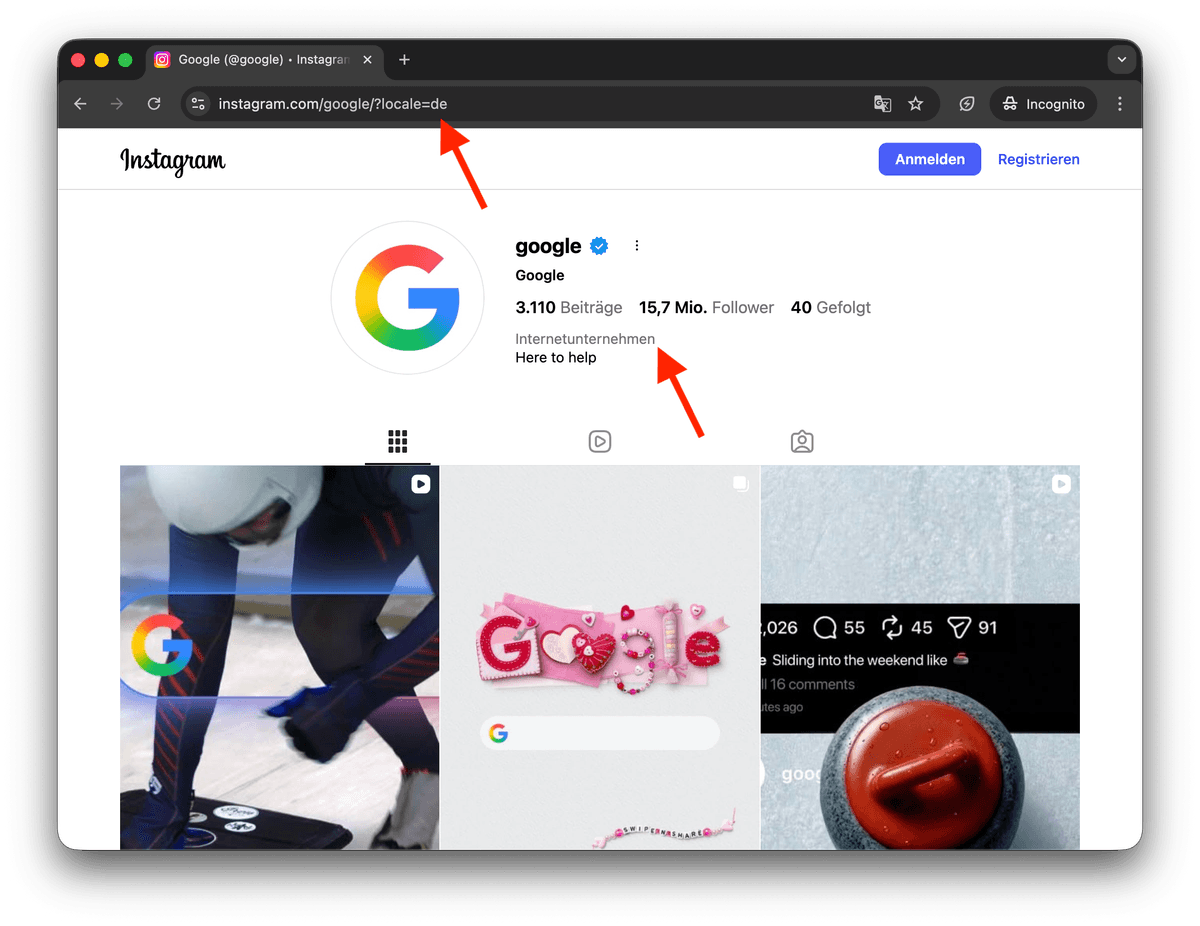
Changing Languages with ISO Codes
You can switch to any supported language by replacing the two letters at the end of the URL. Here are common examples:
- fr: French
- es: Spanish
- it: Italian
- pt: Portuguese
- ja: Japanese
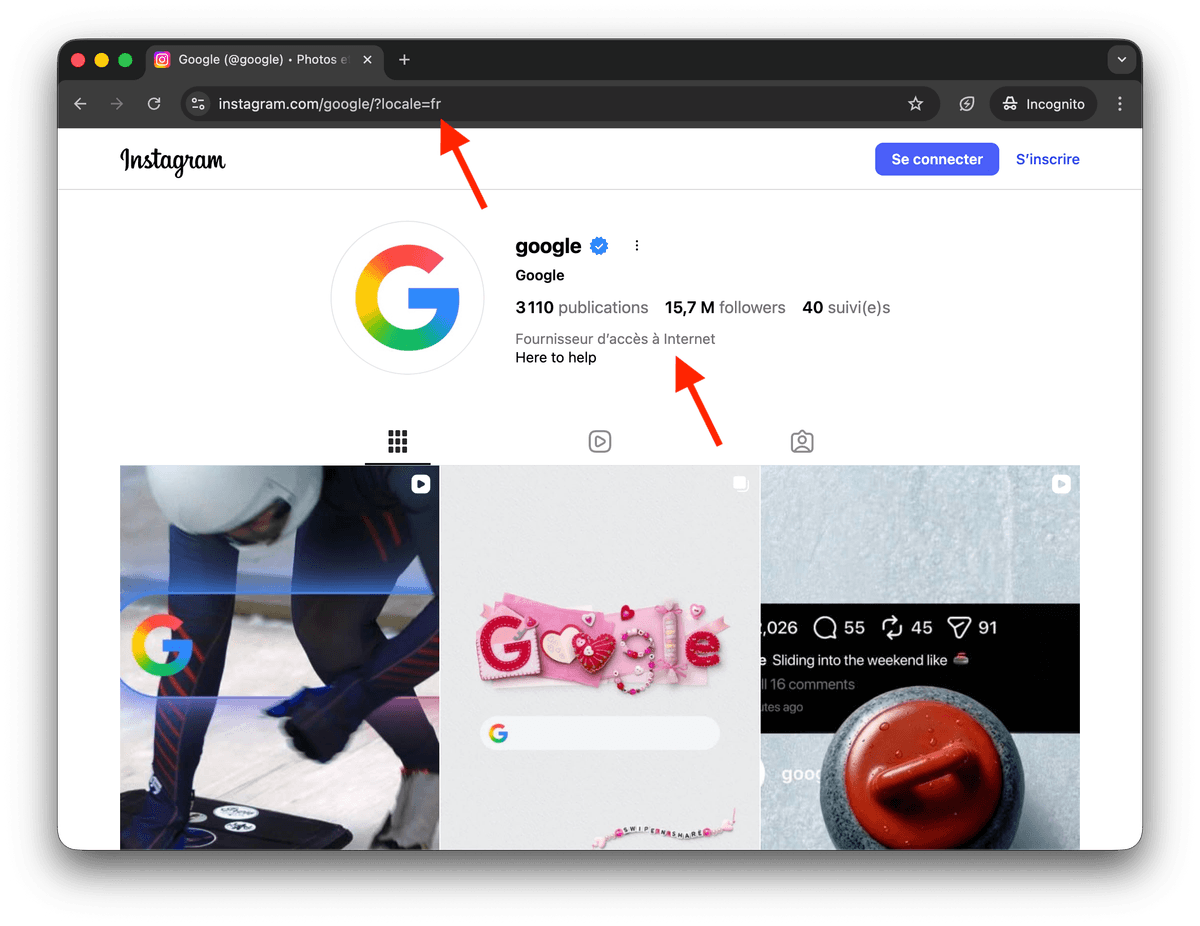
Translating Menus and Categories
For logged-in users, this parameter translates the navigation menus and buttons.
If you need to see the profile category translated, such as "Software Company" or "Clothing Brand," you must visit the page while logged out. Instagram handles category translations differently for public visitors to ensure the business type is clear in the visitor's local language.
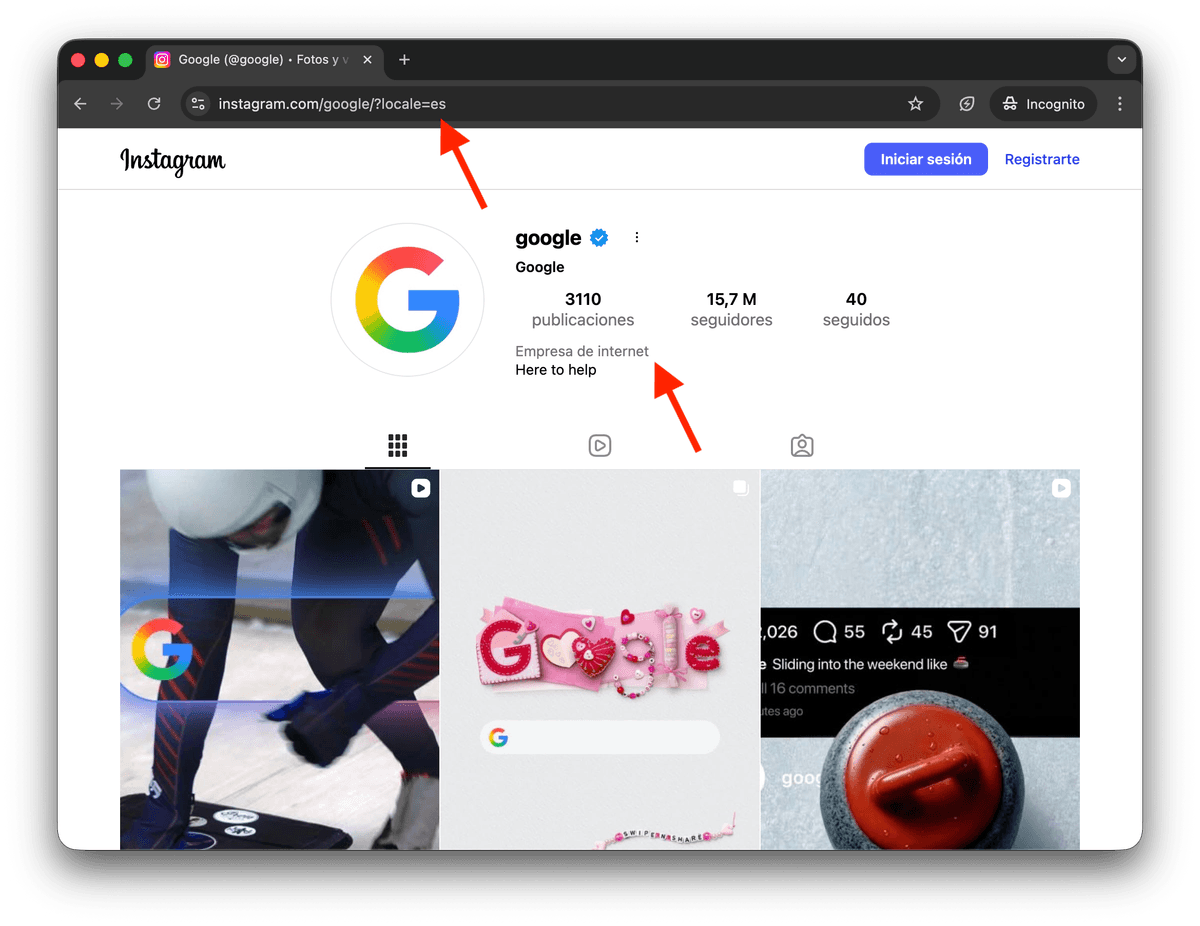
Language Agnostic Bio Field
It is important to understand that Instagram does not provide a multi-language bio feature. The text in the bio section is language agnostic. This means the account owner writes the bio in a specific language, and Instagram does not automatically translate it for users browsing in a different locale. Only the system interface, buttons, and official category names change based on the locale parameter.
Use Cases
A primary use for this technique is obtaining localized profile category names. When you scrape Instagram Profiles from Instagram categories to build a lead list, you might need the exact translated category name to improve your search accuracy on Google. By switching locales, you can see how Instagram classifies a business in different regions, allowing you to use those specific terms in your search queries or data enrichment processes.
Marketing teams also use the locale parameter to audit their own global presence.
It allows them to check if their profile align correctly for international followers without needing a VPN or changing their computer's system settings.