
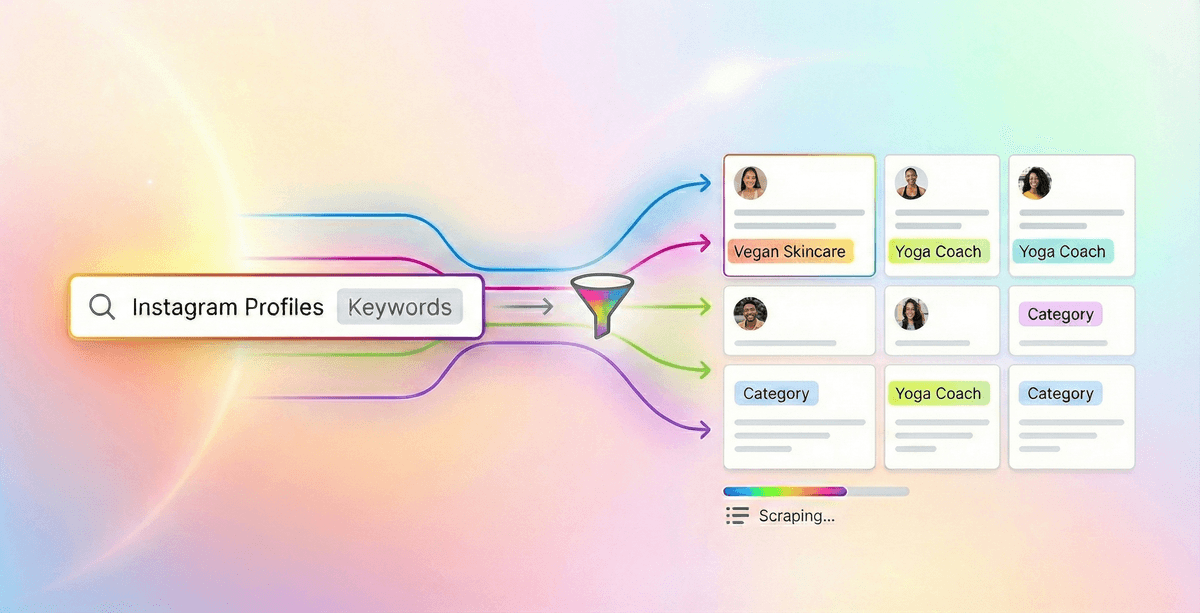
To search Instagram profiles by bio keyword, test a Google query such as site:instagram.com "fitness coach" -inurl:/p/ -inurl:/reel/. Import several useful queries into Datablist's Google Search Queries source, keep profile URLs, remove duplicates, and run the Instagram Profile Scraper on a small sample. Check the returned bios and categories before spending credits on the rest.
Google only returns public profiles it has indexed. A keyword in a search result may appear outside the current bio, and a category suggested by an AI prompt may not be an actual Instagram category. Treat discovery URLs as candidates and verify them after enrichment.
📌 Quick Links
Why This Method Works
Instagram's own search is limited for bulk bio research. Google can surface public, indexed Instagram profiles matching a phrase, but coverage and result order vary by query, country, and time.
This works because we separate discovery from extraction. First, use Google to discover profile URLs at scale. Second, use our Instagram Profile Scraper to pull structured data from each profile.
This is a discovery method for lead list building, not a quality filter. Check whether each returned URL is a profile and whether the profile still matches your niche.
The Real Limitation: Google Search Cap
The Datablist source defaults to a maximum of 300 results per query, or 200 on the free plan. Google may return fewer. Test one query before generating variations; change the search terms when its results miss your target profiles.
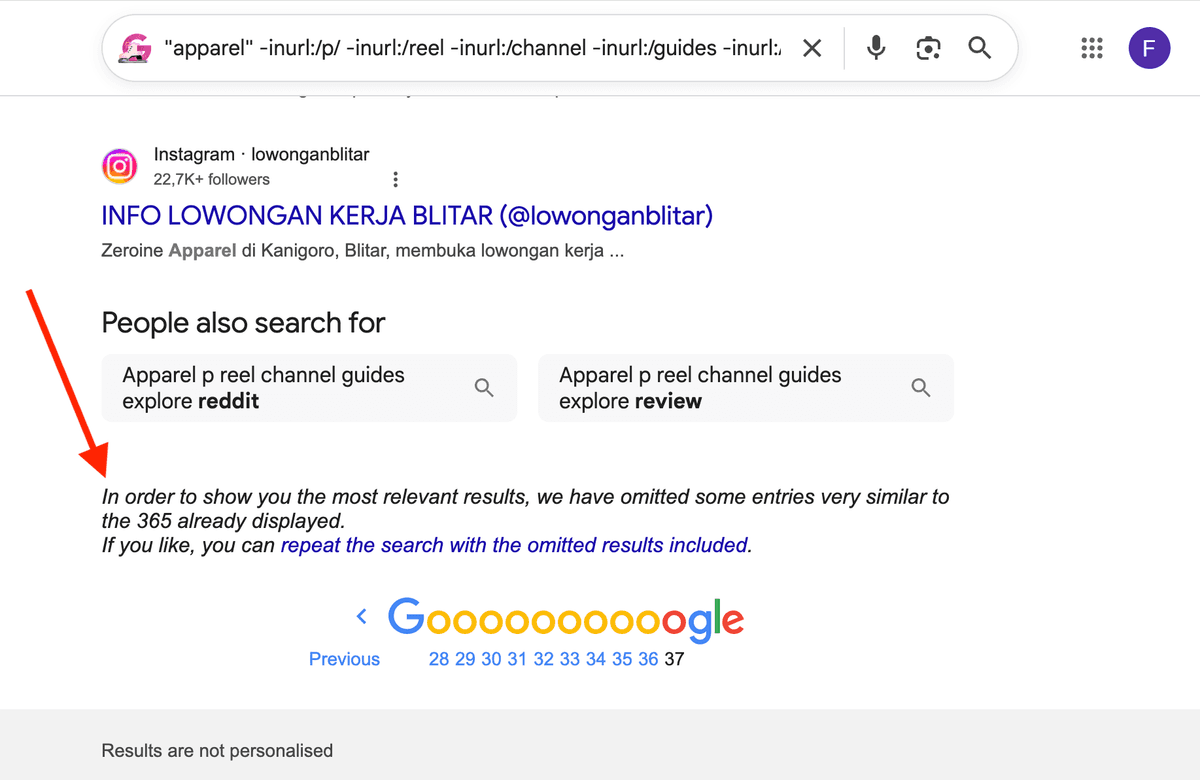
Because a single query caps results, the solution involves multiplying search angles. You will use the Datablist Google Bulk Queries scraper to extract results from hundreds of queries.
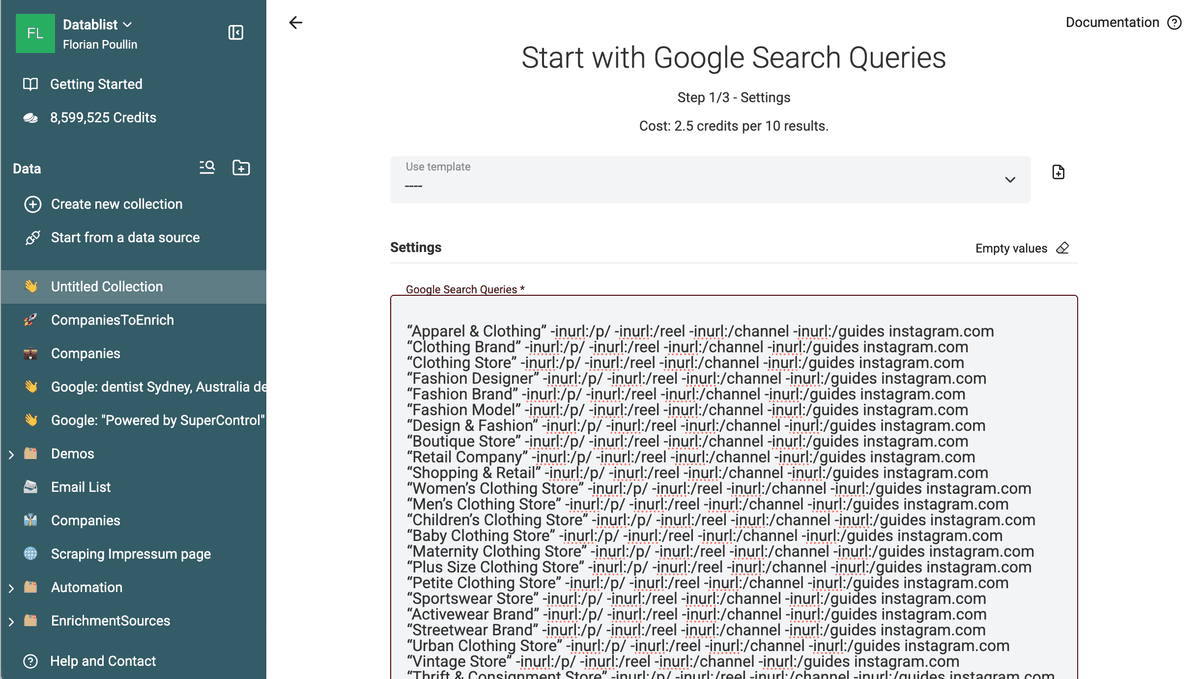
Multiple relevant queries can uncover more profiles, though they can also repeat the same URLs. The final count and credit cost depend on returned results, deduplication, and the profile-scraping mode you choose.
The Google Method Explained
Google Query
Google provides operators to narrow searches to a site and exclude some URL paths.
Combining them can surface profile pages, but you still need to remove posts and other non-profile results.
"Keyword" -inurl:/p/ -inurl:/reel -inurl:/channel -inurl:/guides -inurl:/explore site:instagram.com
Query explanation:
"Keyword"asks Google to match the phrase, which may appear outside the current bio.-inurl:/p/removes standard posts.-inurl:/reelremoves reels.-inurl:/guidesremoves guides pages.-inurl:/exploreremoves expore pages.site:instagram.comrestricts the URL to Instagram.
💡 Test queries directly on Google Before scaling, validate your idea. Open Google and paste the query. Replace "Keyword" with your target phrase. Review the first results carefully. If the profiles match what you want, you are ready to scale. If not, adjust the keyword and test again. Scaling only works when the base query is accurate.
Generating Query Variations
LLMs provide a simple way to generate alternative keywords. You can use them to generate a list of Google queries to paste into the Datablist Google Queries scraper.
My favorite LLMs for this:
- ChatGPT
- Google Gemini
- Claude
Scraping & Cleaning
The source can request up to 300 results for a query on a paid plan, but Google may return fewer. Many searches overlap. Count unique, valid profile URLs after cleaning rather than multiplying the query limit by the number of phrases.
Each keyword hits a slightly different cluster of profiles. Overlap occurs. Deduplication removes redundant profiles. The remaining list forms a strong core of unique profiles discovered from multiple angles.
Search Instagram Profiles using Keywords
Now that you understand the method, let’s apply it to search Instagram profiles using keywords.
Google searches for text inside profile pages. This method works well for keyword-based searches because Google returns profiles containing the keywords in their description/bio.
If your main keyword is "fitness coach", you can expand to other keywords such as:
- personal trainer
- strength coach
- online fitness coach
- weight loss coach
- gym coach
- bodybuilding coach
Each variation unlocks new profiles.
These keywords will be used to search inside Instagram profile bios via Google.
## Instructions:
- Focus on how people describe themselves in their bio.
- Include synonyms, related roles, niche specializations, and positioning angles.
- Avoid hashtags.
- Avoid full sentences.
## Example:
- 'fitness coach' generates 'personal trainer', 'strength coach', etc.
Format Instructions:
- Return a list of 50 keywords in a text canvas zone, one per line.
## Main Keyword:
"travel influencer"
Notes: Adapt the prompt to get more keywords or generate variations on other angles.
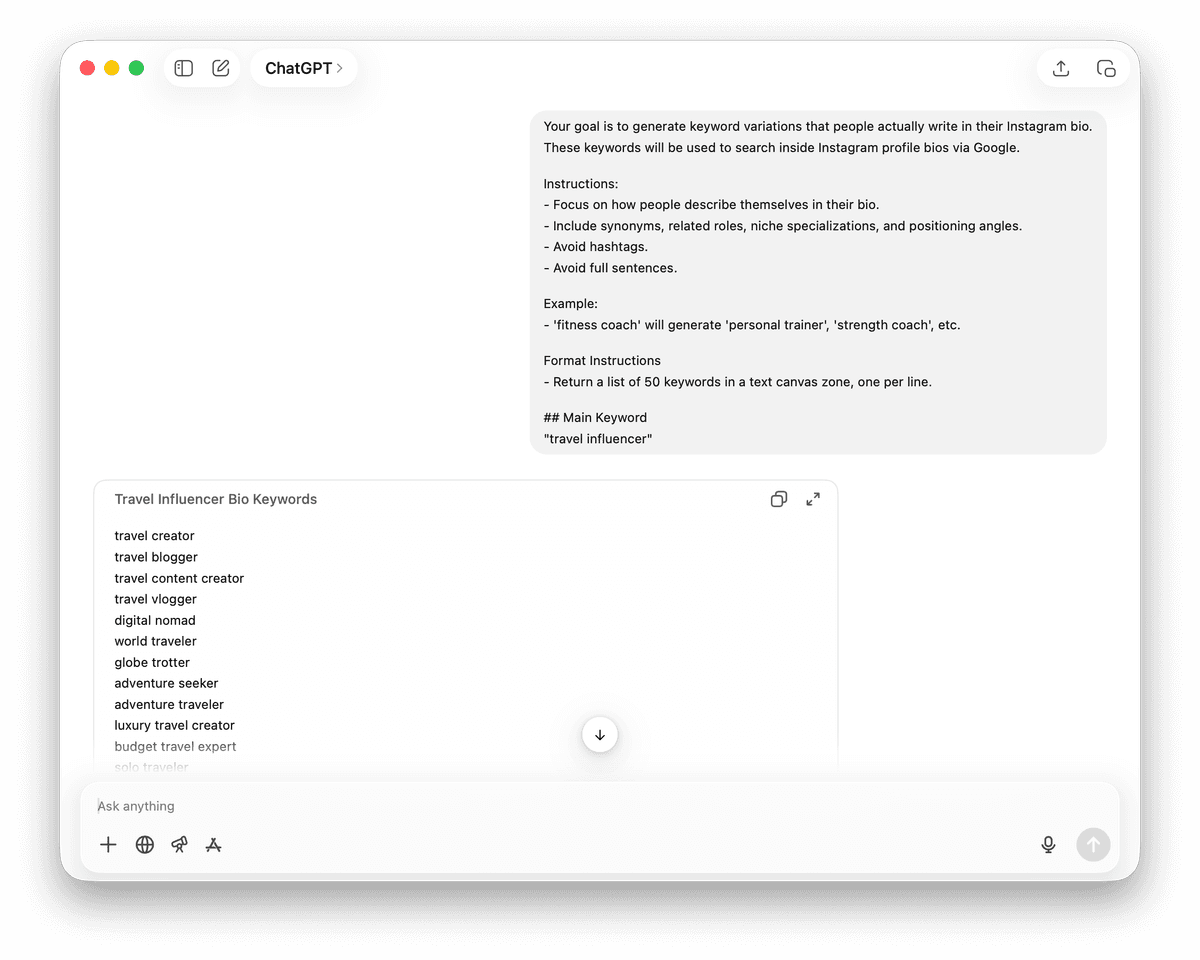
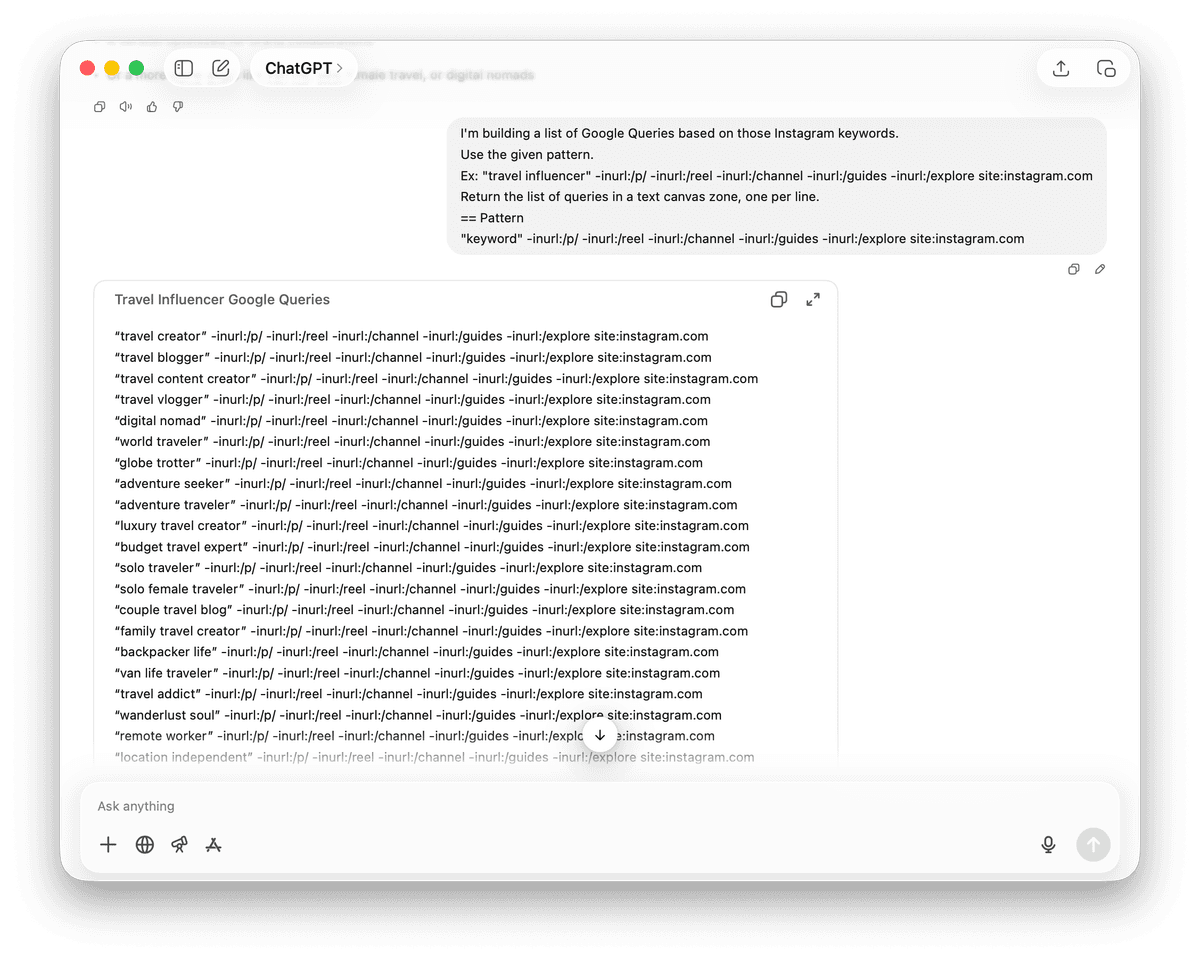
Once you have the list of categories, use an LLM to generate the queries.
Use the given pattern.
Ex: "travel influencer" -inurl:/p/ -inurl:/reel -inurl:/channel -inurl:/guides -inurl:/explore site:instagram.com
Return the list of queries in a text canvas zone, one per line.
## Pattern
"keyword" -inurl:/p/ -inurl:/reel -inurl:/channel -inurl:/guides -inurl:/explore site:instagram.com
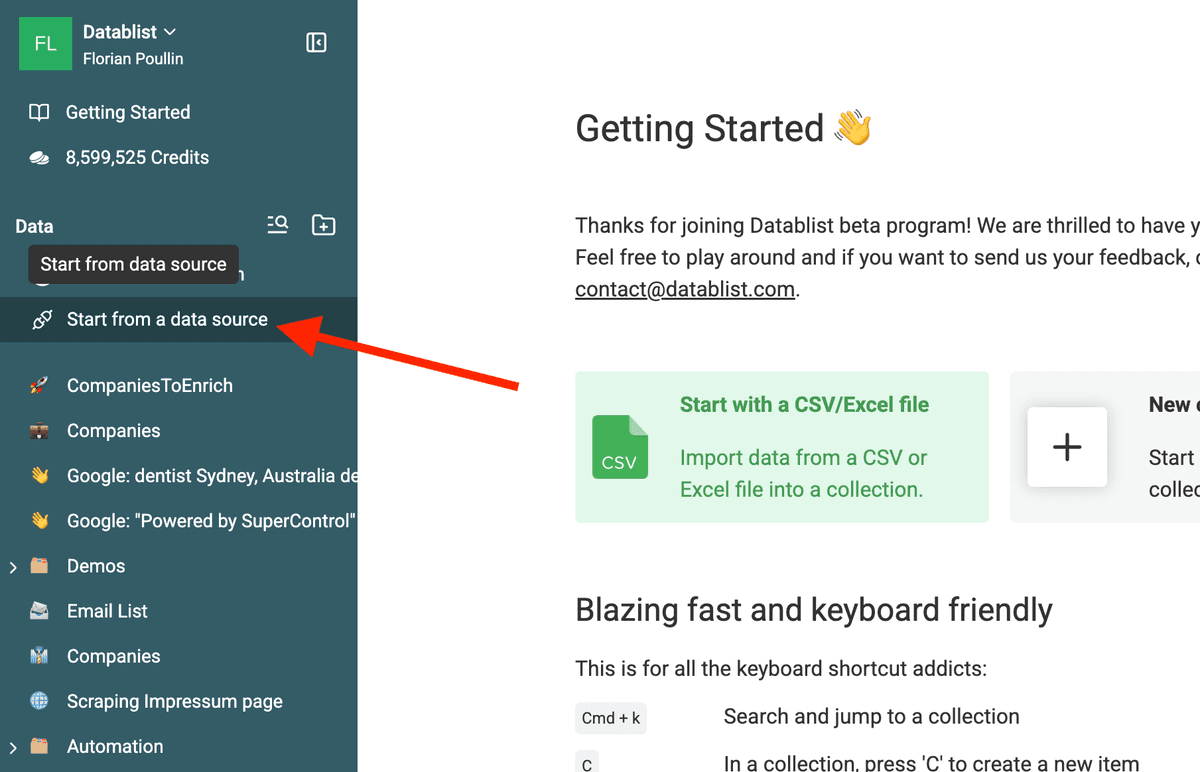
Open Datablist and click on "Start from data source" in the sidebar.
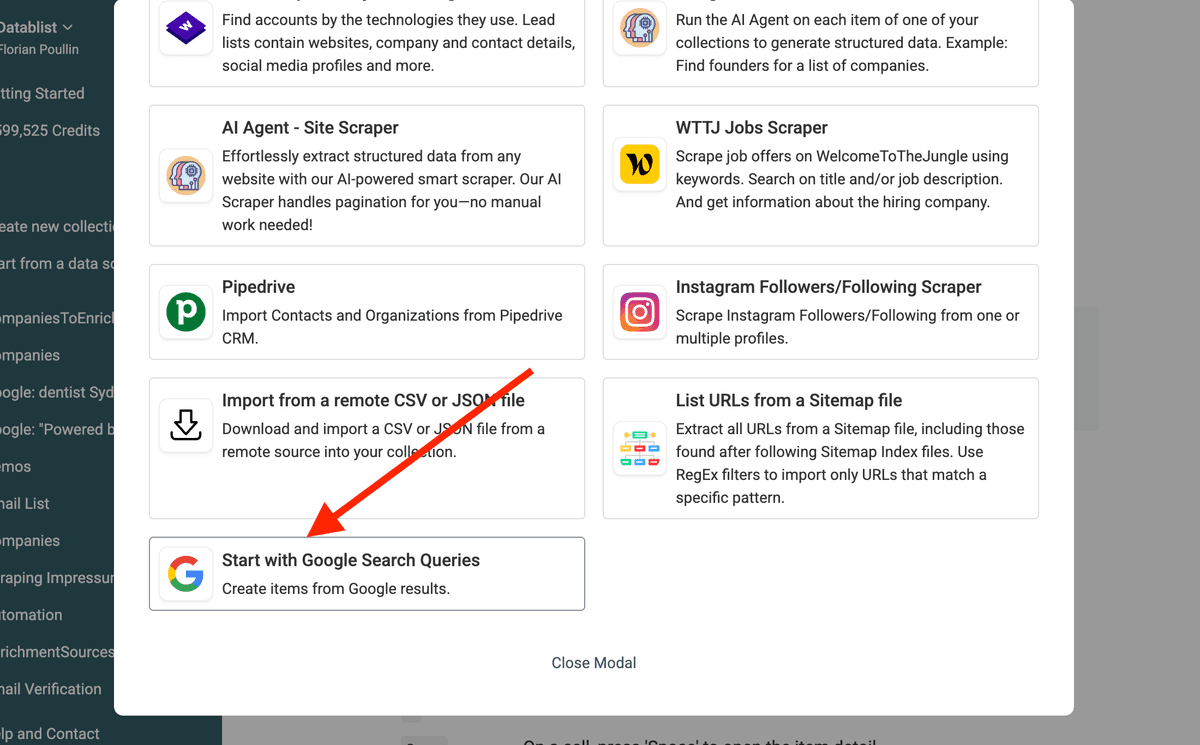
Select the Google Search Queries data source.
Paste the queries generated from the prompt. Adapt the search settings to target localized profiles or specific countries.
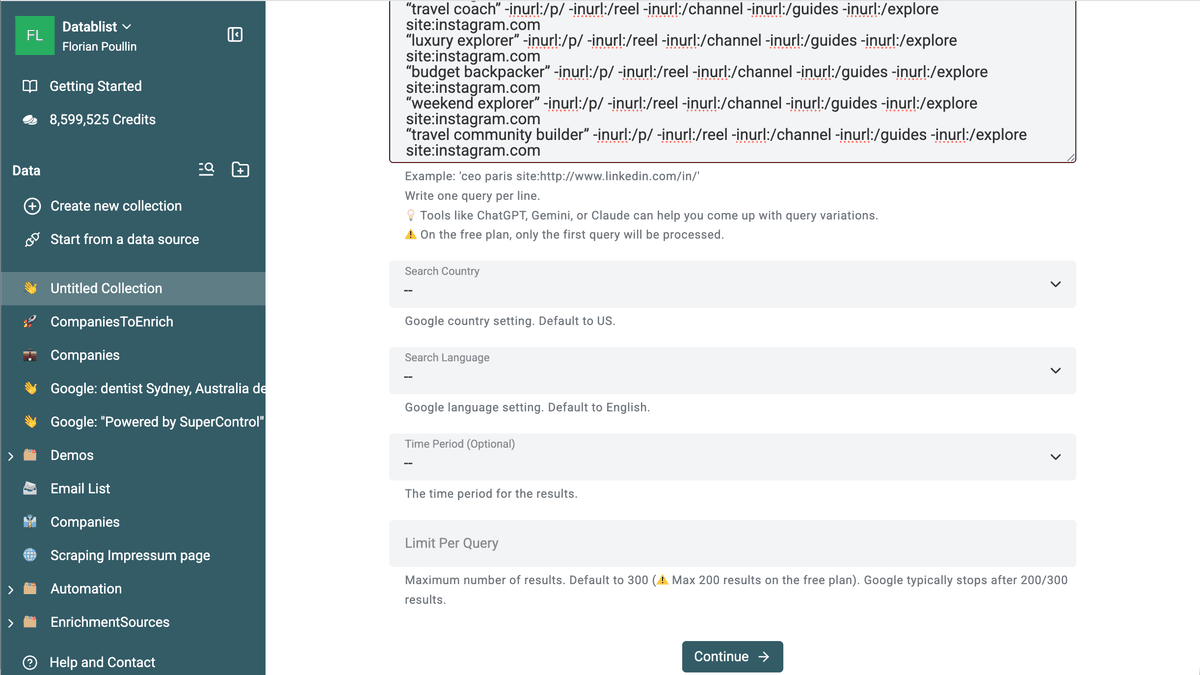
Run the Google Queries scraping. And follow the cleaning, deduplication, and enrichment steps detailed later.
Search Instagram Profiles using Instagram Categories
Another use of this method is to search Instagram profiles using categories instead of keywords.
Instagram business accounts use categories. These accounts often match the profiles you want to reach.
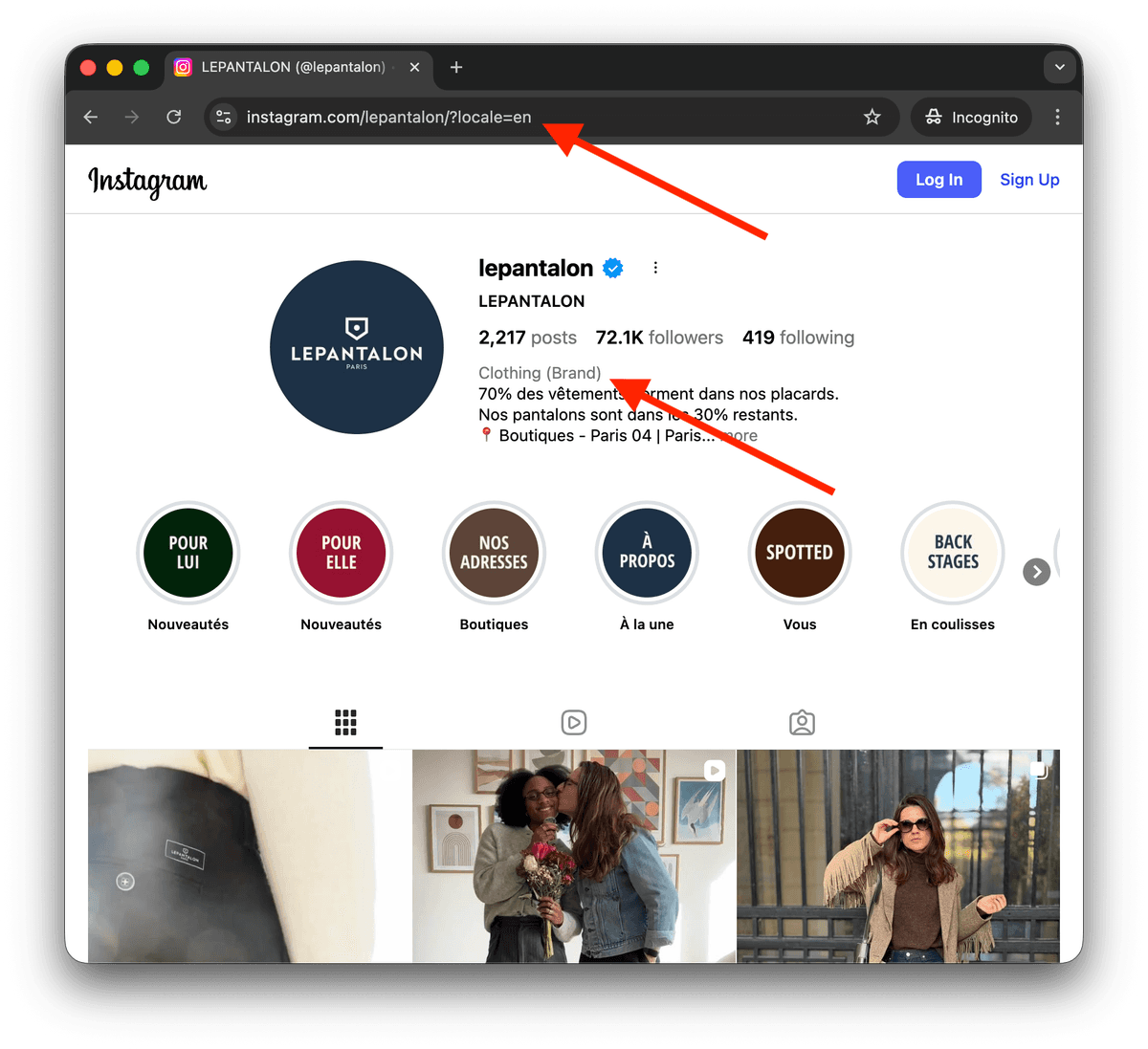
💡 Get Business Category Name in English
Visit Instagram Business pages to get examples of category names. Instagram may display category labels in your browser language. Copy the label shown on a real profile and test it in Google. You can also try viewing an Instagram profile in another locale.
Instagram business profiles can display a category. Copy a category from a real profile before using it as an exact Google search phrase; an LLM-generated suggestion may not match an actual category label.
For example, Apparel & Clothing can be a category phrase to test, while sustainable women's clothing is better treated as a bio keyword unless you have verified it as a category on a real profile.
Use a few verified labels and related bio phrases as search angles. Review the first results before adding more queries.
Return 100 categories.
Return the list of categories in a text canvas zone, one per line.
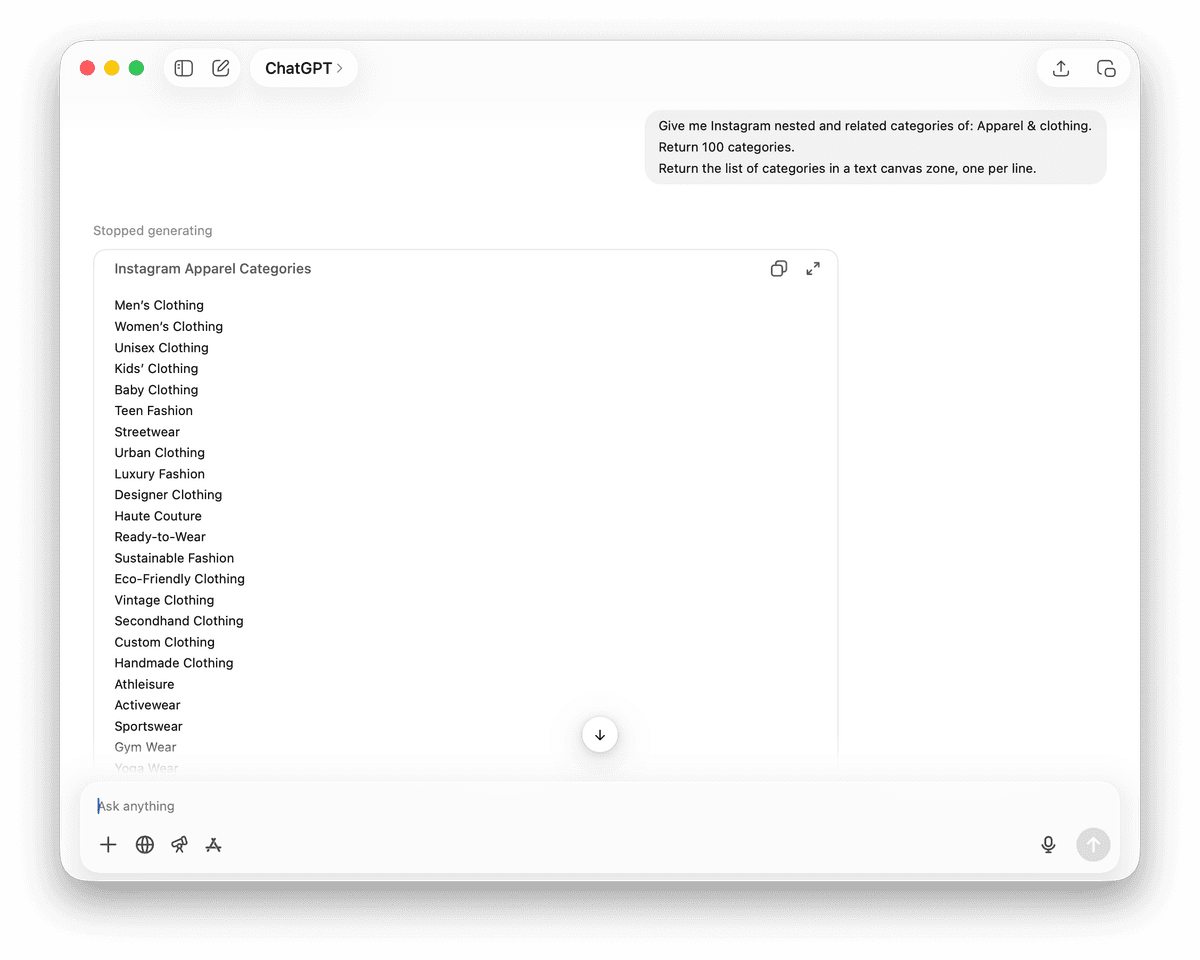
Once you have the list of categories, generate the queries.
Use the given pattern.
Ex: "Apparel & Clothing" -inurl:/p/ -inurl:/reel -inurl:/channel -inurl:/guides -inurl:/explore site:instagram.com
Return the list of queries in a text canvas zone, one per line.
## Pattern
"Category" -inurl:/p/ -inurl:/reel -inurl:/channel -inurl:/guides -inurl:/explore site:instagram.com
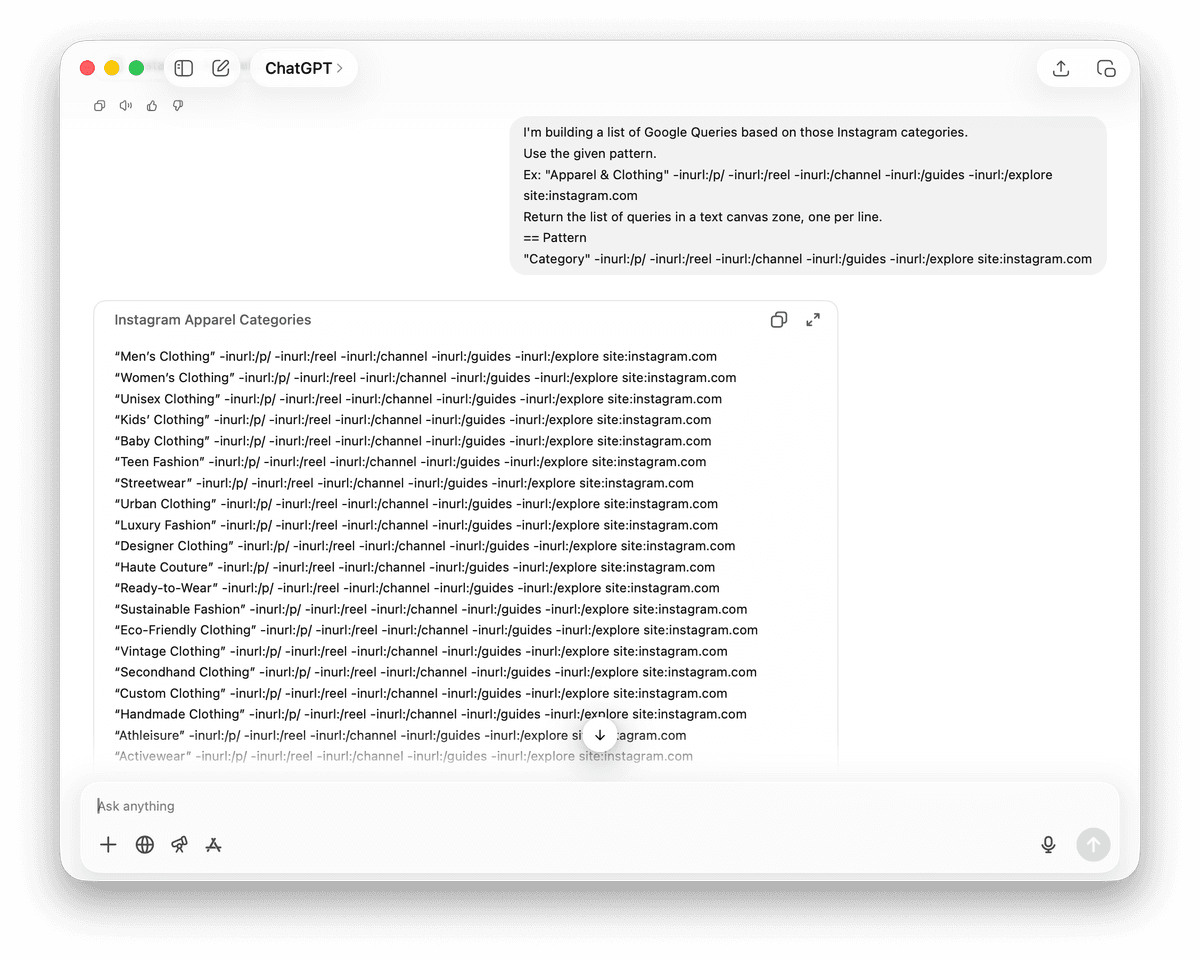
Open Datablist and click on "Start from data source" in the sidebar.
Select the Google Search Queries data source.
Paste the queries. Adapt the search settings if targeting localized profiles.
Run the scraping tool. Afterwards, follow the cleaning, deduplication, and enrichment steps.
Clean Results
The Google Search Queries source can return posts, category pages, irrelevant profiles, and duplicate URLs alongside useful matches.
Before enriching each Instagram profile, you must clean web scraping data online by removing useless results and duplicates.
Clean Step 1 - Remove Non-Profile Results
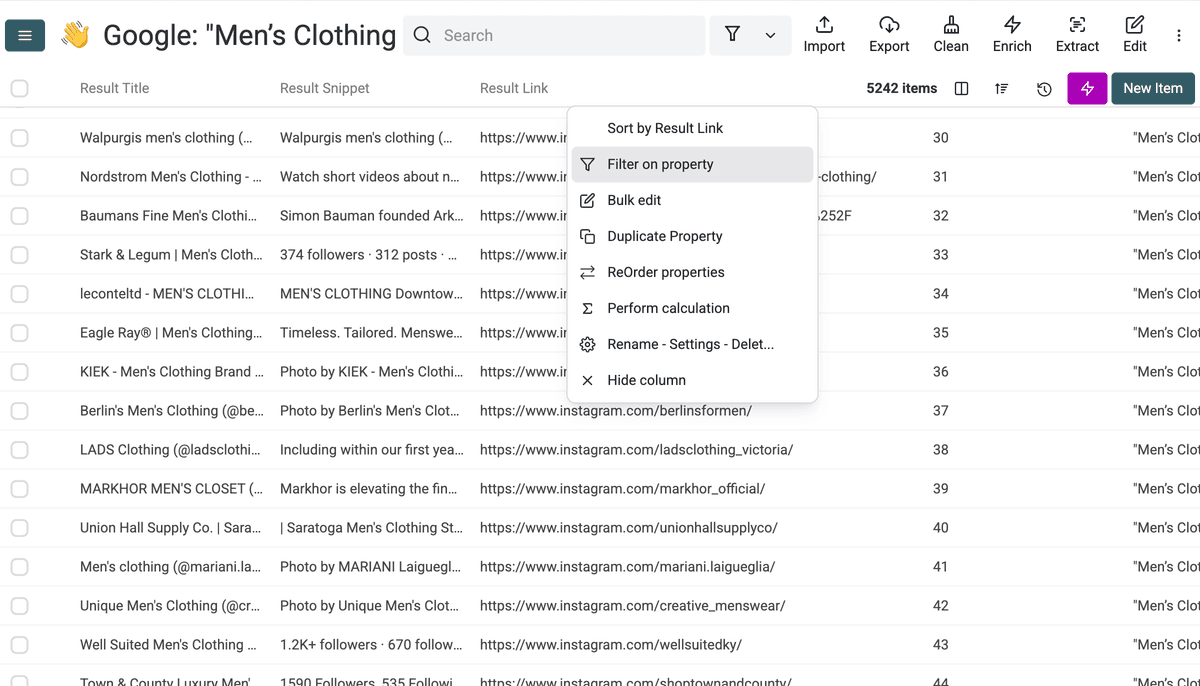
Expand the Result URL column and check for patterns failing to match Instagram Profiles. Use the filtering tools to delete items lacking profile characteristics.
For example, here we got Instagram URLs starting with /popular. We need to remove those.
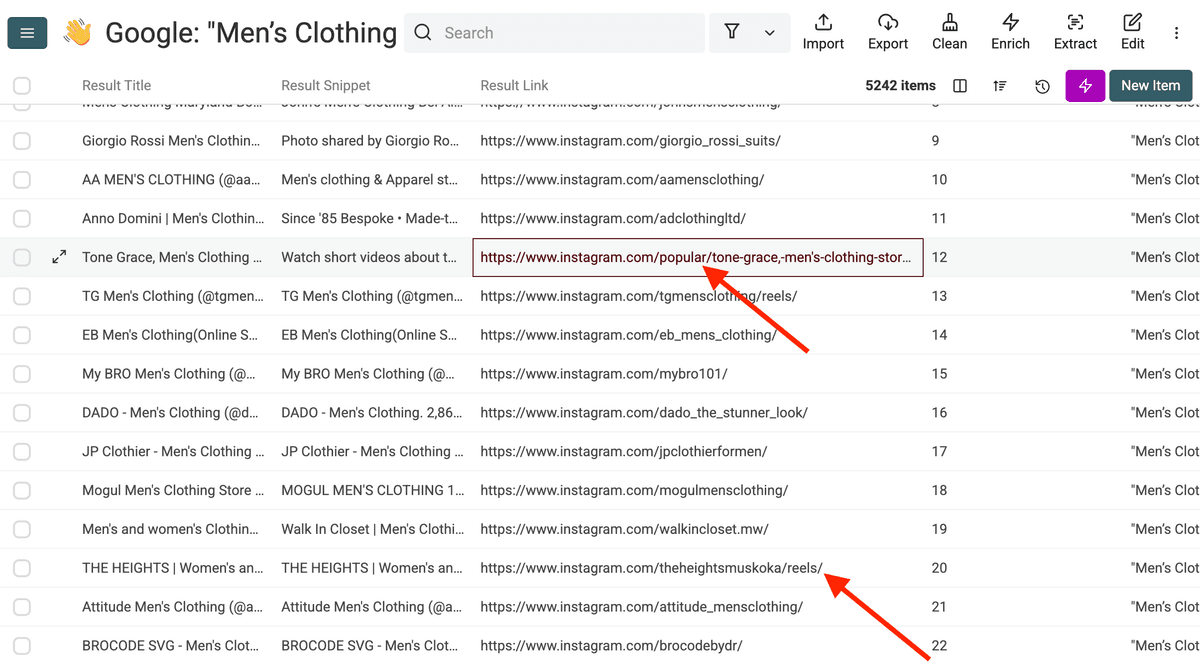
Use the filtering tool to list items using a list of terms.
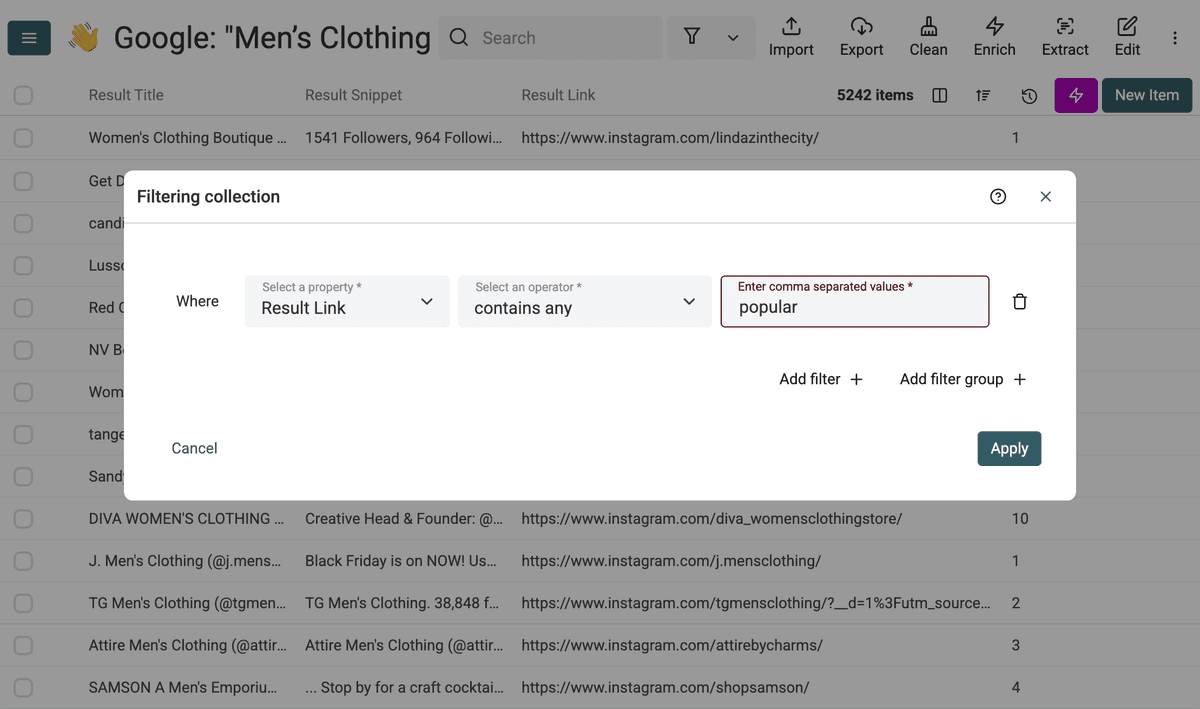
Then delete the items.
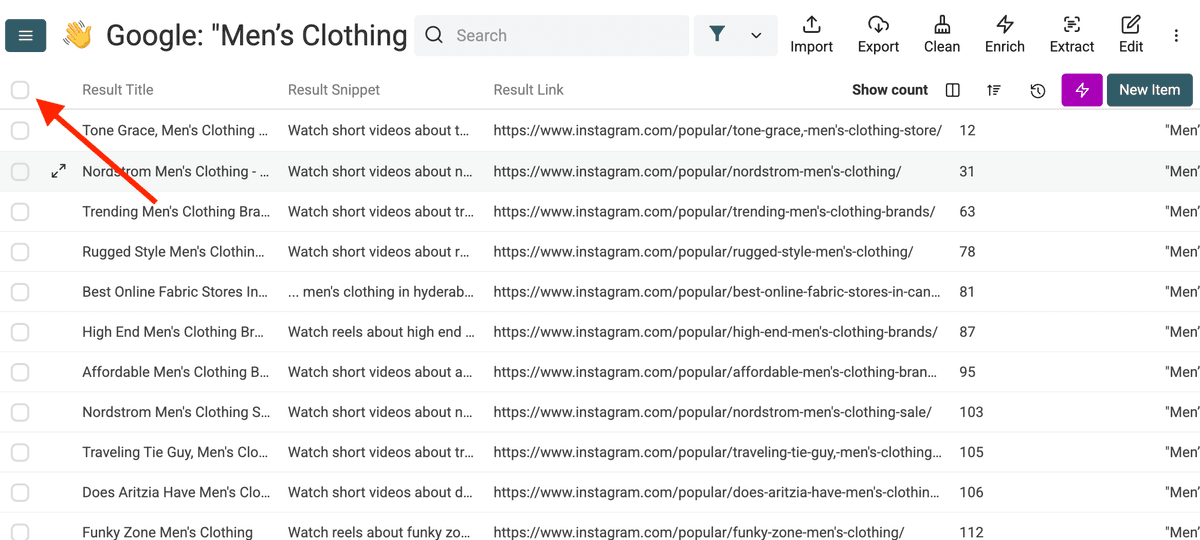
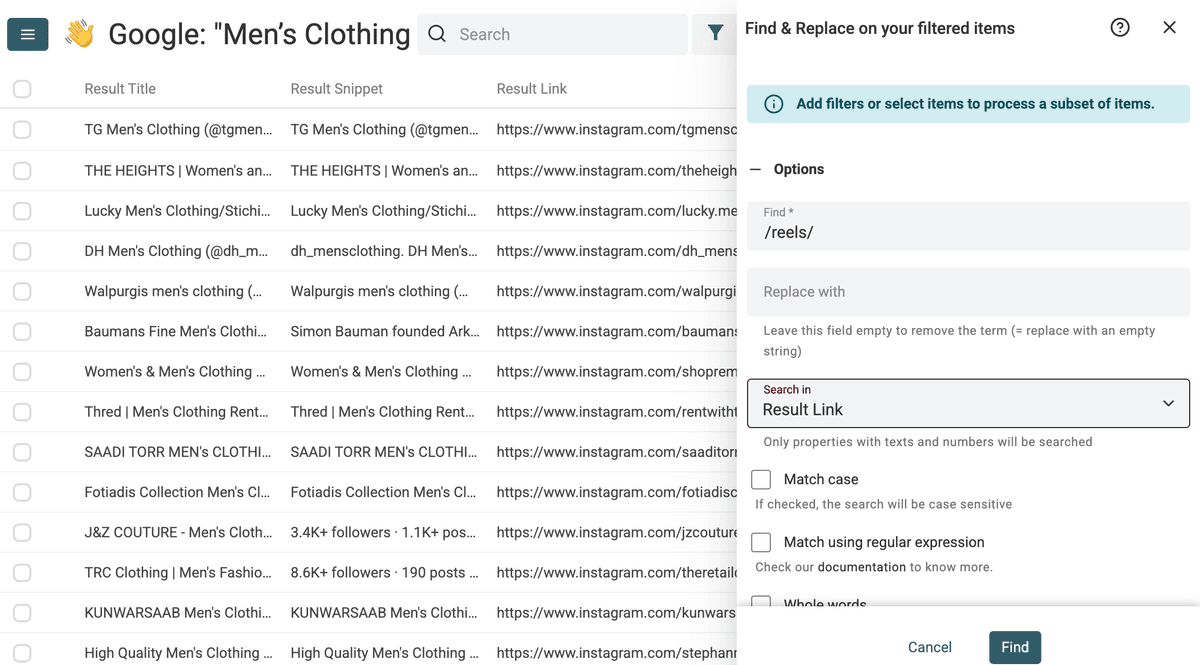
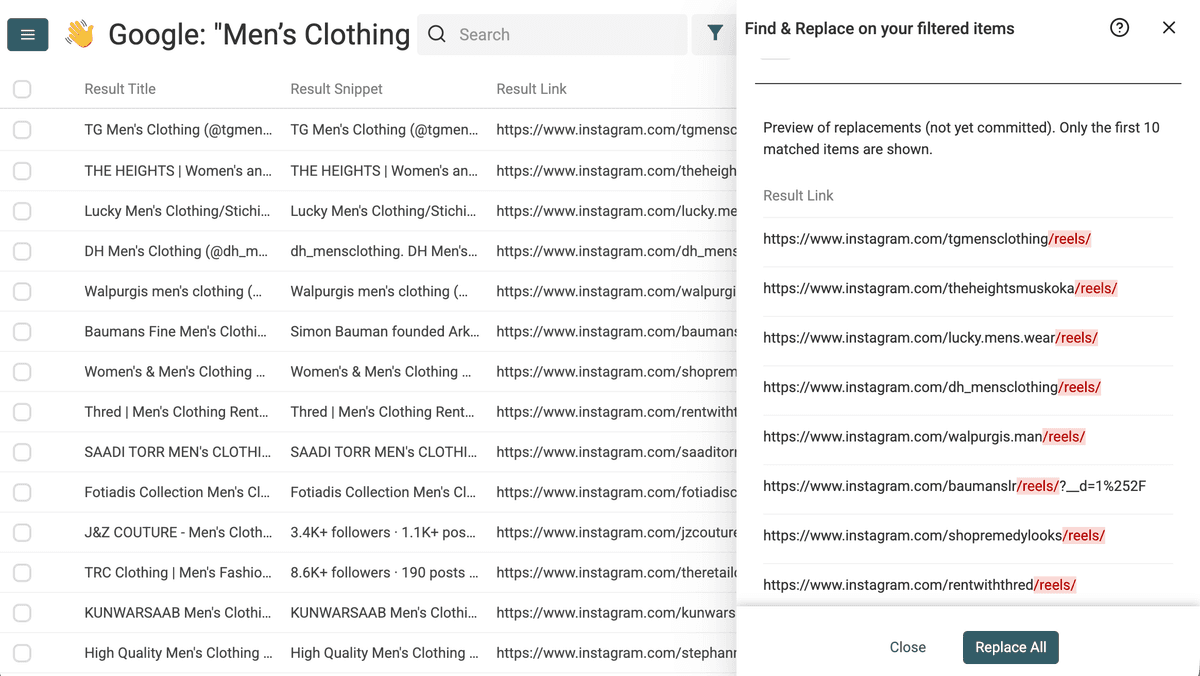
In this example, a profile URL has an extra /reels/ path. Review the URL pattern before editing: removing text blindly from a post or other page will not turn it into a valid profile.
We will remove it to get the Instagram profile URL.
Click on Clean and Find & Replace.
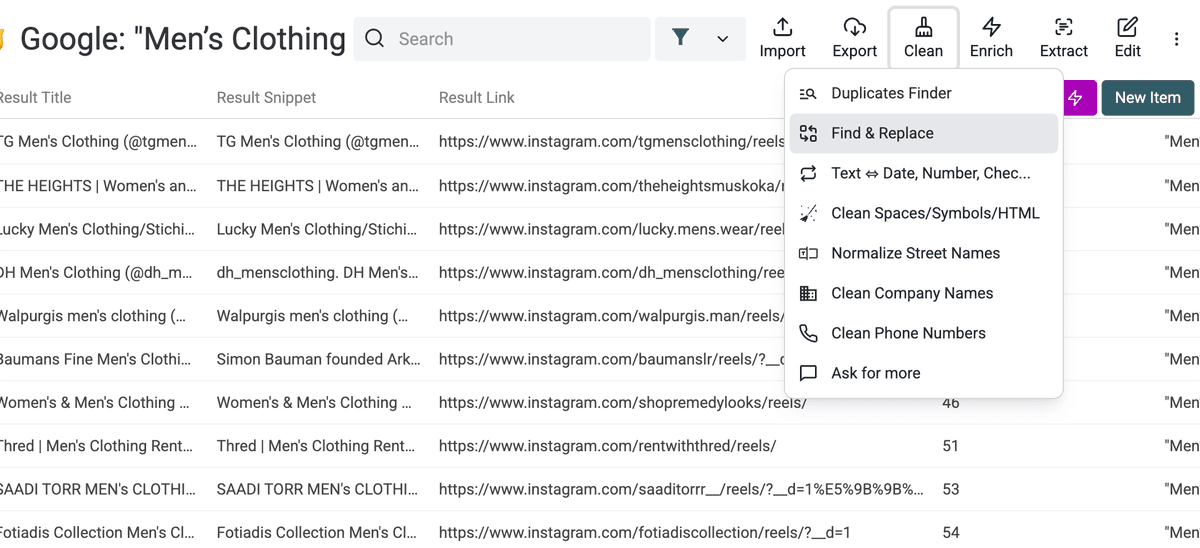
Find /reels/ and replace with empty string.
Clean Step 2 - Remove Duplicates
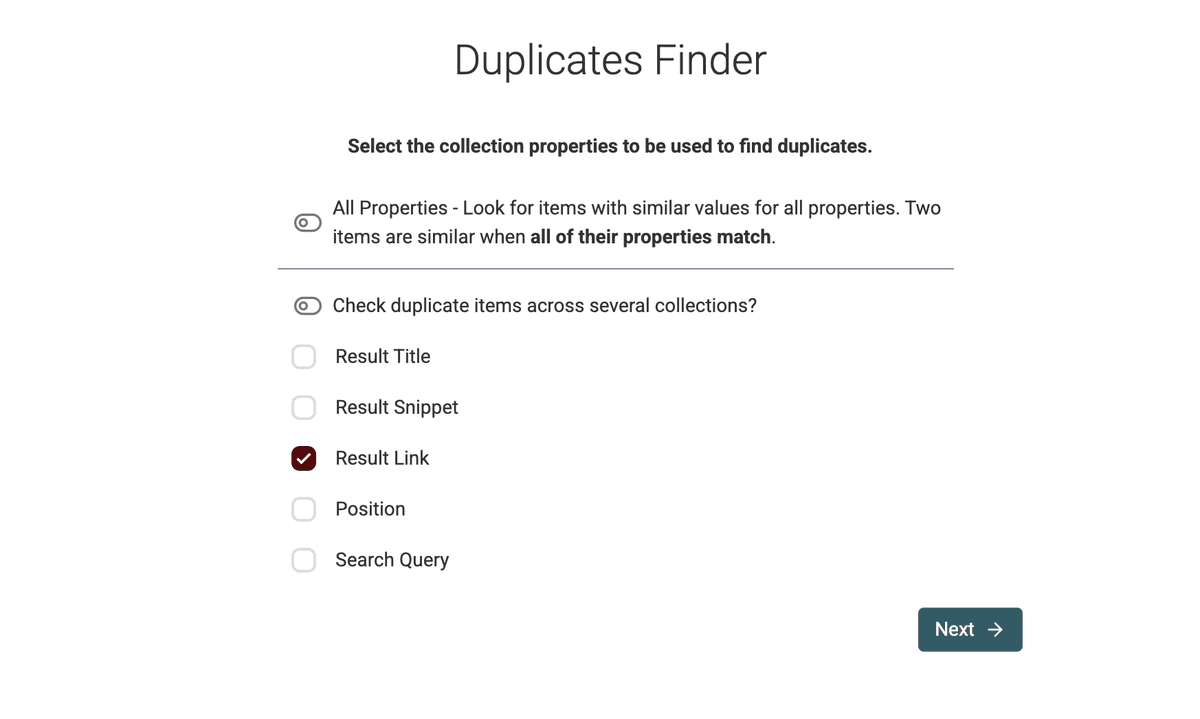
The same profile can appear in several searches. Use Duplicates Finder on the normalized profile URL to keep one row per profile.
Open the Duplicate Finder by clicking on the Clean -> Duplicate Finder link. Select the Result URL as the identifier. Items sharing a profile URL will match.
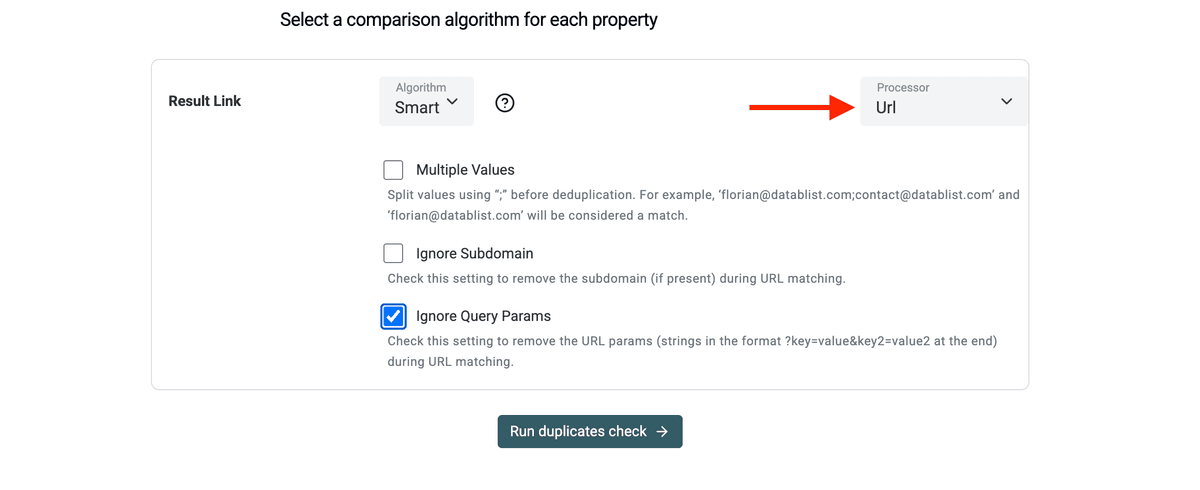
In the next screen, select the URL preprocessor and enable the "Ignore Query Params" setting. This setting ensures two similar profile URLs match despite containing extra tracking query parameters.
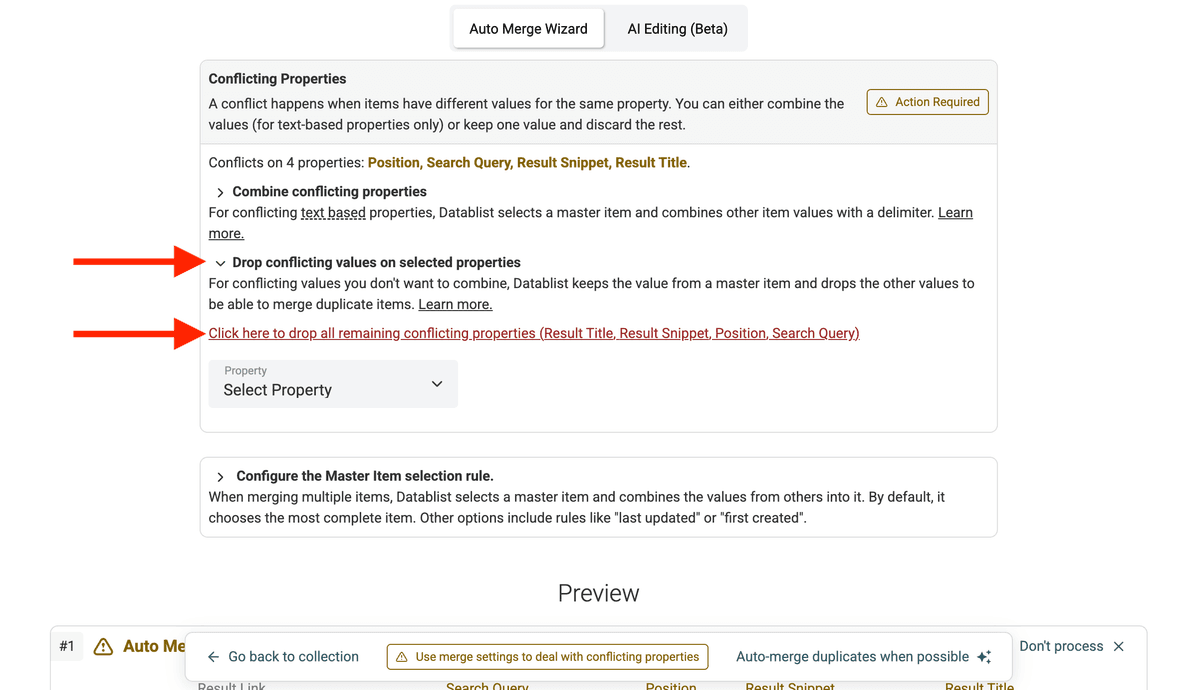
Review duplicate groups and choose how to handle conflicting values before merging.
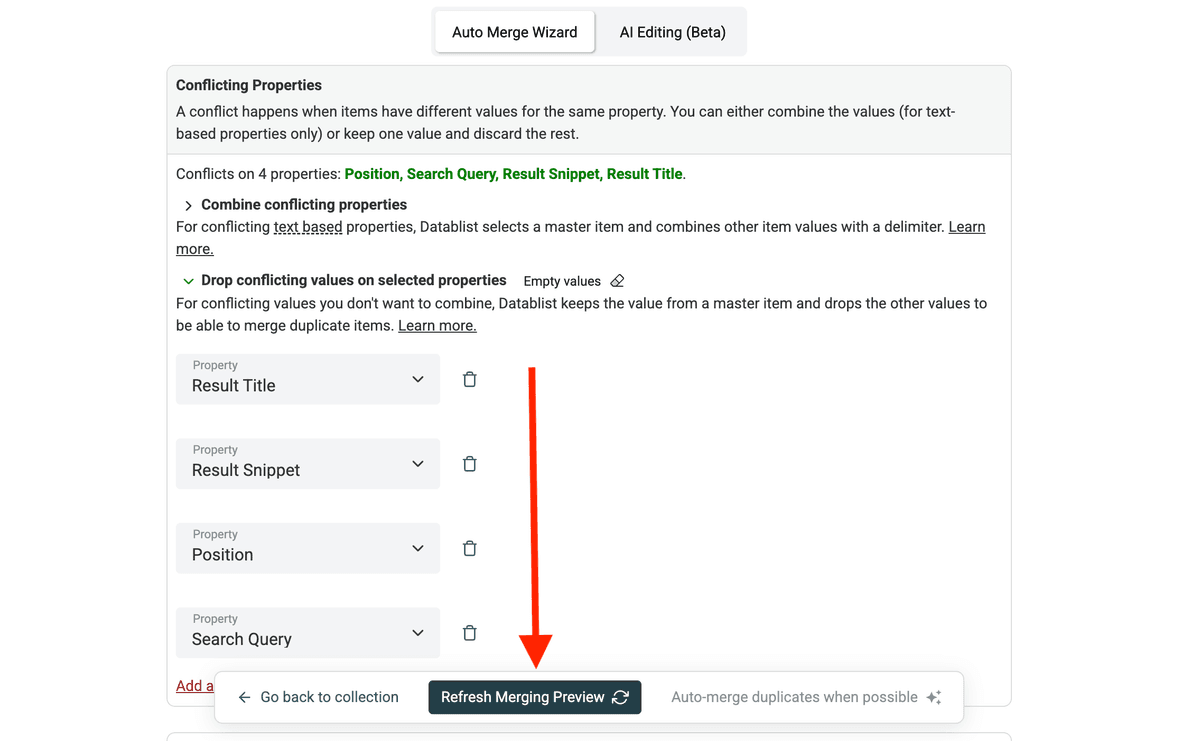
Refresh with new settings.
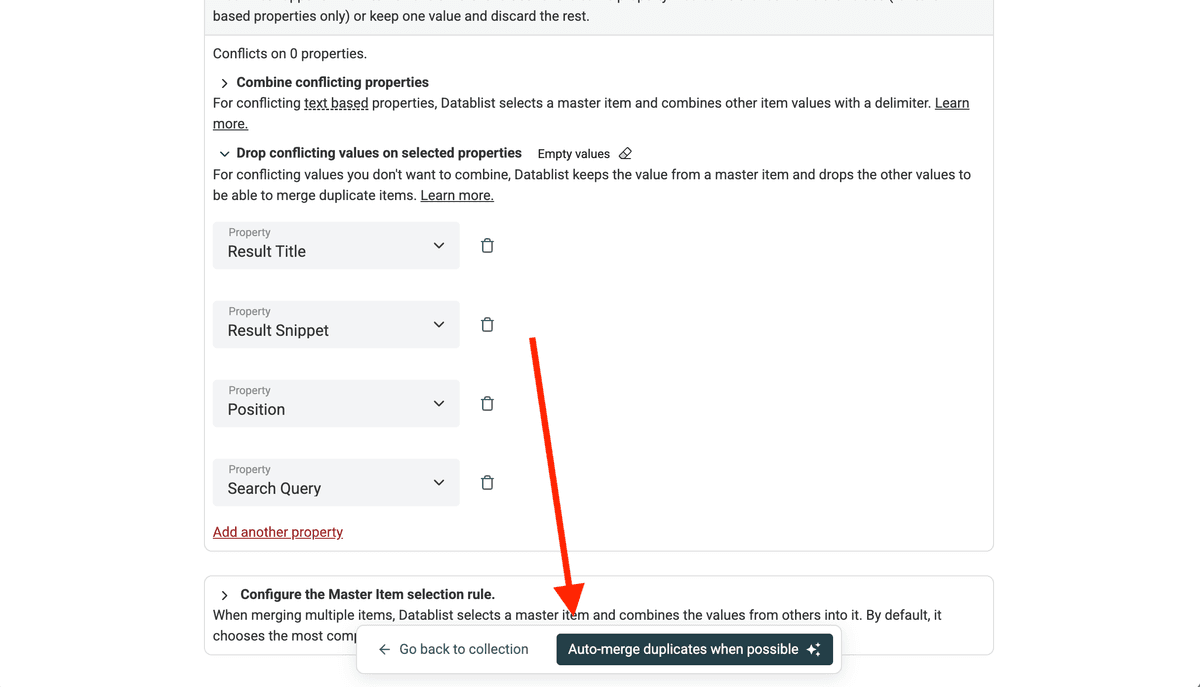
Check the preview and click Auto Merge.
Scrape Full Instagram Profiles Data
The Google Queries Scraper returns only the discovery layer: result title, URL, and snippet. This step yields profile URLs without extracting structured Instagram data.
The next step is enrichment. Enrichment connects to each profile URL and extracts structured data directly from Instagram. To get the full dataset, use our Instagram Profile Scraper.
Depending on the scraper mode and what the profile exposes, available outputs include:
- Bio
- Public email
- Followers count
- Following count
- External link
- Category
Public email can be absent, and the cheaper public-profile mode does not return email or phone. Map only the outputs you need and check the mode's credit estimate before running.
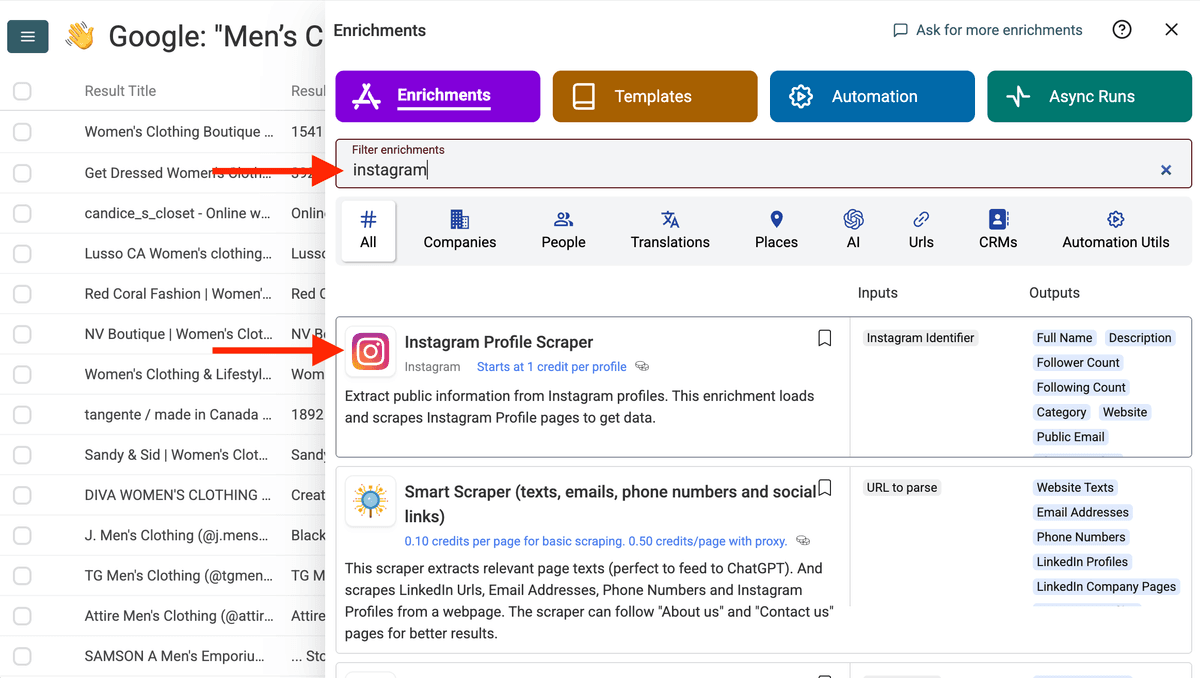
Click on Enrich and and search for the Instagram Profile Scraper.
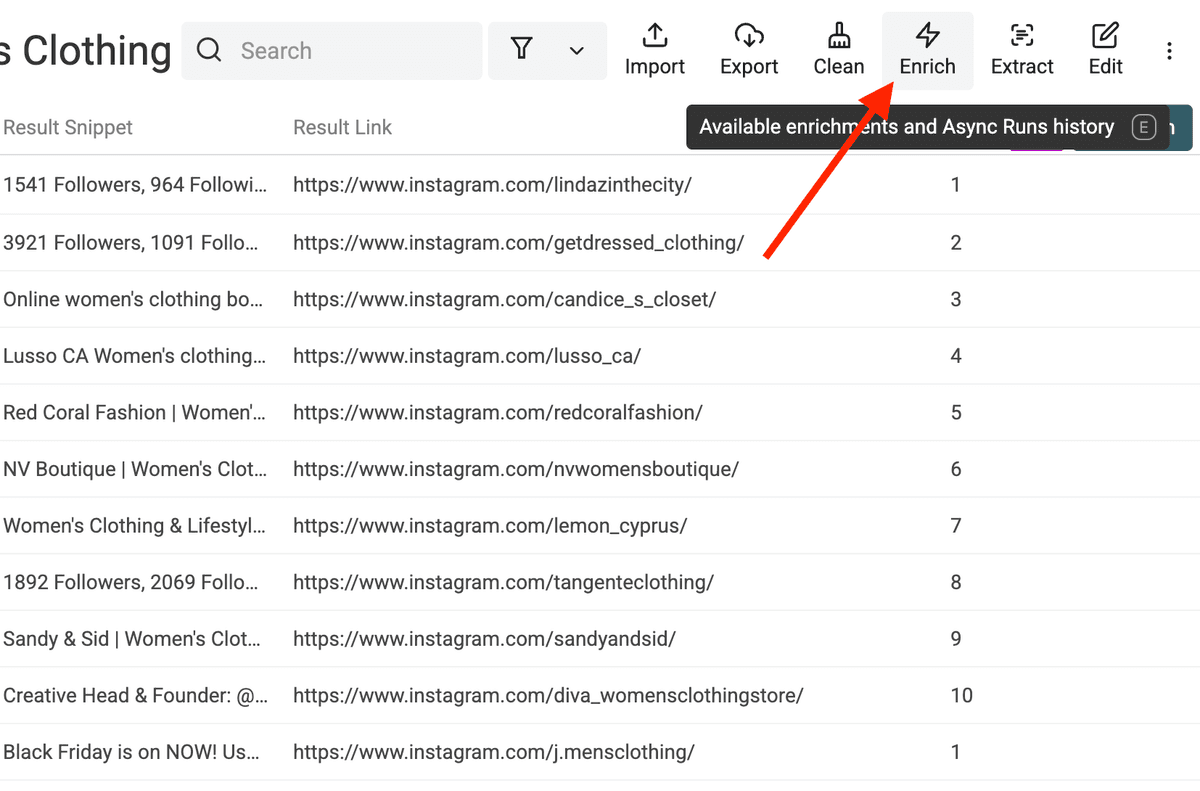
Select Instagram Profile Scraper.
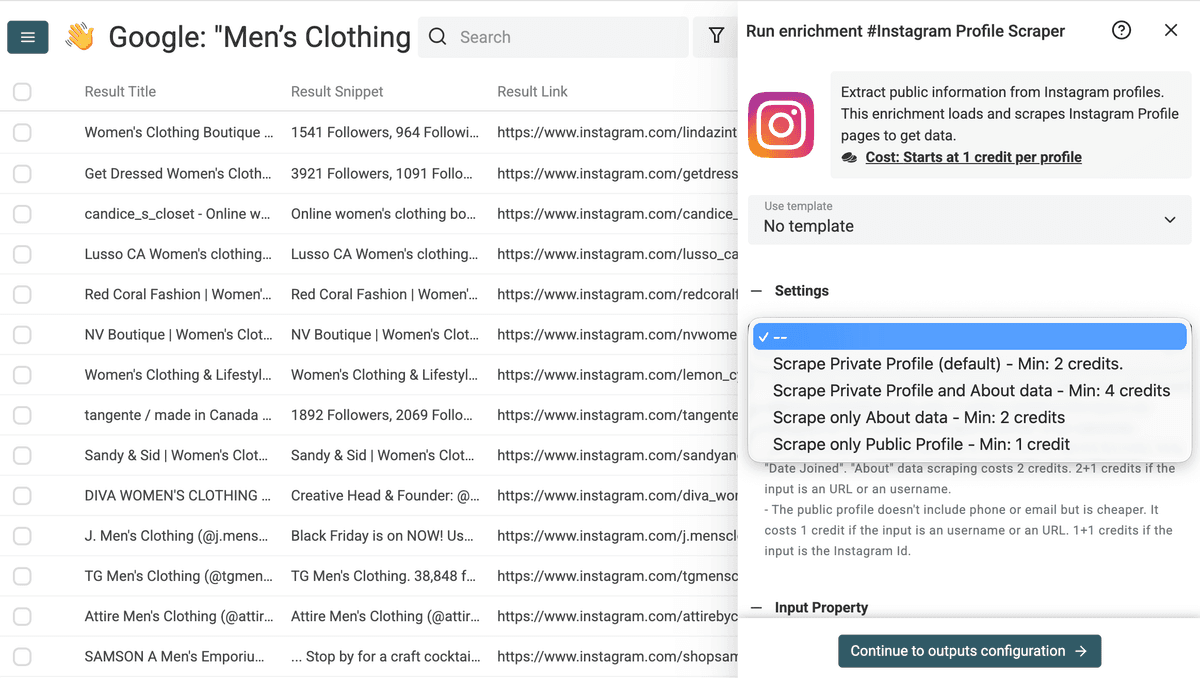
Select the Instagram scraper you prefer. Check the setting description to learn more about the fields extracted by each scraper.
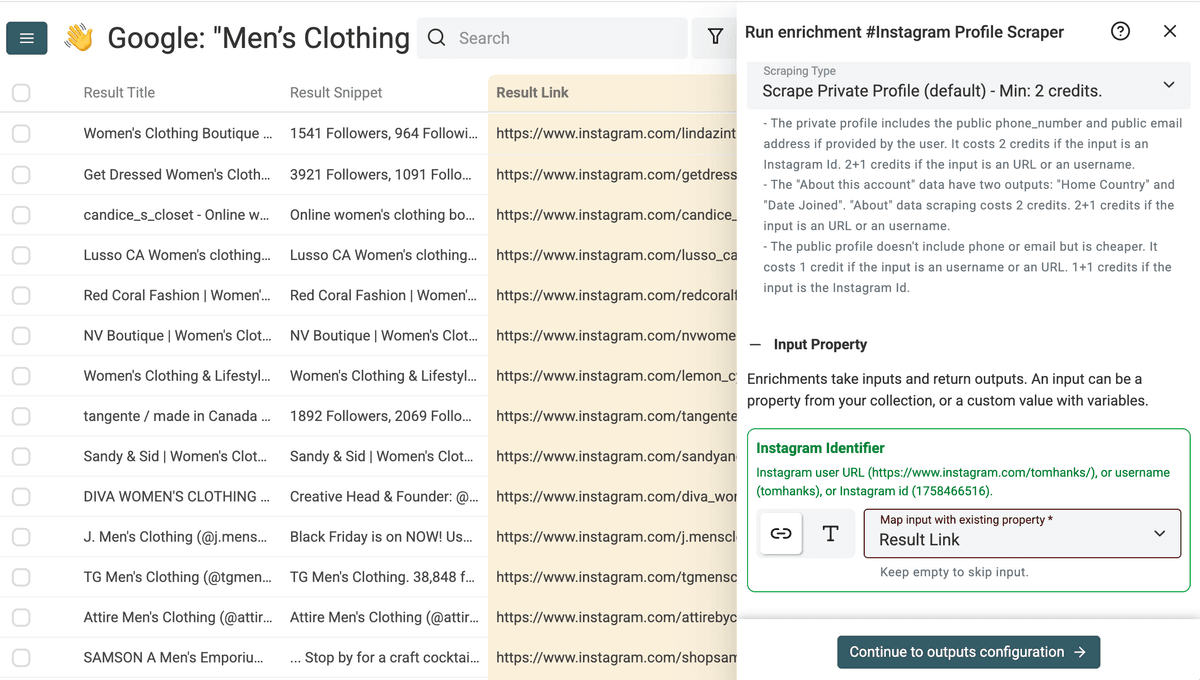
Map the input with the Result Link containing the Instagram Profile URL.
Add the scraper outputs to your collection with the Add all XXX outputs to collection.
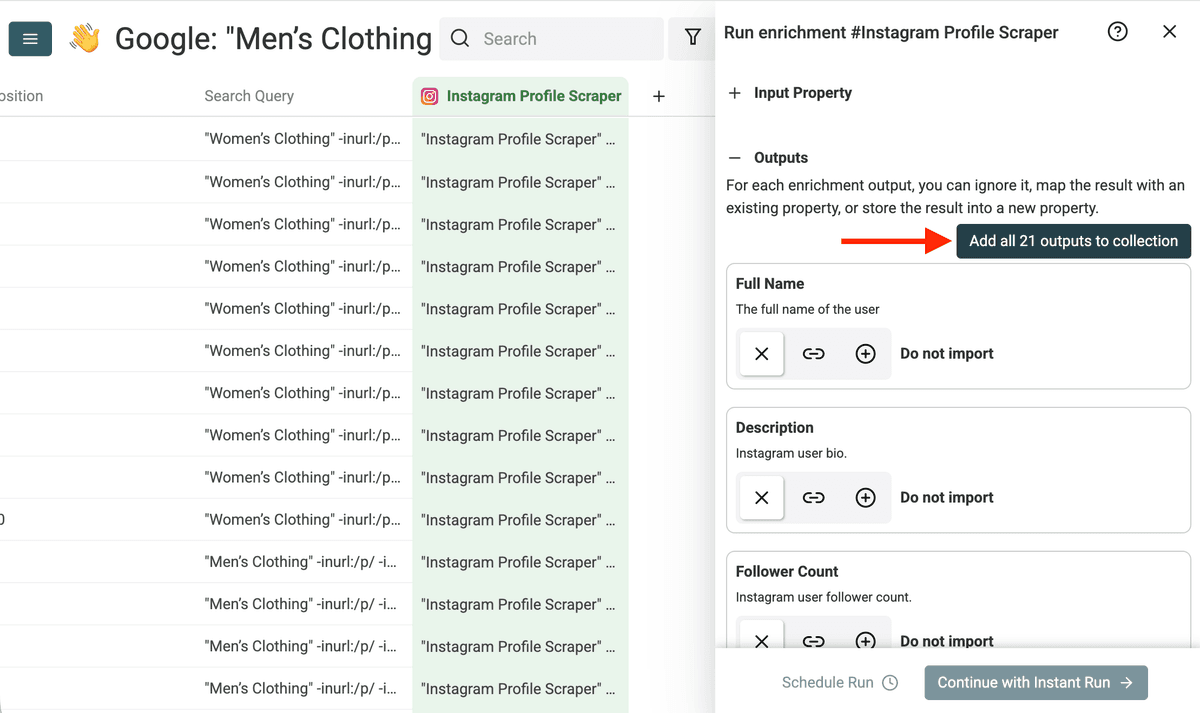
The Instagram profile data points are added to your collection as new columns.
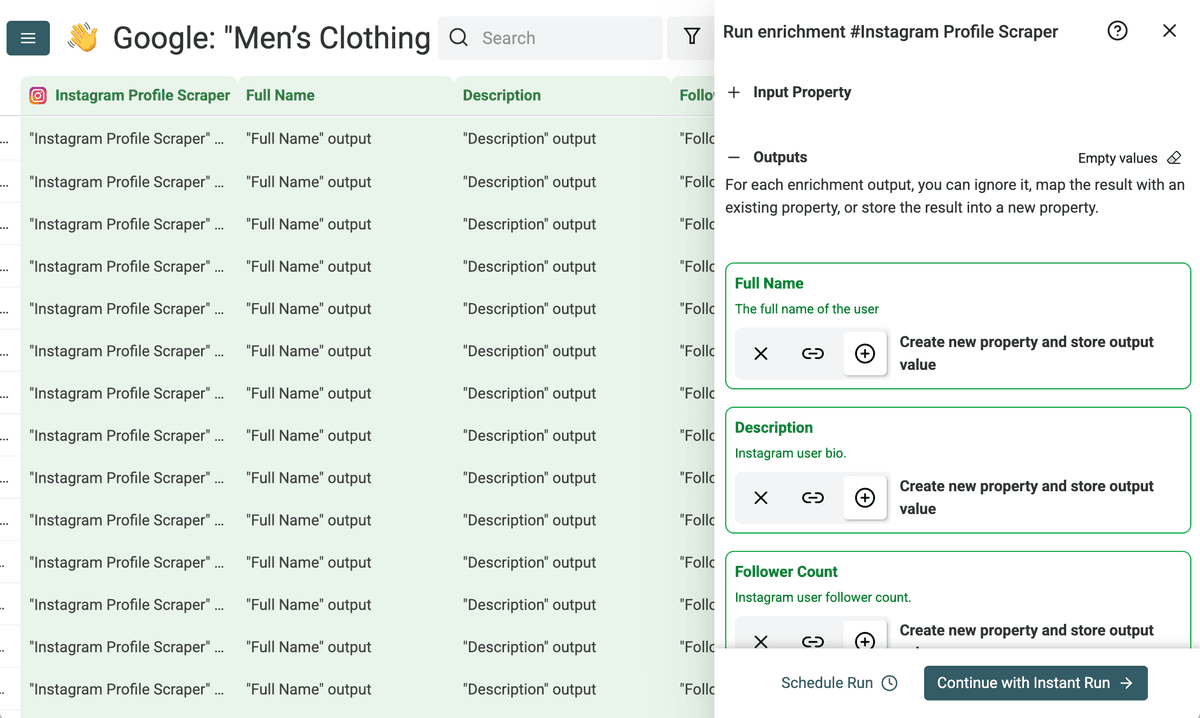
Run the scraper on the first 10 items. If the initial results look good, your scraping configuration is correct. Run the scraper on the remaining profiles.
After scraping profiles, you can run Entity Name Extraction on the Instagram bio column. This extracts company names, people, and locations mentioned in bios. It is useful when a profile says Founder at Acme Studio - Paris and you want Acme Studio and Paris in separate columns.
Pricing
The Google Search Queries source lists 2.5 credits per 10 returned results. The Instagram Profile Scraper is a premium enrichment and starts at 1 credit per profile in its public-profile mode; modes that request private profile fields or About data cost more. Check paid-plan access, the selected mode, and the run estimate before processing a large list. See current plans and credit options.
💡 Clean before you enrich Every profile you enrich costs credits. If you enrich duplicates or bad URLs, you burn money for nothing. Remove junk and duplicates first. Then spend credits only on solid, unique profiles.
For a small pilot, gather a few queries, remove duplicate and non-profile URLs, and enrich ten remaining profiles. Use the actual credit summary from that pilot to plan the full run; do not estimate cost from raw query counts.
Other Real Examples
Here are two easy copiable examples:
Example #1 - Find and Scrape Yoga Influencers
If you want to build a list of yoga-related influencers, yoga studios, or yoga coaches, follow this concrete workflow.
Step 1: Generate Keyword and Category Variations
We want yoga-related keywords commonly found in bios and Instagram business categories related to yoga.
Generate:
1) 50 yoga related keywords used in Instagram bios
2) 50 Instagram business categories related to yoga
Return the result in two separate lists in a text canvas zone.
Return one item per line.
You receive variations such as yoga instructor, certified yoga teacher, wellness studio, and holistic wellness coach. Each term becomes a new search angle.
Step 2: Generate All Google Queries
Once you have your list of keywords and categories, generate Google queries automatically.
Use this pattern:
"Keyword" -inurl:/p/ -inurl:/reel -inurl:/channel -inurl:/guides -inurl:/explore site:instagram.com
Using the list below, generate one Google query per line.
Do not add explanations.
Return only the queries in a text canvas zone.
## List:
[your list of yoga keywords and categories]
You can paste all these queries into the Datablist Google Queries Scraper.
Step 3: Scrape, Clean, and Deduplicate
Run a few yoga queries first. The number of returned and unique profile URLs varies, so expand only the terms that produce relevant results.
Step 4: Enrich and Segment
Once cleaned, run the Instagram Profile Scraper enrichment. Now you can filter influencers with over 10,000 followers, keep profiles with public emails, separate yoga studios from solo instructors, and segment by bio keywords like "online classes".
You can also run Entity Name Extraction on the bio column to extract studio names, cities, and person names before outreach.
Example #2 - Find Niche Micro Influencers
Building a list of niche micro-influencers requires a tailored workflow. Suppose your niche is "vegan skincare". You need small creators in a specific segment, avoiding generic beauty influencers.
Step 1: Generate Niche Keyword and Category Variations
We need two types of variations: bio keywords commonly used by micro-influencers in this niche, and Instagram business categories related to this niche.
Generate:
1) 50 bio keywords commonly used in this niche
2) 50 Instagram business categories related to this niche
Return two separate lists, in a text canvas zone.
Return one item per line.
You receive variations such as vegan skincare blogger, clean beauty creator, cruelty free skincare, eco beauty influencer, plant based skincare expert, and sustainable beauty advocate.
Each variation becomes a new discovery angle.
Step 2: Generate All Google Queries
Use the standard Google pattern:
"Keyword" -inurl:/p/ -inurl:/reel -inurl:/channel -inurl:/guides -inurl:/explore site:instagram.com
Generate one query per keyword and category. You now possess dozens of search angles targeting small creators in this niche.
Step 3: Scrape, Clean, and Deduplicate
Paste the queries into the Datablist Google Search Queries source. It returns matching search results, which can include non-profile pages and repeated URLs. Remove those before enriching.
Step 4: Enrich and Filter Micro Influencers
Run the Instagram Profile Scraper enrichment.
You can now:
- Filter by follower count between 1,000 and 20,000
- Keep profiles with public emails
- Search bios for words like "UGC", "collab", or "DM for partnership"
- Segment by country or language
Run Entity Name Extraction on bios when you need companies, people, or locations in separate columns.
You now own a clean CSV of niche micro-influencers ready for outreach.
Example #3 - Find Coaches in Specific Niches
Broad terms like "business coach" produce generic results. Narrow niches offer better opportunities. Examples include Notion productivity coaches, ADHD business coaches, or breathwork coaches for entrepreneurs. Follow these steps to build your lead list.
Step 1: Expand the Niche into Bio Keywords
Start with your narrow niche.
Generate 50 bio keywords commonly used by these coaches.
Return one per line.
Do not add explanations.
You receive results like ADHD productivity coach, neurodivergent entrepreneur mentor, focus coach for founders, and executive function coach. Each keyword opens a new search path.
Step 2: Add Instagram Business Categories
Ask for related Instagram business categories. These include Business Coach, Mental Health Service, Consultant, and Education. Combine categories and bio keywords to maximize coverage.
Step 3: Generate and Scrape Google Queries
Build one Google query per keyword and category using the same pattern. Scrape all queries in batch using the Datablist Google Queries Scraper.
Step 4: Clean and Enrich
Remove non-profile URLs and deduplicate overlapping results. Enrich profiles to extract the bio, category, followers, and email. You can filter by exact niche keywords in the bio, filter by minimum follower count, and tag profiles by sub-niche. This process turns a tiny niche into a structured and qualified list of coaches ready for partnerships, research, or lead generation.
Conclusion
This workflow gives you a simple and repeatable way to find and scrape Instagram profiles using keywords and Instagram categories.
Here is the full process from start to finish:
- Generate keyword variations.
- Build Google queries.
- Scrape results using the Google Queries Scraper.
- Remove non-profile URLs.
- Deduplicate the list.
- Enrich Instagram profiles.
FAQ
Is Instagram scraping with Google legal?
Instagram scraping depends on how you collect and use data. For collecting profiles, we only access publicly available profile pages indexed by Google. You hold responsibility for complying with local laws and Instagram’s terms. Always use the data ethically and avoid spam.
Can I search Instagram profiles directly inside Instagram using keywords?
Instagram's native search is limited for bulk bio research. Google can surface public profiles indexed for a phrase, but it will miss profiles and may match text outside the current bio.
Why not use an Instagram search tool instead of Google?
Google queries let you test several bio phrases and category labels. Compare the quality and credit cost of the returned URLs with another no-code scraping method before expanding the workflow.
How many Instagram profiles can I find with this method?
The source defaults to a maximum of 300 requested results per query on a paid plan and 200 on the free plan, but Google may return fewer. Additional relevant queries can expand coverage; they do not guarantee a particular number of profiles. Count unique profile URLs after cleaning and check your collection and credit limits before a large run.
Why do I need to deduplicate results?
Overlap happens naturally. Strong profiles rank for many keyword variations. Failing to remove duplicates wastes enrichment credits, wastes time reviewing duplicate profiles, and distorts your data. Deduplication keeps your list clean and cheaper to process.
What data can I extract from Instagram profiles?
Available outputs include bio, follower and following counts, website, and category. Public email is available only in scraper modes that request it and only when the profile exposes it. Preview the chosen mode's output fields.
Can I filter Instagram profiles by country?
Choose the Google source's country and language settings or use location-specific keywords. Some Instagram scraping modes can return country-related fields when available, but a profile's location may be missing. Check a sample before filtering the final dataset.
Can I find micro influencers with this method?
Yes. After enrichment, filter by follower count. For example, select 1,000 to 10,000 followers for micro-influencers. You can also search bios for terms like "UGC", "collab", or "DM for partnership".
Is this method only for influencers?
No. You can use it to find local businesses, find niche coaches, build B2B prospect lists, and identify creators in specific segments. Any profile featuring relevant keywords in their bio appears in the search.
Why use Datablist instead of doing everything manually?
Datablist can run a list of Google queries, collect result URLs, and enrich the profiles you keep. You review and deduplicate the rows between discovery and enrichment, then export the checked list as CSV.
Can I export the Instagram profiles to CSV or Excel?
Yes. After cleaning and enrichment, export your collection to CSV or Excel. This allows you to import data into a CRM, share files with your team, launch outreach campaigns, and analyze the dataset.