To identify the email provider for a list of addresses, look up each domain's MX records. Datablist's Free Email Address Validation enrichment returns an MX Provider field for this purpose. The result describes the domain's mail service; it does not confirm that an individual mailbox exists.
What Are MX Records?
MX records are part of a domain's DNS (Domain Name System) settings. They tell email servers where to deliver emails sent to that domain. By querying the MX records, you can identify which email service (provider) is handling the email for a particular domain.
For example, when you send an email to someone@gmail.com, the MX records will show that Google’s servers manage the email. Similarly, business domains have their own mail servers or use third-party email providers like Outlook or G Suite.
How to Get Email Providers Using MX Records
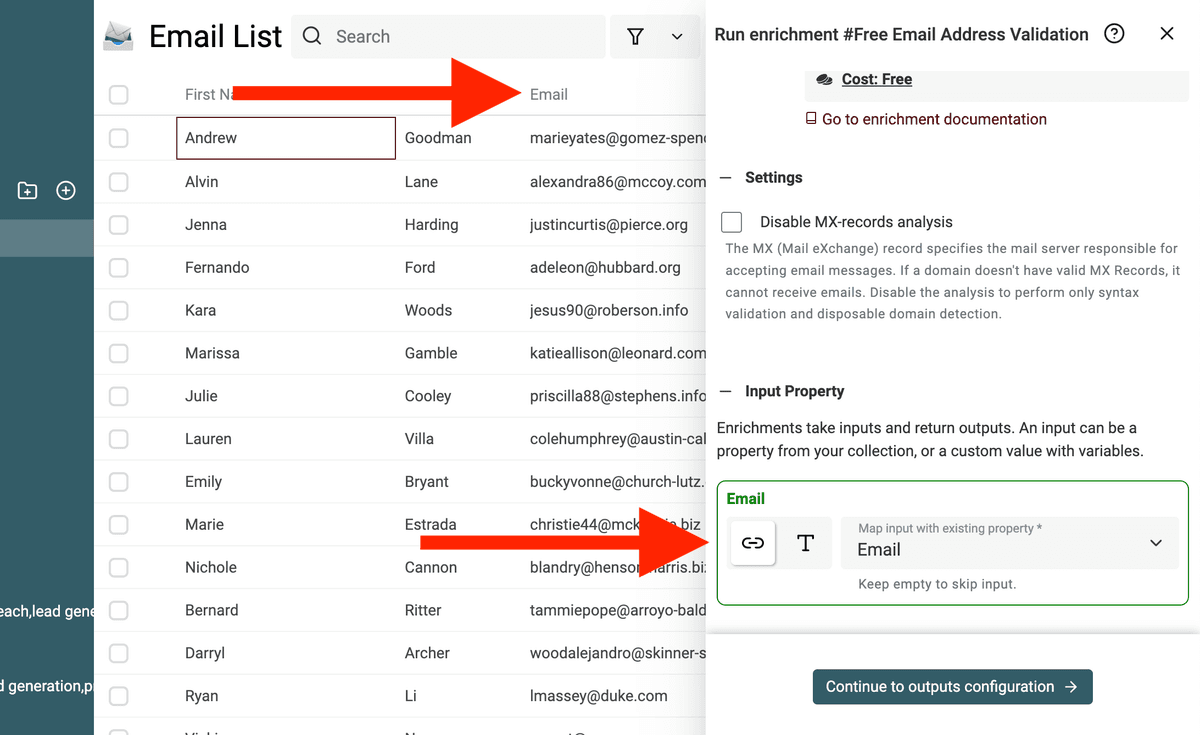
Run the Free Email Address Validation enrichment on a column of email addresses. Leave Disable MX-records analysis off, because the MX Provider output requires the DNS lookup.
Step 1: Import Your Email List
First, you’ll need to upload your email addresses to Datablist. You can either upload a CSV file or copy and paste the email list directly from a spreadsheet.
💡 The enrichment is free to use with a Datablist account. Keep MX-records analysis enabled if you need the provider output.
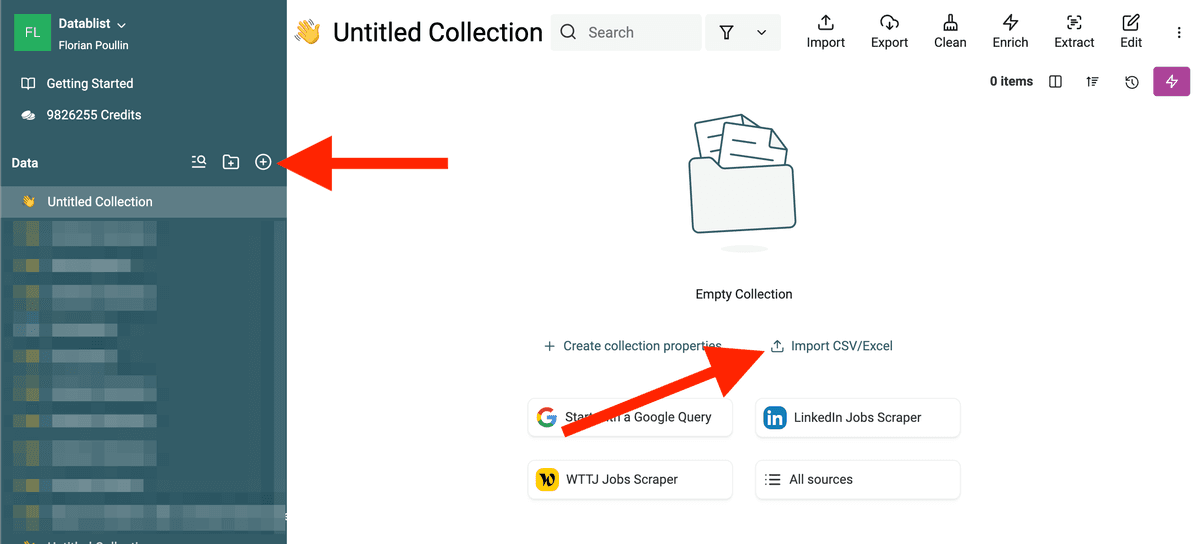
Create a new collection in Datablist, click on the "+" button, and select "Import CSV/Excel". Datablist opens CSV files and Excel files.
Step 2: Run the Free Email Address Validation enrichment
Once your email list is uploaded, run the email validation enrichment to check the domains' mail providers.
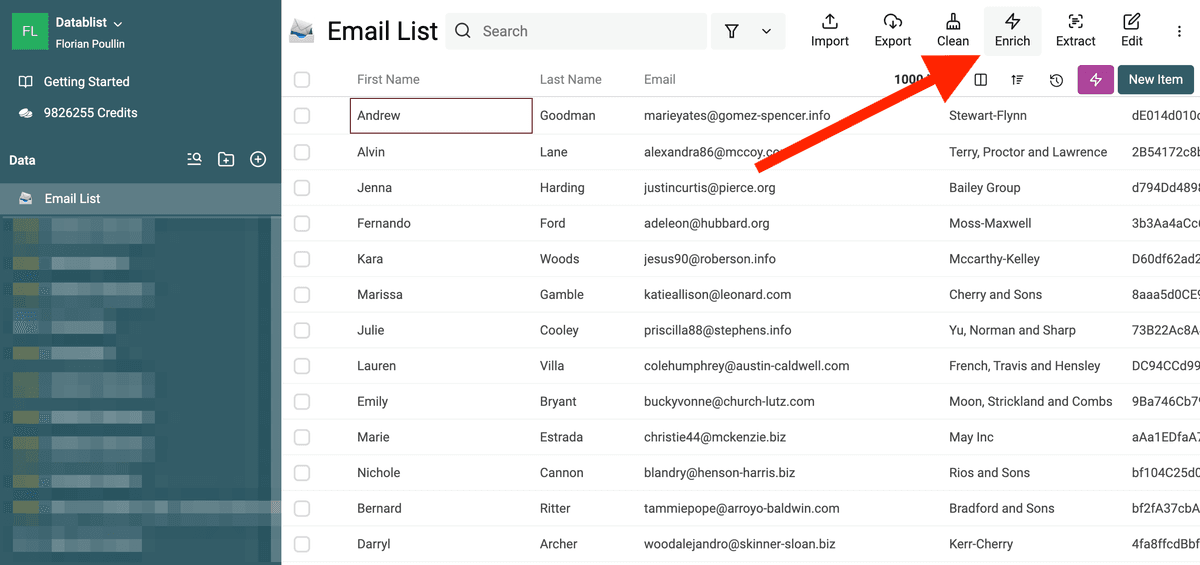
Click on the "Enrich" button in the header.
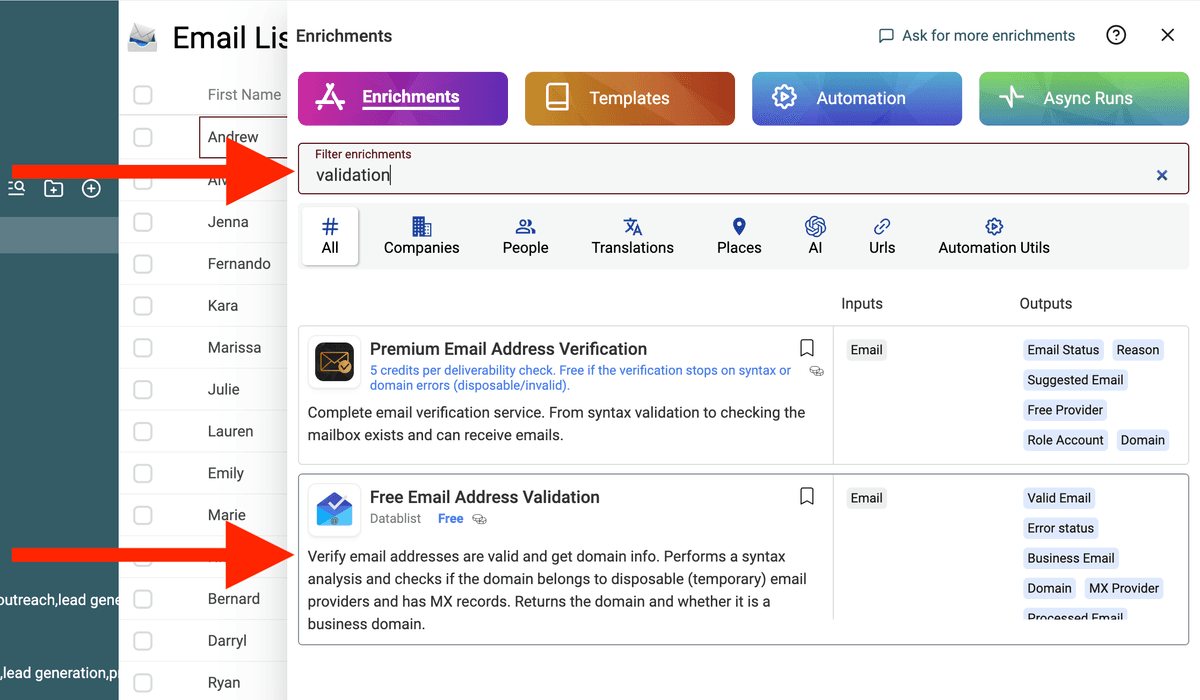
Then select Free Email Address Validation.
Choose the property containing the email addresses from your collection.
Map MX Provider, Valid Email, and Error status to output properties. You can also map Business Email if you want to distinguish common personal email domains from business domains.
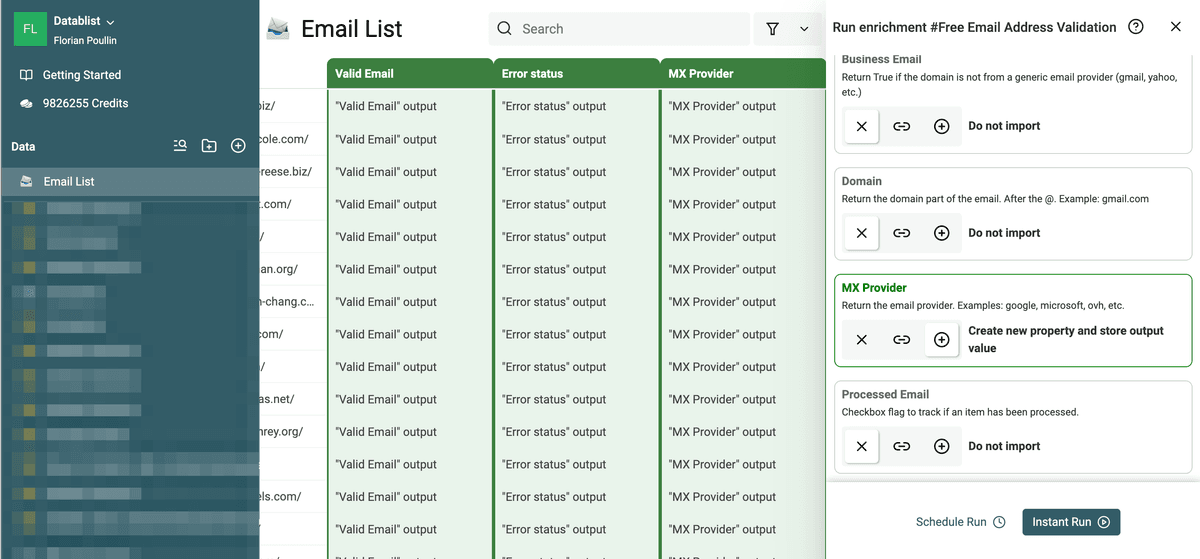
Step 3: Review the Results
Datablist processes the list and returns:
- Valid Email - Reports the validation result from address syntax, domain checks, and, when enabled, MX-records analysis. It does not test whether the mailbox can receive a message.
- Error status - Explains why an address failed validation, when a reason is available.
- MX Provider - Identifies a recognized mail provider or returns the MX hostname. It can be empty if no usable MX record is found or analysis is disabled.
- Business Email - Classifies the address by whether its domain is a common personal email provider. This is separate from the MX Provider result.
Examples of Email Provider Identification
Let’s say you upload a list with these email addresses:
After running the Free Email Validator, Datablist will show:
- A recognized provider such as
googleforjohn.doe@gmail.com, if the domain's current MX records match the provider mapping. - A recognized provider such as
microsoft, or an MX hostname, forsales@company.com. The company domain alone does not tell you which mail service it uses. - A validation error for a disposable address. It may not have an MX Provider result if validation stops before the DNS lookup.
List of MX Providers
The "Free Email Validator" enrichment returns the name of the email provider based on the MX Records.
Recognized providers include Google, Microsoft, Zoho, Yahoo, and Proton Mail. The mapping also covers other providers; the returned label depends on the current MX hostnames.
📘 If an MX record does not match a recognized provider, Datablist returns its MX hostname rather than guessing a provider name.
FAQ
Why Check Email Providers?
There are several reasons you might want to know the email providers for the addresses in your list:
- Segmentation - Separate business emails from generic email providers (like Gmail, Yahoo) to target them differently.
- Provider Reliability - Some providers are known for strong spam filtering, while others might be linked to higher bounce rates.
- Security - Identify disposable or suspicious email providers that might be linked to fake accounts.
- Campaign Optimization - Tailor your email marketing campaigns based on the provider’s deliverability and engagement trends.