
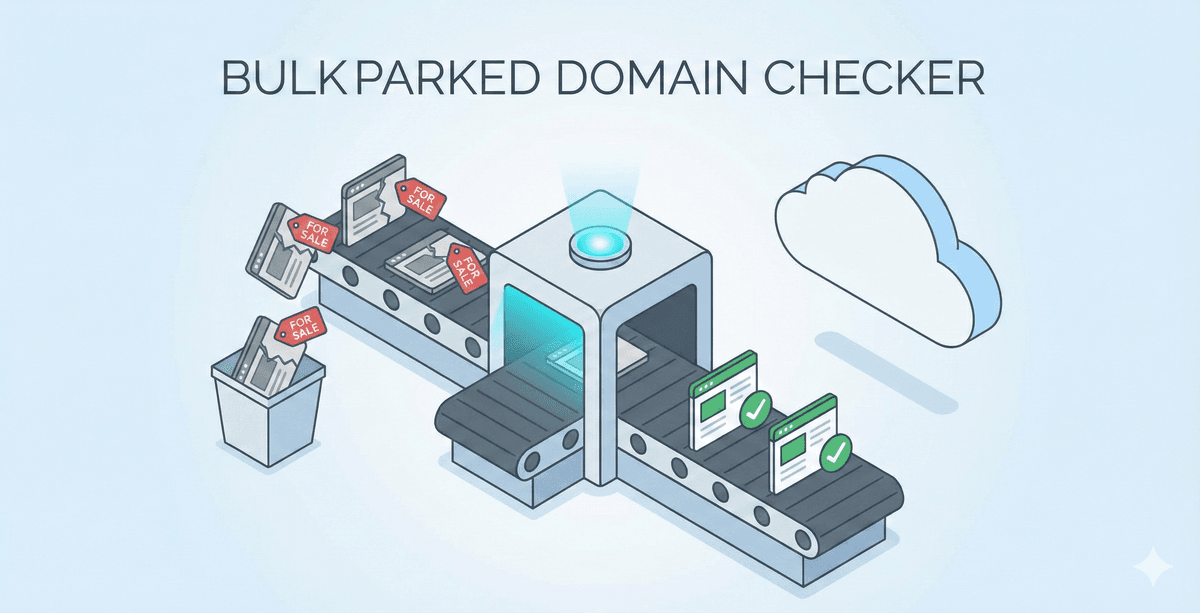
Lead lists rot. Data decay happens every day. Companies shut down, founders pivot, and domains expire. If you work in sales or marketing, your CRM is likely full of digital ghosts.
A parked domain is a specific type of ghost. It means the website no longer exists, but the domain name still points to a placeholder page. These pages often feature ads or a "for sale" sign from a registrar like GoDaddy.
If you send emails to people at these companies, your bounce rate will skyrocket. If you spend money on ads targeting these domains, you throw cash into a void.
Checking a few websites manually is easy. Checking ten thousand is a nightmare. This guide shows you how to automate the process and bulk check for parked domains to keep your data fresh.
Quick Links
- Why Identifying Parked Domains Matters
- Step 1: Import Your Lead List
- Step 2: Select the Parked Domain Checker
- Step 3: Configure Proxy Settings
- Step 4: Map Data and Select Outputs
- Step 5: Run the Bulk Check
- Interpreting Your Results
Why Identifying Parked Domains Matters
Sales teams often ignore website status until it is too late. They focus on job titles and company size. However, the website is the heartbeat of a business.
When a company stops paying for its hosting, the registrar "parks" the domain. This usually indicates the business is bankrupt, acquired, or rebranded.
Protect Your Email Deliverability
Email service providers monitor your bounce rate. If you consistently send emails to non-existent domains or servers that do not respond, you get flagged. High bounce rates damage your domain reputation. Eventually, your emails to real prospects land in the spam folder. Identifying parked domains helps you perform data cleaning before you hit send.
Save Sales Productivity
Your SDRs should spend time talking to real humans. Every minute spent researching a company with a parked domain is a minute wasted. By cleaning your list first, you ensure your team focuses on active organizations.
Reduce Costs
Most sales tools charge by the lead or by the enrichment credit. Why pay to find the email of a CEO whose company closed six months ago? Bulk checking websites allows you to filter your CSV file and remove dead weight before spending your budget.
Step 1: Import Your Lead List
Start by gathering your data. Most lead lists come in CSV or Excel formats. If you use a CRM, export your accounts or prospects.
Open Datablist and create a new collection. Click the "Import" button to upload your file.
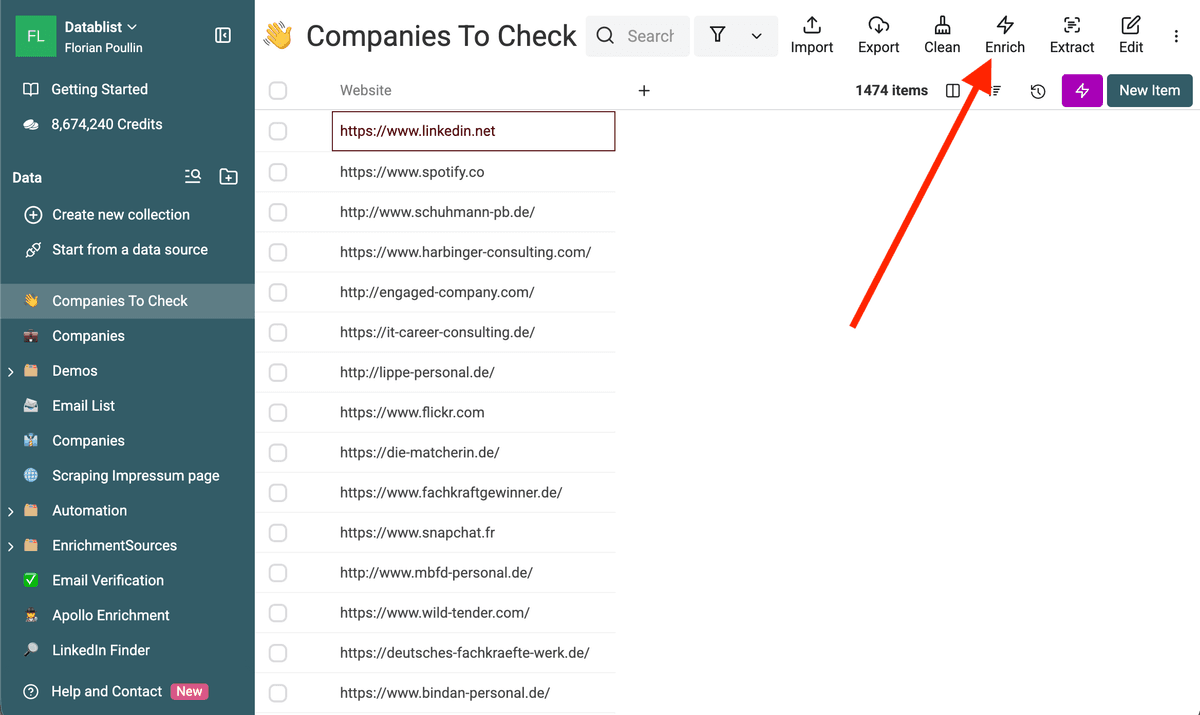
Ensure your file contains a column with website URLs. It does not matter if the URLs are formatted as https://company.com, www.company.com, or just company.com. The system handles different formats.
If you are dealing with scraped data, you might have thousands of entries. Datablist handles large datasets much better than standard spreadsheets which often lag or crash.
Step 2: Select the Parked Domain Checker
Once your data is loaded, look for the "Enrich" button in the top menu. This opens the library of automated tools.
Search for "Website Status & Parked Domain Checker".
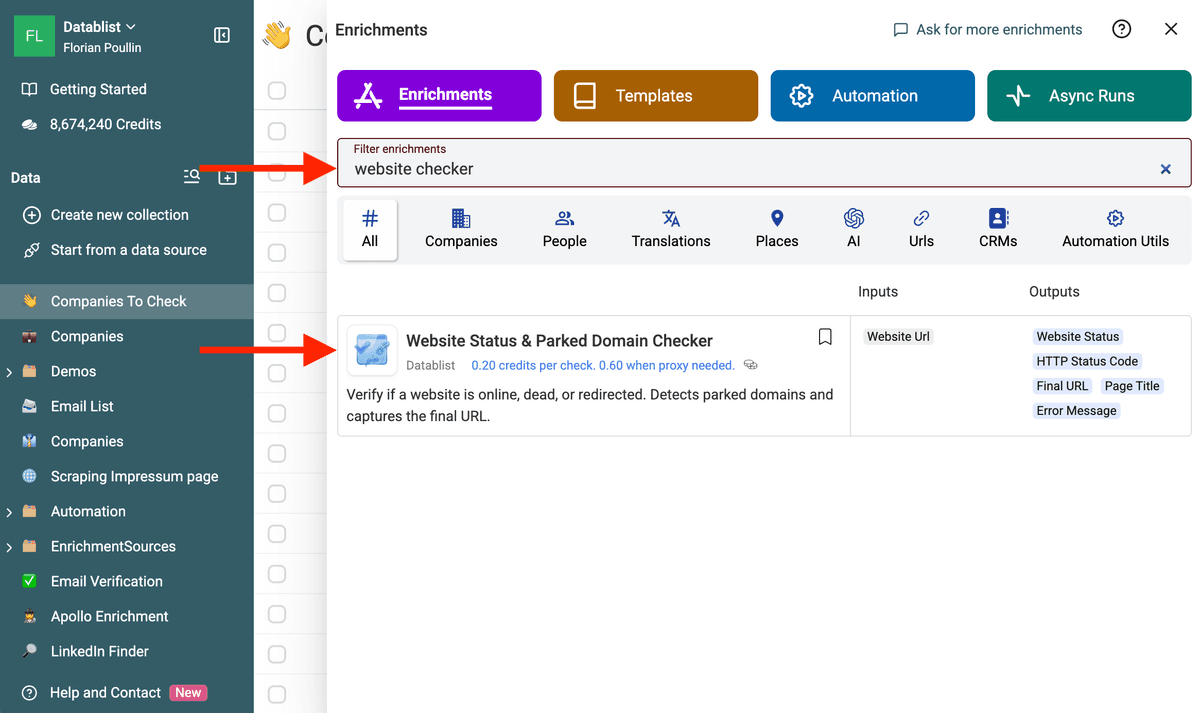
This tool does not just ping a server. It visits the page, analyzes the content, and looks for patterns that indicate a domain is parked.
Step 3: Configure Proxy Settings
Many modern websites use security services like Cloudflare to block bots. If a simple script tries to check these sites, it receives a "403 Forbidden" error.
In the settings menu, you will see a toggle for "Retry with proxy on protected status".
Keep this enabled.
When the tool encounters a block, it routes the request through a residential proxy. This mimics a real user visiting the site from a home connection. It is the difference between getting a "Dead" result for a very much alive company and getting the real truth.
Using proxies is a standard part of no-code scraping methods and ensures your data is accurate.
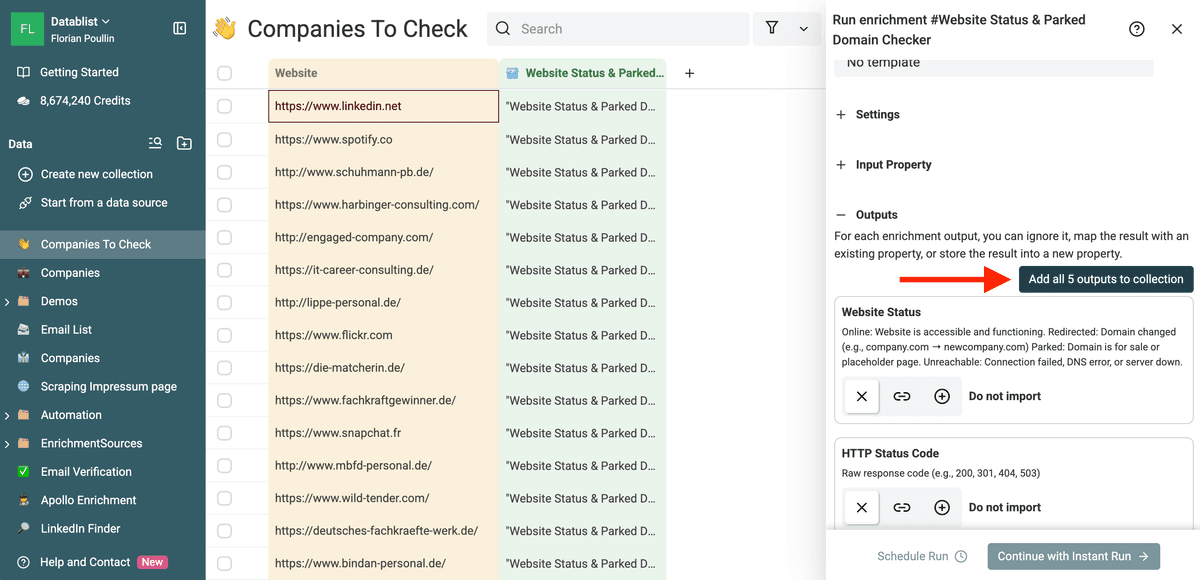
Step 4: Map Data and Select Outputs
Now, tell the tool where to find your websites. Select the column from your list that contains the URLs.
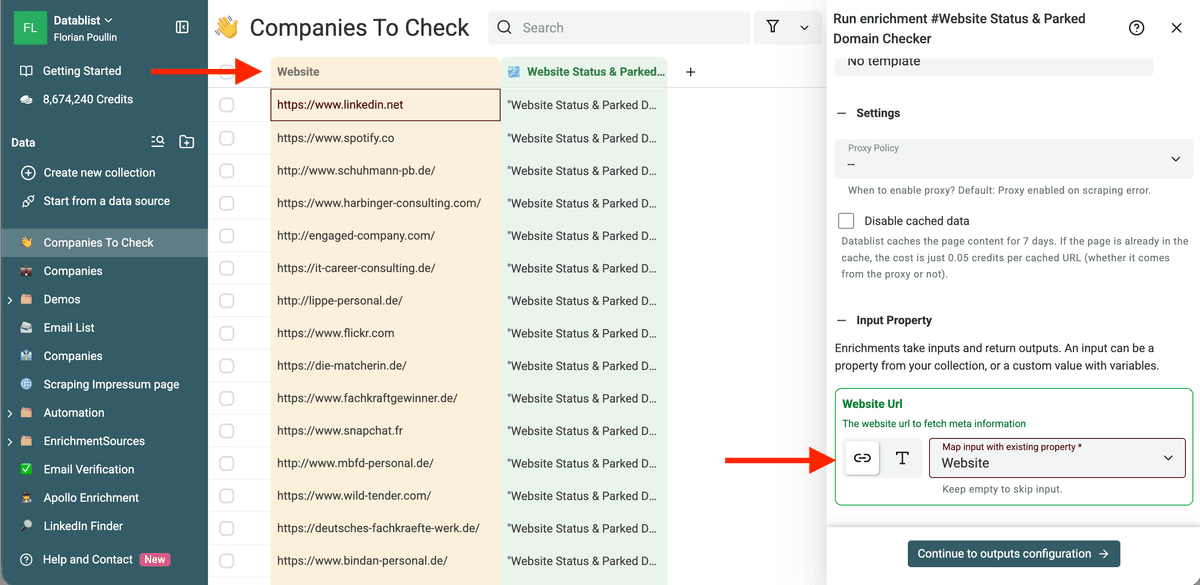
Next, choose the data you want to receive. For a parked domain check, we recommend selecting:
- Website Status: Tells you if the site is Online, Parked, or Unreachable.
- Final URL: Shows where the site eventually lands.
- Page Title: This is helpful because many parked domains have titles like "Domain for Sale" or "Welcome to GoDaddy".
- HTTP Status Code: Technical context for why a site might be down.
Step 5: Run the Bulk Check
Before running the tool on ten thousand rows, use the "Instant Run" feature.
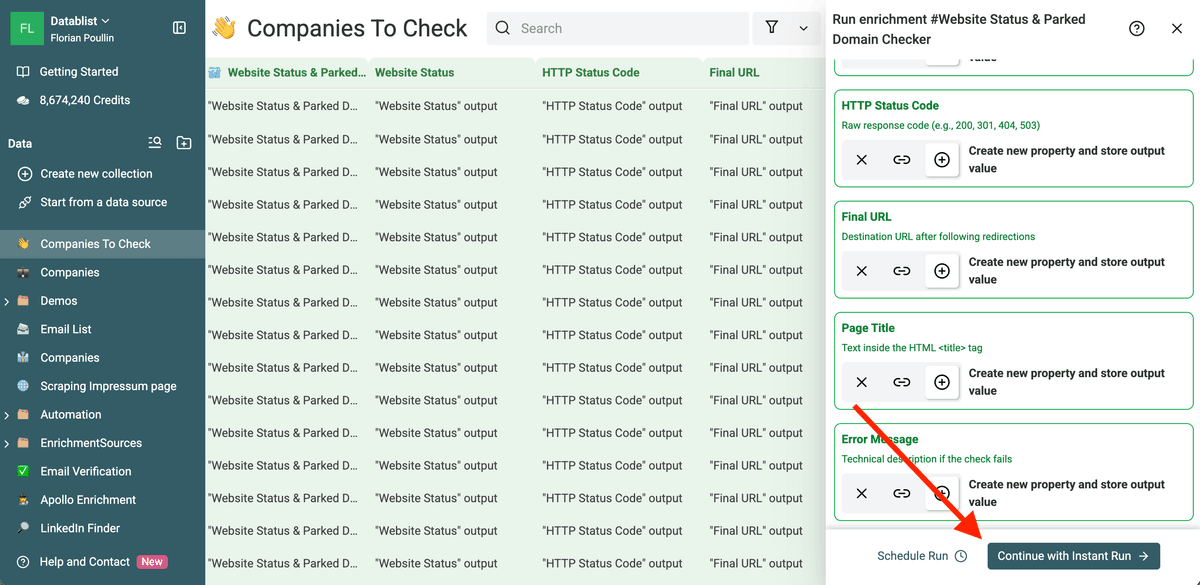
Select a small sample of 10 or 20 rows. This ensures your mapping is correct and the results look as expected.
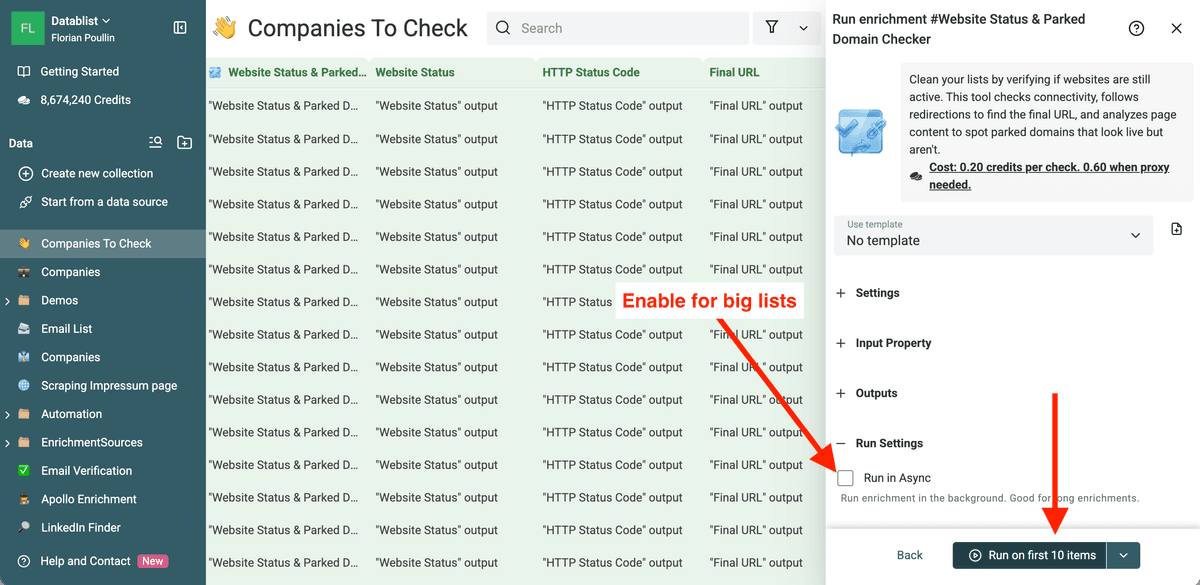
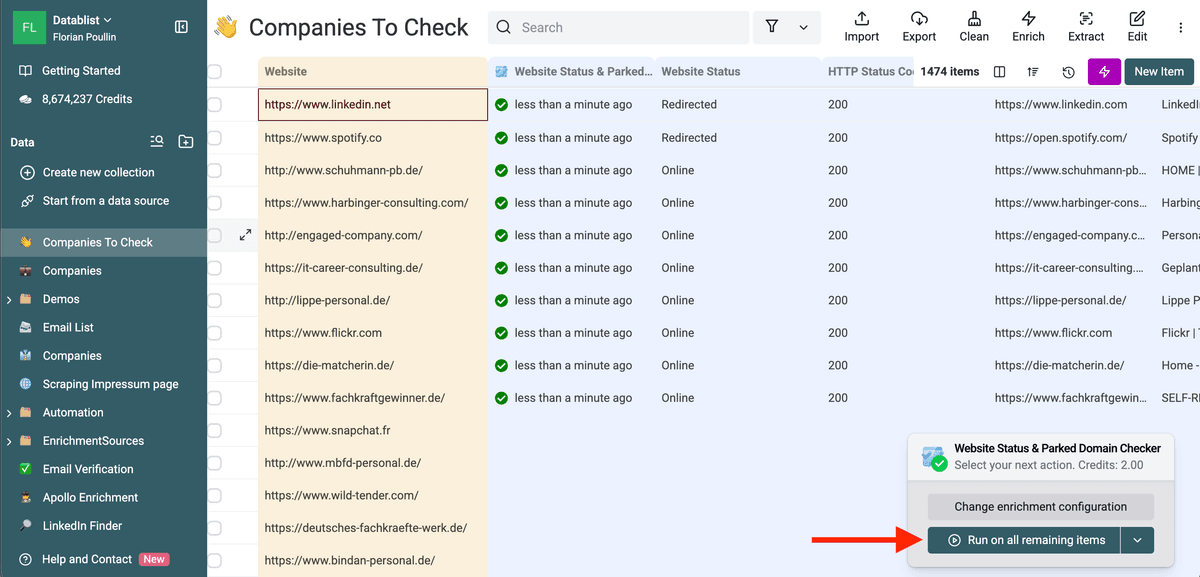
Once you verify the sample, click "Run on remaining items". For large lists, enable the "Run in Async" mode. This allows the process to run in the background while you perform other tasks. You can even close your browser, the check will continue on our servers.
Interpreting Your Results
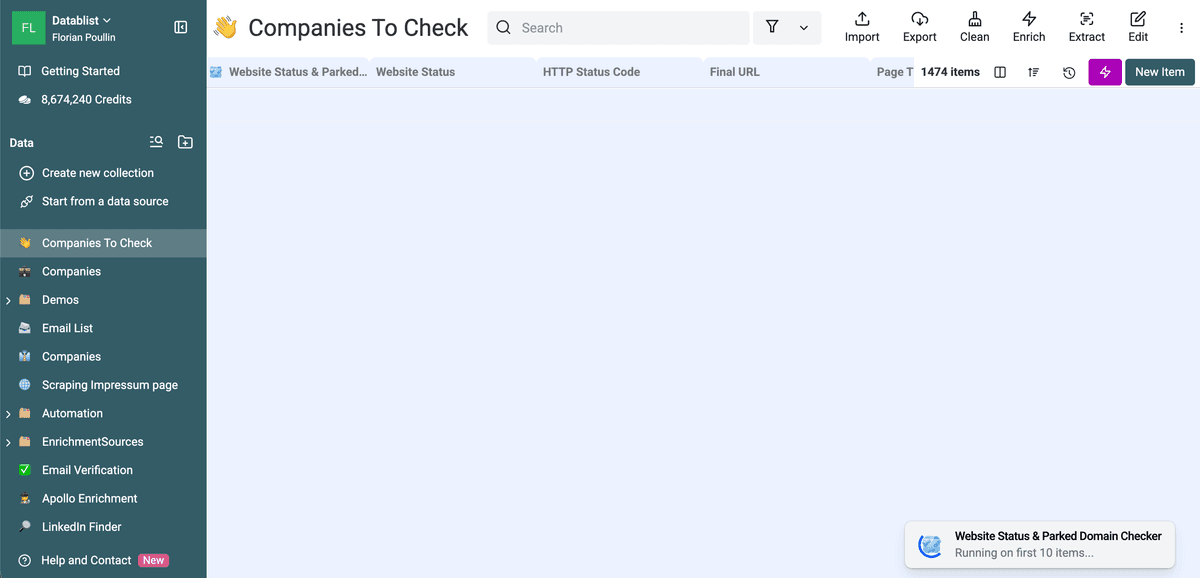
When the process finishes, your collection will have several new columns.
The "Parked" Status
If a row returns "Parked", the domain is officially dead for lead generation purposes. The business is no longer active at that address. Delete these leads or move them to an "Inactive" archive.
The "Redirected" Status
This is a golden opportunity. If a website redirects to a new domain, the "Final URL" column shows the destination. Often, this happens after an acquisition. If startup.com redirects to giant-corp.com/startup, you just found a major sales signal. Update your records with the new URL to find the correct contact information.
The "Unreachable" Status
This means the server did not respond at all. This happens if a domain expired completely or the server is undergoing maintenance. If a site stays unreachable for more than 48 hours, it is safe to assume the lead is cold.
Use Cases
Cleaning Old CRM Databases
Most CRMs are graveyards of old data. Every quarter, export your account list and run a bulk website check. You will be surprised at how many "active" accounts are actually parked domains. This keeps your pipeline realistic.
Evaluating Scraped Lead Lists
If you scrape data from directories or social media, the quality varies. A bulk check acts as a first-stage filter. If a scraped company does not have a live website, they likely lack the budget for your services.
Market Research and Competitor Analysis
Track a list of competitors. If one of their domains suddenly shows as "Parked", they might be closing down or merging. This is a perfect time to reach out to their former customers.
Conclusion
Data quality determines your sales success. Bulk checking for parked domains is a simple, effective way to remove the noise from your lead lists. By using automated tools to verify website status, you protect your reputation and save your team from chasing ghosts.
FAQ
How many websites can I check at once?
Datablist handles thousands of rows. For very large files, use the asynchronous run mode. This ensures the process completes even if your internet connection drops.
Does this work for international domains?
Yes. The tool checks .com, .org, .net, and all country-specific extensions like .co.uk or .fr.
Can I check if an email is valid too?
While this tool checks the domain, we recommend a dedicated email verification step after you confirm the website is live. If the domain is parked, you already know the email is invalid.
Is this better than checking manually?
Yes. Beyond speed, the tool uses pattern recognition to identify parking pages that might look like "real" websites to a casual observer. It also uses proxies to bypass blocks that a manual browser check might encounter.
How often should I check my lists?
For active sales lists, a monthly check is ideal. For general CRM hygiene, a quarterly check keeps your data manageable.