Scrapes products from retailer websites including product names, prices, categories, and availability.
How to Use This AI Prompt
- Create a New Collection: Start by creating a new, empty collection in Datablist where the data will be stored. Click the '+ Create new collection' in the sidebar.
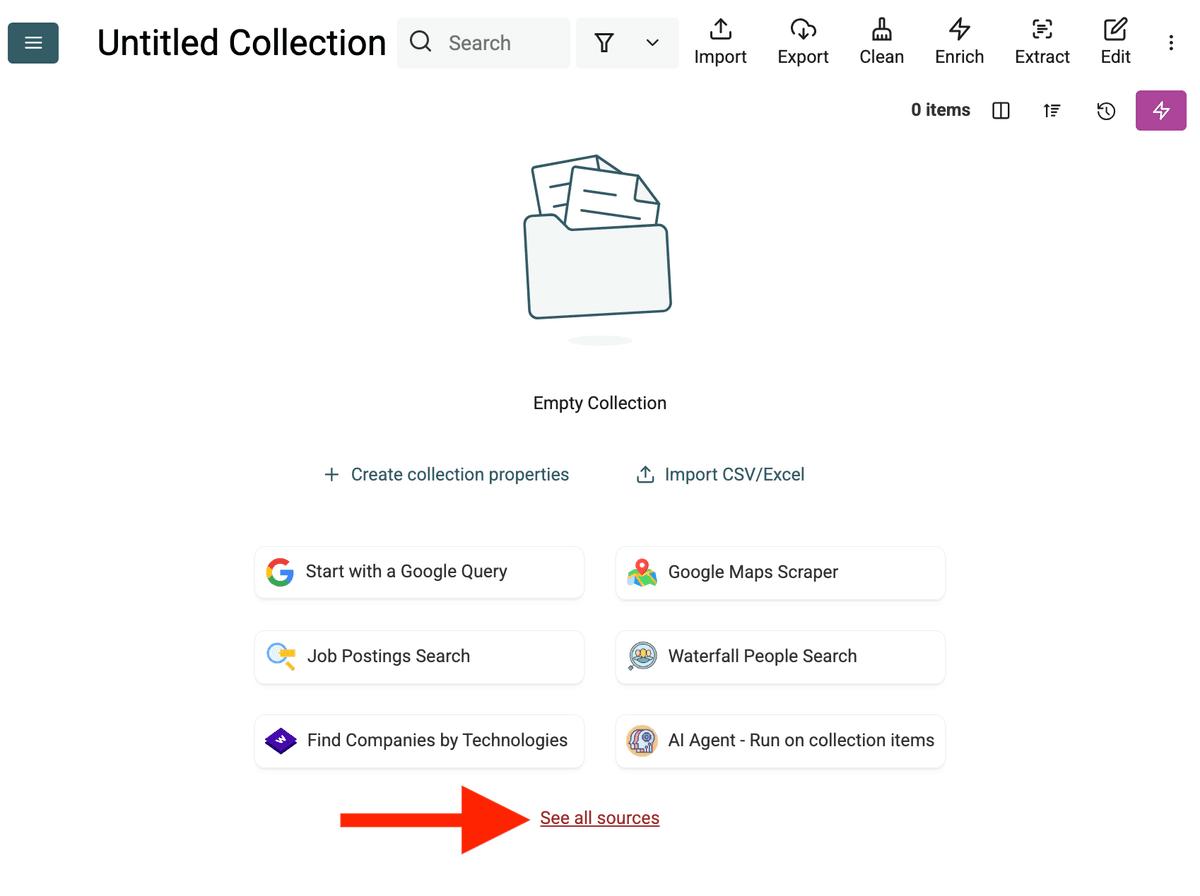
- Select the AI Agent Source: Click "See all sources" or go to "Import" -> "Import From Data Sources". Choose the "AI Agent - Site Scraper".
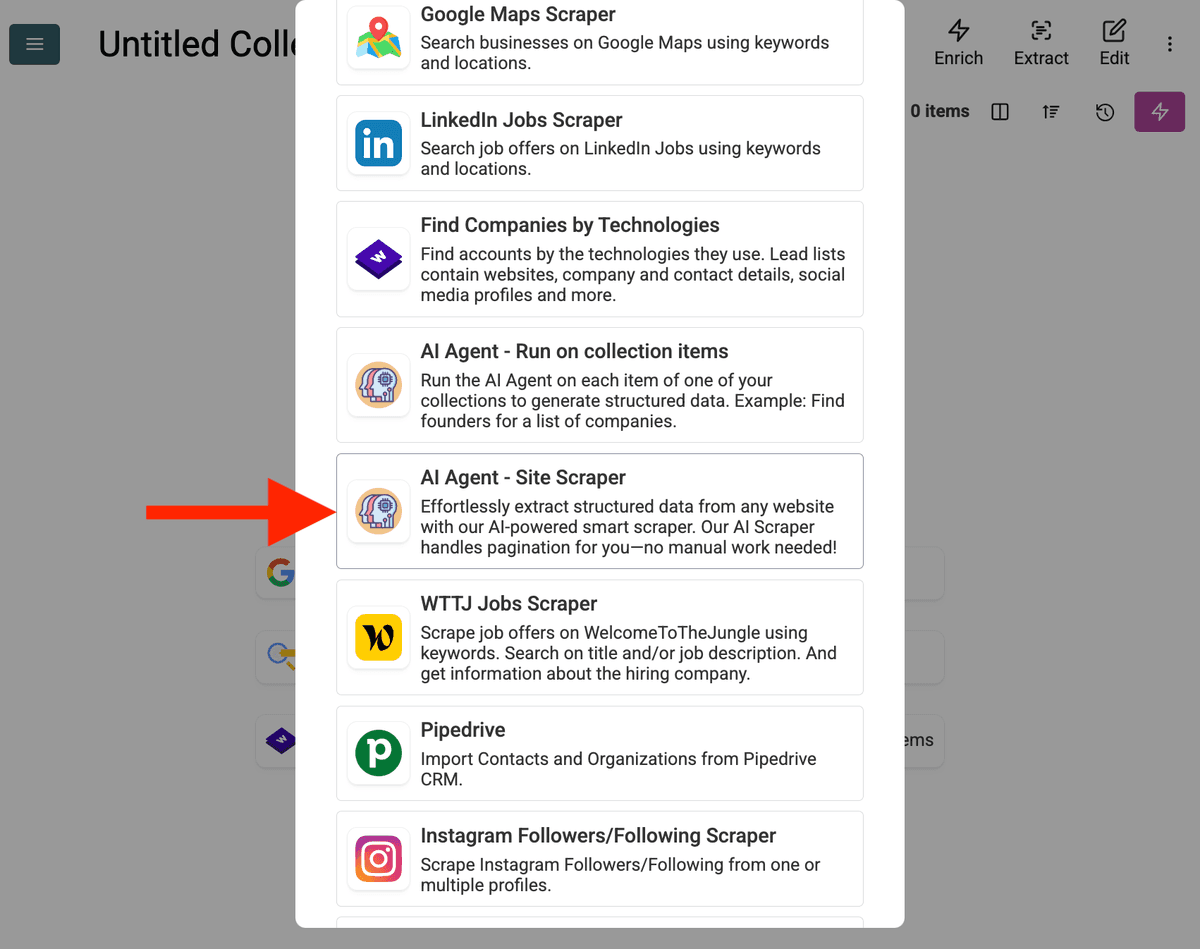
-
Configure the Source:
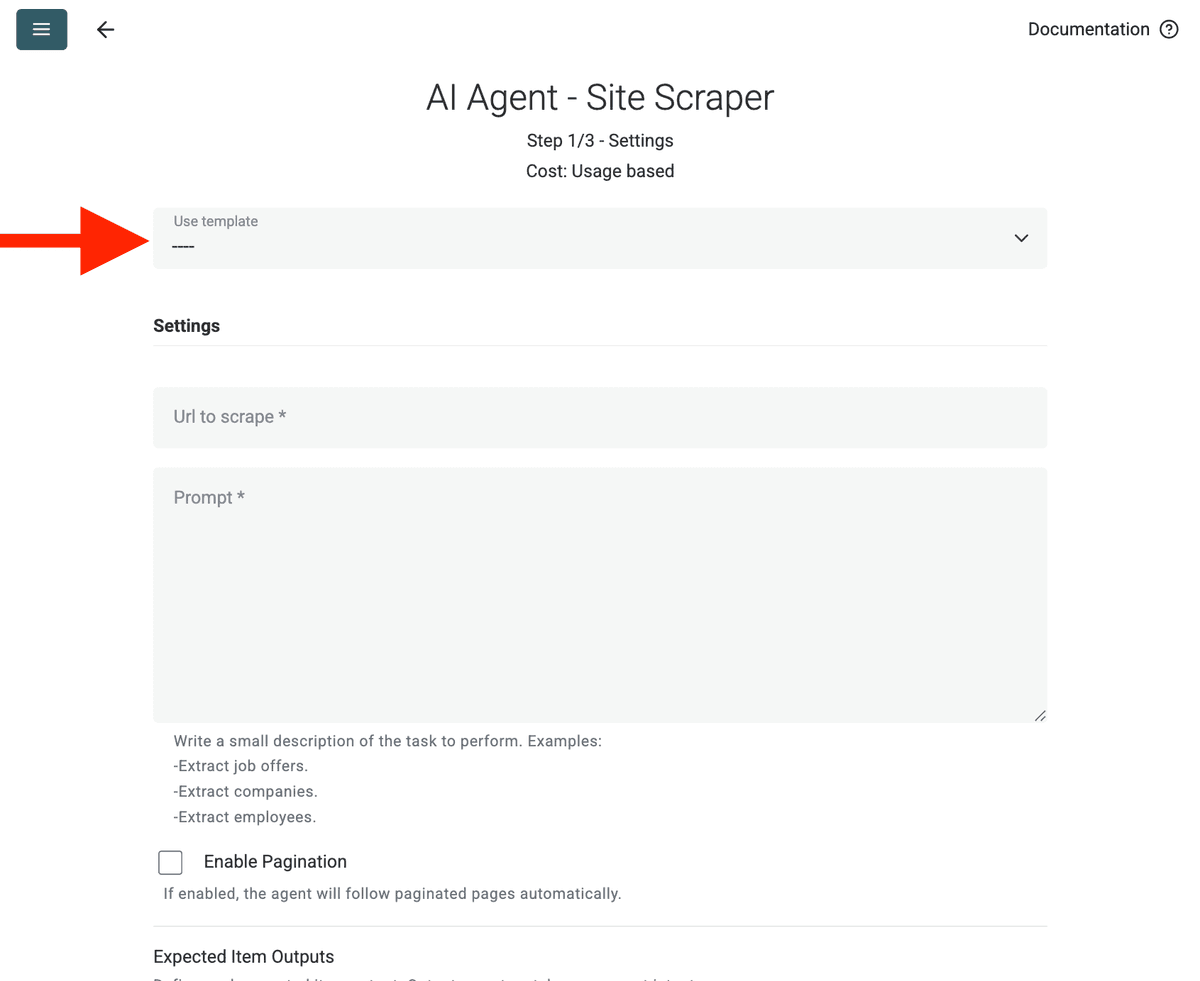
- Select Template: Find and choose the prompt from the "Template" dropdown menu. The prompt above will be automatically loaded.
- URL to Scrape: Enter your URL to scrape
- Enable Pagination (Optional): If the results are on multiple pages, check Enable Pagination and set a reasonable Max Pages limit (e.g., 10).
- Customize (Optional): You can adjust the AI model (e.g., GPT-4o mini is often cost-effective), edit the prompt for specific needs, or modify the expected Outputs.
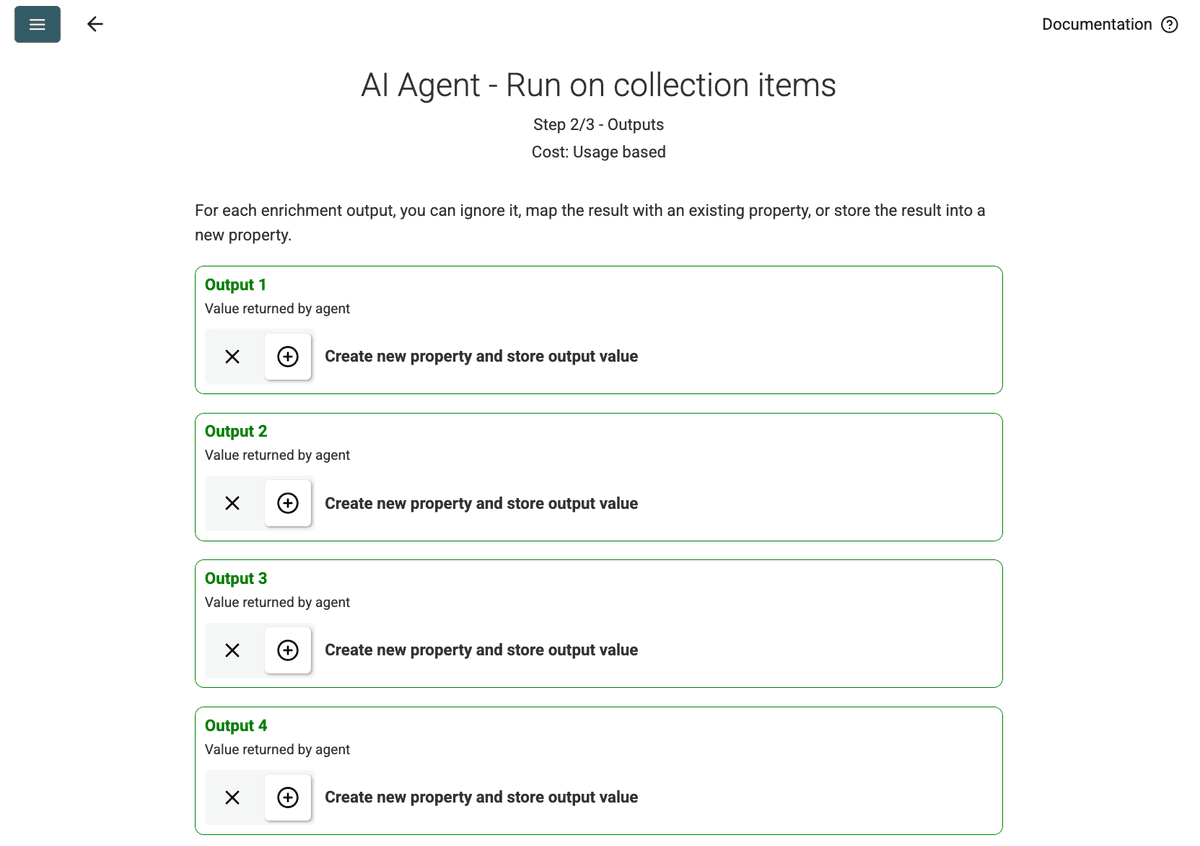
- Review Outputs: Click Continue. Datablist will show the output fields defined in the prompt (Project Name, Client Company Name). Click the + icon next to each to create the corresponding properties (columns) in your collection.
- Run Import: Click Run import now. The AI Agent will start scraping the website based on the prompt and populate your collection.
Pricing
This data source uses Datablist credits on a usage basis. Costs depend on the complexity of the website and the number of pages visited.
Test to run the AI Agent on a single page first to get an estimation of the cost.
FAQ
How to start another run with the same configuation?
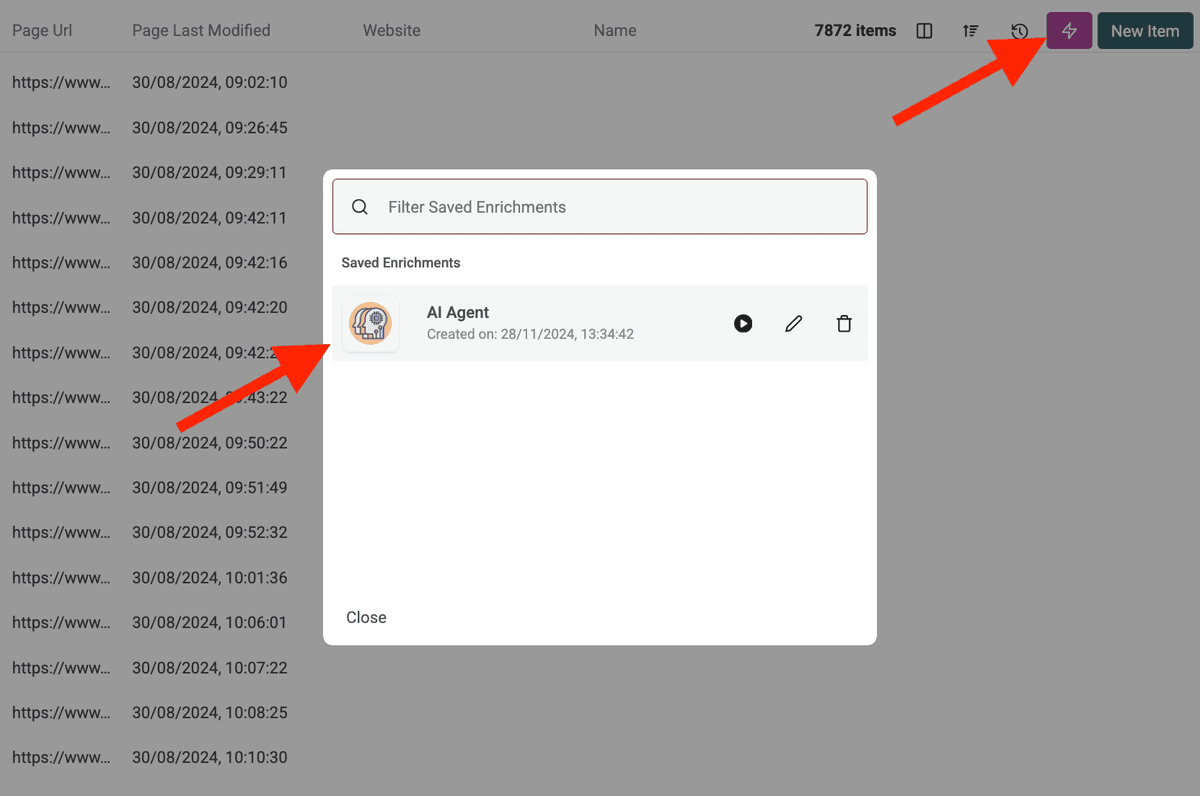
Once you run your AI Agent, click on the pink button on the top right of your data table to open it again with your last used settings.
What happens if the AI Agent tries to access a protected website or gets blocked?
The AI Agent automatically uses proxy servers when needed to access websites that might have scraping protections or geographic restrictions. This increases the chances of successful data extraction, though very heavily protected sites might still pose challenges.
How much data can I process with the AI Agent?
When running the AI Agent (either as an enrichment or a data source), Datablist collections can handle processing for up to 100,000 items (rows). For datasets larger than this, you may need to split your data into multiple collections.
How is the AI Agent different from the ChatGPT/Claude/Gemini enrichments?
The standard AI enrichments (ChatGPT, Claude, Gemini) process data already in your collection using the AI's existing knowledge. The AI Agent can actively interact with the live web—performing Google searches, browsing websites, and extracting new information based on your prompt.
How accurate are the results?
Accuracy depends heavily on the clarity and specificity of your prompt, as well as the complexity of the task and the information available online. Providing clear instructions, examples, and rules for handling errors improves results. Datablist often provides a confidence score for AI Agent outputs to help gauge reliability.