
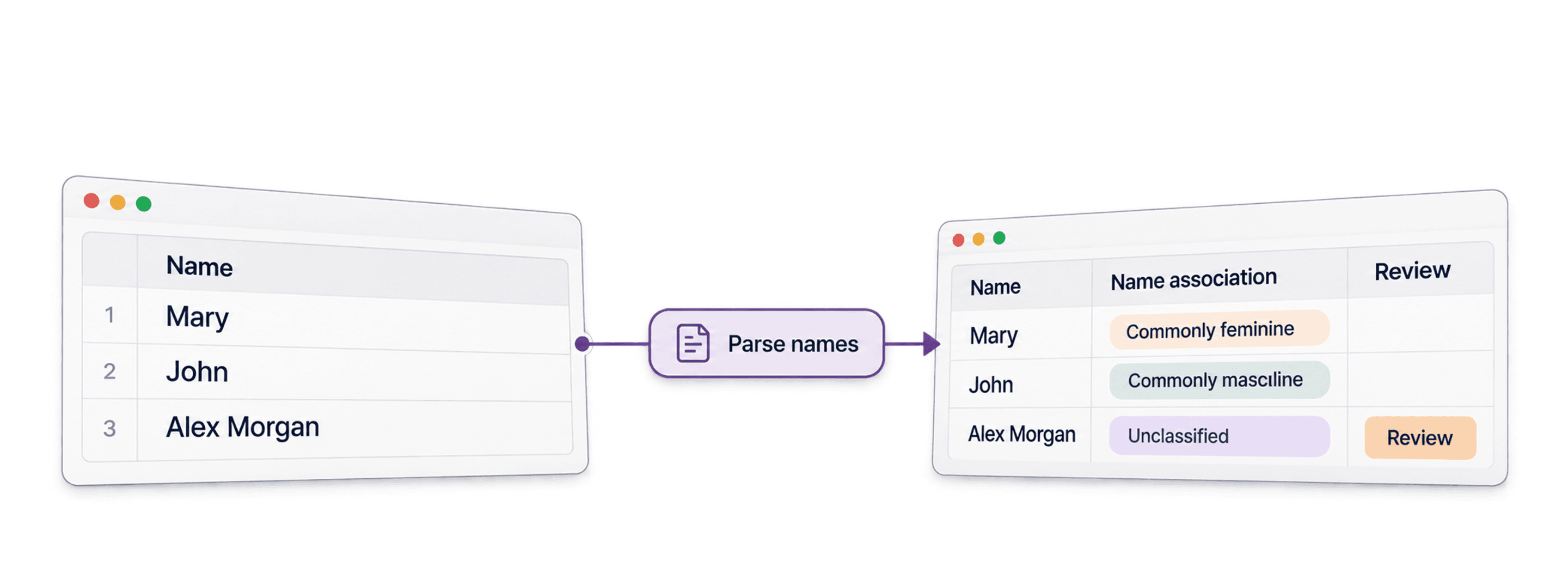
To find gender by name in a spreadsheet, import a name column, run Datablist's Name Parser, and map its Gender output to a new property. The result is a statistical association based on a name, not a person's gender identity. Leave ambiguous or missing results unclassified.
For example, a row with Name = Alex Morgan may be ambiguous across countries and cultures. Keep the original name next to the result so you can review it. The parser can also return name parts and a country association when available.
📌 Summary For Those In a Rush
This guide shows how to run the Name Parser on a list and review its output.
Input: a
Namecolumn in a CSV or Excel file.Output: optional
Gender, name parts,Country,Country Confidence, andProcessedfields.Why Consider Datablist:
- Map the source and result columns without writing code.
- Preview a small sample before processing the list.
- Treat the binary name association as an uncertain inference, not verified personal data.
What This Guide Will Cover
- What is Datablist (A TL;DR)
- Explanation of How Gender Detection Tools Work
- How to Find Gender by Name in 5 Steps
- Benefits of Using Datablist for Gender Detection
- Frequently Asked Questions
What is Datablist? A TL;DR
Find Gender By Name - Datablist Homepage
Datablist is an AI-powered spreadsheet for importing, cleaning, and enriching lists. For this task, keep the name source and parser result in the same collection so you can inspect unexpected matches and export only the fields you need.
How Gender Detection Tools Work
Before showing you the step-by-step, it's worth understanding how these tools actually detect gender from a name. This will help you get better results and understand when accuracy might vary.
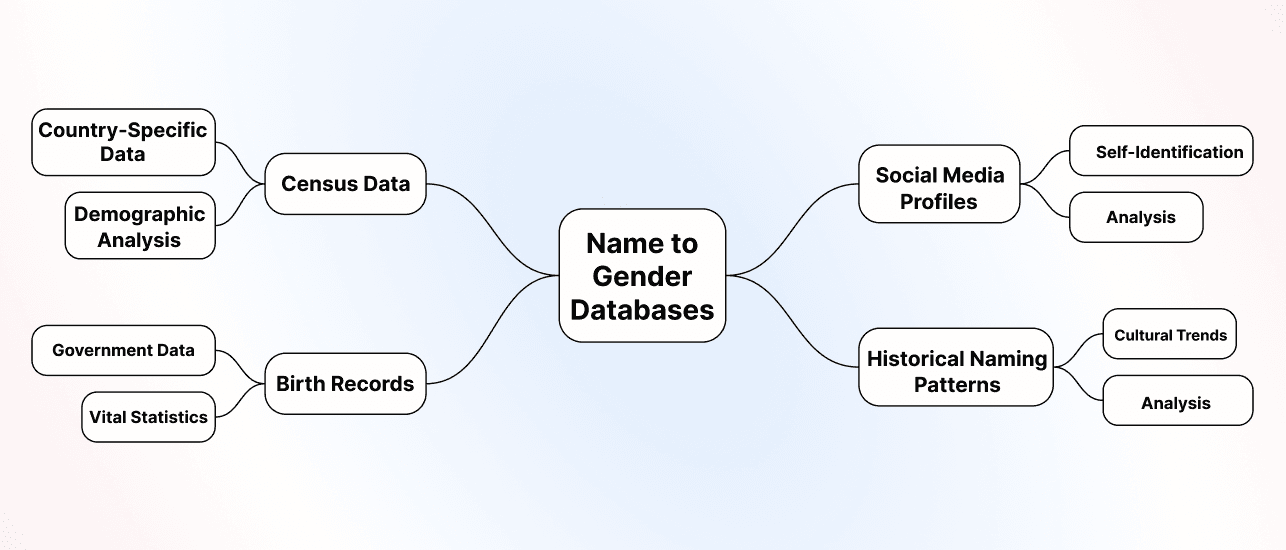
The Basics: Name-to-Gender Databases
Datablist's Name Parser uses a names dataset to infer associations from parsed name parts. Its Gender output is Male or Female when it returns an association; it may be empty. It does not ask the person how they identify. The separate Country Confidence output describes the inferred country, not confidence in the gender field.
Why Accuracy Varies
Not all names are equally easy to classify. Here's what affects accuracy:
Names can be shared across genders or cultures, written in different orders, shortened, or misspelled. A first name alone can refer to many people. If you need to address someone, use their stated preference rather than an inferred title.
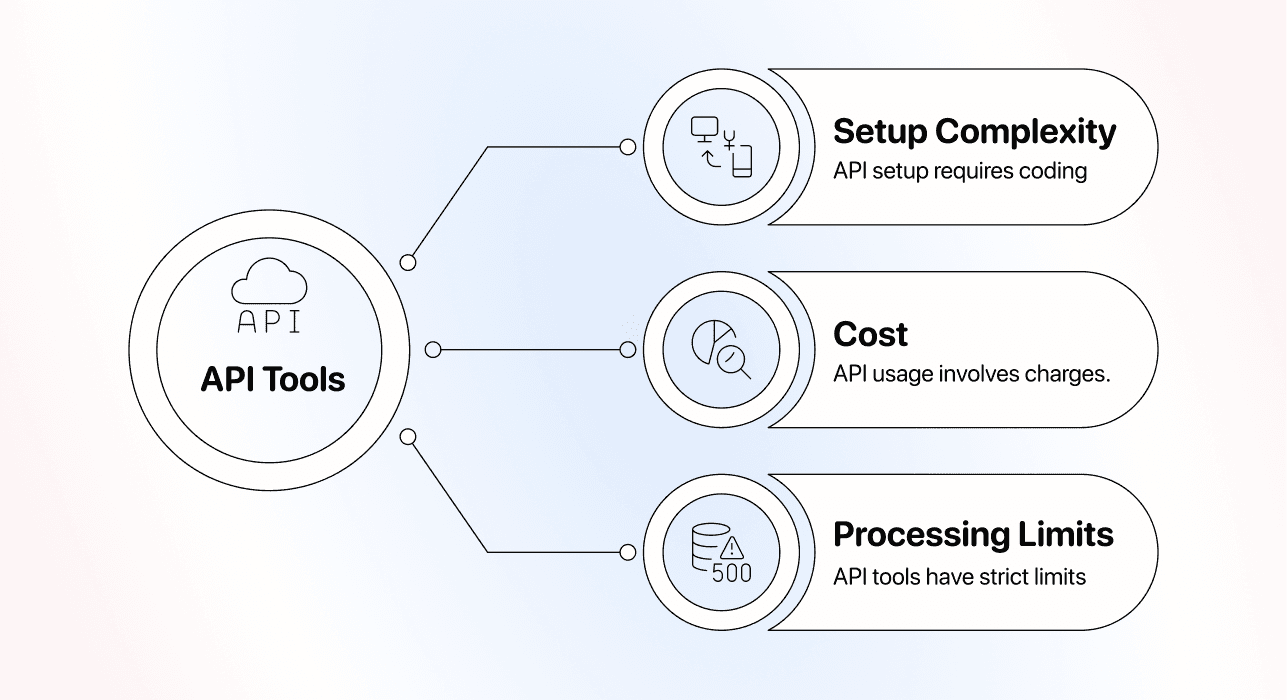
API vs. No-Code Tools: The Key Difference
With Datablist, map a collection property to the parser's Name input and choose output properties in the interface. You do not need to write an API call for this workflow.
Processing Limits: Where Tools Differ
The current action catalog marks Name Parser as a premium enrichment and lists 0.05 credits per processed name. It requires a paid plan. Run a small sample to check output quality and credit use before processing a large collection.
Benefits of Using Datablist to Find Gender by Name
The parser can write the inferred association beside the original name, along with first, middle, and last name parts, a title parsed from the input, and a country association. The Processed flag helps separate rows already attempted from rows still waiting to run.
Keep the original name and review the result. A title in the source text, such as Dr., does not verify gender. Use a neutral greeting when you do not know how a person prefers to be addressed.
How To Find Gender by Name in 5 Steps
Start with a small sample so you can inspect ambiguous names before running the rest of your list.
Step 1: Sign Up and Upload Your Data
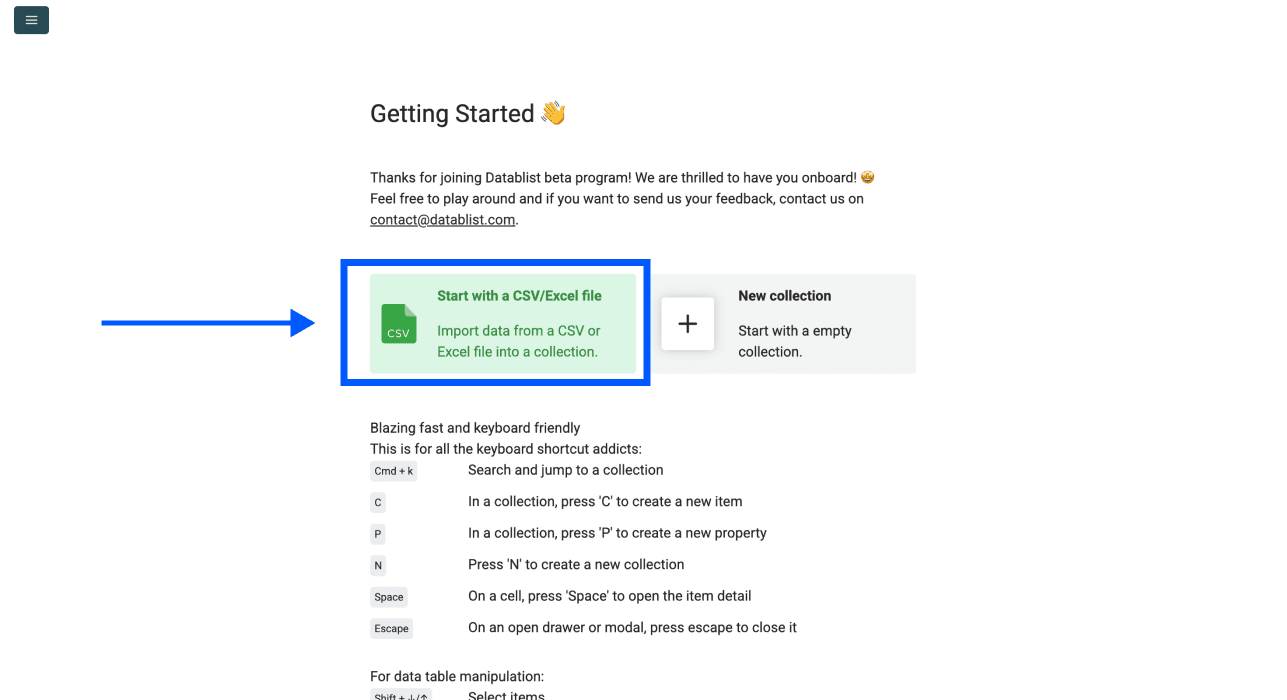
Open Datablist and import your CSV or Excel file. The Name Parser is a paid-plan enrichment, so check your plan and credits before running it.
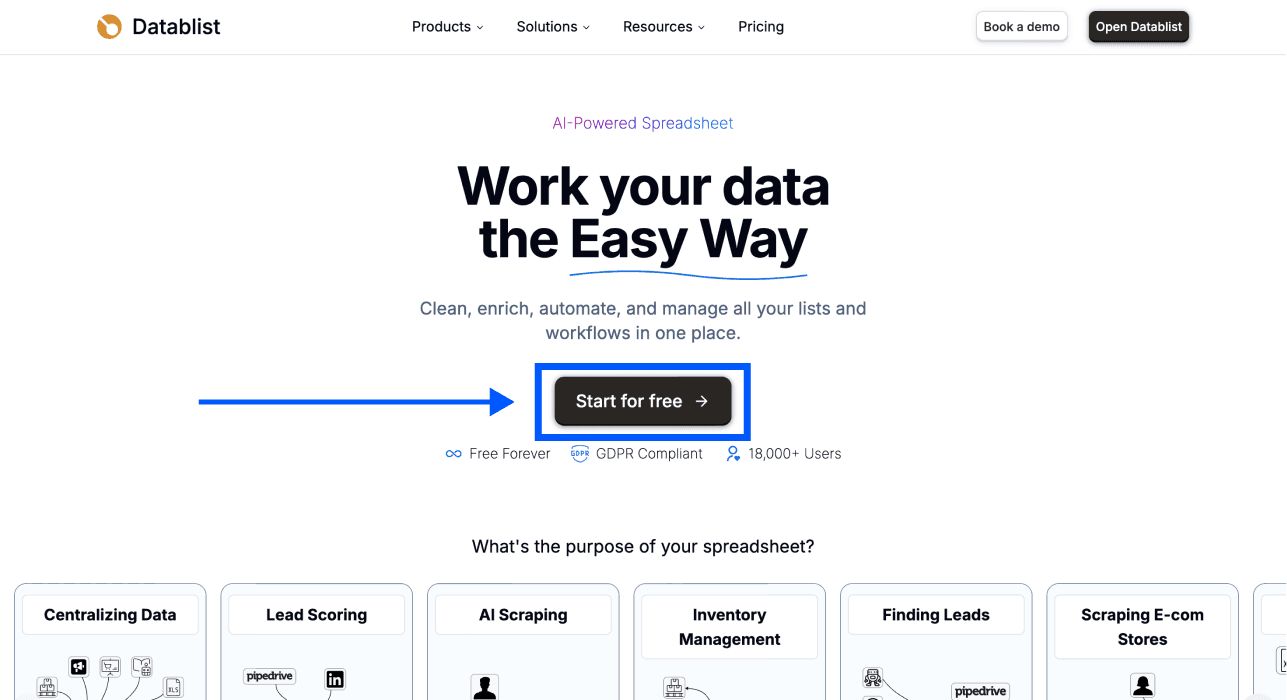
Then, Upload your Excel file or CSV with the names you want to analyze.
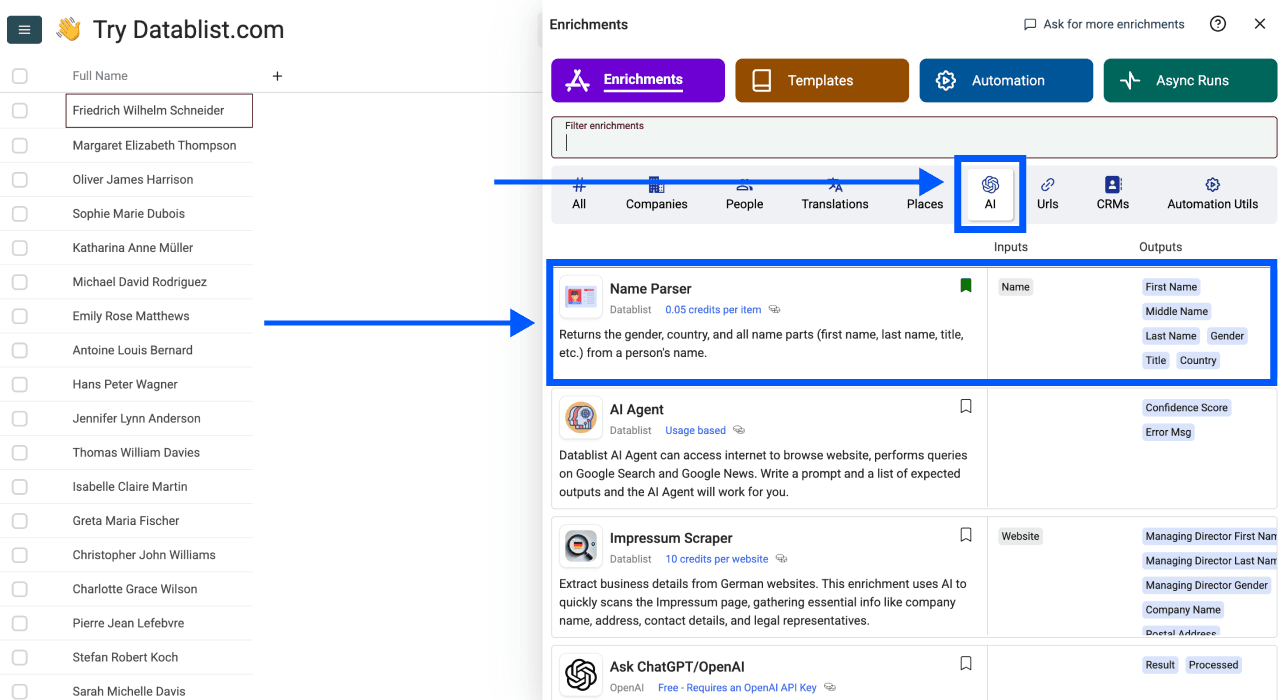
Step 2: Navigate to the Name Parser
- Click on Enrich in the top menu
- Go to the AI section
- Select Name Parser
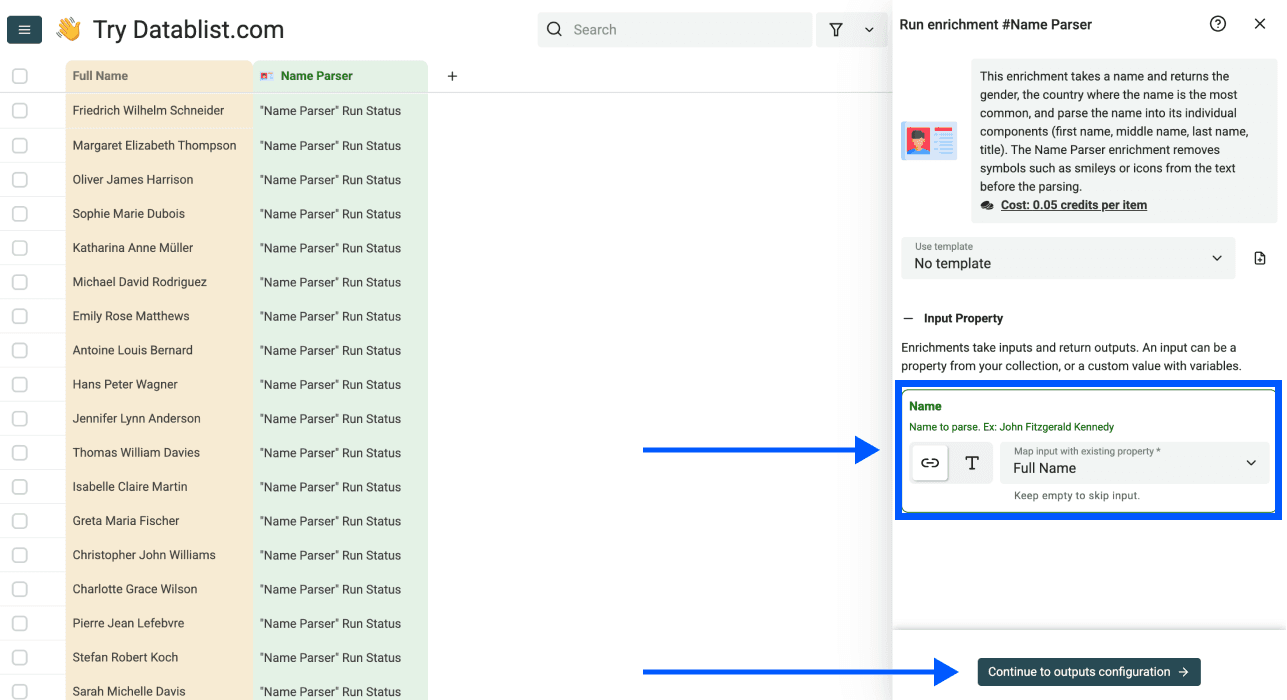
Step 3: Configure Your Input
You'll see a simple interface asking which column contains your names.
- Select your Name column as the Input Property
- Click on Continue to outputs configuration
💡 Quick Tip
A full name may help parse name parts. It still cannot establish a person's gender identity, and some names return no gender association.
Step 4: Select Your Outputs
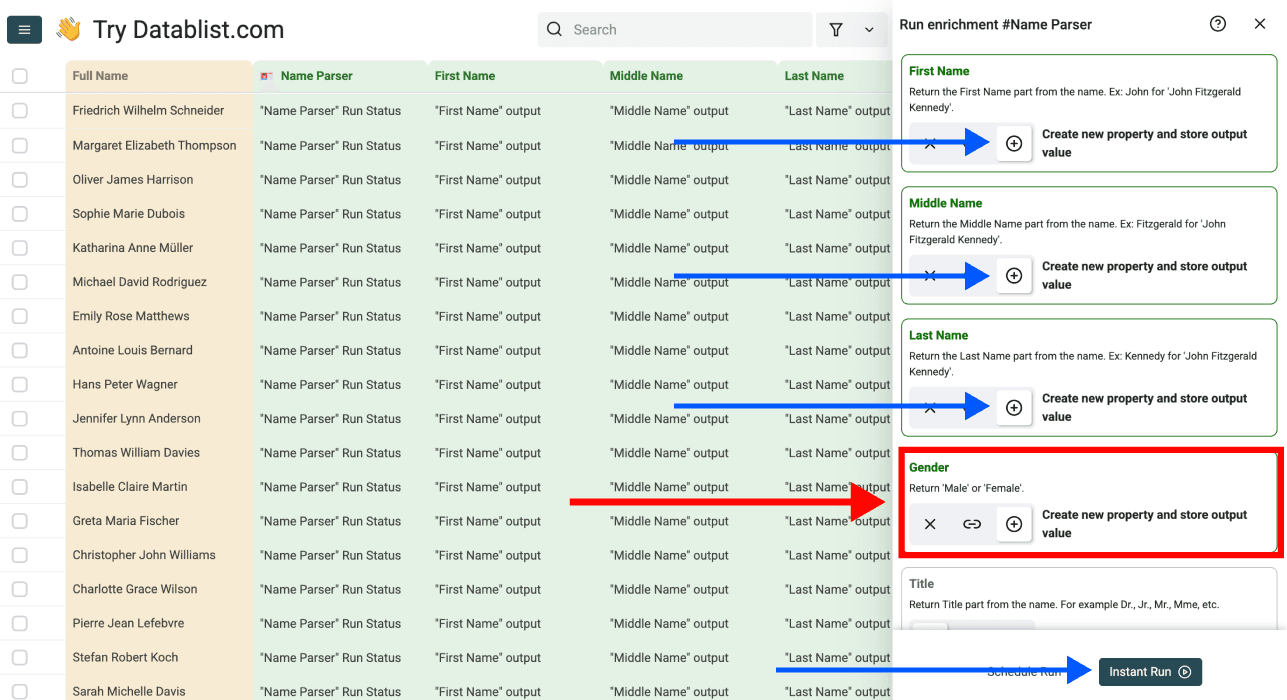
Choose which data points you want to extract. For finding gender by name, make sure Gender is selected.
Available outputs include:
- Gender
- First Name
- Last Name
- Middle Name
- Title
- Country
- Country Confidence
- Processed
Click the ⊕ icons to add a new column for each output to your collection & click on Instant Run
Step 5: Run the Enrichment
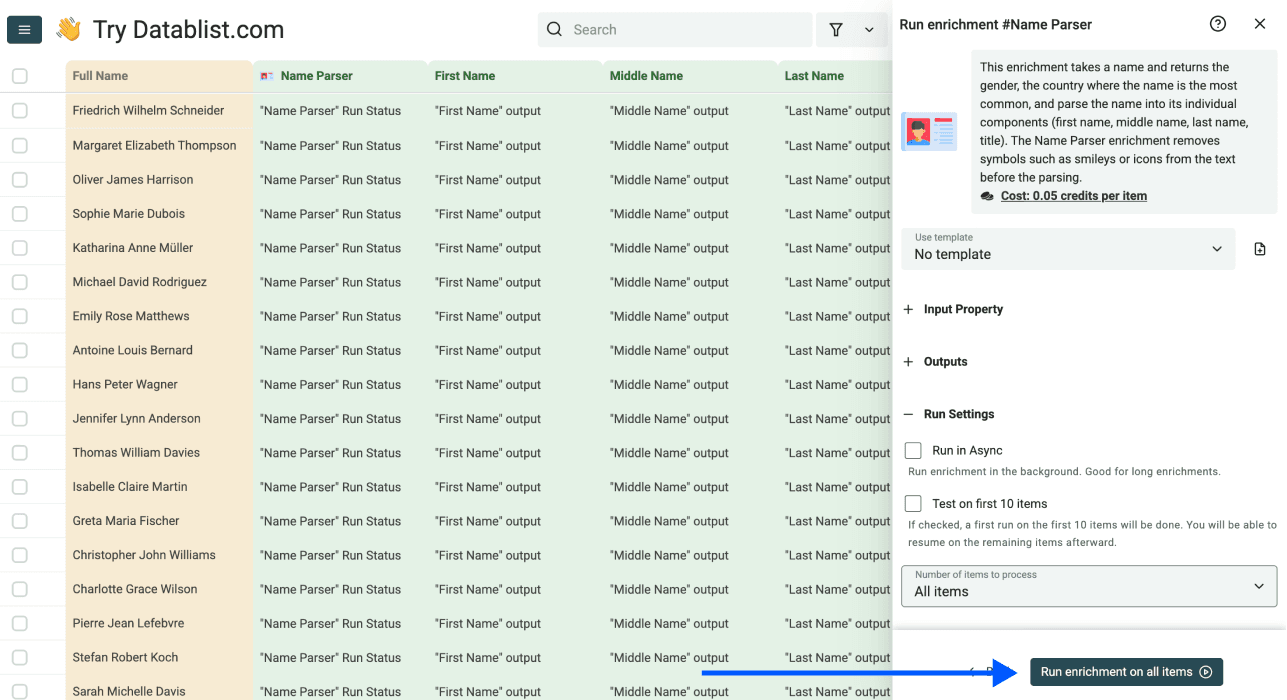
Run the first sample and compare the output with the original names. If the sample is useful for your task, choose the remaining view items. Leave blank or uncertain results unclassified.
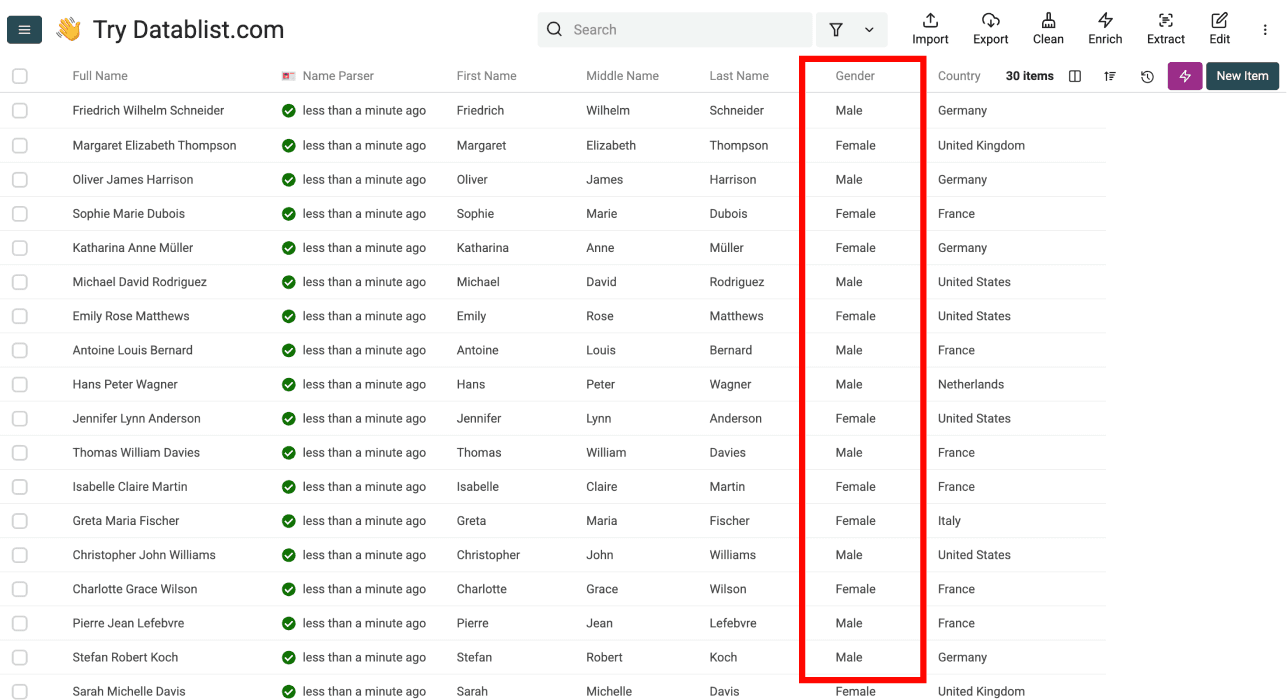
After processing, your results will look like this:
The parser uses credits for processed names, including names with no useful result. Empty inputs are handled separately.
Conclusion
You can infer a name association without writing an API call. Keep the result separate from confirmed personal information.
With Datablist's Name Parser, you can:
- Upload a spreadsheet and map its
Nameproperty - Preview the parser's optional gender and name-part outputs
- Review ambiguous results and use a neutral greeting where appropriate
- Export your enriched data as CSV or Excel
Check plans and credits before a larger run.
Frequently Asked Questions (FAQ) About Finding Gender by Name
How Many Names Can I Process With Datablist?
Name Parser requires a paid plan and currently costs 0.05 credits per processed name. The number you can run depends on your available credits and collection limits. Test a sample first; there is no fixed 10,000-name free allowance for this premium action.
Is There Any Rate Limit?
The action processes batches and requires enough credits for each run. Collection import limits depend on the plan and storage mode; check the run estimate before submitting a large list.
What If I Also Need to Split Names?
The Name Parser can do both at the same time. Just select "First Name," "Last Name," and "Gender" as your outputs, and you'll get all three columns in a single run. Check out our guide on how to separate names in Excel for a more detailed explanation.
Can I Find Gender From Names in Different Languages?
The parser can process names from different regions, but coverage and name ordering vary. Review a sample from each language or region in your file rather than assuming the same quality across all rows.
How Accurate Is Gender Detection From Names?
The output is an association from a names dataset, not a verified identity or a published accuracy score for your file. Ambiguous, unfamiliar, or short names can be wrong or blank. Review the result and avoid using it to decide how someone identifies.
What's the Difference Between API-Based Gender Tools and Datablist?
An API requires an integration. In Datablist, you import a file, map the Name input, select outputs, and run the enrichment from the interface.
How Can I Determine Gender From a First Name?
Map your first-name or full-name column to the parser's Name input. Treat any returned Male or Female label as a name association and check it before use.
How Can I Add Gender Data to My Excel Spreadsheet?
Import the Excel file into Datablist, run the Name Parser with Gender mapped to a new property, review the sample, and export the results to Excel if needed.
How Can I Find Out if a Name Is Male or Female?
You cannot establish whether a person is male or female from a name alone. The parser may return a Male or Female association for a name, or leave the output empty. Ask the person when their identity matters.
How Can I Get Gender Information From a List of Names?
Import your list, select its name column, choose the parser's Gender output, and run a sample. Keep blank outputs blank and review ambiguous names.