
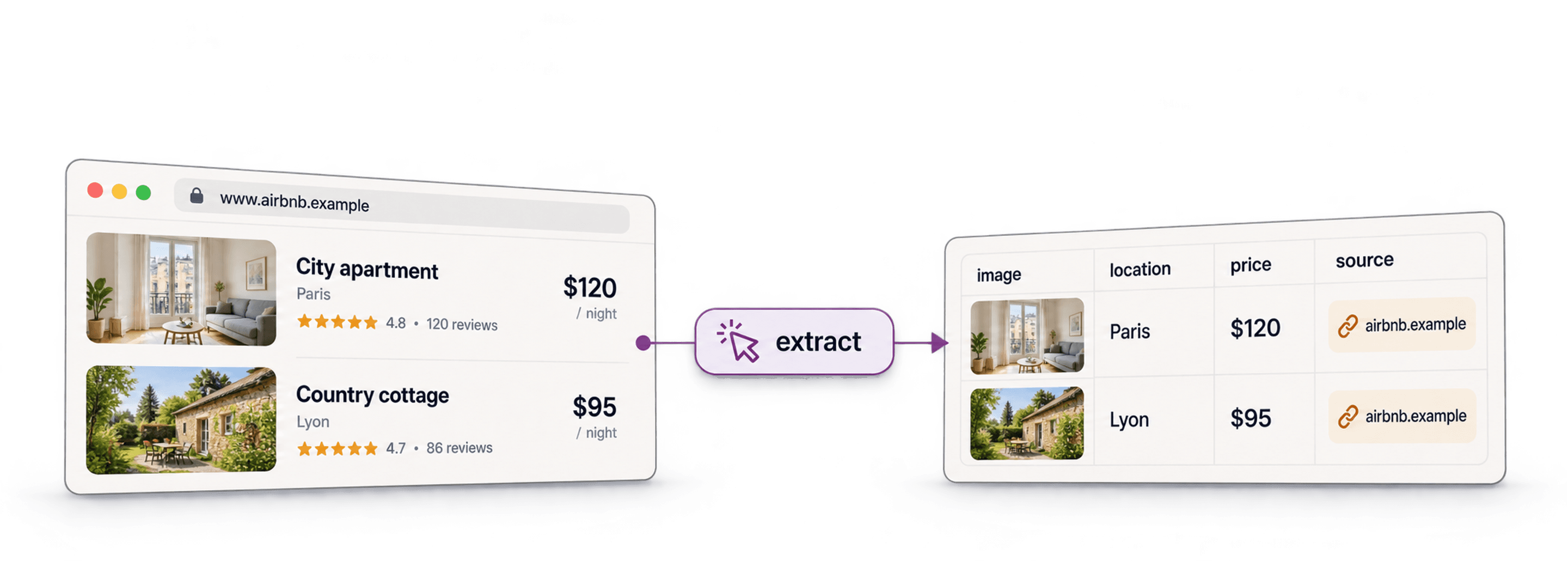
An Airbnb scraper can turn accessible property cards into rows with listing URLs, prices, and review counts. Datablist's AI Agent - Site Scraper includes an AirBnB Property Scraper template for this task. Start with a small search result and validate its output before expanding the run.
Check access permission first. Airbnb's current terms prohibit automated scraping without the applicable authorization. A template does not grant that authorization. Do not use it to bypass a login, access restriction, or blocked response.
For an authorized research workflow, I would preserve the search URL, dates, guest count, currency, and collection time with every result. Those inputs change what a property search shows and what its prices mean.
What is Datablist?
Datablist is an AI-powered spreadsheet for collecting, reviewing, and processing structured data. Its source scraper creates rows from a supplied page URL. You configure the fields to extract and review the resulting collection.
This workflow extracts information visible to the scraper. It does not give you a complete Airbnb property database, host email addresses, or access to private booking data.
Seeing All Available Properties on AirBnB
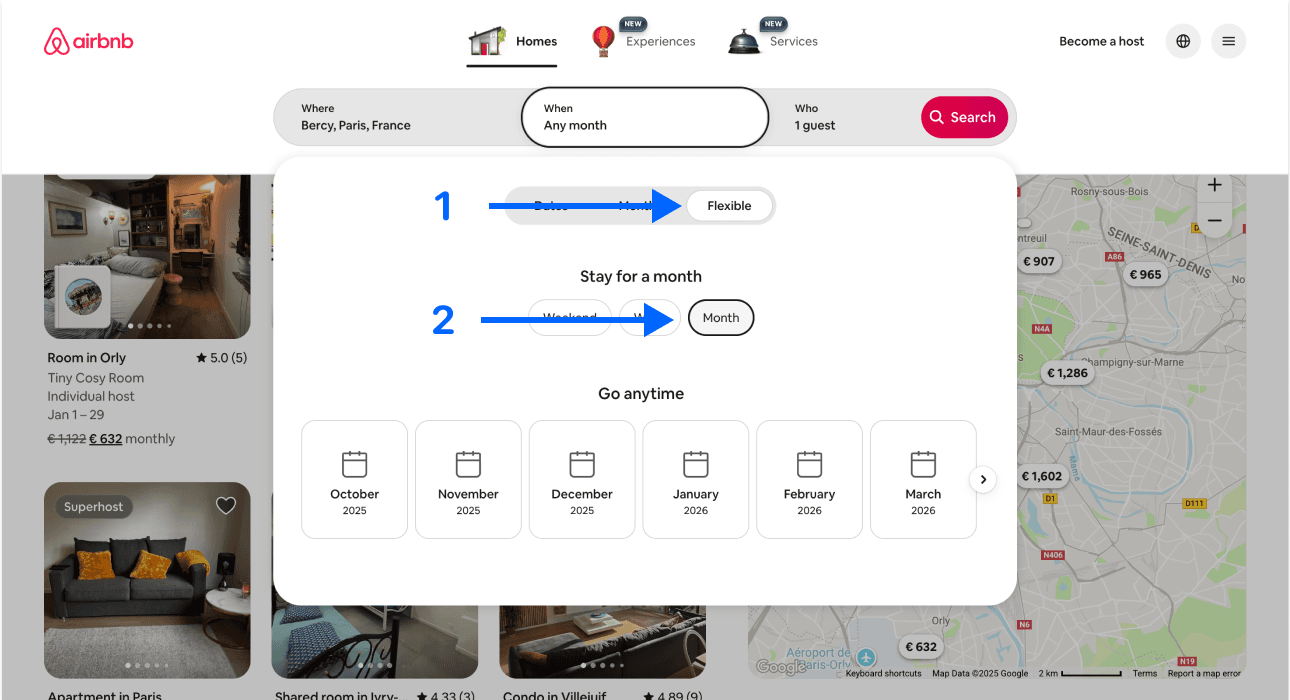
An Airbnb search is a filtered sample, not an inventory of every property. Choose the location, dates or flexible-date mode, guests, and other filters relevant to your research, then copy the resulting search URL.
For example, a two-adult stay in a particular city answers a different price question from a flexible-date search for one adult. Keep those conditions consistent when comparing locations or repeating the collection.
Do not use Instant Book or Self Check-in as proof that the host is a business. Those are booking features. Accept a host classification only when the page gives supporting information; leave it unknown otherwise.
Scraping Properties From AirBnB: Step-By-Step Guide
The following section will guide you through the entire scraping process. If you encounter any issues, feel free to reach out to us
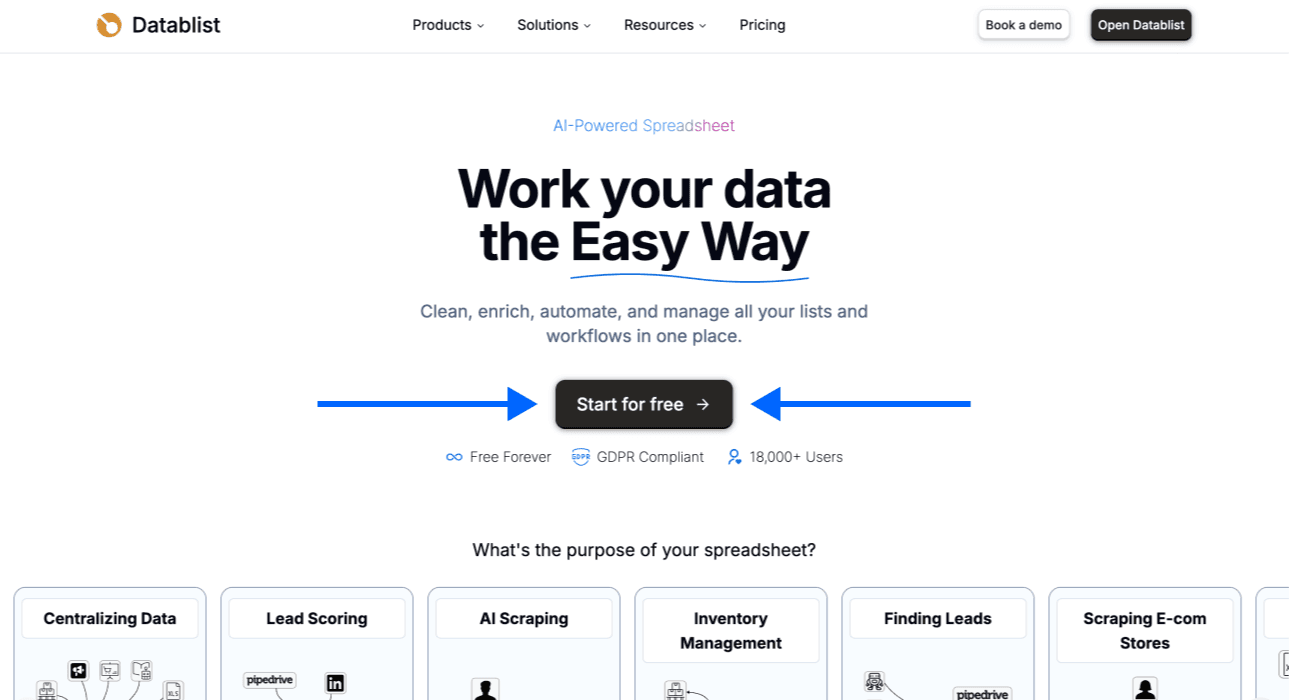
Step 1: Sign up & Create a Collection
First, sign up for Datablist.com
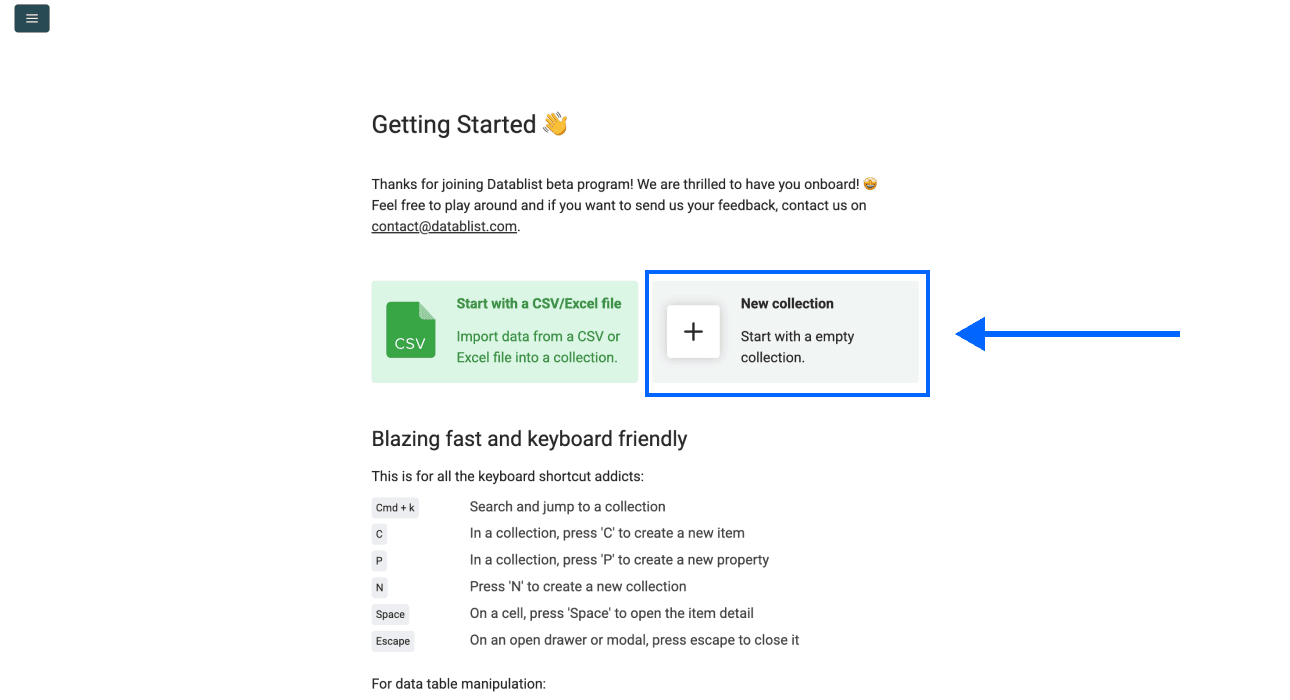
Then, create a New Collection
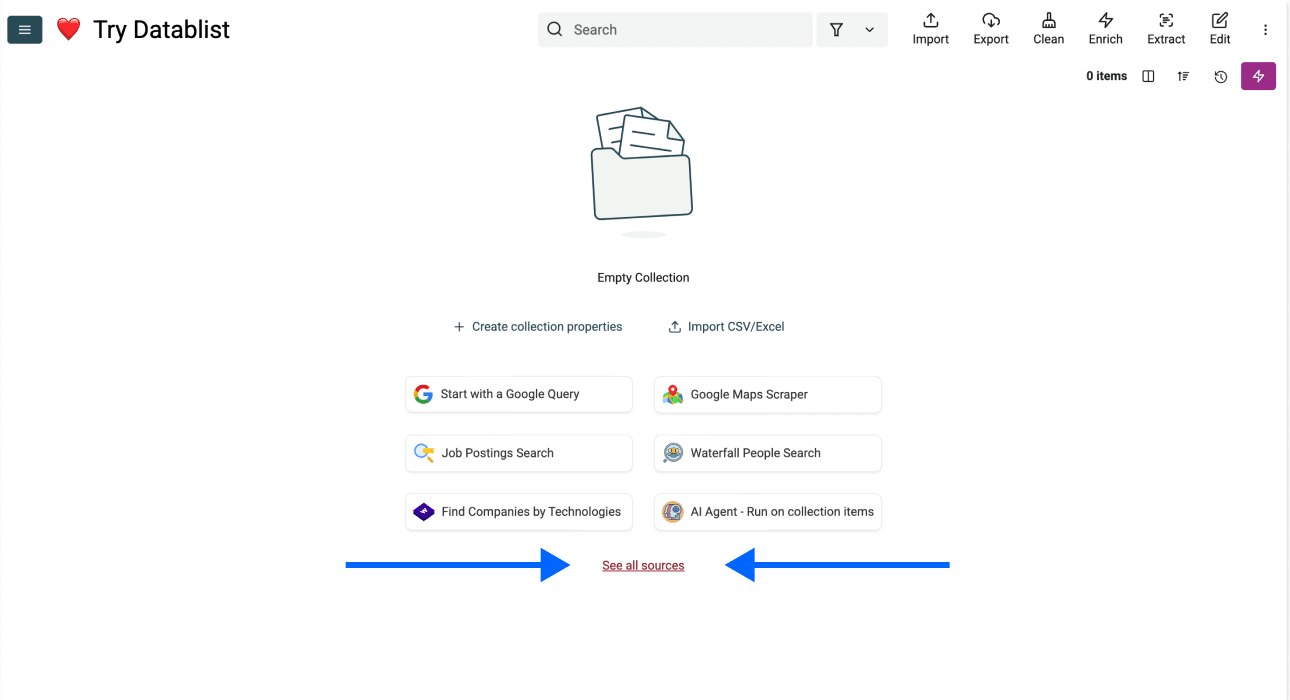
Step 2: Navigating To the Template
- Click on See all sources
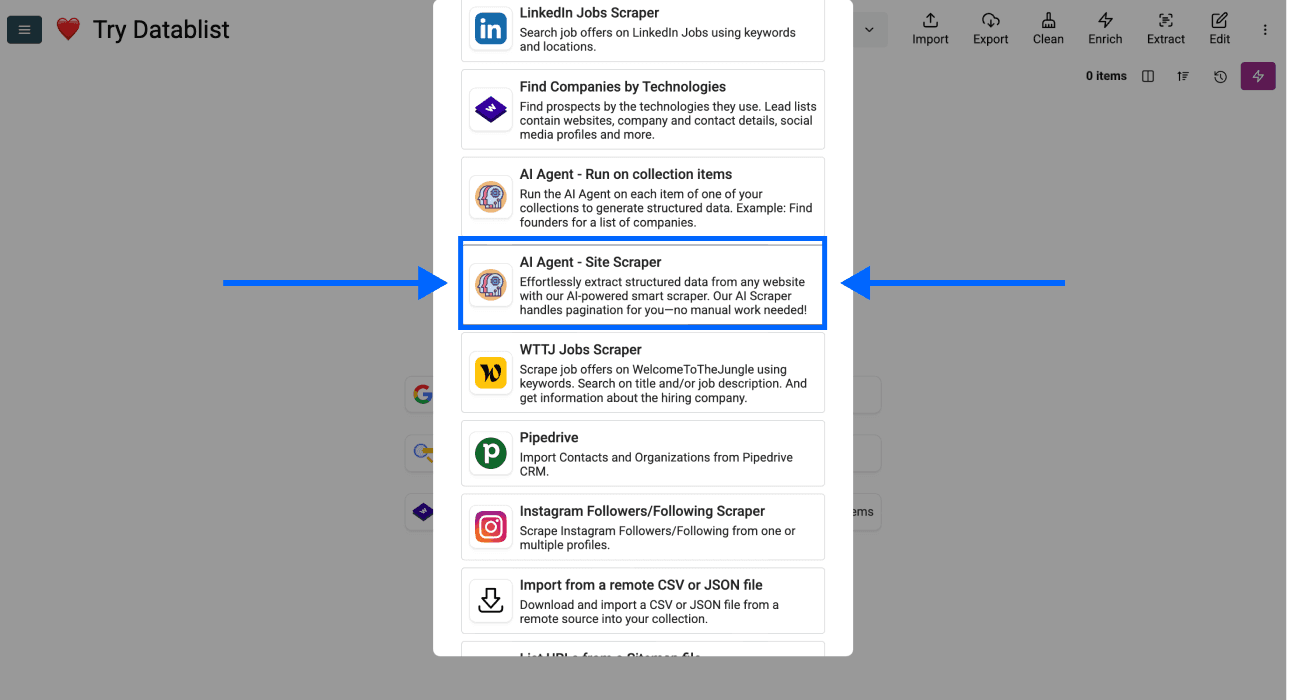
- Scroll down and select AI Agent - Site Scraper
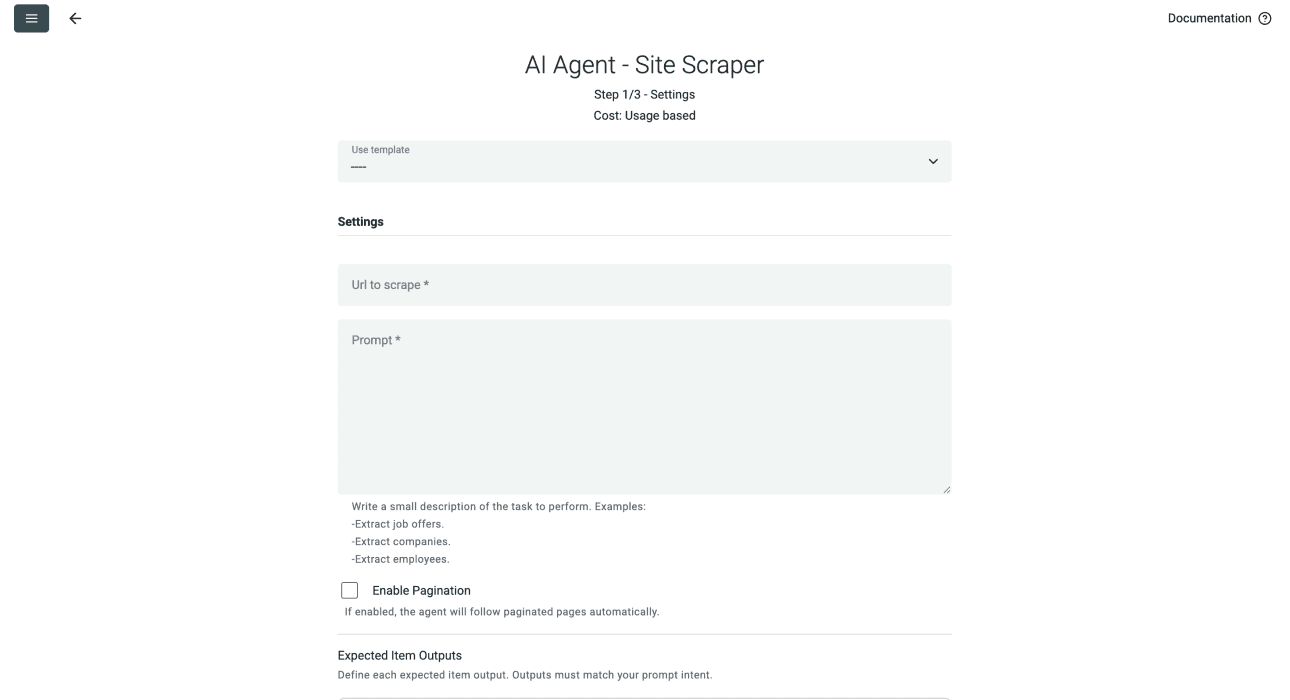
Now, you should see a different interface, which looks like this
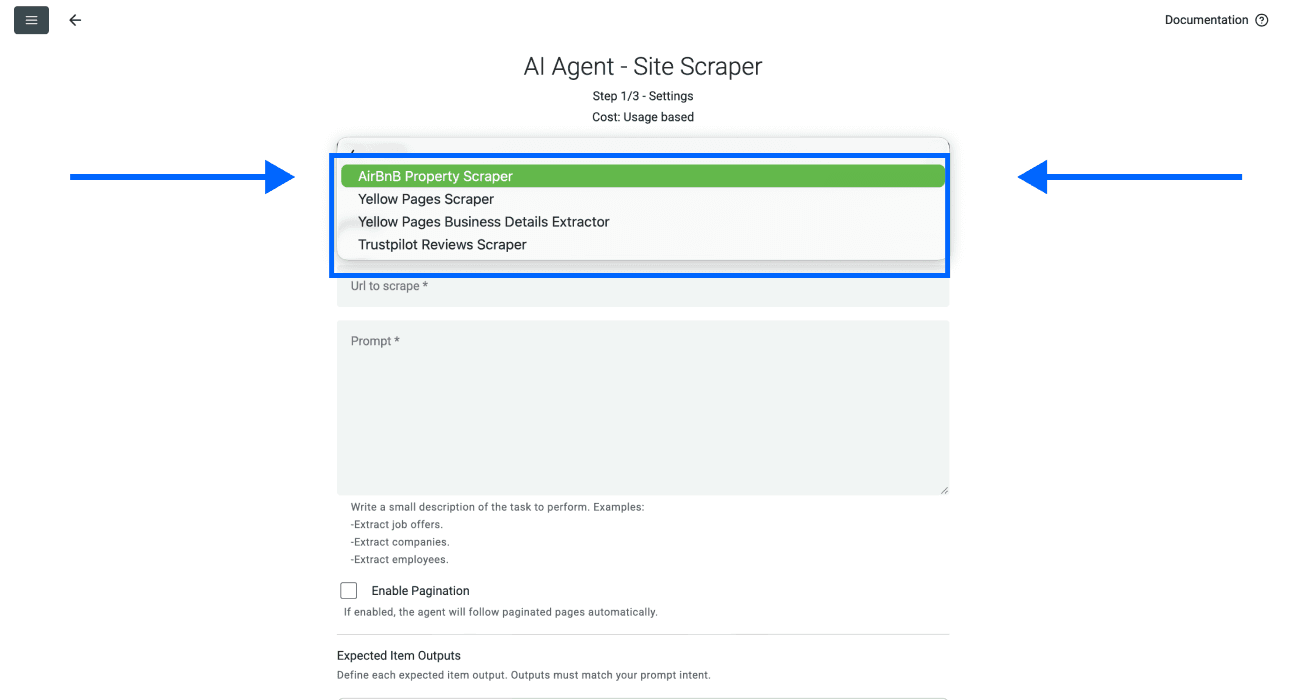
Step 3: Selecting the Template & Setting Limits
- Click on the Template Drop-Down and select “AirBnB Property Scraper”
- Paste your AirBnB search URL in the first field
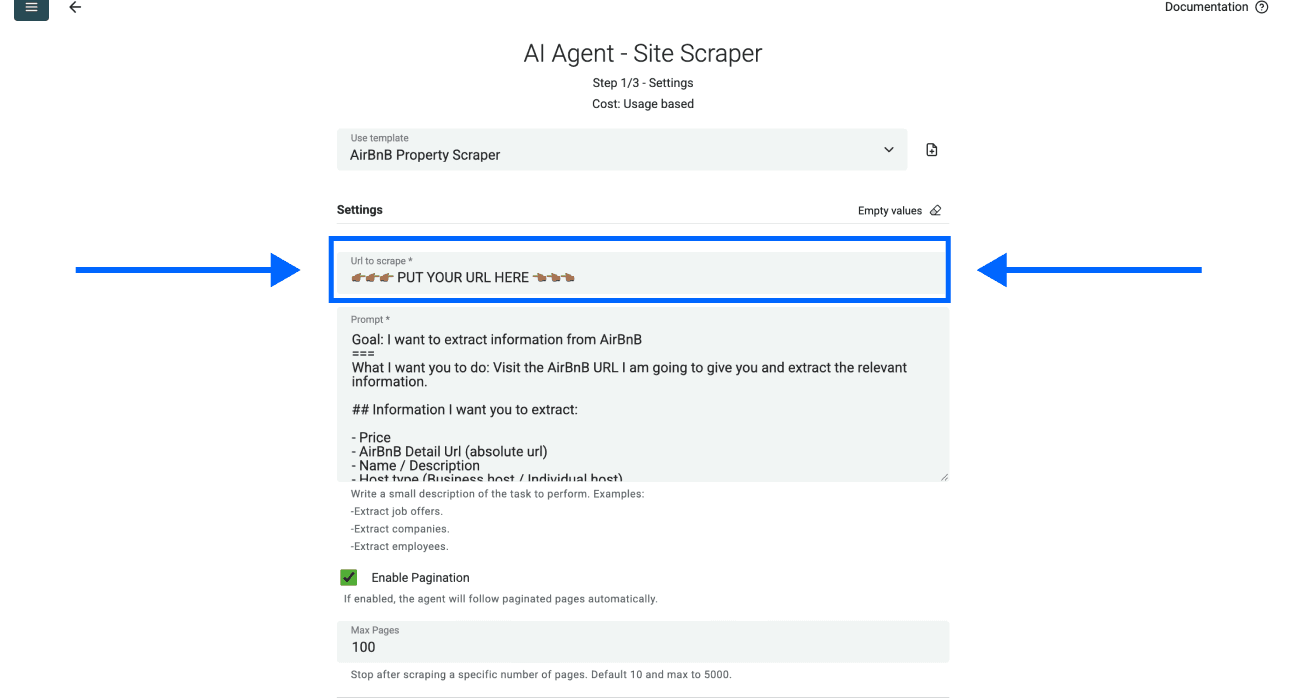
- Select the number of pages you want to scrape
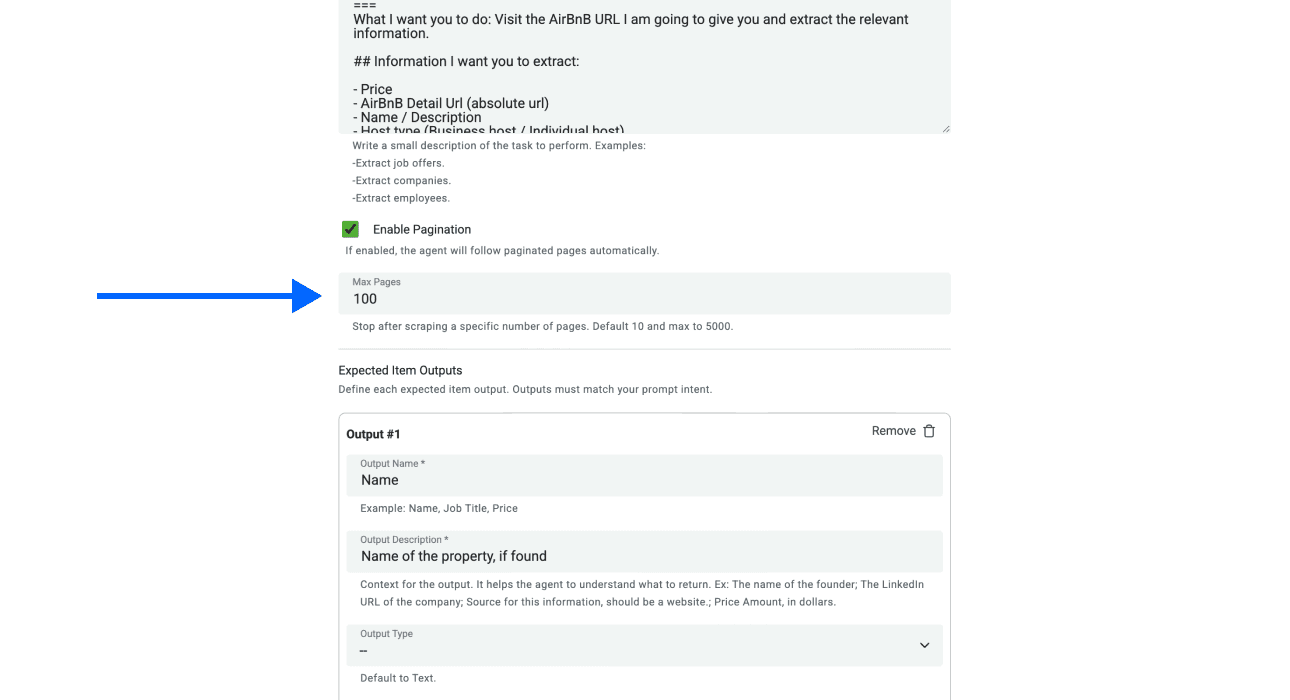
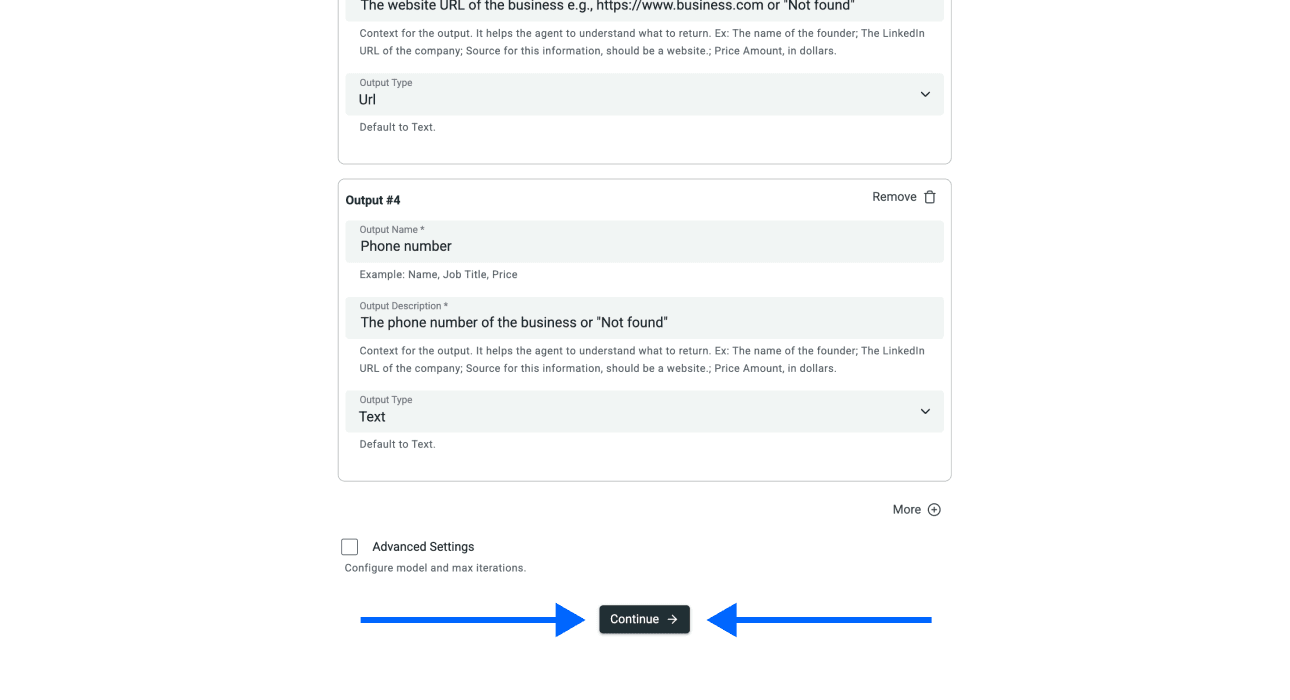
- Scroll down and click on Continue
Step 4: Selecting Outputs
Datablist will create all properties automatically.
For the data points you don’t want, click on the ✕ Icons to remove them from your collection
Once you have checked the outputs, click on Run import now to start a small sample.
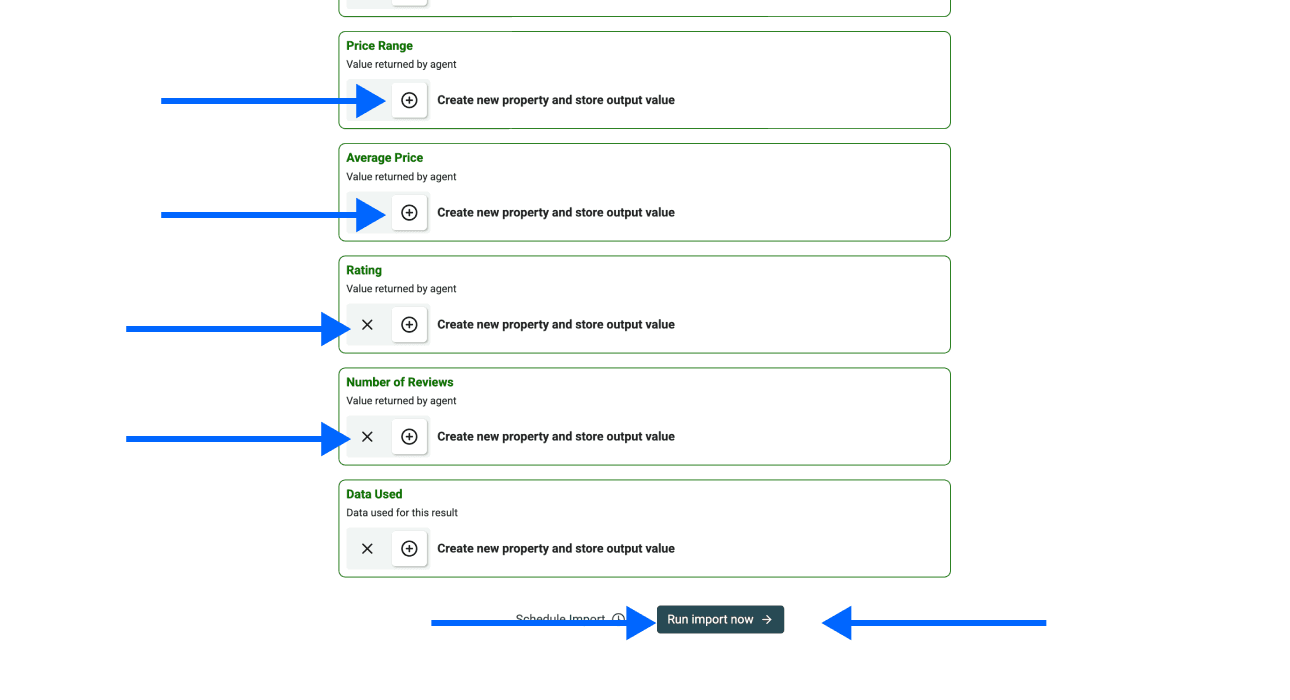
The screenshot below illustrates the table shape. Your returned values depend on the accessible search page and its displayed information.
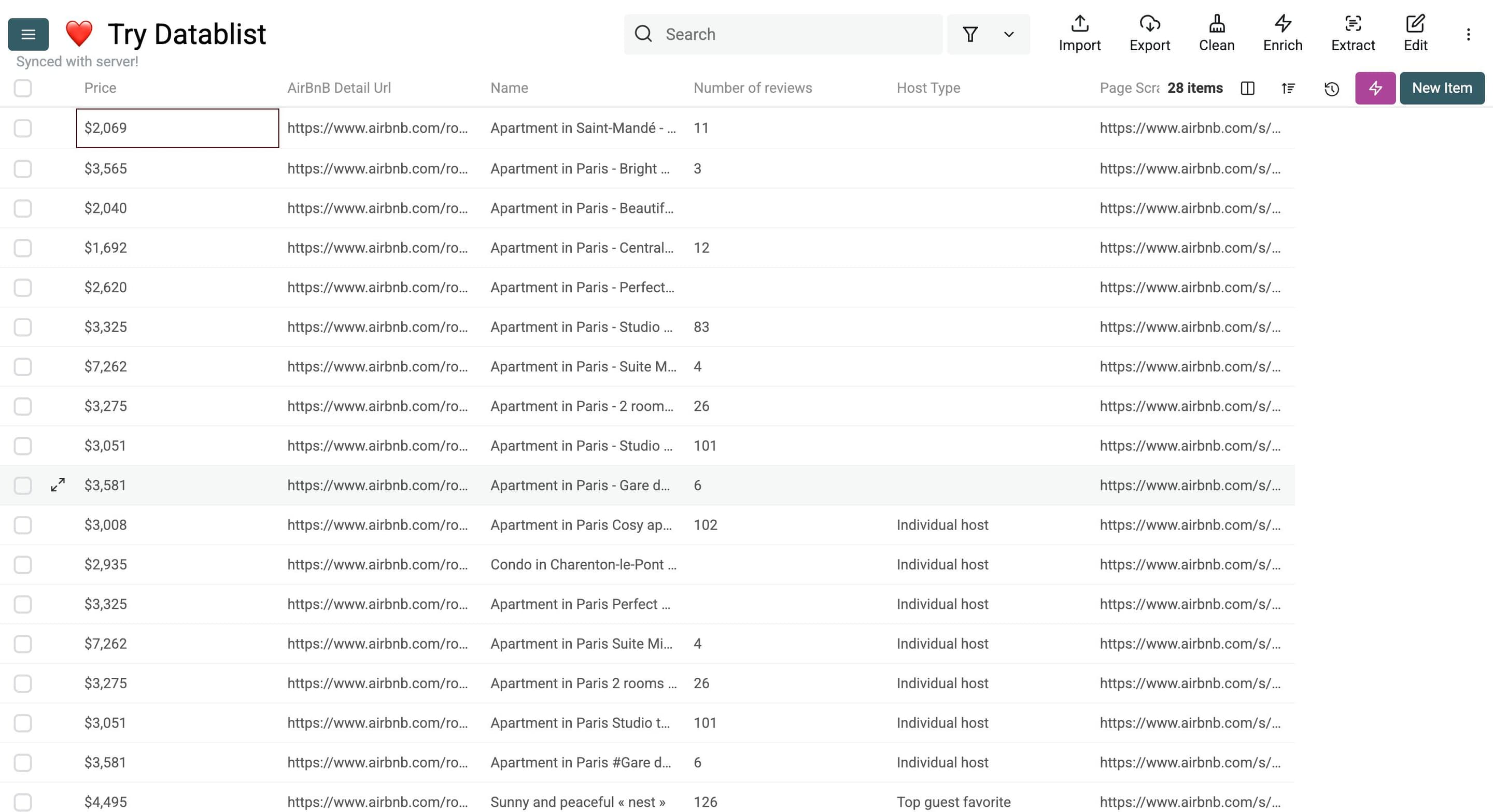
Check the output before expanding the run
The current template asks for Price, AirBnB Detail URL, Property Name, Host Type, and Number of Reviews. Missing information should remain empty. Special tags, host contact details, or individual review texts are not included just because a review count is returned.
Open a few extracted detail URLs and compare them with the original search cards. Check the title, price, and review count. A property name can repeat across several listings, so keep the detail URL as the primary review key.
Price needs its search context
The template describes its price output as a nightly price, but the visible page may present a total stay price or a differently labeled amount. Inspect the source label before treating a number as a nightly rate. If the label is ambiguous, preserve the visible price text in an additional Text output and mark it for review.
For example, do not divide a displayed stay total by nights and label it a comparable nightly rate without checking fees, taxes, currency, and the displayed scope. Store your arrival and departure dates alongside the result. That makes a later comparison reproducible.
Pagination does not promise full coverage
The source follows a next-page link found on the current page when it has extracted rows and the configured page budget allows another visit. It does not guarantee that every dynamically loaded card or every property in a region will be collected.
If the run returns fewer rows than expected, compare its Page Scraped values with the search pages you can access. Check for a missing next-page link, login requirement, or blocked request. Increasing the page limit does not fix an inaccessible page.
2 Alternative Methods to Scraping Properties From AirBnB
Before choosing another scraper, check whether an authorized data source or export serves the research question. A different tool does not change your permission to collect the data.
ScrapingBee
An API-based extraction workflow is relevant when you need to integrate page retrieval into an application. It requires configuring requests, interpreting responses, and maintaining the extraction logic as pages change. Evaluate it against your integration requirements and authorized access.
Octoparse
A visual extraction workflow is relevant when you want to select page elements and control the extraction rules yourself. Compare the setup effort and maintenance needs with a prompt-based workflow. Test either approach on the specific page and fields you need.
Why Datablist Is the Best Option to Scrape AirBnB Listings
Datablist fits a workflow where you want the extracted rows available immediately for review, filtering, and export. The template supplies a starting field configuration; inspect and adapt it to your actual search rather than assuming every output is available.
Price Advantage
AI extraction uses credits for model and page work. Estimate your budget from a small sample and the recorded usage. There is no guaranteed number of properties per credit, and a blocked or empty page can still incur processing cost. Read the credit documentation before expanding the run.
Ease of Use
The template avoids writing your own extraction code. It still requires choosing a suitable input URL, checking outputs, and reviewing errors. If you add a field, give the prompt and output description the same definition and tell the agent to leave unavailable values empty.
Lead Generation Ecosystem
A property dataset is not automatically a contact list. A host label or property URL does not supply a verified company identity or email address. Separate property research from contact enrichment and do not ask a model to invent owner details.
For analysis, keep original values and add your reviewed fields in separate columns. Use the listing URL to inspect repeated results before aggregating prices or review counts.
The Bottom Line: Scraping AirBnB Should Be Easy
Use the template for a small, authorized extraction, then validate access, field accuracy, and price context. Expand only when the sample answers your research question. Keep the search conditions with the export so another reader can understand the result.
Frequently Asked Questions (FAQ) About Scraping Properties From AirBnB
How Much Does It Cost to Scrape AirBnB?
Cost depends on model usage, page content, and visits. Use recorded usage from a sample to estimate the budget; do not assume a fixed cost per listing.
How Can I Scrape Properties From AirBnB?
For a permitted workflow, select the source template, supply your search URL, review the output fields, and run a small sample. Check the property URLs and displayed values before processing more pages.
Is It Legal to Scrape AirBnB?
Public visibility alone is not permission. Review Airbnb's applicable terms and your authorization before collection. Its terms restrict automated access; the availability of a scraping tool does not override them.
What Kind of Data Can I Get From AirBnB?
The template requests displayed listing names, prices, detail URLs, host type, and review counts. It leaves missing information empty. It does not extract host emails or provide an official Airbnb API connection.