
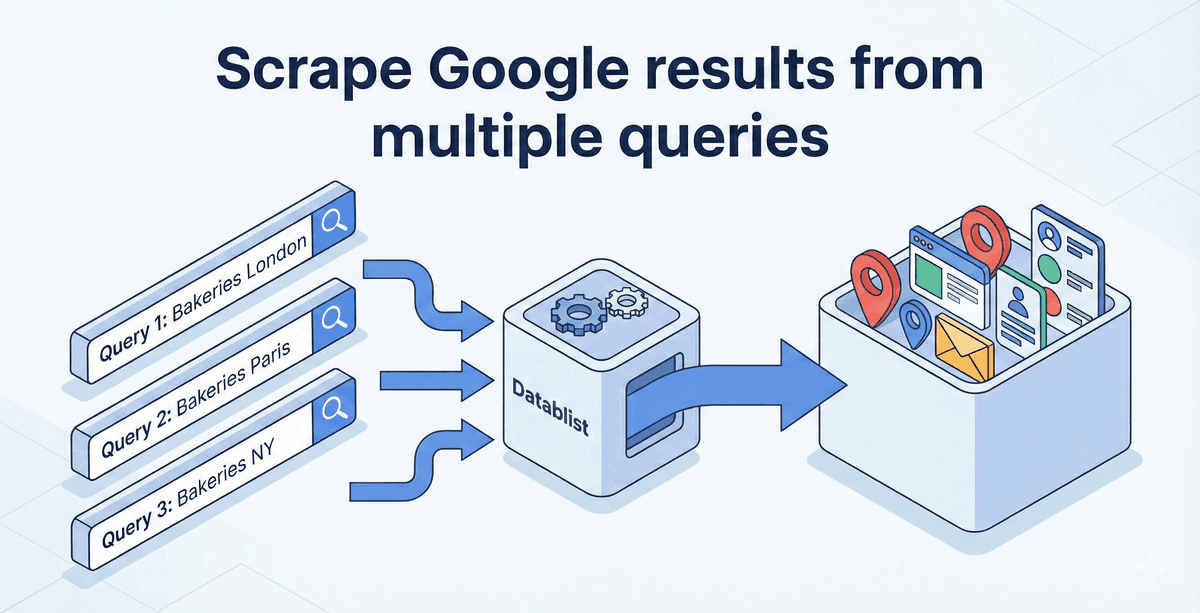
To scrape Google results from multiple queries, write a list of specific searches, paste them into Datablist's Start with Google Search Queries source, choose the country, language, and per-query limit, then review the returned URLs. For example, search dentist Sydney, dentist Melbourne, and dentist Brisbane instead of relying on one broad dentist Australia query.
Each query can return a different set of pages. Results are limited by what Google provides for that search, and variations may overlap, so the final count is not the number of queries multiplied by the per-query limit. The free-plan run processes only the first query and caps it at 200 results; use an eligible paid run for a multi-query batch. Check the run estimate before using credits.
📌 Examples of use cases
- Create a lead list with LinkedIn profiles
- Search Instagram profiles using keywords
- Target companies by specific web technologies
- Build local company databases across hundreds of cities
Quick links to sections:
- Why one broad query misses results
- The Multi-Query Solution & using AI for Query Variation
- Step-by-Step Guide to Datablist Google Scraping
- Cleaning and Deduplicating Your Data
- Enriching Your Search Results
- Cost Analysis: Scraping on a Budget
Why one broad query misses results
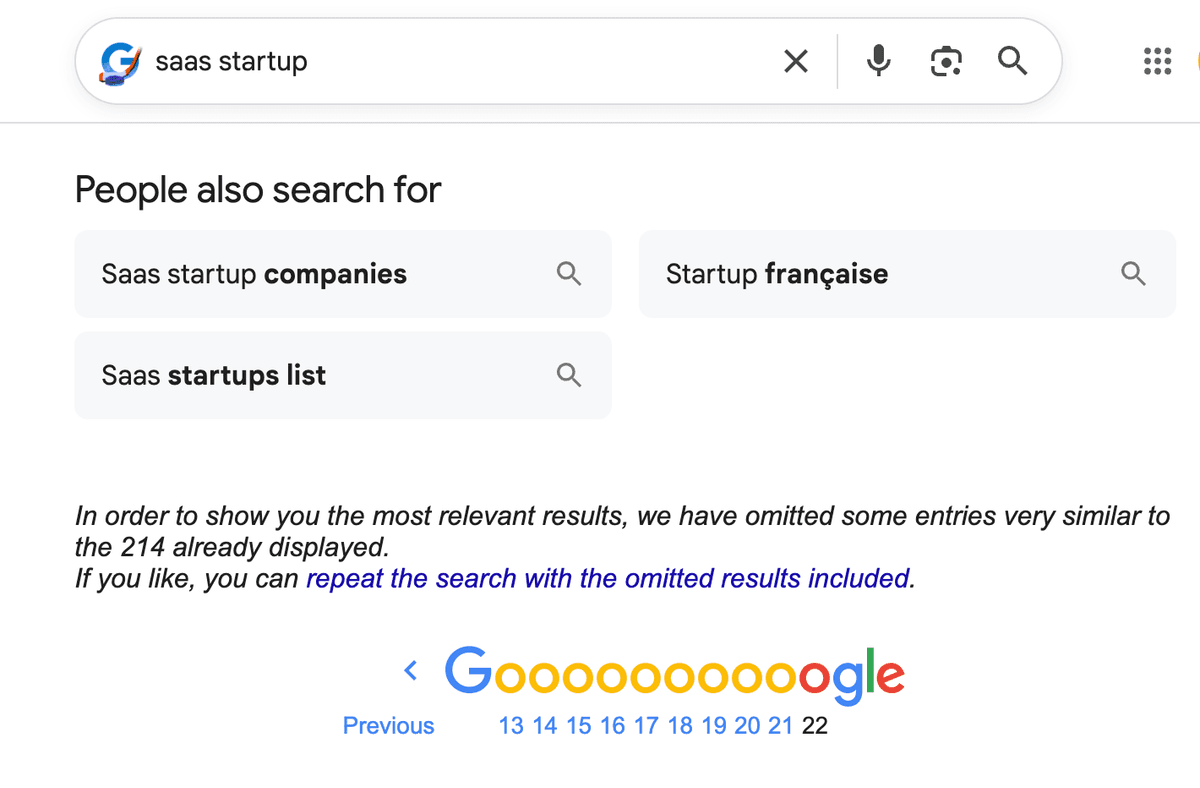
The estimated result count shown for a broad search is not a list of pages you can necessarily retrieve. Available pages vary by query.
If you page deeply through a broad search, Google may omit similar results or return no more pages. The number available varies by query.
For lead generation, a broad query can miss relevant niches. A search for lawyer UK may favor large directories, while employment lawyer Bristol can surface different local firms.
Make searches more specific by location, service, or industry. The result is a broader set of candidate URLs to review, not a complete list of every business.
The Multi-Query Solution
Multi-query scraping involves breaking a large search into many smaller, overlapping queries. Instead of searching for "Lawyers in the United States," you search for "Lawyers in New York," "Lawyers in Los Angeles," "Lawyers in Chicago," "Lawyers in Houston," and "Lawyers in Miami."
Each city search may return different pages, though firms can rank in several nearby cities. Keep the Search Query and Result Link output properties so you can see why a page appeared and compare overlapping results.
The variation changes what Google is asked to find. It does not guarantee a particular ranking or number of unique companies.
Using AI for Query Variation
Creating 100 variations of a search query manually takes time. An LLM can draft variations, but check the locations and terms before pasting them into a paid run. Remove near-identical searches and queries that target the wrong intent.
The Location Strategy
Location is the easiest way to multiply results. Every country has lists of cities, states, or regions.
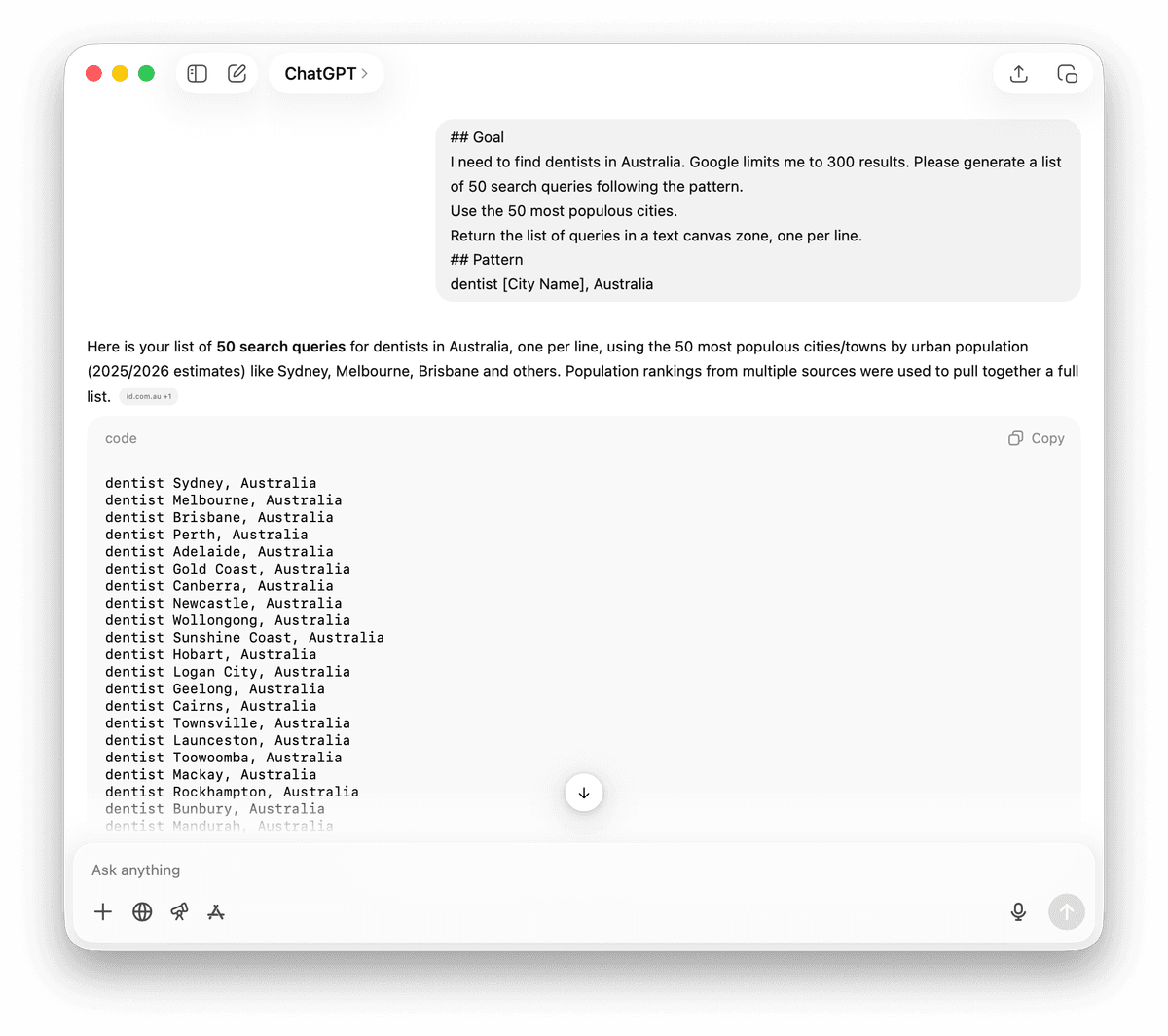
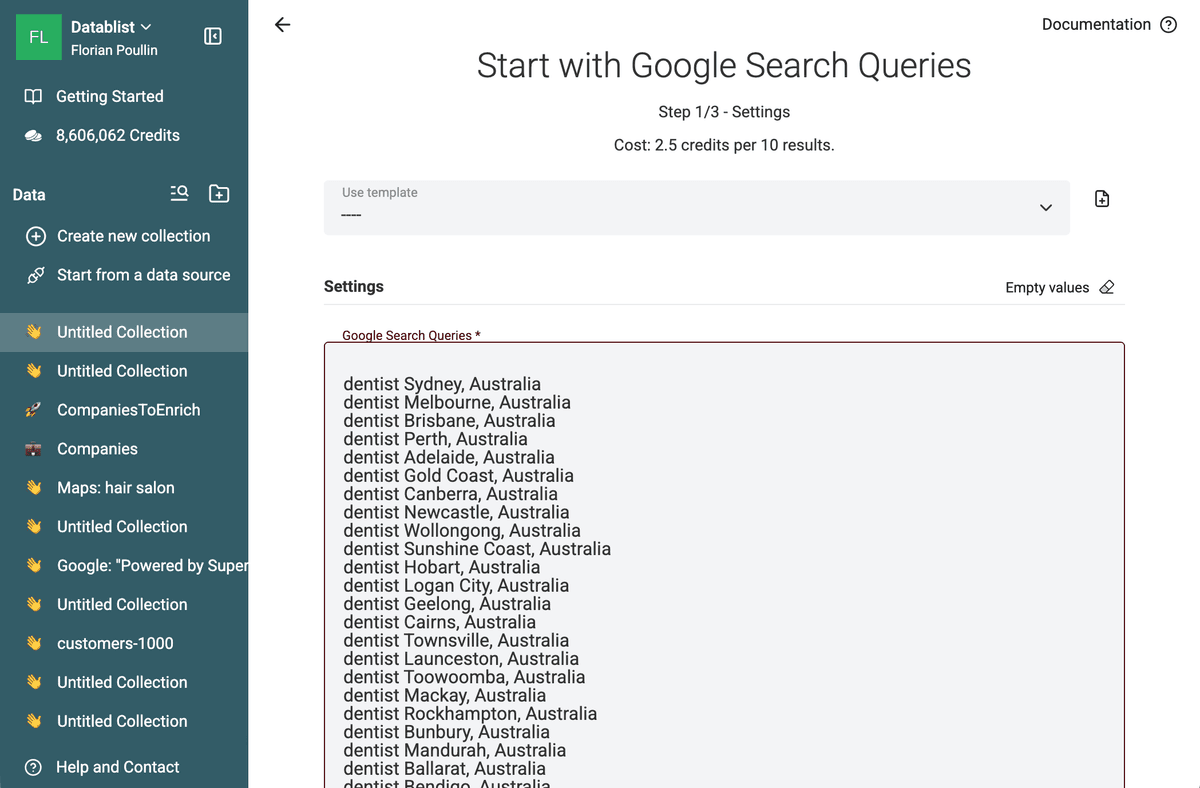
I need to find dentists in Australia. Generate search queries for major Australian cities following this pattern.
Use real city names, one query per line, and do not repeat cities. Return only the queries.
## Pattern
dentist [City Name], Australia
The Keyword Variation Strategy
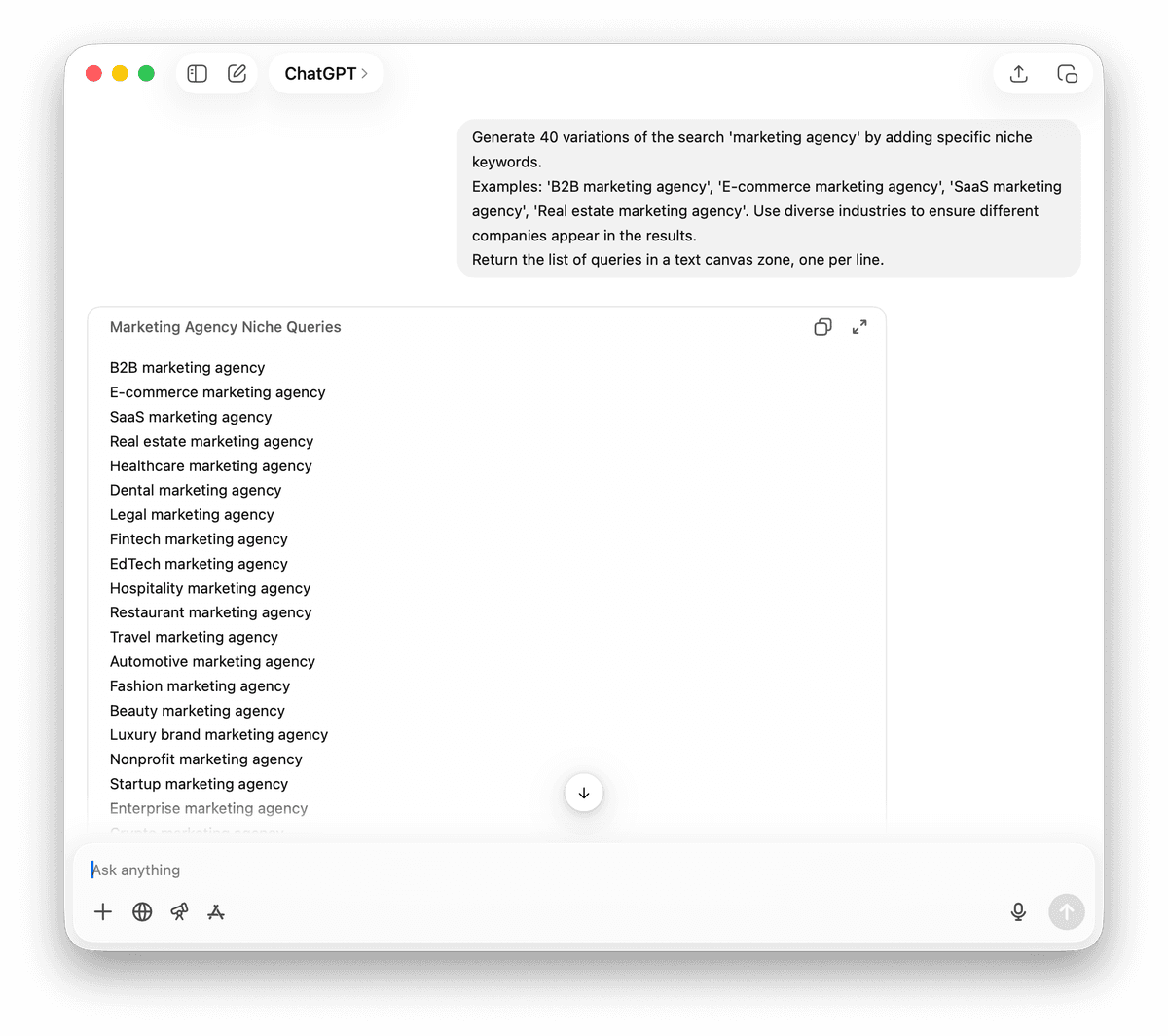
Sometimes locations do not fit. If you seek "Remote Marketing Agencies," you might vary the keywords instead.
Examples: 'B2B marketing agency', 'E-commerce marketing agency', 'SaaS marketing agency', 'Real estate marketing agency'. Use diverse industries to ensure different companies appear in the results.
Return the list of queries in a text canvas zone, one per line.
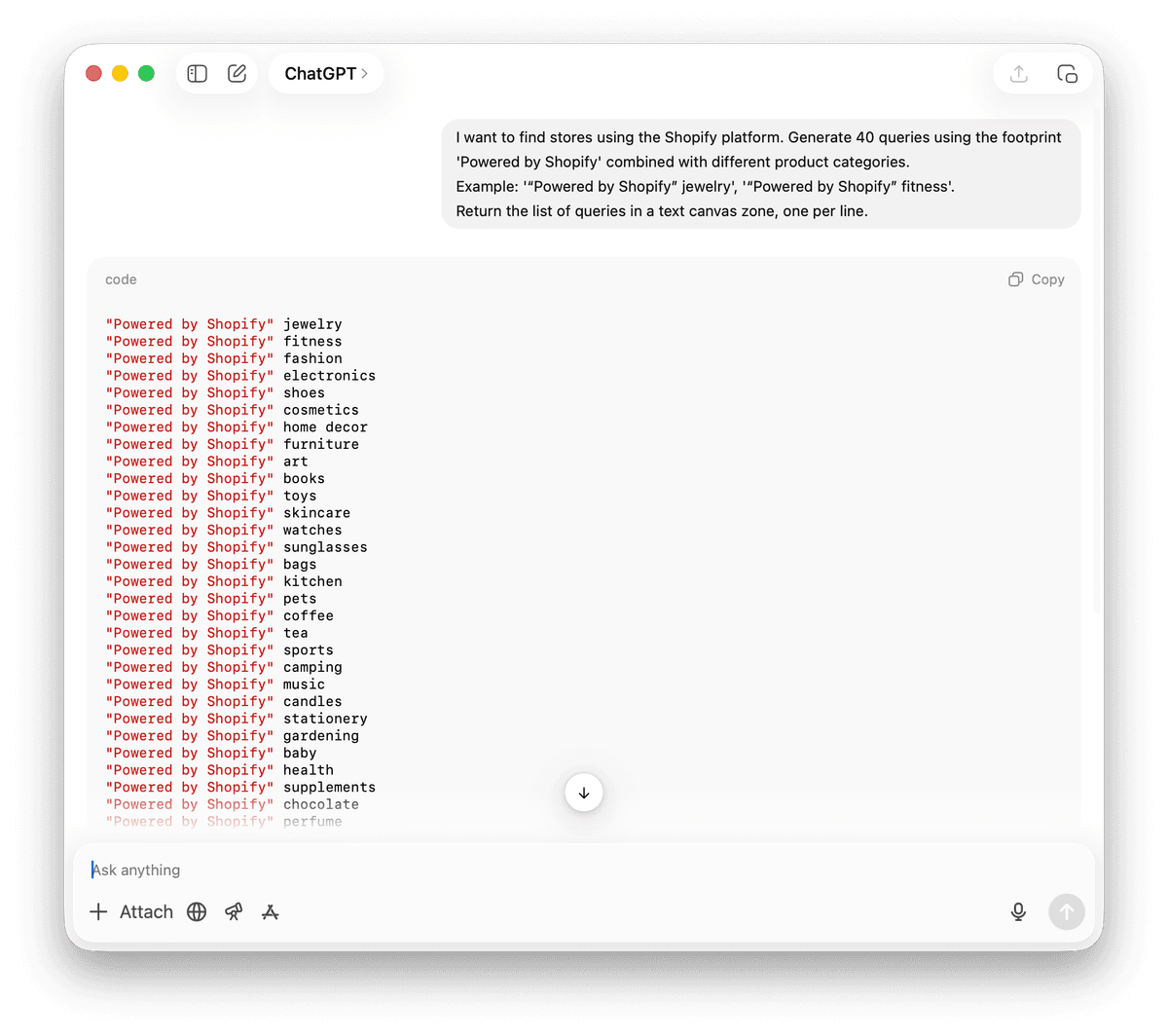
The "Fingerprint" Strategy
Many websites use specific software. This software often leaves a footprint in the HTML code or footer. Google indexes this text.
Example: '“Powered by Shopify” jewelry', '“Powered by Shopify” fitness'.
Return the list of queries in a text canvas zone, one per line.
Step-by-Step Guide to Google Bulk Queries Scraping
Once you have reviewed the queries, the Datablist source runs them without you having to build a browser scraper. Start with a small batch so you can inspect the output and credit use.
1. Access the Data Source
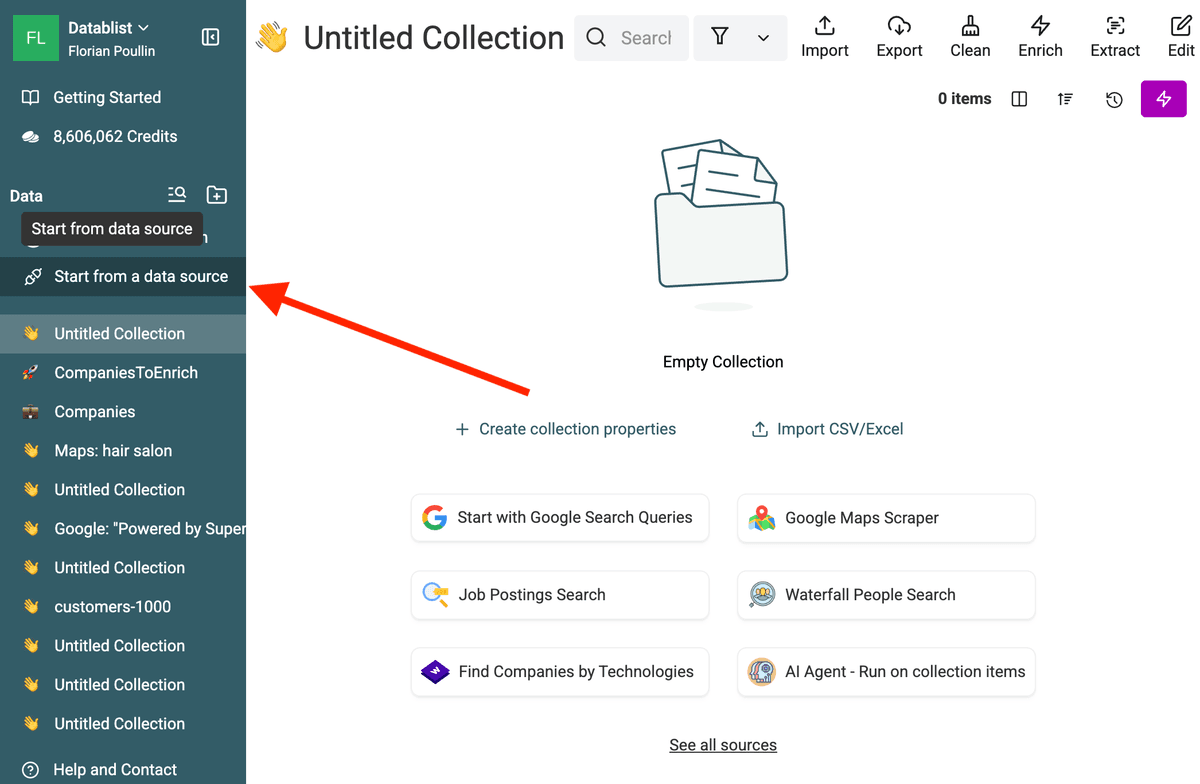
Open Datablist and click Start from a data source in the sidebar.
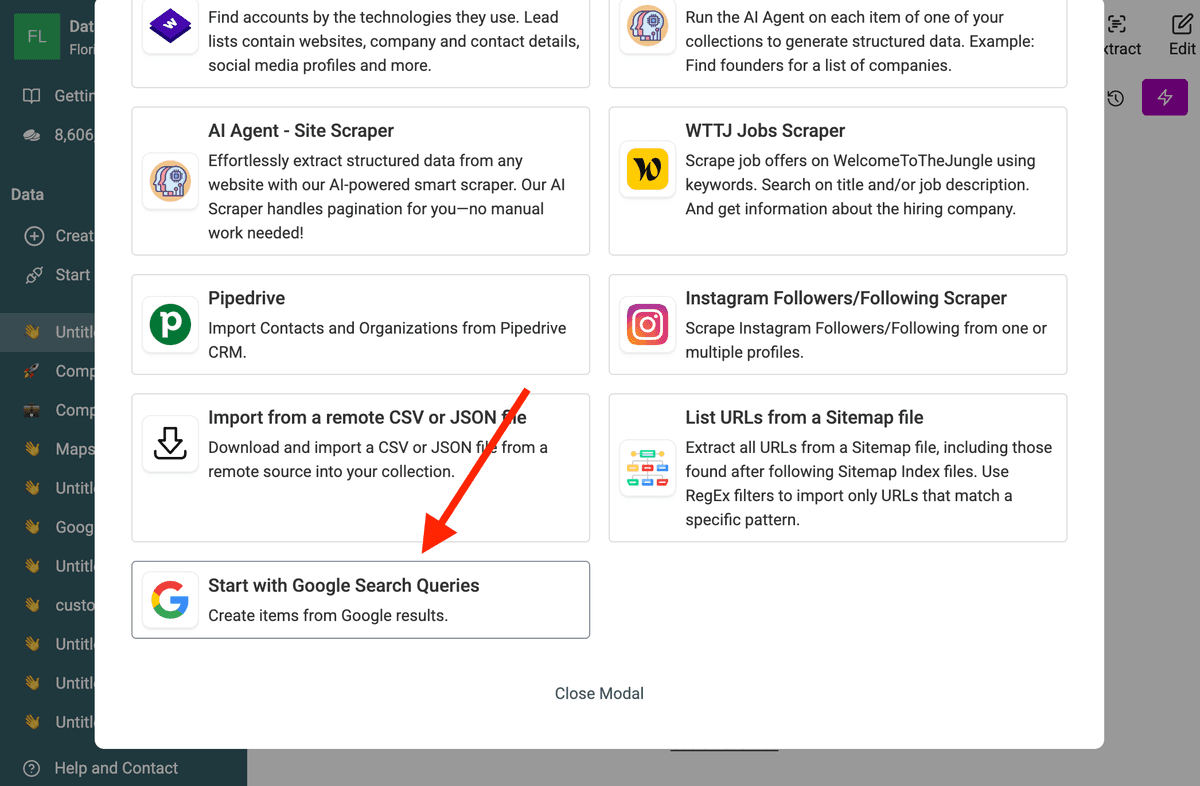
Choose Start with Google Search Queries from the source catalog.
2. Paste Your Queries & configures search parameters
Paste the reviewed query list into Google Search Queries, one query per line. A free-plan run processes only the first query, so check your plan and the selected run mode before expecting a multi-query batch.
Set Search Country and Search Language for the market you want to inspect. Use Time Period when recency matters and Limit Per Query to bound the run. The time setting filters the search window; it does not verify that every returned business is currently active.
4. Execute and Wait
Review the estimated credit use, then run a small batch. Datablist processes the queries and adds returned pages to a collection.
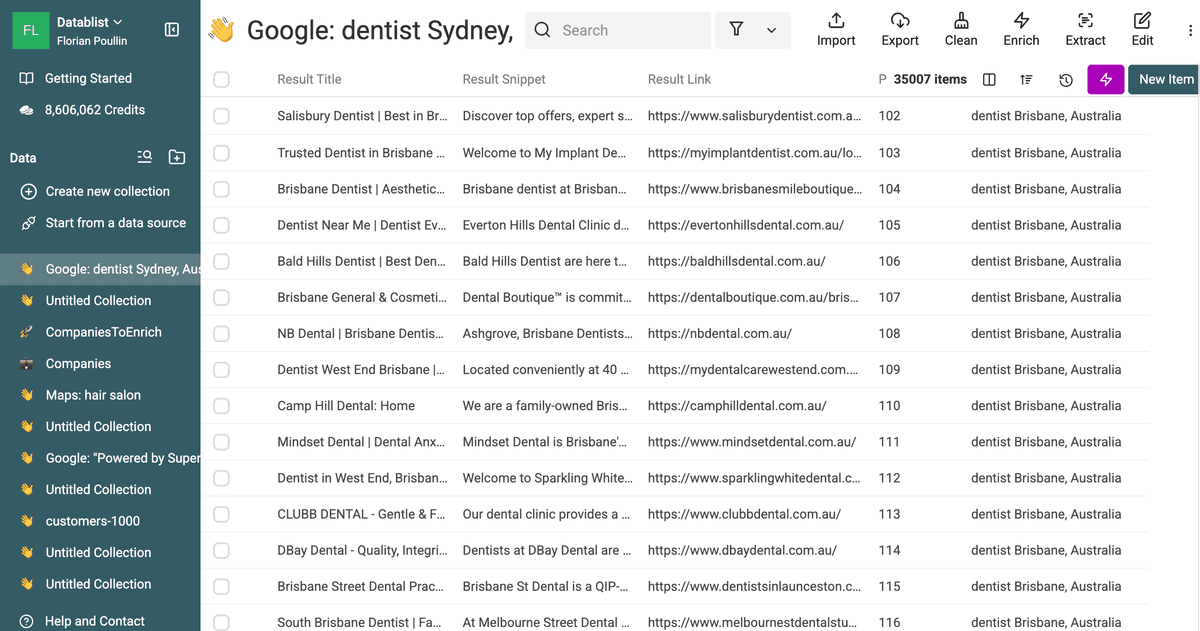
You can watch as the items populate your collection in real-time.
Cleaning and Deduplicating Your Data
Deduping
A major side effect of running 50 similar queries is duplicate data. A popular law firm might rank for "Lawyer London," "Lawyer UK," and "Commercial Lawyer." When you merge these results into one Datablist collection, you will have three rows for the same firm.
You must deduplicate your data before starting outreach. Datablist includes a powerful Duplicates Finder.
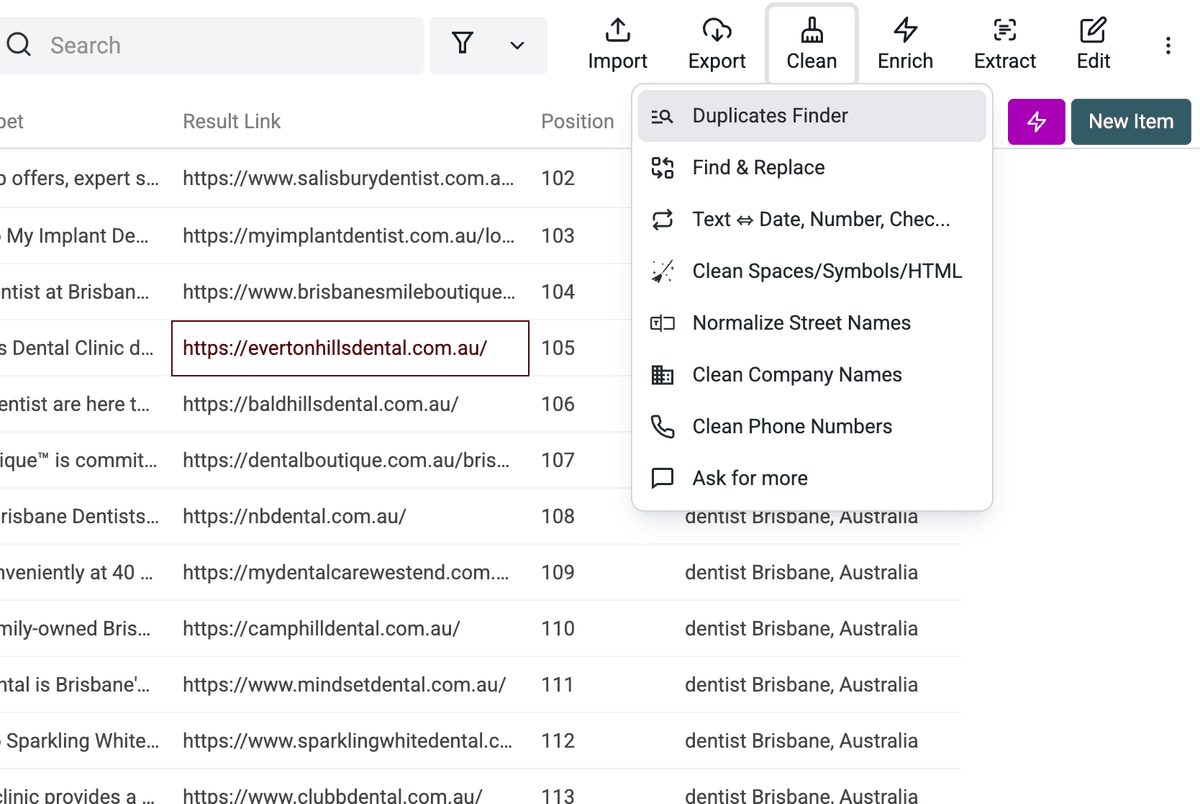
- Open the "Clean" menu.
- Select "Duplicates Finder."
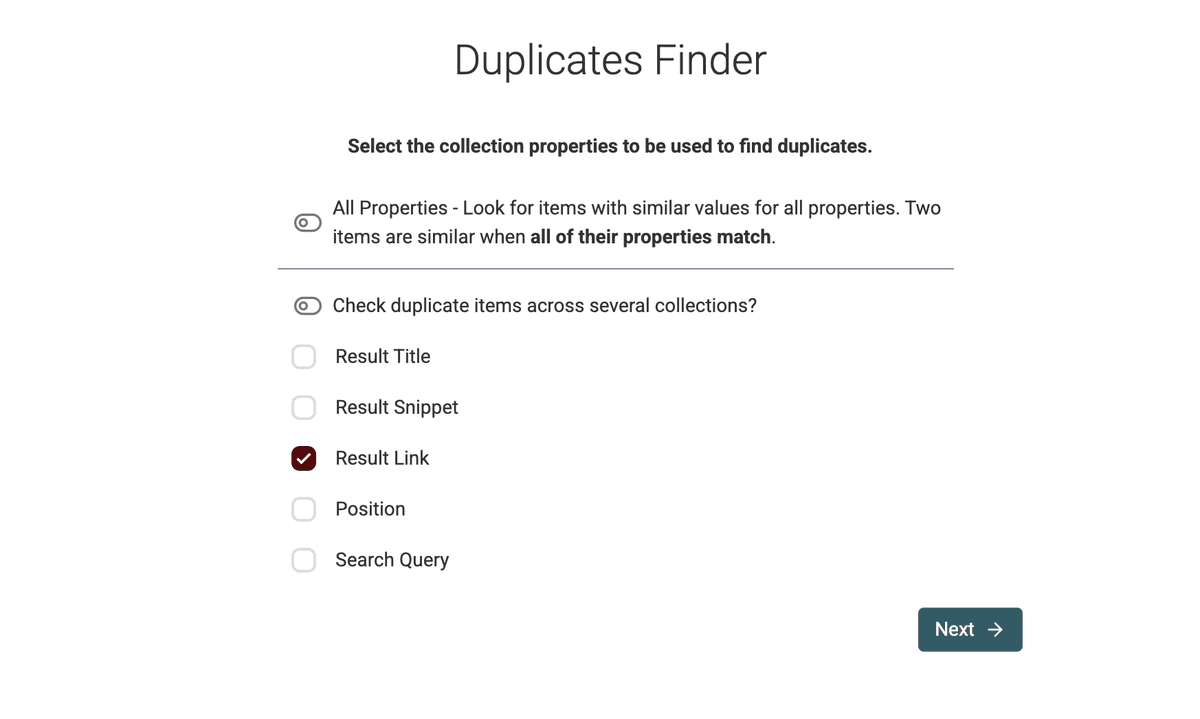
- Choose the property to compare. Use
Result Linkwhen you want to remove the same page returned by several queries.
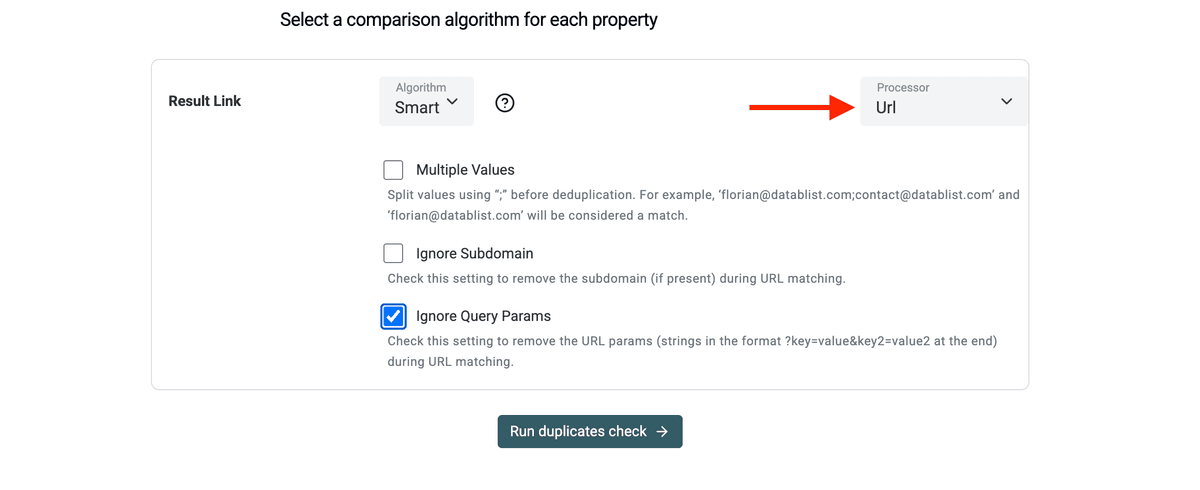
- Select the URL processor. Keep paths when different pages on one domain are useful. Turn on Ignore Path only when you want one record per domain, and review the groups before merging.
- Let the tool identify matching rows and merge them or delete the extras.
Remove noise
Cleaning also involves removing noise. Some Google results will be "aggregators" like Yelp, Yellow Pages, or Tripadvisor. You likely want to remove these to focus on direct company websites.
Use the filtering features to exclude common directory domains. You can find detailed steps on managing these files in data cleaning this guide.
Enriching Your Search Results
A URL or a page title is rarely enough for a sales campaign. Once you have a unique list of websites, you need contact information. Datablist acts as an enrichment hub where you can pipe your scraped data into other services.
Finding Emails
-
Get emails from company domains
If your scrape returns company domains, use the Datablist "Waterfall People Search" enrichment. It finds people working at those companies and returns their profile details with verified email addresses. This is ideal for building targeted B2B contact lists. -
Get emails from LinkedIn profile URLs
If your scrape returns LinkedIn profile links, use the Datablist Waterfall Email Finder. It finds the professional email address using only the LinkedIn profile URL. You can follow our step by step guide here: Find email addresses from a LinkedIn Profile URL.
Get LinkedIn Company Pages from Domains
If you start with company websites, you can turn them into LinkedIn assets in one click. Use the "LinkedIn Company Page Matcher" enrichment. It finds the official LinkedIn Company Page for each business in your list.
This is powerful. A simple Google result becomes a rich company profile with industry, size, and activity data.
Once matched, you can pull detailed company information using:
You move from raw URLs to structured B2B data fast.
AI Agent to visit websites
Sometimes a website hides the good stuff. That is where the AI Agent comes in.
The AI Agent visits each website for you. It reads the pages like a human would.
It can:
- Categorize companies based on their website content
- Label leads as "High Priority" or "Low Priority"
- Extract contact details from Contact or About Us pages
Instead of opening 500 tabs and reading them one by one, you let the agent do the heavy lifting.
Example: turn location queries into a reviewable list
Suppose you are researching dental practices in Australia. Start with three queries: dentist Sydney, dentist Melbourne, and dentist Brisbane. Run a small sample and inspect Result Link, Result Title, and Search Query. Exclude directories if you need practice websites, then compare exact URLs before deciding whether pages on the same domain represent the same business.
Add more cities only after the first batch returns relevant sites. This example illustrates the workflow; it does not predict how many results or unique practices you will find.
Cost Analysis: Scraping on a Budget
Compare the cost of the run with the value of the pages you actually need. Search results are candidate URLs, not qualified leads, and a broad batch can return directories or repeat the same domains.
When an API gives you JSON and you need a spreadsheet, the JSON to CSV Converter can flatten the response before you clean or enrich it.
The source catalog lists 2.5 credits per 10 Google results. For a rough estimate, 1,000 results at that rate correspond to 250 credits; the actual run estimate depends on the selected queries and limit. A current $20 top-up provides 20,000 credits. You cannot buy a $1 top-up, and neither a large query list nor a high result limit guarantees a matching number of useful leads.
Run a small batch first. Check the returned URLs, duplicates, and credit usage before expanding to more queries.
Tips: Use Google Search Operators
To maximize the quality of your scraped data, here are some Google search operators you can use to build your queries.
These symbols tell Google exactly where to look for your keywords.
- site: Use this to scrape results from a specific platform. To find LinkedIn profiles, use
site:linkedin.com/in/. - inurl: This looks for words within the URL. To find contact pages, use
inurl:contact. - intitle: This finds words in the page title.
intitle:"Index of"often finds open directories. - filetype: Use this for finding documents.
filetype:pdf "marketing plan"finds public strategy documents. - - (Minus sign): Exclude words. If you want lawyers but not "recruitment" agencies, use
lawyer -recruitment.
Combining these with multi-query scraping creates a surgical tool. For example:
site:instagram.com "concept store" -inurl:/p/
This search can surface Instagram pages mentioning concept stores while excluding post URLs with the /p/ path. Review each result; a matching page is not necessarily an influencer, competitor, or qualified lead.
📘 Check our Search and Scrape Instagram Profiles by Category and Keywords to learn more on Instagram Profiles search using Google
FAQ
Why does a broad Google query miss results?
Search results are ranked and paginated, and the estimated count is not a promise that every matching page is accessible. More specific searches can surface different pages, but they also overlap and may still miss relevant sites.
Is Google scraping legal?
Before collecting or using search results, check the applicable site terms and privacy requirements for your use case, especially when the results contain personal information.
Can I scrape Google Maps with this tool?
The "Start with Google Search Queries" source focuses on the standard Search engine. If you need local business data including ratings, opening hours, and precise map coordinates, you should use the dedicated Google Maps scraper. Search results are better for websites and digital profiles; Maps results are better for physical locations.
How do I handle "CAPTCHAs"?
Datablist runs the Google Search Queries source without requiring you to configure a browser scraper. A query can still return fewer results than expected or fail; inspect the run status and output before treating the collection as complete.
Can I use these results in my CRM?
Yes. Review and deduplicate the URLs, preserve the source query, then export the selected fields as CSV or Excel for your CRM import. Check the CRM's required fields and map them before importing.