
Step-by-step guide
Step 1: Load your CSV or Excel file on Datablist
Create a free account and import your data file. Datablist is a powerful CSV editor. Perfect for opening large CSV files or Excel files with a list of items.
Create a new collection and import your file.
Step 2: Select the "Company Domain/Website and LinkedIn Company Page Matcher" enrichment
Click on the "Enrich" button, and search for "Company Domain/Website and LinkedIn Company Page Matcher".
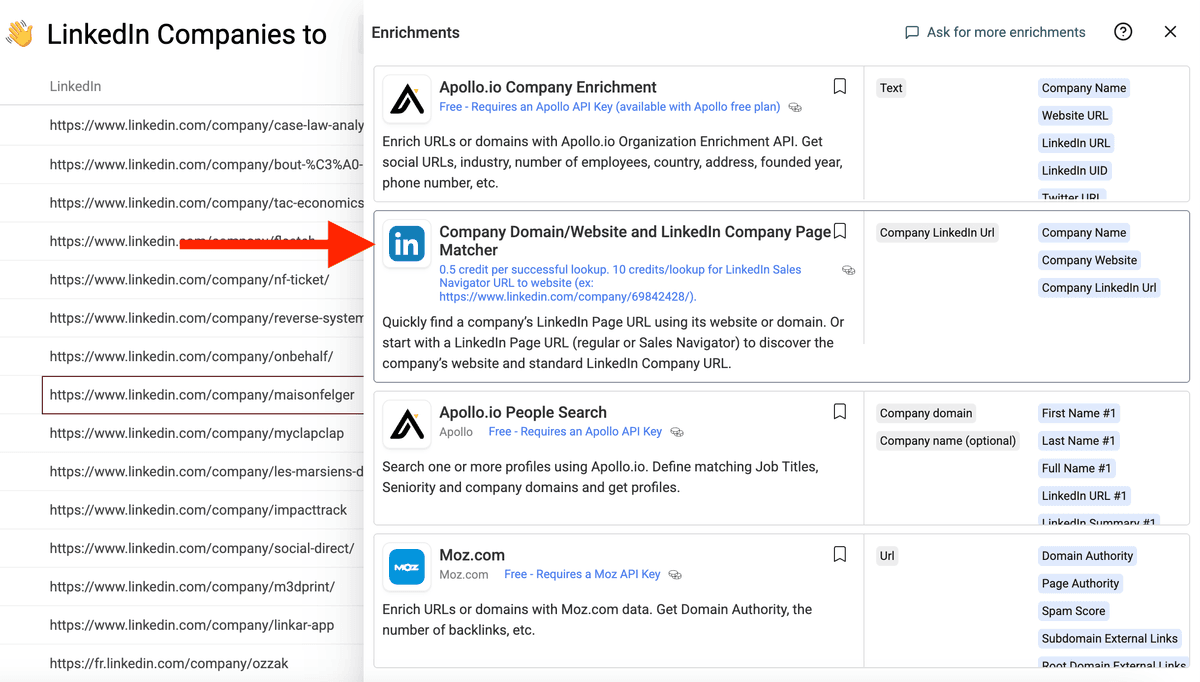
Step 3: Select a property with Domains/Websites or with Linkedin Company Page URLs
Then, configure the setting with the Matching Type.
Two matching types are available:
- Get the LinkedIn Company Page URL from a domain/website
- Get the company website from the LinkedIn Company Page URL
Once set, in the inputs section, select the property (=column) with either LinkedIn Company Page URLs or with websites/domains.
Datablist handles most of the variations possible for domains/websites and LinkedIn Page URLs.
For the company URL source, some compatible formats:
- Full URL: https://www.datablist.com/
- Full URL with path: https://www.datablist.com/how-to?arg=value
- Only Domain: datablist.com
For the LinkedIn Company Page URLs, some compatible formats:
- Full URL (with ending slash or not): https://www.linkedin.com/company/datablist/
- SalesNavigator URLS: https://www.linkedin.com/company/23423423423
- Regional LinkedIn: https://fr.linkedin.com/company/datablist/
- Partial URL: linkedin.com/company/datablist/
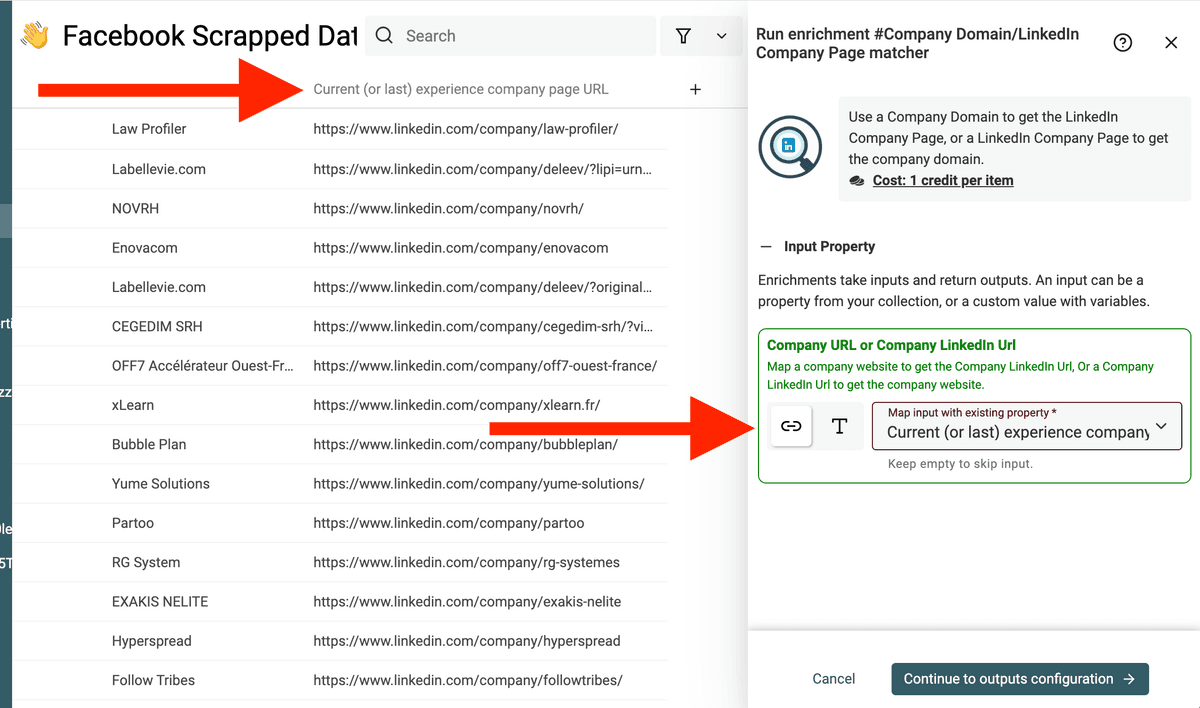
And configure outputs. The "LinkedIn Company/Domain Lookup" enrichment exposes 3 outputs:
- Company Name - The Company Name as written on LinkedIn
- Company Website - The Company Website URL define on the LinkedIn Company Page
- Company LinkedIn Url - Clean and standardized LinkedIn Company URL
Two Matching Directions
This enrichment helps connect company websites and LinkedIn company pages.
Use it to:
- Find LinkedIn company pages from domains or websites
- Find company websites from LinkedIn company page URLs
- Normalize account lists before LinkedIn scraping
- Match CRM domains with LinkedIn profile data
This is useful when your account list mixes websites, domains, and LinkedIn company URLs from several sources.
FAQ
Can I find LinkedIn company pages from domains in bulk?
Yes. Import a CSV or Excel file with domains or websites, map the column, and run the enrichment to find matching LinkedIn company pages.
Can I find websites from LinkedIn company URLs?
Yes. The enrichment can also work in the opposite direction when your source column contains LinkedIn company page URLs.
What input format works best?
Clean domains and standard LinkedIn company page URLs work best. Remove tracking parameters, directory URLs, and unrelated social links before running a large file.
Why use this before LinkedIn scraping?
Use it to find or normalize LinkedIn company URLs first. Then run LinkedIn Company Page Scraper to extract public company profile fields.