
Stop wasting time with messy phone lists. The Phone Numbers Cleaner standardizes, validates, and formats phone numbers instantly. Whether you have local numbers, international codes, or mixed formats, this tool organizes them into a clean, usable list.
Cost
This enrichment is highly efficient. Cleaning a phone number costs 0.01 credits.
- $20 Package (20,000 credits): Process 2,000,000 phone numbers.
- $150 Package (200,000 credits): Process 20,000,000 phone numbers.
You can clean massive datasets without breaking the budget.
Why use this enrichment?
Dirty data ruins marketing campaigns. This tool fixes common data issues automatically.
- Standardize Formats: Convert all numbers to the international standard (E.164). This format (+14155552671) works with all dialers and SMS tools.
- Local to International: Turn local numbers (e.g., 06 12 34 56 78) into valid international numbers by specifying a target country.
- Identify Line Type: Know if a number is a Mobile, Fixed Line, or VoIP. Filter your list to target only mobile phones for SMS campaigns.
- Validate Data: Spot and remove invalid numbers immediately. If a number doesn't match the correct length or format for its region, the tool flags it.
- Country Detection: Automatically detect the country origin from the dial code.
How to Use the Phone Numbers Cleaner
Follow this guide to clean your phone lists in minutes.
Step 1: Import your phone number list
Create a free account and import your data file. Datablist is a powerful CSV editor. Perfect for opening large CSV files or Excel files with a list of items.
Create a new collection and import your file. You can upload a CSV or Excel file containing your raw phone numbers.
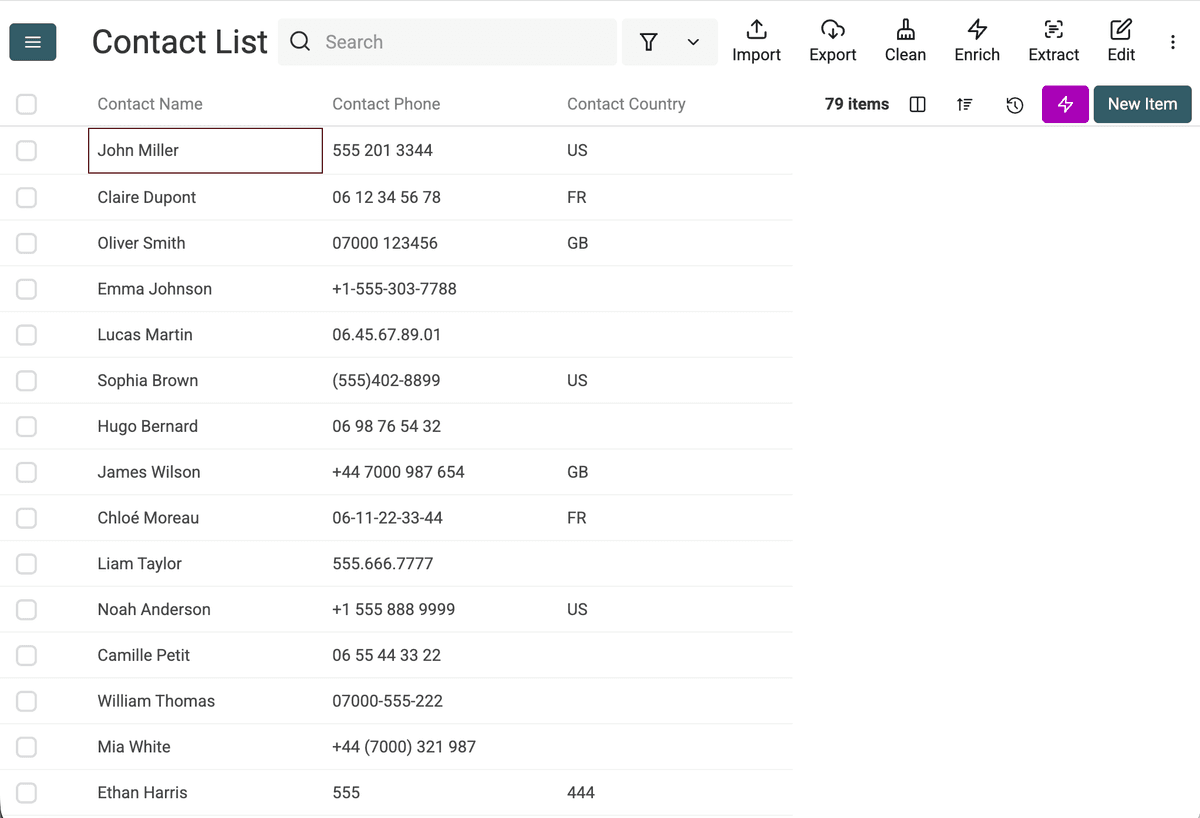
Step 2: Open the Enrichment menu
Click the "Enrich" button in the top bar to open the enrichment library.
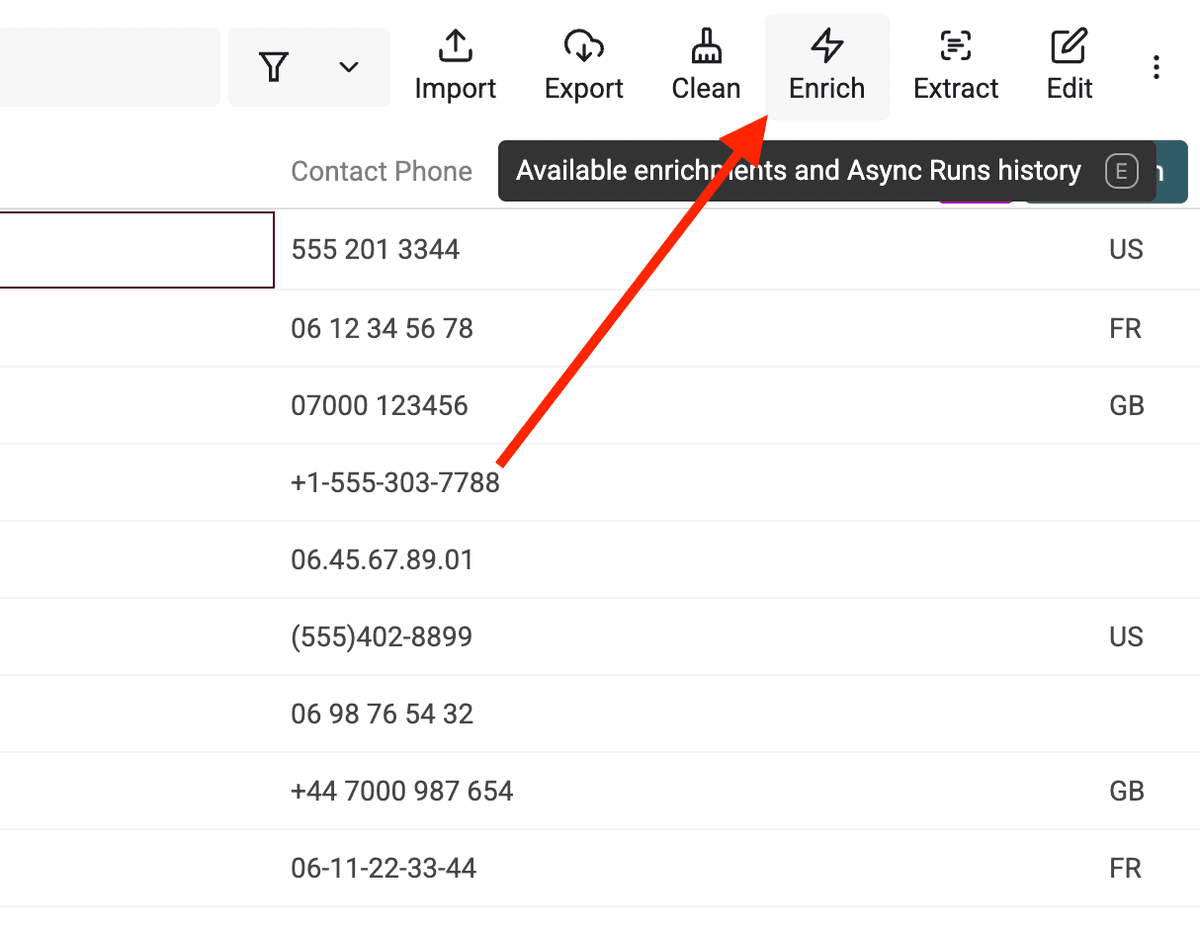
Step 3: Select the Phone Numbers Cleaner
Search for "Phone" and select the Phone Numbers Cleaner tool.
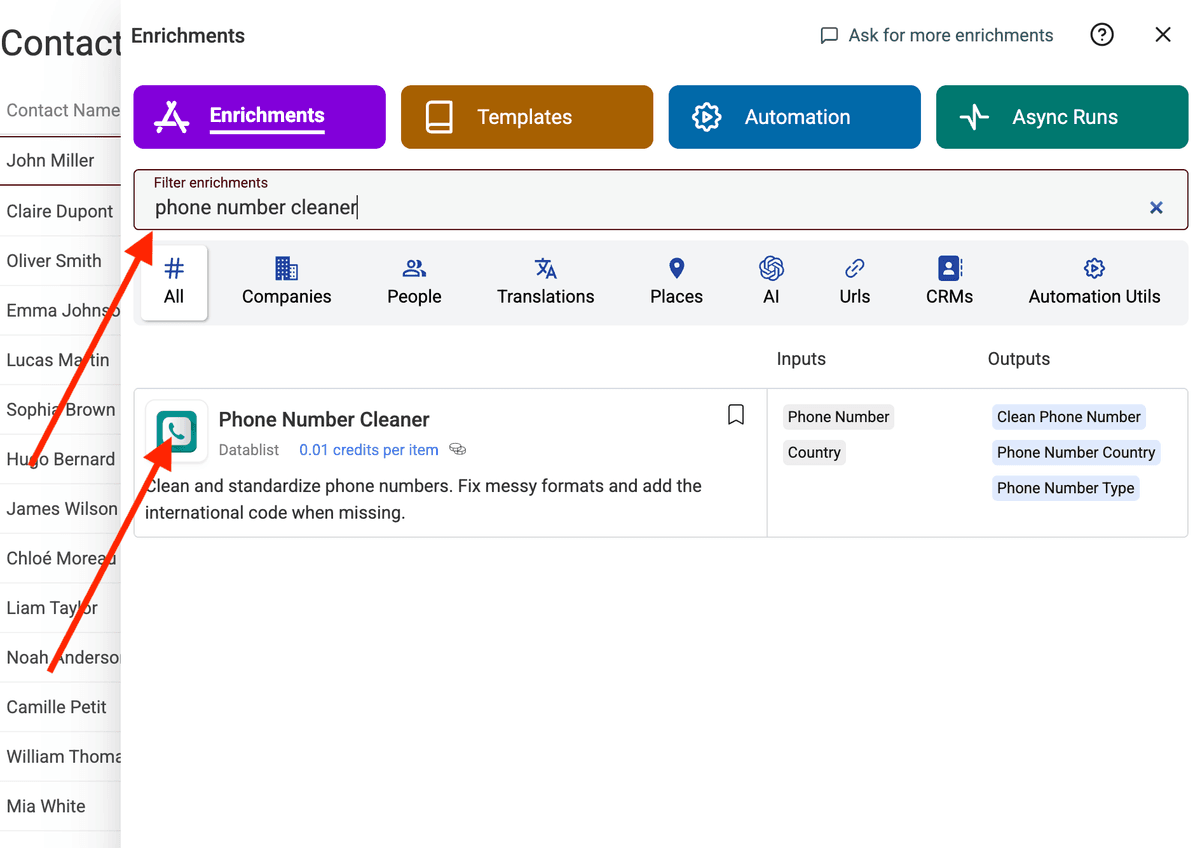
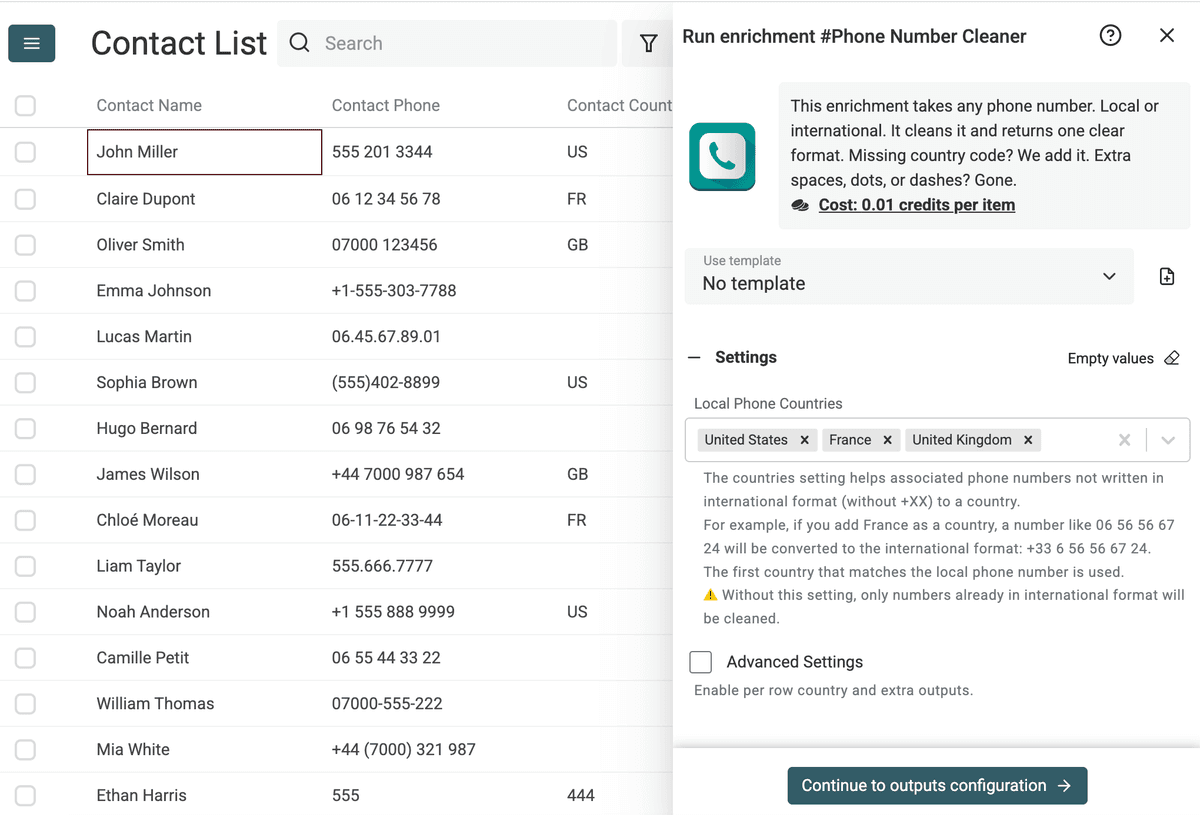
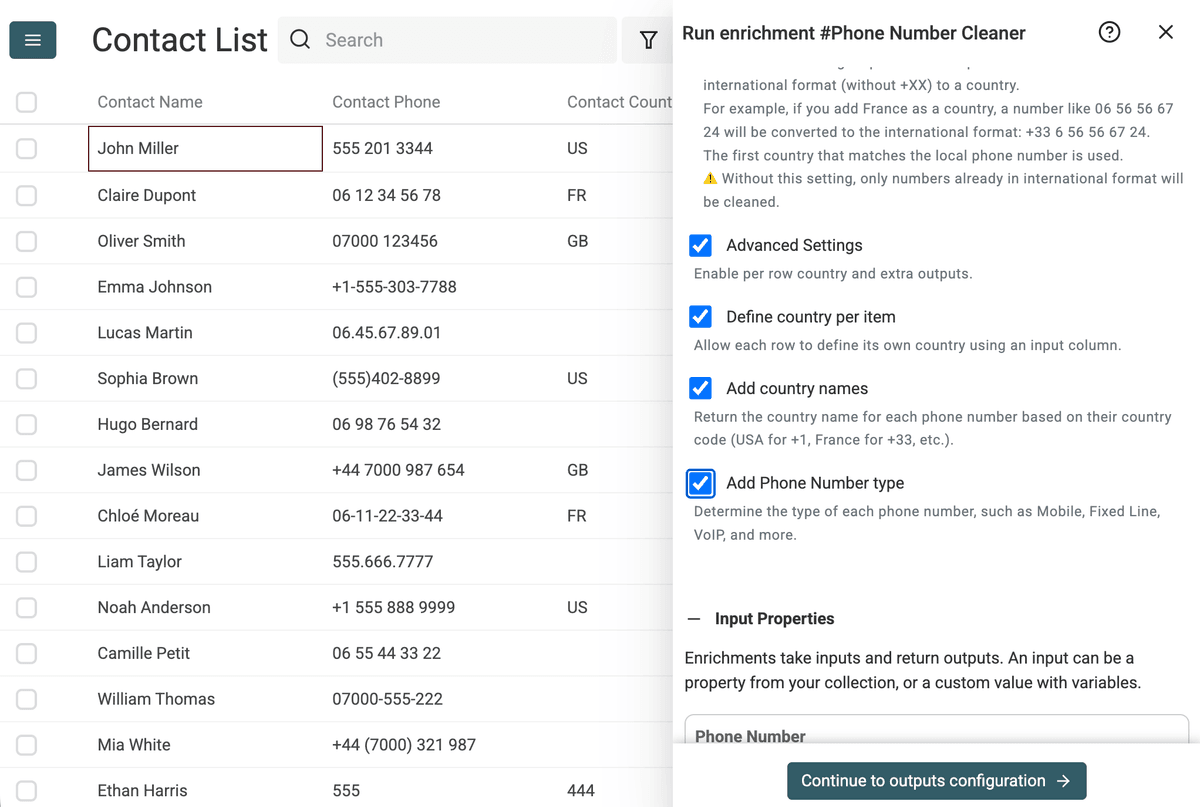
Step 4: Set the Local Phone Countries
This setting is critical. Select the countries where your contacts are located. The tool uses this to fix local numbers missing their international prefix (like turning 06 12 34... into +33 6 12... for France).
Step 5: Enable advanced detection
Toggle Add country name and Add phone number type. This extracts the country of origin and identifies if the number is Mobile, Fixed Line, or VoIP.
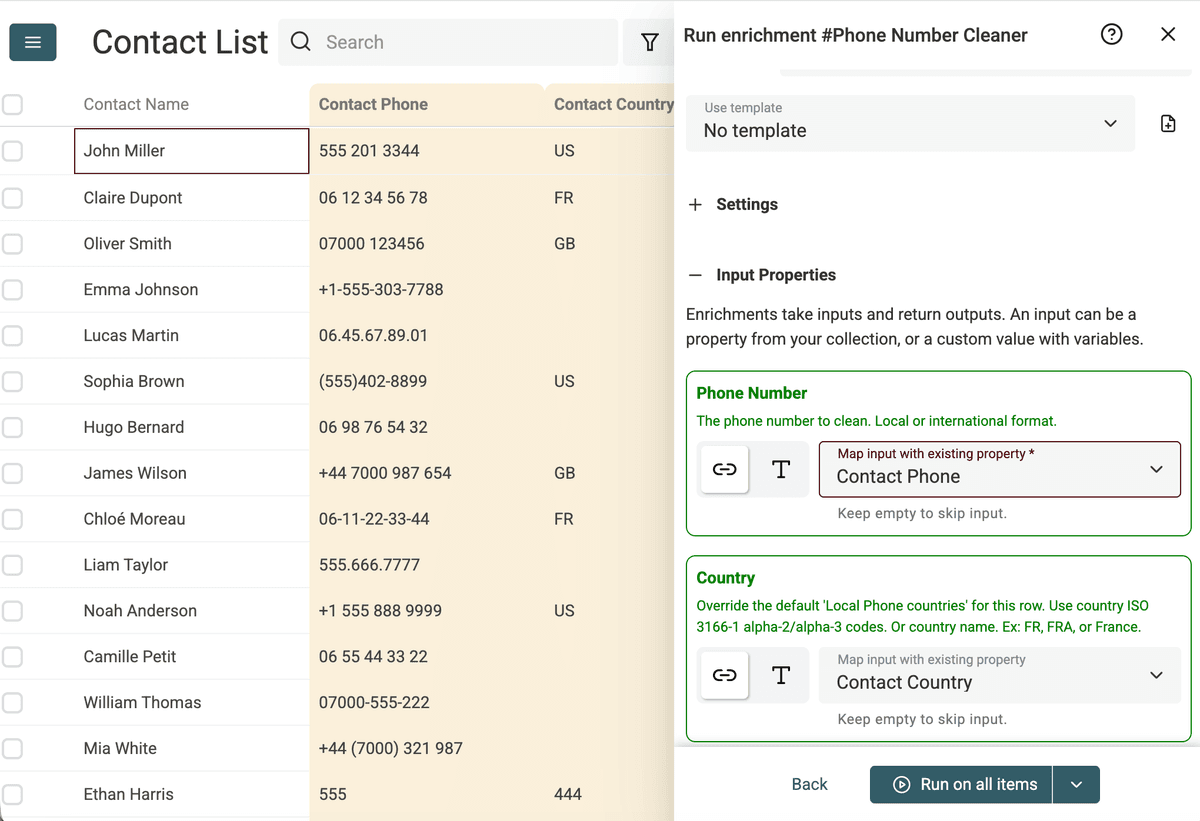
Step 6: Map your input column
Select the column from your file that contains the phone numbers.
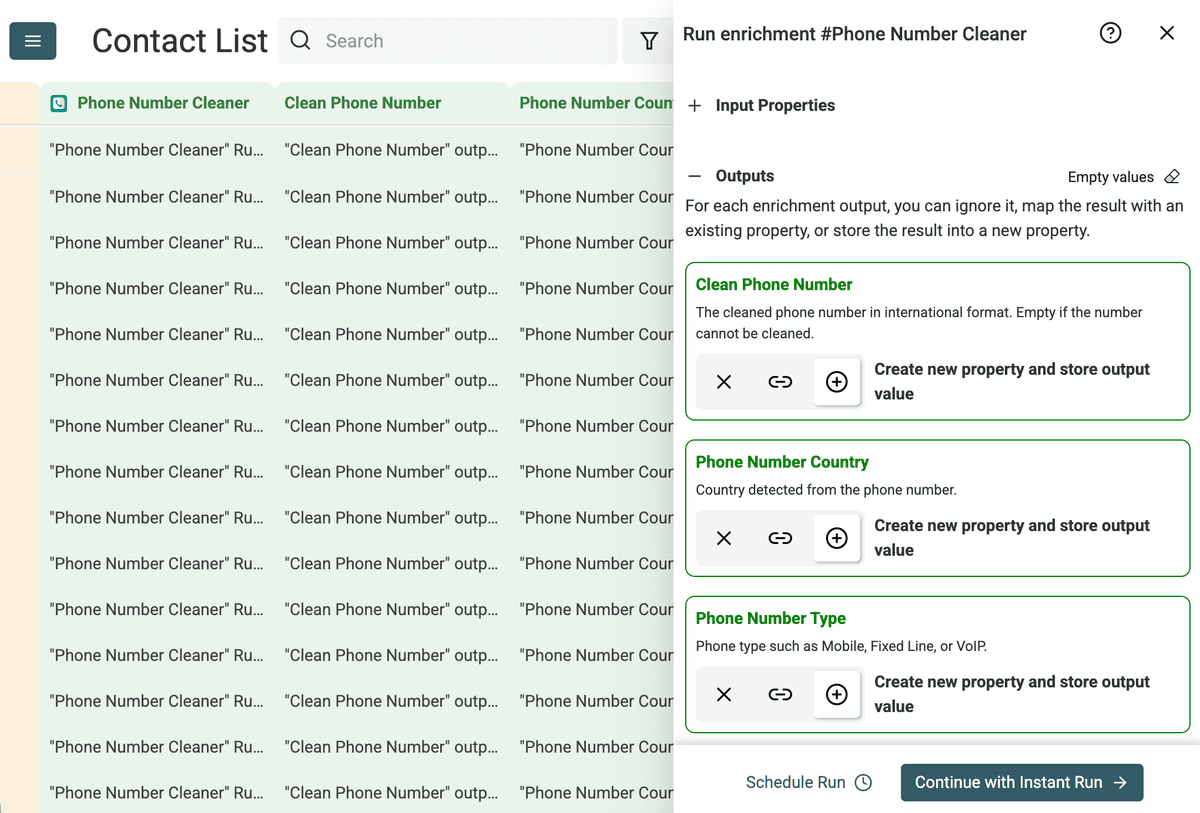
Step 7: Define output columns
Choose where to save the results. You can create new columns for the Clean Phone Number, Phone Number Country, and Phone Number Type.
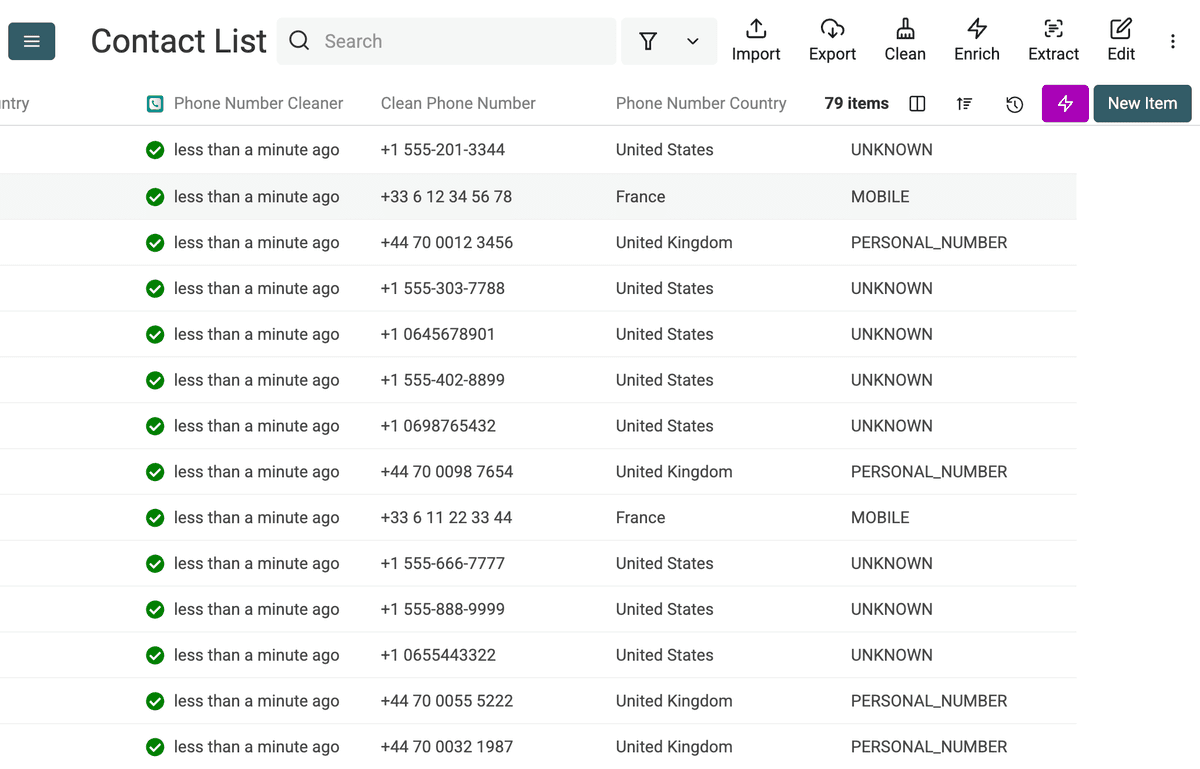
Step 8: Run and verify
Click "Run". The tool processes your list instantly. Review the Clean Phone Number column to ensure all numbers are standardized.
FAQ & Terminology
Understanding phone number terminology helps you manage global data.
What is a Country Code? A short numeric prefix that identifies a specific country or region. For example, +1 for the USA and Canada, or +44 for the UK.
What is ISD (International Subscriber Dialing)? ISD allows you to dial a number in another country without operator assistance. It is often used interchangeably with "Country Code."
What is IDD (International Direct Dialing)? IDD is the prefix you dial out of a country before the country code. In many countries, this is 00 or 011. The Phone Numbers Cleaner strips these prefixes to store the clean international format (starting with +).
What is E.164? E.164 defines the general format for international telephone numbers. It ensures every number is globally unique. The format includes the country code plus the subscriber number, up to 15 digits.
Use Cases
Prepare SMS Marketing Lists SMS gateways require numbers in international format. Upload your local customer list, set the "Local Phone Countries" setting to your region, and generate a clean list ready for broadcast.
Clean Web Scraped Data Data scraped from websites often contains inconsistencies: dashes, spaces, dots, or missing codes. The cleaner strips formatting characters and validates the digits.
Segment Lists by Line Type Separate mobile numbers from landlines. Send text messages to mobiles and route landlines to your sales team for cold calling.
Fix CRM Data Entry Errors Sales teams often enter numbers hurriedly. Standardize these entries to ensure your CRM integrates correctly with VoIP dialers.
Ideal Workflows
Lead Generation Workflow
- Scrape: Use the Google Maps Scraper to gather business contacts.
- Clean: Run the Phone Numbers Cleaner.
- Input:
Phonecolumn from the scraper. - Settings: Add
France(or your target market) in "Local Phone Countries" to fix numbers missing the prefix.
- Input:
- Filter: Use the
Phone Number Typeoutput to keep only "Mobile" numbers. - Export: Download the list for your outreach tool.
Global Customer Normalization
- Import: Upload a CSV with customer data from multiple regions.
- Map Country: If your data has a "Country" column, map it to the Country input. This tells the cleaner which rule to apply for each row individually.
- Process: The tool formats numbers based on their specific row country.
- Verify: Check the
Clean Phone Numberoutput. Empty fields indicate invalid numbers you should discard.
Can I clean local phone numbers without country codes?
Yes. Set the local phone country setting before running the enrichment. This gives Datablist the context it needs to convert local numbers into a cleaner international format.