
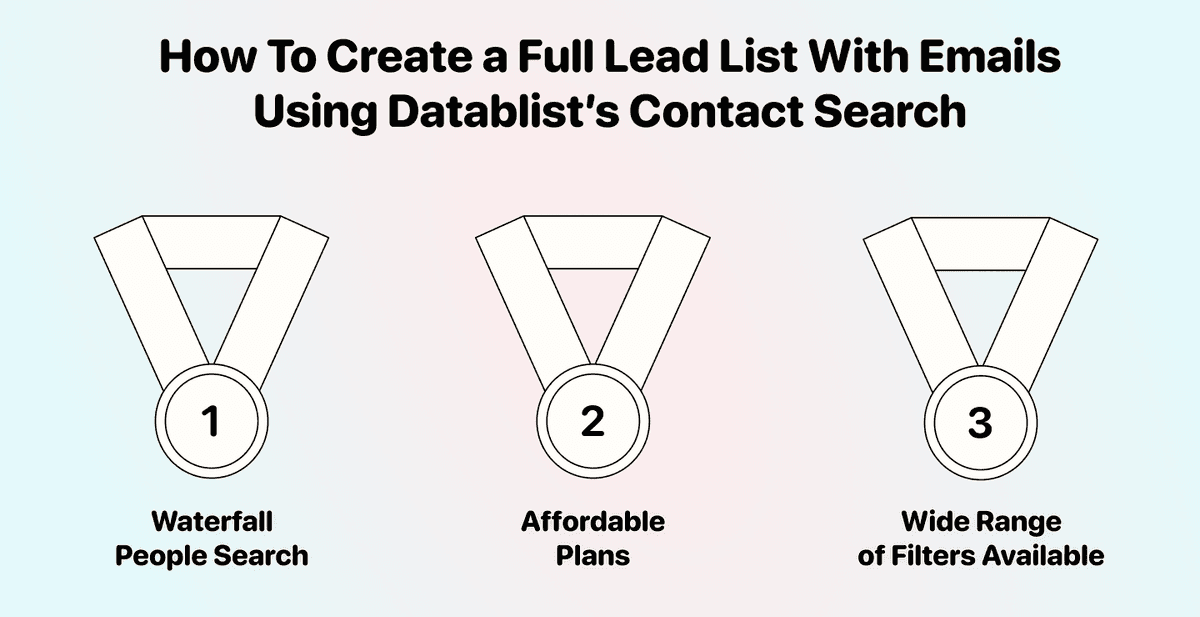
Having an account list is the first step to start making money, but without a lead list, you simply don't know who to contact to close the deal.
That's the gap most people get stuck on. You've identified the companies, but you don't have the names, titles, or email addresses of the people you actually need to reach.
This guide will show you an easy way to find contacts and create a lead list with emails using Datablist. By the end, you'll know how to go from "I have companies" to "I have people to contact" in minutes.
📌 Summary For Those In a Rush
This article shows how to find leads and build a lead list using Datablist.com based on a list of companies you already have.
Problem: You have a list of companies, but no contacts to reach out to. Without names and emails, your account list is just a spreadsheet collecting dust.
Solution: Use Datablist’s Waterfall People Search for accurate, email-included results.
Why Consider Datablist:
- Find leads from your existing company list in minutes
- Waterfall search includes email addresses where found
- 60+ tools for your entire lead list building workflow
What This Guide Covers
- The basics: what we're doing and which method fits your situation
- How to find leads using the Waterfall People Search (with emails)
Before We Start: The Basics
What We'll Be Doing
This guide is built for one scenario: you have a list of companies, and you need to find contacts inside them.
The company list can come from anywhere. Maybe you scraped it, maybe you exported it from your CRM, or maybe you built it through Datablist. Either way, we're turning that list into people you can actually reach out to.
↳ You bring us a list of companies
↳↳ Datablist finds contacts inside each company
↳↳↳ You get a ready-to-use lead list for your outreach
If You're New Here and Wonder: What Is Datablist?
Datablist.com is a platform for building lead generation workflows that allows 26,000+ users to find, enrich, and clean data using over 60 different tools from AI Agents to Email Finders, AI processors, Technology enrichments, and more.
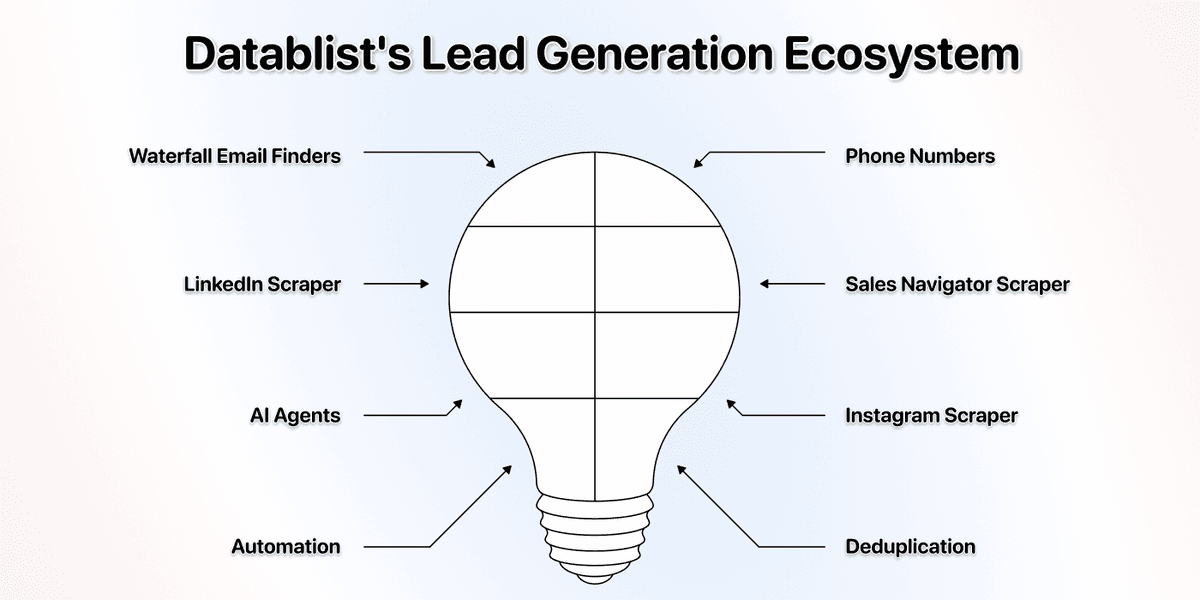
Here are a few use cases Datablist users love:
- Building lead lists
- Personalizing emails with AI
- Cleaning and deduplicating CRMs
- Scraping job postings from 19 boards at once
- Scraping leads from Sales Navigator without getting banned
How To Find Leads Using Datablist: The Step-by-Step
What You Need To Get Started:
To make use of this guide, you need a list of companies with their website URLs or domains.
If you already have a Datablist collection with your target companies, you're set. Just create a new collection and follow along.
If your company list lives in a spreadsheet outside of Datablist, import it first. Datablist supports CSV and Excel files. Here's how to import a list into Datablist.
💡 Don't Have a Company List Yet?
You can build one in Datablist using sources like the Technology Finder, Google Maps Scraper, or Job Board Scraper. Check out this job board scraping guide to get started.
Using The Waterfall People Search
The Waterfall People Search is a lead search engine, which lets you search for leads based on a comma-separated list of job titles + a few other filters you can choose from.
This is the recommended method. It gives you the best data, includes email addresses, and lets you search for any role, not just the C-suite. Each lead imported costs 100 credits.
Step 1: Sign Up on Datablist.com
Go to Datablist.com and create an account. Takes less than a minute.
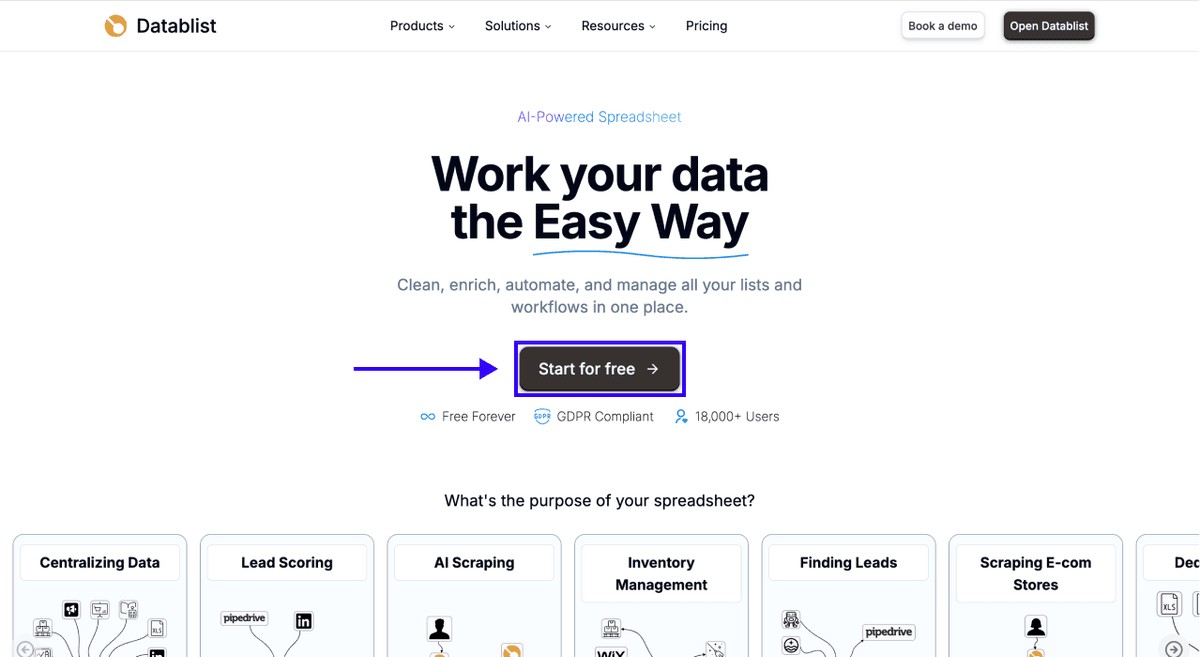
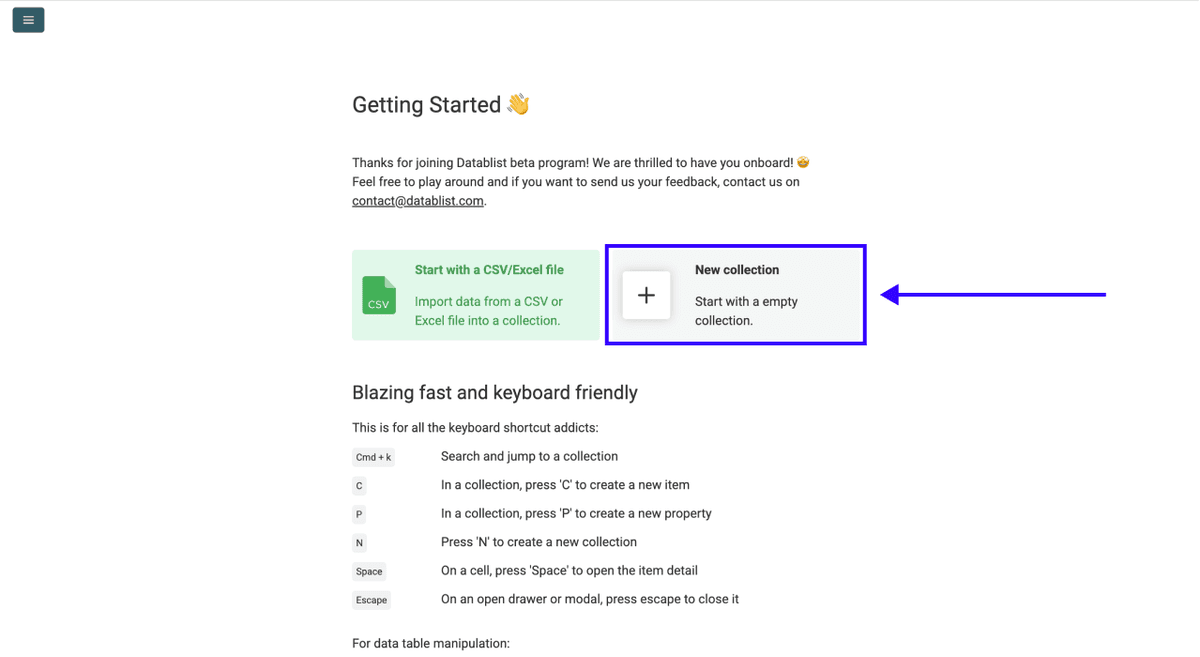
Step 2: Create a New Collection
Once you're in, click on New Collection.
Step 3: Navigate to The Waterfall People Search
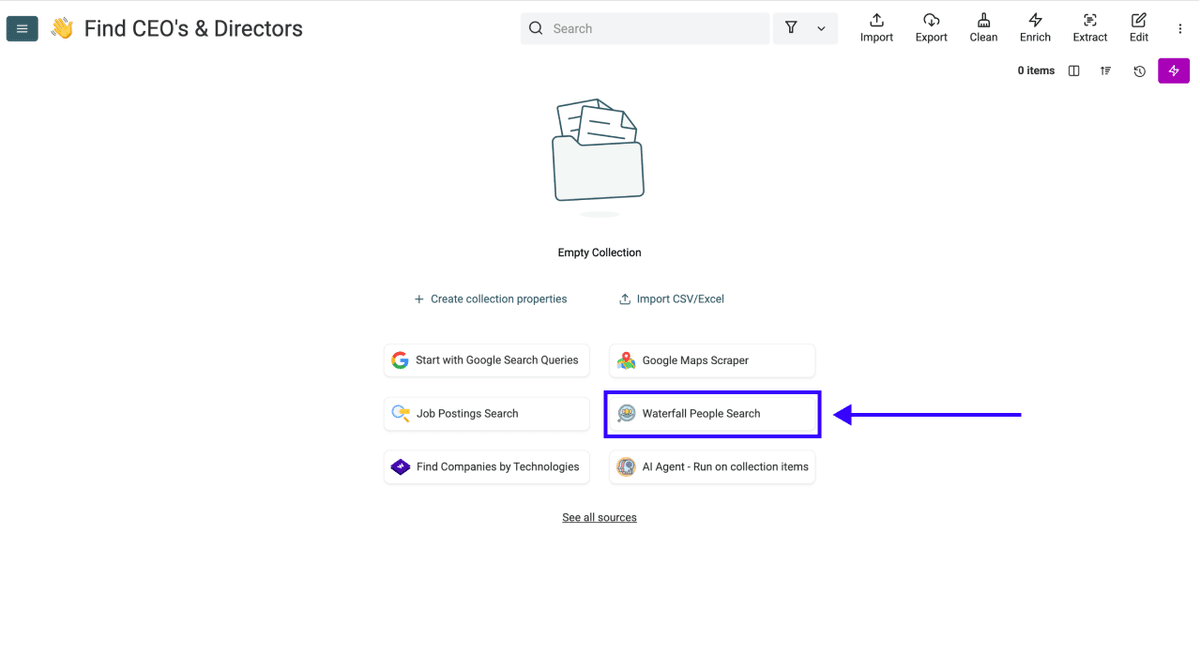
Select the Waterfall People Search from the source list.
Step 4: Configure Your Search
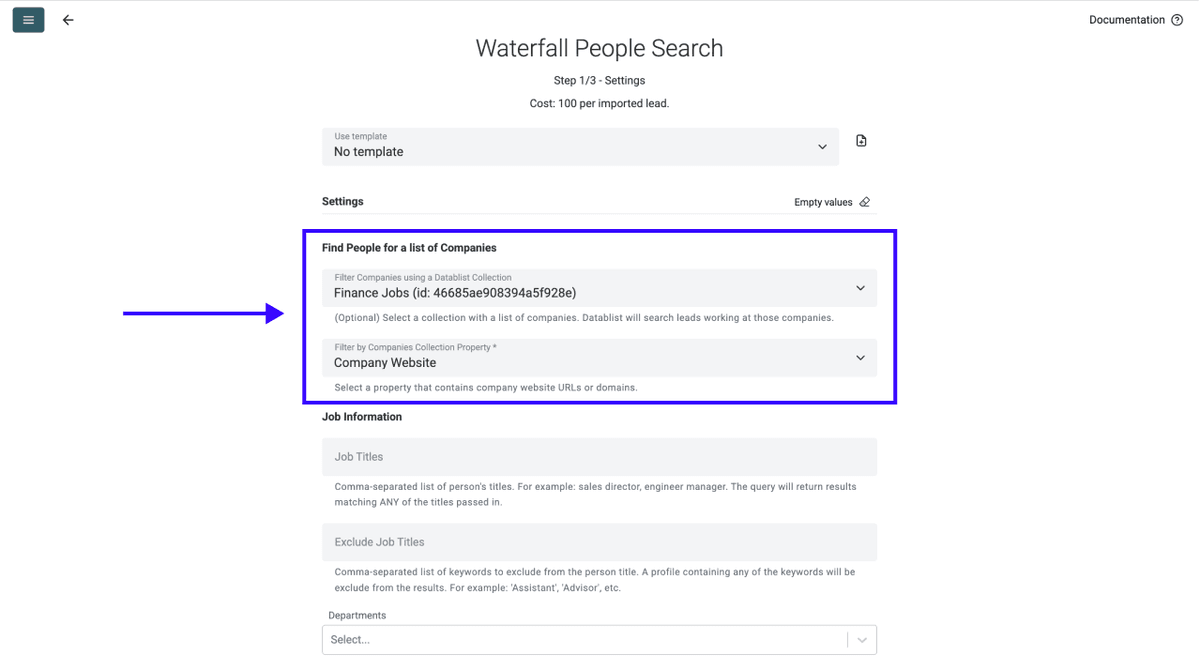
You'll see a configuration screen, but before you configure the search parameters, do this:
- Map your company list as Input Collection
- Choose the column with the company domains or websites as Input Property
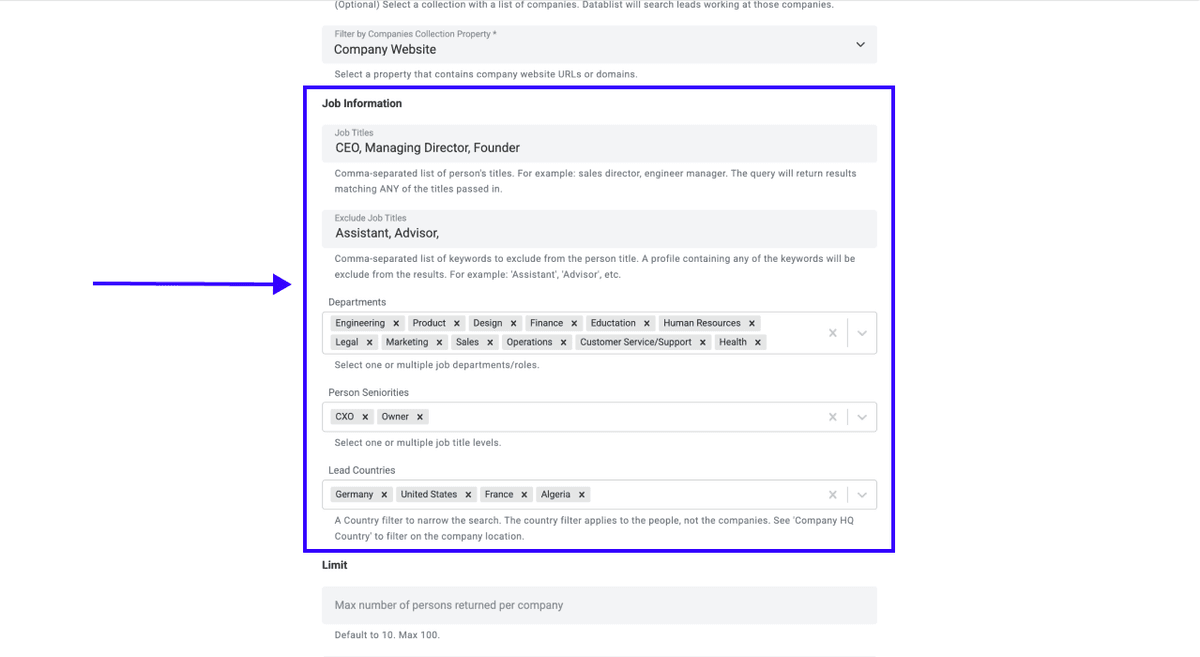
Once you have mapped your company list, you can use the following settings to find the people you’re looking for:
- Person's Titles: Comma-separated list of titles. Example: sales director, engineering manager. Returns results matching ANY title.
- Exclude Titles: Keywords to filter out. Example: 'Assistant', 'Advisor'.
- Departments: Select one or multiple job departments.
- Person Seniorities: Select one or multiple title levels.
- Lead Countries: Filters by where the person is located (not the company).
📘 Good To Know
Datablist Waterfall People Search lets you start searching for leads without having a company list. If you start without a company list, you'll see additional company-specific filters, including company sizes, company industries, funding stage, headcount growth, company HQ country, and description keywords.
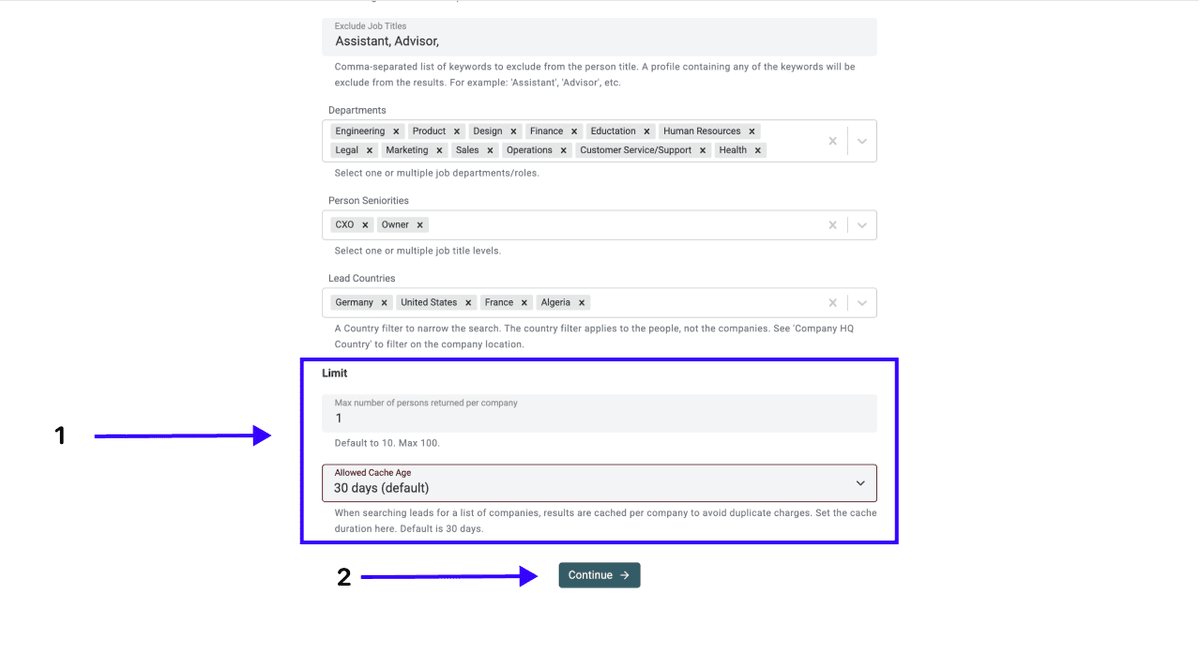
Set the Contact Limit Returned Per Company**:** Default is 10, max is 100
Configure Cache Settings: 30 days, 2 months, 6 months, no cache
Once you’ve completed the steps above, click on Continue
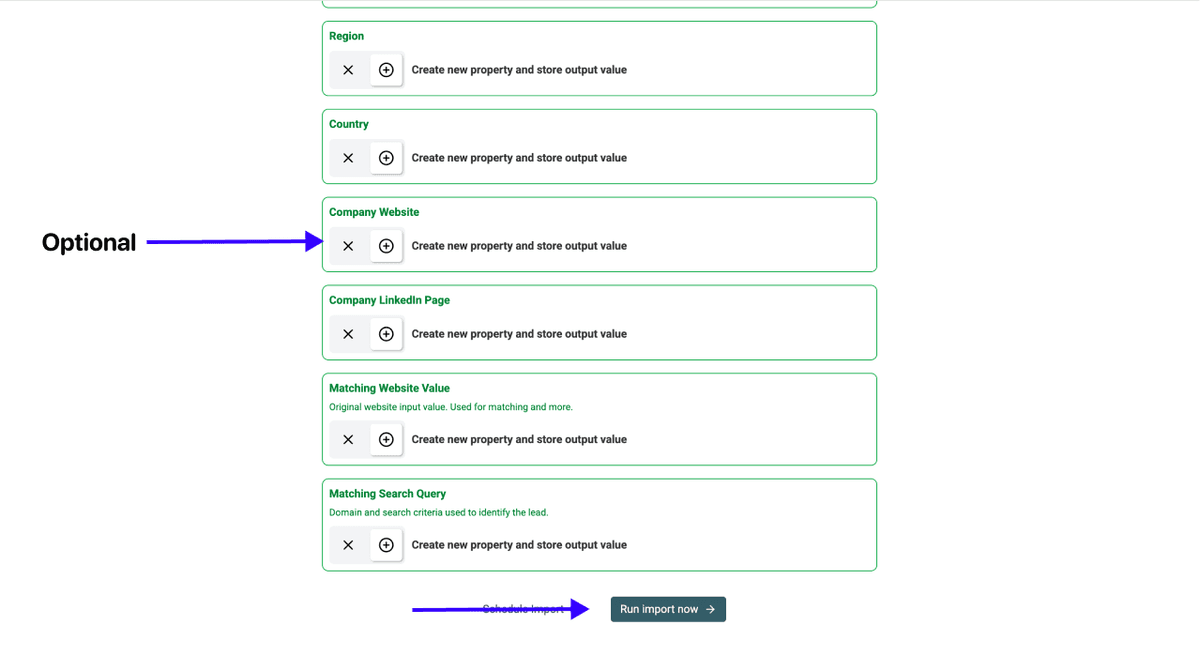
Step 5: Select Your Outputs
Datablist will show you all the data points it can return and create properties automatically.
Click the ✕ icons to remove what you don't need, then click Run import now
Step 6: Review Your Results
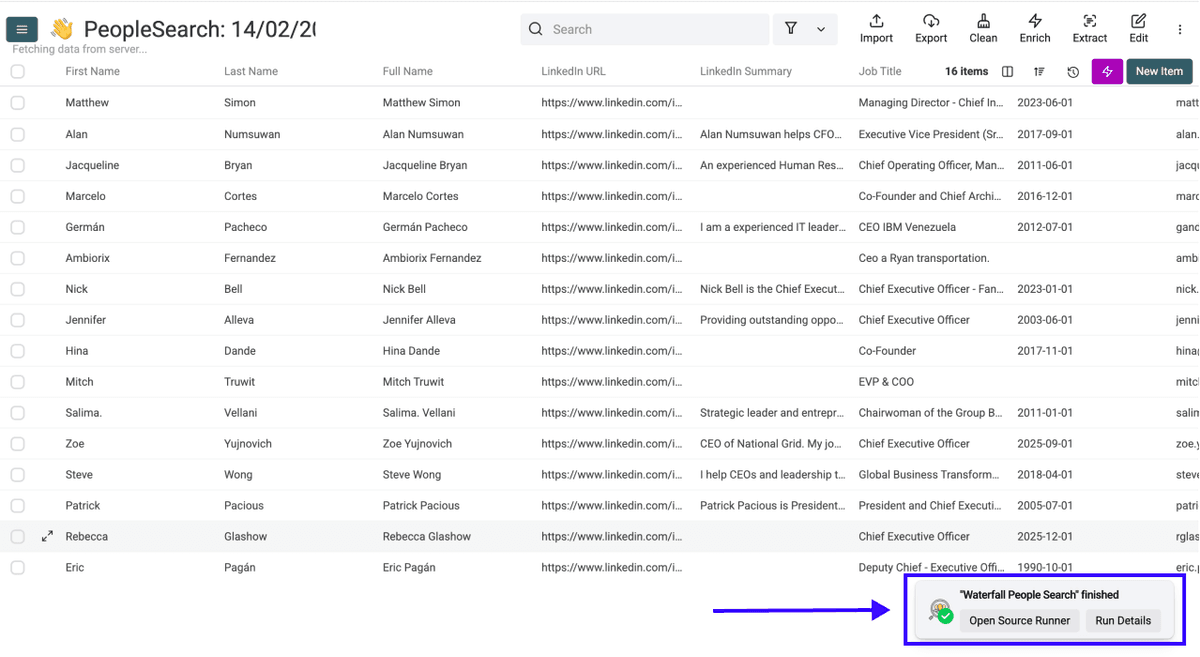
After a few minutes, you'll get your lead list with email, plus Datablist will also show you a little widget that lets you check the details of the completed task.
From Zero To Outreach: Datablist Has You Covered
This guide covered step 2 of a simple three-step pipeline. Here's the full picture:
Step 1: Get Your Companies
You need a list of target companies before you can find leads. If you don't have one yet, these guides will get you there:
- How To Scrape Companies From Sales Navigator
- How To Find Companies Who Posted Finance Jobs in New York
Step 2: Find Your Leads ← You Are Here
That's what you just learned. Import your company list, run the Waterfall People Search, and walk away with names, titles, and emails.
Step 3: Use AI to Enhance Your Outreach
Now that you have contacts, make every message count. Datablist can help here too:
- How To Personalize Cold Emails With AI
- How To Use ChatGPT Search in a Spreadsheet
- How To Normalize Company Names For Outreach
Whichever step you're on, Datablist has the tools to move you forward.
Frequently Asked Questions (FAQ) About Finding Leads
Can I Find Leads With Emails Using Datablist?
Yes, but only through the Waterfall People Search. It checks multiple data vendors and returns email addresses where found.
How Many Leads Can I Find At Once With Datablist?
The Waterfall People Search supports a limit of up to 25,000 results per search.
What Is The Fastest Way To Build a Lead List?
Import your company list into Datablist, open the Waterfall People Search, configure the filters, and run. You can get leads with emails in minutes without switching between tools.
How Do I Find The Right Contact At a Company?
Use the Waterfall People Search filters. Narrow your results by job title, department, seniority level, and lead country.
Can I Find Leads Without a LinkedIn Sales Navigator Subscription?
Yes. Datablist’s Waterfall People Search doesn’t need your LinkedIn account. The method works independently through Datablist's own data sources.
What Data Do I Need Before I Can Start Finding Leads?
A list of company website URLs. It can be in CSV, Excel, or already in a Datablist collection. If you don't have a company list yet, you can build one in Datablist using the Technology Finder, Google Maps Scraper, or Job Board Scraper.
Is It Better To Buy a Lead List Or Build One Myself?
Building your own gives you more control over quality and targeting. Purchased lists often contain outdated contacts that don't match your ideal customer profile, and with Datablist, you can create a lead list tailored to your exact needs in minutes.
What's The Difference Between an Account List And a Lead List?
An account list is a collection of companies you want to target. A lead list includes the actual people at those companies, with names, titles, and ideally emails. This guide showed you how to go from the first to the second.