
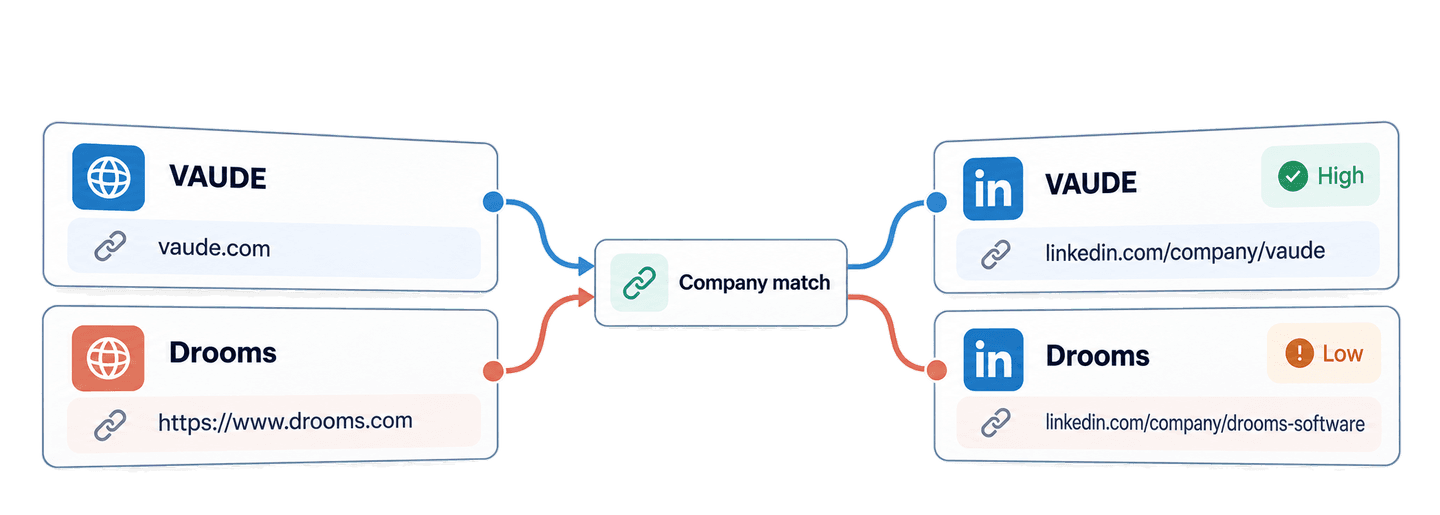
Use Datablist's Company to LinkedIn API to find a LinkedIn company page from a website in Python. You can send a bare domain or a full website URL, wait for the matching task, and receive the company name, website, LinkedIn company URL, and a confidence signal.
In this guide, I use Python and the Requests library to match five company websites. The list includes familiar software companies plus VAUDE, an outdoor-equipment company, and Drooms, a virtual-data-room business. I then turn the results into two local queues: matches ready for company research and matches that need a manual check.
🔑 Summary For Those In a Rush
Send the websites from your account list to Datablist's Company to LinkedIn API. The API returns LinkedIn company-page URLs and confidence signals that help you decide which relationships to use and which to review.
- Input: bare domains and full company website URLs.
- Output: company names, matched websites, LinkedIn company-page URLs, and
highorlowconfidence, grouped intoReady for researchandNeeds reviewqueues.
💡 Prefer a no-code solution? Use Datablist's LinkedIn Company Pages & Domain Lookup to match company websites and LinkedIn pages without writing code.
Set up Python and your Datablist API key
For this example, I use the requests package. The API itself works over HTTP, so you can adapt the same request sequence to another language later.
You need a Datablist account with REST API access, which is available on the Growth plan. Successful lookups also consume enrichment credits. I cover the exact credit calculation later in the guide.
Create a working directory and a file named find_linkedin_company_pages.py, then create a virtual environment and install Requests:
mkdir company-linkedin-matcher
cd company-linkedin-matcher
python -m venv .venv
source .venv/bin/activate
python -m pip install requests
touch find_linkedin_company_pages.pyCreate a Personal API Key from your Datablist account, then export it as an environment variable:
export DATABLIST_API_KEY="your-api-key"The script reads this value and sends it in the X-API-Key header.
Find LinkedIn company pages with one Python function
The example uses these five source accounts:
account-datablist:datablist.comaccount-posthog:posthog.comaccount-n8n:https://n8n.ioaccount-vaude:vaude.comaccount-drooms:https://www.drooms.com
Each account_id becomes the API inputId. This matters because results do not need to arrive in the same order as the inputs. A stable ID lets you join each result to the right source account.
Paste the following complete script into find_linkedin_company_pages.py:
import json
import os
import time
import uuid
import requests
def match_companies(accounts, api_key, matching_direction):
"""Submit one matching task, wait for it, and return every result."""
tasks_url = "https://api.datablist.com/v1/enrichments/tasks"
headers = {"X-API-Key": api_key}
inputs = [
{
"inputId": account["account_id"],
"data": {"sourceUrl": account["source_url"]},
}
for account in accounts
]
unique_id = str(uuid.uuid4())
print(f"Task uniqueId: {unique_id}", flush=True)
payload = {
"enrichmentId": "company-to-linkedin",
"uniqueId": unique_id,
"settings": {"matchingDirection": matching_direction},
"inputs": inputs,
}
response = requests.post(tasks_url, headers=headers, json=payload)
response.raise_for_status()
task = response.json()
task_id = task["@id"]
task_url = f"{tasks_url}/{task_id}"
while task["status"] not in ("completed", "failed", "stopped"):
time.sleep(3)
response = requests.get(task_url, headers=headers)
response.raise_for_status()
task = response.json()
if task["status"] != "completed":
raise RuntimeError(
f"Task {task_id} {task['status']}: {task.get('error')}"
)
results = []
results_url = f"{task_url}/results"
params = {"limit": 100}
while True:
response = requests.get(results_url, headers=headers, params=params)
response.raise_for_status()
page = response.json()
results.extend(page["results"])
next_cursor = page["nextCursor"]
if next_cursor is None:
break
params["cursor"] = next_cursor
return results
accounts = [
{
"account_id": "account-datablist",
"company_name": "Datablist",
"source_url": "datablist.com",
},
{
"account_id": "account-posthog",
"company_name": "PostHog",
"source_url": "posthog.com",
},
{
"account_id": "account-n8n",
"company_name": "n8n",
"source_url": "https://n8n.io",
},
{
"account_id": "account-vaude",
"company_name": "VAUDE",
"source_url": "vaude.com",
},
{
"account_id": "account-drooms",
"company_name": "Drooms",
"source_url": "https://www.drooms.com",
},
]
api_key = os.environ.get("DATABLIST_API_KEY")
if not api_key:
raise RuntimeError("Set DATABLIST_API_KEY before running this script.")
match_results = match_companies(
accounts, api_key, matching_direction="domain_to_linkedin"
)
print(json.dumps(match_results, indent=2))Run it with:
python find_linkedin_company_pages.pyThe function makes three types of calls in order.
First, the POST sends the five websites with matchingDirection set to domain_to_linkedin. The API responds with 202 Accepted and a task ID because matching runs as a background task. The Requests script still feels sequential because it waits before moving to the next step.
response = requests.post(tasks_url, headers=headers, json=payload)
response.raise_for_status()
task = response.json()
task_id = task["@id"]Second, the status request checks that task until it becomes completed, failed, or stopped. The three-second pause prevents the script from sending status requests continuously.
Third, the results request reads pages of up to 100 results. If nextCursor contains a value, the loop sends it as cursor on the next request. It stops only when nextCursor is null.
Read the matches and decide what needs review
Here is the complete result list for the five inputs:
[
  {
    "inputId": "account-datablist",
    "status": "success",
    "outputs": {
      "companyWebsite": "datablist.com",
      "confidence": "high",
      "companyLinkedInUrl": "https://www.linkedin.com/company/datablist",
      "companyName": "datablist"
    },
    "creditsUsed": "1.5",
    "error": null
  },
  {
    "inputId": "account-posthog",
    "status": "success",
    "outputs": {
      "companyWebsite": "posthog.com",
      "confidence": "high",
      "companyLinkedInUrl": "https://www.linkedin.com/company/posthog",
      "companyName": "PostHog"
    },
    "creditsUsed": "1.5",
    "error": null
  },
  {
    "inputId": "account-n8n",
    "status": "success",
    "outputs": {
      "companyWebsite": "n8n.io",
      "confidence": "high",
      "companyLinkedInUrl": "https://www.linkedin.com/company/n8n",
      "companyName": "n8n"
    },
    "creditsUsed": "1.5",
    "error": null
  },
  {
    "inputId": "account-vaude",
    "status": "success",
    "outputs": {
      "companyWebsite": "vaude.com",
      "confidence": "high",
      "companyLinkedInUrl": "https://www.linkedin.com/company/vaude",
      "companyName": "vaude"
    },
    "creditsUsed": "1.5",
    "error": null
  },
  {
    "inputId": "account-drooms",
    "status": "success",
    "outputs": {
      "companyWebsite": "drooms.com",
      "confidence": "low",
      "companyLinkedInUrl": "https://www.linkedin.com/company/drooms-software",
      "companyName": "Drooms"
    },
    "creditsUsed": "1.5",
    "error": null
  }
]
Read status and confidence separately. The API returns a result object for every input, including unsuccessful inputs. A success status means it found a company-page candidate. The outputs.confidence value tells you whether the website match was validated. The inputId connects the object to your source account, while creditsUsed records the charge for that row and error carries a structured failure when one occurs.
Keep the full outputs object in your application even if the first screen only needs the LinkedIn URL and confidence. companyName and companyWebsite make a manual review faster, especially when the returned company name differs in capitalization or the input was a full URL. They also give you useful context without making another API call.
The matching process starts by normalizing the submitted website and checking company datasets for a known website-to-LinkedIn relationship. It then compares the input domain with the website published on the candidate LinkedIn company page. A registered-domain match produces high confidence.
When the datasets do not provide a LinkedIn URL, the lookup can run a focused Google search for company-page candidates. A candidate that cannot be validated against a published website can return with low confidence. A known website mismatch is not accepted.
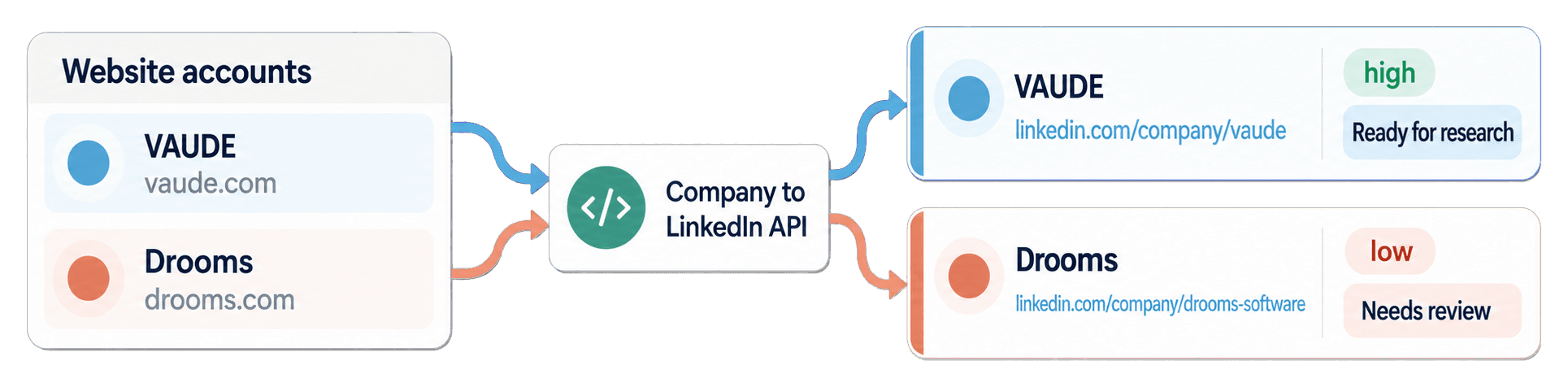
Treat confidence as a review instruction. VAUDE returned https://www.linkedin.com/company/vaude with high confidence, so it can enter the research queue. Drooms returned https://www.linkedin.com/company/drooms-software with low confidence. Open the Drooms website and LinkedIn page before relying on that relationship.
Datablist, PostHog, and n8n also returned high-confidence matches. This API finds the relationship between the website and company page. If you need company size, industry, or other page data after reviewing the URL, use the LinkedIn company scraper API guide as the next step.
Prepare an account-research queue from the results
Now reuse match_results to prepare a local queue for manual company research. This block does not call the API again. It indexes results by inputId, then loops over the original account list so every source account stays visible even if a future result is missing.
results_by_id = {result["inputId"]: result for result in match_results}
ready_for_research = []
needs_review = []
for account in accounts:
result = results_by_id.get(account["account_id"])
if result is not None:
outputs = result.get("outputs", {})
else:
outputs = {}
research_record = {
**account,
"companyLinkedInUrl": outputs.get("companyLinkedInUrl"),
"confidence": outputs.get("confidence"),
"api_result": result,
}
is_ready = (
result is not None
and result["status"] == "success"
and outputs.get("companyLinkedInUrl")
and outputs.get("confidence") == "high"
)
if is_ready:
ready_for_research.append(research_record)
else:
needs_review.append(research_record)
print("Ready for research:")
print(json.dumps(ready_for_research, indent=2))
print("Needs review:")
print(json.dumps(needs_review, indent=2))The result dictionary makes the join independent of response order. account-vaude connects the original vaude.com record to the captured VAUDE page and enters ready_for_research. account-drooms keeps its full input URL and full API result, but enters needs_review because confidence is low even though the result status is success.
The same logic keeps a missing, no_result, or error row in the review queue. The two printed lists give the team a clear starting point for manual company research.
You can also download the maintained synchronous Requests example. The repository includes an asynchronous HTTPX example for applications that need non-blocking HTTP, but the blocking version above is easier to follow for a first integration.
Reverse the lookup from a LinkedIn company page to a website
The same function accepts LinkedIn company pages when you change the matching direction. This can help when your source list has company-page URLs and you need websites before a compatible company or work-email enrichment.
linkedin_accounts = [
{
"account_id": "account-datablist",
"company_name": "Datablist",
"source_url": "https://www.linkedin.com/company/datablist",
}
]
website_results = match_companies(
linkedin_accounts,
api_key,
matching_direction="linkedin_to_domain",
)A standard LinkedIn company-page lookup uses the regular matching rate. Numeric company IDs and Sales Navigator company URLs can use 10 credits because they follow a different reverse-lookup path. For a no-code version of this direction, see how to get website URLs from LinkedIn company pages.
Estimate website-to-LinkedIn lookup credits
A successful regular website-to-LinkedIn lookup uses 1.5 credits. The five displayed matches therefore used 7.5 credits. At the same rate, 1,000 successful matches use 1,500 credits. Invalid inputs and rows with no result can use zero credits, so check each result's creditsUsed value for actual usage.
REST API access is part of the Growth plan, and the monthly subscription is separate from top-up credits. A $20 top-up gives you 20,000 credits, so one credit costs $0.001. At 1.5 credits per successful match, 1,000 matches use 1,500 credits worth $1.50. See Datablist pricing for current plans and packages.
Fix common input, task, and result problems
DATABLIST_API_KEYis missing: the script stops before sending a request. Export the environment variable and run the command again.- The API rejects the key: verify that you copied a Personal API Key and that the request sends it only in
X-API-Key. - The input is unsupported: use a company website or domain for
domain_to_linkedin. For the reverse direction, use a supported company-page URL rather than a personal profile or blank value. - Credits are insufficient: check your balance, then use included credits or add a top-up before creating another task.
- The task is
failedorstopped: inspect the task status, error, existing results, and credit usage before deciding whether to submit again. - A result is low confidence,
no_result, or error: keep the source website and full result inneeds_review. Open the candidate page when one exists, and do not guess why a missing result occurred.
If the connection drops during task creation, use the uniqueId printed before the POST. List your tasks and look for that value before creating another task:
curl --get "https://api.datablist.com/v1/enrichments/tasks" \
--header "X-API-Key: $DATABLIST_API_KEY" \
--data-urlencode "enrichmentId=company-to-linkedin" \
--data-urlencode "limit=100"The task list cannot be filtered by uniqueId, so inspect each returned task and follow nextCursor if needed. Once you find the matching value, use its @id with the same status and results URLs as the script.
One task can contain up to 10,000 inputs. For the full request, task-retention, and pagination limits, use the Company to LinkedIn API documentation.
Next steps
You now have one reusable Python Requests function that turns company websites into LinkedIn company-page candidates. The local queue keeps high-confidence matches ready for research and leaves uncertain or unsuccessful records visible for review.
Replace the five examples with a small account list, review every low-confidence candidate, then use accepted URLs for manual company research or as inputs to the LinkedIn company scraper API. If your source list contains company names instead of websites, start with the company website finder API guide.