
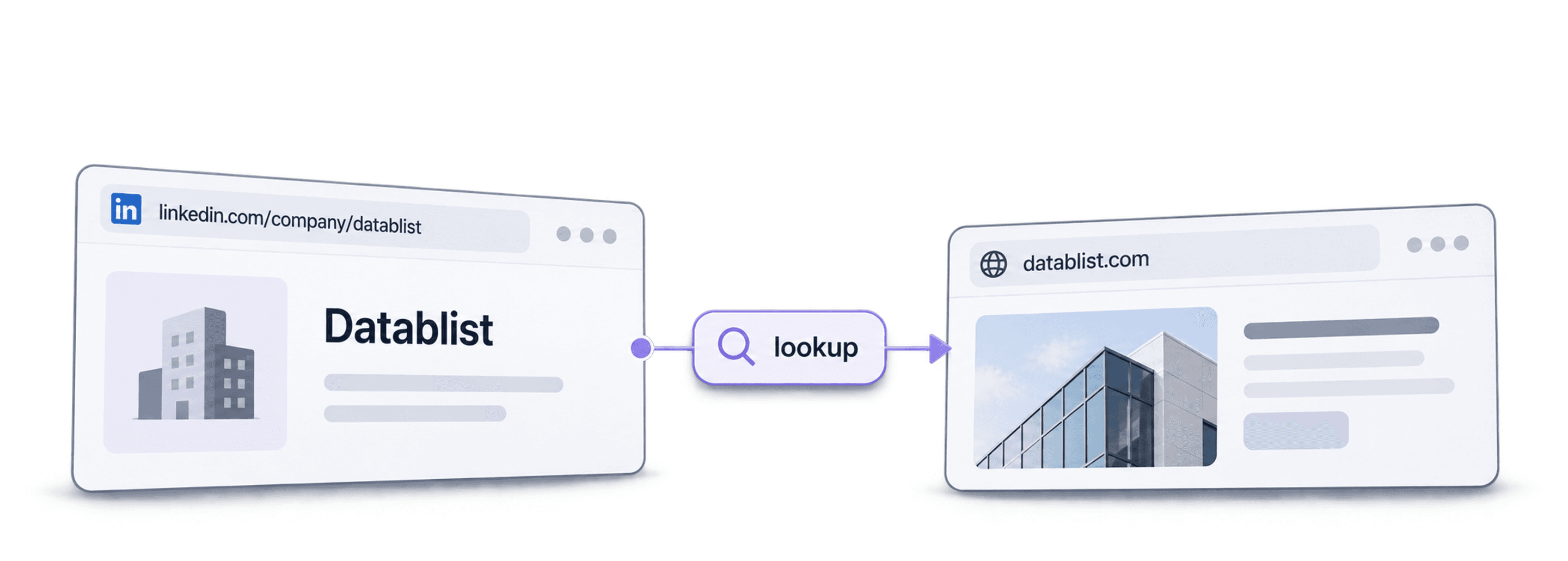
To get website URLs from LinkedIn company pages, import the company-page URLs into Datablist, choose Company Domain/Website and LinkedIn Company Page Matcher, select the LinkedIn-to-website matching direction, and save the returned websites in a new column. Review company identity and statuses before using the domains for enrichment or outreach.
I recommend keeping the original LinkedIn URL and a source ID throughout the workflow. A returned website is useful only when it belongs to the company you intended to match. Brands, subsidiaries, renamed businesses, and similar company names deserve a closer look.
The matcher can start with stored company data and use fallback lookups when needed. It is not a guarantee that no website or LinkedIn page will be fetched, that every URL will match, or that every returned record is current.
What is Datablist?
Datablist lets you import a CSV or Excel list, enrich existing rows, review returned fields, and export the accepted records. For this task, start with a collection containing Source ID, Company Name, and Company LinkedIn URL. Company Name is useful context for review; the matcher input is the URL. If your source contains names instead of company-page URLs, use a name-to-domain workflow; the Datablist and CUFinder comparison explains the different input and review requirements.
An illustrative input might be a row for Datablist with https://www.linkedin.com/company/datablist/. The expected shape is a Company Website value, the returned Company LinkedIn Url, and a Status. This is an input/output example, not a measured lookup result.
Keep accepted and unresolved results identifiable. That gives a sales team a clean list of reviewed company websites and a separate queue for records that need more context.
How Matching Works
The workflow resolves a relationship between a company website and a company LinkedIn page. For LinkedIn-to-website conversion, it first checks company data and can try direct or provider-based LinkedIn lookups when the earlier match is missing. Coverage depends on the input and available data.
A database lookup is a starting method, not a promise that every result comes from an offline database. The current workflow includes fallbacks. Avoid using an old database-only description to infer account safety, permission, or a fixed processing time.
Standard company-page URLs and Sales Navigator company URLs can require different handling. Keep the original value and review the returned standard Company LinkedIn Url where available. Personal profile URLs such as linkedin.com/in/... are a different input problem; this enrichment matches company websites and company pages.
For Sales Navigator company identifiers, see converting Sales Navigator company URLs. Check the selected enrichment's current cost and a sample run rather than applying an old cost estimate to every URL format.
If you are starting with people rather than company pages, the Sales Navigator lead-search import guide explains how to keep profile identifiers and search context before working with employer fields.
Extracting Website URLs: The 7 Step Process
Before starting, remove blank inputs from the run scope and separate company URLs from personal profiles. Keep any website already supplied by a trusted source in its original column so you can compare it with the proposed match.
For a video walkthrough, see the existing website-lookup demonstration. The screenshots and recording show the workflow; use the current control labels below when the application differs.
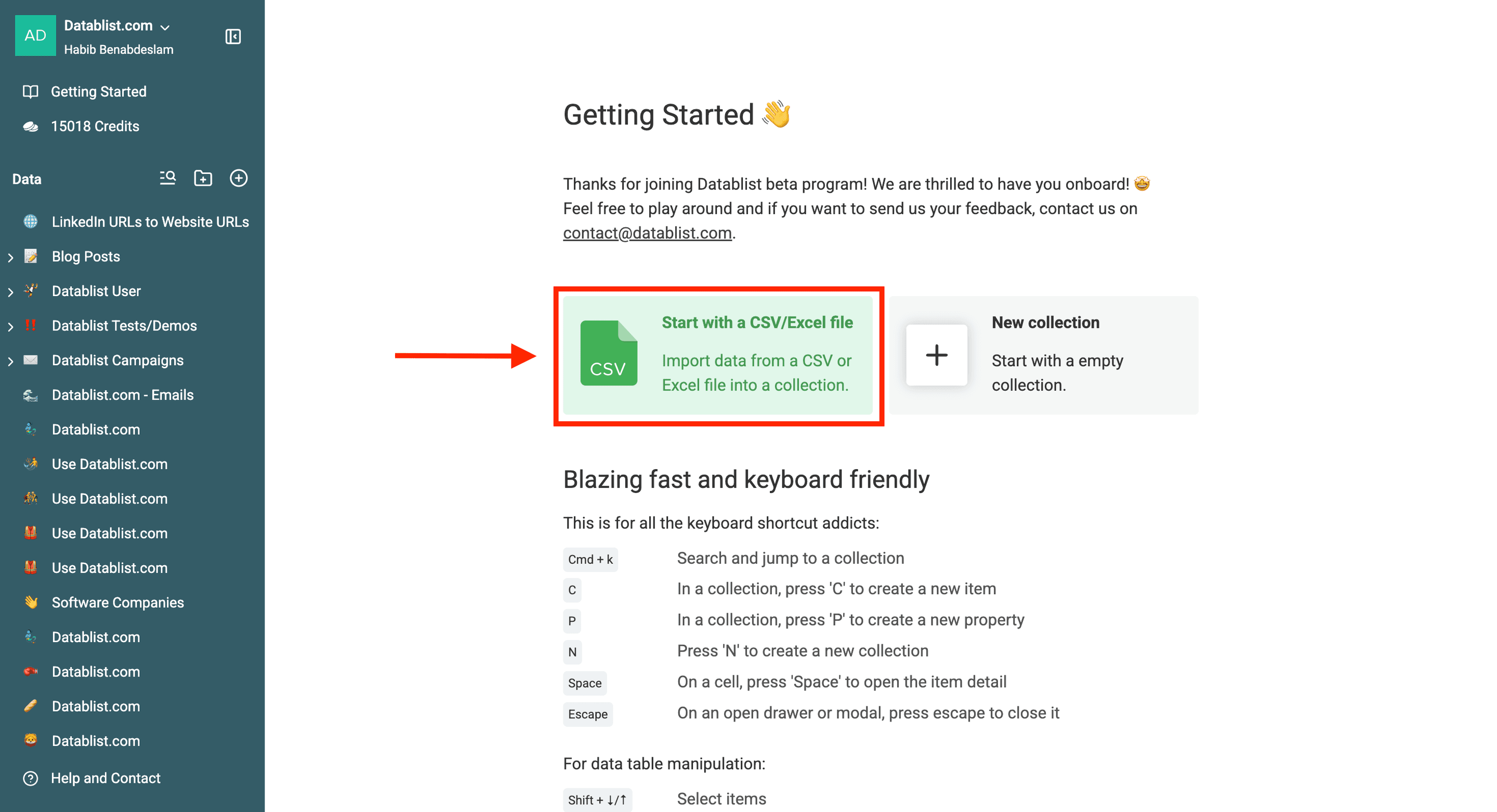
Step 1: Open Datablist and Import Your File
Import the CSV or Excel file containing Company LinkedIn URL and Source ID. Inspect the imported rows before running an enrichment. A pasted search-result URL, a company name without a URL, or several URLs in one cell needs cleanup first.
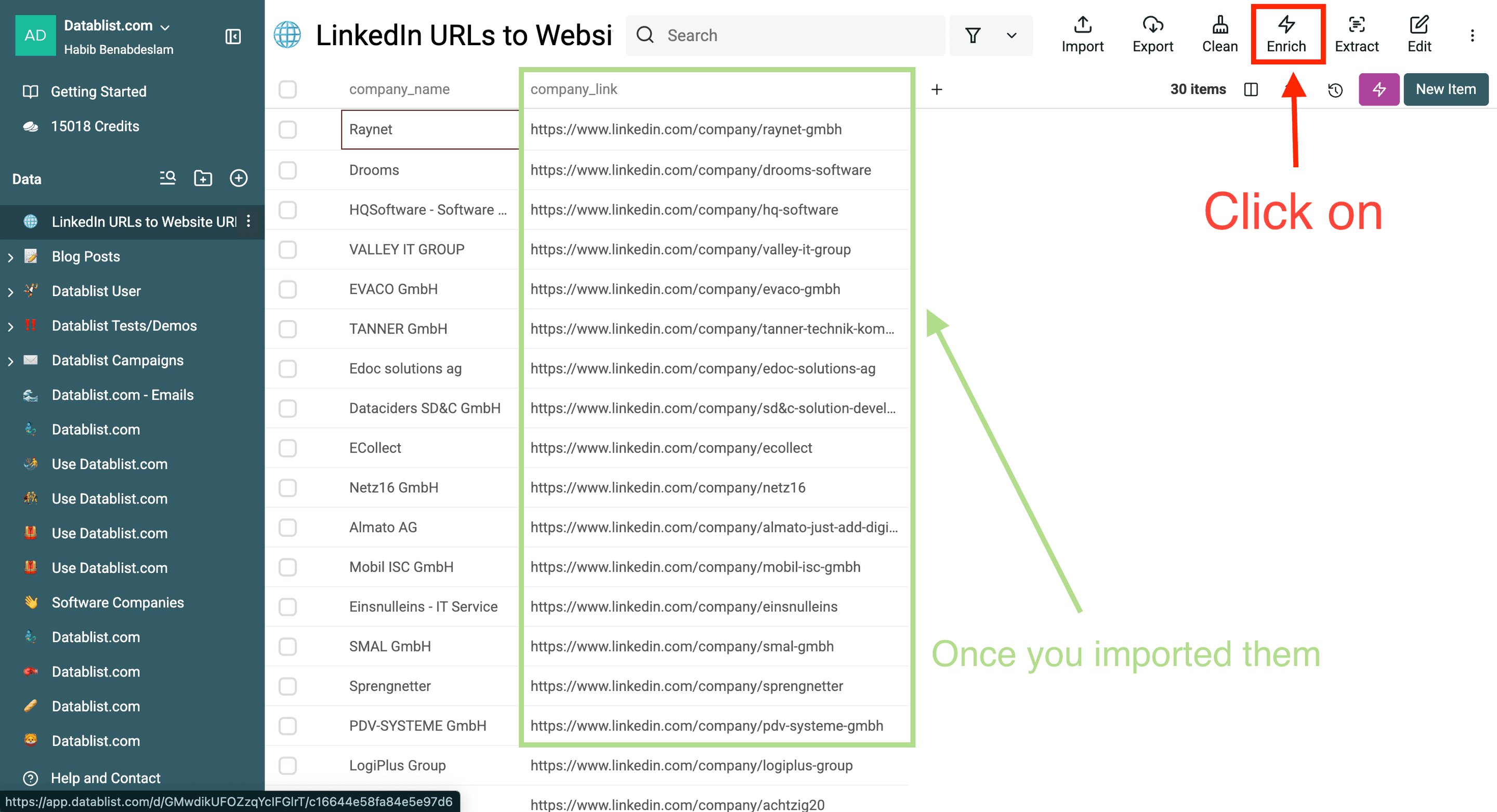
Step 2: Open the Enrichment Catalog
Choose the intended rows or view, then open Enrich. Preserve the source columns; the output should go to new properties during the first review.
Step 3: Select the Matcher
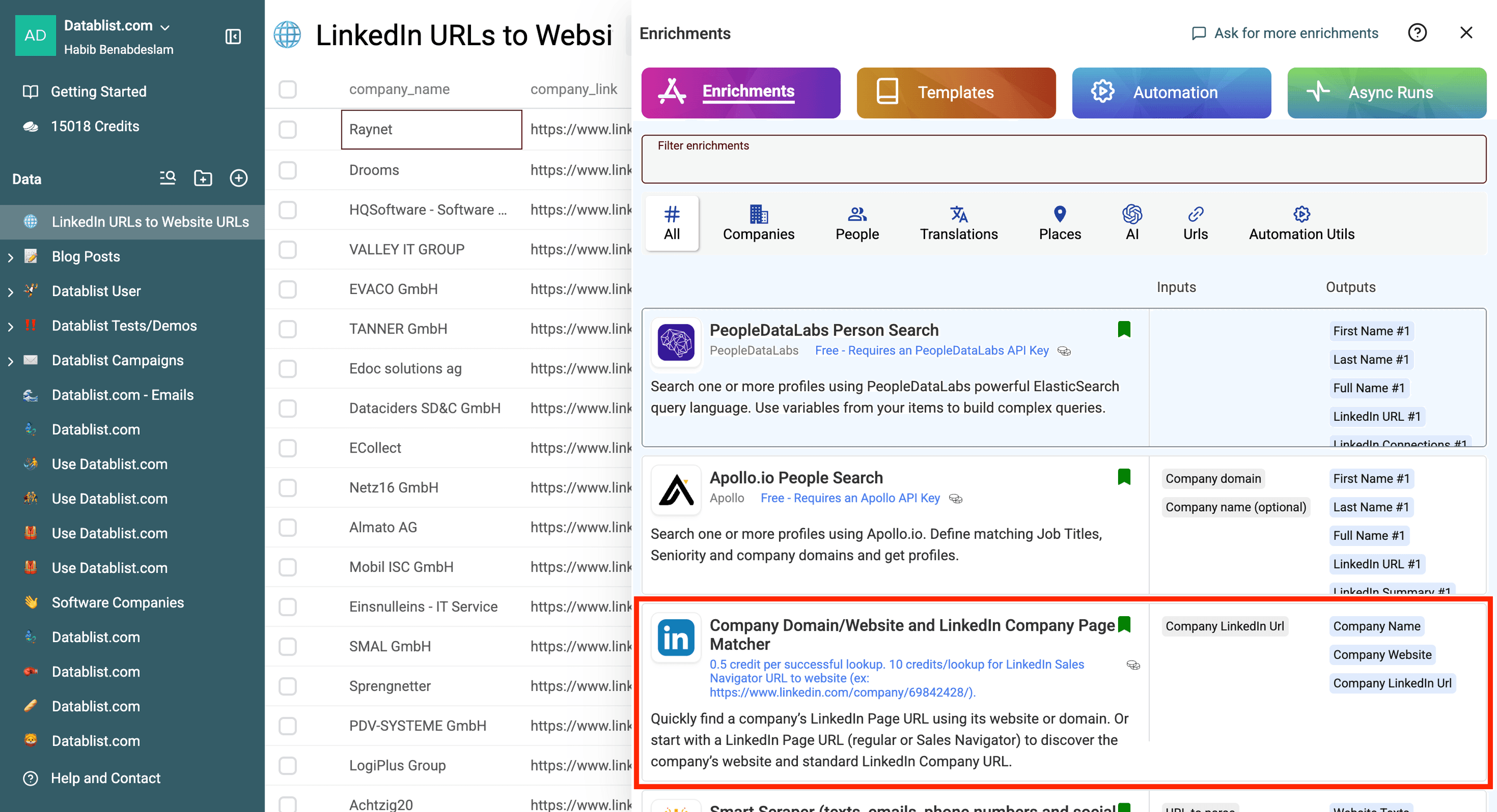
Choose Company Domain/Website and LinkedIn Company Page Matcher. Use the catalog entry for URL matching rather than a full company-profile scraper when this workflow is the one you need.
Step 4: Choose the Matching Direction
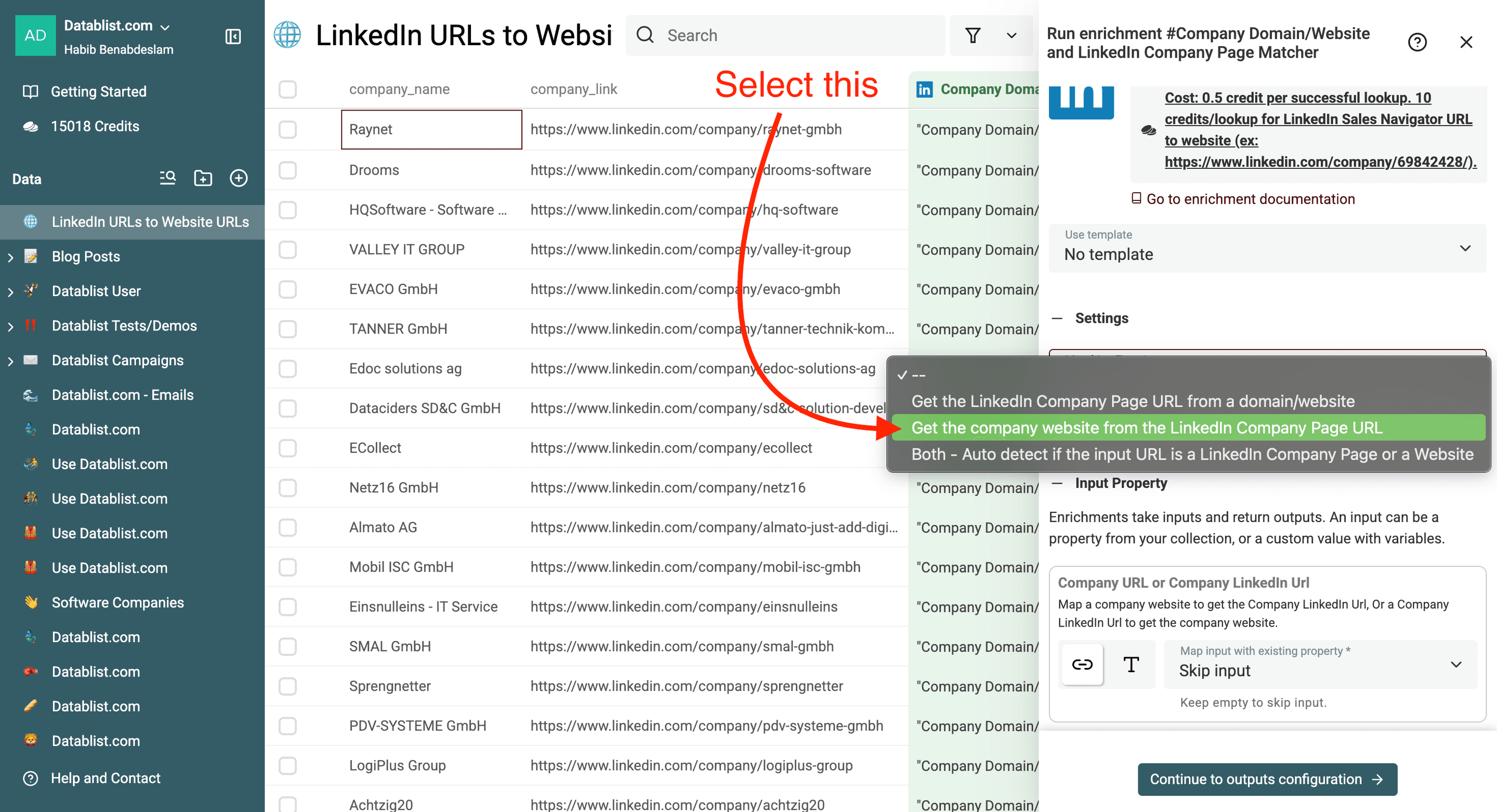
In Matching Type, select Get the company website from the LinkedIn Company Page URL. The other direction starts with a domain and finds a LinkedIn company page; do not rely on the position of an option in an old screenshot.
Step 5: Map the Input
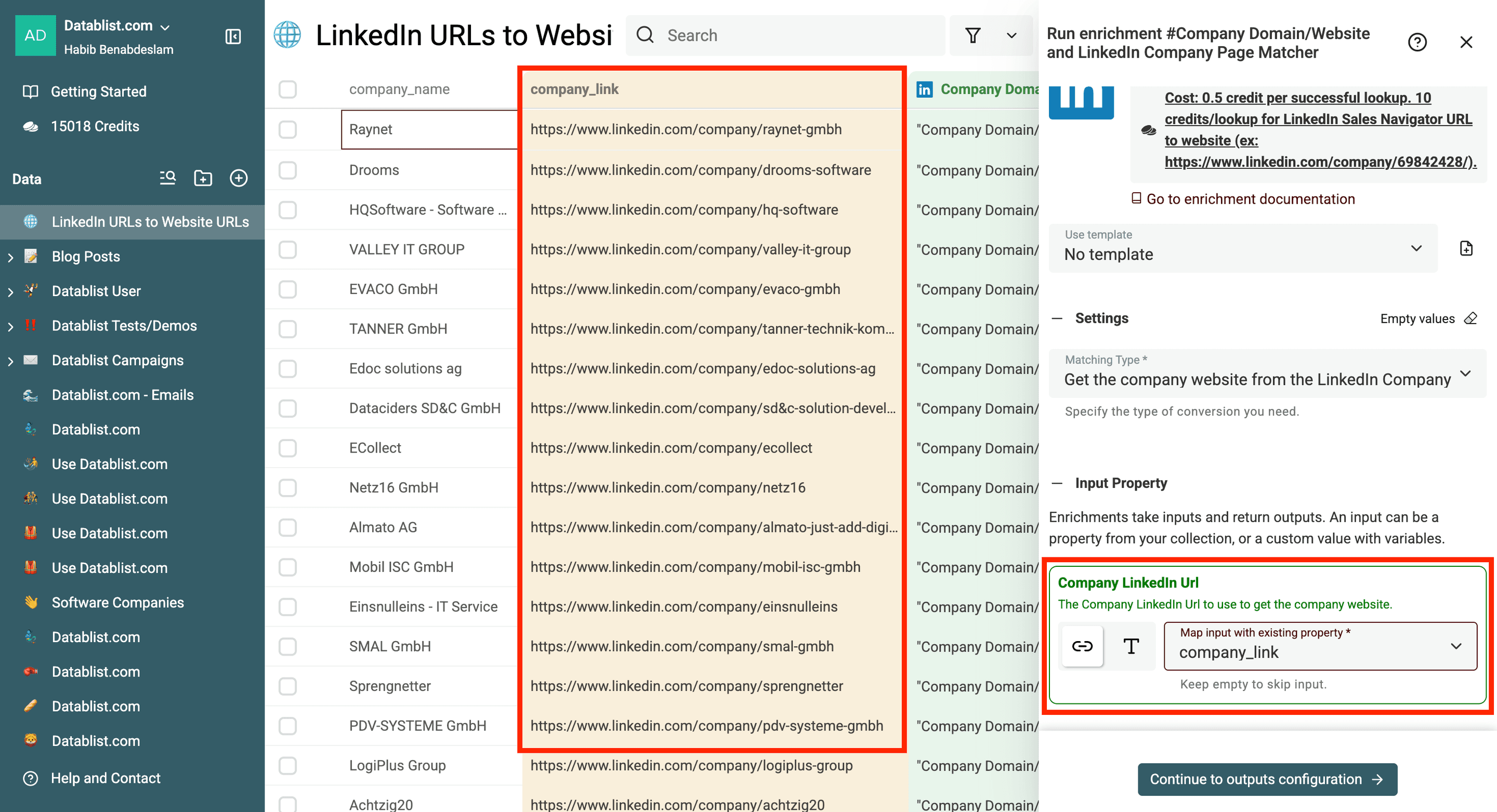
Map Company LinkedIn Url to your source column. Check several substituted values to confirm that each row contains one intended company URL.
If some records are Sales Navigator company URLs, include those in the sample rather than testing only ordinary company-page URLs. Mixed input formats can have different coverage and usage.
Step 6: Map the Outputs
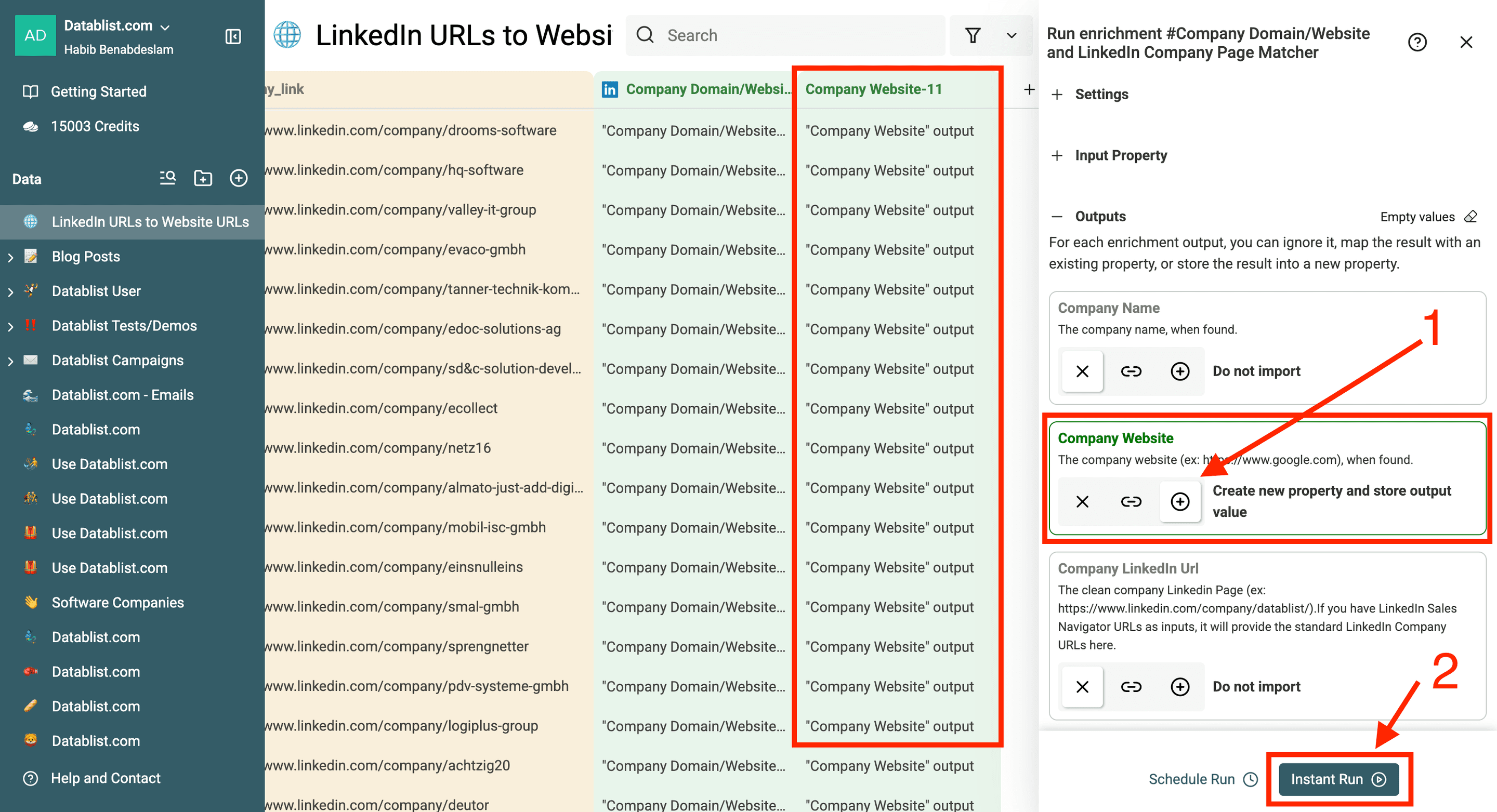
Create separate properties for Company Website, Company Name, Company LinkedIn Url, and Status as needed. Retain Status even if the website is your main goal; it explains why some rows do not produce a usable match.
Choose Continue with Instant Run after mapping. A blank result should remain blank rather than being replaced with a guessed domain based on the company name.
Step 7: Test and Review Before Scaling
Test a representative sample: known company pages, renamed companies, similar names, and the URL formats in your file. Inspect the run scope and existing-data rule so the sample does not overwrite previously accepted websites.
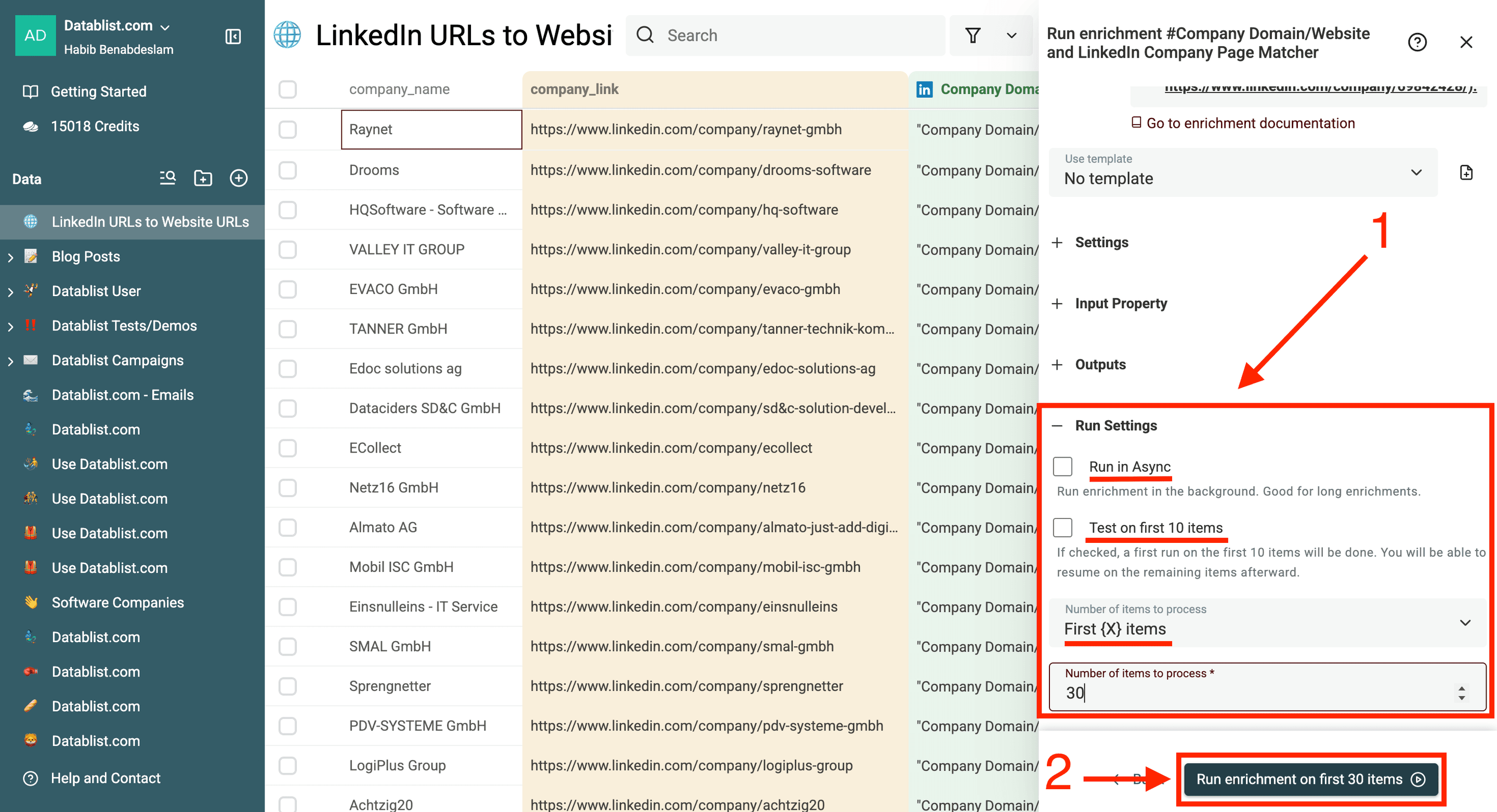
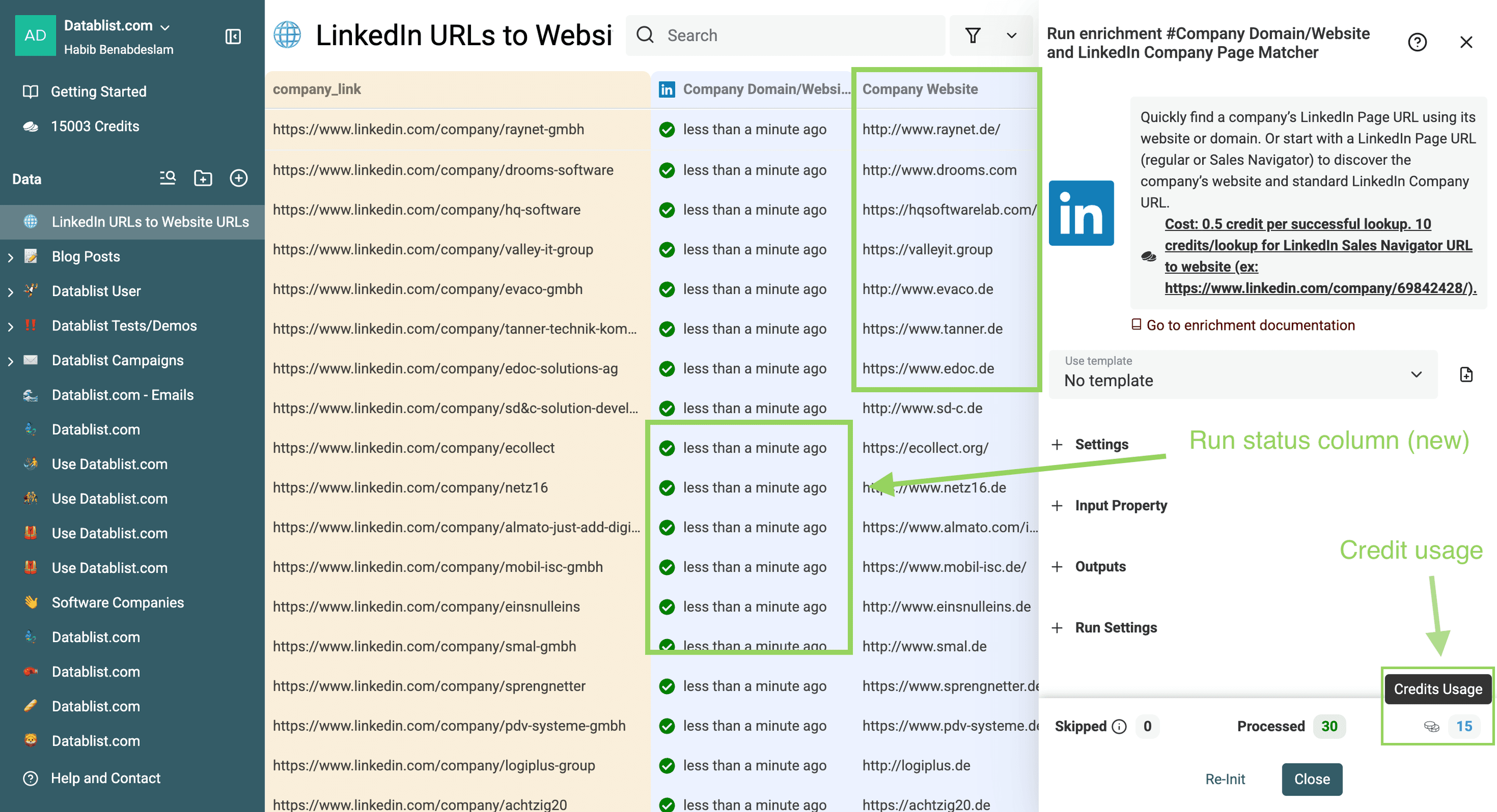
Open returned websites and compare the business name, brand, and source LinkedIn page. A successful request or populated field does not establish that the match is suitable for your CRM. Check subsidiaries and redirects before merging records by domain.
Results: Websites With Reviewable Outcomes
Keep the output next to Source ID and the original Company LinkedIn URL. Review the result status separately from request errors and credit usage.
| Status | Meaning for this workflow | Next step |
|---|---|---|
success | The matcher returned a relationship. | Review the website and intended company before accepting it. |
not_found | No match was found for the lookup. | Keep the source URL and research the unresolved record separately. |
empty_data | The required input is missing. | Correct the source value before retrying. |
bad_data | The input could not be used as a supported company URL or domain. | Inspect the format and confirm that it identifies a company. |
These are the matcher's output statuses. A service or request failure also needs investigation; do not interpret it as proof that the company has no website. A returned company name can help review, but it is not a substitute for checking the destination.
Choosing a Matching Workflow
Use the matcher when you need the relationship between a website and a company LinkedIn page. Use a company-enrichment workflow when you need broader fields such as company description or location. One result should not be presented as a complete company profile.
For name-only lists, first establish the intended company rather than treating a name as a LinkedIn URL. For mixed lists, the matcher offers Both - Auto detect if the input URL is a LinkedIn Company Page or a Website. Test that configuration separately and review which fields each row returns.
I would compare usefulness on a sample rather than promise a universal speed or price advantage. Account for unresolved records and the review work, not only rows with a populated website. Check current displayed usage before processing the remaining rows.
Export the Accepted Websites
Export Source ID, original company URL, accepted website, and review outcome together. Keep unresolved rows separate if the receiving system requires a website. See CSV and Excel exports for the handoff.
An accepted company domain can become an input to finding emails at scale. Confirm the contact's employer before using it in a person lookup. Deduplicate company domains only when your chosen record represents the same company rather than separate branches or brands.
To look up one contact, enter their first and last name plus the accepted domain in the free Email Finder. The company LinkedIn URL used in this guide is not a person profile and cannot replace those contact inputs.
Frequently Asked Questions
What Happens If a Website URL Isn't Found?
Keep the original URL and Status. A missing result can mean limited coverage or an input problem; it does not prove that the company has no website. Check the format, identify the intended business, and use a separate review workflow for the remaining records.
Does the Matcher Always Avoid Fetching LinkedIn?
No. The workflow can use stored company data and fallback lookups, including LinkedIn fetches. The tool's method alone does not establish permission for a particular collection or use. Do not infer a database-only guarantee from an old description.
How Much Does It Cost?
Check the enrichment's displayed cost and reported sample usage for your input formats. Sales Navigator company URLs can require a different path. This guide does not convert a subscription allocation into a guaranteed number of successful matches.
Can I Start With a Company Domain Instead?
Yes. Select Get the LinkedIn Company Page URL from a domain/website and map the website input. This direction can return Confidence alongside the matching fields; it describes the lookup's validation state, not a measured probability of correctness. Review the returned company page.
How Long Does a Bulk Lookup Take?
Duration depends on the inputs, fallback requests, and run conditions. Start with a sample and inspect completion and errors. A quick result for one company is not a timing guarantee for every row in a large collection.