
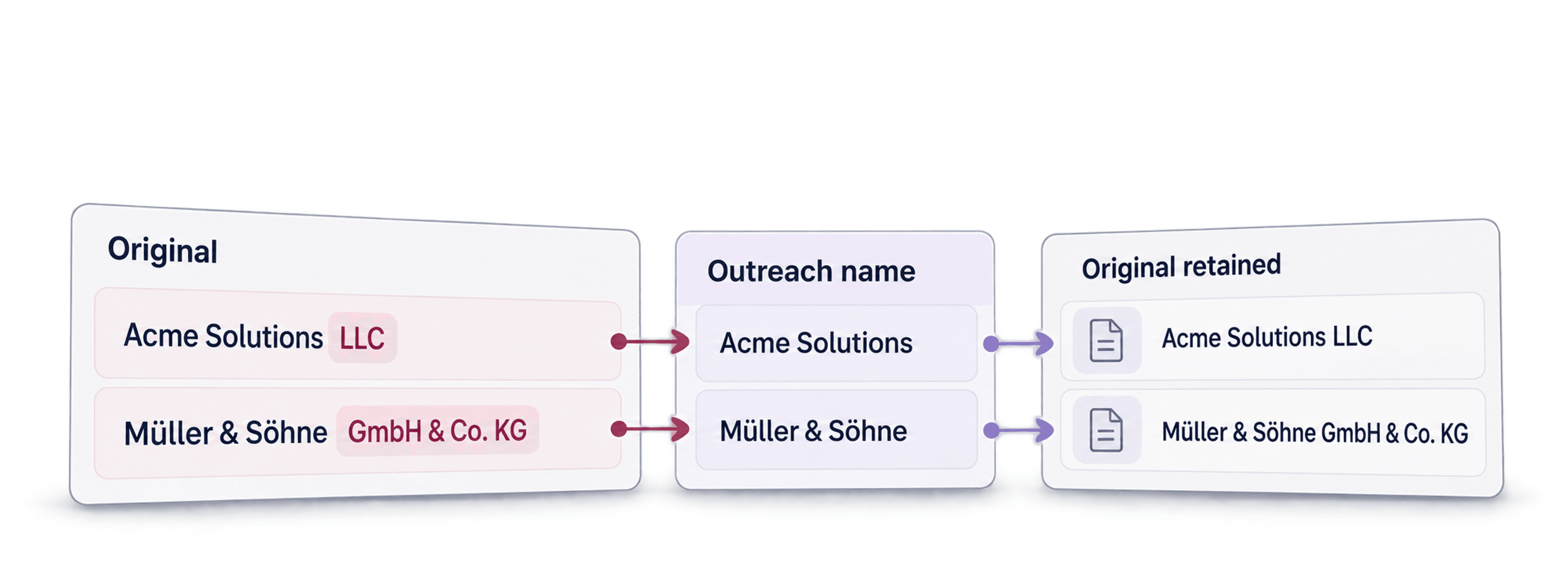
You scraped a lead list, enriched the emails, and now you're ready to send. But then you notice it: "Acme Solutions LLC," "Tech Company, INC.," "Müller & Söhne GmbH & Co. KG."
Before inserting those names into outreach, you need a readable display name. Keep the original legal name in a separate column so you can still match the company to your source record.
This article shows how to clean a company-name column in Datablist and review the result. The cleaner removes legal forms by default, or keeps them when your workflow needs them.
For a small batch, try the free company name normalization tool. It accepts up to ten names per run and lets you review the cleaned output before using it in an email. Open More options and enable Keep legal suffixes if those forms should remain.
📌 Summary For Those In a Rush
This article shows how to normalize company names for cold outreach using Datablist's Company Name Cleaner. Here's the quick version:
- What it does: Removes legal suffixes (LLC, Inc., GmbH, etc.), corrects formatting, and standardizes company names automatically
- Setting to check: Keep Legal Forms is off by default. Turn it on when the suffix matters.
- Cost: The current enrichment definition lists 0.5 credits per name. Check the run estimate before processing the full list.
- Steps: Import the list, open Clean > Clean Company Names, map the input, choose an output column, test a small sample, then review the results.
Read the full article to understand why this matters for outreach and how to get the best results.
What Is Company Name Normalization (And Why It Matters for Cold Outreach)
Company name normalization is the process of cleaning messy company names into a consistent, reader-friendly format. This typically means:
- Removing legal suffixes like LLC, Inc., Corp., GmbH, Ltd., S.A., and dozens of others
- Stripping unnecessary punctuation and special characters
- Fixing capitalization issues ("ACME SOLUTIONS" becomes "Acme Solutions")
Why Normalizing Company Names is Essential for Cold Outreach
An imported company name may include a legal suffix or formatting you would not use in a sentence. A separate display-name column lets you write naturally while preserving the original for matching.
Because when you personalize emails with company names, the formatting matters a lot.
Consider these two opening lines:
↳ "I noticed TechFlow Solutions, LLC is expanding into..."
↳ "I noticed TechFlow Solutions is expanding into..."
The second line reads more naturally in an introductory email. It still needs a verified reason for saying the company is expanding.
💡 What Is Datablist?
Datablist is a platform for building lead generation workflows that lets you find, enrich, and clean data using over 60 different tools. From AI Agents to Email Finders, data cleaning utilities to workflow automations, it handles the tedious parts of list building so you can focus on outreach.
If you need to get, clean, or automate workflows involving data and you need it to be easy, fast, and reliable, Datablist is built for that.
How To Normalize Company Names in 5 Steps
Here's how to normalize a company-name column using Datablist's Company Name Cleaner. Run a small sample first: names with abbreviations, punctuation, or multiple legal forms may need manual review.
Step 1: Sign Up and Upload Your Data
- Go to Datablist.com and create a free account.
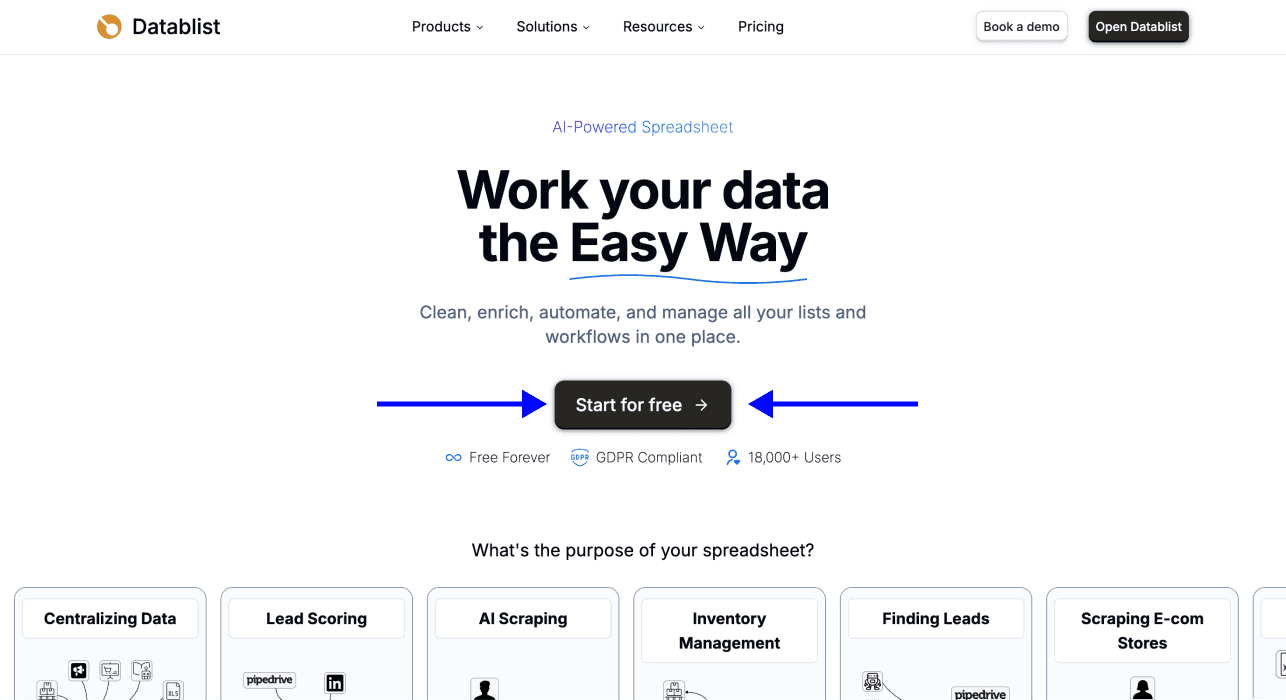
- Once you're in, upload your CSV or Excel file containing the company names you want to normalize.
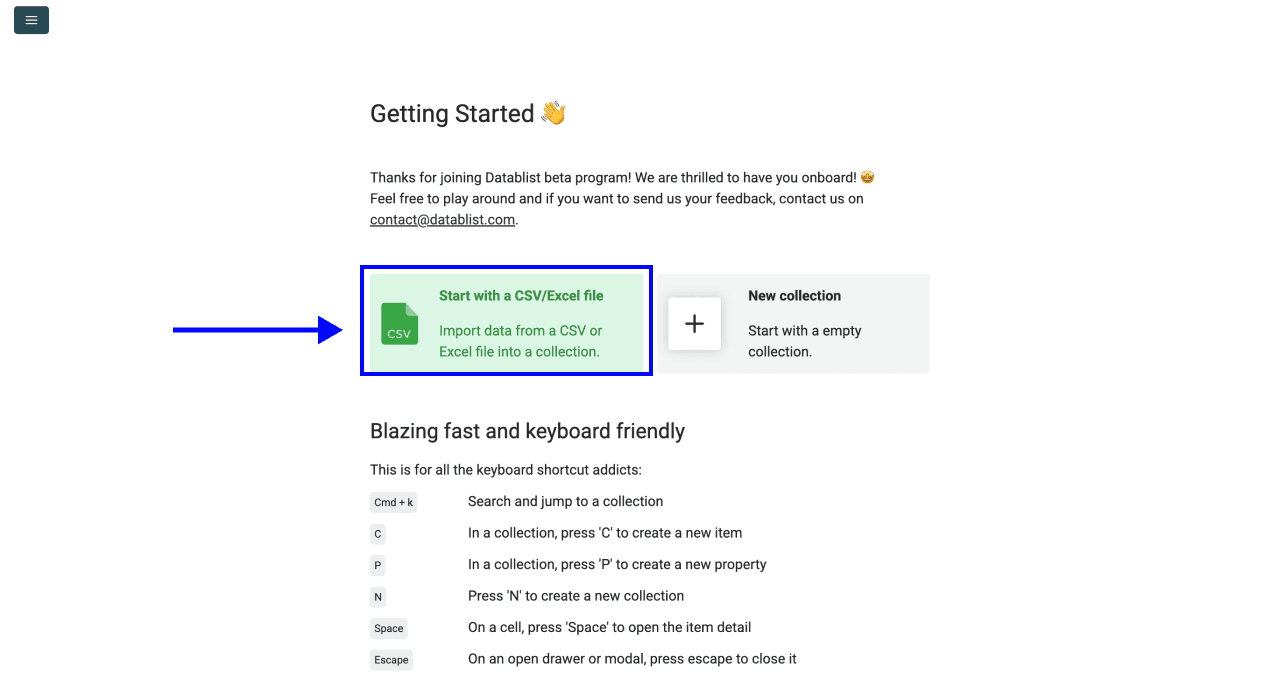
Your file can have multiple columns. Datablist will let you select which one contains the company names in the next steps.
Step 2: Navigate to the Company Name Cleaner
-
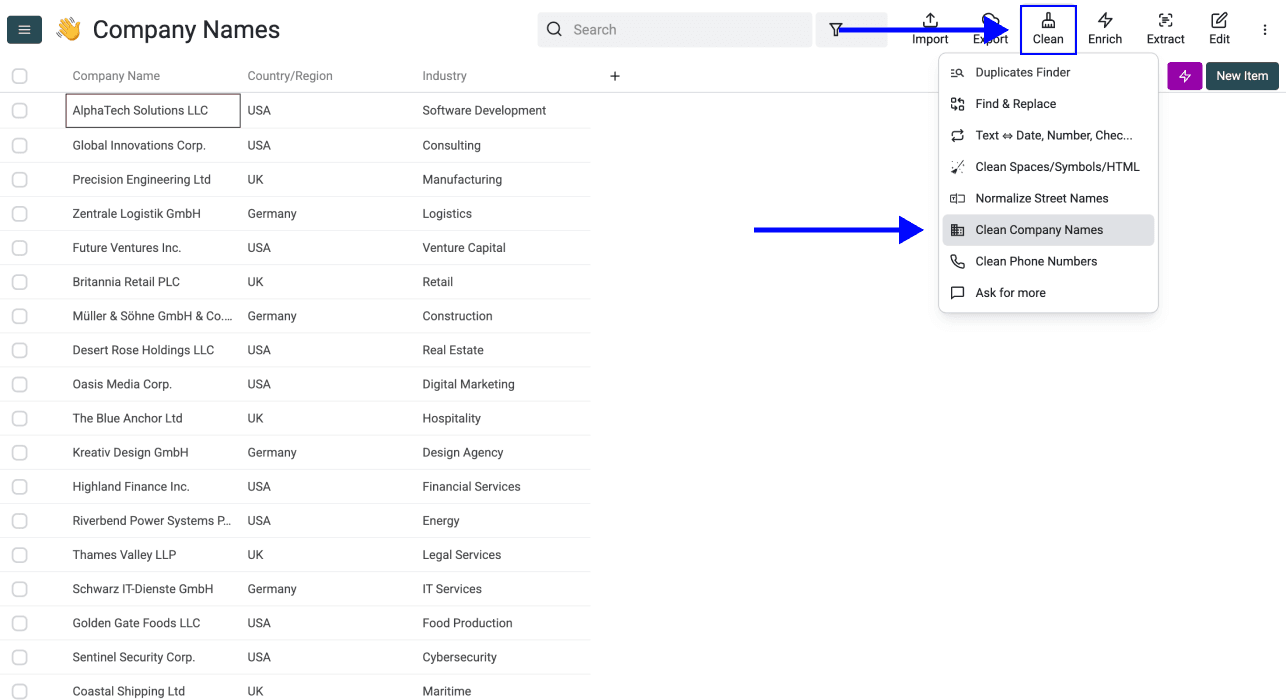
With your data uploaded, click the Clean button in the top menu.
-
Select the Clean Company Names (this will open the Company Name Normalizer).
This is the tool that will remove legal suffixes and normalize your company names.
Step 3: Map Your Inputs
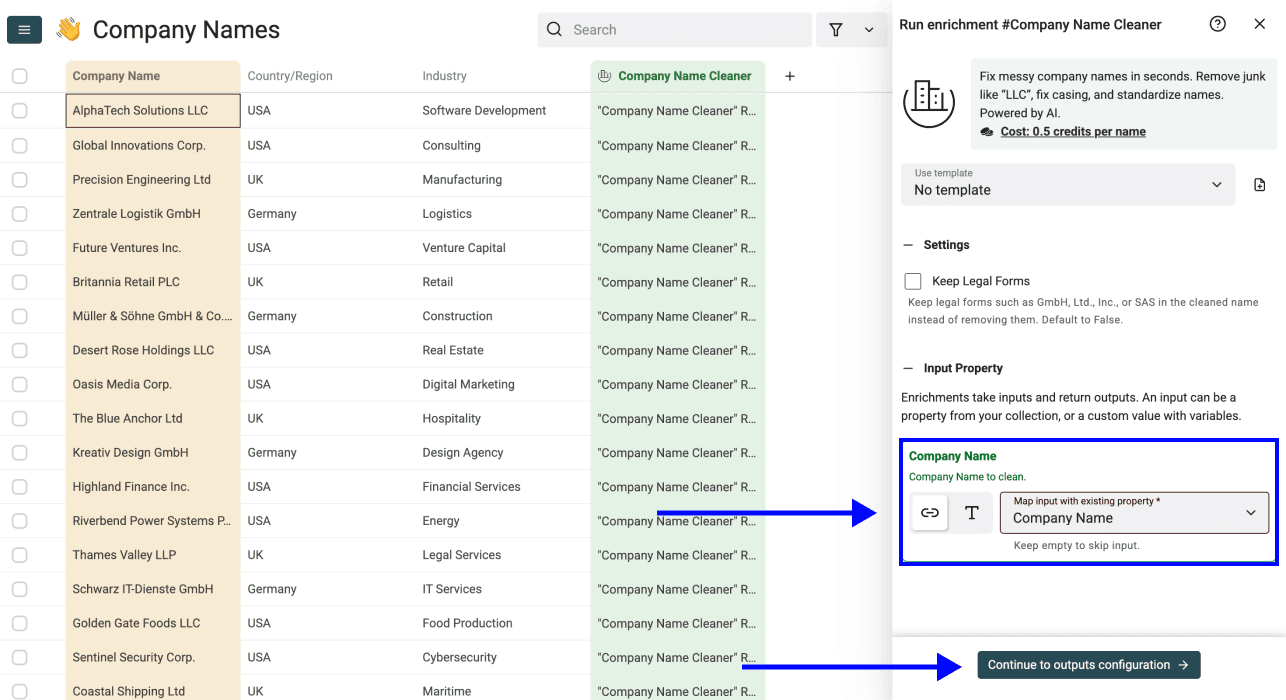
You’ll see a configuration option asking you to define your Input Property. Here, select the column that contains your company names from the dropdown.
Click Continue to outputs configuration when ready.
Step 4: Configure Your Outputs
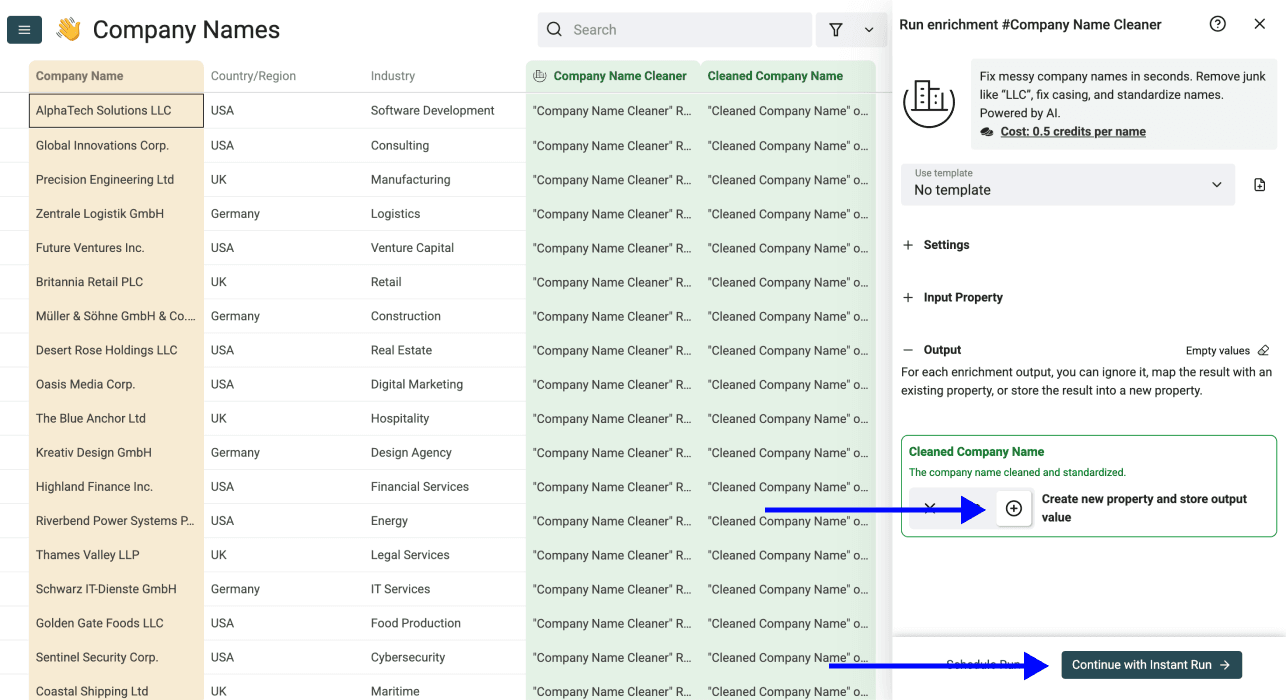
Decide where the cleaned company names should go. Create a new column if the original name is used for matching, deduplication, or audit history. In the enrichment settings, leave Keep Legal Forms off for conversational display names; turn it on if you need a cleaned legal name.
You have two options:
- Create a new column for the normalized names (recommended if you want to compare before/after)
- Overwrite the existing column with the cleaned data
Click the ⊕ icon to create a new column, or select an existing one from the dropdown.
Step 5: Run the Enrichment
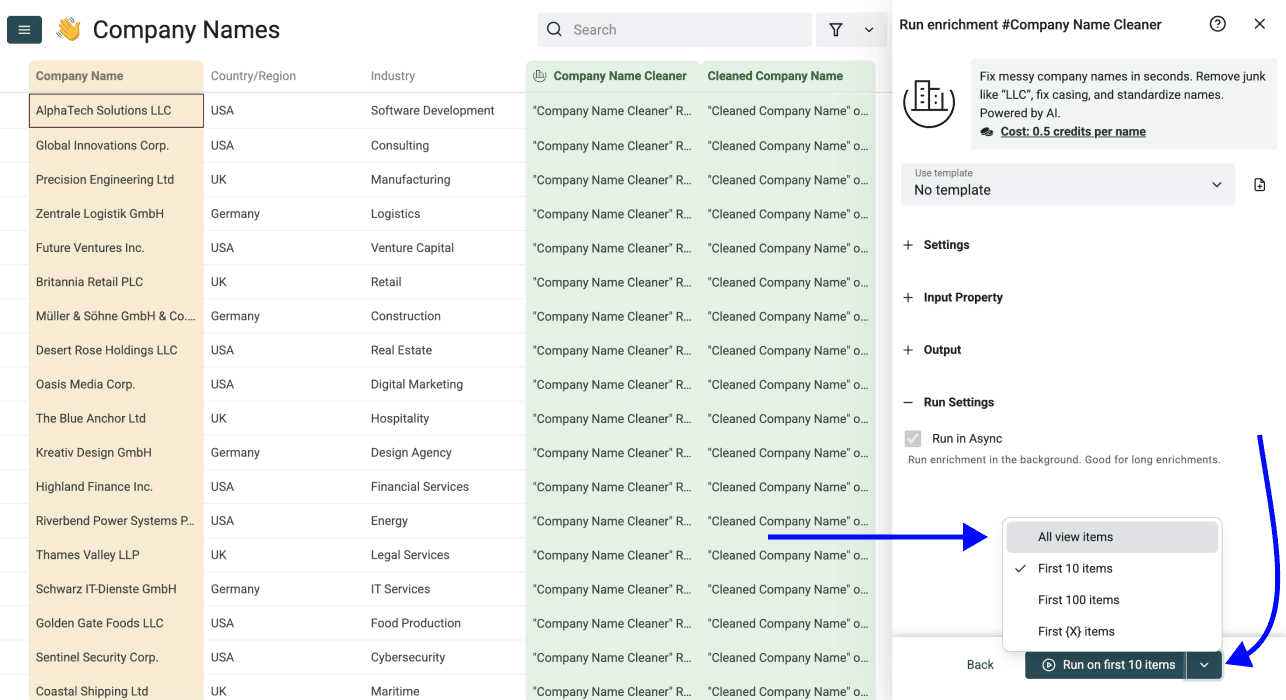
Finally, configure your run settings by clicking on the chevron on the right side of the button. This will allow you to choose between the following options:
- Run on first 10 items: Good for checking results before committing
- Run on first 100 items: Useful if you want to validate larger samples
- Run on first {X} items: Lets you choose how many items you want to process
- Run on all view items: Process your entire list (or view if you’ve enabled filters)
After the sample looks right, choose the scope you want and click the corresponding Run button.
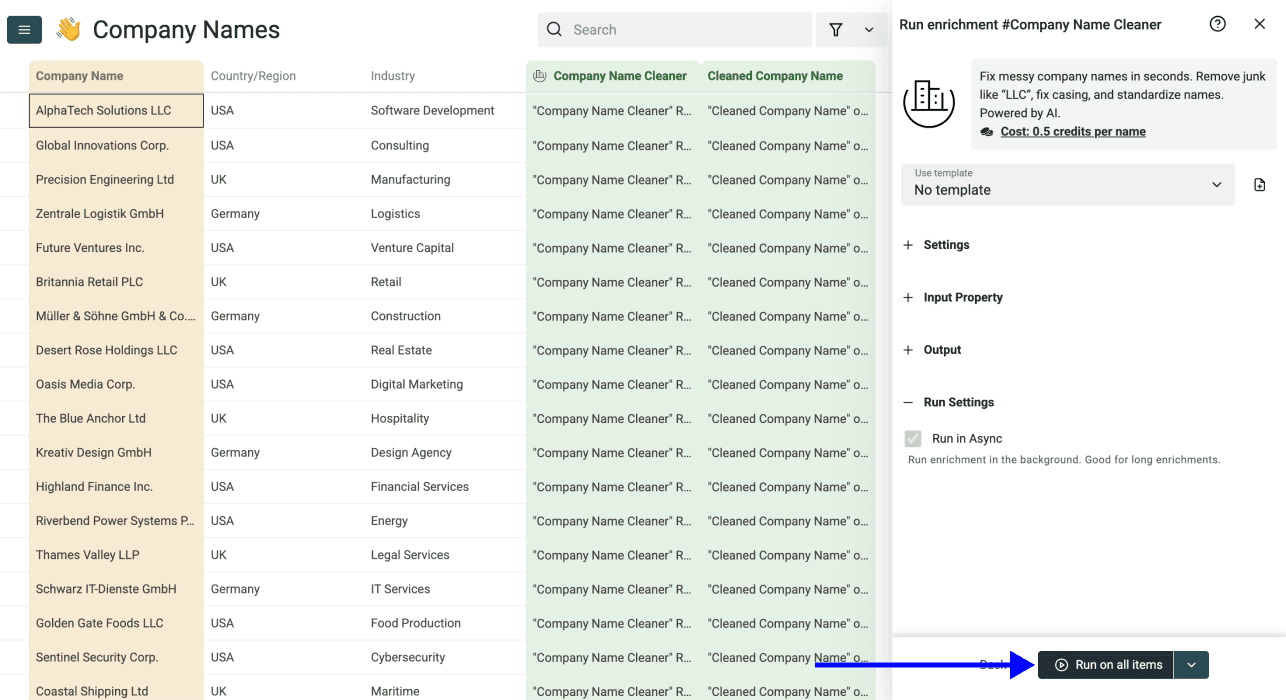
After the run, compare the cleaned column with the original. Check a sample of short names, brand spellings, and companies with similar names before using the output in outreach. The cleaner uses AI, so treat the result as a suggested display name rather than a canonical company identifier.
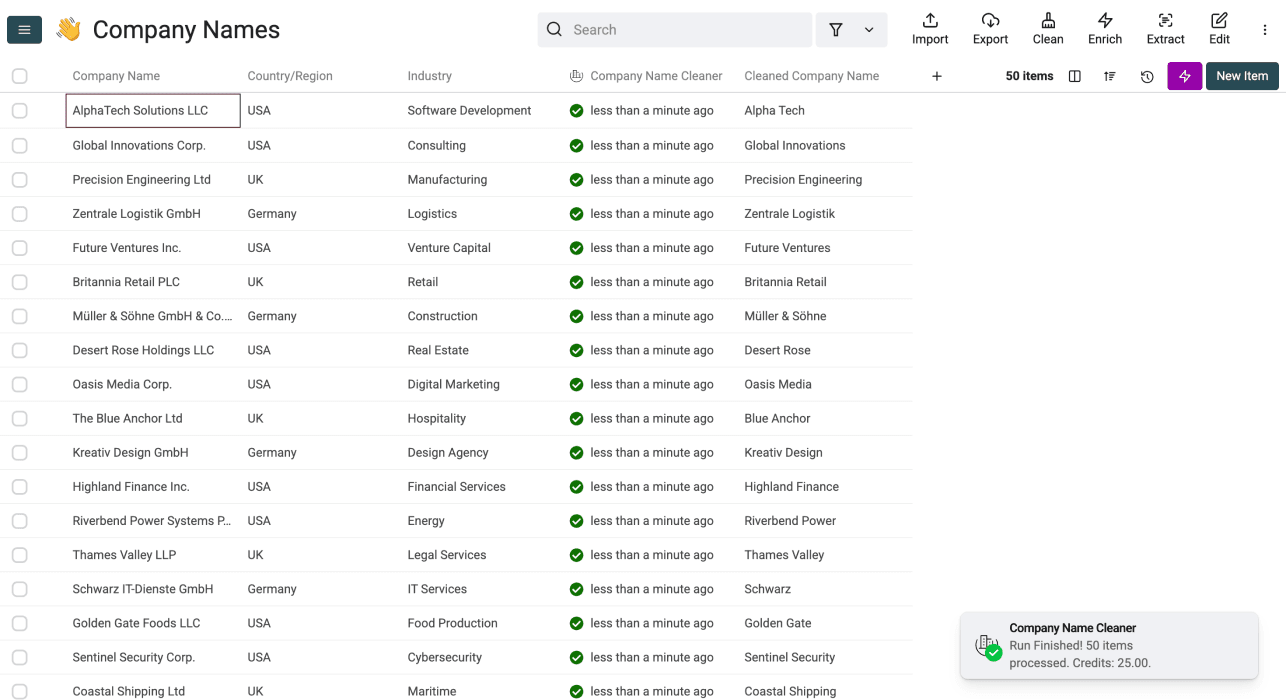
Review Cleaned Names Before Outreach
The cleaned value is a suggested display name, not proof that two records refer to the same company. For example, Acme Solutions LLC may become Acme Solutions, but a short name such as ABC could refer to several businesses. Keep the original name and, when available, the company website alongside the cleaned value.
Review rows where the output is empty, unexpectedly abbreviated, or identical across different companies. Check those names against the company's own website before using them in a message. If you need legal names for contracts or CRM matching, use the original field or rerun with Keep Legal Forms enabled.
Conclusion
Normalizing a display name can make an outreach message read more naturally. Keep the source name for matching, check a sample of cleaned values, and only then use the new column in your campaign. The cleaner uses credits per name, so check the current run estimate before processing a large list.
Frequently Asked Questions (FAQ)
How Do I Normalize Company Names for Cold Outreach?
Import your list, open Clean > Clean Company Names, map the company-name column, and write the result to a new column. Run a sample and review it before processing the rest.
If you only have a few names to prepare, use the free company-name cleanup workflow and compare the original and cleaned values before matching records.
What's the Fastest Way to Normalize Company Names in Bulk?
For bulk work, map the input column once and run the cleaner on a small sample first. Total run time depends on the number of rows and the current service load. Review the resulting names before using them for outreach.
How Can I Remove Legal Suffixes Like LLC, Inc., and GmbH at Scale?
Datablist's Company Name Cleaner removes legal forms by default. If you need them in the output, enable Keep Legal Forms. Check a sample of international company names because an AI cleaner can misread an unfamiliar suffix or brand.
What Tools Can Help Standardize Company Names Automatically?
Datablist's Company Name Cleaner uses AI to suggest display names. If you already have a precise rule for a known suffix, you can also use a deterministic cleaning workflow and check the results. Keep the original value either way.
What's the Best Alternative to ChatGPT for Normalizing Company Names at Scale?
Datablist's Company Name Cleaner processes a mapped collection column, so you can inspect the result next to the original value without moving names between tools. It still needs a sample review.
Is There a Better Tool Than ChatGPT for Removing Legal Suffixes From Company Names?
For a list you need to process and review in one workspace, Datablist's Company Name Cleaner is an option. Map the input column, choose whether to keep legal forms, and inspect the output beside the original name.