
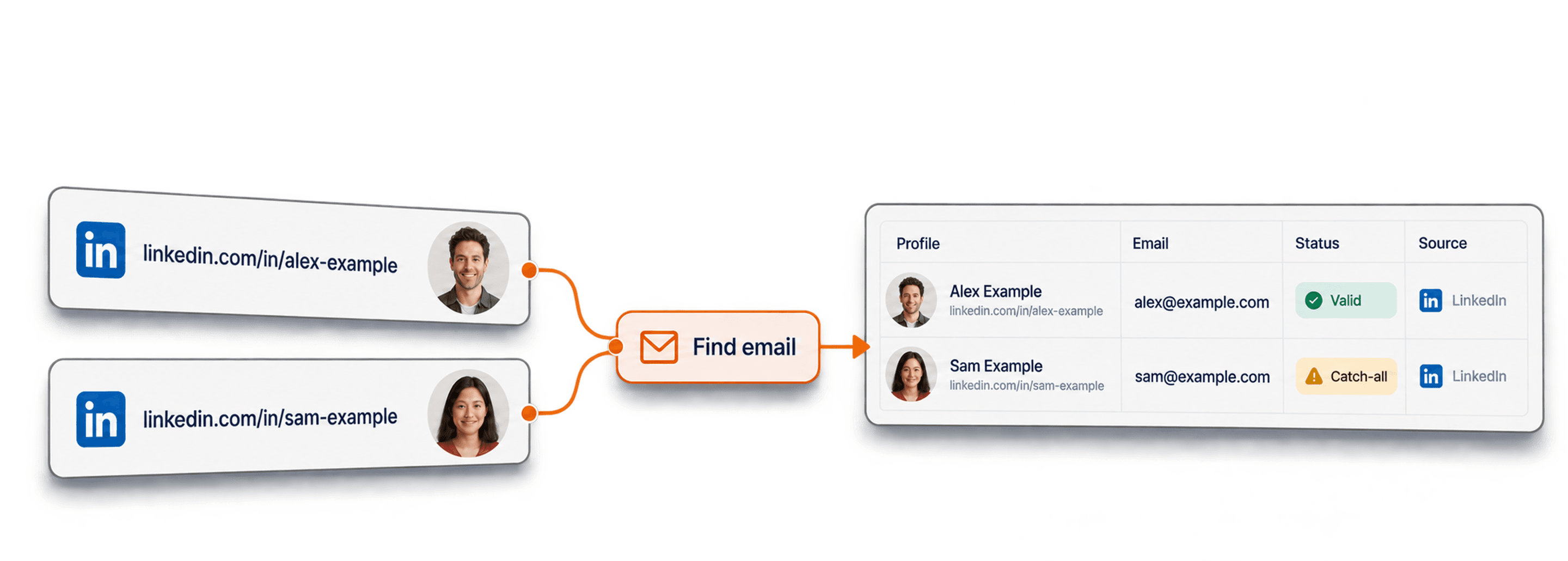
You already have the LinkedIn profile URLs. The emails are the missing piece, but scraping emails from LinkedIn is done best when the scraping isn’t actually scraping.
Most "LinkedIn email scrapers" try to grab the email off the LinkedIn page itself. That is exactly why they get accounts flagged or hand back personal emails that don’t convert.
The better way: skip the on-page scraping and enrich the profile URLs with verified emails directly to get emails that convert and keep your account safe.
📌 Summary For Those In a Rush
What this article covers: A step-by-step guide to scraping emails from LinkedIn profile URLs with Datablist.com, without scripts, browser extensions, or LinkedIn account risk.
- Input: a list of LinkedIn profile URLs (for example, a Sales Navigator export)
- Output: verified emails with deliverability status and MX provider
- Time/cost: 25 credits per email found ($0.025); you pay only for verified emails
Key takeaway: The best way to scrape emails from LinkedIn is to not scrape them at all, which has two benefits: you get the actual work email, and LinkedIn doesn’t restrict your account.
What This Guide Will Cover
- What it really takes to scrape emails from LinkedIn
- Why most LinkedIn email scrapers fail (and what breaks them)
- How to scrape emails from LinkedIn URLs with Datablist step by step
- What a verified LinkedIn email scraper should return
- Frequently asked questions about scraping emails from LinkedIn
What It Really Takes To Scrape Emails From LinkedIn
Before picking a tool, the job needs a small reframing. What most people call "scraping emails from LinkedIn" is really two steps, and only one of them touches LinkedIn at all.
Why Getting Emails From LinkedIn Is a Two-Step Job
LinkedIn never shows the email on the profile page. So no page scraper, browser extension, or console script can read an email that is not there in the first place.
The real workflow is scrape-then-enrich. Step one collects LinkedIn profile URLs. Step two matches those URLs to verified emails through a provider that already has the mapping.
That distinction changes the whole safety and cost picture. The scraping part is just URL collection, and the email half never logs into a LinkedIn account.
How a LinkedIn Email Scraping Workflow Works
Once you treat it as scrape-then-enrich, the whole thing is four moves:
- Scrape a list of leads (a Sales Navigator export is the cleanest source)
- Pick a LinkedIn email scraper, which is really a URL-based enrichment tool
- Upload your profile URLs as a CSV or Excel file
- Run the enrichment and let it match each URL to an email
That is the entire workflow; the rest of this guide is about showing you how to get the last three steps right, so the emails you scrape are actually valid.
📘 If You Haven’t Scraped Leads Yet
To scrape emails from LinkedIn, you need leads. If you haven’t scraped them yet, you can use Datablist’s Sales Navigator Scraper to get emails from LinkedIn without risking your account. For more info, read our guide on Sales Navigator scraping 👈🏽
Email Scraping vs. Enriching: The Right Way To Get Emails From LinkedIn
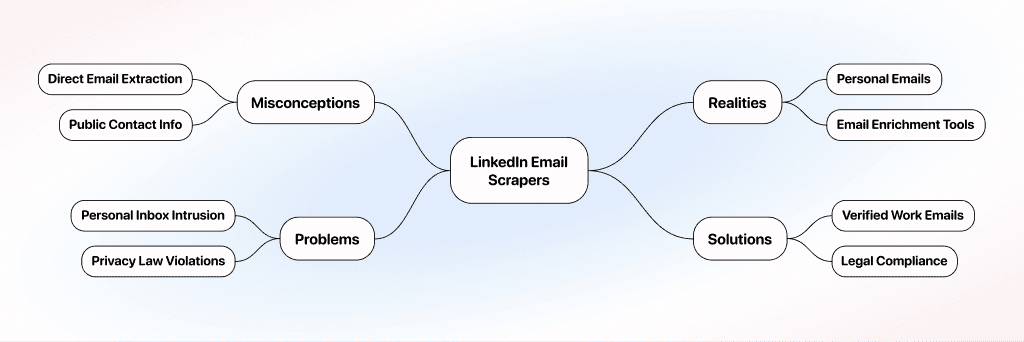
To scrape emails from LinkedIn isn’t actually a good idea because scraping emails from LinkedIn will get you personal email addresses most of the time and not the work emails you want to reach out to.
Scraping reads what is already on the profile, and most people don’t expose their work emails on their LinkedIn profile. Enriching, on the other hand, takes the profile URL and matches it against verified emails that you can reach out to easily.
What Most People Get Wrong About LinkedIn Email Scrapers
Some of us think a LinkedIn email scraper is a tool that can extract emails from LinkedIn profiles directly. This picture is not really accurate because most people don’t put work emails on their LinkedIn profile.
The only address a scraper can extract is the one a person typed into their public contact info, and that is usually a personal email. Which means most tools that let you scrape an email from LinkedIn are actually email enrichment tools, not email scrapers.
The Problem With Scraping Emails From LinkedIn
Let’s say you do scrape emails from LinkedIn directly; you end up with a list of personal emails. Remember that cold outreach to a personal inbox works against you for two reasons:
- No one wants it there. Nobody wants a sales pitch in their personal inbox; the work address is where business conversations actually belong.
- It is heavily regulated. In most countries, and especially across the EU and the US, emailing personal addresses is strictly controlled by privacy laws.
Email enrichment gives you the output you actually want without the downside. Instead of scraping the email from LinkedIn, it matches the profile URL to a verified work email, so you extract emails from LinkedIn that reach the inbox where business belongs and that you are legally clear to send to.
How To Scrape Emails From LinkedIn With Datablist
This flow takes the Waterfall Email Finder on the People tab and turns a list of LinkedIn profile URLs into verified emails. It costs 25 credits per email found ($0.025), and you get charged only for successful hits.
Step 1: Sign Up & Upload Your LinkedIn Profile URLs
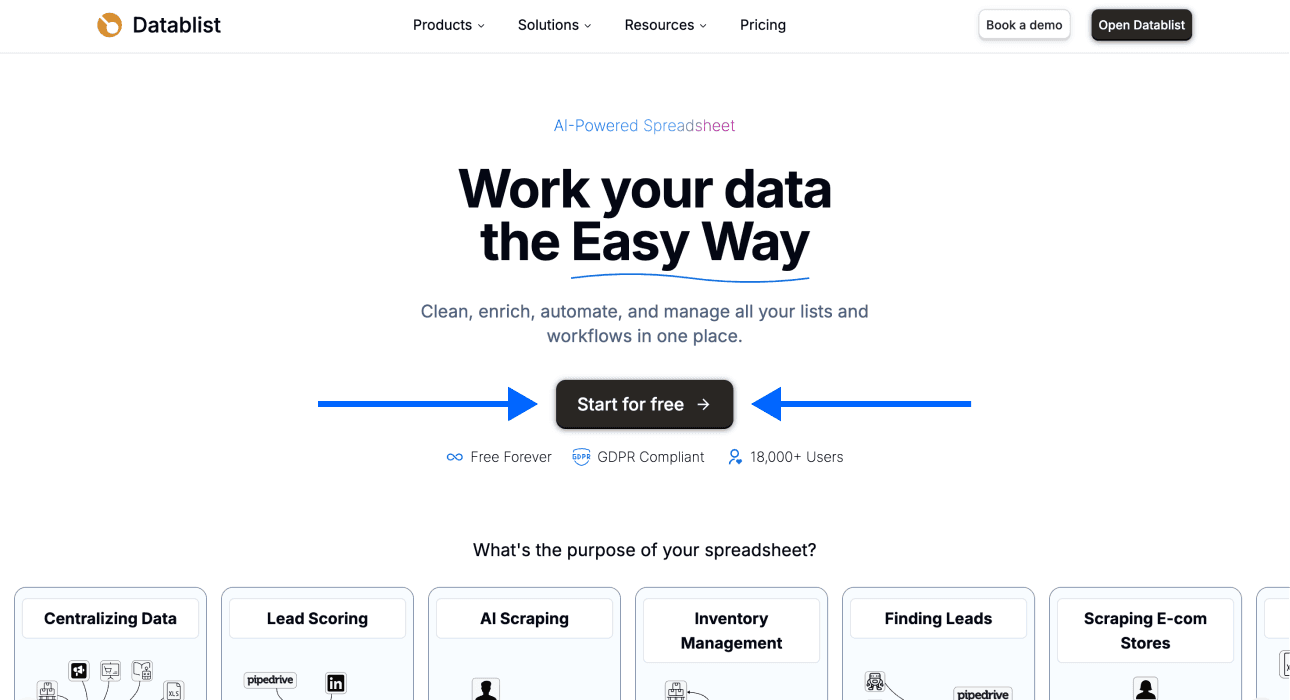
First, Sign up for Datablist.com.
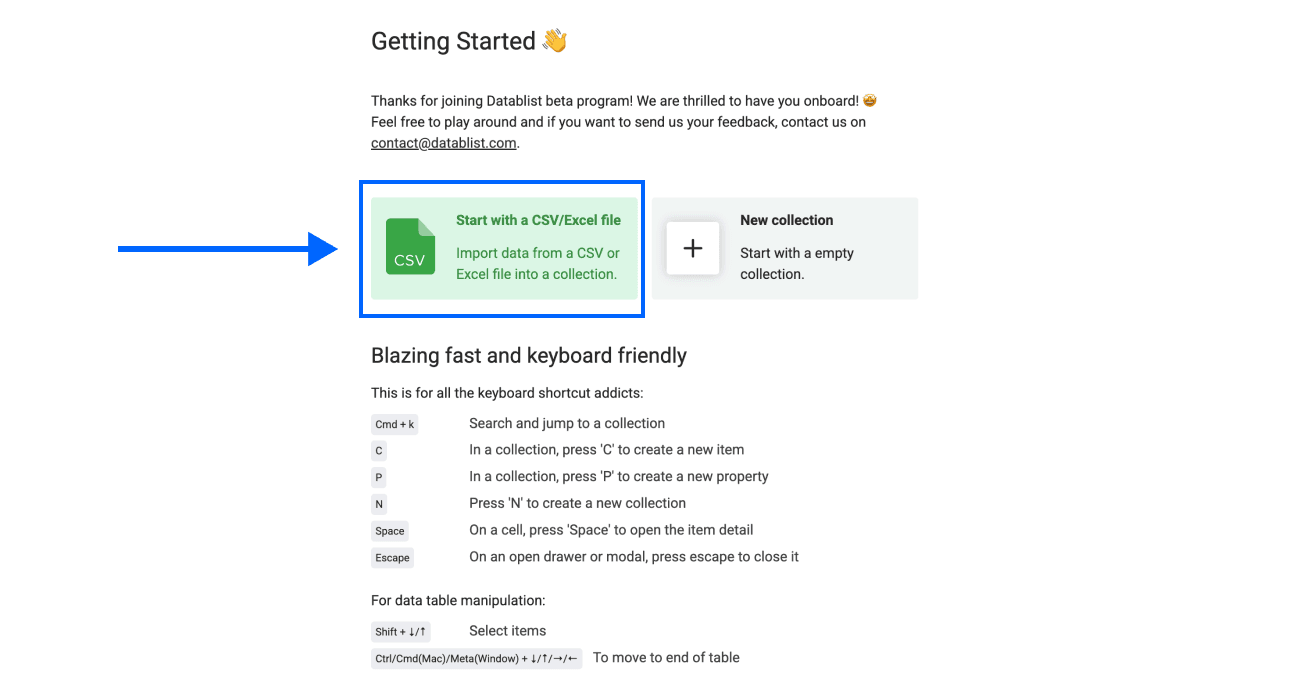
Then, Upload your CSV or Excel file with the LinkedIn profile URLs, one per row.
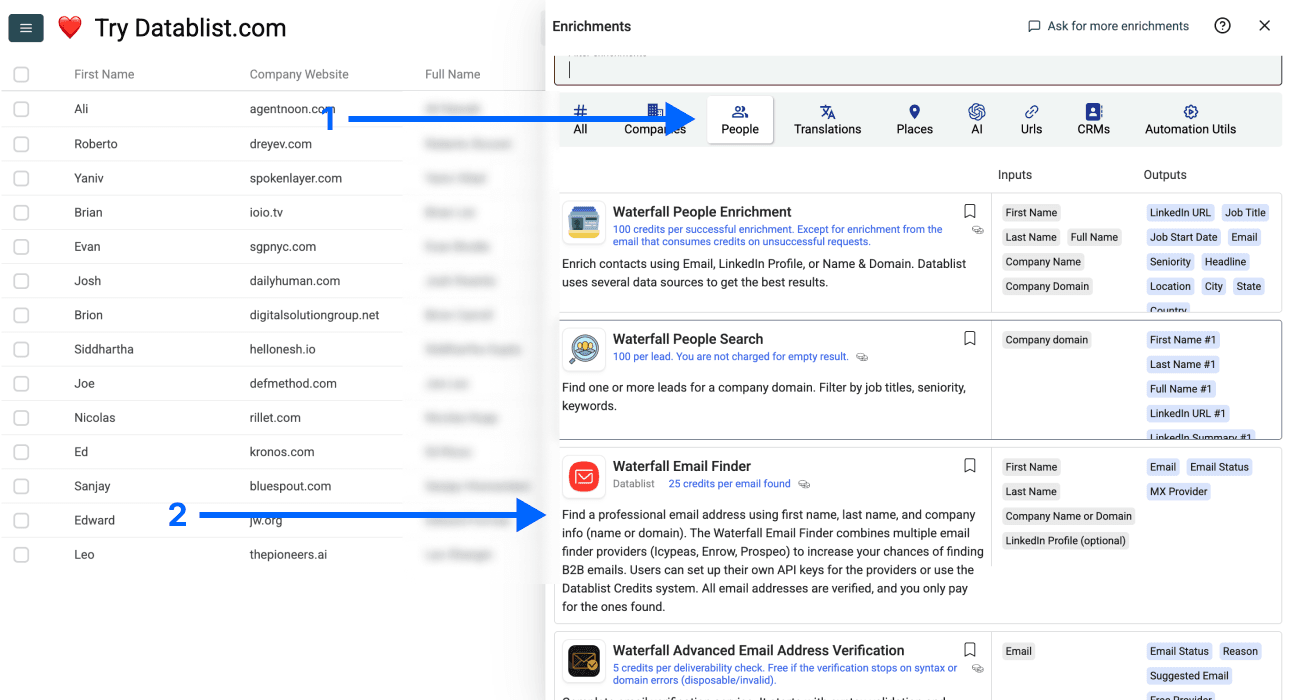
Step 2: Navigate to the Waterfall Email Finder
- Click on Enrich in the top menu of the app
- Go to the People tab
- Select the Waterfall Email Finder
Step 3: Set Up the Enrichment
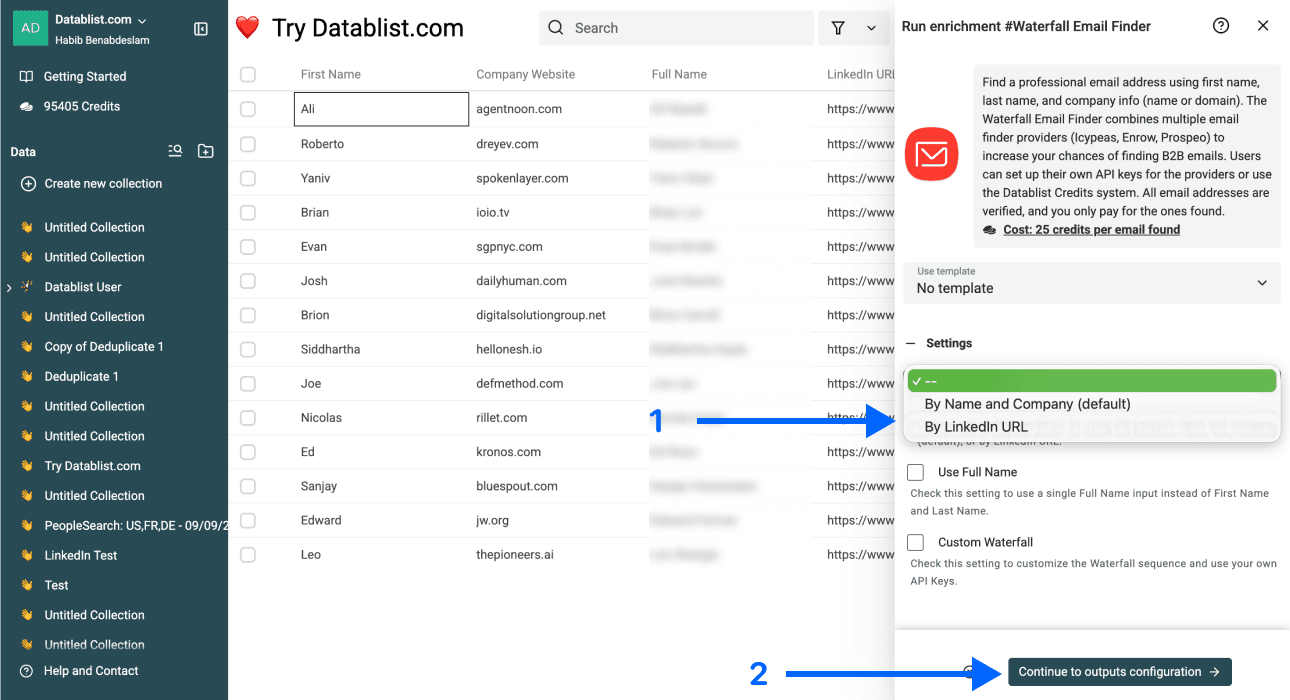
You'll see the following settings:
- Email Search Method – Click the dropdown and select By LinkedIn URL
- Use Full Name – Disappears once By LinkedIn URL is selected
- Custom Waterfall – Also disappears once By LinkedIn URL is selected
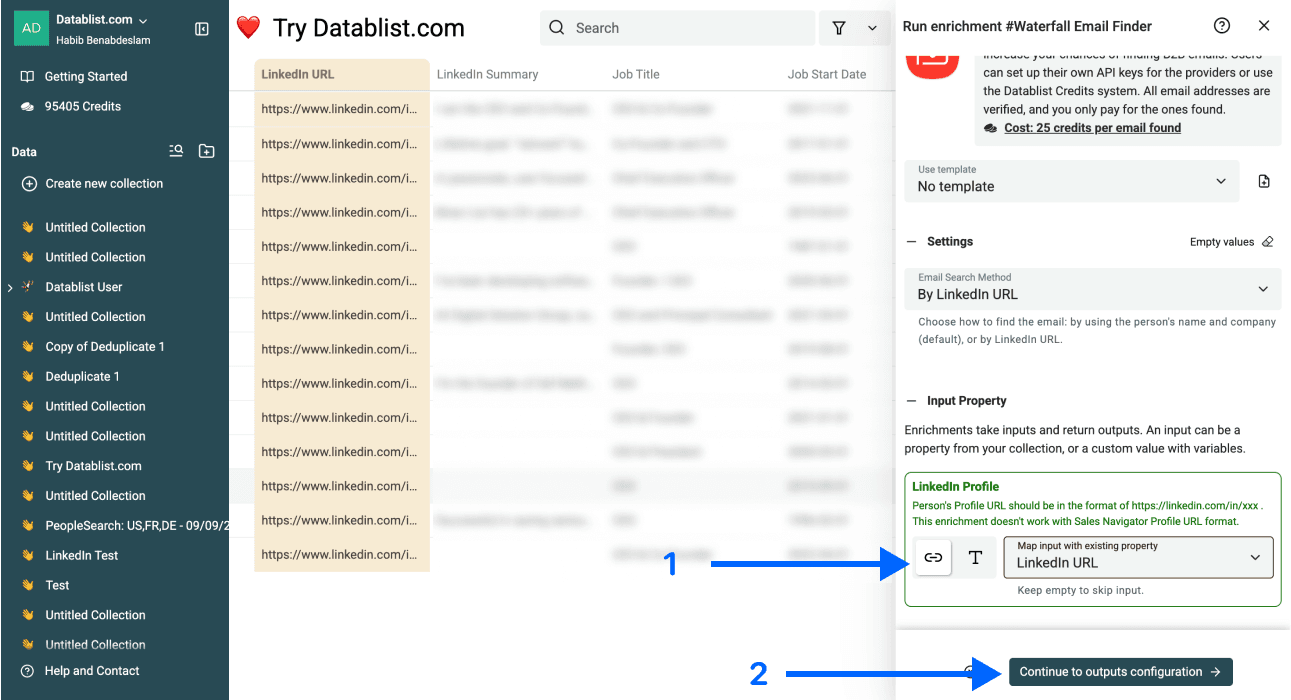
Step 4: Configure Your Inputs
Map the column that holds your LinkedIn profile URLs as the Input Property, then click Continue to outputs configuration.
Step 5: Select Outputs
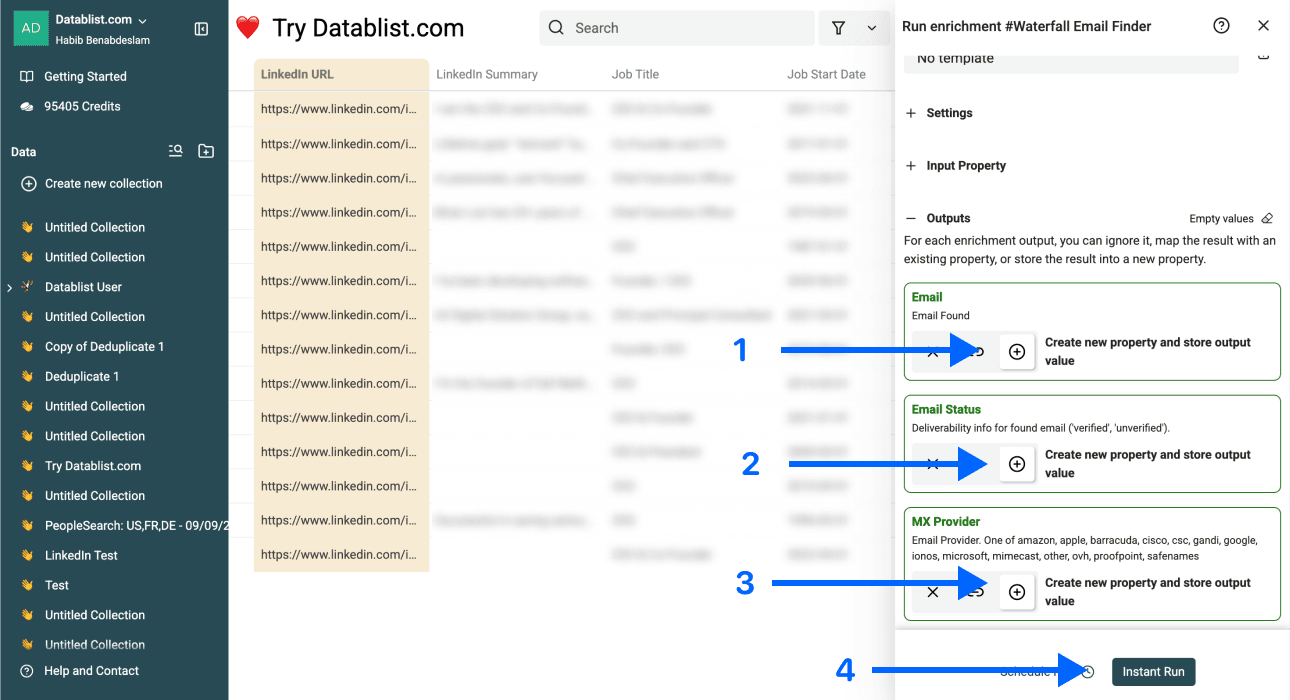
The Waterfall Email Finder returns three data points:
- Email Found – The verified email address
- Email Status – Deliverability status (valid, catch-all, or invalid)
- MX Provider – The MX provider behind the email
Click the ⊕ Icons to add them to your collection, then click Instant Run.
Step 6: Run the Enrichment
Lastly, click Run Enrichment on all items to start scraping emails from your LinkedIn profile URLs.
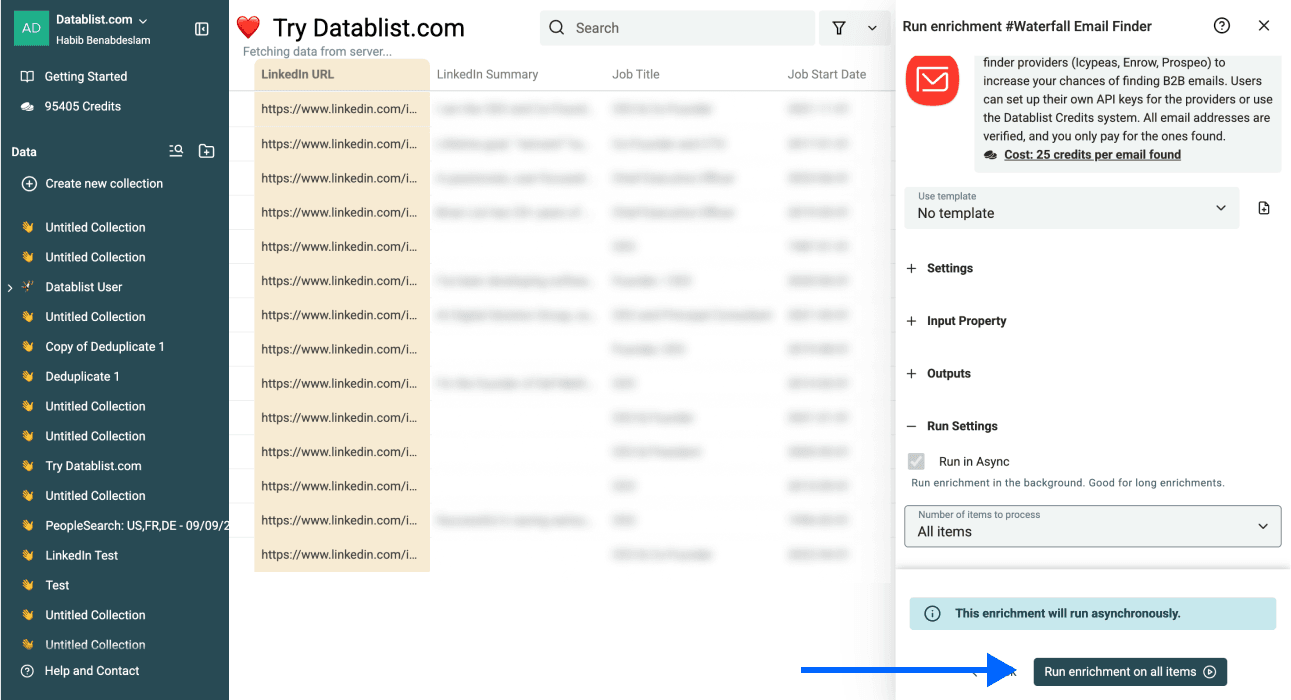
Within a few minutes, each row of your list carries a verified email, its deliverability status, and the MX provider, ready for the next step of the outreach workflow.
💡 Datablist’s Waterfall Enrichment Advantage
Datablist’s Waterfall Email Finder checks multiple providers in sequence instead of betting on one. Each is strong on different industries, regions, and company sizes, so the cascade catches emails a single source would miss.
That is roughly a 25% higher find rate than any single-source finder, straight from the LinkedIn URL, and you pay 25 credits ($0.025) only for the emails it actually verifies.
What a Good LinkedIn Email Scraper Should Return
A run is only as good as what you can do with the output. Anyone can hand you a list of addresses; the real question is whether they reach real people or just pile up as bounces.
Verified Work Emails, Not Personal Guesses
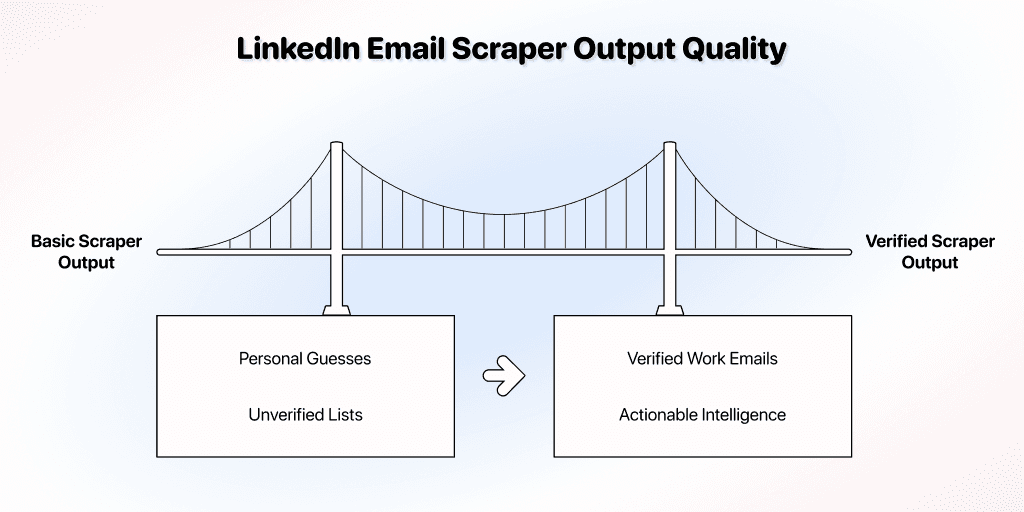
This is where the whole workflow pays off. Instead of the personal email a basic scraper would extract off the page, a good LinkedIn email scraper returns the verified work email, the inbox you actually wanted to reach.
Every row comes back with three fields: the email, an email status (valid, catch-all, or invalid), and the MX provider behind it. So you are not just handed an address; you are told whether it is safe to send to.
Turn the Output Into a Send-Ready List
Treat that status column as your filter, not a label. Sort to valid and send those first, hold the catch-alls for a lighter, lower-risk sequence, and drop invalid emails entirely.
You can push it further and segment by MX provider, sending Google to Google and Outlook to Outlook, which boosts your deliverability even more.
Conclusion: The Best Way To Scrape LinkedIn Emails Is To Not Scrape Them
The takeaway is counterintuitive: the best way to scrape emails from LinkedIn is to stop scraping profiles altogether. The email is never on the page, so enriching the profile URL is what hands you a verified work inbox.
That turns the list of profile URLs you started with into the input for everything cold outreach needs next. Most people move straight into personalizing, so the volume they just built actually converts.
Frequently Asked Questions About Scraping Emails From LinkedIn
How Much Does It Cost To Scrape Emails From LinkedIn With Datablist?
Emails cost 25 credits each ($0.025), and you get charged only for successful hits. A $20 top-up gives 20,000 credits, which cover up to 800 verified emails; if your intended volume is larger than that, you can get bigger top-ups, which give you better credit rates.
How Fast Can I Extract Emails From a List of LinkedIn Profile URLs?
Most runs finish within minutes. The Waterfall Email Finder processes URLs in parallel across providers, so a list of a few hundred profiles typically completes before you finish sorting the output columns.
How Many LinkedIn Profile URLs Can I Enrich in One Run?
There is no hard cap in Datablist. You can point the enrichment at your entire collection or filter to a smaller view; either way, you pay only for the URLs that return verified emails, not for the ones you queue.
What Do I Need To Scrape Emails From LinkedIn, and What Do I Get Back?
With Datablist, the only input is a list of LinkedIn profile URLs. The output for each row is a verified email address, its deliverability status (valid, catch-all, or invalid), and the MX provider behind the mailbox.
Do I Need Coding or Technical Skills To Use a LinkedIn Email Scraper?
No. The whole workflow runs inside Datablist's no-code interface: upload a CSV, pick the tool, map the URL column, and click Run. There is no script to write, install, or maintain.
Is It Legal To Scrape Emails From LinkedIn?
Scraping public LinkedIn data sits in a legal gray zone that varies by jurisdiction, and pulling private data from behind a login is off-limits.
URL-based enrichment sidesteps that gray area, since the emails come from third-party providers with their own compliance stack, not from LinkedIn's own pages.
Can LinkedIn Detect or Ban Me for Scraping Emails From Profiles?
LinkedIn can only detect automation that runs inside a logged-in session, so browser-extension LinkedIn email extractors and headless-browser scrapers are the ones that get accounts flagged.
Enriching a profile URL with Datablist, on the other hand, happens outside LinkedIn, so there is no session to detect and nothing to ban. And since on-page scraping only exposes personal emails, skipping it protects your account and your outreach.
Can I Cold Email an Email That I Scraped From LinkedIn?
It depends on which email you ended up with, and there are two cases:
- If it is a personal email (what on-page scraping usually gives you), then no. Nobody wants a pitch in their personal inbox, and emailing personal addresses is tightly regulated across the EU and US.
- If it is a verified work email (from enrichment), then yes. A work inbox is where business outreach belongs, and it is the compliant, expected place to reach a prospect.
What Is a Catch-All Email, and Why Does It Hurt Cold Outreach?
A catch-all domain accepts mail for any address, real or not. Sends look fine at first, but the messages either bounce silently, land in spam, or hit an unread mailbox nobody owns; the sender's reputation eats the cost.
What Is the Difference Between Scraping and Enriching Emails From LinkedIn?
Scraping usually means reading data off a live page. Enriching means matching a known identifier (like a LinkedIn URL) against an external database.
Where Can I Get the LinkedIn Profile URLs To Scrape Emails From?
Most people scrape emails from LinkedIn by first exporting Sales Navigator leads. Any CSV with one profile URL per row works; the scraping step and the email step are independent, so the source of the URL list does not affect the enrichment.