
The right PhantomBuster alternative depends on what you need to replace: collecting leads, enriching an existing list, building a custom scraper or automating outreach. Start with that job rather than a universal feature score.
Paid entry prices range from $9/month for Evaboot to $185/month for Clay. Datablist starts at $25/month, compared with PhantomBuster Start at $69/month. Those subscriptions buy different resources: Evaboot also needs Sales Navigator for exports, while scraping and enrichment usage can increase your final bill. The comparison below shows the monthly prices and a complete 1,000-lead budget.
For a list you want to source, inspect, enrich and clean in one spreadsheet workspace, I recommend testing Datablist. Clay, Apollo, Apify, Octoparse and Evaboot cover different parts of the workflow. None earns a meaningful account-safety score simply because it runs in the cloud.
📌 Summary For Those In a Rush
Compare six PhantomBuster alternatives by their inputs, outputs and billing units. Datablist fits a lead list that needs sourcing, enrichment and cleaning together; another option may fit a specialized scraping or engagement workflow.
Test the same small audience before migrating. Count unique accepted records, inspect missing fields and include the complete workflow cost rather than comparing incompatible credits or promising a fixed finding rate.
What this guide covers
Choose the workflow, compare the six options, then run a small replacement test. The Sales Navigator comparison goes deeper into one specific export decision.
Which part of PhantomBuster are you replacing?
Write down the source, required contact fields and destination. For example: a supported people-search URL becomes profile rows, then a reviewed work-email list and a CSV for a CRM. That is a different project from sending connection requests or scheduling messages.
Compare the actual resources in your plan
PhantomBuster’s current plans combine execution time, automation slots and separate email, AI and URL-finder credits. It also offers enrichment and workflows. Check which resources your selected automation consumes and how its billing rules handle partial or failed runs.
Its official monthly plan guide lists Start at $69, Grow at $159 and Scale at $439. Start includes 20 execution hours, five automation slots and 500 email credits. The lower $56 Start price requires annual billing; this article compares month-to-month subscriptions.
Record the resources your own sample consumes. A paused workflow, failed request and completed export can have different usage; inspect the actual run and plan instead of assuming a fixed cost per lead.
Separate data preparation from engagement
A scraper creates rows. An email finder adds a contact field. A sequencer sends or schedules communication. Decide which steps must move together and which can remain in an existing system. This comparison focuses on preparing data; it does not claim Datablist replaces every outreach automation.
Choose by input, output and operating effort
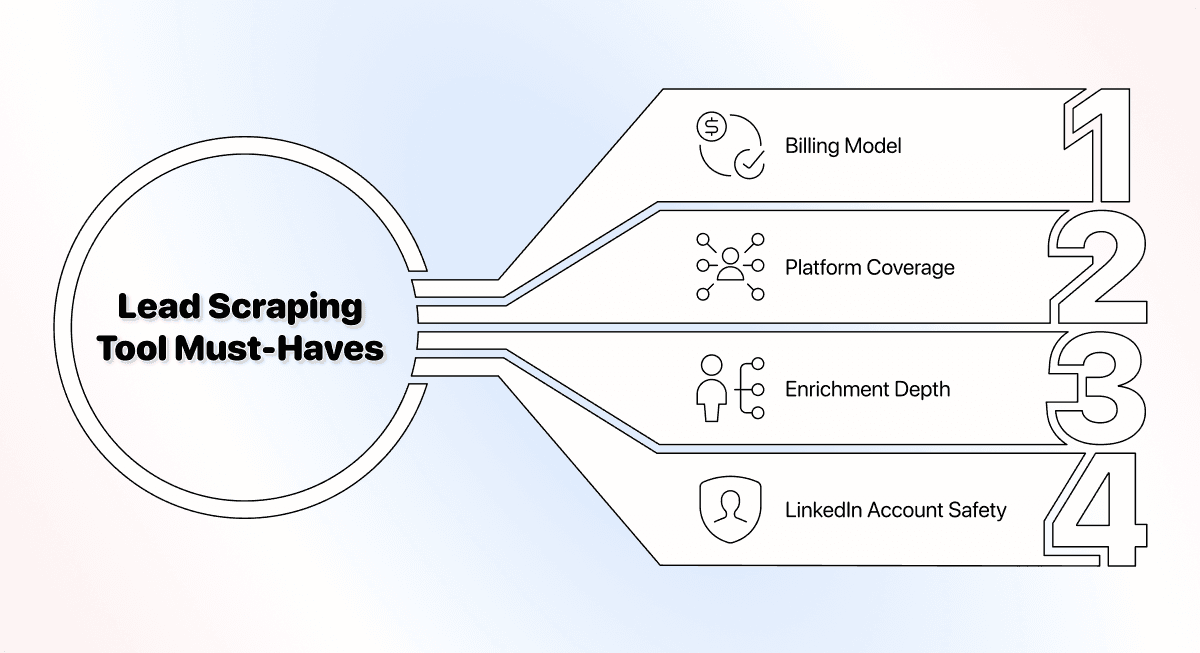
Use four questions: Does the tool accept the source you have? Does it return the fields you need? Can you inspect and export the result? What subscriptions and usage units are required to finish the job?
Four checks before a migration
Check source coverage, enrichment outputs, complete cost and account access. A missing email is a different outcome from a missing profile. A server-hosted tool can still use an authenticated session. Ask what the selected workflow requests and check the platform’s rules.
Why this comparison uses workflow fit instead of scores
These tools expose different datasets, integrations and access requirements. Compare the same representative input and acceptance rule, then record the cost and quality of the output you would actually use. A feature count alone does not establish match quality or account safety.
The six alternatives at a glance
| Tool | Primary Use Case | Starting Price | Included Allowance | Main Extra Cost |
|---|---|---|---|---|
| PhantomBuster | Prospecting automations | $69/month | 20h + 500 email credits | Larger resource tier |
| Datablist | Source, enrich and clean lists | $25/month | 5,000 credits | Usage top-ups; Growth for API |
| Clay | Multi-provider enrichment workflows | $185/month | 2,500 Data Credits + 15,000 Actions | Data Credits or external providers |
| Apollo | Prospect discovery and engagement | $65/seat/month | 2,500 credits | Extra seats and data usage |
| Apify | Actor-based scraping and APIs | $19/month | $19 usage allowance | Actor/platform usage above allowance |
| Octoparse | Visual and scheduled cloud extraction | $83–$119/month* | Standard plan | Add-ons and premium templates |
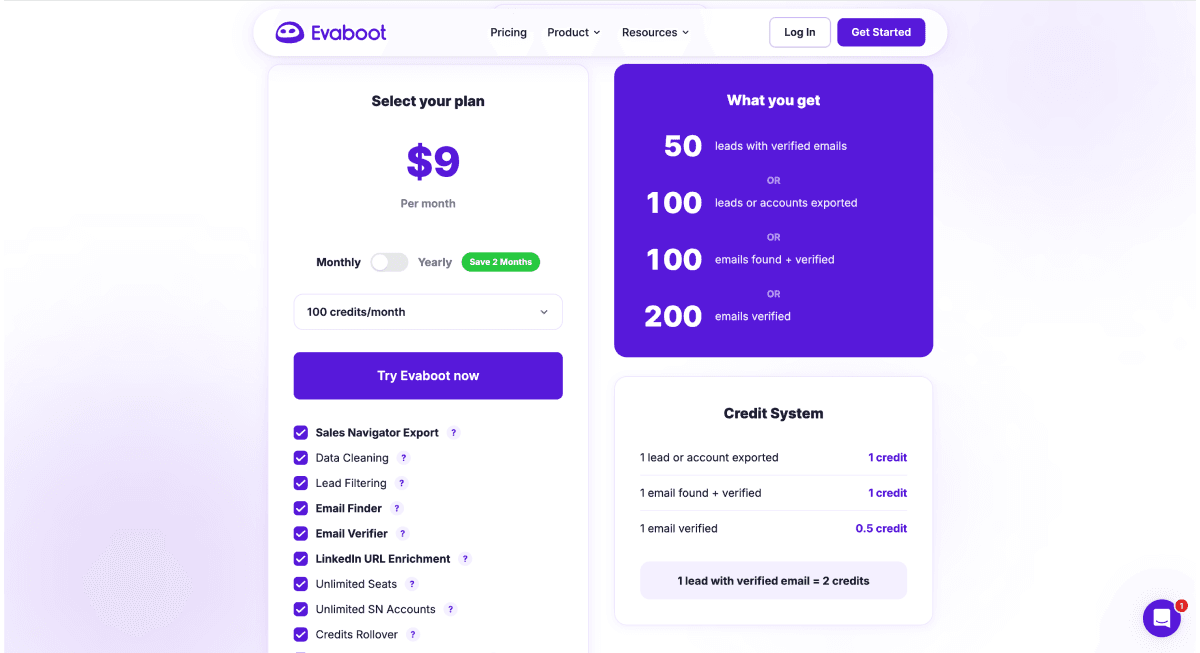
| Evaboot | Sales Navigator exports | $9/month | 100 credits | Sales Navigator subscription |
All paid figures are USD on monthly billing. Free plans are available from several vendors, but their test allowances are smaller than the paid options here. *Octoparse's help center lists two Standard monthly prices, $83/$119, and Professional at $299. Check the selected Standard configuration at checkout; its advertised $69/month rate is annual billing.
Six alternatives to shortlist
These are workflow comparisons, not measured accuracy rankings. Product and plan information was checked on October 28, 2026.
Datablist: Work with the sourced and enriched rows together
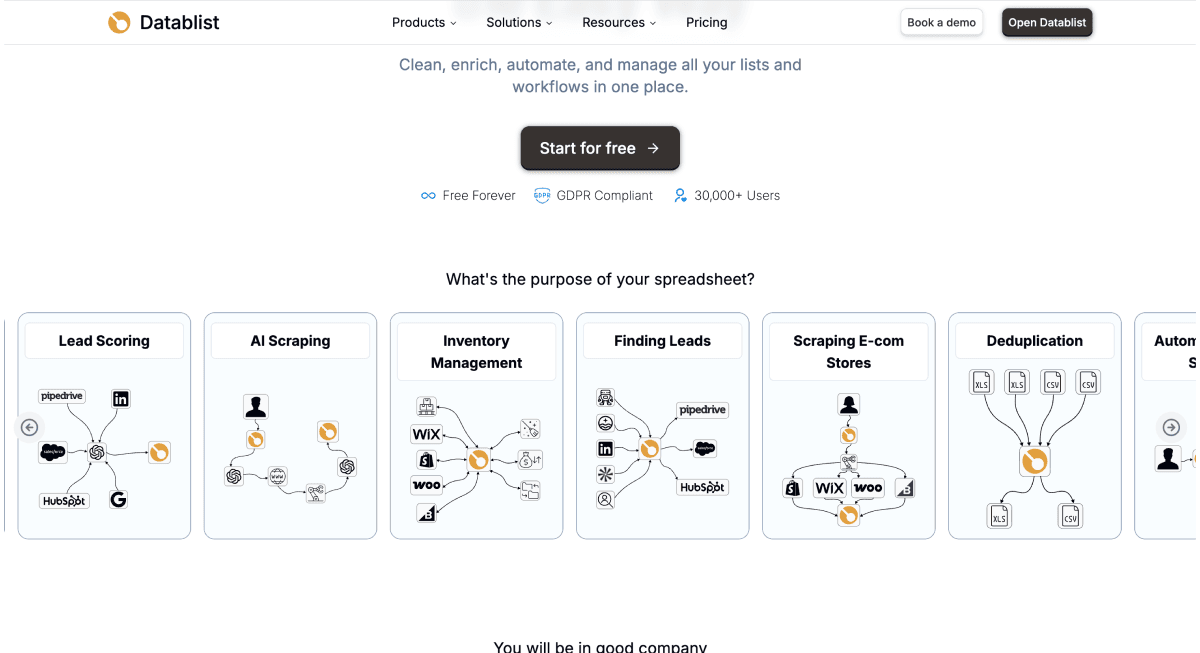
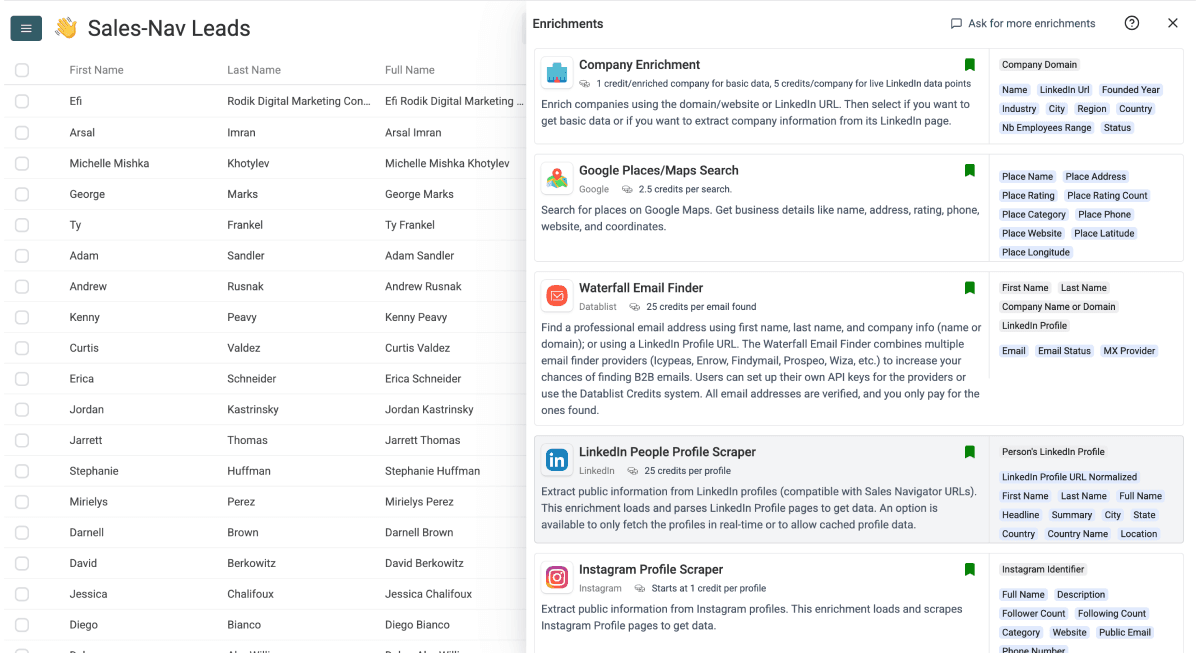
Datablist keeps source results, enrichment outputs and cleaning decisions in one collection. Start with a source such as LinkedIn Search Scraper, inspect its returned profiles, then use Waterfall Email Finder only on suitable rows that need an address.
The LinkedIn source’s default mode runs without your cookie at 20 credits per imported profile. Its optional account mode uses a LinkedIn cookie at 10 credits per imported profile. Neither mode guarantees account safety. The standard professional email finder costs 25 credits per email found, including possible unverified results. Finding, verification status and correct-person matching remain separate checks.
Choose Datablist when cleaning and reviewing the list matters alongside extraction. REST API access and scheduled automation require Growth; do not infer those entitlements from the Starter entry price. Review current plans and the credit units.
Pricing: Starter costs $25/month with 5,000 credits; Growth costs $50/month with 20,000. Current top-up packages include 20,000 credits for $20 and 40,000 for $38. Top-ups require an active subscription and do not expire. For a larger scrape-plus-email job, include both operations and the package you must buy, as shown below.
Clay: Multi-provider workflows
Clay supports waterfall enrichment, research and workflow orchestration. Current pricing separates Actions from Data Credits; provider-key workflows can still use Actions.
Evaluate the exact integration and input path. Avoid assuming that Clay has no API or scraping-related integrations because it is known for enrichment. Include the configuration effort and external charges needed for your chosen workflow.
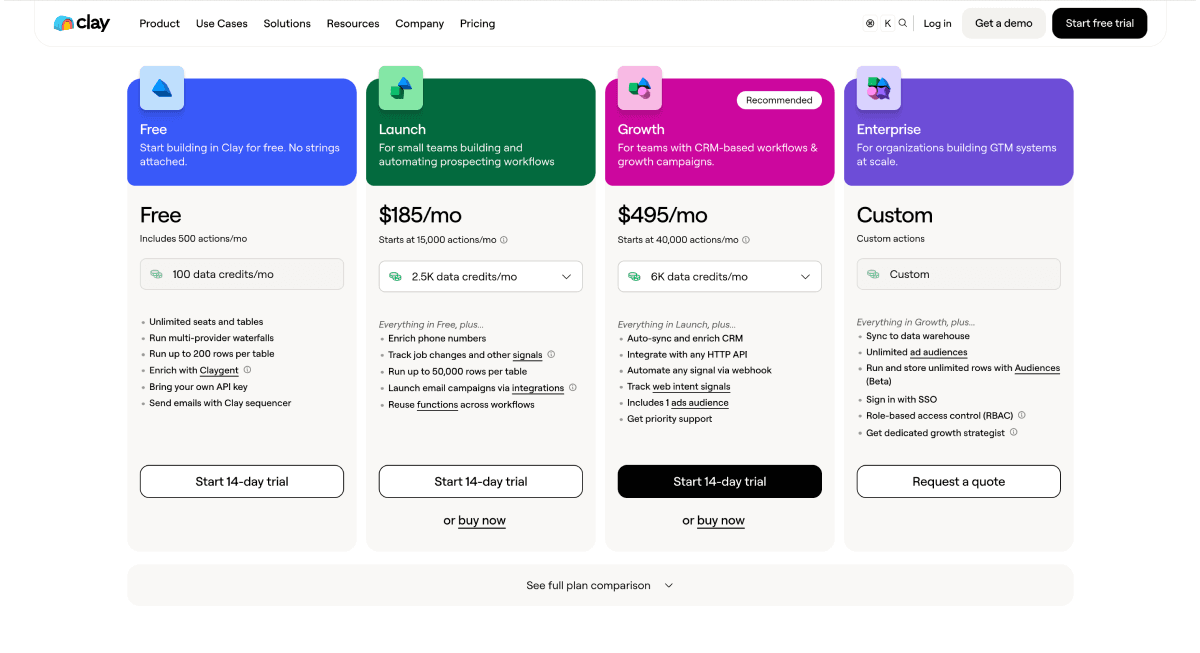
Pricing: Launch is $185/month with 15,000 Actions and 2,500 Data Credits. Growth starts at $495/month with 40,000 Actions and 6,000 Data Credits. Using your own provider key can still consume Actions, while the provider bills you separately. Buying more Data Credits does not remove an Action-capacity limit. See the Claygent price breakdown for worked configuration costs.
Apollo: Discovery and engagement alongside enrichment
Apollo combines a prospect database with sales-engagement tools and waterfall enrichment. It is not limited to a single static database lookup.
Consider it when discovering and working prospects in the same system is the main job. Check the selected data feature’s credits and export access, then test current-employer matches. A large advertised database does not establish coverage for your audience.
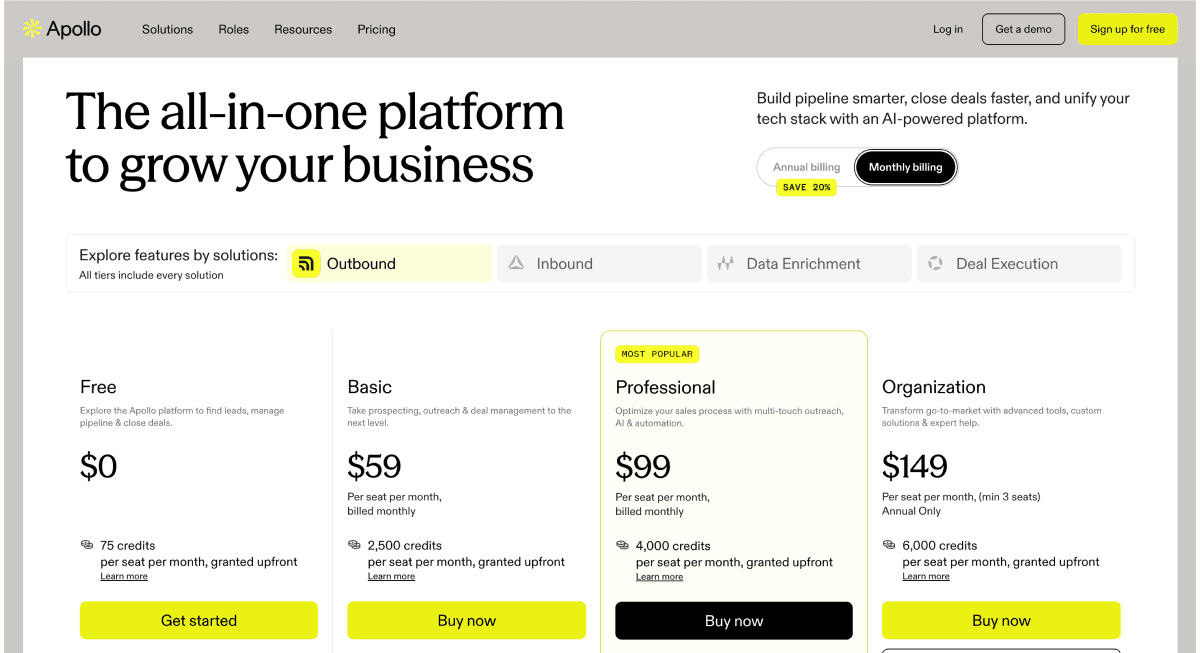
Pricing: Basic is $65 per seat/month with 2,500 credits on monthly billing; Professional is $99 per seat/month. The often-advertised $49 Basic rate requires annual billing. Include the number of paid users and the selected data feature's credit charge when comparing Apollo with a shared workspace or export tool.
Apify: Choose and configure a specific Actor
Apify supports multiple Actor billing models, including event/result pricing and platform usage. It is incorrect to describe every Actor as compute-time-only or every run as having the same account requirements.
Check the particular Actor’s inputs, authentication, output schema and maintenance. Include proxies, transfers or other applicable usage when pricing a finished file. API access is useful when your team wants to operate that workflow programmatically.
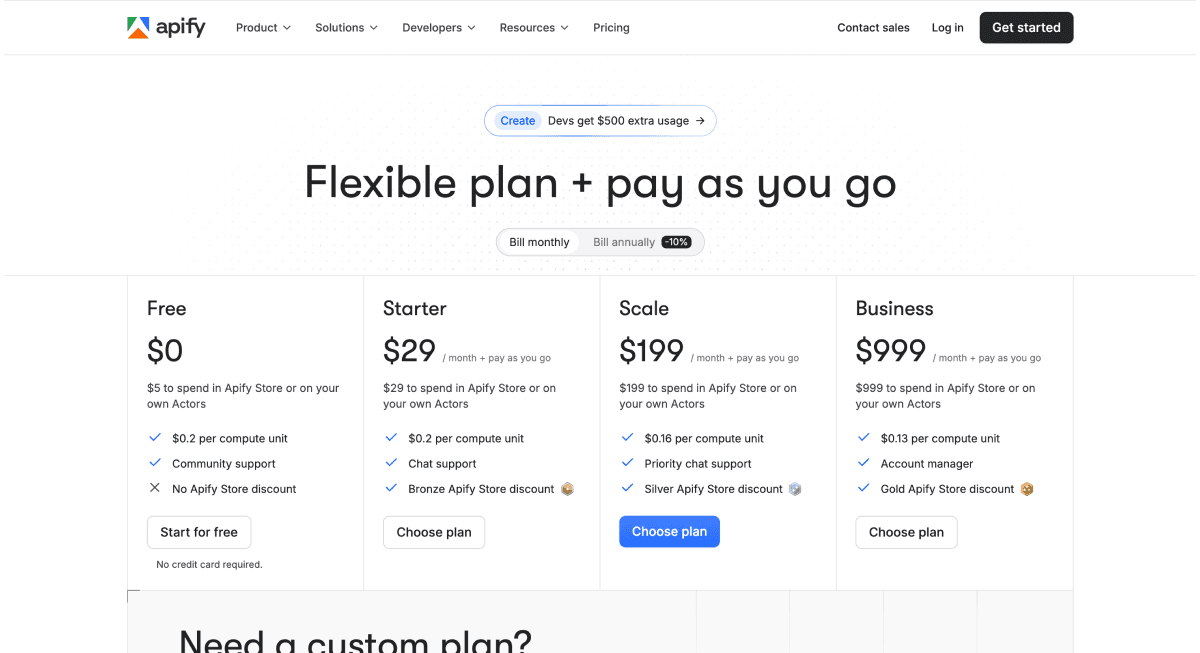
Pricing: Free includes $5 of platform usage. Starter is $19/month with $19 to spend, then pay as you go. Scale is $199/month with $199 of usage; Business is $999 with $999. These are account allowances, not a universal lead price: one Actor can charge per result while another combines events and platform usage. Do not add the full subscription again to usage already covered by its allowance.
Octoparse: Visual extraction and cloud tasks
Octoparse offers visual scraping, cloud extraction and scheduling, with plan-specific task, concurrency and API entitlements. Its current plans also reference pay-per-result templates; a blanket execution-time-only description is inaccurate.
Test the page interaction and output you need. An extraction template and a work-email enrichment are different operations, so include any subsequent data preparation in the comparison.
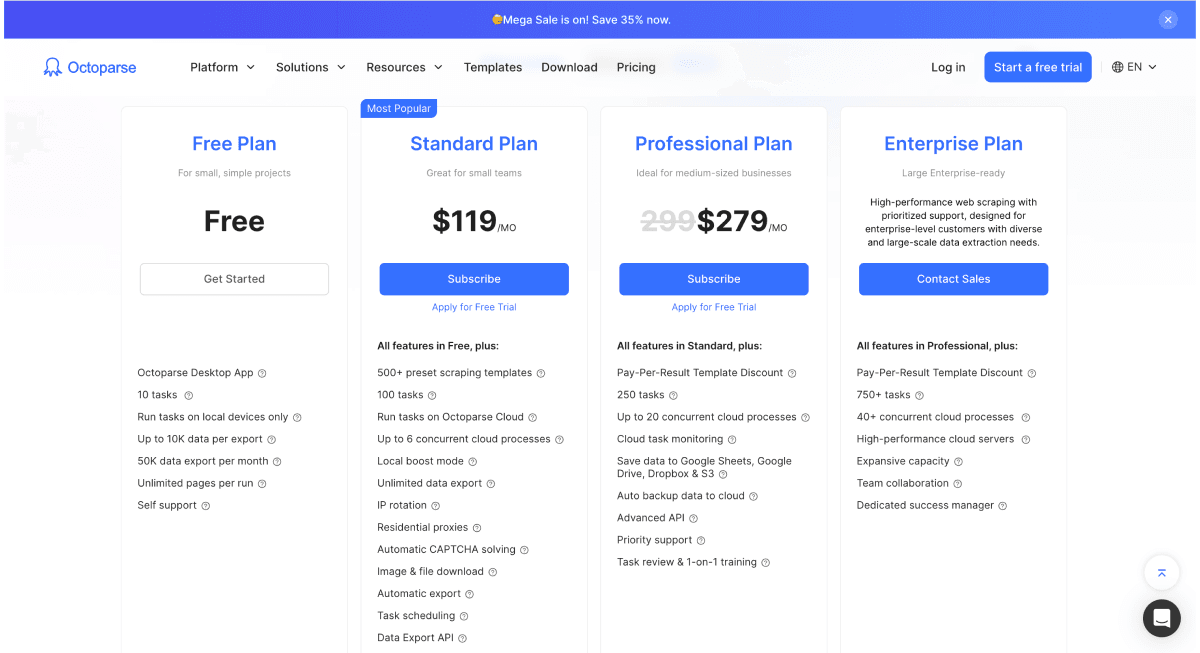
Pricing: The official upgrade guide lists Standard at $83/$119 monthly and Professional at $299 monthly. Check which Standard configuration is offered at checkout. Local extraction has a free plan. Optional proxies, CAPTCHA solving and premium templates can add usage charges beyond the subscription.
Evaboot: Sales Navigator-focused exports
Evaboot offers Sales Navigator exports, URL enrichment, email finding and verification, plus API/integration options. It is more than a browser-only raw-data scraper.
Its current pricing rules distinguish exported leads from standalone email operations: an exported lead uses one credit with available verified email included; no-email leads still consume the export credit. A Sales Navigator seat is a separate requirement. Check the operation and its unit before estimating a larger run.
Pricing: Starter is $9/month for 100 credits. The 1,000-credit plan is $49/month; 3,000 credits cost $99. Sales Navigator Core starts at $119.99/month per license, separately. A new user buying both would therefore pay $128.99/month for the 100-credit setup, or $168.99 for 1,000 credits. An existing Sales Navigator subscriber only adds Evaboot's price to their current spend.
Test one complete replacement workflow
Start with one source and one destination. A 100-profile sample is easier to investigate than a combined multi-platform file with no retained source identifiers. Keep the original search URL, collection date and acceptance rules.
From a search URL to a checked file in Datablist
- Create a collection, open See all sources and choose LinkedIn Search Scraper.
- Choose Scraping Mode, paste LinkedIn Search URL and set Limit. The current range is 25–2,500, default 500; check the estimate.
- Click Continue, configure output properties and Run import now. Inspect roles, company matches, profile identifiers and missing fields.
- Select suitable rows with missing work emails, open Enrich and choose Waterfall Email Finder. Map a supported public LinkedIn URL, or use the name-and-company method with the correct inputs.
- Review Email and Email Status separately from run errors, then export the checked rows.
The enrichment setup guide explains how inputs and output properties connect. Do not treat every nonempty email as a verified, correctly matched contact.
A transparent source-plus-enrichment example
For an illustrative default-mode import of 100 profiles, the profile cost is 100 × 20 = 2,000 credits. If a separate work-email run finds 40 addresses, those results cost 40 × 25 = 1,000 credits, for 3,000 credits across those two operations. In account mode, the profile part would instead use 1,000 credits.
Scale those same assumed quantities to 1,000 imported profiles and 400 found work emails:
| Step | Volume | Credits Each | Total Credits |
|---|---|---|---|
| Default-mode LinkedIn source | 1,000 profiles | 20 | 20,000 |
| Work-email finding | 400 found emails | 25 | 10,000 |
| Total | 30,000 |
The cash budget is $63 on Starter: $25 buys the plan and its 5,000 credits; a $38 top-up adds 40,000. You have 45,000 credits available, so this example leaves 15,000. On Growth, the $50 plan plus a $20 top-up costs $70, supplying 40,000 credits. Growth alone does not cover the 30,000-credit example. Its API/automation features apply to supported workflows; LinkedIn Search Scraper is not currently in the public source API catalog, so this source example uses the app.
In optional account mode, the profile step instead uses 10,000 credits and the same 400 emails use another 10,000. Starter plus the $20 top-up costs $45 and supplies 25,000 credits for that 20,000-credit job. The mode requires your account cookie; cost does not establish account safety.
For comparison, 1,000 Evaboot exports consume its $49 plan's 1,000 credits, including verified emails when found. Add $119.99 for Sales Navigator Core if you do not already subscribe: $168.99 in total. The two workflows have different access and email-result rules. These are purchase calculations, not measured coverage or a guarantee that both tools return the same people or emails.
Choose a replacement for the workflow you need
Start with Datablist when sourced rows need enrichment and cleaning in the same workspace. Shortlist another platform when its discovery, visual extraction, Actor ecosystem or engagement workflow better matches the task. Preserve identifiers and compare an actual sample before moving the full process.
Frequently asked questions
Use the selected feature, plan and input when comparing these products.
Which option replaces my current workflow?
Map each required step to a supported feature. Datablist fits sourcing, enrichment and cleaning together; there is no measured universal winner for every PhantomBuster automation.
Which is cheapest for my list?
Evaboot has the lowest listed paid entry here at $9/month, but Sales Navigator exports also require a separate seat. Apify starts at $19 with a $19 usage allowance; Datablist at $25 with 5,000 credits. For the stated 1,000-profile/400-email Datablist example, default mode needs a $63 Starter-plus-top-up purchase. Choose by the complete job, rather than treating the entry fee as its total cost.
Are all alternatives billed per result?
No. Billing varies by feature and configuration. Datablist source and finder rates differ; Clay has Actions/Data Credits; Apify varies by Actor. Inspect the operation you intend to run.
Can I choose an account-free source mode?
Datablist’s default LinkedIn source mode does not request your cookie. Its optional account mode does. That distinction does not imply platform approval or zero risk.
What if I need several sources?
Compare each source’s supported inputs and output schema rather than assuming all tools scrape every platform in the same way. For a small Instagram test, the free follower scraper is a separate entry point with its own allowance. Check follower visibility first, since some public accounts show only part of their list.
How should I compare Datablist and Clay?
Test the sourcing or enrichment path you need, its setup effort and the final output. Do not compare Datablist credits directly with Clay Actions or Data Credits.
When should I shortlist Evaboot?
When a Sales Navigator-focused export and contact-enrichment workflow is the job. Compare access, input and finished-list requirements before choosing it for a broader migration.
Does a scraped row include every contact field?
No. Check output availability and returned values. An optional email or phone field can be empty; further enrichment can have its own cost and status rules.
What should a migration test measure?
Measure accepted coverage, field quality, complete cost, setup effort and operation of the destination system. Keep those results alongside the source identifiers so you can investigate a mismatch before migrating the full list.
Does cloud execution guarantee account safety?
No. Cloud execution and account access are different properties. LinkedIn’s prohibited-software guidance still applies; there is no universal no-ban guarantee.
What is outside this comparison?
Connection requests, direct messages and outreach sequences are engagement workflows. Preparing a contact file does not establish that those automations or a campaign have been configured.
How do I budget a larger run?
Use the sample’s actual source usage and enrichment outcomes, then include the required plan and further processing. Recheck the estimate when you change source mode, limit or enrichment settings.
Citations
Monthly prices checked October 28, 2026. Workflow quantities are illustrative, not measured vendor coverage.
- [1] PhantomBuster. Monthly Start, Grow and Scale prices and included resources.
- [2] Datablist. Starter/Growth subscriptions and included credits.
- [3] Datablist. Credit usage and top-up packages.
- [4] Clay. Launch/Growth prices and separate Actions/Data Credits.
- [5] Apollo. Basic and Professional plan pricing and allowances.
- [6] Apify. Monthly plans, included spending allowances and Actor billing models.
- [7] Octoparse. Standard monthly $83/$119 options and Professional monthly $299.
- [8] Octoparse. Plan fees and optional usage-based add-ons.
- [9] Evaboot. Credit plans and exported-lead/email charging rules.
- [10] LinkedIn. Sales Navigator Core monthly subscription price.