 5 Credits per Website
 17 Technology Categories Detected
 Check 100 Websites Free

















 Easy to Use
 No Settings to Configure
 Fully No-Code
Step-by-Step Guide
Step 1: Sign Up & Upload Your Data
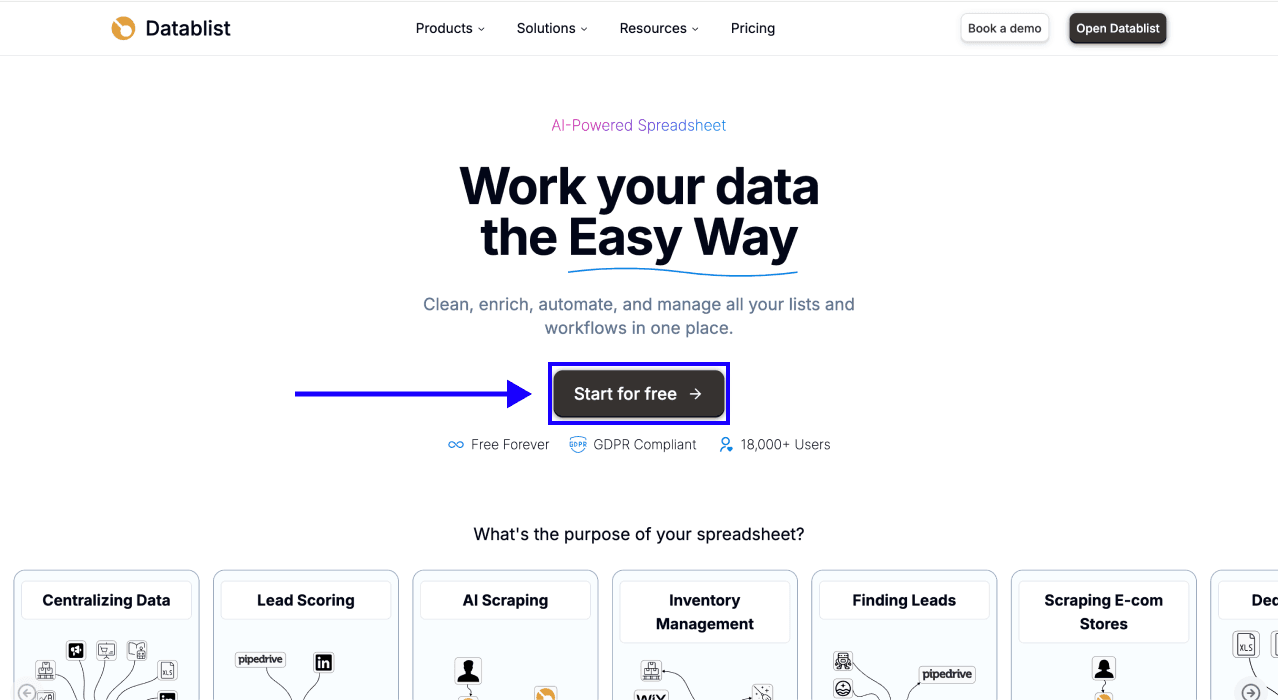
First, sign up for Datablist.com
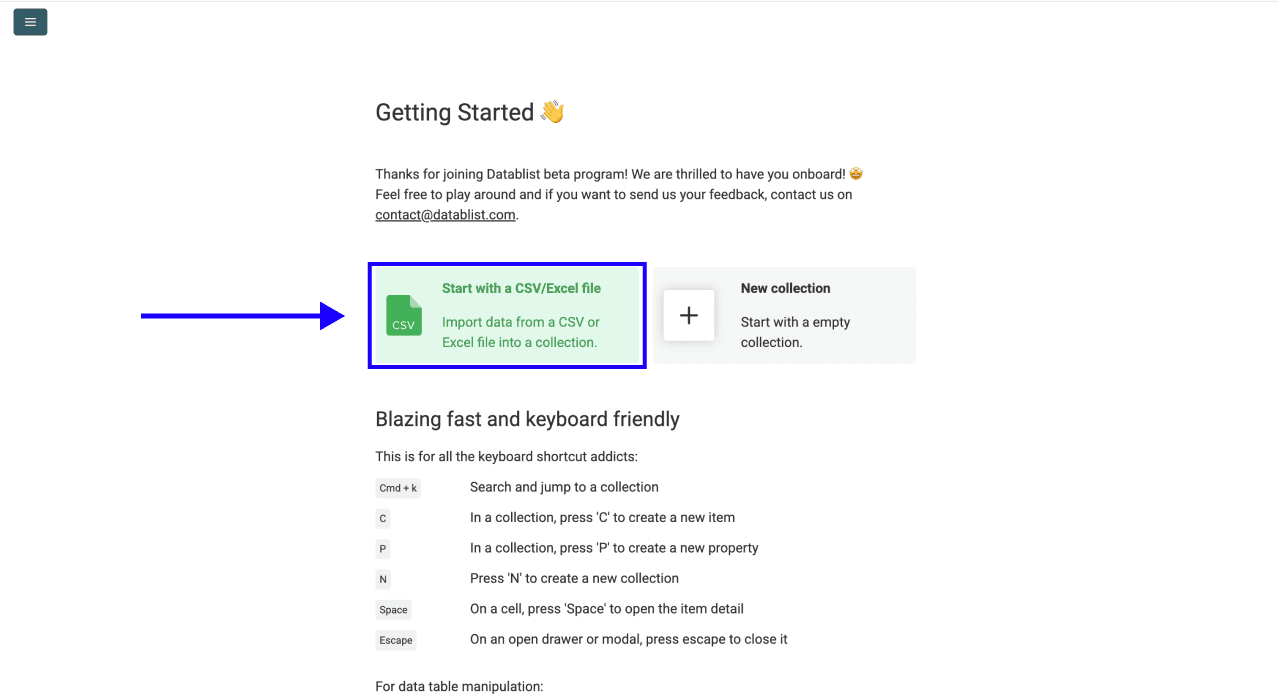
Then, upload your CSV or Excel file with your list of website URLs.
Step 2: Navigate to the Enrichment
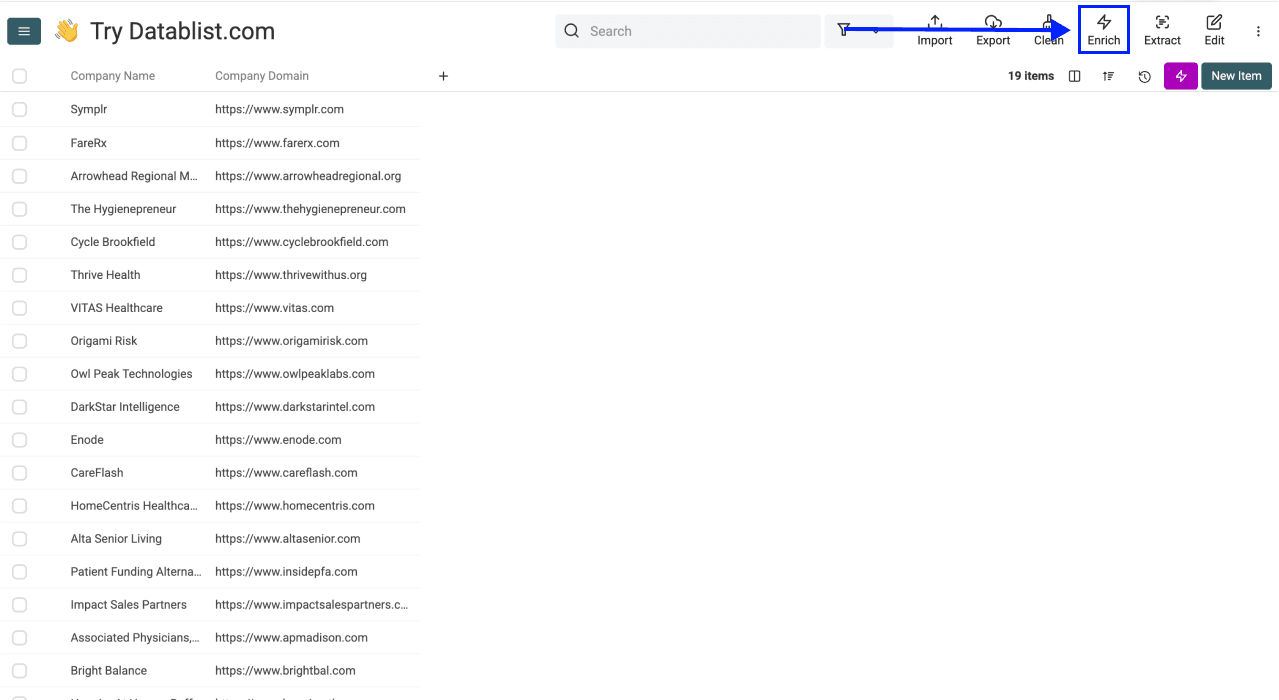
- Click on Enrich in the top menu
-
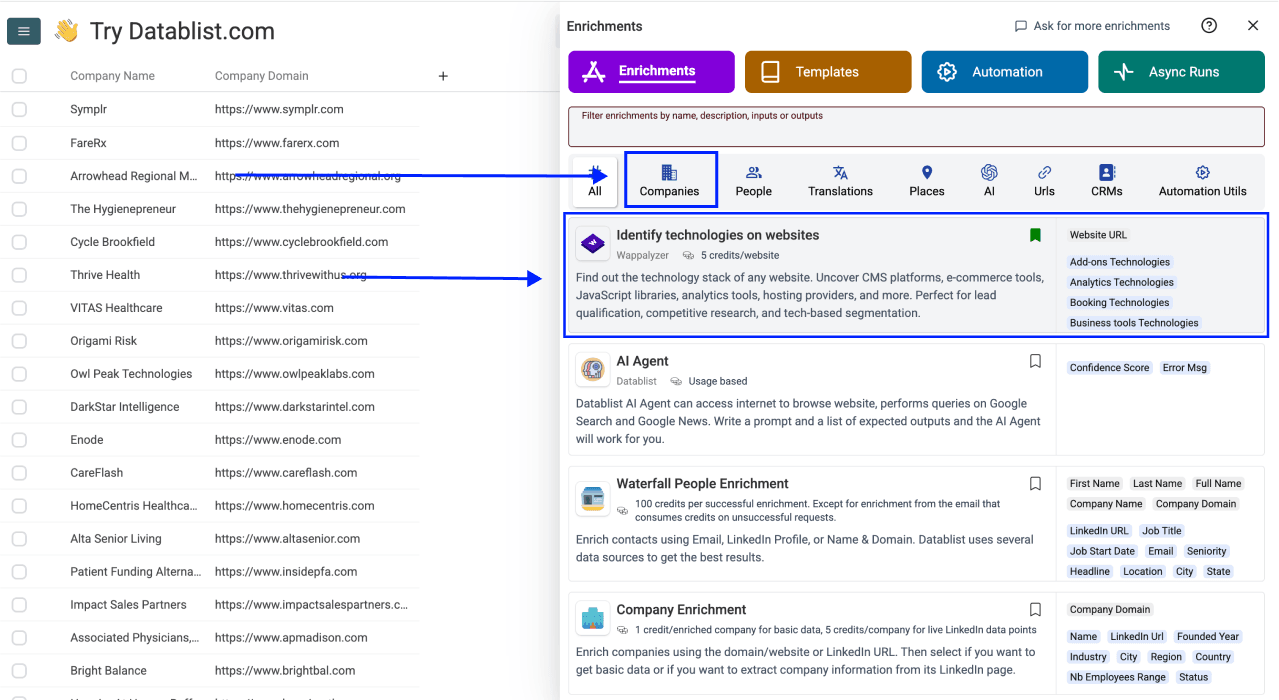
Go to the Companies tab
-
Select Technology Identifier
Step 3: Configure Your Inputs
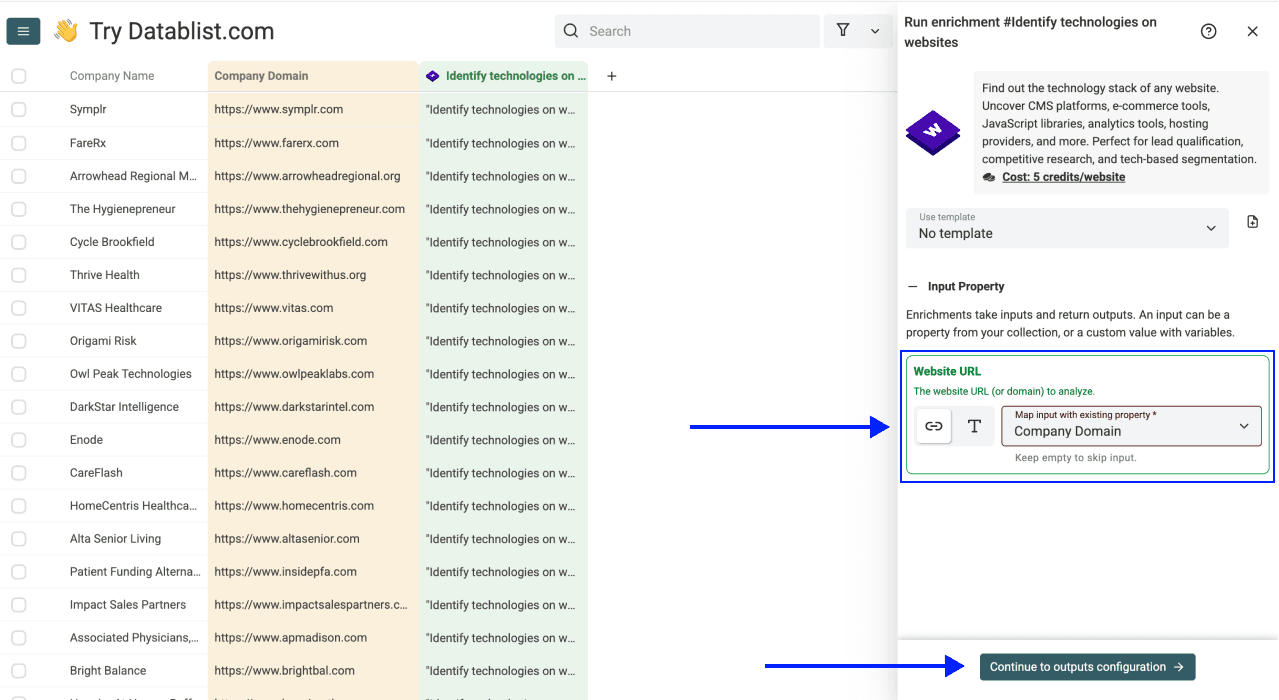
- Map the column containing your website URLs as the Input Property
Then click Continue to outputs configuration.
Step 4: Select Outputs
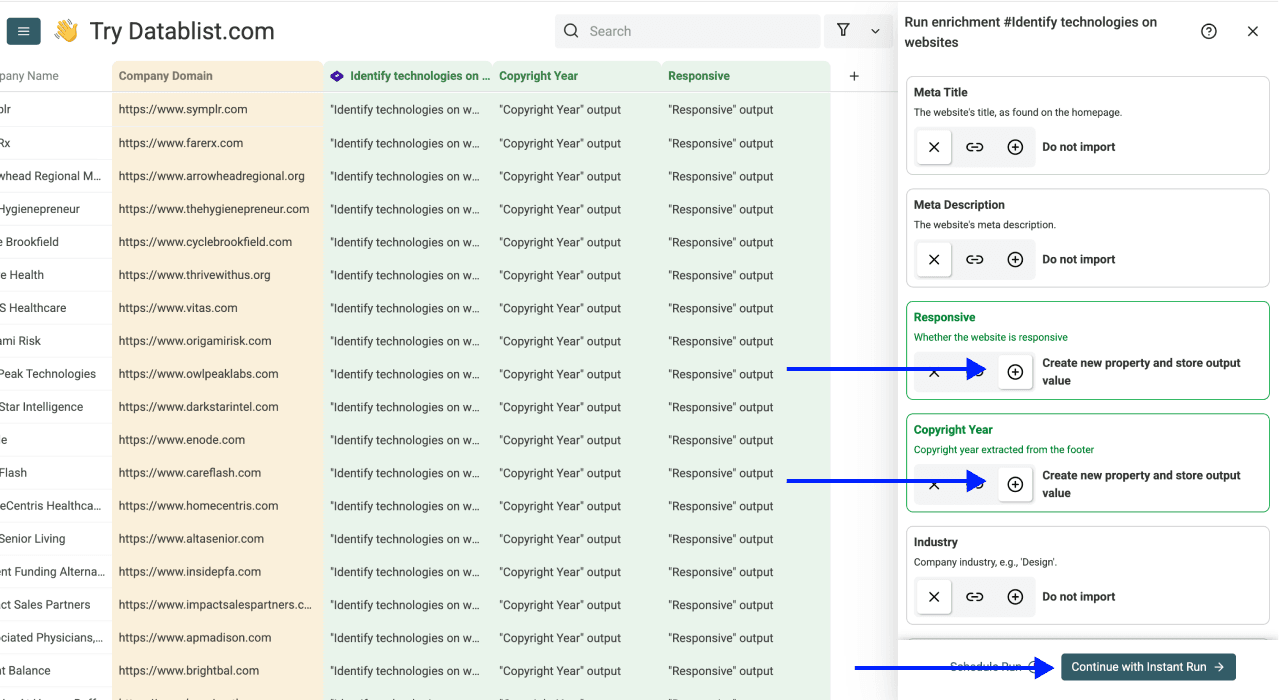
Technology Identifier offers 44 outputs. Pick the ones you need:
-
Technology groups: One column per category, such as Analytics Technologies, Marketing Technologies or Servers Technologies
-
Technology Spend: The estimated technology spend, from very low to very high
-
Company details: Company Name, Industry, Company Size, Founded Year and more
-
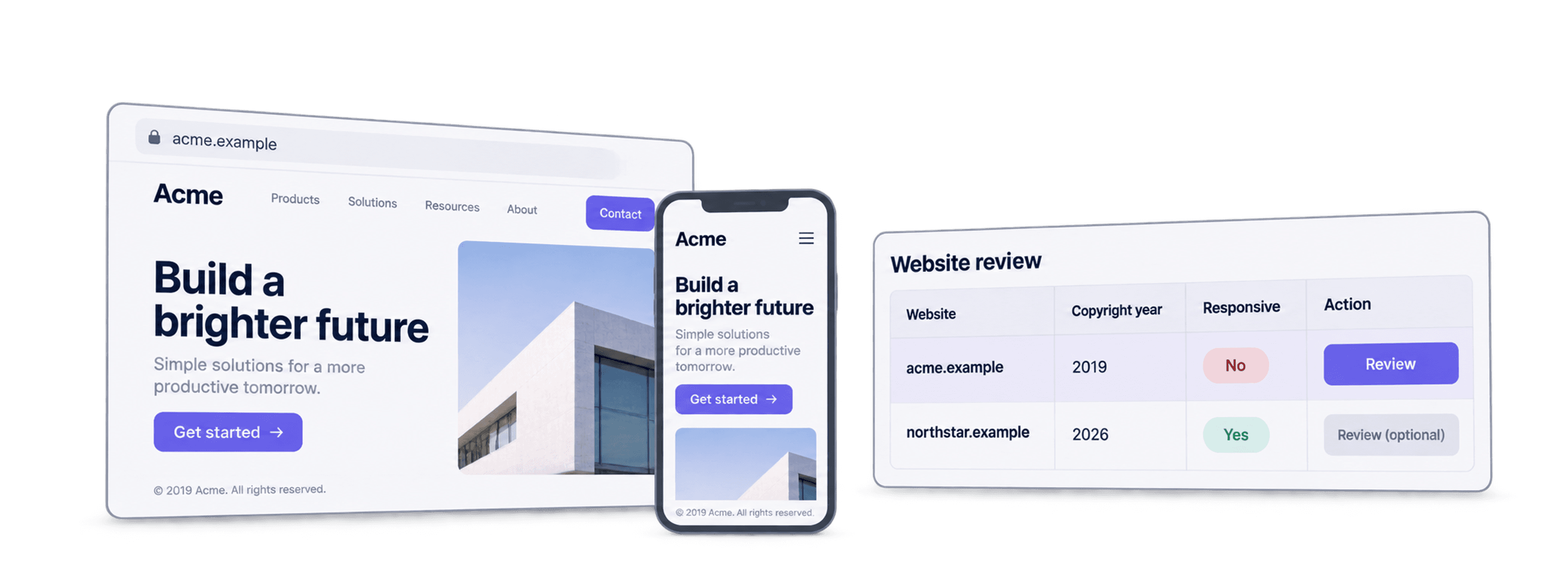
Website signals: Copyright Year and Responsive, for example
Click the ⊕ icons to add them to your collection, then click Instant Run.
Step 5: Run the Enrichment
Click the chevron on the right side of the run button to choose how many items to process:
-
Run on first 10 items: Good for checking results before committing to the full list
-
Run on first 100 items: Useful for validating larger samples
-
Run on all view items: Processes your entire list (or your active view if you have filters set)
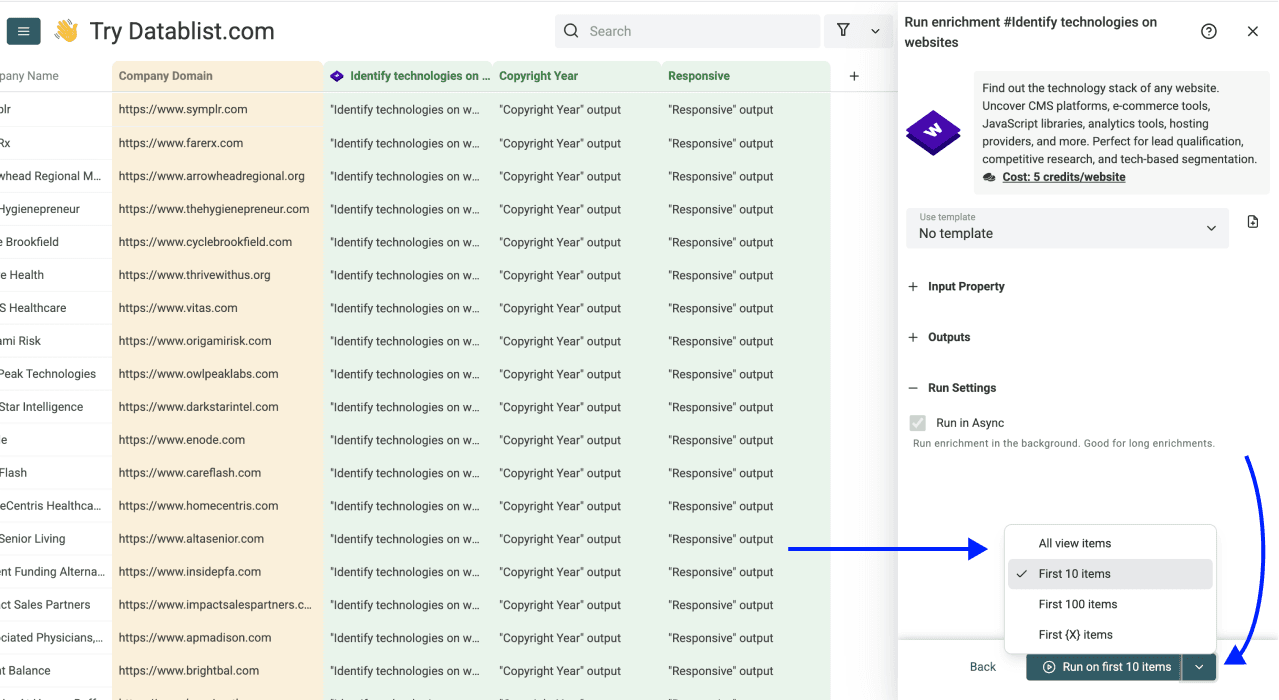
Once you have chosen your preferred option, click Run on X items.
Prepare Your Website Inputs
Use clean domains or homepage URLs when possible. Homepages usually expose more site-wide technology signals than product pages or deep links. Keep the source domain and review unsuccessful rows rather than interpreting an empty technology field as proof that the company does not use that software.
Use Website Technology Data for Prospecting
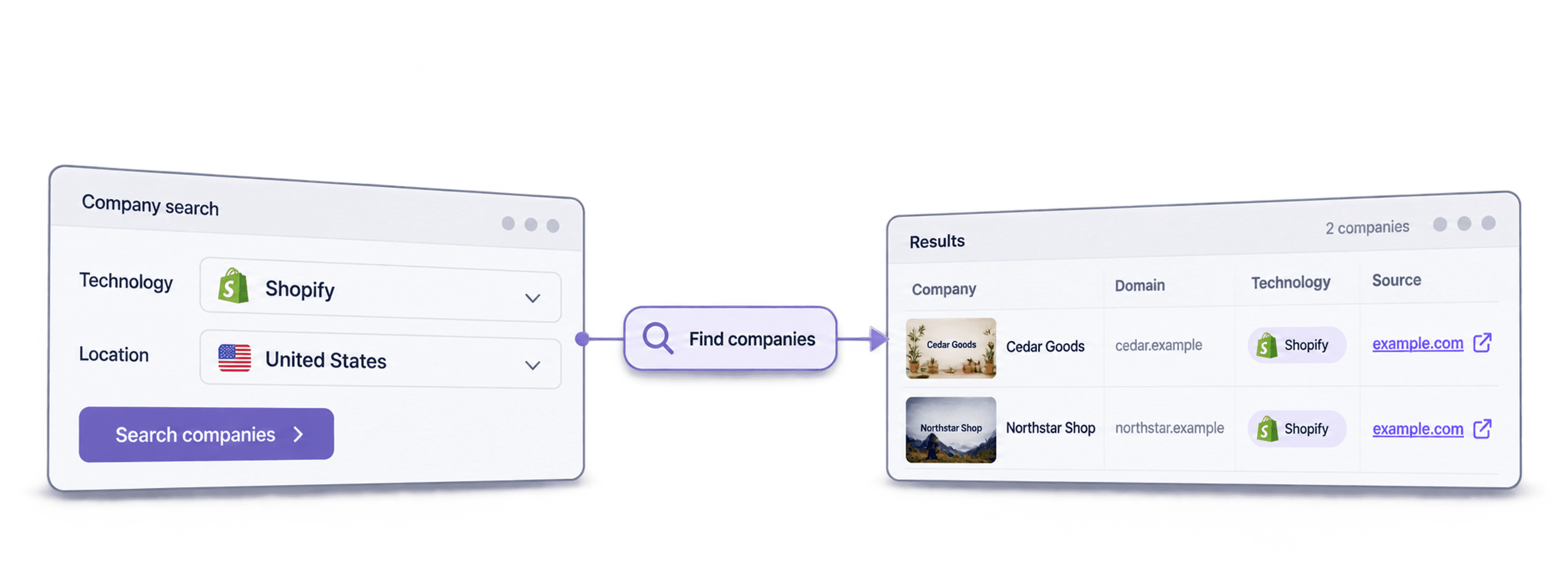
Technology detection helps you qualify accounts by their website stack. You can look for ecommerce platforms such as Shopify or WooCommerce, CMS tools such as WordPress, analytics and marketing tools, JavaScript libraries, hosting providers, and payment or support tools.
The grouped outputs let you keep a readable stack summary and structured fields you can filter. Use them to:
- Segment ecommerce or CMS accounts for an agency offering.
- Identify companies using a competitor or compatible software for SaaS prospecting.
- Route leads according to the technologies relevant to your product.
- Prepare personalized outreach around a detected stack.
- Research competitors or potential partners.
A detection is an observed website signal, not proof of the company's entire internal software inventory. Custom infrastructure and blocked pages can leave gaps. Estimated technology spend is a tier for prioritizing research, not a verified software budget.
Review and Continue Your Workflow
Review a few recognizable websites first, then filter by the relevant technology category or spend tier. Use Company Enrichment if you also need firmographic fields for account qualification, and Waterfall People Search when you are ready to find contacts at qualified accounts.
At 5 credits per website, 1,000 analyses use 5,000 credits and 10,000 use 50,000 credits. Keep the results with their source domains so later research can be traced back to the account.