
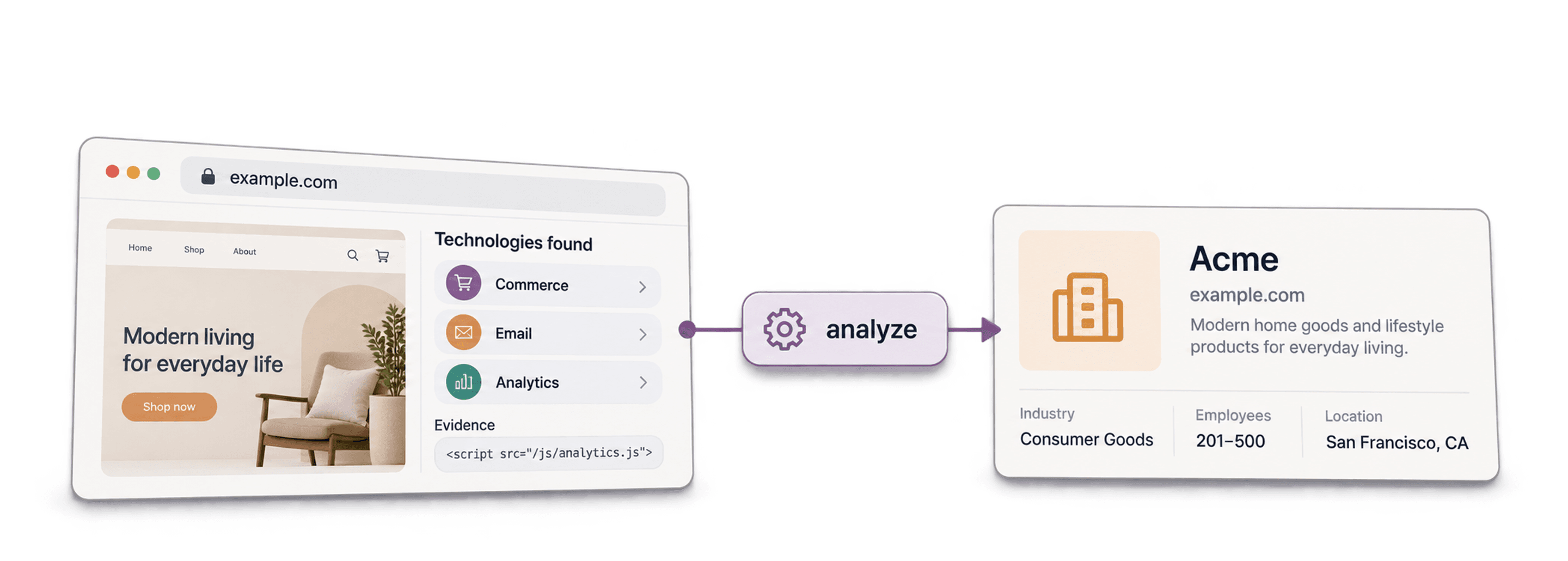
A technology finder identifies technologies associated with a website, such as its CMS, ecommerce platform, analytics tags, or JavaScript libraries. Give it a website URL to check an existing account, or use a technology-based search to find websites matching your target stack.
I would use the result to qualify a lead list, then verify important matches before writing outreach. A detected tool can explain why an account fits your offer; it does not prove that the company wants to buy or that a particular employee uses it.
In Datablist, those are two separate workflows: Identify technologies on websites enriches existing rows, while Find Companies by Technologies creates a list from technology filters. This guide explains the difference, the outputs to review, and the limits of website detection.
📌 Quick answer
Import website URLs, map them to Website URL in the technology enrichment, choose the category outputs you need, and run a sample. Review detected names and any returned versions alongside the original URL. For a new list, start from technology filters instead of an imported URL column.
These Are The Topics I Covered
- What a Technology Finder Is and How It Works
- Key Use Cases for a Technology Finder
- How to Select the Right Technology Finder for Your Needs
- An Overview of The Best Technology Finder Tools
What Is a Technology Finder: The Basics
A technology finder, also known as a Techstack Crawler, is software that identifies the technology stack of a website. Think of it as an x-ray for a company's website. It helps you see under the hood and understand the tools they use to run their business.
How Technology Finders Work
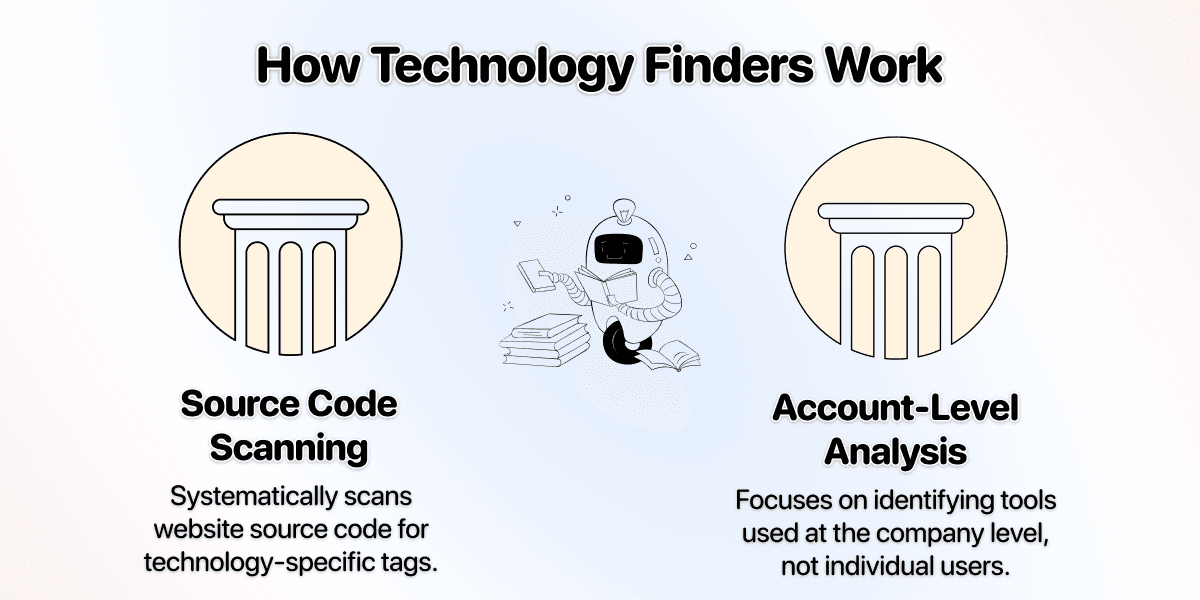
The process is straightforward but powerful. These tools systematically scan the source code of websites and look for unique snippets, scripts, and HTML tags associated with specific technologies.
- They check the website's source code: Many tools like Shopify, WooCommerce, or HubSpot have to be integrated into the website of a company using them through a certain tag. Detection looks for known patterns in accessible page content; providers can also return previously indexed results.
- Always on the account-level: A technology finder tells you that
company-a.comuses HubSpot. It doesn't tell you which specific employee at that company uses HubSpot. This makes it a tool for identifying target accounts, not individual contacts.
For a marketing-tool example, see how to find companies using Klaviyo, then check detection dates and website-to-company identity before outreach.
💡 Not All Technologies Are Visible
A Technology Finder can only detect tools that are visible on the company's website. Some technologies are much easier to track than others:
- Easier to detect: Marketing tools, tracking pixels, billing systems, and content management systems (CMS)
- Harder to detect: ATS systems, internal accounting software, and other tools that don't communicate with the website
For example, you could easily find out if a company is using Shopify, but finding out if they use Slack or Microsoft Teams is much harder.
Check Existing Websites or Find New Accounts?
These questions need different inputs and produce different results:
| Your question | Input | Result to review |
|---|---|---|
| What technologies does this website use? | Website URL or domain | Detected technologies grouped by category, plus available website metadata |
| Which websites use Shopify? | Technology and optional list filters | Website rows matching the selected criteria |
| Which employee owns this tool? | Additional person or role research | A separately supported contact; website detection alone does not answer this |
For example, I would enrich an existing CRM export to identify ecommerce platforms, but start a new technology-filtered list when I have no target accounts yet. Do not confuse a technology detected on a website with a complete inventory of the company’s internal software.
Enrich an Existing Website List in Datablist
- Import a CSV or Excel file with Lead ID, Company Name, and Website. Keep the original URL for checking the identity later.
- Open Enrich and select Identify technologies on websites. Map the URL column to Website URL.
- Add the technology-category outputs relevant to your offer. The enrichment returns categories as text lists; a row may contain several technologies rather than one single-value label.
- Run a small sample. Review the run status, detected technologies, company metadata, and the website itself before processing the rest.
- Filter the reviewed results for the technology you need, then export with Lead ID and Website so the segment can be joined back to your source list.
See the website technology enrichment for the input and output fields.
If your offer is website redesign, use the outdated-website workflow to combine copyright and responsiveness signals with manual page checks. A detected technology alone does not establish that the business needs a new website.
An illustrative ecommerce output could include Shopify and another commerce-related tool in the same category. That means the field is a list, not proof that Shopify is the only platform the business uses. Check the exact returned technology name when matching a target list; a loose substring can include the wrong product.
For a new list, use Find Companies by Technologies. Choose Filter by Technologies or Filter by Technology Categories. With several technologies, Technologies Operator determines whether to match any selected tool or all of them. Start with a small Limit per technology and check the returned websites before broadening the search.
For a platform-specific example, see finding companies using Wix. The guide separates a detected website from the company behind it and shows which list filters to review.
Use Cases for a Technology Finder
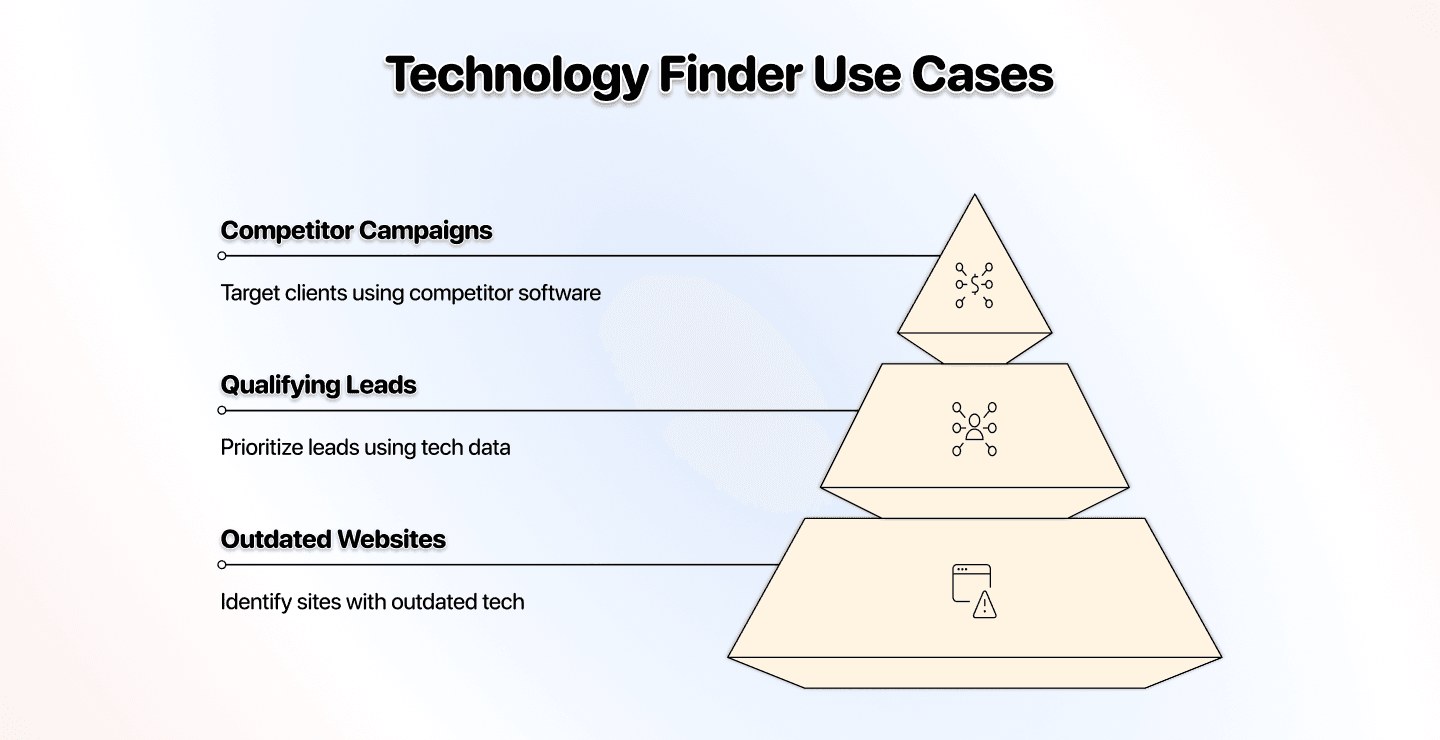
Technology data can help decide which accounts fit an offer and what to investigate next. For a worked ranking model, follow technographic targeting and prioritization after checking the detections. Use the observed tool as context, then check whether the proposed service is relevant to that company.
Finding Websites That Haven't Been Updated
Some technology results include a detected version. Datablist adds returned versions to the category text when they are available; it does not guarantee a version for every tool or website.
An old-looking version is a reason to check the site, not a vulnerability finding. The provider may have historical data, the version may belong to an embedded component, or the visible value may not describe the current application. I would verify it before offering an upgrade or describing a security problem.
Filtering and Qualifying Lead Lists
Many sales teams already have large lead lists, but they don't know which ones are truly qualified. A technology finder can enrich your existing data, adding a new layer of intelligence.
If your ideal customer profile (ICP) includes companies that use a specific CRM like Salesforce, you can upload your list and filter for only those accounts. This gives you a stack-based segment to review. A detected Salesforce-related script does not identify the person responsible for the CRM or establish buying intent.
Targeting Competitor Clients
A competitor’s technology can define an audience for a relevant alternative. Check the current match and explain the practical reason to consider your offer, rather than assuming every detected user wants to switch.
For example, if you're a startup selling a marketing automation tool that competes with Klaviyo, you can search for ecommerce websites detected using Klaviyo and launch a targeted campaign highlighting your unique features and offering a special incentive to switch.
I would use the observed technology to explain the relevance of the offer, then ask about the workflow. Knowing the tool's name does not reveal the company’s exact pain points or intent to replace it.
Choosing a Technology Finder: How To Pick The Best Tool
With many tools on the market, the "best" one depends on your specific goals, budget, and workflow. However, there are a few key things I would always consider before making a choice.
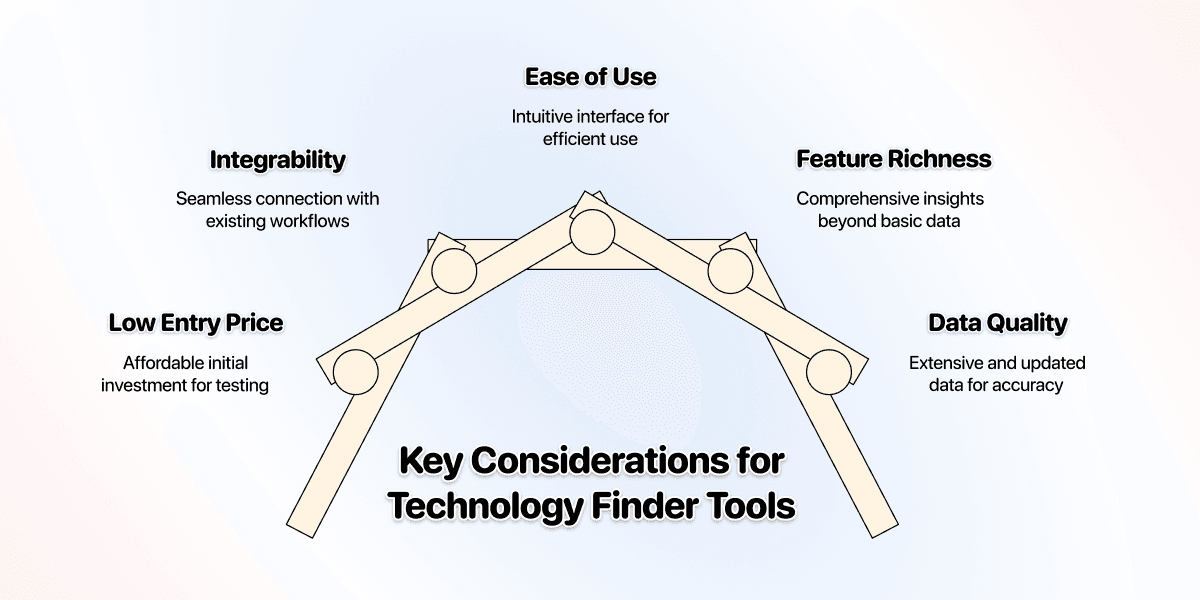
Low Entry Price
Monthly USD pricing: Starter costs $25/month with 5,000 included credits. A $20 top-up adds 20,000 credits to an active subscription. Included credits are used first; top-ups do not expire.
Using Find Companies by Technologies at 5 credits per returned website row, 1,000 rows use 5,000 credits and fit the $25 Starter allowance. A 10,000-row import uses 50,000 credits: Starter + a $55/60,000-credit top-up costs $80, providing 65,000 credits and leaving 15,000. These are source-row budgets; review duplicates and business fit, then budget any contact enrichment separately.
Compare the current subscription requirement, lookup credits, and export access for your intended batch. Include the cost of reviewing incorrect matches and finding the contacts you need. Start with a sample so the budget reflects useful accounts, not just returned rows.
Integrability
Technology data is most powerful when it's connected to the rest of your sales and marketing workflow. You have two main options here:
- Data Aggregators: Platforms like Datablist offer a technology finder as part of a larger ecosystem. This is ideal if you want an all-in-one solution to find companies, prospects, enrich them with contact data, and automate without needing multiple tools.
- Standalone Tools: Other platforms specialize only in technology detection. These are great if you already have an established workflow and just need to plug in technographic data via an API or CSV exports. These often require more technical setup, though
Ease of Use
Your time is valuable. The tool you choose should have a clean, intuitive interface that allows you to build lists and find the data you need without a steep learning curve. The goal is to spend your time engaging with potential customers, not fighting with complex software.
Feature Richness
Some tools simply tell you what technology a website uses. Others provide much deeper insights. Look for features that add value to your process, such as:
- Technology Version: Essential for identifying outdated software.
- Traffic Rank: Helps you prioritize high-traffic websites.
- Company Data: Firmographic details like company size, industry, and location.
- Contact Data: The ability to find decision-maker emails and phone numbers.
Database Size & Quality
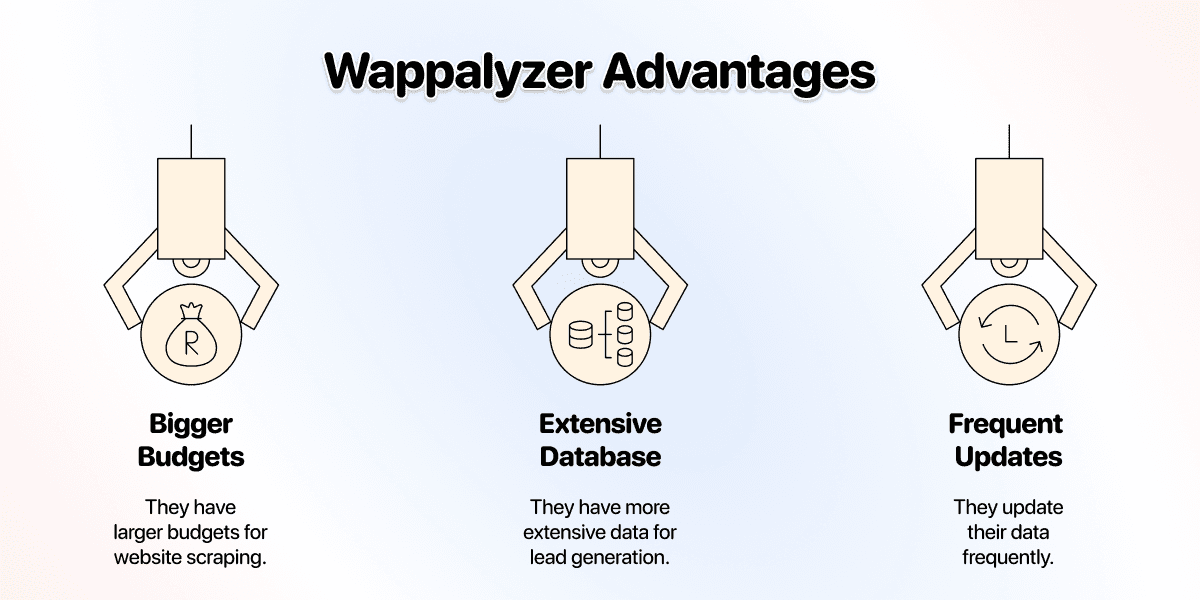
Compare coverage on the websites and technologies that matter to your workflow. A provider’s headline database size does not tell you whether a specific account will return a usable match.
Check a representative sample containing known matches, sites without the target tool, and sites where the result is uncertain. Keep missing results separate from confirmed matches. Count how many useful websites remain after review, rather than treating every returned row as qualified.
❗ Companies change tools
Wappalyzer's lookup documentation distinguishes database results from live analysis. A returned match should not be described as a live scan unless that is what the workflow performed. Recheck high-value accounts before using a historical signal in a message.
Technology Finder: Highlighted Tools
The market for technology finders can be broken down into a few main categories:
- Data aggregator & workflow builder with technology finder integration
- Platforms specialized in finding technologies
- Databases with technographic data
- Browser extensions & simple apps
Here's a quick overview of some of the most well-known tools in each category:
Data Aggregators With Technology Finder Integration
Workflow platforms combine technology lookup with data enrichment, filtering, and export. Evaluate whether those steps fit the list you need to build.
Datablist.com
An all-in-one platform for lead generation, workflow automation, and data cleaning.
Datablist uses Wappalyzer data for its technology enrichment and technology-filtered source. You can review that data alongside your original rows, then use other enrichments for contact lookup or AI research. Check the pricing page for current plan access and credits.
Platforms Specialized in Finding Technologies
These are tools focused primarily on providing high-quality technographic data at scale.
Wappalyzer
Wappalyzer offers website technology lookup and API workflows. Check its supported fields, data freshness options, and current access requirements when comparing it with a broader data workflow.
BuiltWith
BuiltWith provides technology lookup, trends, and technology-based lead generation. Compare a sample against the accounts and tools you need rather than assuming a provider is always fresher or more accurate.
Databases With Technographic Data
A prospect database may also provide company technology attributes. Ask which fields are detected from websites, which come from other sources, and when the records were last checked. Contact coverage and technology coverage are separate criteria; test both when your output must include a person to contact.
Browser Extensions & Simple Apps
These tools are perfect for quick, on-the-fly analysis of individual websites you are visiting, they often have a singular, focused purpose and can be useful for very specific tasks.
WhatRuns
WhatRuns is a free browser extension for identifying technologies on the website you are visiting. It can be useful for checking an individual account; compare bulk inputs and export separately when choosing a workflow for a whole list.
Wrapping It Up: More Customers Through Relevance
Start with the question: check existing websites or find new ones by technology. Configure the corresponding input, review category outputs and versions, then keep the source URL with the segment you export.
I would verify important matches before treating them as outreach evidence. Technology data narrows the audience; the fit of the offer and the quality of the contact research still determine whether the message is useful.

Frequently Asked Questions (FAQ) About Technology Finders
What Is a Technology Finder?
A technology finder is a tool that identifies the software, frameworks, and plugins a website uses. It works by scanning a website's source code for unique digital footprints left by different technologies, giving you insight into a company's tech stack.
Is It Legal to Use a Technology Finder?
Website detection uses accessible information, but public visibility does not establish permission for every form of collection or reuse. Check the provider’s terms, the target site, and your intended use. A technology finder is not an authorization to access restricted data.
How Can I Find Businesses That Use Shopify?
Use Find Companies by Technologies, select Shopify, and apply the list filters you need. Review a small result set before expanding it. For an existing list of URLs, use the technology enrichment instead. See finding companies using Shopify.
How Can I Find Out Which CMS a Website Is Using?
You can use a browser extension like WhatRuns to check an individual website you are on. For building a list of websites using a specific Content Management System (CMS) like WordPress or Webflow, a platform like Datablist or Wappalyzer is the best approach.
Are Technology Finders Free to Use?
Some browser tools offer free individual checks. Bulk lookup and list-building access vary by provider and plan. Compare the current plan requirements and credits for the workflow you intend to run.
What Is the Difference Between Technographic and Firmographic Data?
Firmographic data describes a company's attributes, like its industry, revenue, number of employees, and location. Technographic data describes the technologies a company uses. Combining them gives you more criteria for account selection, while missing values still need review.
How Accurate Is a Technology Finder?
Accuracy depends on the technology, accessible evidence, detection method, and age of the result. A blank result may mean the tool was not detected, not that the company does not use it. Verify important positives and uncertain matches before acting on them.
Further Reading
For related workflows, read finding companies using Shopify, BuiltWith alternatives, and website technology enrichment.