
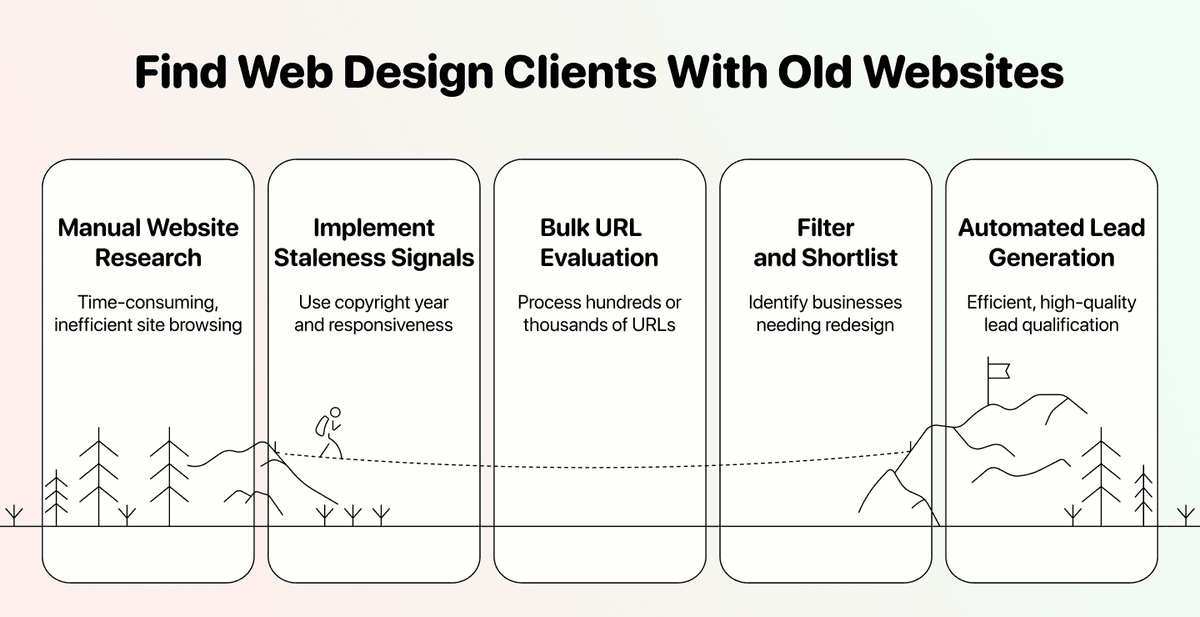
To find potentially outdated websites, start with a list of business URLs and check two signals: the footer's copyright year and whether each homepage is responsive. Datablist's Technology Identifier can return both as separate columns. Filter the list, then open the shortlisted sites on desktop and mobile before deciding whether they need a redesign. A dated footer is a lead for review, not proof that the site has not been updated.
This guide shows how to import website URLs, map them to the enrichment, inspect the returned signals, and build a useful shortlist for a web design audit.
📌 Summary For Those In a Rush
This article shows how to find businesses with outdated websites at scale using two staleness signals: copyright year and mobile responsiveness. Here's a summary:
- Two signals help prioritize review: copyright year and mobile responsiveness. Neither proves the site's age on its own.
- Datablist's Technology Identifier checks each URL and returns fields you can filter.
- Review the shortlisted websites before deciding whether a redesign offer is relevant.
- If you have a credible reason to contact a business, you can enrich its contact details in the same collection.
What Makes a Website "Old"
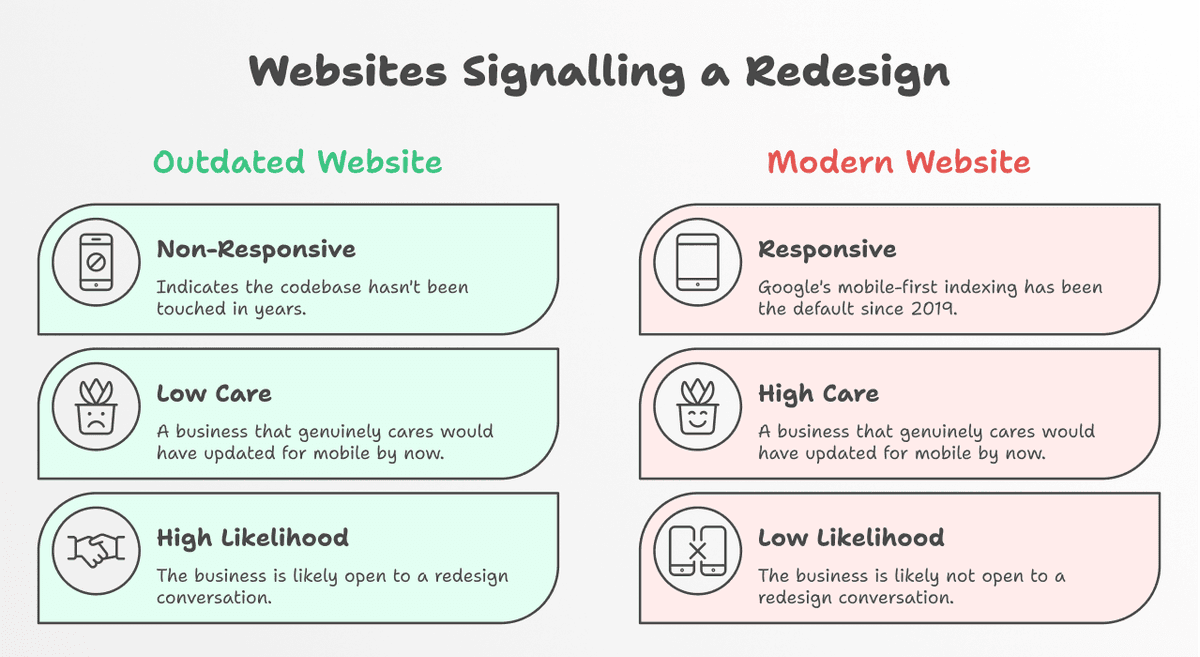
Not all outdated websites look obviously old at first glance. Some have broken mobile layouts. Some are quietly decaying with a 2019 copyright sitting in the footer.
Copyright Year - A Signal to Check
The copyright year is a quick screening signal, but it can be stale while the rest of the site is maintained. Some sites omit it, and others update it automatically. Treat a missing year as unknown. If you see an old year, open the homepage and check the design, navigation, content, and contact details before drawing a conclusion.
Mobile Responsiveness - Test the User Experience
The enrichment's Responsive output flags whether the detected page adapts to a mobile viewport. A false value is a strong reason to test the site on a phone, but it does not reveal when the site was built or last edited. Check whether key pages, menus, forms, and calls to action remain usable on a narrow screen.
How To Find Businesses With Outdated Websites: The Step-by-Step
Here's exactly how to run this workflow at scale using Datablist.com.
The Tool We'll Be Using: Datablist.com
Datablist is a data enrichment workspace where you can import website URLs, run the Technology Identifier, filter the results, and keep a reviewed lead list in one collection.
Additionally, Datablist allows you to set up automated workflows that run on schedule or demand. Here are a few practical use cases that Datablist users love:
- Building lead lists
- Personalizing emails with AI
- Cleaning and deduplicating CRMs
- Scraping job postings from 19 boards at once
- Scraping leads from sales navigator without getting banned
The point is clear: if you need to get, clean, or automate workflows with data involved and you need it to be easy, fast, and reliable, Datablist is built for that.
💡 Datablist Summarized in 35 Words
Datablist is a platform for automating lead generation workflows, which offers a suite of over 60 tools, including AI Agents, Waterfall Enrichment to find emails and phone numbers, data cleaning tools for deduplication, and more.
The Enrichment We'll Be Using: Technology Identifier
The Technology Identifier is the enrichment that checks what a website is built on and how it behaves. It's powered by the same technology detection database as Wappalyzer, one of the most trusted tools in the industry for this kind of analysis.
How It Works
You give it a list of website URLs. It crawls each one and returns a full technology profile, including Copyright Year and Mobile Responsiveness, the two data points we need here.
↳↳↳ You upload a URL list to Datablist.com.
↳↳ The Technology Identifier checks each site using real technology detection.
↳ You get back structured data, including copyright year and responsiveness status.
What You Give and What You Get
| Input | Key Outputs |
|---|---|
| Website URL | Copyright Year |
| Responsive (true/false) | |
| Meta Title | |
| Meta Description | |
| Detected technologies | |
| Website Traffic |
Steps 1-6 To Find Old Websites With Datablist
Step 1: Sign Up and Upload Your Data
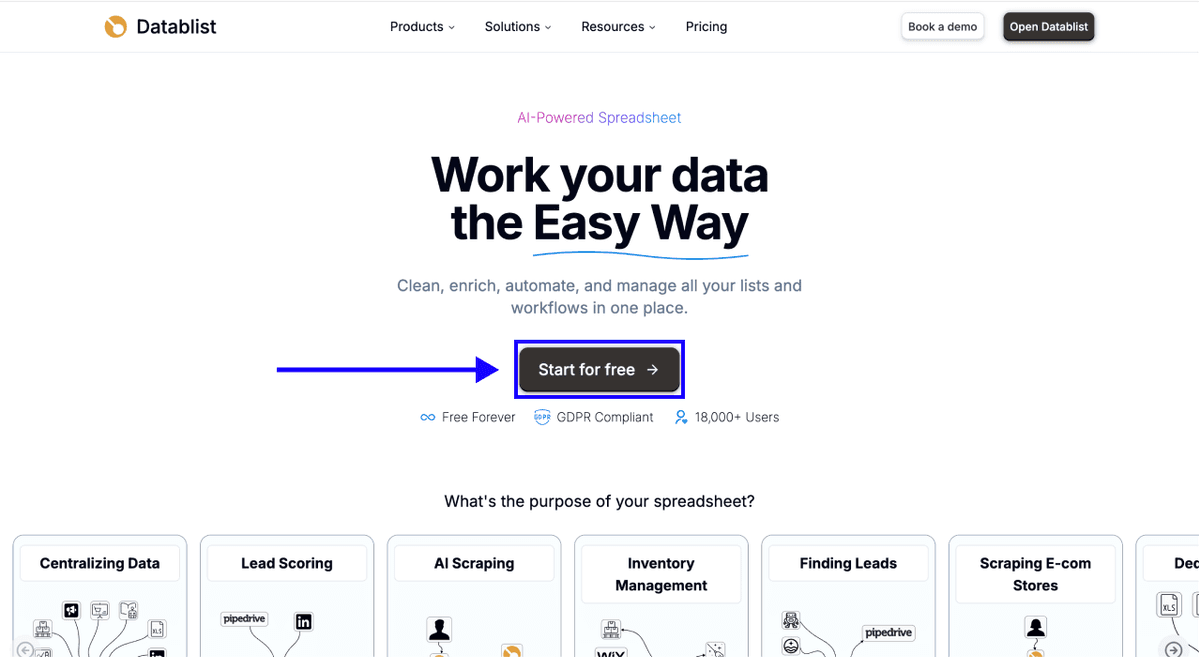
First, sign up for Datablist.com.
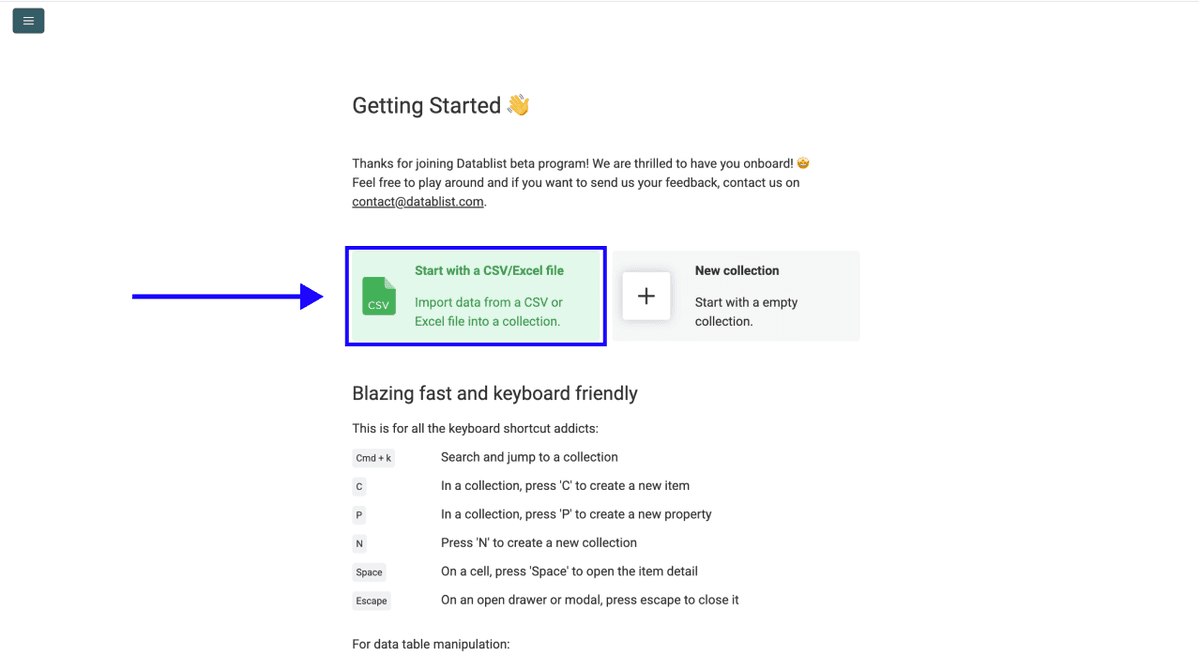
Then, upload your CSV or Excel file with your list of website URLs.
Step 2: Navigate to the Enrichment
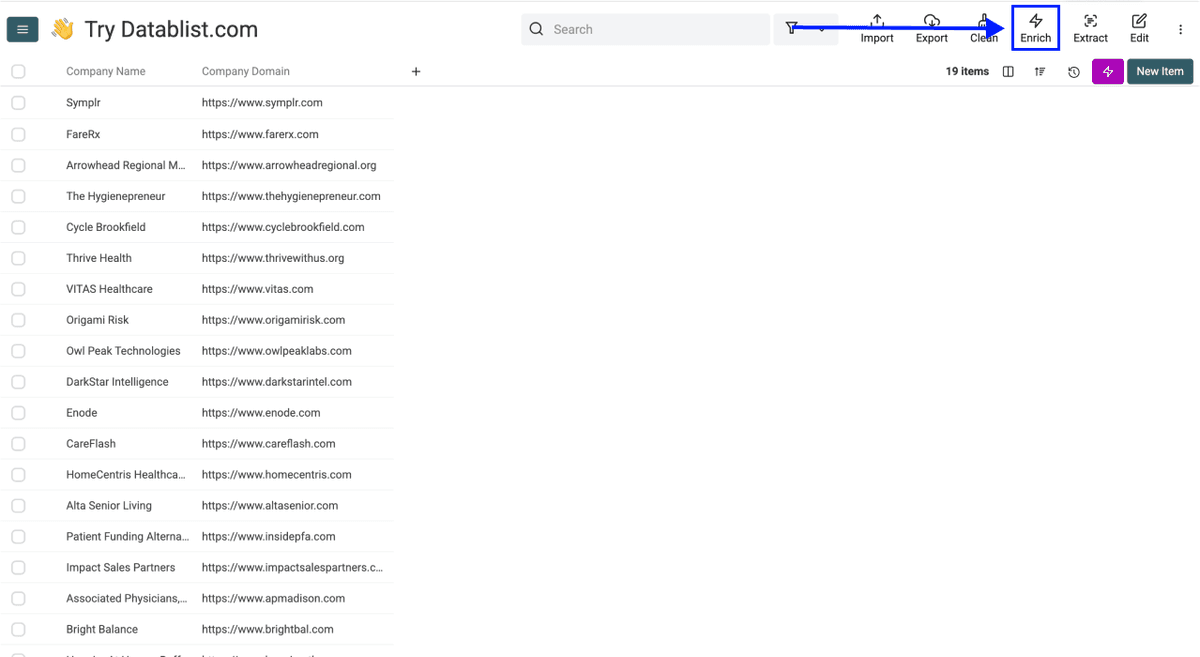
- Click on Enrich in the top menu
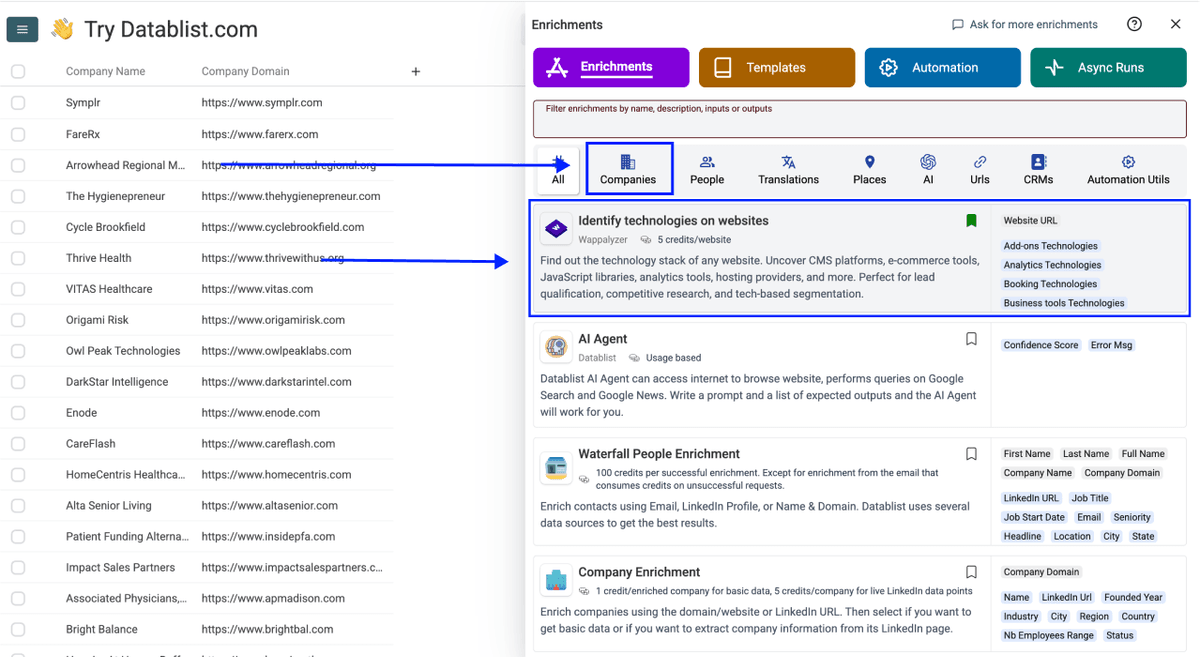
- Go to the Companies tab
- Select Technology Identifier
Step 3: Set Up the Technology Identifier
For this enrichment, no extra configuration is needed.
Just scroll down, scroll down to configure your inputs.
Step 4: Configure Your Inputs
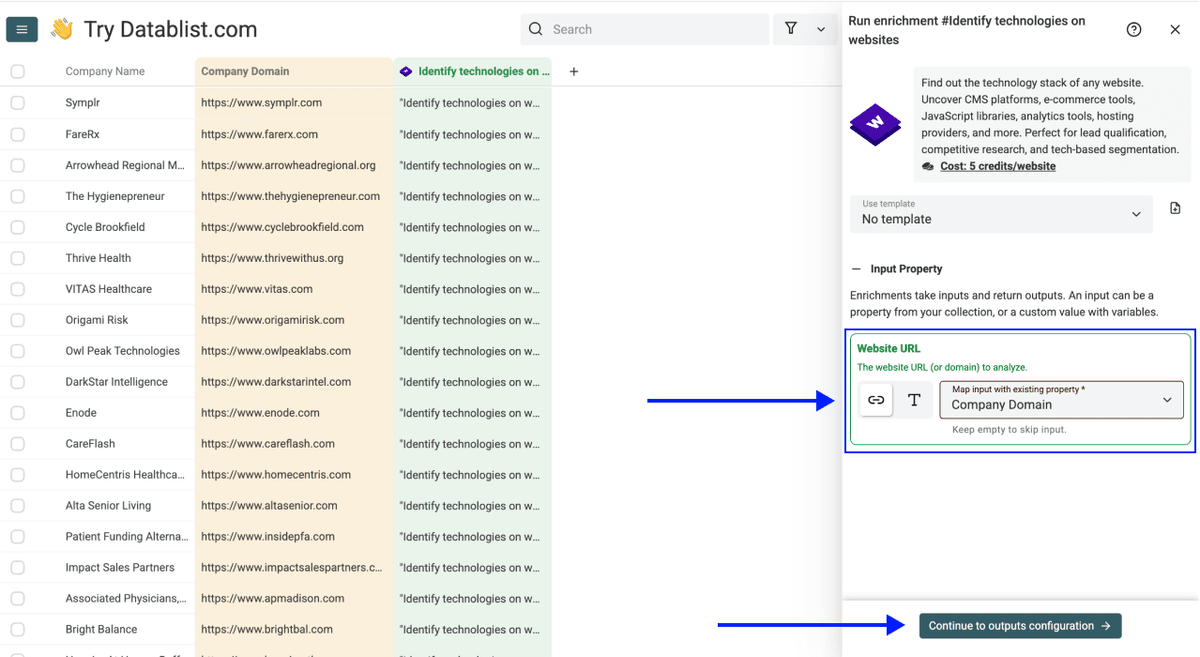
Map the column containing your website URLs as the Input Property
Then click Continue to outputs configuration.
Step 5: Select Outputs
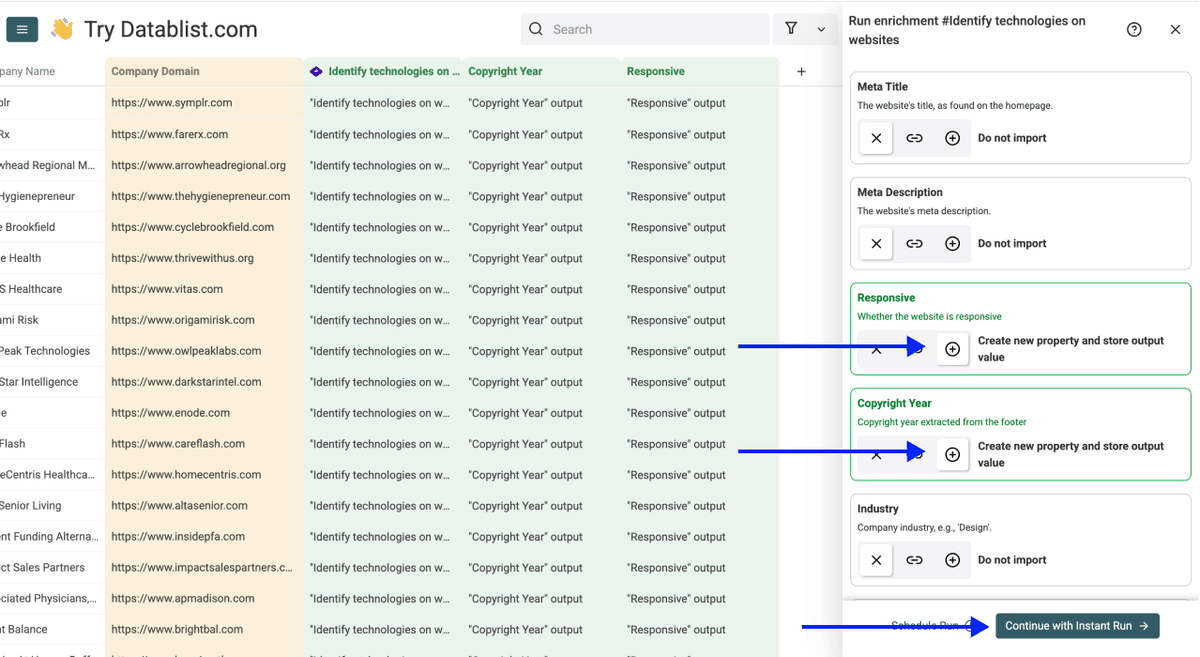
The two outputs you need for this workflow are:
- Copyright Year -- the year from the site's footer copyright notice
- Responsive -- true if the site is mobile-responsive, false if it isn't
Click the ⊕ icons to add them to your collection, then click Instant Run.
Step 6: Run the Enrichment
Click the chevron on the right side of the run button to choose how many items to process:
- Run on first 10 items -- Good for checking results before committing to the full list
- Run on first 100 items -- Useful for validating larger samples
- Run on all view items -- Processes your entire list (or your active view if you have filters set)
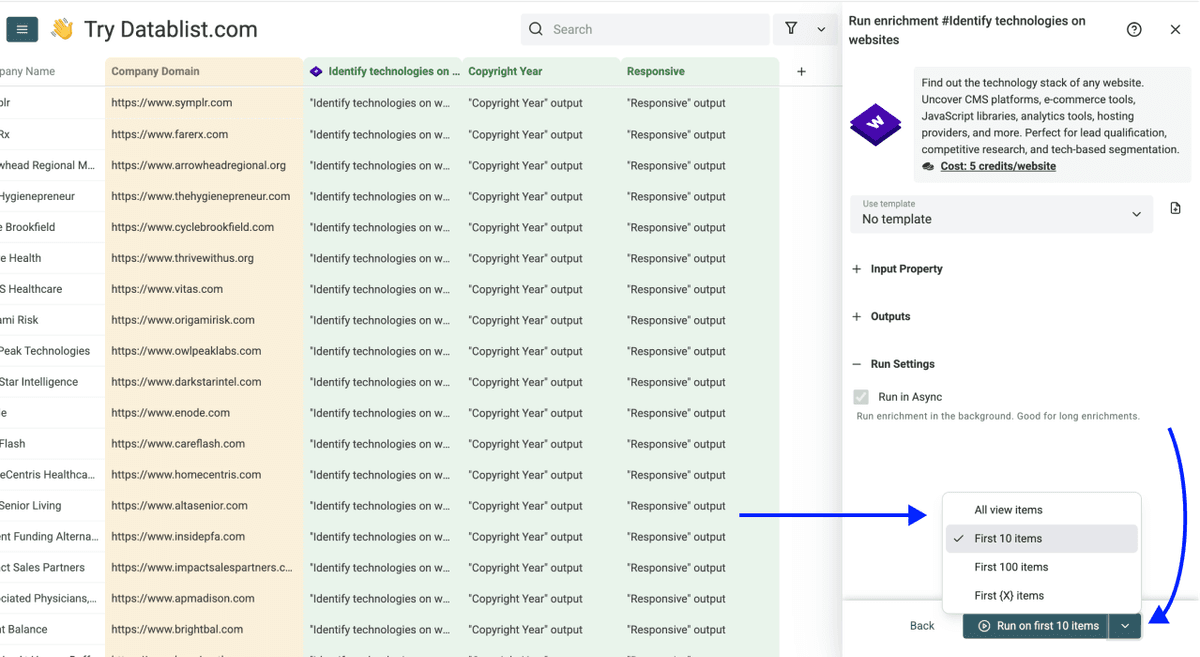
Once you've chosen your option, click Run on X items.
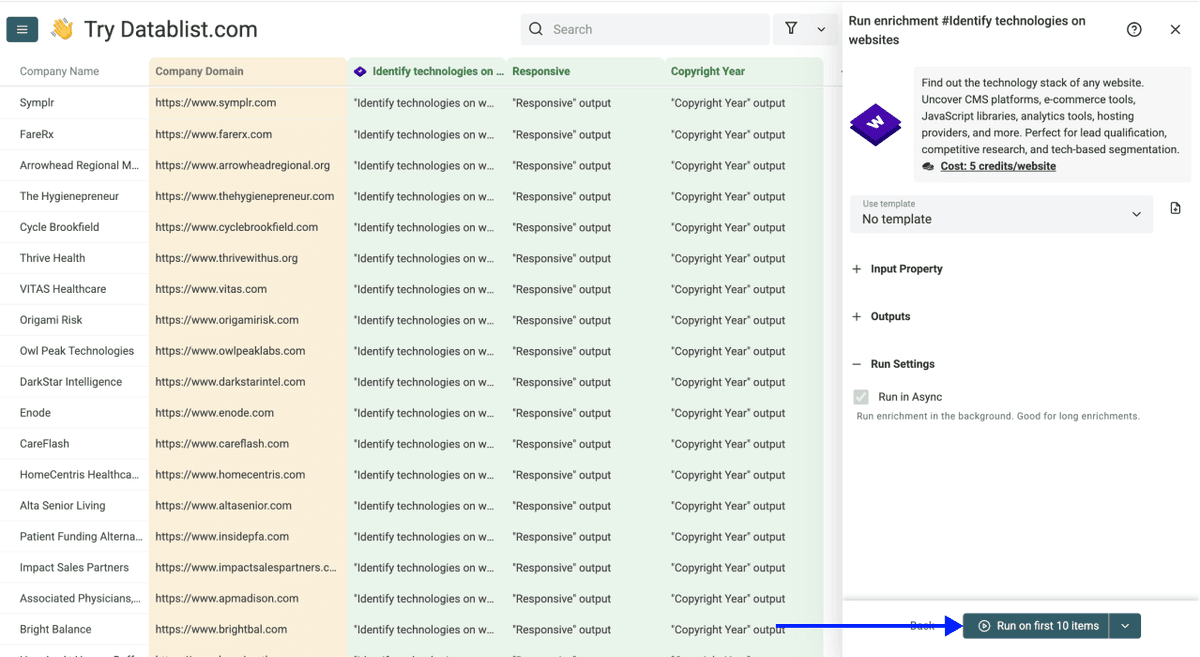
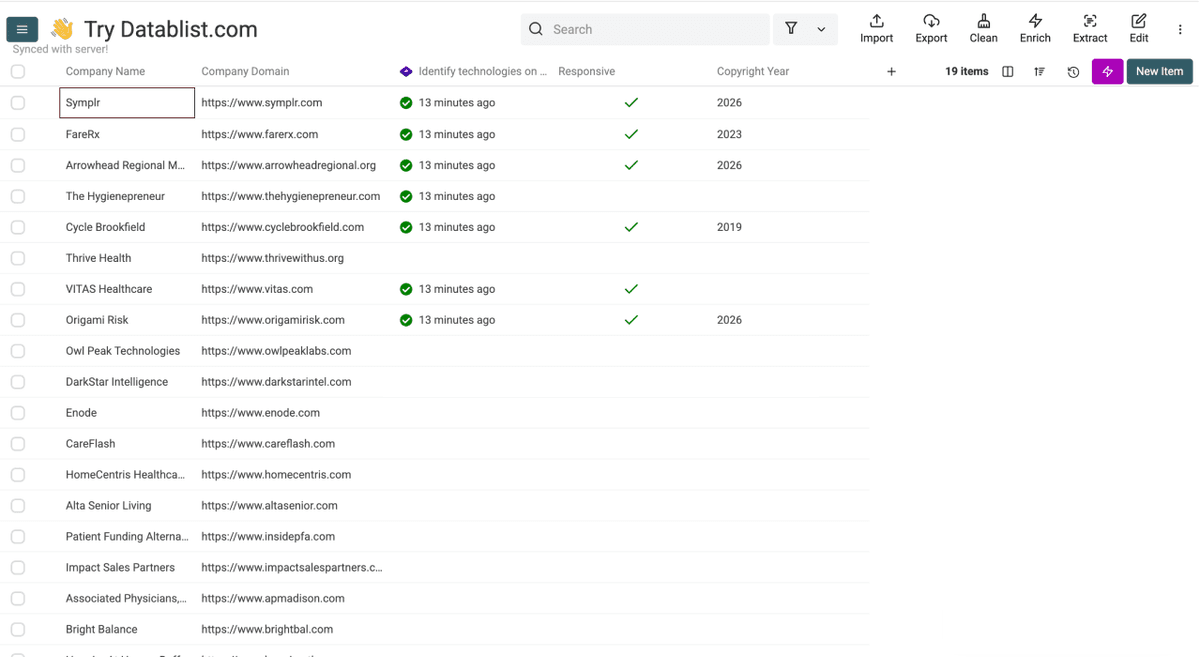
After the run, inspect the Copyright Year and Responsive columns. Either value can be missing if the site cannot be analyzed or the signal is not present.
Filter for an older copyright year and Responsive = false to make a review shortlist. Use a year threshold that fits your campaign. Open each shortlisted site and record the specific problem you observed before contacting its owner; a detector's output alone is not enough for a credible pitch.
What To Do With the Results -- Turn Old Sites Into Clients
Once you have reviewed the shortlisted sites, keep only businesses with a specific issue you can help fix. You can then turn that reviewed set into a useful lead list of business owners.
Find Business Owners and Their Emails
Use Datablist’s Waterfall People Search to find decision-makers at each business (usually the owner or marketing lead), then run the Waterfall Email Finder on your results to get verified contact details.
The Waterfall approach checks multiple email providers in sequence. Review the returned contacts before adding them to an outreach workflow.
For the full walk through just read this article on how to find leads with Datablist 👈🏽
Find Their Phone Number
For businesses where a direct call makes more sense than an email, run the Waterfall Phone Finder on the same list. Like the email workflow, it cascades through providers to maximize verified matches.
Go here to learn how to find phone numbers with Datablist 👈🏽
The Full Workflow
Here is the workflow from a URL list to a reviewed prospect list:
- Upload your URL list to Datablist -- bring in a CSV or Excel file with your website URLs
- Run the Technology Identifier -- it checks copyright year and mobile responsiveness across every URL in one run
- Shortlist likely issues -- filter by an older copyright year, a non-responsive result, or both
- Inspect the websites -- confirm the mobile experience and record a specific problem on each site you keep
- Find business owner contacts -- use the Waterfall People Search for the reviewed businesses
- Verify emails -- run the Email Finder and inspect the returned addresses
- Get phone numbers if needed -- run the Waterfall Phone Finder for a calling workflow
- Export the reviewed list -- include the observed website issue so the next step has context
The enrichment narrows the review queue. Manual inspection still matters before you recommend a redesign.
Conclusion
Use the Copyright Year and Responsive fields to choose which websites to inspect first. Keep only the sites where you can describe a real usability or content problem, then enrich the business contacts if outreach is appropriate.
FAQ
How Much Does It Cost To Check if a Website Is Outdated With Datablist.com?
The Technology Identifier uses Datablist credits. Check the run estimate and your available balance before processing a large list.
How Long Does It Take To Check 500 Websites for Staleness Signals?
The time depends on the number of URLs, provider response times, and run conditions. Start with a small batch, review the returned fields, and then run the rest of the list.
How Many Websites Can I Check at Once With Datablist.com?
The run controls let you select a small test batch, a custom number, or the current view. Available credits and run limits still apply. Test a few URLs first so you can confirm the output is useful.
What Do I Need To Run This Enrichment, and What Data Does It Return?
Start with a CSV or Excel file containing website URLs. You can select outputs including Copyright Year, Responsive, Meta Title, Meta Description, and detected technologies. Some fields may be blank when the provider cannot find a value.
Do I Need Technical Skills To Find Old Websites With Datablist.com?
None at all. The enrichment is fully point-and-click. Upload a file, map your URL column, select your outputs, and hit run. No coding required.
Can I Find the Contact Details of Businesses With Outdated Websites Using Datablist.com?
Yes, and that's where the workflow really stands out. After filtering your list for old sites, you can run the Waterfall People Search, the Email Finder, and the Waterfall Phone Finder all inside the same platform without exporting anything.
How Can I Find Old Websites Without a Bulk Enrichment Tool?
The manual approach is to browse sites one by one, check the footer copyright year, and test mobile responsiveness using browser developer tools (right-click, Inspect, toggle device toolbar). It works for a handful of sites. For anything beyond 20 URLs, it becomes impractical fast.
What's the Difference Between Checking Website Age Manually vs. Using a Bulk Enrichment Tool?
Manual checks let you inspect the site's actual content and mobile experience. A bulk enrichment tool helps you prioritize which URLs to inspect by returning structured signals. Use both when preparing a credible recommendation.